
Introduction
AI Change Risk Prediction Tools help IT, DevOps, SRE, platform engineering, and change management teams predict which software releases, infrastructure changes, configuration updates, deployment events, or service changes are most likely to cause incidents. These tools use artificial intelligence, machine learning, historical change data, deployment patterns, incident history, service dependencies, CI CD metadata, observability signals, approval workflows, and business impact context to estimate change risk before the change reaches production.
Why It Matters
Change is one of the most common causes of service disruption. A small configuration update, risky deployment, database migration, infrastructure change, feature flag update, or dependency upgrade can create outages, performance problems, customer impact, or security exposure. Traditional change approval often depends on manual review, static risk questions, and experience-based judgment. AI change risk prediction matters because it helps teams identify risky changes earlier, improve approval decisions, reduce failed changes, protect service reliability, and support faster but safer delivery. It also helps align DevOps speed with IT governance, incident prevention, and business continuity.
Real World Use Cases
- Software release risk prediction: Predict whether a new release may cause production issues based on past failures, code churn, test results, and deployment history.
- IT change risk scoring: Improve change approval decisions by scoring risk using historical incidents, affected services, and change attributes.
- Deployment readiness checks: Identify risky deployments before production rollout.
- Infrastructure change analysis: Predict risk from cloud changes, network updates, firewall rules, Kubernetes changes, and server configuration updates.
- Change and incident correlation: Connect past incidents with recent deployments, configuration drift, or system changes.
- CAB decision support: Help change advisory boards review risk with data-backed recommendations.
- DevOps governance: Allow teams to move faster while still applying guardrails for high-risk changes.
- Post-change learning: Improve future predictions by learning from failed changes, successful changes, rollbacks, and incidents.
Evaluation Criteria for Buyers
- Prediction accuracy: The tool should learn from historical changes, incidents, rollbacks, failures, and deployment outcomes.
- Change data coverage: Buyers should check support for ITSM changes, CI CD deployments, infrastructure as code, feature flags, cloud changes, and configuration updates.
- Incident correlation: Strong tools should connect changes with incidents, alerts, performance degradation, and service impact.
- Risk explainability: Predictions should explain why a change is risky using evidence such as affected services, similar past failures, dependency impact, or poor test coverage.
- Workflow integration: The tool should integrate with ITSM, CI CD, DevOps, observability, incident management, and collaboration platforms.
- Automation support: Look for automated approval routing, risk-based gates, rollback recommendations, and deployment hold policies.
- Governance controls: SSO, RBAC, audit logs, change approval history, retention, encryption, and policy controls are important.
- Service ownership context: Predictions should include service owners, business criticality, dependencies, and operational impact.
- Custom risk models: Teams should be able to tune risk scoring based on internal policies and risk appetite.
- Reporting: Dashboards should show change failure rate, risky changes, approval trends, incident-linked changes, and improvement opportunities.
- Developer experience: Risk feedback should appear inside CI CD, pull request, release, or deployment workflows.
- Scalability: The platform should support many teams, services, pipelines, and change records.
Best for: IT change managers, DevOps teams, SRE teams, platform engineers, release managers, CAB teams, IT operations, enterprise architecture teams, and organizations that want faster delivery with fewer change-related incidents.
Not ideal for: Very small teams with simple deployments, organizations without change history or incident data, teams that do not track deployment outcomes, or companies that only need basic manual approval workflows.
What Changed in AI Change Risk Prediction Tools
- Change risk is becoming data-driven: Teams are moving from manual risk questionnaires to predictions based on real change and incident history.
- DevOps and ITSM are converging: Change risk prediction now needs to work across both ITIL-style change workflows and modern CI CD pipelines.
- Deployment context matters more: Code changes, test results, dependency changes, ownership, and environment details influence risk.
- Observability data is becoming part of change scoring: Performance signals, alerts, and error rates help show whether similar changes caused problems before.
- Change failure rate is a key engineering metric: Teams increasingly track failed deployments, rollbacks, incidents, and customer impact.
- AI can improve approval routing: Low-risk changes can move faster, while high-risk changes can require extra review.
- Risk explanations are critical: Engineers and approvers need to understand why a change is risky.
- Feature flags and progressive delivery affect risk: Canary, blue green, and phased releases can reduce risk when properly governed.
- Cloud and infrastructure changes need stronger prediction: Misconfigured cloud changes can create outages, exposure, or cost spikes.
- Post-incident learning is improving: RCA outputs can feed back into change risk models.
- Automation is expanding: Risk predictions can trigger gates, tickets, approvals, rollback plans, or extra tests.
- Compliance teams want audit-ready evidence: Change approvals need clear records, risk rationale, and traceable decisions.
Quick Buyer Checklist
- Confirm integration with ITSM, CI CD, observability, incident management, cloud, and source control tools.
- Test predictions against historical failed and successful changes.
- Check whether risk scores include clear explanations.
- Validate support for software releases, infrastructure changes, cloud updates, and configuration changes.
- Review whether the tool correlates changes with incidents, alerts, rollbacks, and service impact.
- Confirm workflow actions such as approval routing, deployment gates, and rollback recommendations.
- Check SSO, RBAC, audit logs, encryption, retention, and governance controls.
- Review dashboards for change failure rate, risky changes, approval time, and incident-linked changes.
- Confirm customization of risk models and policies.
- Validate developer experience inside pull requests, pipelines, and release workflows.
- Test whether low-risk standard changes can be accelerated safely.
- Confirm reporting for CAB, auditors, engineering leaders, and service owners.
- Review automation guardrails and human approval controls.
- Run a pilot with real change records and deployment history.
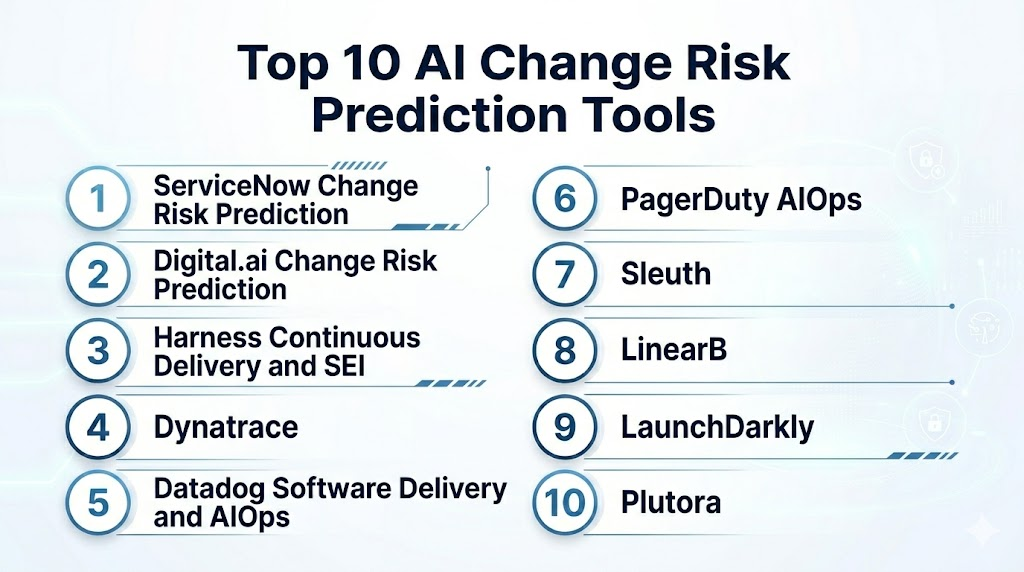
Top 10 AI Change Risk Prediction Tools
1- ServiceNow Change Risk Prediction
2- Digital.ai Change Risk Prediction
3- Harness Continuous Delivery and SEI
4- Dynatrace
5- Datadog Software Delivery and AIOps
6- PagerDuty AIOps
7- Sleuth
8- LinearB
9- LaunchDarkly
10- Plutora
1- ServiceNow Change Risk Prediction
One-line verdict: Best for enterprises needing AI-powered change risk scoring inside ITSM change workflows.
Short description:
ServiceNow Change Risk Prediction helps IT teams assess proposed change risk using predictive intelligence and change management data. It is useful for enterprises that rely on ServiceNow ITSM and need stronger risk scoring, approval support, standard change guidance, and audit-ready governance.
Standout Capabilities
- Machine learning-driven change risk assessment
- Integration with ServiceNow Change Management
- Support for standard change template suggestions
- Similar change and historical incident context
- Workflow routing for approvals and reviews
- CAB and change manager decision support
- CMDB and service impact context
- Governance and audit trail support
AI-Specific Depth
- Model support: Proprietary ServiceNow Predictive Intelligence capabilities
- RAG and knowledge integration: Varies / N/A
- Evaluation: Model training and solution validation depend on ServiceNow configuration
- Guardrails: Approval workflows, role controls, change policies, and risk thresholds vary by setup
- Observability: Change records, risk scores, approval history, CMDB context, and workflow logs
Pros
- Strong fit for ITSM-centered change management
- Useful for CAB teams and enterprise governance
- Can improve consistency in change risk scoring
Cons
- Best value depends on ServiceNow adoption and data quality
- Requires change management process maturity
- Model setup and training may require admin expertise
Security and Compliance
ServiceNow provides enterprise governance and platform security controls. Exact SSO, RBAC, audit logs, encryption, retention, residency, and certifications should be verified during procurement. If not confirmed, write Not publicly stated.
Deployment and Platforms
- Cloud-based ServiceNow platform
- Web-based ITSM and change management interface
- Works with ServiceNow Change Management and related workflows
- CMDB and ITOM integrations vary by configuration
Integrations and Ecosystem
ServiceNow connects change risk prediction with IT operations and governance workflows.
- ServiceNow ITSM
- ServiceNow CMDB
- ServiceNow ITOM
- Incident and problem management
- Approval workflows
- Monitoring and observability integrations
- DevOps and automation integrations
Pricing Model
Typically subscription-based and module-based. Exact pricing depends on ServiceNow products, users, modules, and enterprise agreement. Exact pricing is Not publicly stated.
Best-Fit Scenarios
- Enterprises using ServiceNow Change Management
- CAB teams needing AI-assisted risk scoring
- Regulated organizations needing change governance and audit trails
2- Digital.ai Change Risk Prediction
One-line verdict: Best for enterprise software teams predicting deployment and release change failure risk.
Short description:
Digital.ai Change Risk Prediction helps teams predict which software changes are more likely to fail or create user impact. It is useful for organizations that want AI-driven release intelligence, change impact analysis, and risk-based decision support across enterprise software delivery.
Standout Capabilities
- AI-powered change failure prediction
- Release and deployment risk insights
- Change impact analysis
- Historical change and outcome learning
- Support for proactive mitigation
- Enterprise software delivery context
- Analytics for release decision-making
- Business outcome and user experience protection focus
AI-Specific Depth
- Model support: Proprietary AI-powered analytics for change risk prediction
- RAG and knowledge integration: Varies / N/A
- Evaluation: Not publicly stated
- Guardrails: Governance controls, approval workflows, and policy settings vary by implementation
- Observability: Risk predictions, change context, release analytics, and outcome tracking vary by setup
Pros
- Purpose-built for change risk prediction
- Useful for enterprise release governance
- Helps teams identify risky software changes before impact
Cons
- Best value depends on integration with delivery data
- Requires historical change and deployment outcomes
- Pricing and package details should be verified directly
Security and Compliance
Digital.ai provides enterprise software delivery and intelligence capabilities. Exact SSO, RBAC, audit logs, encryption, retention, residency, and certifications should be verified during procurement. If not confirmed, write Not publicly stated.
Deployment and Platforms
- Enterprise platform deployment options may vary
- Web-based analytics and decision-support interface
- Integrates with software delivery and release workflows
- Deployment depends on Digital.ai product scope and customer architecture
Integrations and Ecosystem
Digital.ai connects change risk prediction with software delivery and release management workflows.
- Release management tools
- CI CD systems
- Source control systems
- Agile planning tools
- Testing tools
- Deployment systems
- Enterprise reporting workflows
Pricing Model
Typically subscription-based and enterprise-oriented. Exact pricing depends on modules, users, deployment scope, and contract. Exact pricing is Not publicly stated.
Best-Fit Scenarios
- Enterprise release teams predicting failed changes
- Organizations with complex software delivery pipelines
- Teams needing data-backed release risk decisions
3- Harness Continuous Delivery and SEI
One-line verdict: Best for DevOps teams needing deployment risk visibility tied to delivery metrics and pipelines.
Short description:
Harness provides continuous delivery, feature management, software engineering intelligence, and automation capabilities that help teams manage deployment quality, reliability, and delivery performance. It is useful for DevOps organizations that want to connect change risk with pipeline health, deployment patterns, engineering metrics, rollback data, and release governance.
Standout Capabilities
- Continuous delivery pipeline visibility
- Deployment verification and rollback workflows
- Software engineering intelligence for delivery metrics
- Change and deployment outcome tracking
- Feature flag and release control options
- Pipeline governance and approval controls
- Integration with cloud and Kubernetes delivery workflows
- Engineering dashboards for delivery risk patterns
AI-Specific Depth
- Model support: Proprietary analytics and AI-assisted software delivery capabilities vary by module
- RAG and knowledge integration: Varies / N/A
- Evaluation: Pipeline verification and deployment analysis depend on configuration
- Guardrails: Approval gates, deployment policies, rollback rules, and access controls vary by setup
- Observability: Pipeline runs, deployments, rollback status, engineering metrics, service health, and delivery dashboards
Pros
- Strong fit for modern CI CD and DevOps workflows
- Useful for deployment verification and release governance
- Connects engineering metrics with delivery risk
Cons
- Best value depends on Harness module adoption
- Change risk prediction may require combining delivery and intelligence data
- Setup requires pipeline and service ownership maturity
Security and Compliance
Harness provides enterprise DevOps platform controls. Exact SSO, RBAC, audit logs, encryption, retention, residency, and certifications should be verified directly. If not confirmed, use Not publicly stated.
Deployment and Platforms
- Cloud-based and enterprise options may vary
- Web-based DevOps platform interface
- Supports CI CD, Kubernetes, cloud deployments, and feature workflows depending on modules
- Integrates with source control and pipeline tools
Integrations and Ecosystem
Harness connects change risk prediction with software delivery workflows.
- Source control platforms
- CI CD pipelines
- Kubernetes and cloud providers
- Feature flag systems
- Observability tools
- Jira and planning tools
- Slack and collaboration workflows
Pricing Model
Typically subscription-based and module-based. Exact pricing depends on selected modules, usage, users, and contract. Exact pricing is Not publicly stated.
Best-Fit Scenarios
- DevOps teams managing frequent deployments
- Platform teams needing release gates and verification
- Engineering leaders tracking delivery risk and change outcomes
4- Dynatrace
One-line verdict: Best for topology-aware change risk analysis using observability, service impact, and deployment context.
Short description:
Dynatrace helps teams understand application and infrastructure health across services, cloud, Kubernetes, databases, and user experience. It is useful for change risk prediction because it connects deployments, topology, observability signals, anomalies, service dependencies, and problem analysis.
Standout Capabilities
- Full-stack observability across services and infrastructure
- Automatic service discovery and dependency mapping
- Deployment and change event context
- AI-assisted problem analysis
- Impact analysis across affected services
- Kubernetes and cloud-native visibility
- User experience and business impact context
- Automation and workflow integrations
AI-Specific Depth
- Model support: Proprietary AI and causal analytics capabilities
- RAG and knowledge integration: Varies / N/A
- Evaluation: Not publicly stated
- Guardrails: Alerting policies, automation approvals, and workflow rules vary by configuration
- Observability: Service topology, deployment events, logs, metrics, traces, anomalies, and problem cards
Pros
- Strong service topology and dependency context
- Useful for identifying risky changes after deployment
- Good fit for complex enterprise and cloud-native environments
Cons
- Not a pure ITSM change risk product
- Requires strong instrumentation coverage
- Pricing and deployment scope should be reviewed carefully
Security and Compliance
Dynatrace provides enterprise observability and platform security controls. Exact SSO, RBAC, audit logs, encryption, data retention, residency, and certifications should be verified during procurement. If not confirmed, write Not publicly stated.
Deployment and Platforms
- Cloud and managed options may vary
- Agents and integrations for applications, cloud, Kubernetes, and infrastructure
- Web-based observability interface
- Supports hybrid and multi-cloud environments depending on setup
Integrations and Ecosystem
Dynatrace connects change context with observability and operations workflows.
- Cloud providers
- Kubernetes and containers
- CI CD tools
- ITSM tools
- Incident management platforms
- Collaboration tools
- APIs and automation workflows
Pricing Model
Typically subscription-based and usage-influenced depending on observability units, hosts, data volume, and selected capabilities. Exact pricing is Not publicly stated in a universal format.
Best-Fit Scenarios
- Enterprises needing service-impact-aware change analysis
- SRE teams correlating deployments with incidents
- Cloud-native teams monitoring release impact
5- Datadog Software Delivery and AIOps
One-line verdict: Best for cloud-native teams connecting deployments, service health, incidents, and change impact.
Short description:
Datadog helps teams monitor infrastructure, applications, logs, traces, incidents, CI visibility, deployment events, and service health. It is useful for change risk prediction because teams can connect deployment patterns, test signals, observability telemetry, anomaly detection, and incident workflows.
Standout Capabilities
- Deployment event tracking
- Service health and dependency monitoring
- CI visibility and software delivery insights
- AIOps anomaly detection through Watchdog capabilities
- Incident management and alert correlation
- Kubernetes and cloud monitoring
- Change impact dashboards
- Integration with engineering workflows
AI-Specific Depth
- Model support: Proprietary anomaly detection and AIOps capabilities
- RAG and knowledge integration: Varies / N/A
- Evaluation: Not publicly stated
- Guardrails: Monitor policies, deployment gates, access controls, and workflow rules vary by setup
- Observability: Logs, metrics, traces, deployment markers, service maps, CI visibility, and incident context
Pros
- Strong fit for cloud-native engineering teams
- Connects deployments with observability and incidents
- Useful for detecting risky release patterns
Cons
- Requires strong tagging and service ownership
- Change risk prediction may require custom dashboards and workflows
- Costs can grow with telemetry volume
Security and Compliance
Datadog provides enterprise platform security features such as access controls, audit capabilities, encryption, and governance options. Exact SSO, RBAC, retention, residency, and certifications should be verified directly. If not confirmed, use Not publicly stated.
Deployment and Platforms
- Cloud-based platform
- Agents and integrations for applications, cloud, CI, Kubernetes, infrastructure, and logs
- Web-based dashboards and analytics
- Supports cloud-native and hybrid environments depending on configuration
Integrations and Ecosystem
Datadog connects change signals with delivery and observability workflows.
- Source control systems
- CI CD platforms
- Cloud providers
- Kubernetes and containers
- Incident management tools
- Collaboration platforms
- APIs and webhooks
Pricing Model
Typically usage-based or subscription-based depending on products, hosts, data volume, retention, and features. Exact pricing is Not publicly stated in a universal format.
Best-Fit Scenarios
- Cloud-native teams tracking deployment impact
- SRE teams correlating changes with incidents
- DevOps teams connecting CI visibility with production health
6- PagerDuty AIOps
One-line verdict: Best for change-aware incident teams needing event intelligence, risk context, and response routing.
Short description:
PagerDuty AIOps helps teams reduce alert noise, group incidents, route work, and accelerate response. It is useful for change risk prediction workflows when teams want to connect change events, service ownership, alerts, and incident patterns to identify which changes are more likely to require attention.
Standout Capabilities
- Event intelligence and alert grouping
- Incident routing and escalation workflows
- Service ownership and business service context
- Change event correlation support through integrations
- Automation and response orchestration
- Noise reduction for incident teams
- Post-incident learning workflows
- Integration with observability and CI CD tools
AI-Specific Depth
- Model support: Proprietary event intelligence and AIOps capabilities
- RAG and knowledge integration: Varies / N/A
- Evaluation: Not publicly stated
- Guardrails: Escalation policies, automation approvals, role controls, and workflow rules vary by setup
- Observability: Incidents, alerts, event groupings, services, responders, timelines, and response outcomes
Pros
- Strong incident response workflow alignment
- Useful for correlating change-related alerts
- Good fit for service ownership and escalation governance
Cons
- Not a standalone change risk prediction engine
- Risk depth depends on connected deployment and observability data
- Requires service ownership and incident process maturity
Security and Compliance
PagerDuty provides enterprise incident management and operations controls. Exact SSO, RBAC, audit logs, encryption, retention, residency, and certifications should be verified directly. If not confirmed, use Not publicly stated.
Deployment and Platforms
- Cloud-based incident operations platform
- Web and mobile interfaces
- Integrates with monitoring, CI CD, ITSM, and collaboration tools
- Supports on-call and incident response workflows
Integrations and Ecosystem
PagerDuty connects change-related signals with incident and response workflows.
- Observability platforms
- CI CD systems
- ITSM tools
- Monitoring tools
- Cloud platforms
- Collaboration tools
- Automation workflows
Pricing Model
Typically subscription-based and plan-based. Exact pricing depends on users, modules, event volume, and enterprise agreement. Exact pricing is Not publicly stated.
Best-Fit Scenarios
- Incident teams correlating deployments with alerts
- Operations teams improving change-related response
- Organizations using PagerDuty as a central response hub
7- Sleuth
One-line verdict: Best for engineering teams measuring deployment health, change failure rate, and release risk.
Short description:
Sleuth helps software teams track deployments, engineering metrics, change failure rate, lead time, and release health. It is useful for teams that want better visibility into deployment outcomes and change risk patterns across services, repositories, and delivery workflows.
Standout Capabilities
- Deployment tracking across services
- Change failure rate measurement
- DORA metrics visibility
- Release health insights
- Pull request and deployment workflow context
- Incident and rollback outcome tracking
- Team and service-level delivery dashboards
- Engineering improvement reporting
AI-Specific Depth
- Model support: Varies / N/A
- RAG and knowledge integration: N/A
- Evaluation: Metric validation depends on integrations and workflow setup
- Guardrails: Access controls, workflow rules, and reporting permissions vary by configuration
- Observability: Deployments, incidents, rollbacks, pull requests, lead time, and delivery metrics
Pros
- Strong delivery metrics and change failure visibility
- Useful for engineering teams improving release reliability
- Practical for DORA-based change risk tracking
Cons
- Less focused on enterprise ITSM change approvals
- AI-native predictive modeling may be limited
- Requires clean integration with delivery and incident workflows
Security and Compliance
Sleuth provides software delivery analytics capabilities. Exact SSO, RBAC, audit logs, encryption, retention, residency, and certifications should be verified directly. If not confirmed, use Not publicly stated.
Deployment and Platforms
- Cloud-based platform
- Web dashboards for engineering metrics
- Integrates with source control, CI CD, and incident tools
- Deployment depends on team delivery workflows
Integrations and Ecosystem
Sleuth connects change visibility with engineering delivery workflows.
- Source control systems
- CI CD platforms
- Incident management tools
- Issue tracking tools
- Deployment systems
- Engineering dashboards
- Team reporting workflows
Pricing Model
Typically subscription-based. Exact pricing depends on users, teams, integrations, and plan. Exact pricing is Not publicly stated.
Best-Fit Scenarios
- Engineering teams tracking change failure rate
- DevOps teams improving release reliability
- Teams using DORA metrics for change risk visibility
8- LinearB
One-line verdict: Best for engineering leaders predicting delivery risk using workflow, code, and team analytics.
Short description:
LinearB helps engineering teams understand software delivery performance, developer workflow, code changes, pull request risk, and team productivity. It is useful for change risk prediction when teams want to identify risky delivery patterns, bottlenecks, large pull requests, review gaps, and changes that may affect delivery quality.
Standout Capabilities
- Software engineering intelligence
- Pull request and delivery workflow analytics
- DORA metrics and team dashboards
- Risk signals around code review and delivery bottlenecks
- Engineering workflow automation
- Team and service performance insights
- Integration with source control and project tools
- Developer experience reporting
AI-Specific Depth
- Model support: Proprietary analytics and automation capabilities vary by package
- RAG and knowledge integration: Varies / N/A
- Evaluation: Not publicly stated
- Guardrails: Workflow policies, role controls, and automation settings vary by configuration
- Observability: Pull requests, commits, reviews, deployment metrics, work items, and team dashboards
Pros
- Strong engineering workflow visibility
- Useful for identifying delivery risk before release
- Helps improve review quality and cycle time
Cons
- Not a traditional ITSM change risk platform
- Needs clean source control and workflow data
- Production incident correlation may require integrations
Security and Compliance
LinearB provides engineering analytics and workflow capabilities. Exact SSO, RBAC, audit logs, encryption, retention, residency, and certifications should be verified during procurement. If not confirmed, write Not publicly stated.
Deployment and Platforms
- Cloud-based engineering intelligence platform
- Web dashboards
- Integrates with source control and planning tools
- Works with engineering workflow data
Integrations and Ecosystem
LinearB connects delivery analytics with engineering workflows.
- GitHub, GitLab, Bitbucket, or similar source systems
- Jira and planning tools
- CI CD signals where configured
- Slack and collaboration workflows
- Engineering dashboards
- Automation rules
- Reporting exports
Pricing Model
Typically subscription-based and user or team-oriented. Exact pricing depends on plan, users, and agreement. Exact pricing is Not publicly stated.
Best-Fit Scenarios
- Engineering leaders tracking risky delivery patterns
- Teams improving code review and deployment discipline
- Organizations using software engineering intelligence for release risk
9- LaunchDarkly
One-line verdict: Best for reducing release risk through feature flags, progressive delivery, and controlled rollouts.
Short description:
LaunchDarkly helps teams release software safely using feature flags, targeting, experimentation, release controls, and progressive delivery workflows. It is useful for change risk prediction and mitigation because teams can reduce blast radius, roll back risky features quickly, and evaluate release impact before full rollout.
Standout Capabilities
- Feature flag management
- Progressive delivery and controlled rollout
- Targeting and segmentation
- Kill switches for fast rollback
- Experimentation and release learning
- Approval workflows and governance
- Audit logs and change history
- Integration with CI CD and observability tools
AI-Specific Depth
- Model support: Varies / N/A
- RAG and knowledge integration: N/A
- Evaluation: Release impact evaluation depends on experimentation and connected observability tools
- Guardrails: Approval workflows, targeting rules, flag permissions, and audit controls vary by configuration
- Observability: Flag changes, rollout status, targeting rules, event data, approval history, and release outcomes
Pros
- Strong release risk mitigation through progressive delivery
- Fast rollback using feature flags
- Useful governance for controlled production changes
Cons
- Not a standalone AI prediction platform
- Requires disciplined feature flag lifecycle management
- Risk prediction depends on connected metrics and rollout strategy
Security and Compliance
LaunchDarkly provides enterprise feature management controls. Exact SSO, RBAC, audit logs, encryption, data retention, residency, and certifications should be verified directly. If not confirmed, use Not publicly stated.
Deployment and Platforms
- Cloud-based feature management platform
- SDKs for many application environments
- Web management interface
- Supports server-side, client-side, mobile, and infrastructure use cases depending on SDKs
Integrations and Ecosystem
LaunchDarkly connects release risk mitigation with development and operations workflows.
- CI CD systems
- Source control tools
- Observability platforms
- Incident management tools
- Collaboration tools
- Project management systems
- SDKs and APIs
Pricing Model
Typically subscription-based and tiered by seats, flags, environments, or usage. Exact pricing depends on plan and agreement. Exact pricing is Not publicly stated.
Best-Fit Scenarios
- Teams reducing deployment blast radius
- Product engineering teams using progressive delivery
- Organizations that want safer releases through feature flag governance
10- Plutora
One-line verdict: Best for enterprise release and change teams managing complex release risk across many systems.
Short description:
Plutora supports release management, test environment management, deployment planning, and enterprise change coordination. It is useful for large organizations that need to manage release risk across multiple teams, applications, environments, dependencies, and governance workflows.
Standout Capabilities
- Enterprise release management
- Change and deployment coordination
- Environment and dependency visibility
- Release calendar and planning workflows
- Governance and approval support
- Risk visibility across complex releases
- Reporting for release and change teams
- Integration with DevOps and ITSM tools
AI-Specific Depth
- Model support: Varies / N/A
- RAG and knowledge integration: N/A
- Evaluation: Release risk analysis depends on configuration and data quality
- Guardrails: Approval workflows, release gates, role controls, and governance settings vary by setup
- Observability: Release plans, dependencies, environments, approvals, schedules, change records, and reporting dashboards
Pros
- Strong enterprise release governance
- Useful for coordinating complex multi-team changes
- Helps visualize release dependencies and scheduling risk
Cons
- AI-native predictive capability may vary
- Best for larger organizations with formal release processes
- Requires process discipline and good release data
Security and Compliance
Plutora provides enterprise release management capabilities. Exact SSO, RBAC, audit logs, encryption, retention, residency, and certifications should be verified during procurement. If not confirmed, write Not publicly stated.
Deployment and Platforms
- Cloud-based enterprise release management platform
- Web-based planning and governance interface
- Integrates with ITSM, DevOps, and testing workflows
- Deployment depends on release management process design
Integrations and Ecosystem
Plutora connects change risk visibility with enterprise release workflows.
- ITSM tools
- CI CD platforms
- Testing tools
- Agile planning tools
- Deployment tools
- Environment management workflows
- Reporting systems
Pricing Model
Typically subscription-based and enterprise-oriented. Exact pricing depends on users, modules, integrations, and contract. Exact pricing is Not publicly stated.
Best-Fit Scenarios
- Large enterprises managing complex releases
- Release managers coordinating dependencies and governance
- Organizations needing release risk visibility across many systems
Comparison Table
| Tool Name | Best For | Deployment | Model Flexibility | Strength | Watch Out | Public Rating |
|---|---|---|---|---|---|---|
| ServiceNow Change Risk Prediction | ITSM change risk scoring | Cloud | Hosted proprietary | ML-based change risk inside ITSM | Requires ServiceNow maturity | N/A |
| Digital.ai Change Risk Prediction | Software release failure prediction | Enterprise options vary | Hosted proprietary | Purpose-built change failure prediction | Needs delivery data integration | N/A |
| Harness Continuous Delivery and SEI | DevOps deployment risk | Cloud and enterprise options vary | Hosted proprietary | Pipeline and delivery intelligence | Module fit matters | N/A |
| Dynatrace | Service-impact change analysis | Cloud and managed options vary | Hosted proprietary | Topology and observability context | Not pure ITSM risk tool | N/A |
| Datadog Software Delivery and AIOps | Cloud-native deployment impact | Cloud | Hosted proprietary | CI and observability correlation | Telemetry costs need planning | N/A |
| PagerDuty AIOps | Change-aware incident response | Cloud | Hosted proprietary | Event intelligence and routing | Depends on connected data | N/A |
| Sleuth | DORA and change failure tracking | Cloud | Varies / N/A | Deployment outcome visibility | Less enterprise ITSM focus | N/A |
| LinearB | Engineering delivery risk | Cloud | Hosted proprietary | PR and workflow risk insights | Needs source and workflow data | N/A |
| LaunchDarkly | Release risk reduction | Cloud | Varies / N/A | Progressive delivery and rollback | Not standalone prediction | N/A |
| Plutora | Enterprise release risk governance | Cloud | Varies / N/A | Multi-team release coordination | Requires process discipline | N/A |
Scoring and Evaluation
This scoring is comparative, not absolute. It helps buyers compare AI change risk prediction tools based on prediction depth, AI reliability, guardrails, integrations, usability, performance, security controls, and support. Scores may vary based on change history, delivery process maturity, incident data quality, CI CD integrations, observability coverage, and governance needs. Public ratings are not guessed. Buyers should validate shortlisted tools using historical changes, known failed releases, incident-linked deployments, and real approval workflows.
| Tool | Core | Reliability and Eval | Guardrails | Integrations | Ease | Performance and Cost | Security and Admin | Support | Weighted Total |
| ServiceNow Change Risk Prediction | 9.1 | 8.6 | 9.0 | 8.8 | 8.2 | 8.1 | 9.0 | 8.8 | 8.7 |
| Digital.ai Change Risk Prediction | 9.0 | 8.6 | 8.5 | 8.4 | 8.1 | 8.2 | 8.5 | 8.4 | 8.5 |
| Harness Continuous Delivery and SEI | 8.8 | 8.5 | 8.7 | 8.9 | 8.4 | 8.4 | 8.7 | 8.6 | 8.6 |
| Dynatrace | 8.7 | 8.5 | 8.5 | 8.8 | 8.3 | 8.2 | 8.8 | 8.8 | 8.5 |
| Datadog Software Delivery and AIOps | 8.6 | 8.4 | 8.4 | 9.0 | 8.5 | 8.2 | 8.7 | 8.7 | 8.5 |
| PagerDuty AIOps | 8.4 | 8.3 | 8.7 | 8.8 | 8.5 | 8.3 | 8.7 | 8.7 | 8.5 |
| Sleuth | 8.2 | 8.1 | 8.1 | 8.4 | 8.7 | 8.5 | 8.2 | 8.3 | 8.3 |
| LinearB | 8.1 | 8.0 | 8.2 | 8.5 | 8.6 | 8.5 | 8.3 | 8.3 | 8.3 |
| LaunchDarkly | 8.3 | 8.1 | 8.8 | 8.8 | 8.6 | 8.4 | 8.7 | 8.6 | 8.5 |
| Plutora | 8.4 | 8.1 | 8.8 | 8.5 | 8.1 | 8.2 | 8.7 | 8.5 | 8.4 |
Top 3 for Enterprise
1- ServiceNow Change Risk Prediction
2- Digital.ai Change Risk Prediction
3- Plutora
Top 3 for SMB
1- Sleuth
2- LinearB
3- LaunchDarkly
Top 3 for Developers
1- Harness Continuous Delivery and SEI
2- LaunchDarkly
3- Datadog Software Delivery and AIOps
Which AI Change Risk Prediction Tool Is Right for You
Solo / Freelancer
Solo consultants and independent engineers usually need lightweight delivery visibility rather than full enterprise change governance. Sleuth can help track deployment outcomes and change failure rate. LinearB can help identify workflow and pull request risk. LaunchDarkly can reduce release risk through feature flags and controlled rollouts.
SMB
SMBs should prioritize tools that are easy to adopt and fit modern delivery workflows. Sleuth, LinearB, and LaunchDarkly are practical for software teams that want better release safety without heavy ITSM process overhead. Datadog can also work well when teams already use it for observability and incident tracking.
Mid-Market
Mid-market teams usually need a balance of governance, delivery speed, and production reliability. Harness, Datadog, Dynatrace, and PagerDuty AIOps can help teams connect deployment events with service health, incidents, and response workflows. The best choice depends on whether the organization is more DevOps-led or ITSM-led.
Enterprise
Large enterprises should prioritize audit trails, formal approvals, ITSM integration, release governance, and risk explainability. ServiceNow Change Risk Prediction is strong for ITSM change workflows, Digital.ai Change Risk Prediction is strong for enterprise software release risk, and Plutora is strong for large-scale release coordination. Dynatrace can add service-impact context.
Regulated Industries
Finance, healthcare, government, and critical infrastructure teams should prioritize role-based access, audit logs, approval workflows, evidence trails, retention controls, and explainable risk scoring. ServiceNow, Digital.ai, Plutora, and Dynatrace may be strong candidates depending on the environment. Buyers should verify all compliance claims directly.
Budget vs Premium
Budget-conscious engineering teams can start with delivery analytics, DORA metrics, and feature flag governance through tools like Sleuth, LinearB, and LaunchDarkly. Premium enterprise teams may need ServiceNow, Digital.ai, Plutora, or Harness when risk prediction must be tied to governance, approvals, and enterprise release processes.
Build vs Buy
Building change risk prediction internally can work for mature engineering organizations with clean deployment data, incident history, service catalogs, and data science capacity. Most organizations should buy because production-grade change risk prediction requires integrations, model governance, workflow controls, audit trails, risk explanations, and continuous learning. A hybrid approach can work where commercial platforms provide core workflows and internal analytics add company-specific risk signals.
Implementation Playbook
First 30 Days
- Define change risk goals such as reducing failed changes, improving approvals, preventing incidents, or shortening CAB review time.
- Identify key change sources such as ITSM records, deployments, CI CD pipelines, pull requests, feature flags, infrastructure as code, and cloud changes.
- Select two or three tools for pilot testing.
- Gather historical successful changes, failed changes, rollbacks, incidents, and postmortems.
- Map services, owners, business criticality, and dependencies.
- Test risk scoring against known failed changes.
- Validate SSO, RBAC, audit logs, retention, and approval workflows.
- Define success metrics such as change failure rate, rollback rate, incident-linked changes, approval time, and release confidence.
- Create a pilot team with change managers, SREs, DevOps, service owners, and release managers.
- Document which risks require manual review.
First 60 Days
- Expand integration with CI CD, ITSM, observability, incident management, and source control systems.
- Configure risk models or policies for different change types.
- Create dashboards for change risk, service impact, failed changes, and approval bottlenecks.
- Build workflow rules for low-risk standard changes and high-risk approvals.
- Add feature flag and progressive delivery controls where applicable.
- Train engineers and change approvers on risk score interpretation.
- Compare predicted risk with actual outcomes after each deployment.
- Document false positives and false negatives.
- Connect risk insights with rollback plans and remediation workflows.
- Review governance with compliance and operations stakeholders.
First 90 Days
- Scale change risk prediction across more teams, services, and environments.
- Automate low-risk approvals where governance allows.
- Add additional review for high-risk services, critical releases, and fragile dependencies.
- Track change failure rate and incident-linked changes over time.
- Feed post-incident learnings back into risk scoring.
- Improve service ownership and dependency data.
- Create executive reporting around release safety and operational risk.
- Review audit trails and approval evidence regularly.
- Tune risk thresholds and policy rules.
- Establish continuous improvement for release governance, automation, and deployment safety.
Common Mistakes and How to Avoid Them
- Using risk scores without explanations: Teams need to know why a change is risky.
- Ignoring incident history: Failed changes and postmortems are valuable training data.
- Only scoring ITSM changes: Modern risk prediction should include CI CD, feature flags, cloud changes, and infrastructure as code.
- No service ownership data: Risk routing fails when the tool does not know who owns affected services.
- Treating all changes equally: Critical services need stricter review than low-impact changes.
- Over-approving based on AI: Human review is still needed for high-impact changes.
- Skipping rollback planning: Risk prediction should trigger rollback readiness, not just warnings.
- Poor tagging and metadata: Missing service, environment, and ownership fields weaken predictions.
- No feedback loop: Predictions should improve based on actual change outcomes.
- Ignoring progressive delivery: Feature flags and canary releases can reduce risk when used well.
- Buying without pilot testing: Test with real failed and successful changes.
- No governance alignment: Risk models should reflect business policy and compliance needs.
- Measuring only deployment speed: Track failure rate, rollback rate, incidents, and customer impact.
- Not involving engineers: Change risk workflows must fit real developer and SRE processes.
FAQs
1- What are AI Change Risk Prediction Tools?
AI Change Risk Prediction Tools estimate the likelihood that a software release, IT change, deployment, or configuration update will cause an incident or service impact. They use historical changes, incidents, deployment data, and operational context to score risk.
2- How is change risk prediction different from change management?
Change management controls how changes are requested, reviewed, approved, and documented. Change risk prediction adds intelligence by estimating which changes are more likely to fail or cause problems.
3- What data is needed for change risk prediction?
Useful data includes ITSM change records, CI CD deployments, pull requests, test results, incident history, rollbacks, service dependencies, cloud changes, feature flag events, observability data, and postmortems.
4- Can AI approve changes automatically?
Some tools can support automation or standard change routing, but high-risk changes should usually require human approval. Automation should be governed with clear policies and audit trails.
5- Which tool is best for ITSM change workflows?
ServiceNow Change Risk Prediction is a strong fit for ITSM change workflows because it works inside ServiceNow Change Management and supports predictive intelligence for change risk assessment.
6- Which tool is best for software release risk?
Digital.ai Change Risk Prediction is purpose-built for predicting software change failure risk. Harness is also strong for teams that want deployment verification and release governance inside CI CD workflows.
7- Which tool is best for DevOps teams?
Harness, Datadog, Sleuth, LinearB, and LaunchDarkly are strong options for DevOps teams. They help connect delivery signals, deployment outcomes, feature rollouts, and service health.
8- Can feature flags reduce change risk?
Yes. Feature flags reduce release risk by allowing controlled rollouts, targeting, quick rollback, and limited blast radius. LaunchDarkly is a strong option for this use case.
9- How do teams measure success?
Teams can measure change failure rate, rollback rate, incident-linked changes, mean time to restore, approval time, deployment frequency, and percentage of high-risk changes caught before production.
10- Can these tools work in regulated industries?
Yes, if they support audit trails, approval workflows, access controls, retention policies, and clear risk explanations. Buyers should verify compliance and security controls directly before deployment.
11- What should buyers test during a pilot?
Buyers should test historical failed changes, successful changes, emergency changes, cloud changes, releases with rollbacks, feature flag rollouts, and high-impact service deployments.
12- What is the biggest risk with AI change prediction?
The biggest risk is trusting a score without understanding the evidence. AI should support change decisions, not replace engineering judgment, change governance, or rollback planning.
Conclusion
AI Change Risk Prediction Tools help teams deliver faster while reducing the chance of outages, failed deployments, and change-related incidents. ServiceNow Change Risk Prediction is strong for ITSM-driven enterprise change workflows, Digital.ai Change Risk Prediction is purpose-built for software change failure prediction, Harness connects delivery pipelines with release governance, Dynatrace and Datadog add observability-driven change impact context, PagerDuty AIOps helps incident teams correlate change signals with response workflows, Sleuth and LinearB support engineering teams with delivery risk and change failure visibility, LaunchDarkly reduces risk through progressive delivery and fast rollback, and Plutora supports enterprise release governance across complex environments. To choose the right tool, shortlist based on your change process, pilot with real historical changes, verify risk explanations and governance controls, then scale with feedback loops, automation guardrails, and continuous release improvement.

Find Trusted Cardiac Hospitals
Compare heart hospitals by city and services — all in one place.
Explore Hospitals
A key angle often missed is how well these tools integrate into real CI/CD workflows to give actionable risk signals without slowing down frequent deployments or creating approval bottlenecks.
A key gap is how accurately these tools predict real production risk without over-flagging low-impact changes and slowing down CI/CD velocity.