
Introduction
AI Clinical Decision Support Systems help clinicians, care teams, hospitals, payers, and healthcare organizations make more informed decisions using patient data, medical knowledge, predictive analytics, clinical guidelines, and workflow automation. These tools can support diagnosis, risk stratification, treatment planning, medication review, care gap identification, documentation, triage, chronic disease management, and evidence-based recommendations. They do not replace doctors, nurses, pharmacists, or specialists; instead, they help surface relevant information at the right time so clinicians can make safer, faster, and more consistent decisions.
Why It Matters
Healthcare decisions are increasingly complex because patients often have multiple conditions, long medical histories, fragmented records, medication interactions, lab results, imaging data, claims history, and social risk factors. Clinicians must make decisions quickly while balancing safety, evidence, patient context, and care guidelines. AI Clinical Decision Support Systems matter because they can reduce missed care gaps, flag high-risk patients, support differential diagnosis, improve medication safety, prioritize urgent cases, and help clinicians avoid information overload. When implemented responsibly, they can improve care quality, reduce variation, support earlier intervention, and strengthen clinical workflow efficiency.
Real World Use Cases
- Diagnosis support: Suggest possible conditions, differential diagnoses, or next-step evaluations based on symptoms and patient data.
- Care gap identification: Find missing screenings, overdue tests, medication gaps, chronic care gaps, and follow-up needs.
- Risk prediction: Predict readmission risk, deterioration risk, sepsis risk, fall risk, disease progression, or clinical complexity.
- Medication safety: Flag interactions, allergies, contraindications, dosing concerns, or duplicate therapy.
- Clinical guideline support: Surface evidence-based recommendations at the point of care.
- Documentation support: Summarize clinical context and suggest relevant evidence for clinician review.
- Population health: Prioritize outreach, preventive care, and disease management across patient cohorts.
- Specialty care support: Assist oncology, cardiology, radiology, primary care, emergency care, behavioral health, and chronic disease workflows.
Evaluation Criteria for Buyers
- Clinical evidence quality: The system should be based on validated evidence, transparent logic, clinical guidelines, or well-evaluated AI models.
- Regulatory status: Buyers must verify whether the tool is regulated as medical device software or falls under non-device CDS criteria in their region.
- Workflow integration: Strong tools fit inside EHR, order entry, documentation, population health, triage, and care management workflows.
- Explainability: Clinicians should understand why a recommendation was generated and what patient data supports it.
- Data coverage: The platform should use relevant structured and unstructured data such as labs, medications, diagnoses, notes, claims, imaging, and vitals where appropriate.
- Alert fatigue control: The tool should prioritize high-value recommendations and avoid excessive low-value alerts.
- Safety governance: Review clinical oversight, human-in-the-loop controls, validation, monitoring, and override workflows.
- Interoperability: Check support for FHIR, HL7, APIs, EHR connectors, and integration with clinical systems.
- Privacy and security: SSO, RBAC, audit logs, encryption, data retention, data residency, and access controls are essential.
- Model monitoring: AI performance should be monitored for drift, bias, safety issues, and workflow impact.
- Customization: Teams should configure rules, guidelines, pathways, risk thresholds, and local protocols.
- Reporting: Leaders should see adoption, recommendation acceptance, care gap closure, alert burden, and clinical impact.
Best for: Hospitals, health systems, clinics, payer-provider organizations, accountable care organizations, virtual care teams, population health programs, clinical operations teams, pharmacists, specialists, and care management teams that need evidence-based, workflow-integrated decision support.
Not ideal for: Organizations expecting AI to replace clinical judgment, teams without reliable patient data, small practices without EHR integration capacity, or healthcare groups that cannot establish governance, validation, compliance, and clinician review processes.
What Changed in AI Clinical Decision Support Systems
- AI is moving from static alerts to context-aware recommendations: Modern systems use broader patient context instead of simple rule triggers.
- EHR integration is becoming essential: Clinicians need support inside their normal workflow, not in a separate portal.
- Explainability matters more: Clinicians must understand the basis of recommendations before acting.
- Regulatory review is more nuanced: CDS software may be treated differently depending on intended use, transparency, and clinician ability to independently evaluate recommendations.
- Predictive models are expanding: Risk prediction for deterioration, readmission, sepsis, and care gaps is becoming common.
- Generative AI is entering documentation and summarization: Many systems now assist with clinical summaries, evidence retrieval, and workflow documentation.
- Alert fatigue remains a major problem: Buyers are prioritizing tools that reduce noise and surface actionable recommendations.
- Population health and care gap workflows are growing: AI is being used to identify patients who need outreach, follow-up, or preventive care.
- Clinical governance is now mandatory: Model monitoring, safety review, bias checks, and override workflows are essential.
- Medication decision support is becoming more personalized: Systems increasingly consider patient-specific factors like labs, allergies, kidney function, and medication history.
- Interoperability standards are more important: FHIR, HL7, and API-based integration help reduce vendor lock-in.
- Healthcare AI adoption requires change management: Training, trust, user experience, and measurable outcomes are as important as model performance.
Quick Buyer Checklist
- Verify intended use and regulatory status for your region.
- Confirm EHR, FHIR, HL7, API, and workflow integration support.
- Test recommendations using real clinical scenarios and local workflows.
- Review evidence basis, guidelines, model validation, and explainability.
- Check alert fatigue controls and prioritization logic.
- Confirm human-in-the-loop review and override workflows.
- Validate privacy, security, data retention, and audit logging.
- Review model monitoring for drift, bias, performance, and safety.
- Confirm customization for local protocols and care pathways.
- Check reporting for adoption, outcomes, recommendation acceptance, and alert burden.
- Evaluate clinician usability and training needs.
- Involve clinicians, IT, compliance, safety, legal, and operations teams early.
- Pilot with a narrow clinical use case before scaling.
- Track measurable outcomes before expanding deployment.
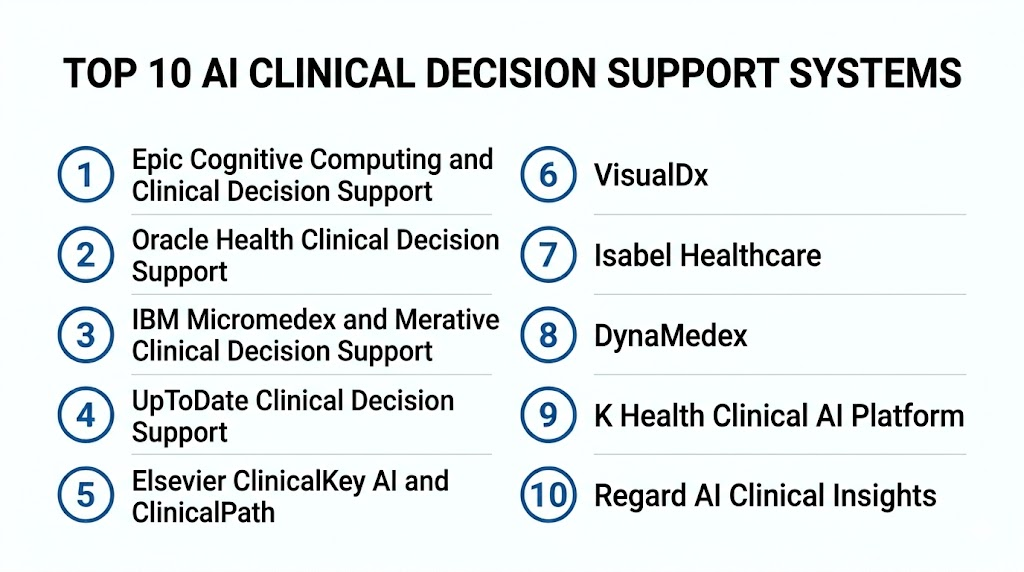
Top 10 AI Clinical Decision Support Systems
1- Epic Cognitive Computing and Clinical Decision Support
2- Oracle Health Clinical Decision Support
3- IBM Micromedex and Merative Clinical Decision Support
4- UpToDate Clinical Decision Support
5- Elsevier ClinicalKey AI and ClinicalPath
6- VisualDx
7- Isabel Healthcare
8- DynaMedex
9- K Health Clinical AI Platform
10- Regard AI Clinical Insights
1- Epic Cognitive Computing and Clinical Decision Support
One-line verdict: Best for Epic-based health systems needing EHR-native AI and clinical decision support workflows.
Short description:
Epic provides clinical decision support capabilities inside its EHR ecosystem, including rule-based guidance, predictive models, workflow alerts, patient risk insights, and AI-enabled workflow support depending on configuration. It is useful for health systems that want decision support embedded directly into clinician workflows, order entry, care management, and population health programs.
Standout Capabilities
- EHR-native clinical decision support
- Patient-specific alerts and care recommendations
- Predictive risk models depending on configuration
- Integration with orders, documentation, and clinical workflows
- Population health and care gap workflows
- Clinical pathway and best-practice advisory support
- User role and specialty-based workflows
- Strong fit for large health systems already using Epic
AI-Specific Depth
- Model support: Proprietary and customer-configured predictive models vary by deployment
- RAG and knowledge integration: Varies / N/A
- Evaluation: Model validation and performance monitoring depend on customer governance and configuration
- Guardrails: Role-based workflows, alert configuration, override reasons, governance controls, and clinical review vary by organization
- Observability: Alert acceptance, override rates, workflow analytics, model outputs, patient risk views, and EHR reporting vary by setup
Pros
- Deep integration with clinical workflows
- Strong fit for hospitals already using Epic
- Supports broad decision support across many care areas
Cons
- Best value depends on Epic adoption and configuration maturity
- AI features and models vary by organization
- Requires clinical governance to avoid alert fatigue
Security and Compliance
Epic-based deployments include healthcare-grade access controls, audit logging, permissions, and security workflows depending on customer environment. Exact SSO, RBAC, encryption, retention, residency, and certifications should be verified directly with the organization’s Epic implementation and vendor agreement. If not confirmed, write Not publicly stated.
Deployment and Platforms
- EHR-native deployment inside Epic environments
- Web and clinical workstation workflows vary by health system
- Mobile access may vary depending on deployed Epic modules
- Integrates with clinical documentation, orders, population health, and reporting workflows
Integrations and Ecosystem
Epic decision support works best inside the Epic clinical ecosystem.
- Epic EHR workflows
- Orders and medication workflows
- Patient chart and documentation workflows
- Population health tools
- Care management workflows
- Reporting and analytics
- Interoperability through supported standards and integrations
Pricing Model
Typically enterprise EHR licensing and module-based contracting. Exact pricing depends on health system agreement, modules, configuration, services, and deployment scope. Exact pricing is Not publicly stated.
Best-Fit Scenarios
- Epic-based hospitals needing embedded clinical decision support
- Health systems managing care gaps and risk inside EHR workflows
- Organizations with mature clinical governance teams
2- Oracle Health Clinical Decision Support
One-line verdict: Best for Oracle Health environments needing EHR-integrated clinical guidance and workflow support.
Short description:
Oracle Health provides clinical decision support capabilities within its healthcare technology ecosystem, helping clinicians access patient context, alerts, order guidance, care pathway support, and workflow-driven recommendations. It is useful for hospitals and health systems using Oracle Health EHR and related clinical workflow systems.
Standout Capabilities
- EHR-integrated clinical decision support
- Order guidance and medication workflow support
- Patient context and care pathway support
- Clinical alerts and reminders
- Population and care management workflow support depending on modules
- Integration with clinical documentation and order entry
- Enterprise healthcare workflow alignment
- Analytics and reporting options depending on configuration
AI-Specific Depth
- Model support: Proprietary analytics and AI-enabled capabilities vary by Oracle Health products and deployment
- RAG and knowledge integration: Varies / N/A
- Evaluation: Model validation and clinical safety review depend on customer configuration and intended use
- Guardrails: Alert rules, user permissions, clinical workflows, override reasons, and governance policies vary by setup
- Observability: Alert metrics, recommendation activity, order support data, patient risk outputs, and analytics vary by configuration
Pros
- Strong fit for Oracle Health EHR customers
- Useful for integrating decision support with orders and documentation
- Enterprise healthcare workflow coverage
Cons
- Best value depends on Oracle Health ecosystem adoption
- AI functionality varies by modules and implementation
- Configuration and governance are important to avoid alert fatigue
Security and Compliance
Oracle Health deployments include healthcare security capabilities depending on product and customer environment. Exact SSO, RBAC, audit logs, encryption, retention, residency, and certifications should be verified directly. If not confirmed, write Not publicly stated.
Deployment and Platforms
- EHR-native and enterprise healthcare platform options vary
- Web and clinical workflow interfaces depend on deployed modules
- Integrates with clinical orders, documentation, patient records, and analytics
- Deployment depends on health system architecture
Integrations and Ecosystem
Oracle Health decision support connects with clinical and enterprise healthcare workflows.
- Oracle Health EHR workflows
- Order entry and medication workflows
- Clinical documentation
- Patient record systems
- Analytics and reporting
- Care management workflows
- Interoperability tools and standards where configured
Pricing Model
Typically enterprise contract-based and module-based. Exact pricing depends on health system agreement, modules, support, and deployment scope. Exact pricing is Not publicly stated.
Best-Fit Scenarios
- Oracle Health-based hospitals
- Health systems needing EHR-integrated clinical guidance
- Organizations aligning clinical decision support with enterprise healthcare workflows
3- IBM Micromedex and Merative Clinical Decision Support
One-line verdict: Best for medication, evidence, and clinical reference decision support across care teams.
Short description:
IBM Micromedex and Merative clinical decision support resources provide evidence-based drug, disease, toxicology, and clinical reference information for healthcare professionals. They are useful for pharmacists, clinicians, hospitals, and care teams that need trusted content, medication safety guidance, and clinical reference support.
Standout Capabilities
- Evidence-based drug information
- Medication safety and interaction support
- Clinical reference and disease information
- Toxicology and specialty content depending on modules
- Pharmacist and clinician workflow support
- Integration with clinical systems depending on configuration
- Support for medication decision-making
- Healthcare content and knowledge base workflows
AI-Specific Depth
- Model support: Clinical knowledge and decision-support capabilities vary by product and configuration
- RAG and knowledge integration: Clinical evidence and reference content retrieval depending on product
- Evaluation: Content review and validation processes vary by product; AI-specific evaluation is Not publicly stated
- Guardrails: Evidence-based content, clinician review, access controls, and workflow rules vary by deployment
- Observability: Usage analytics, search activity, clinical content access, and integration metrics vary by configuration
Pros
- Strong medication and clinical reference support
- Useful for pharmacists and clinicians
- Good fit for medication safety workflows
Cons
- More knowledge-support focused than predictive AI
- Integration depth varies by healthcare system
- AI-specific capabilities should be verified by product
Security and Compliance
Merative and Micromedex-related deployments provide healthcare-focused information services. Exact SSO, RBAC, audit logs, encryption, retention, residency, and certifications should be verified during procurement. If not confirmed, use Not publicly stated.
Deployment and Platforms
- Web-based clinical reference access
- EHR or clinical system integration options may vary
- Mobile access may vary by product
- Deployment depends on institutional license and workflow integration
Integrations and Ecosystem
Micromedex and Merative resources support medication and clinical reference workflows.
- EHR integration where configured
- Pharmacy systems
- Medication decision workflows
- Clinical reference workflows
- Drug interaction checking
- Toxicology resources
- Care team information access
Pricing Model
Typically subscription-based or institutional license-based. Exact pricing depends on modules, users, organization size, and contract. Exact pricing is Not publicly stated.
Best-Fit Scenarios
- Hospitals needing medication safety support
- Pharmacy teams reviewing drug information and interactions
- Clinicians needing evidence-based clinical reference at point of care
4- UpToDate Clinical Decision Support
One-line verdict: Best for evidence-based clinical guidance and point-of-care medical reference support.
Short description:
UpToDate provides evidence-based clinical decision support content used by clinicians for diagnosis, treatment, medication decisions, and care planning. It is useful for hospitals, clinics, and clinicians who need trusted, regularly reviewed clinical knowledge at the point of care.
Standout Capabilities
- Evidence-based clinical reference content
- Diagnosis and treatment guidance
- Medication and dosing information depending on integrated resources
- Point-of-care clinical search
- Specialty-specific medical content
- Patient education support depending on modules
- EHR integration options
- Clinician-friendly decision support workflows
AI-Specific Depth
- Model support: AI-enabled features vary by product and deployment
- RAG and knowledge integration: Clinical knowledge retrieval from curated medical content
- Evaluation: Content review processes vary by product; AI-specific evaluation is Not publicly stated
- Guardrails: Curated content, clinician review, access permissions, and organizational policies vary by implementation
- Observability: Usage analytics, search activity, content access, and EHR integration metrics vary by configuration
Pros
- Strong evidence-based clinical content
- Broad specialty coverage
- Familiar point-of-care workflow for clinicians
Cons
- More reference and guidance focused than predictive AI
- Requires clinician interpretation
- Integration and AI functionality vary by customer environment
Security and Compliance
UpToDate is used in healthcare environments and provides institutional access controls depending on deployment. Exact SSO, RBAC, audit logs, encryption, data retention, residency, and certifications should be verified during procurement. If not confirmed, write Not publicly stated.
Deployment and Platforms
- Web-based and mobile access options
- EHR integration options may vary
- Institutional and individual access models
- Supports point-of-care clinical reference workflows
Integrations and Ecosystem
UpToDate supports clinician knowledge and decision workflows.
- EHR integration where configured
- Clinical reference workflows
- Medication information resources
- Patient education resources
- Search and knowledge retrieval
- Specialty care guidance
- Institutional clinical workflows
Pricing Model
Typically subscription-based or institutional license-based. Exact pricing depends on users, organization size, modules, and contract. Exact pricing is Not publicly stated.
Best-Fit Scenarios
- Clinicians needing evidence-based guidance at point of care
- Hospitals standardizing clinical reference resources
- Training and teaching environments supporting clinical decision-making
5- Elsevier ClinicalKey AI and ClinicalPath
One-line verdict: Best for evidence retrieval, oncology pathways, and clinical content-driven decision support.
Short description:
Elsevier ClinicalKey AI and ClinicalPath support clinicians with clinical content retrieval, evidence-based guidance, and pathway-driven decision support. They are useful for healthcare organizations needing trustworthy medical knowledge, specialty pathways, oncology decision support, and clinician-friendly evidence access.
Standout Capabilities
- AI-assisted clinical knowledge retrieval depending on product
- Evidence-based medical content
- Oncology pathway support through ClinicalPath
- Specialty guidance and care pathway workflows
- Clinician-friendly search and summarization support
- Integration with clinical workflows depending on configuration
- Support for care standardization
- Educational and reference content ecosystem
AI-Specific Depth
- Model support: Proprietary AI-assisted content retrieval capabilities vary by product
- RAG and knowledge integration: Retrieval from Elsevier clinical content and pathway resources
- Evaluation: Content and pathway review processes vary by product; AI-specific evaluation is Not publicly stated
- Guardrails: Curated content, clinician review, pathway governance, access controls, and organizational policies vary by deployment
- Observability: Content usage, search activity, pathway access, and workflow metrics vary by configuration
Pros
- Strong clinical content and evidence ecosystem
- Useful for oncology pathways and care standardization
- AI-assisted retrieval can help reduce manual searching
Cons
- More knowledge and pathway focused than predictive AI
- Clinical impact depends on workflow integration
- Product capabilities vary by module and customer setup
Security and Compliance
Elsevier healthcare information products provide institutional access and platform controls depending on deployment. Exact SSO, RBAC, audit logs, encryption, retention, residency, and certifications should be verified during procurement. If not confirmed, write Not publicly stated.
Deployment and Platforms
- Web-based clinical content access
- AI-assisted search features vary by product
- EHR and workflow integration options may vary
- Institutional deployment depends on license and configuration
Integrations and Ecosystem
Elsevier solutions connect evidence content with clinical decision workflows.
- ClinicalKey content ecosystem
- Oncology pathway workflows
- EHR integration where configured
- Clinical reference workflows
- Specialty care guidance
- Medical education resources
- Institutional analytics
Pricing Model
Typically subscription-based or enterprise license-based. Exact pricing depends on products, modules, users, and organization size. Exact pricing is Not publicly stated.
Best-Fit Scenarios
- Healthcare organizations needing trusted clinical content
- Oncology programs using pathway-based decision support
- Clinicians needing AI-assisted medical evidence retrieval
6- VisualDx
One-line verdict: Best for diagnostic decision support in dermatology, infectious disease, and visual clinical presentations.
Short description:
VisualDx helps clinicians build differential diagnoses using patient symptoms, visual findings, demographics, exposures, and clinical context. It is useful for primary care, emergency medicine, dermatology, infectious disease, urgent care, and training environments where visual diagnosis and differential support are important.
Standout Capabilities
- Visual diagnostic decision support
- Differential diagnosis generation
- Dermatology and infectious disease support
- Image-rich clinical reference content
- Symptom and patient context-based search
- Support for diverse skin presentations
- Point-of-care diagnostic assistance
- Education and training value for clinicians
AI-Specific Depth
- Model support: AI and image-based diagnostic support capabilities vary by product
- RAG and knowledge integration: Clinical visual knowledge retrieval from curated resources
- Evaluation: Not publicly stated
- Guardrails: Clinician review, differential support limits, access controls, and institutional policies vary by deployment
- Observability: Search activity, case lookup, diagnostic workflows, and usage analytics vary by configuration
Pros
- Strong visual diagnosis support
- Useful for differential diagnosis and medical education
- Helpful for clinicians seeing diverse presentations
Cons
- Not a replacement for clinical exam or specialist review
- More focused on diagnostic reference than full EHR decision automation
- AI and integration capabilities vary by deployment
Security and Compliance
VisualDx provides clinical decision support capabilities for healthcare users. Exact SSO, RBAC, audit logs, encryption, retention, residency, and certifications should be verified directly. If not confirmed, use Not publicly stated.
Deployment and Platforms
- Web and mobile access options may be available
- Institutional and individual use options
- EHR integration options may vary
- Supports point-of-care diagnostic reference workflows
Integrations and Ecosystem
VisualDx connects diagnostic knowledge with clinician workflows.
- Clinical reference workflows
- Differential diagnosis support
- Medical education environments
- EHR integration where configured
- Dermatology and infectious disease workflows
- Mobile point-of-care access
- Institutional usage analytics
Pricing Model
Typically subscription-based or institutional license-based. Exact pricing depends on users, organization size, access model, and contract. Exact pricing is Not publicly stated.
Best-Fit Scenarios
- Primary care and urgent care diagnostic support
- Dermatology and visual differential diagnosis workflows
- Medical education and clinician training programs
7- Isabel Healthcare
One-line verdict: Best for differential diagnosis support and symptom-based clinical reasoning workflows.
Short description:
Isabel Healthcare provides a differential diagnosis support tool that helps clinicians consider possible diagnoses based on entered symptoms, clinical findings, and patient context. It is useful for clinicians, educators, and care teams looking to reduce diagnostic anchoring and broaden differential thinking.
Standout Capabilities
- Differential diagnosis generation
- Symptom and finding-based search
- Clinical reasoning support
- Broad medical condition database
- Point-of-care diagnostic assistance
- Educational support for trainees
- Integration options depending on deployment
- Support for reducing missed diagnostic possibilities
AI-Specific Depth
- Model support: Proprietary diagnostic search and decision-support capabilities
- RAG and knowledge integration: Clinical condition knowledge retrieval depending on product
- Evaluation: Not publicly stated
- Guardrails: Clinician review, differential diagnosis limitations, access permissions, and institutional policies vary by deployment
- Observability: Search activity, case lookups, usage analytics, and workflow metrics vary by configuration
Pros
- Useful for broadening differential diagnosis
- Good education and clinical reasoning support
- Simple point-of-care diagnostic workflow
Cons
- Not a treatment recommendation engine
- Requires clinician interpretation and patient context
- Integration depth varies by customer environment
Security and Compliance
Isabel Healthcare provides clinical decision support capabilities. Exact SSO, RBAC, audit logs, encryption, retention, residency, and certifications should be verified during procurement. If not confirmed, write Not publicly stated.
Deployment and Platforms
- Web-based access options
- EHR integration options may vary
- Institutional and individual use models may vary
- Supports diagnostic support at point of care
Integrations and Ecosystem
Isabel supports diagnostic reasoning and clinical education workflows.
- Clinical decision support workflows
- EHR integration where configured
- Medical education programs
- Differential diagnosis workflows
- Clinical reference workflows
- Patient case review
- Usage analytics
Pricing Model
Typically subscription-based or institutional license-based. Exact pricing depends on users, organization size, and deployment model. Exact pricing is Not publicly stated.
Best-Fit Scenarios
- Clinicians needing differential diagnosis support
- Training programs teaching diagnostic reasoning
- Healthcare teams trying to reduce diagnostic anchoring
8- DynaMedex
One-line verdict: Best for evidence-based clinical reference and medication decision support in daily care workflows.
Short description:
DynaMedex combines clinical evidence content with drug information resources to support clinicians at the point of care. It is useful for healthcare organizations that need fast access to current medical evidence, treatment guidance, drug information, and practical decision support.
Standout Capabilities
- Evidence-based clinical reference
- Drug information and medication support depending on resources
- Point-of-care medical guidance
- Specialty and disease content
- Clinical summaries and recommendations
- Mobile and web access options
- Institutional clinical knowledge support
- Educational and care workflow value
AI-Specific Depth
- Model support: AI-enabled features vary by product and deployment
- RAG and knowledge integration: Retrieval from curated clinical and drug information resources
- Evaluation: Content review processes vary by product; AI-specific evaluation is Not publicly stated
- Guardrails: Curated evidence content, clinician review, access controls, and institutional policies vary by deployment
- Observability: Search usage, content access, clinical topic usage, and institutional analytics vary by configuration
Pros
- Strong evidence-based clinical content
- Useful for medication and treatment guidance
- Good fit for point-of-care knowledge support
Cons
- More content-driven than predictive AI
- Requires clinician interpretation
- Workflow integration varies by institution
Security and Compliance
DynaMedex provides healthcare knowledge and decision-support content. Exact SSO, RBAC, audit logs, encryption, retention, residency, and certifications should be verified directly. If not confirmed, use Not publicly stated.
Deployment and Platforms
- Web and mobile access options may vary
- Institutional access models
- EHR integration options may vary
- Supports point-of-care clinical reference workflows
Integrations and Ecosystem
DynaMedex supports evidence-based clinical decision workflows.
- Clinical reference workflows
- Drug information workflows
- EHR integration where configured
- Medical education programs
- Specialty care guidance
- Mobile point-of-care access
- Institutional analytics
Pricing Model
Typically subscription-based or institutional license-based. Exact pricing depends on users, modules, organization size, and agreement. Exact pricing is Not publicly stated.
Best-Fit Scenarios
- Clinicians needing evidence summaries at point of care
- Hospitals standardizing medical reference resources
- Teams needing clinical and medication decision support together
9- K Health Clinical AI Platform
One-line verdict: Best for virtual care organizations needing AI-assisted intake, triage, and clinician-supported care decisions.
Short description:
K Health provides AI-assisted virtual care technology that supports patient intake, symptom assessment, clinical context gathering, and clinician-reviewed care workflows. It is useful for health systems and virtual care providers that want AI to help gather patient information, support triage, and improve visit efficiency while keeping clinicians involved.
Standout Capabilities
- AI-assisted symptom assessment
- Virtual care intake workflows
- Patient history and context gathering
- Clinician-supported treatment workflows
- Triage and care routing support
- Integration with virtual care operations
- Patient-facing and clinician-facing workflows
- Scalable digital care delivery support
AI-Specific Depth
- Model support: Proprietary clinical AI and virtual care models
- RAG and knowledge integration: Varies / N/A
- Evaluation: Clinical validation varies by workflow and deployment; exact details are Not publicly stated
- Guardrails: Clinician review, care protocols, escalation rules, patient safety workflows, and access controls vary by deployment
- Observability: Intake activity, triage outputs, clinician review, recommendation workflows, patient interactions, and operational metrics vary by configuration
Pros
- Strong fit for virtual care and digital front-door workflows
- Helps structure patient intake and triage
- Supports clinician-reviewed care recommendations
Cons
- Best fit depends on virtual care model and clinical scope
- Requires strong safety and escalation governance
- Integration with existing provider workflows must be validated
Security and Compliance
K Health provides healthcare technology and virtual care capabilities. Exact SSO, RBAC, audit logs, encryption, retention, residency, and certifications should be verified directly. If not confirmed, write Not publicly stated.
Deployment and Platforms
- Cloud-based virtual care platform options
- Patient-facing and clinician-facing workflows may vary
- Integration with health system workflows depends on implementation
- Mobile and web experience may vary by deployment
Integrations and Ecosystem
K Health supports AI-assisted care delivery workflows.
- Virtual care workflows
- Patient intake systems
- Clinical review workflows
- EHR integration where configured
- Care routing and triage
- Patient communication tools
- Operational analytics
Pricing Model
Typically enterprise or partnership contract-based. Exact pricing depends on deployment scope, organization size, patient volume, and agreement. Exact pricing is Not publicly stated.
Best-Fit Scenarios
- Virtual care programs
- Digital front-door triage workflows
- Health systems wanting AI-assisted patient intake with clinician oversight
10- Regard AI Clinical Insights
One-line verdict: Best for clinicians needing AI-assisted chart review, condition surfacing, and documentation-aware clinical insights.
Short description:
Regard helps clinicians review patient charts, surface relevant conditions, and support documentation-aware clinical workflows. It is useful for hospitals and clinicians that need AI to synthesize patient data, reduce chart review burden, and highlight clinically relevant information for provider review.
Standout Capabilities
- AI-assisted chart review
- Condition identification and surfacing
- Clinical context summarization
- Documentation-aware workflow support
- Patient data synthesis
- Provider-facing recommendations for review
- Workflow integration with clinical documentation
- Support for improving clinician efficiency
AI-Specific Depth
- Model support: Proprietary clinical AI and language models
- RAG and knowledge integration: Retrieval from patient chart data and clinical context depending on deployment
- Evaluation: Not publicly stated
- Guardrails: Clinician review, documentation controls, access permissions, and workflow governance vary by configuration
- Observability: Suggested conditions, chart review activity, clinician review, documentation outputs, and workflow metrics vary by setup
Pros
- Helps reduce manual chart review burden
- Useful for surfacing relevant patient conditions
- Supports documentation-aware clinical workflows
Cons
- Requires EHR integration and workflow alignment
- Clinician review remains essential
- Clinical scope and validation should be verified during procurement
Security and Compliance
Regard provides healthcare AI workflow capabilities. Exact SSO, RBAC, audit logs, encryption, retention, residency, and certifications should be verified directly. If not confirmed, use Not publicly stated.
Deployment and Platforms
- Cloud-based or workflow-integrated options may vary
- EHR integration required for patient chart workflows
- Provider-facing interface depends on implementation
- Deployment depends on health system architecture
Integrations and Ecosystem
Regard connects AI chart review with clinical documentation workflows.
- EHR integration
- Patient chart review workflows
- Clinical documentation systems
- Provider workflow tools
- Hospital operations workflows
- Analytics and adoption tracking
- Care team review processes
Pricing Model
Typically enterprise contract-based. Exact pricing depends on deployment scope, providers, sites, modules, and agreement. Exact pricing is Not publicly stated.
Best-Fit Scenarios
- Hospitals reducing chart review burden
- Clinicians needing patient context synthesis
- Health systems improving documentation-aware clinical decision support
Comparison Table
| Tool Name | Best For | Deployment | Model Flexibility | Strength | Watch Out | Public Rating |
|---|---|---|---|---|---|---|
| Epic Cognitive Computing and Clinical Decision Support | Epic-based health systems | EHR-native deployment | Proprietary and customer-configured models vary | Deep EHR workflow integration | Requires Epic maturity | N/A |
| Oracle Health Clinical Decision Support | Oracle Health environments | EHR-native and enterprise options vary | Proprietary capabilities vary | Clinical workflow and order support | Module scope varies | N/A |
| IBM Micromedex and Merative Clinical Decision Support | Medication and clinical reference support | Web and integrated options vary | Curated knowledge and decision support | Drug and evidence content | AI depth varies by product | N/A |
| UpToDate Clinical Decision Support | Point-of-care evidence guidance | Web, mobile, and EHR options vary | Curated clinical knowledge | Evidence-based content | Not predictive AI-first | N/A |
| Elsevier ClinicalKey AI and ClinicalPath | Evidence retrieval and oncology pathways | Web and integrated options vary | AI-assisted content retrieval varies | Clinical content and pathways | Product scope varies | N/A |
| VisualDx | Visual diagnosis and differential support | Web, mobile, and integration options vary | Clinical visual knowledge support | Dermatology and visual diagnosis | Not full EHR automation | N/A |
| Isabel Healthcare | Differential diagnosis support | Web and integration options vary | Proprietary diagnostic search | Broad differential generation | Requires clinician interpretation | N/A |
| DynaMedex | Evidence and medication reference | Web, mobile, and integrated options vary | Curated clinical knowledge | Point-of-care evidence support | More content-driven than predictive | N/A |
| K Health Clinical AI Platform | Virtual care triage | Cloud platform options vary | Proprietary clinical AI | AI-assisted intake and triage | Needs strong safety governance | N/A |
| Regard AI Clinical Insights | AI chart review and clinical insights | Cloud and EHR-integrated options vary | Proprietary clinical AI | Patient chart synthesis | Requires EHR integration | N/A |
Scoring and Evaluation
This scoring is comparative, not absolute. It helps buyers compare AI Clinical Decision Support Systems based on clinical workflow depth, AI reliability, guardrails, integrations, usability, performance, security controls, and support. Scores may vary based on EHR environment, clinical specialty, patient population, regulatory region, governance maturity, and intended use. Public ratings are not guessed. Buyers should validate shortlisted platforms with real clinical workflows, clinician review, safety governance, compliance review, and outcome measurement before procurement.
| Tool | Core | Reliability and Eval | Guardrails | Integrations | Ease | Performance and Cost | Security and Admin | Support | Weighted Total |
| Epic Cognitive Computing and Clinical Decision Support | 9.2 | 8.5 | 8.8 | 9.3 | 8.3 | 8.1 | 9.0 | 8.8 | 8.8 |
| Oracle Health Clinical Decision Support | 8.8 | 8.4 | 8.7 | 8.9 | 8.2 | 8.1 | 8.8 | 8.6 | 8.6 |
| IBM Micromedex and Merative Clinical Decision Support | 8.6 | 8.7 | 8.6 | 8.3 | 8.5 | 8.4 | 8.5 | 8.6 | 8.5 |
| UpToDate Clinical Decision Support | 8.7 | 8.8 | 8.6 | 8.2 | 8.7 | 8.4 | 8.5 | 8.7 | 8.6 |
| Elsevier ClinicalKey AI and ClinicalPath | 8.6 | 8.6 | 8.5 | 8.3 | 8.5 | 8.3 | 8.5 | 8.6 | 8.5 |
| VisualDx | 8.4 | 8.4 | 8.3 | 8.0 | 8.6 | 8.4 | 8.3 | 8.4 | 8.3 |
| Isabel Healthcare | 8.2 | 8.3 | 8.2 | 7.9 | 8.5 | 8.5 | 8.2 | 8.3 | 8.2 |
| DynaMedex | 8.5 | 8.6 | 8.5 | 8.1 | 8.6 | 8.4 | 8.4 | 8.5 | 8.4 |
| K Health Clinical AI Platform | 8.4 | 8.2 | 8.6 | 8.2 | 8.5 | 8.3 | 8.5 | 8.4 | 8.4 |
| Regard AI Clinical Insights | 8.5 | 8.3 | 8.6 | 8.5 | 8.5 | 8.2 | 8.6 | 8.4 | 8.5 |
Top 3 for Enterprise
1- Epic Cognitive Computing and Clinical Decision Support
2- Oracle Health Clinical Decision Support
3- UpToDate Clinical Decision Support
Top 3 for SMB
1- VisualDx
2- DynaMedex
3- Isabel Healthcare
Top 3 for Developers
1- Regard AI Clinical Insights
2- K Health Clinical AI Platform
3- Elsevier ClinicalKey AI and ClinicalPath
Which AI Clinical Decision Support System Is Right for You
Solo / Freelancer
Solo clinicians, consultants, and independent healthcare professionals usually need fast point-of-care knowledge rather than enterprise-scale EHR decision support. UpToDate, DynaMedex, VisualDx, and Isabel Healthcare can be practical because they support clinical reasoning, evidence review, differential diagnosis, and visual diagnosis without requiring large-scale integration.
SMB
Small clinics and specialty practices should prioritize easy deployment, low workflow disruption, and clear clinical value. VisualDx can help with visual diagnosis and dermatology-related workflows, DynaMedex supports evidence and medication reference, and Isabel Healthcare supports differential diagnosis. Practices should avoid complex predictive AI unless they have strong data and governance.
Mid-Market
Mid-market hospitals and clinics usually need stronger integration with EHR workflows and care management. UpToDate, Elsevier ClinicalKey AI, Regard, and K Health can be relevant depending on whether the main need is evidence retrieval, chart review, care pathway support, or virtual care triage. Buyers should pilot with a focused clinical workflow first.
Enterprise
Large health systems should prioritize EHR integration, governance, auditability, model monitoring, workflow controls, and measurable clinical outcomes. Epic Cognitive Computing and Clinical Decision Support is strong for Epic-based health systems, Oracle Health Clinical Decision Support is strong for Oracle Health environments, and UpToDate or Elsevier ClinicalKey AI can support enterprise-wide evidence-based guidance.
Regulated Industries
Healthcare buyers must treat AI-CDSS as a clinical safety, compliance, and governance decision. Teams should verify whether the software is device or non-device CDS, confirm intended use, review evidence, define clinician review responsibilities, monitor performance, and ensure auditability. Products that influence diagnosis or treatment may require deeper regulatory and safety review.
Budget vs Premium
Budget-conscious teams may start with evidence and diagnostic reference tools such as VisualDx, Isabel Healthcare, DynaMedex, or UpToDate. Premium enterprise buyers may need EHR-native CDS, AI chart review, virtual care triage, care pathways, and population health workflows through Epic, Oracle Health, Regard, K Health, or Elsevier.
Build vs Buy
Building AI clinical decision support internally can work for advanced academic medical centers with clinical informatics teams, data scientists, governance committees, and strong EHR integration. Most healthcare organizations should buy or partner because clinical decision support requires evidence review, safety monitoring, regulatory assessment, privacy controls, integration, usability testing, and ongoing clinical governance.
Implementation Playbook
First 30 Days
- Define the specific use case such as care gaps, differential diagnosis, medication safety, risk prediction, chart review, virtual triage, or evidence retrieval.
- Identify the clinical users such as physicians, nurses, pharmacists, care managers, specialists, or virtual care teams.
- Verify intended use and regulatory considerations.
- Review EHR, FHIR, HL7, API, and workflow integration needs.
- Select two or three tools for structured evaluation.
- Gather representative clinical scenarios and patient workflow examples.
- Define clinician-in-the-loop review and override policies.
- Validate privacy, security, data retention, access control, and audit requirements.
- Create a pilot team with clinicians, informatics, IT, compliance, patient safety, legal, and operations leaders.
- Define success metrics such as alert acceptance, care gap closure, diagnostic support usefulness, time saved, and clinical safety outcomes.
First 60 Days
- Run a controlled pilot inside one department, specialty, clinic, or care pathway.
- Compare recommendations with clinician review and existing guidelines.
- Measure alert burden, false positives, false negatives, override reasons, and workflow disruption.
- Test EHR integration, documentation flow, and user experience.
- Train clinicians on intended use, limitations, and escalation rules.
- Review patient safety risks and governance requirements.
- Monitor recommendation acceptance and clinician satisfaction.
- Document disagreement handling and override workflows.
- Create dashboards for adoption, outcomes, and alert quality.
- Decide whether to expand, revise, or stop the pilot based on evidence.
First 90 Days
- Expand to more users, sites, care pathways, or patient populations if pilot results are strong.
- Establish model monitoring and recurring clinical governance review.
- Track outcomes such as care gap closure, medication safety improvement, diagnostic support value, and time saved.
- Review equity and bias risks across patient groups.
- Update clinical protocols and local guidelines as needed.
- Create training materials for new clinicians and staff.
- Monitor safety signals, complaints, overrides, and unexpected behavior.
- Integrate results into quality improvement programs.
- Review vendor support responsiveness and system uptime.
- Scale only with clear ownership, measurement, and continuous feedback.
Common Mistakes and How to Avoid Them
- Assuming AI replaces clinicians: AI-CDSS should support clinician judgment, not replace it.
- Skipping intended-use review: Buyers must know whether the tool is regulated and how it may be used.
- Ignoring explainability: Clinicians need to understand why recommendations appear.
- Creating alert fatigue: Too many alerts can reduce trust and increase overrides.
- No clinical governance: Safety review, monitoring, and ownership are essential.
- Using poor-quality data: Missing, outdated, or fragmented patient data can weaken recommendations.
- Skipping local validation: Performance may vary across patient populations and workflows.
- Not monitoring bias: AI recommendations should be reviewed for fairness and safety across groups.
- Ignoring workflow fit: A correct recommendation can still fail if it appears at the wrong time.
- No override tracking: Override reasons can reveal safety, usability, or relevance problems.
- Over-customizing without review: Local rules should be reviewed by clinical leadership.
- No training: Clinicians need to understand limitations, evidence basis, and proper use.
- Measuring only adoption: Track outcomes, safety, burden, and clinical value.
- Buying without pilot testing: Always test with real clinical scenarios before scaling.
FAQs
1- What are AI Clinical Decision Support Systems?
AI Clinical Decision Support Systems use patient data, clinical knowledge, predictive analytics, and workflow logic to support healthcare decisions. They can help with diagnosis, risk prediction, care gaps, medication safety, documentation, triage, and evidence retrieval.
2- Do AI-CDSS tools replace doctors?
No. They are designed to support clinicians, not replace them. Final clinical decisions should remain with qualified healthcare professionals who review patient context, evidence, and recommendations.
3- Are AI Clinical Decision Support Systems regulated?
Some may be regulated as medical device software depending on intended use, transparency, and whether clinicians can independently review the recommendation basis. Buyers should verify regulatory status for each product and region.
4- What data do these systems use?
They may use structured and unstructured data such as diagnoses, medications, labs, vitals, allergies, notes, imaging reports, claims, patient history, and clinical guidelines. Data access depends on integration and intended use.
5- Which tool is best for EHR-native decision support?
Epic Cognitive Computing and Clinical Decision Support is strong for Epic-based health systems. Oracle Health Clinical Decision Support is strong for Oracle Health environments. The best choice depends on the organization’s EHR.
6- Which tool is best for evidence-based guidance?
UpToDate, DynaMedex, IBM Micromedex, and Elsevier ClinicalKey AI are strong options for evidence-based clinical reference, drug information, and pathway guidance.
7- Which tool is best for differential diagnosis?
VisualDx and Isabel Healthcare are strong options for differential diagnosis support. VisualDx is especially useful for visual presentations and dermatology-related workflows.
8- Which tool is best for medication decision support?
IBM Micromedex and DynaMedex are strong options for medication information and clinical reference. EHR-native tools may also support medication alerts depending on configuration.
9- Can AI-CDSS reduce alert fatigue?
Yes, if designed well. AI can help prioritize recommendations and reduce low-value alerts, but poor configuration can make alert fatigue worse. Governance and monitoring are important.
10- What should buyers test during a pilot?
Buyers should test real clinical scenarios, recommendation accuracy, workflow timing, alert burden, override rates, EHR integration, clinician satisfaction, safety risks, and measurable outcomes.
11- Can AI-CDSS support virtual care?
Yes. Platforms like K Health can support AI-assisted intake, symptom assessment, triage, and clinician-reviewed virtual care workflows. Safety protocols and escalation rules are essential.
12- What is the biggest risk with AI Clinical Decision Support?
The biggest risk is using recommendations without understanding their basis, limitations, or intended use. Healthcare organizations should implement clinician review, validation, monitoring, governance, and clear accountability.
Conclusion
AI Clinical Decision Support Systems can help healthcare organizations improve care quality, reduce information overload, identify risk, close care gaps, support diagnosis, improve medication safety, and strengthen evidence-based workflows when implemented responsibly. Epic and Oracle Health are strong for EHR-native decision support, IBM Micromedex and UpToDate support medication and evidence-based guidance, Elsevier ClinicalKey AI and ClinicalPath support clinical content and oncology pathways, VisualDx and Isabel Healthcare help with diagnostic reasoning, DynaMedex supports point-of-care clinical reference, K Health supports virtual care triage, and Regard helps clinicians synthesize patient chart context. To choose the right system, shortlist based on clinical use case, verify regulatory status, pilot with real workflows, monitor safety and bias, and scale with clinician governance, privacy controls, training, and continuous outcome measurement.

Find Trusted Cardiac Hospitals
Compare heart hospitals by city and services — all in one place.
Explore Hospitals
A key concern is how these systems ensure clinical recommendations remain explainable and evidence-backed so they genuinely support physicians without creating over-reliance or decision ambiguity.