
Introduction
AI Color Grading Assistants are specialized software tools that leverage artificial intelligence to assist filmmakers, video editors, and content creators in color grading — the process of adjusting and stylizing the color, contrast, and tone of visual content to achieve looks ranging from cinematic to branded visual identities. By 2026, these assistants have become essential in professional post‑production, accelerating workflows while ensuring visual consistency across scenes and cameras.
AI color grading tools can analyze scenes, detect lighting inconsistencies, match looks across shots, suggest creative color styles, and sometimes automate grading to save hours of manual adjustments. As video output increases across streaming, social media, gaming, ads, and corporate content, automated and assisted color grading reduces cost, time, and the need for highly specialized human operators for routine tasks.
Real‑world use cases include:
- Feature and episodic film post‑production: Continuity and consistency across scenes.
- Commercial ads and social campaigns: Fast color styling for brand aesthetics.
- Documentary footage correction: Harmonizing footage from varied environments.
- Corporate videos: Ensuring consistent corporate color identity.
- Live event recordings: Applying balanced color quickly before distribution.
- Game cinematics and animations: Matching artistic palettes across sequences.
What buyers should evaluate:
- Quality of AI scene recognition and lighting detection
- Style transfer and reference clip matching capabilities
- Workflow integration with major NLEs (Premiere, Resolve, Final Cut)
- Real‑time vs batch grading performance
- HDR/SDR and wide‑color gamut handling
- Collaboration and version control
- Guardrails that prevent unwanted color shifts
- Export formats and LUT generation
- Observability for cost/processing-control
- Scalability across multi‑camera and high‑resolution workflows
Best for: Professional post‑production studios, filmmakers, enterprise video teams, and advanced content creators working with high volumes of graded content.
Not ideal for: Projects requiring handcrafted, fine‑art grading; very low‑budget or hobbyist projects where manual tools are sufficient without automation.
What’s Changed in AI Color Grading Assistants in 2026+
- AI Scene Recognition: Tools now analyze lighting, faces, sky, shadows and auto‑adjust tones.
- Style Transfer: Grading based on reference clips or mood boards.
- Real‑Time Auto‑Grading: Preview AI‑graded looks during playback.
- Collaboration Workflows: Multi‑user grading sessions with annotations and version control.
- HDR/SDR and Wide Gamut Support: Native handling of high dynamic range workflows.
- Batch Processing: Grade entire reels or clips at once.
- Guardrails: AI checks prevent extreme exposure, skin tone shifts, or visual artifacts.
- Integration with NLEs: Plugins and APIs for Premiere, Resolve, Final Cut, and cloud pipelines.
- Observability Dashboards: Monitor GPU workload, processing time, and cost per project.
- Cloud, Hybrid & On‑Prem Deployments: Flexibility across security and performance needs.
- Automated LUT Suggestion: AI recommends or generates LUTs for downstream use.
- Multimodal Input: Text prompts + reference frames influence AI grading style.
Quick Buyer Checklist
Before choosing an AI color grading assistant:
- Evaluate scene recognition precision and auto‑adjustment quality.
- Check style transfer from reference images or clips.
- Confirm NLE integration with your editing suite.
- Look for HDR, SDR, and gamut support.
- Ensure guardrails against undesired unnatural grading.
- Review batch processing for large workloads.
- Assess collaboration and version control.
- Examine export options for LUTs, project files, and final deliverables.
- Check observability metrics for cost/time per project.
- Decide on deployment (cloud, on‑premise, or hybrid).
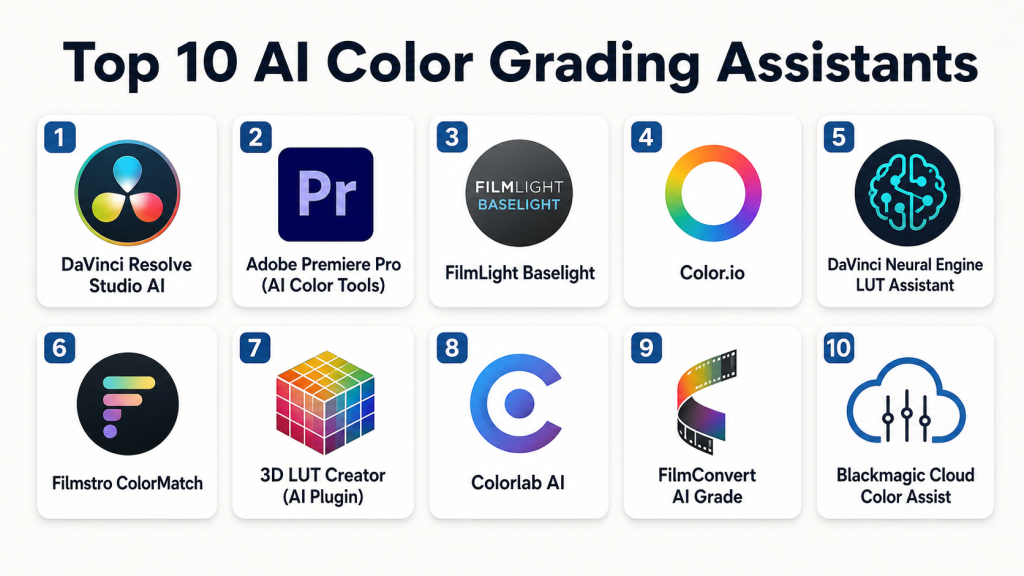
Top 10 AI Color Grading Assistants
1 — DaVinci Resolve Studio AI
One‑line verdict: The industry standard for cinematic, AI‑assisted color grading with deep NLE integration and advanced controls.
Short description:
DaVinci Resolve Studio integrates powerful AI color grading with editing, VFX (Fusion), and audio (Fairlight). The Neural Engine applies scene detection, smart contrast/exposure, and style matching at professional scales.
Standout Capabilities
- Scene and object recognition for auto corrections
- Reference‑based style transfer
- HDR, SDR, Dolby Vision support
- Collaborative multi‑user workflows
- Real‑time grading previews
- LUT creation and export
- Powerful per‑shot consistency tools
AI‑Specific Depth
- Model support: Proprietary + GPU acceleration
- RAG / knowledge integration: N/A
- Evaluation: Automated scene consistency checks
- Guardrails: Prevents overexposure or clipping
- Observability: GPU metrics, time/cost tracking
Pros
- Industry‑leading professional tool
- Deep feature set for post‑production
- Built‑in collaborative suite
Cons
- Steep learning curve
- GPU/CPU intensive
- Premium license cost
Security & Compliance
SSO/RBAC; encryption; Certifications: Not publicly stated
Deployment & Platforms
Windows, macOS, Linux; Desktop + Collaboration Cloud
Integrations & Ecosystem
Fusion, Fairlight, LUT libraries, NLE plugins
Pricing Model
One‑time Studio license / subscription tier
Best‑Fit Scenarios
- Feature films
- High‑end commercials
- Episodic & streaming content
2 — Adobe Premiere Pro (AI Color Tools)
One‑line verdict: Best choice for editors already in the Creative Cloud with AI‑assisted Auto Tune and scene match.
Short description:
Adobe Premiere’s AI color features — including Auto Tone and AI‑assisted reference matching — simplify grading within editing workflows.
Standout Capabilities
- Auto Tone and color balance suggestions
- AI scene detection
- Reference style application
- Wide preset library
- Creative Cloud collaboration
AI‑Specific Depth
- Model support: Proprietary
- RAG / knowledge integration: N/A
- Evaluation: Scene reference comparison
- Guardrails: Prevents extreme grading shifts
- Observability: GPU usage indicators
Pros
- Seamless Adobe integration
- Real‑time preview
- Extensive preset support
Cons
- Subscription required
- Moderate complexity
- GPU demands for high resolution
Security & Compliance
Cloud‑based security; Certifications: Not publicly stated
Deployment & Platforms
Windows, macOS (Cloud collaboration)
Integrations & Ecosystem
After Effects, Media Encoder, Creative Cloud
Pricing Model
Subscription (Creative Cloud)
Best‑Fit Scenarios
- Marketing content
- Social video workflows
- Corporate productions
3 — FilmLight Baselight
One‑line verdict: Enterprise‑level color grading with precision AI tools for studios and high‑end post houses.
Short description:
Baselight combines high‑precision grading tools with AI enhancements that analyze scenes, match colors across shots, and streamline grading pipelines.
Standout Capabilities
- Advanced scene analysis
- Shot‑to‑shot color matching
- HDR & wide‑gamut workflows
- Collaboration and batch grading
- Custom LUT creation
AI‑Specific Depth
- Model support: Proprietary
- RAG / knowledge integration: N/A
- Evaluation: Automated shot consistency checks
- Guardrails: Prevents color anomalies
- Observability: Render and usage analytics
Pros
- Precision cinematic tools
- Scalable for large teams
- Pro‑level LUT support
Cons
- Very high cost
- Requires expert operators
- Desktop‑centric
Security & Compliance
Varies depending on deployment; Certifications: Not publicly stated
Deployment & Platforms
Windows, macOS, Linux (Hybrid server setups)
Integrations & Ecosystem
NLEs, VFX pipelines, LUT exporters
Pricing Model
Enterprise licensing
Best‑Fit Scenarios
- Studio pipelines
- Feature films
- Premium content suites
4 — Color.io
One‑line verdict: Great for indie filmmakers and small studios needing automated style transfer and batch grading.
Short description:
Color.io provides automated color grading and reference‑based style learning in a lightweight, creator‑friendly UI.
Standout Capabilities
- Reference style transfer
- Batch processing
- HDR/SDR support
- LUT download/export
AI‑Specific Depth
- Model support: Proprietary
- RAG / knowledge integration: N/A
- Evaluation: Scene consistency validation
- Guardrails: Overexposure prevention
- Observability: Processing latency metrics
Pros
- Beginner‑friendly
- Affordable
- Fast batch workflows
Cons
- Lower cinematic control
- Cloud reliance
- Limited collaboration
Security & Compliance
Varies / N/A
Deployment & Platforms
Web, Cloud
Integrations & Ecosystem
Connects with NLEs via LUT import
Pricing Model
Subscription
Best‑Fit Scenarios
- Indie films
- Social campaigns
- Small team content
5 — DaVinci Neural Engine LUT Assistant
One‑line verdict: Best for automated LUT suggestions and AI‑assisted grading enhancements.
Short description:
Part of the DaVinci ecosystem, this assistant uses AI to suggest LUTs, analyze scenes, and harmonize shots automatically.
Standout Capabilities
- Automated LUT recommendations
- Shot analysis
- Batch LUT application
- HDR/SDR workflows
AI‑Specific Depth
- Model support: Proprietary
- RAG / knowledge integration: N/A
- Evaluation: Color consistency metrics
- Guardrails: Avoids clipping
- Observability: LUT performance data
Pros
- Speeds professional grading
- Integrates with Resolve
- Batch support
Cons
- Requires Resolve
- Learning curve
- Desktop focus
Security & Compliance
Studio ecosystem security; Certifications: Not publicly stated
Deployment & Platforms
Windows, macOS, Linux
Integrations & Ecosystem
LUT export, Resolve workflows
Pricing Model
Studio tier
Best‑Fit Scenarios
- Feature films
- High‑volume grading
- Post houses
6 — Filmstro ColorMatch
One‑line verdict: Fantastic for creators who want AI style matching with intuitive controls.
Short description:
Filmstro ColorMatch uses AI to match reference looks and help creators unify color across scenes with minimal tweaking.
Standout Capabilities
- Style matching from reference clips
- Single‑click consistency tools
- Real‑time preview
- LUT export
AI‑Specific Depth
- Model support: Proprietary
- RAG / knowledge integration: N/A
- Evaluation: Scene comparison
- Guardrails: Prevents unnatural shifts
- Observability: Render progress metrics
Pros
- Easy use
- Fast results
- Affordable
Cons
- Less granular controls
- Cloud reliance
- Not cinematic grade
Security & Compliance
Varies / N/A
Deployment & Platforms
Web, Cloud
Integrations & Ecosystem
NLE export, LUT support
Pricing Model
Subscription
Best‑Fit Scenarios
- Marketing videos
- Short films
- Social content
7 — 3D LUT Creator (AI Plugin)
One‑line verdict: Best for stylists needing AI‑assisted custom 3D LUT creation.
Short description:
3D LUT Creator AI plugin uses machine learning to generate custom LUTs from styles and match colors precisely.
Standout Capabilities
- Custom AI LUT generation
- 3D color space manipulation
- Reference style application
- Export for NLE use
AI‑Specific Depth
- Model support: Proprietary
- RAG / knowledge integration: N/A
- Evaluation: Color match evaluation
- Guardrails: Prevents color clipping
- Observability: LUT metrics
Pros
- Powerful stylization
- Precise LUT tools
- Works with external editors
Cons
- Plugin only
- Learning curve
- Not real‑time grading
Security & Compliance
Varies / N/A
Deployment & Platforms
Windows, macOS
Integrations & Ecosystem
NLEs via LUT import
Pricing Model
License / Subscription
Best‑Fit Scenarios
- Style‑driven projects
- Creative grading workflows
- LUT‑centric pipelines
8 — Colorlab AI
One‑line verdict: Designed for automated grading at scale with AI that learns from reference libraries.
Short description:
Colorlab AI automates grading by learning color styles from reference libraries and applying them across shots with minimal manual input.
Standout Capabilities
- Reference library learning
- Batch grading
- HDR/SDR workflows
- Consistency enforcement
AI‑Specific Depth
- Model support: Proprietary + cloud GPUs
- RAG / knowledge integration: N/A
- Evaluation: Style match checks
- Guardrails: Keeps skin tones consistent
- Observability: Latency and cost metrics
Pros
- Scales for large volumes
- Learns from references
- Consistent outputs
Cons
- Cloud reliance
- Subscription cost
- Less granular tweak controls
Security & Compliance
Enterprise cloud options; Certifications: Not publicly stated
Deployment & Platforms
Web, Cloud
Integrations & Ecosystem
API, NLE export
Pricing Model
Subscription
Best‑Fit Scenarios
- Batch grading
- Episodic shows
- Corporate content at scale
9 — FilmConvert AI Grade
One‑line verdict: Great for filmmakers wanting film emulation plus AI assistance.
Short description:
FilmConvert combines film stock emulation with AI grading suggestions to give footage a cinematic look easily.
Standout Capabilities
- Film stock emulations
- AI color suggestions
- NLE plugin support
- Grain and exposure controls
AI‑Specific Depth
- Model support: Proprietary
- RAG / knowledge integration: N/A
- Evaluation: Match to film stock criteria
- Guardrails: Prevents over‑stylization
- Observability: Render counts
Pros
- Cinematic film feel
- Easy presets
- Integrates with NLEs
Cons
- Less real‑time grading
- Plugin reliant
- Limited batch tools
Security & Compliance
Varies / N/A
Deployment & Platforms
Windows, macOS
Integrations & Ecosystem
Premiere, Resolve, Final Cut plugins
Pricing Model
License / Subscription
Best‑Fit Scenarios
- Indie filmmaking
- Cinematic short content
- Narrative projects
10 — Blackmagic Cloud Color Assist
One‑line verdict: Best for cloud‑first teams needing collaborative grading workflows with AI hints.
Short description:
Blackmagic’s cloud service adds AI hints, version control, and collaborative grading to traditional grading workflows.
Standout Capabilities
- Cloud collaboration
- AI color hints
- Version history
- Shared reference styles
AI‑Specific Depth
- Model support: Proprietary cloud
- RAG / knowledge integration: N/A
- Evaluation: Team‑wide consistency checks
- Guardrails: Guardrails for shared projects
- Observability: Project metrics online
Pros
- Cloud collaboration
- Version tracking
- Team workflows
Cons
- Cloud required
- Limited local performance
- Subscription overhead
Security & Compliance
Cloud security standards; Certifications: Not publicly stated
Deployment & Platforms
Web, Cloud
Integrations & Ecosystem
Resolve, NLE export
Pricing Model
Subscription
Best‑Fit Scenarios
- Distributed teams
- Post houses
- Enterprise workflows
Comparison Table
| Tool Name | Best For | Deployment | Model Flexibility | Strength | Watch‑Out | Public Rating |
|---|---|---|---|---|---|---|
| DaVinci Resolve Studio AI | Pros & feature films | Desktop/Cloud | Proprietary | Pro‑grade cinematic | Steep learning | N/A |
| Adobe Premiere Pro (AI) | Creative workflows | Desktop/Cloud | Proprietary | Seamless editing | Subscription | N/A |
| FilmLight Baselight | Studios | Desktop/Server | Proprietary | Precision grading | Cost & complexity | N/A |
| Color.io | Indie/small studios | Web/Cloud | Proprietary | Style transfer | Cloud only | N/A |
| DaVinci Neural Engine LUT | LUT automation | Desktop | Proprietary | LUT acceleration | Resolve required | N/A |
| Filmstro ColorMatch | Market/social | Web/Cloud | Proprietary | Fast style match | Limited control | N/A |
| 3D LUT Creator AI | Stylists | Desktop | Proprietary | Custom LUTs | Plugin only | N/A |
| Colorlab AI | Batch/enterprise | Web/Cloud | Proprietary | Scales at volume | Cloud reliance | N/A |
| FilmConvert AI | Film effect | Desktop | Proprietary | Film emulation | Limited batch | N/A |
| Blackmagic Cloud Color Assist | Distributed teams | Web/Cloud | Proprietary | Collaboration | Cloud overhead | N/A |
Scoring & Evaluation
Scoring is comparative, not absolute. Each tool is scored on Core features, AI reliability, Guardrails, Integrations, Ease, Perf/Cost, Security/Admin, Support.
| Tool | Core | Reliability/Eval | Guardrails | Integrations | Ease | Perf/Cost | Security/Admin | Support | Weighted Total |
|---|---|---|---|---|---|---|---|---|---|
| DaVinci Resolve Studio AI | 9 | 9 | 8 | 8 | 7 | 7 | 8 | 7 | 8.2 |
| Adobe Premiere Pro | 8 | 8 | 7 | 9 | 8 | 7 | 7 | 7 | 7.8 |
| FilmLight Baselight | 9 | 8 | 8 | 7 | 6 | 6 | 7 | 7 | 7.6 |
| Color.io | 7 | 7 | 7 | 7 | 9 | 8 | 6 | 7 | 7.4 |
| DaVinci Neural Engine LUT | 8 | 8 | 8 | 8 | 7 | 8 | 7 | 7 | 7.8 |
| Filmstro ColorMatch | 7 | 7 | 7 | 7 | 9 | 8 | 6 | 7 | 7.4 |
| 3D LUT Creator AI | 7 | 7 | 7 | 7 | 7 | 7 | 6 | 7 | 7.1 |
| Colorlab AI | 8 | 8 | 7 | 7 | 8 | 7 | 7 | 7 | 7.6 |
| FilmConvert AI | 7 | 7 | 7 | 7 | 7 | 7 | 6 | 7 | 7.0 |
| Blackmagic Cloud Color Assist | 8 | 8 | 8 | 8 | 8 | 7 | 7 | 7 | 7.8 |
Top 3 for Enterprise: DaVinci Resolve Studio AI, Adobe Premiere Pro, DaVinci Neural Engine LUT
Top 3 for SMB: Color.io, Filmstro ColorMatch, Blackmagic Cloud Color Assist
Top 3 for Developers/Creators: 3D LUT Creator AI, FilmConvert AI, Colorlab AI
Which AI Color Grading Assistant Is Right for You?
Solo / Freelancer
Use Color.io, Filmstro ColorMatch, or FilmConvert AI for fast grading and stylized looks without complex workflows.
SMB
Adobe Premiere Pro or Blackmagic Cloud Color Assist provide balance between power and ease for commercial or corporate work.
Mid‑Market
DaVinci Neural Engine LUT and Colorlab AI scale well with multi‑shot projects and batch workflows.
Enterprise
DaVinci Resolve Studio AI, FilmLight Baselight, or Adobe Premiere Pro offer robust collaborative features, integration, and precision.
Regulated industries (finance/healthcare/public sector)
Choose tools with strong access control and on‑prem/hybrid options for data governance: DaVinci Resolve Studio AI and FilmLight Baselight.
Budget vs Premium
- Budget/Easy: Color.io, Filmstro ColorMatch
- Premium/Professional: DaVinci Resolve Studio AI, Baselight
Build vs Buy
Unless you have AI R&D resources, buying a mature AI assistant with integration support is typically faster and more cost‑effective than building in‑house.
Implementation Playbook (30 / 60 / 90 Days)
- 30 days:
- Pilot with existing footage
- Evaluate AI auto‑grading against manual baselines
- Create reference look library
- 60 days:
- Integrate into editing pipelines
- Establish version control and guardrails
- Test batch grading for scale
- 90 days:
- Full rollout for projects
- Monitor cost and GPU usage
- Standardize LUT libraries and style guides
AI‑specific tasks: set up reference look books, automate test grading scripts, establish review cycles, tune guardrails, and run quality checks.
Common Mistakes & How to Avoid Them
- Blindly trusting auto‑grade outputs
- Neglecting reference look libraries
- Forgetting to calibrate AI for local lighting variations
- Ignoring HDR/SDR or gamut incompatibilities
- Not integrating with NLE workflows
- Failing to set guardrails
- Overlooking team collaboration and versioning
- Choosing cloud‑only tools without on‑prem options for sensitive content
- Not monitoring cost or processing time
- Over‑reliance on presets without human review
- Skipping cross‑shot consistency check
- Assuming AI can replace creative grading entirely
FAQs
H3: What’s the difference between AI color grading and traditional grading?
AI grading automates analysis and baseline adjustments; traditional grading is fully manual and creative.
H3: Do these tools replace human colorists?
Not completely — they enhance, accelerate, and standardize workflows, but creative supervision remains important.
H3: Can I export custom LUTs?
Yes, most tools allow LUT export for downstream use.
H3: Are these tools suitable for HDR workflows?
Yes — many support HDR, SDR, and wide‑color gamuts.
H3: Do they work with Final Cut Pro?
Many tools support LUT export or plugins compatible with Final Cut.
H3: Can AI grading match reference clips?
Yes — style transfer features allow reference‑based matching.
H3: Is cloud grading secure?
Enterprise tools include encryption, RBAC, and hybrid deployment for secure workflows.
H3: Are LUT suggestions reliable?
AI LUT suggestions are generally good starting points, best refined by human colorists.
H3: Do these tools support team collaboration?
Yes — many include collaboration, version histories, and annotations.
H3: Can AI handle multi‑camera shoots?
Yes — batch and shot‑to‑shot consistency tools are designed for multi‑camera workflows.
H3: Is training required?
Professional tools have learning curves; community tutorials and presets help adoption.
H3: What’s the cost model?
Most use subscription or studio licenses; enterprise plans vary.
Conclusion
AI Color Grading Assistants in 2026 offer powerful, scalable, and intelligent solutions to accelerate production workflows while maintaining visual consistency and quality. From indie creators to enterprise studios, these tools drastically reduce time spent on technical color adjustments while enabling creative freedom. Choosing the right assistant depends on project scale, integration needs, collaboration workflows, and budget. Start by shortlisting tools aligned with your NLE and workflow, pilot with representative footage, verify guardrails and outputs, and scale with observability and governance to maximize impact.

Find Trusted Cardiac Hospitals
Compare heart hospitals by city and services — all in one place.
Explore Hospitals
One practical challenge that deserves more attention is color reproducibility across evolving AI models and mixed production environments. The article covers grading quality and workflow integration well, but in real studio pipelines, teams struggle when the same footage produces slightly different grades after GPU driver updates, model revisions, or cloud inference changes. For episodic content, ad campaigns, or long-running brands, this becomes an operational problem — not just a creative one. A strong implementation strategy should include grade reproducibility testing, LUT/version pinning, calibrated monitor governance, and “golden reference footage” in CI-style validation pipelines to catch subtle drift before final renders go to production.