
Introduction
AI customer journey analytics tools help businesses understand how customers move across touchpoints, channels, products, support interactions, marketing campaigns, purchases, renewals, and service experiences. These platforms use AI, behavioral analytics, attribution modeling, segmentation, predictive insights, and journey mapping to show where customers engage, where they drop off, what causes friction, and which journeys lead to conversion, retention, loyalty, or churn.
Why it matters: customer journeys are no longer linear. A customer may discover a brand through search, compare products on mobile, chat with support, read reviews, receive emails, use a product trial, contact sales, open tickets, and renew later through a completely different channel. Without journey analytics, teams only see isolated metrics. AI customer journey analytics connects these signals into a complete view so marketing, sales, product, support, and customer success teams can improve the full experience.
Real-world use cases include journey mapping, funnel analysis, churn prediction, onboarding optimization, campaign attribution, product adoption tracking, support journey analysis, customer segmentation, retention improvement, conversion optimization, cross-channel personalization, and customer lifetime value analysis.
Evaluation criteria for buyers should include data source coverage, identity resolution, AI insights, journey visualization, attribution depth, segmentation, predictive analytics, real-time reporting, privacy controls, governance, integrations, data warehouse connectivity, dashboard quality, ease of use, experimentation support, and ability to turn insights into action.
Best for: marketing teams, customer experience leaders, product managers, growth teams, ecommerce brands, SaaS companies, financial services, telecom providers, customer success teams, and enterprises that need a complete view of customer behavior across channels. Not ideal for: very small teams with limited customer data, businesses with simple single-channel journeys, or organizations without clean data ownership and clear processes for acting on journey insights.
What’s Changed in AI Customer Journey Analytics
- Customer journey analytics is shifting from static funnel reports to AI-driven journey intelligence that detects patterns automatically.
- AI now helps identify hidden friction points across marketing, product, support, sales, and renewal journeys.
- Identity resolution is becoming more important because customers interact across devices, channels, accounts, and touchpoints.
- Predictive journey analytics can help teams detect churn risk, conversion likelihood, expansion potential, and onboarding failure earlier.
- Journey analytics is increasingly connected to customer data platforms, data warehouses, CRM, product analytics, and marketing automation.
- Real-time journey monitoring is becoming valuable for personalization, next-best-action recommendations, and service recovery.
- Product-led companies are using journey analytics to connect acquisition, activation, engagement, adoption, and retention.
- Enterprises are prioritizing governance, consent, data minimization, and privacy controls for customer behavior data.
- AI-generated insights are helping teams move faster from dashboard review to recommended actions.
- Journey analytics tools increasingly support cohort analysis, path analysis, attribution, segmentation, and lifecycle reporting in one platform.
- Support and customer success teams are using journey insights to understand how service interactions affect loyalty and retention.
- Buyers increasingly want explainable insights, not just black-box recommendations.
Quick Buyer Checklist
Use this checklist to shortlist AI customer journey analytics platforms quickly:
- Confirm whether the tool can ingest web, mobile, CRM, support, product, marketing, sales, billing, and survey data.
- Check whether it supports identity resolution across users, accounts, devices, and channels.
- Test journey visualization using real customer paths.
- Review whether AI insights explain friction points, drop-offs, churn signals, and conversion drivers.
- Confirm whether the platform supports segmentation by behavior, lifecycle stage, product usage, region, value, and channel.
- Check whether predictive analytics can identify churn risk, conversion likelihood, and next-best-action opportunities.
- Review integrations with CRM, customer data platforms, data warehouses, marketing automation, help desk, and product analytics tools.
- Confirm whether dashboards are usable for marketing, product, CX, support, and executive teams.
- Check governance features such as role access, audit logs, consent controls, and data retention.
- Review support for real-time alerts and workflow triggers.
- Confirm whether the platform supports experimentation and impact measurement.
- Test whether data exports are available for BI, modeling, and internal analytics.
- Review pricing by users, events, profiles, data volume, destinations, and enterprise features.
- Confirm how the platform handles privacy, consent, and personally identifiable data.
- Evaluate whether insights lead to clear actions, not just more dashboards.
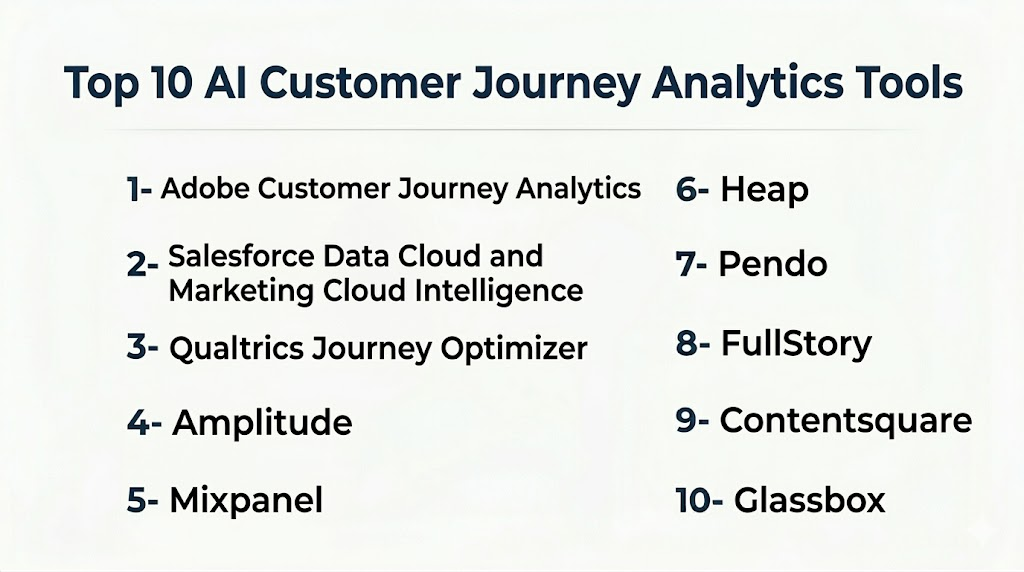
Top 10 AI Customer Journey Analytics Tools
1- Adobe Customer Journey Analytics
One-line verdict: Best for enterprises needing advanced journey analytics across digital, marketing, and customer experience data.
Short description:
Adobe Customer Journey Analytics helps organizations analyze customer behavior across channels, campaigns, products, and touchpoints. It is especially strong for enterprises already using Adobe Experience Cloud and needing deep journey reporting, segmentation, and cross-channel analytics.
Standout Capabilities
- Cross-channel journey analysis
- Advanced segmentation and cohort reporting
- Integration with Adobe Experience Cloud
- Customer path and behavior visualization
- Marketing and digital experience analytics
- Strong enterprise reporting capabilities
- Flexible data modeling for journey insights
- AI-assisted insights through Adobe ecosystem
AI-Specific Depth
- Model support: Hosted AI and analytics capabilities
- RAG / knowledge integration: Varies / N/A
- Evaluation: Journey analysis, segment performance review, attribution analysis, and insight validation
- Guardrails: Enterprise permissions, governance controls, workspace access, and admin settings
- Observability: Dashboards for journeys, campaigns, segments, channels, conversion, retention, and customer behavior
Pros
- Strong enterprise analytics depth
- Excellent fit for Adobe ecosystem users
- Powerful segmentation and journey analysis
Cons
- Can require analytics expertise
- Best value appears in larger enterprise environments
- Implementation and data modeling may take time
Security & Compliance
Adobe provides enterprise security and governance controls depending on product configuration and contract. Buyers should verify SSO, RBAC, audit logs, encryption, data retention, residency, consent management, and compliance requirements directly. Unknown details should be treated as Not publicly stated.
Deployment & Platforms
- Web-based platform
- Cloud deployment
- Enterprise analytics environment
- Self-hosted deployment: Varies / N/A
Integrations & Ecosystem
Adobe Customer Journey Analytics is strongest when journey insights need to connect with digital experience, marketing, personalization, and enterprise data workflows.
- Adobe Experience Cloud
- Customer data platforms
- Data warehouses
- Marketing automation tools
- Web and mobile analytics
- Campaign systems
- APIs and data connectors
Pricing Model
Enterprise SaaS pricing is typically custom and may depend on data volume, users, modules, events, and platform configuration.
Best-Fit Scenarios
- Enterprise cross-channel journey analytics
- Adobe ecosystem customer experience programs
- Marketing and digital experience optimization
2- Salesforce Data Cloud and Marketing Cloud Intelligence
One-line verdict: Best for CRM-centric enterprises connecting journeys, customer data, marketing, and service insights.
Short description:
Salesforce Data Cloud and Marketing Cloud Intelligence help organizations unify customer data, analyze engagement, connect marketing and service interactions, and build journey insights across customer records. It is especially useful for businesses already using Salesforce as a customer data and CRM foundation.
Standout Capabilities
- Unified customer data across Salesforce ecosystem
- Journey insights connected to CRM records
- Marketing performance and customer engagement analytics
- Segmentation and activation workflows
- Customer profile unification
- Service and sales context for journey analysis
- Enterprise reporting and dashboards
- AI-assisted recommendations through Salesforce ecosystem
AI-Specific Depth
- Model support: Hosted AI and configurable enterprise AI capabilities
- RAG / knowledge integration: Salesforce customer data, CRM records, marketing data, and service context
- Evaluation: Journey performance review, campaign analytics, customer profile validation, and business reporting
- Guardrails: Permission controls, governance settings, data access policies, and admin rules
- Observability: Dashboards for customer profiles, engagement, marketing performance, journeys, and service interactions
Pros
- Strong CRM and customer data alignment
- Useful for marketing, sales, and service journey visibility
- Highly customizable for enterprise workflows
Cons
- Requires Salesforce expertise
- Can be costly and complex for smaller teams
- Best value depends on Salesforce ecosystem adoption
Security & Compliance
Salesforce provides enterprise security controls such as SSO, RBAC, encryption, audit logging, permission controls, and governance tools depending on configuration. Buyers should verify compliance, data retention, data residency, and consent requirements directly.
Deployment & Platforms
- Web-based platform
- Cloud deployment
- CRM and customer data environment
- Mobile access through Salesforce ecosystem
- Self-hosted deployment: N/A
Integrations & Ecosystem
Salesforce is strongest when customer journey analytics needs to connect CRM, marketing, sales, service, and customer data activation.
- Salesforce CRM
- Salesforce Marketing Cloud
- Salesforce Service Cloud
- Data Cloud
- MuleSoft
- Slack
- APIs and marketplace apps
Pricing Model
Salesforce uses enterprise subscription pricing with data, AI, marketing, and platform usage elements depending on configuration.
Best-Fit Scenarios
- CRM-driven customer journey analytics
- Marketing and service journey alignment
- Enterprise customer profile unification
3- Qualtrics Journey Optimizer
One-line verdict: Best for customer experience teams connecting journey analytics with feedback and satisfaction insights.
Short description:
Qualtrics Journey Optimizer helps teams understand customer journeys using experience data, feedback, sentiment, and operational signals. It is useful for organizations focused on improving customer experience across touchpoints, journeys, and service moments.
Standout Capabilities
- Journey analytics connected to customer feedback
- Customer experience journey visualization
- Sentiment and satisfaction signals
- Journey pain point detection
- Feedback-driven prioritization
- Experience dashboards for CX teams
- Customer segment and journey comparison
- Service recovery and improvement workflows
AI-Specific Depth
- Model support: Hosted AI and analytics model approach
- RAG / knowledge integration: Feedback, experience data, and operational signals
- Evaluation: Journey insight validation, feedback analysis, and experience performance review
- Guardrails: Role permissions, data access controls, workflow governance, and admin settings
- Observability: Dashboards for journey friction, satisfaction, feedback, sentiment, and experience trends
Pros
- Strong CX and feedback analytics alignment
- Useful for journey pain point discovery
- Good for service and experience improvement programs
Cons
- Requires mature CX program ownership
- May be more than small teams need
- Best value depends on feedback and journey data quality
Security & Compliance
Qualtrics provides enterprise security and admin controls depending on product configuration and contract. Buyers should verify SSO, RBAC, audit logs, encryption, retention, data residency, and compliance requirements directly.
Deployment & Platforms
- Web-based platform
- Cloud deployment
- Customer experience analytics environment
- Self-hosted deployment: Varies / N/A
Integrations & Ecosystem
Qualtrics Journey Optimizer is useful when journey analytics must connect customer feedback, satisfaction, service recovery, and CX programs.
- Survey systems
- CRM platforms
- Contact center data
- Digital feedback tools
- Customer experience dashboards
- BI tools
- APIs and exports
Pricing Model
Enterprise SaaS pricing is typically custom and depends on modules, feedback volume, users, journeys, and analytics requirements.
Best-Fit Scenarios
- Customer experience journey optimization
- Feedback-driven journey analytics
- Journey pain point prioritization
4- Amplitude
One-line verdict: Best for product-led teams analyzing digital journeys, activation, retention, and behavioral cohorts.
Short description:
Amplitude is a digital analytics platform that helps product, growth, and marketing teams understand user behavior, funnels, cohorts, retention, and product journeys. It is a strong fit for digital products, SaaS platforms, mobile apps, and product-led businesses.
Standout Capabilities
- Product journey and behavior analytics
- Funnel and retention analysis
- Cohort-based journey segmentation
- Feature adoption insights
- User path and engagement analysis
- Experimentation and product growth support
- Predictive insights for user behavior
- Dashboards for product and growth teams
AI-Specific Depth
- Model support: Hosted analytics and AI-assisted capabilities
- RAG / knowledge integration: Product event data and behavioral analytics integration
- Evaluation: Cohort review, journey performance, funnel analysis, and retention validation
- Guardrails: Workspace permissions, governance controls, and admin settings
- Observability: Dashboards for user journeys, activation, retention, feature usage, funnels, and cohorts
Pros
- Excellent for product-led journey analytics
- Strong behavioral segmentation
- Useful for growth and retention teams
Cons
- Requires clean event instrumentation
- Not a full customer service journey platform
- Business teams may need analytics support for advanced analysis
Security & Compliance
Amplitude provides business and enterprise security controls depending on plan. Buyers should verify SSO, RBAC, audit logs, encryption, retention, data residency, and compliance requirements directly.
Deployment & Platforms
- Web-based platform
- Cloud deployment
- SDK and event-based tracking
- Product analytics environment
- Self-hosted deployment: Varies / N/A
Integrations & Ecosystem
Amplitude works best when journey analytics depends on product behavior, activation, adoption, and retention signals.
- Product event SDKs
- Data warehouses
- Customer data platforms
- Marketing automation tools
- CRM systems
- Experimentation workflows
- APIs and exports
Pricing Model
Amplitude generally uses SaaS pricing based on data volume, events, users, and advanced analytics capabilities.
Best-Fit Scenarios
- Product-led customer journey analytics
- Activation and onboarding optimization
- Retention and cohort analysis
5- Mixpanel
One-line verdict: Best for product and growth teams needing event-based journey analytics and funnel visibility.
Short description:
Mixpanel helps teams analyze customer behavior through event tracking, funnels, cohorts, retention reports, and user journeys. It is useful for businesses that need clear visibility into how users move through digital products and where they drop off.
Standout Capabilities
- Event-based customer journey analytics
- Funnel and path analysis
- Retention and cohort reporting
- Behavioral segmentation
- Product usage tracking
- Dashboarding for product and growth teams
- Self-serve analytics for business users
- Data exploration for conversion and retention
AI-Specific Depth
- Model support: Hosted analytics and AI-assisted capabilities
- RAG / knowledge integration: Product event and customer behavior data
- Evaluation: Funnel validation, retention analysis, journey review, and segment comparison
- Guardrails: Workspace permissions, admin settings, and data governance controls
- Observability: Dashboards for funnels, cohorts, retention, behavior segments, and customer paths
Pros
- Strong self-serve product analytics
- Useful for funnel and retention visibility
- Good fit for product and growth teams
Cons
- Requires disciplined event tracking
- Not a complete enterprise CX suite
- Customer journey analysis is strongest for digital product behavior
Security & Compliance
Mixpanel provides business and enterprise security controls depending on plan. Buyers should verify SSO, RBAC, audit logs, encryption, retention, residency, and compliance requirements directly.
Deployment & Platforms
- Web-based platform
- Cloud deployment
- SDK and event-based tracking
- Product and growth analytics workflows
- Self-hosted deployment: Varies / N/A
Integrations & Ecosystem
Mixpanel is strongest when teams need journey analytics built around product events and user behavior.
- Product SDKs
- Data warehouses
- Customer data platforms
- Marketing automation tools
- CRM integrations
- APIs and exports
- Experimentation workflows
Pricing Model
Mixpanel generally uses SaaS pricing based on events, data volume, users, and advanced analytics features.
Best-Fit Scenarios
- Digital funnel analytics
- Product onboarding optimization
- User journey and retention analysis
6- Heap
One-line verdict: Best for teams wanting automated behavioral capture and journey analysis without heavy manual tracking.
Short description:
Heap is a digital insights platform that captures user behavior and helps teams analyze journeys, funnels, friction, and product experience. It is useful for teams that want behavioral insights without relying only on manually defined events.
Standout Capabilities
- Automatic behavioral data capture
- Digital journey and funnel analysis
- Session and user behavior insights
- Friction and drop-off detection
- Product usage analytics
- Segmentation and cohort reporting
- Experience optimization insights
- Useful for web and product teams
AI-Specific Depth
- Model support: Hosted analytics and AI-assisted capabilities
- RAG / knowledge integration: Digital behavior and product event data integration
- Evaluation: Journey validation, funnel review, session analysis, and behavioral insight monitoring
- Guardrails: Workspace permissions, data governance, and admin controls
- Observability: Dashboards for digital journeys, conversion, friction, funnels, and product engagement
Pros
- Reduces reliance on manual event planning
- Good for discovering unknown friction points
- Useful for digital product and website journeys
Cons
- Data governance still requires planning
- May need analytics expertise for advanced analysis
- Best suited for digital behavior analytics
Security & Compliance
Heap provides business and enterprise security controls depending on plan and agreement. Buyers should verify SSO, RBAC, audit logs, encryption, retention, data residency, and compliance requirements directly.
Deployment & Platforms
- Web-based platform
- Cloud deployment
- Digital analytics and behavior capture
- Web and app tracking workflows
- Self-hosted deployment: Varies / N/A
Integrations & Ecosystem
Heap works well when teams want to connect behavioral journey analytics with digital optimization and growth workflows.
- Web and app analytics
- Data warehouses
- CRM systems
- Customer data platforms
- Experimentation tools
- APIs and exports
- Marketing systems
Pricing Model
Pricing is generally SaaS-based and may depend on sessions, events, data volume, users, and advanced capabilities.
Best-Fit Scenarios
- Digital journey discovery
- Conversion friction analysis
- Product and website behavior analytics
7- Pendo
One-line verdict: Best for product teams connecting customer journeys with in-app behavior, feedback, and adoption.
Short description:
Pendo helps product and customer teams understand in-app usage, feature adoption, customer feedback, and product engagement. It is especially useful for SaaS and digital product teams that want to improve onboarding, adoption, retention, and in-app customer journeys.
Standout Capabilities
- Product usage and journey analytics
- In-app guides and customer engagement
- Feature adoption tracking
- Customer feedback collection
- Account-level usage insights
- Segmentation by user and account behavior
- Product roadmap feedback signals
- Retention and adoption dashboards
AI-Specific Depth
- Model support: Hosted analytics and AI-assisted capabilities
- RAG / knowledge integration: Product usage, feedback, account data, and in-app behavior
- Evaluation: Adoption analysis, engagement review, customer feedback validation, and journey monitoring
- Guardrails: Workspace permissions, admin controls, data governance, and guide approval workflows
- Observability: Dashboards for adoption, retention, feature usage, feedback, and in-app journey performance
Pros
- Strong for product adoption journeys
- Combines analytics with in-app engagement
- Useful for customer success and product collaboration
Cons
- Not a full marketing attribution platform
- Requires product instrumentation and setup
- May need integrations for complete customer journey visibility
Security & Compliance
Pendo provides business and enterprise security controls depending on plan. Buyers should verify SSO, RBAC, audit logs, encryption, retention, data residency, and compliance requirements directly.
Deployment & Platforms
- Web-based platform
- Cloud deployment
- In-app product instrumentation
- Product analytics and engagement workflows
- Self-hosted deployment: Varies / N/A
Integrations & Ecosystem
Pendo works well when journey analytics is tied to product adoption, in-app guidance, and customer feedback.
- CRM systems
- Product analytics workflows
- Customer success tools
- Data warehouses
- Feedback systems
- APIs and exports
- In-app engagement tools
Pricing Model
Pricing is usually custom or tiered based on product usage, users, data volume, modules, and business requirements.
Best-Fit Scenarios
- SaaS onboarding journey analytics
- Product adoption and retention improvement
- In-app customer engagement optimization
8- FullStory
One-line verdict: Best for digital experience teams analyzing customer journey friction through session replay and behavioral insights.
Short description:
FullStory helps teams understand digital customer experiences through session replay, behavioral analytics, frustration signals, and journey insights. It is useful for identifying where users struggle on websites, apps, checkout flows, onboarding paths, and support journeys.
Standout Capabilities
- Session replay for digital journeys
- Behavioral analytics and frustration signals
- Funnel and conversion analysis
- Error and friction detection
- Digital experience monitoring
- Searchable user sessions
- Product and UX insights
- Customer support investigation workflows
AI-Specific Depth
- Model support: Hosted analytics and AI-assisted capabilities
- RAG / knowledge integration: Digital behavior, session data, and product experience signals
- Evaluation: Session review, funnel analysis, friction validation, and experience monitoring
- Guardrails: Data privacy controls, masking, workspace permissions, and admin settings
- Observability: Dashboards for digital friction, user sessions, funnels, errors, and journey behavior
Pros
- Excellent for seeing actual user friction
- Strong for UX and conversion analysis
- Useful for support and product troubleshooting
Cons
- Not a complete CRM or marketing journey suite
- Requires privacy configuration and masking discipline
- Best focused on digital experience behavior
Security & Compliance
FullStory provides security and privacy controls depending on plan and configuration. Buyers should verify SSO, RBAC, audit logs, encryption, masking, retention, residency, and compliance requirements directly.
Deployment & Platforms
- Web-based platform
- Cloud deployment
- Web and app behavioral capture
- Digital experience analytics
- Self-hosted deployment: Varies / N/A
Integrations & Ecosystem
FullStory is strongest when teams need journey analytics tied to real user behavior, friction, bugs, and digital experience quality.
- Web and app analytics
- Product tools
- Support platforms
- Data warehouses
- Collaboration tools
- APIs and exports
- Issue tracking tools
Pricing Model
Pricing is generally custom or tiered based on sessions, users, data volume, and advanced features.
Best-Fit Scenarios
- Digital journey friction analysis
- Checkout and onboarding optimization
- UX and product experience troubleshooting
9- Contentsquare
One-line verdict: Best for digital teams improving website and app journeys through experience analytics and behavior insights.
Short description:
Contentsquare is a digital experience analytics platform that helps teams understand how users interact with websites and apps. It provides journey analysis, experience insights, session replay, zone-based behavior, and friction detection for optimization teams.
Standout Capabilities
- Digital journey analytics
- Session replay and behavior insights
- Experience scoring and friction detection
- Website and app optimization analytics
- Zone-based interaction analysis
- Funnel and conversion insights
- Customer frustration signal detection
- Enterprise digital experience reporting
AI-Specific Depth
- Model support: Hosted analytics and AI-assisted capabilities
- RAG / knowledge integration: Digital experience, session behavior, and journey data
- Evaluation: Journey review, experience scoring, friction validation, and funnel analysis
- Guardrails: Privacy controls, role permissions, masking, and governance settings
- Observability: Dashboards for journeys, experience scores, friction, conversion, and digital behavior
Pros
- Strong for enterprise digital experience analytics
- Useful for ecommerce and website optimization
- Good visibility into journey friction and conversion issues
Cons
- Focused mostly on digital experience journeys
- May be too advanced for simple website analytics needs
- Requires proper privacy and tagging configuration
Security & Compliance
Contentsquare provides enterprise security and privacy controls depending on configuration. Buyers should verify SSO, RBAC, audit logs, encryption, masking, retention, residency, and compliance requirements directly.
Deployment & Platforms
- Web-based platform
- Cloud deployment
- Website and app analytics
- Digital experience optimization workflows
- Self-hosted deployment: Varies / N/A
Integrations & Ecosystem
Contentsquare works best when customer journey analytics focuses on website and app behavior, conversion paths, and digital friction.
- Web analytics tools
- Product analytics tools
- Data warehouses
- Experimentation platforms
- Ecommerce systems
- APIs and exports
- Collaboration workflows
Pricing Model
Enterprise pricing is typically custom and may depend on sessions, digital properties, users, modules, and analytics scope.
Best-Fit Scenarios
- Ecommerce journey analytics
- Digital conversion optimization
- Web and app experience improvement
10- Glassbox
One-line verdict: Best for enterprises analyzing digital journeys, session behavior, compliance risk, and customer friction.
Short description:
Glassbox is a digital experience analytics platform that helps organizations understand customer behavior across websites and apps. It supports session replay, journey analysis, struggle detection, and digital experience monitoring, often used by enterprises in regulated or high-transaction industries.
Standout Capabilities
- Digital journey and session analytics
- Customer struggle and friction detection
- Session replay and interaction analysis
- Web and mobile app experience monitoring
- Compliance and risk investigation support
- Funnel and conversion analysis
- Error and issue detection
- Enterprise digital experience dashboards
AI-Specific Depth
- Model support: Hosted analytics and AI-assisted capabilities
- RAG / knowledge integration: Digital behavior, session data, and journey signals
- Evaluation: Session review, journey validation, funnel analysis, and risk monitoring
- Guardrails: Privacy controls, access permissions, masking, audit capabilities, and governance settings
- Observability: Dashboards for digital journeys, struggle signals, sessions, errors, compliance risk, and conversion paths
Pros
- Strong digital journey investigation capabilities
- Useful for regulated and high-volume digital businesses
- Good for connecting friction with operational risk
Cons
- Not a full marketing or CRM journey suite
- Requires careful privacy and masking configuration
- Best suited for digital behavior and experience analytics
Security & Compliance
Glassbox provides enterprise security and privacy features depending on configuration. Buyers should verify SSO, RBAC, audit logs, encryption, masking, retention, residency, and compliance requirements directly.
Deployment & Platforms
- Web-based platform
- Cloud deployment
- Web and mobile app analytics
- Digital experience monitoring
- Self-hosted deployment: Varies / N/A
Integrations & Ecosystem
Glassbox is useful when journey analytics must connect digital behavior, compliance investigation, support troubleshooting, and customer experience improvement.
- Web and app analytics
- Support platforms
- Data warehouses
- Product tools
- BI systems
- APIs and exports
- Issue tracking tools
Pricing Model
Enterprise pricing is usually custom and depends on digital properties, session volume, users, modules, and deployment scope.
Best-Fit Scenarios
- Digital journey troubleshooting
- Regulated digital experience monitoring
- Session-based customer friction analysis
Comparison Table
| Tool Name | Best For | Deployment | Model Flexibility | Strength | Watch-Out | Public Rating |
|---|---|---|---|---|---|---|
| Adobe Customer Journey Analytics | Enterprise digital journeys | Cloud | Hosted | Cross-channel analytics depth | Requires analytics expertise | N/A |
| Salesforce Data Cloud and Marketing Cloud Intelligence | CRM-centric journeys | Cloud | Hosted and configurable | Customer data unification | Complex setup | N/A |
| Qualtrics Journey Optimizer | CX journey improvement | Cloud | Hosted | Feedback and journey alignment | Needs CX maturity | N/A |
| Amplitude | Product-led journeys | Cloud | Hosted | Behavioral cohort analytics | Needs event tracking | N/A |
| Mixpanel | Product and growth funnels | Cloud | Hosted | Self-serve event analytics | Limited non-digital journey scope | N/A |
| Heap | Digital behavior discovery | Cloud | Hosted | Automatic behavior capture | Governance still needed | N/A |
| Pendo | Product adoption journeys | Cloud | Hosted | In-app analytics and guides | Not full marketing attribution | N/A |
| FullStory | Digital friction analysis | Cloud | Hosted | Session replay and behavior insights | Needs privacy setup | N/A |
| Contentsquare | Ecommerce and web journeys | Cloud | Hosted | Digital experience analytics | Enterprise complexity | N/A |
| Glassbox | Regulated digital journeys | Cloud | Hosted | Session and risk analysis | Digital-focused scope | N/A |
Scoring & Evaluation
This scoring is comparative, not absolute. It reflects journey analytics depth, AI reliability, customer data integration, journey visualization, ease of use, governance, digital experience coverage, and practical buyer value. Scores should be used for shortlisting only. Buyers should test each platform with real customer paths, channel data, CRM records, product usage, support events, marketing campaigns, and known conversion or churn outcomes before making a final decision.
| Tool | Core | Reliability and Eval | Guardrails | Integrations | Ease | Perf and Cost | Security and Admin | Support | Weighted Total |
|---|---|---|---|---|---|---|---|---|---|
| Adobe Customer Journey Analytics | 10 | 9 | 9 | 10 | 6 | 7 | 10 | 9 | 8.8 |
| Salesforce Data Cloud and Marketing Cloud Intelligence | 10 | 9 | 9 | 10 | 6 | 7 | 10 | 9 | 8.8 |
| Qualtrics Journey Optimizer | 9 | 9 | 8 | 9 | 7 | 7 | 9 | 9 | 8.5 |
| Amplitude | 9 | 8 | 8 | 9 | 8 | 8 | 8 | 8 | 8.4 |
| Mixpanel | 8 | 8 | 7 | 8 | 9 | 9 | 8 | 8 | 8.1 |
| Heap | 8 | 8 | 8 | 8 | 8 | 8 | 8 | 8 | 8.0 |
| Pendo | 8 | 8 | 8 | 8 | 8 | 8 | 8 | 8 | 8.0 |
| FullStory | 8 | 8 | 8 | 8 | 8 | 8 | 9 | 8 | 8.1 |
| Contentsquare | 9 | 8 | 8 | 8 | 7 | 7 | 9 | 8 | 8.0 |
| Glassbox | 8 | 8 | 9 | 8 | 7 | 7 | 9 | 8 | 7.9 |
Top 3 for Enterprise
- Adobe Customer Journey Analytics
- Salesforce Data Cloud and Marketing Cloud Intelligence
- Qualtrics Journey Optimizer
Top 3 for SMB
- Mixpanel
- Amplitude
- Heap
Top 3 for Developers
- Amplitude
- Mixpanel
- FullStory
Which AI Customer Journey Analytics Tool Is Right for You
Solo / Freelancer
Solo professionals usually do not need a complex customer journey analytics platform unless they manage digital products, ecommerce funnels, or paid acquisition campaigns. A lightweight analytics setup may be enough. Mixpanel or Heap can be useful when user behavior tracking and funnel analysis are important, but simple reporting may be better for very low-volume businesses.
SMB
Small businesses should prioritize ease of setup, clear dashboards, funnel visibility, and practical insights. Mixpanel, Amplitude, Heap, and Pendo are strong options depending on whether the business needs product analytics, website behavior tracking, or in-app engagement insights. SMBs should avoid overbuilding complex journey models before defining core customer paths and conversion goals.
Mid-Market
Mid-market companies usually need deeper journey segmentation, product usage analysis, campaign attribution, customer feedback, and support journey visibility. Amplitude, Pendo, FullStory, Heap, Contentsquare, and Qualtrics Journey Optimizer are strong candidates. These teams should connect journey insights with product, marketing, support, and customer success workflows.
Enterprise
Enterprises should prioritize data governance, identity resolution, multi-channel integration, privacy controls, cross-team reporting, and scalable analytics. Adobe Customer Journey Analytics is strong for digital experience and marketing analytics. Salesforce Data Cloud and Marketing Cloud Intelligence are strong for CRM-centric enterprises. Qualtrics Journey Optimizer is strong for customer experience teams connecting feedback to journey improvement.
Regulated industries
Finance, healthcare, insurance, telecom, and public sector teams should evaluate privacy controls, consent handling, data masking, audit logs, role permissions, retention settings, and data residency. Salesforce, Adobe, Qualtrics, Glassbox, and Contentsquare are often strong enterprise candidates for regulated evaluations. Buyers should verify every security and compliance requirement directly before implementation.
Budget vs premium
Budget-focused teams should consider Mixpanel, Heap, Amplitude, or Pendo depending on product and digital journey needs. Premium enterprise buyers should evaluate Adobe Customer Journey Analytics, Salesforce Data Cloud and Marketing Cloud Intelligence, Qualtrics Journey Optimizer, Contentsquare, or Glassbox when they need advanced governance, multi-channel data, and enterprise reporting.
Build vs buy
Building customer journey analytics internally may make sense if your organization already has strong data engineering, event pipelines, identity resolution, BI systems, and data science teams. Most teams should buy because journey visualization, behavioral analytics, segmentation, governance, integrations, and real-time insights take significant work to build and maintain. A hybrid approach can work well when teams use a platform for analysis and send cleaned data into a warehouse for internal modeling.
Implementation Playbook 30 / 60 / 90 Days
First 30 Days
- Define the main business goal such as onboarding improvement, conversion growth, churn reduction, support journey improvement, or campaign optimization.
- Map the most important customer journeys from first touch to conversion, adoption, support, renewal, or churn.
- Identify required data sources such as web analytics, product events, CRM, marketing campaigns, support tickets, billing, and surveys.
- Define core events, user properties, account properties, and lifecycle stages.
- Select one journey or funnel for the first pilot.
- Validate data quality and identity matching across channels.
- Create baseline metrics such as conversion rate, activation rate, drop-off rate, retention, support contact rate, and churn risk.
- Build initial dashboards for product, marketing, CX, and leadership teams.
- Review privacy, access, consent, and retention settings.
- Start with a controlled pilot before expanding across the organization.
Days 31 to 60
- Connect additional systems such as CRM, customer data platform, data warehouse, help desk, billing, and marketing automation.
- Create journey segments by source, channel, plan, product, region, customer tier, and lifecycle stage.
- Use AI insights to identify friction points, drop-offs, repeated loops, and high-value paths.
- Compare journeys for retained customers, churned customers, converted customers, and abandoned users.
- Build alerts for unusual drop-offs, onboarding failure, negative behavior patterns, and high-risk segments.
- Add collaboration workflows so teams can annotate insights and assign follow-up actions.
- Validate journey findings with customer feedback and support data.
- Train business users to interpret dashboards responsibly.
- Create governance for event naming, data ownership, and dashboard quality.
- Define action plans for the highest-impact journey issues.
Days 61 to 90
- Expand journey analytics to more products, regions, campaigns, and customer segments.
- Connect journey insights with experimentation, personalization, support routing, lifecycle marketing, and customer success playbooks.
- Use predictive analytics to identify likely churn, conversion, expansion, and adoption outcomes.
- Optimize content, onboarding flows, product UX, support experiences, and marketing journeys based on findings.
- Review data costs, event volume, profile volume, and platform usage.
- Build executive reporting around revenue impact, retention, conversion, customer effort, and experience improvement.
- Establish a regular journey review cadence across marketing, product, support, sales, and customer success teams.
- Review vendor lock-in and data export options.
- Improve identity resolution and consent governance.
- Build a continuous improvement loop from journey insight to action to measurement.
Common Mistakes and How to Avoid Them
- Tracking too many events without defining business questions first.
- Treating journey analytics as a dashboard project instead of an action system.
- Ignoring identity resolution across devices, accounts, and channels.
- Looking only at marketing journeys while ignoring product, support, and renewal experiences.
- Failing to connect journey insights with customer feedback.
- Using messy event names and inconsistent data definitions.
- Not segmenting journeys by customer type, lifecycle stage, region, or value.
- Overlooking privacy, consent, retention, and masking requirements.
- Buying an enterprise platform before fixing data quality.
- Ignoring support interactions that may explain churn or dissatisfaction.
- Using averages that hide friction for important customer segments.
- Not validating AI insights with real customer behavior and feedback.
- Creating dashboards that no team owns.
- Failing to measure whether journey changes improve business outcomes.
FAQs
1. What is AI customer journey analytics?
AI customer journey analytics uses artificial intelligence and data analysis to understand how customers move across touchpoints, channels, and lifecycle stages. It helps businesses find friction, predict outcomes, and improve experiences.
2. How is customer journey analytics different from web analytics?
Web analytics focuses mostly on website behavior. Customer journey analytics connects many touchpoints, such as marketing, product usage, CRM, support, billing, feedback, and retention data.
3. What data is needed for customer journey analytics?
Useful data includes website events, app events, product usage, CRM records, campaign data, support tickets, surveys, purchases, billing data, customer profiles, and lifecycle stages.
4. Can AI customer journey analytics predict churn?
Yes, many platforms can help detect churn risk by analyzing behavior patterns, support issues, usage decline, negative sentiment, onboarding gaps, and lifecycle changes. Prediction quality depends on data quality.
5. Can journey analytics improve conversion rates?
Yes, journey analytics can show where users drop off, which paths convert best, and which friction points reduce revenue. Teams can then improve landing pages, onboarding, checkout, product flows, and follow-up campaigns.
6. Is journey analytics useful for SaaS companies?
Yes, SaaS teams use journey analytics to understand acquisition, activation, onboarding, feature adoption, support interactions, expansion, renewal, and churn. It is especially useful for product-led growth.
7. Is journey analytics useful for ecommerce?
Yes, ecommerce teams use journey analytics to improve product discovery, cart behavior, checkout, repeat purchases, returns, loyalty, and customer support journeys. Digital experience tools can be especially valuable.
8. What is identity resolution in customer journey analytics?
Identity resolution connects customer activity across devices, sessions, accounts, emails, and channels. It helps teams understand the full journey instead of viewing fragmented interactions.
9. How do AI insights help journey analytics?
AI can detect patterns, anomalies, drop-offs, friction points, likely churn, conversion drivers, and next-best-action opportunities faster than manual dashboard review.
10. Are customer journey analytics tools secure?
Security varies by vendor and configuration. Buyers should verify encryption, SSO, RBAC, audit logs, data retention, consent controls, masking, and data residency before sending customer behavior data into a platform.
11. Should companies build or buy journey analytics tools?
Most teams should buy because data ingestion, identity resolution, visualization, segmentation, privacy controls, and analytics workflows are difficult to build well. Building may make sense for companies with mature data engineering and analytics teams.
12. What metrics should teams track?
Important metrics include conversion rate, activation rate, feature adoption, drop-off rate, customer effort, support contact rate, repeat purchase rate, churn risk, retention, expansion, customer lifetime value, and satisfaction.
Conclusion
AI customer journey analytics helps organizations move beyond isolated dashboards and understand the full path customers take across marketing, product, sales, support, service, and retention. The best platform depends on your business model, data maturity, primary channels, privacy needs, and whether your journey focus is digital behavior, CRM-driven lifecycle management, product adoption, customer experience, or enterprise personalization. Adobe Customer Journey Analytics and Salesforce Data Cloud are strong for large enterprises, Qualtrics is strong for CX-led journey improvement, Amplitude, Mixpanel, Heap, and Pendo fit product-led teams, while FullStory, Contentsquare, and Glassbox are strong for digital experience friction analysis. The smartest approach is to shortlist tools based on your most important customer journeys, pilot with real behavioral and customer data, verify governance and privacy controls, then scale with clear ownership, action workflows, and continuous measurement.

Find Trusted Cardiac Hospitals
Compare heart hospitals by city and services — all in one place.
Explore Hospitals
The article is useful for comparing customer journey analytics tools, but in real-world CX environments the main challenge is not mapping journeys—it’s dealing with fragmented, cross-device, and cross-channel data that rarely forms a clean path. Most platforms struggle with identity stitching and delayed event tracking, which leads to incomplete or misleading journey insights. A more practical approach is focusing on strong data unification, real-time event pipelines, and validation against actual business outcomes like conversion and retention, so journey analytics reflects reality rather than an idealized customer flow.