
Introduction
AI Image Generation Platforms are tools that use artificial intelligence to create, edit, and enhance visual content from textual descriptions, sketches, or reference media. Powered by cutting‑edge machine learning models like diffusion models and transformers, these platforms have transformed how creative teams, marketers, product designers, and developers produce visual assets at scale.
In 2026, AI image generation is widely adopted for generating marketing creatives, product visuals, concept art, personalized social content, and even video. As models improve in quality, relevance, and safety, businesses of all sizes use these platforms to reduce production costs, accelerate creative workflows, and unlock new possibilities in visual storytelling.
Real‑world use cases include:
- Generating marketing and social media visuals.
- Creating product images for e‑commerce or catalogs.
- Producing concept art for games, film, and entertainment.
- Designing UI/UX mockups or visual prototypes.
- Personalized campaign content generation at scale.
- Visual asset iteration for A/B testing creative variations.
Evaluation criteria for buyers:
- Image quality & resolution: Realism, fidelity, stylization options.
- Multimodal input support: Ability to use text, sketches, and reference images.
- Customization & fine‑tuning: Ability to tailor models to brand aesthetics.
- Scalability & speed: Batch generation, latency, and throughput.
- Integration capabilities: APIs, plugins, and workflow connectors.
- Safety & guardrails: Filters and policies to prevent unsafe outputs.
- Governance & observability: Logging, metrics, and usage dashboards.
- Deployment flexibility: Cloud, hybrid, or self‑hosted options.
- Cost & licensing: Usage pricing, commercial rights, and output licensing.
- Support & ecosystem: Community, docs, SDKs, and partner integrations.
Best for: Creative teams, digital marketers, e‑commerce businesses, product designers, agencies, and entertainment studios.
Not ideal for: Simple stock image use cases or platforms that only need small volumes of visual content.
What’s Changed in AI Image Generation Platforms in 2026+
- Multi‑modal inputs: Combining text, sketch, and reference image prompts.
- Real‑time high‑resolution outputs: Production‑ready visual assets with minimal iteration.
- Custom fine‑tuning: Brand‑specific styles and domain‑specific models.
- AI guardrails: Built‑in safety policies, bias mitigation, and content filtering.
- Design ecosystem integration: Plugins for SaaS design tools and CMS.
- BYO deployment options: Hybrid and self‑hosted models for private datasets.
- Observability dashboards: Tracking usage, latency, prompts, and costs.
- Prompt evaluation frameworks: Output confidence scoring and variant comparisons.
- Batch processing: For large catalogs and marketing campaigns.
- Licensing & rights management: Clear commercial usage terms.
Quick Buyer Checklist
- Commercial usage rights and output licensing
- Multi‑modal input support (text + images + sketches)
- API & SDK integration with CMS/design tools
- Model customization and fine‑tuning
- Batch image generation at scale
- Safety guardrails for unsafe/biased content
- Observability (usage, cost, latency, quality metrics)
- Deployment flexibility: cloud, hybrid, on‑prem
- Multi‑resolution export formats
- Support & documentation quality
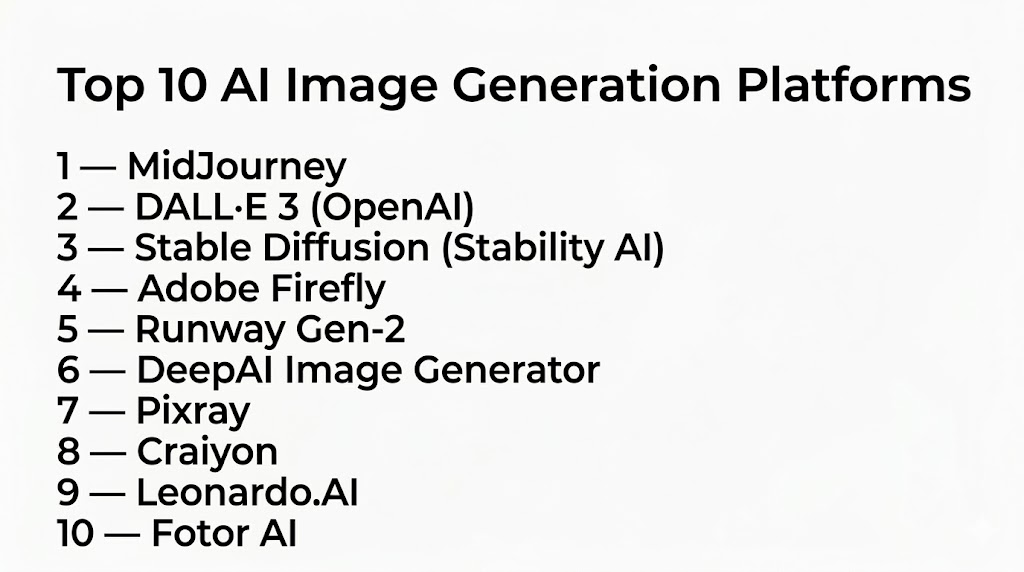
Top 10 AI Image Generation Platforms
1- MidJourney
One‑line verdict: Best for creative professionals and agencies needing highly stylized, expressive AI imagery.
Short description: MidJourney generates rich, artistic images from text prompts with a focus on creative styles and visual expressiveness.
Standout Capabilities
- Produces highly stylized artwork and aesthetics
- Strong community for prompt sharing and inspiration
- Rapid iteration and prompt variants
- Multiple artistic output modes
- Supports partial prompt enhancements
AI‑Specific Depth
- Model support: Proprietary hosted
- RAG / knowledge integration: N/A
- Evaluation: Community feedback + internal model tuning
- Guardrails: Content filters for safety
- Observability: Usage and generation dashboards
Pros
- Excellent for artistic and concept visuals
- Rapid creative exploration
- Vibrant user community
Cons
- Less focus on photorealism
- Cloud‑only deployment
- Limited batch generation
Security & Compliance
- Cloud encryption; Certifications: Not publicly stated
Deployment & Platforms
- Web, Discord‑based workflows
Integrations & Ecosystem
- Prompt libraries
- Exports for design tools
Pricing Model
- Subscription tiers
Best‑Fit Scenarios
- Concept art generation
- Marketing visuals
- Agency creative projects
2- DALL·E 3 (OpenAI)
One‑line verdict: Ideal for enterprises needing high‑fidelity, flexible image generation with strong commercial usage controls.
Short description: DALL·E 3 delivers realistic and stylized images from text or multi‑modal prompts, with powerful editing features and ecosystem integrations.
Standout Capabilities
- High‑resolution output with photorealism
- Inpainting and image editing from prompts
- Multi‑modal prompt support (text + image)
- Integration with Microsoft design tools
- Commercial licensing
AI‑Specific Depth
- Model support: Proprietary hosted
- RAG / knowledge integration: Integrations with Microsoft ecosystem
- Evaluation: In‑flight automated quality and safety checking
- Guardrails: Content safety filters
- Observability: Usage, latency, token cost dashboards
Pros
- Strong blend of realism and creativity
- Multi‑modal input support
- Corporate ecosystem integrations
Cons
- Cloud‑only
- Premium cost at enterprise scale
- Limited native batch tooling
Security & Compliance
- SSO, encryption; Certifications: Not publicly stated
Deployment & Platforms
- Cloud, Web
Integrations & Ecosystem
- Microsoft Designer, Copilot
- API for creative workflows
Pricing Model
- Subscription + usage‑based
Best‑Fit Scenarios
- Marketing and creative teams
- Product concept visualization
- UI/UX mockups
3- Stable Diffusion (Stability AI)
One‑line verdict: Best for developers and enterprises seeking open‑source customization and self‑hosted image generation.
Short description: Stable Diffusion offers open‑source text‑to‑image generation with support for custom datasets, fine‑tuning, and self‑hosting.
Standout Capabilities
- Full open‑source access and extensibility
- Supports custom training and fine‑tuning
- Batch image generation
- Flexible resolution output
- Large ecosystem of community models
AI‑Specific Depth
- Model support: Open‑source / BYO model
- RAG / knowledge integration: Custom connectors
- Evaluation: Local testing + human review
- Guardrails: User‑configured filters
- Observability: Configurable usage logs
Pros
- Complete customization and control
- Self‑hosting possible
- Cost‑effective at scale
Cons
- Requires infrastructure and maintenance
- Guardrails need custom implementation
- Community support can vary
Security & Compliance
- Self‑hosted options; Certifications: Varies / N/A
Deployment & Platforms
- Cloud, On‑prem, Hybrid
Integrations & Ecosystem
- APIs
- Plugins for design tools
- Third‑party pipelines
Pricing Model
- Free/open‑source, enterprise support optional
Best‑Fit Scenarios
- Internal brand style generation
- High‑volume batch needs
- Developer‑built workflows
4- Adobe Firefly
One‑line verdict: Autodesk‑integrated platform for designers needing native creative workflows and licensed output.
Short description: Adobe Firefly produces images, text effects, and creative visuals, fully embedded into Adobe Creative Cloud apps.
Standout Capabilities
- Deep integration with Photoshop, Illustrator, InDesign
- Text‑to‑image and effects generation
- Templates and assets for designers
- Style transfer and vector assets
- Clean commercial usage rights
AI‑Specific Depth
- Model support: Proprietary hosted
- RAG / knowledge integration: Adobe ecosystem
- Evaluation: Adobe internal validation + review
- Guardrails: Safety and compliance filters
- Observability: Usage and latency dashboards
Pros
- Seamless Creative Cloud integration
- Professional design outputs
- Clear commercial usage license
Cons
- Cloud‑only
- Subscription pricing
- Less open customization
Security & Compliance
- Enterprise SSO, encryption; Certifications: Not publicly stated
Deployment & Platforms
- Cloud, Web, Desktop
Integrations & Ecosystem
- Photoshop, Illustrator
- Adobe Stock
- Creative Cloud API
Pricing Model
- Subscription
Best‑Fit Scenarios
- Marketing agencies
- E‑commerce design workflows
- Enterprise creative teams
5- Runway Gen‑2
One‑line verdict: Best for creators needing integrated image and video generation from text.
Short description: Runway Gen‑2 generates images and short videos from prompts, with creative templates and editing features.
Standout Capabilities
- Text‑to‑image and text‑to‑video
- Multi‑modal prompts
- Inpainting and editing tools
- Creative effect templates
- Rapid iteration
AI‑Specific Depth
- Model support: Proprietary hosted
- RAG / knowledge integration: N/A
- Evaluation: Human and automated review
- Guardrails: Content safety filters
- Observability: Usage dashboards
Pros
- Multi‑modal creative output
- Video generation capability
- Rapid creative prototyping
Cons
- Cloud‑only
- Premium subscription
- Batch tools less mature
Security & Compliance
- Encryption; Certifications: Not publicly stated
Deployment & Platforms
- Cloud, Web
Integrations & Ecosystem
- Video editors
- Design plugins
- API support
Pricing Model
- Subscription
Best‑Fit Scenarios
- Social media content
- Marketing campaigns
- Short‑form visual assets
6- DeepAI Image Generator
One‑line verdict: API‑focused platform for developers and apps needing simple image generation.
Short description: DeepAI offers text‑to‑image generation via API, designed for integration with applications and workflows.
Standout Capabilities
- REST API for image generation
- Simple developer integration
- Supports various artistic styles
- Lightweight model access
- Production API for applications
AI‑Specific Depth
- Model support: Proprietary hosted
- RAG / knowledge integration: API
- Evaluation: Automated checks
- Guardrails: Content filters
- Observability: API usage dashboards
Pros
- Easy API integration
- Developer‑friendly
- Supports multiple styles
Cons
- Limited resolution options
- Cloud‑only
- Less sophisticated outputs
Security & Compliance
- API encryption; Certifications: Not publicly stated
Deployment & Platforms
- Cloud, API
Integrations & Ecosystem
- App integrations
- Web services
Pricing Model
- Usage‑based
Best‑Fit Scenarios
- App image generation
- Product mockups
- Lightweight visual features
7- Pixray
One‑line verdict: Open‑source text‑to‑image platform with strong customization and artistic control.
Short description: Pixray enables developers and artists to generate images with fine‑grained control over output styles.
Standout Capabilities
- Artistic and customizable output
- Open‑source with community extensions
- Style and aesthetic controls
- Command‑line and API interfaces
- Batch generation support
AI‑Specific Depth
- Model support: Open‑source
- RAG / knowledge integration: Custom connectors
- Evaluation: Local testing + human review
- Guardrails: User‑configured filters
- Observability: Logs and metrics
Pros
- Highly customizable
- Free and open‑source
- Strong artistic control
Cons
- Requires setup
- Guardrails depend on user
- Less enterprise support
Security & Compliance
- Self‑hosted options; Certifications: Varies / N/A
Deployment & Platforms
- Cloud, On‑prem
Integrations & Ecosystem
- CLI tools
- Developer plugins
Pricing Model
- Free/open‑source
Best‑Fit Scenarios
- Artistic experimentation
- Developer‑built pipelines
- Custom workflows
8- Craiyon
One‑line verdict: Accessible AI image tool for quick prototyping and casual image generation.
Short description: Craiyon (formerly DALL‑E Mini) produces images from text using lightweight models with fast iteration.
Standout Capabilities
- Quick, low‑friction generation
- Simple prompt interface
- Broad user base
- Fast feedback loops
- No setup required
AI‑Specific Depth
- Model support: Proprietary hosted
- RAG / knowledge integration: N/A
- Evaluation: Basic quality checks
- Guardrails: Content filters
- Observability: Basic usage stats
Pros
- Easy to use
- Fast iterations
- No technical setup
Cons
- Lower fidelity
- Cloud‑only
- Not production‑grade
Security & Compliance
- Cloud encrypted; Certifications: Not publicly stated
Deployment & Platforms
- Web
Integrations & Ecosystem
- Browser use
- Quick prototyping
Pricing Model
- Free / optional subscriptions
Best‑Fit Scenarios
- Rapid prototyping
- Casual visual brainstorming
- Community use
9- Leonardo.AI
One‑line verdict: Enterprise‑oriented image generation with strong batch capabilities and creative controls.
Short description: Leonardo.AI supports batch generation, style libraries, and creative control for design teams.
Standout Capabilities
- Batch image generation
- Style presets and libraries
- Collaborative tools
- Multi‑prompt sequences
- High‑resolution export
AI‑Specific Depth
- Model support: Proprietary hosted
- RAG / knowledge integration: APIs and CMS connectors
- Evaluation: Human and automated validation
- Guardrails: Safety filters
- Observability: Usage dashboards
Pros
- Strong batch workflows
- Creative control features
- Collaborative tools
Cons
- Cloud‑only
- Premium pricing
- Enterprise focus
Security & Compliance
- SSO, encryption; Certifications: Not publicly stated
Deployment & Platforms
- Cloud, Web
Integrations & Ecosystem
- Design tools
- API access
Pricing Model
- Subscription
Best‑Fit Scenarios
- Design teams
- E‑commerce catalogs
- Marketing campaigns
10- Fotor AI
One‑line verdict: User‑friendly platform for casual and professional image generation and editing.
Short description: Fotor AI combines image generation with editing tools, templates, and design workflows for marketers and creators.
Standout Capabilities
- Image generation and editing
- Templates and visual assets
- Simple UI for non‑designers
- Export to multiple formats
- Quick customization
AI‑Specific Depth
- Model support: Proprietary hosted
- RAG / knowledge integration: CMS connectors
- Evaluation: Internal quality filters
- Guardrails: Safety policy enforcement
- Observability: Usage statistics
Pros
- Easy for novices
- Multiple templates and tools
- Integrated editing
Cons
- Less advanced for professional output
- Cloud‑only
- Limited creative control
Security & Compliance
- Encryption; Certifications: Not publicly stated
Deployment & Platforms
- Cloud, Web
Integrations & Ecosystem
- CMS connectors
- Design export tools
Pricing Model
- Subscription
Best‑Fit Scenarios
- Social media content
- Casual image generation
- Quick design tweaks
Comparison Table
| Tool Name | Best For | Deployment | Model Flexibility | Strength | Watch‑Out | Public Rating |
|---|---|---|---|---|---|---|
| MidJourney | Creative pros | Cloud | Proprietary | Stylized art | Less realism | N/A |
| DALL·E 3 | Enterprises & creatives | Cloud | Proprietary | Realism + multi‑modal | Cloud‑only | N/A |
| Stable Diffusion | Developers & enterprises | Cloud/On‑prem | Open‑source | Customizable | Requires setup | N/A |
| Adobe Firefly | Designers | Cloud/Desktop | Proprietary | Creative workflows | Subscription | N/A |
| Runway Gen‑2 | Multi‑modal creators | Cloud | Proprietary | Image + video | Cloud‑only | N/A |
| DeepAI | Developers | Cloud | Proprietary | Simple API | Lower fidelity | N/A |
| Pixray | Artists & developers | Cloud/On‑prem | Open‑source | Custom artistic | Setup needed | N/A |
| Craiyon | Casual users | Cloud | Proprietary | Fast prototyping | Lower quality | N/A |
| Leonardo.AI | Enterprise design | Cloud | Proprietary | Batch workflows | Premium cost | N/A |
| Fotor AI | Casual & professional | Cloud | Proprietary | Editing + generation | Less advanced | N/A |
Scoring & Evaluation
| Tool | Core | Reliability/Eval | Guardrails | Integrations | Ease | Perf/Cost | Security/Admin | Support | Weighted Total |
|---|---|---|---|---|---|---|---|---|---|
| MidJourney | 9 | 8 | 8 | 7 | 8 | 7 | 7 | 7 | 7.9 |
| DALL·E 3 | 9 | 8 | 9 | 8 | 7 | 7 | 8 | 7 | 8.0 |
| Stable Diffusion | 8 | 8 | 7 | 7 | 6 | 8 | 6 | 6 | 7.5 |
| Adobe Firefly | 8 | 8 | 8 | 9 | 8 | 7 | 7 | 7 | 8.0 |
| Runway Gen‑2 | 8 | 8 | 8 | 7 | 7 | 7 | 7 | 7 | 7.6 |
| DeepAI | 7 | 7 | 7 | 7 | 8 | 8 | 6 | 6 | 7.3 |
| Pixray | 7 | 7 | 6 | 7 | 6 | 8 | 6 | 6 | 7.0 |
| Craiyon | 6 | 6 | 7 | 6 | 9 | 9 | 6 | 5 | 7.0 |
| Leonardo.AI | 8 | 8 | 8 | 8 | 7 | 7 | 7 | 7 | 7.7 |
| Fotor AI | 7 | 7 | 7 | 7 | 8 | 7 | 6 | 6 | 7.1 |
Top 3 for Enterprise: DALL·E 3, Adobe Firefly, MidJourney
Top 3 for SMB: Adobe Firefly, MidJourney, DeepAI
Top 3 for Developers: Stable Diffusion, Pixray, DeepAI
Which AI Image Generation Platform Is Right for You?
Solo / Freelancer
- Craiyon or DeepAI for fast, easy prototyping without cost or setup.
SMB
- Adobe Firefly or MidJourney for production visuals and design workflows.
Mid‑Market
- DALL·E 3 or Runway Gen‑2 for hybrid realism and creative output.
Enterprise
- DALL·E 3, Adobe Firefly, or Leonardo.AI for scalable, high‑resolution generation.
Regulated industries
- Choose tools with governance, auditability, and safety guardrails.
Budget vs premium
- Budget tools: Craiyon, Pixray, DeepAI.
- Premium tools: DALL·E 3, Adobe Firefly, Leonardo.AI.
Build vs buy
- Developers may self‑host Stable Diffusion or Pixray; enterprises benefit from SaaS platforms for speed and governance.
Implementation Playbook (30 / 60 / 90 Days)
- 30 days: Pilot image generation for a key use case (e.g., social ads or product visuals); measure quality and turnaround time.
- 60 days: Integrate with CMS/design tools; implement guardrails and QA workflows.
- 90 days: Scale batch generation, monitor usage/cost dashboards, refine prompt strategies, and validate output licensing for commercial use.
Common Mistakes & How to Avoid Them
- Relying on default prompts without optimization.
- Ignoring safety guardrails or biased outputs.
- Not reviewing licensing and commercial rights.
- Failing to integrate with design workflows.
- Overlooking batch generation performance.
- Neglecting observability for cost and quality metrics.
- Not testing across prompts for consistency.
- Choosing cloud‑only tools without hybrid options.
- Ignoring multi‑modal input capabilities.
- Using high resolution without performance checks.
- Lacking human review workflows.
- Over‑customizing models without brand guidelines.
FAQs
1- What is AI image generation?
AI image generation uses machine learning to create images from textual descriptions, sketches, or references.
2- Are generated images usable for commercial purposes?
Most platforms provide licensing, but always verify commercial rights with the provider.
3- Can I customize the style of the images?
Yes, many platforms support styles, templates, and brand fine‑tuning.
4- What inputs can I use?
Text prompts, sketches, and image references are common multi‑modal inputs.
5- Can I edit generated images?
Some platforms, like DALL·E 3 and Runway Gen‑2, support inpainting and editing.
6- Are these tools cloud‑only?
Most are cloud‑hosted; some, like Stable Diffusion and Pixray, can be self‑hosted.
7- How fast is generation?
Generation can range from seconds to minutes depending on resolution and complexity.
8- Can I use these in apps?
Yes, many offer APIs and SDKs for integration.
9- Are there safety filters?
Yes, built‑in guardrails prevent unsafe or biased outputs.
10- How is quality measured?
Quality is assessed by resolution, prompt adherence, realism, and stylistic fidelity.
11- What about cost?
Platforms use subscription or usage‑based pricing; batch generation may have cost implications.
12- Can output be batch‑generated?
Yes, several platforms support batch outputs for catalogs and campaigns.
Conclusion
AI Image Generation Platforms are essential tools in 2026 for creative, marketing, and product teams. The right platform depends on your use case, integration needs, scale, and licensing requirements. Enterprise users benefit from platforms with guardrails, governance, and ecosystem integrations, while SMBs and freelancers may choose agile, low‑friction tools. Regardless of choice, pilot use, integration, and observability are key to maximizing quality, cost efficiency, and creative impact

Find Trusted Cardiac Hospitals
Compare heart hospitals by city and services — all in one place.
Explore Hospitals
The article compares tools well, but it doesn’t address a key production issue: reproducibility of generated images over time. In real workflows, the same prompt can produce different outputs due to silent model updates (especially in MidJourney, Firefly, and DALL·E-like systems).
Without a model/version pinning strategy + prompt hashing + output lineage tracking, teams can’t reliably reproduce marketing assets or audit brand changes. In practice, mature orgs need an internal “image generation gateway” that logs prompt → model version → seed → output metadata, otherwise creative pipelines become non-deterministic and hard to govern.