
Introduction
AI Lecture Transcription & Notes Tools use speech recognition, natural language processing, and AI summarization to convert spoken lectures, webinars, or meetings into text-based notes. These tools automatically generate transcripts, summaries, highlights, and searchable lecture content, enhancing accessibility and efficiency for students, educators, and corporate learners.
By 2026, transcription and note-taking are no longer manual processes. AI-powered tools enable learners to focus on comprehension and engagement while automating content capture and structuring. This improves learning retention, supports accessibility, and allows quick review of key points.
Real-World Use Cases
- University lectures: Real-time transcription and summarization for student accessibility.
- Corporate training: Automatically capturing session content for post-training reference.
- Online courses & webinars: Generate searchable, editable notes for learners.
- Professional meetings: Summarize discussions and action items efficiently.
- Language learning: Transcription supports comprehension and translation for ESL learners.
- Accessibility support: AI notes for visually impaired or hearing-impaired students.
What Buyers Should Evaluate
- Accuracy of transcription and summarization
- Real-time vs post-session processing
- Multi-speaker differentiation
- Language and accent support
- Summarization quality and highlights
- Integration with LMS, Zoom, Teams, or other platforms
- Searchability and editing capabilities
- Security and data privacy compliance
- Scalability for large lectures or frequent sessions
- Export options (PDF, DOCX, LMS upload)
Best for: Universities, K–12 schools, corporate training, online learning platforms, and professional organizations.
Not ideal for: Casual note-takers or individuals needing only occasional transcription without integration needs.
What’s Changed in AI Lecture Transcription & Notes Tools in 2026+
- Real-time AI transcription: Accurate speech-to-text as lectures happen.
- Multi-speaker separation: Distinguish multiple voices in discussions or classrooms.
- Summarization & highlight extraction: Automatic key points generation.
- Multi-language and accent support: Handles international lecture delivery.
- Integration with LMS, Zoom, Teams, Google Meet: Seamless workflow embedding.
- Searchable transcripts: Quickly locate specific lecture segments.
- Editable transcripts & note export: Shareable PDF, DOCX, or LMS-ready formats.
- Automatic keyword tagging: For easy indexing and referencing.
- AI summarization variants: Bullet points, paragraph summary, or flashcard generation.
- Data security & privacy compliance: FERPA, GDPR, and CCPA support.
- Custom vocabulary: Domain-specific terminology recognition.
- Scalability: Handle multi-hour lectures and high-volume sessions.
Quick Buyer Checklist
- Accuracy of speech-to-text transcription
- Real-time vs batch processing
- Multi-speaker and accent handling
- Summarization quality
- Integration with LMS, video conferencing, or content platforms
- Editable and exportable notes
- Security & privacy compliance
- Domain-specific vocabulary support
- Search and indexing capabilities
- Scalable for large institutions
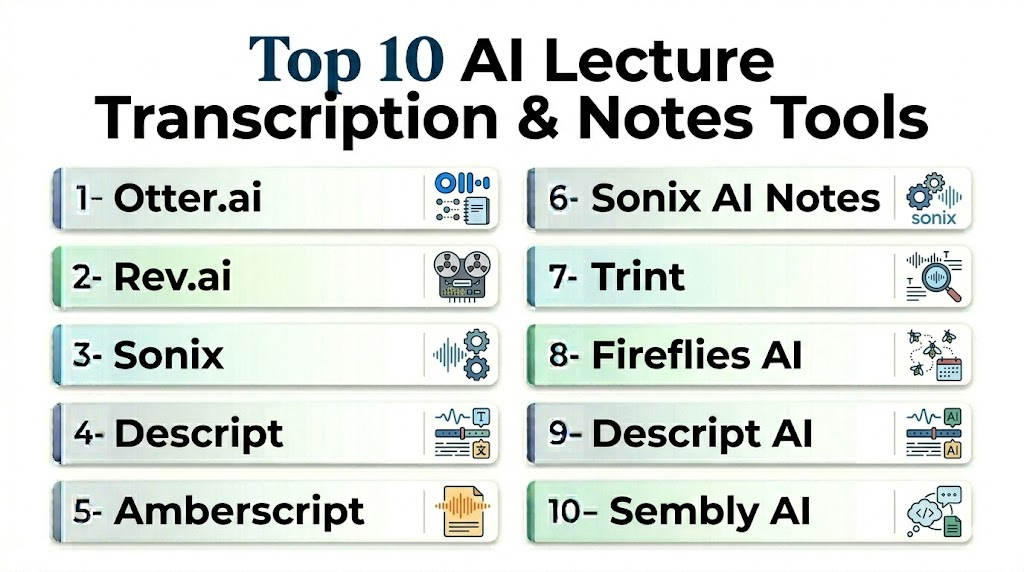
Top 10 AI Lecture Transcription & Notes Tools
1 — Otter.ai
One-line verdict: Best for live lecture and meeting transcription with searchable, editable notes.
Short description:
Otter.ai provides real-time transcription, multi-speaker differentiation, and automatic highlights for lectures, meetings, and webinars.
Standout Capabilities
- Real-time transcription
- Multi-speaker recognition
- Highlight extraction
- Searchable transcript database
- Integration with Zoom, Teams, Google Meet
- Auto-summarization and note export
- Keyword tagging
- Cloud and mobile access
AI-Specific Depth
- Model support: Proprietary NLP + speech recognition
- RAG / knowledge integration: LMS and meeting platforms
- Evaluation: Accuracy validation and user correction feedback
- Guardrails: Speech privacy, content access control
- Observability: Usage analytics, correction tracking
Pros
- Live transcription and notes
- Integration with conferencing platforms
- Editable and exportable notes
Cons
- Cloud-based subscription
- Limited offline capabilities
- Premium tier required for longer sessions
Security & Compliance
Encryption; Certifications: Not publicly stated
Deployment & Platforms
Web, iOS, Android, Cloud
Integrations & Ecosystem
Zoom, Teams, Google Meet, LMS
Pricing Model
Subscription
Best-Fit Scenarios
- University lectures
- Corporate meetings
- Online course platforms
2 — Rev.ai
One-line verdict: High-accuracy transcription API ideal for enterprise lecture and meeting notes automation.
Short description:
Rev.ai provides an API-based transcription engine suitable for LMS integration, meeting recordings, and long-format lecture transcription.
Standout Capabilities
- API-first for integration
- High-accuracy transcription
- Multi-language support
- Real-time and batch processing
- Speaker diarization
- Timestamped transcripts
- Keyword highlighting
AI-Specific Depth
- Model support: Proprietary speech-to-text ML
- RAG / knowledge integration: LMS, CMS APIs
- Evaluation: Accuracy metrics, user validation
- Guardrails: Content privacy filters
- Observability: API usage dashboards
Pros
- Enterprise-grade API
- Scalable for long lectures
- Multi-language support
Cons
- Requires development for LMS integration
- Cloud-only
- Premium cost for heavy usage
Security & Compliance
Encryption; Certifications: Not publicly stated
Deployment & Platforms
Web API, Cloud
Integrations & Ecosystem
LMS, CMS, conferencing software
Pricing Model
Usage-based subscription
Best-Fit Scenarios
- Enterprise training
- Online course integration
- Multi-hour lecture transcription
3 — Sonix
One-line verdict: Automated transcription and AI notes for educators and content creators.
Short description:
Sonix converts audio/video lectures into text, generates AI summaries, and produces searchable transcripts with export options.
Standout Capabilities
- Multi-language transcription
- Automatic note and summary generation
- Speaker labeling
- Timestamped transcripts
- Searchable content
- Export to PDF, DOCX, or LMS
AI-Specific Depth
- Model support: Proprietary NLP + speech recognition
- RAG / knowledge integration: LMS, cloud storage
- Evaluation: Accuracy benchmarking
- Guardrails: Data privacy and access controls
- Observability: Analytics dashboard
Pros
- Supports multiple languages
- Summarization included
- Easy export
Cons
- Cloud-based only
- Long recordings may require premium tier
- Limited real-time processing
Security & Compliance
Encryption; Certifications: Not publicly stated
Deployment & Platforms
Web, Cloud
Integrations & Ecosystem
LMS, cloud storage, CMS
Pricing Model
Subscription
Best-Fit Scenarios
- University lectures
- Online webinars
- Educational content creators
4 — Descript
One-line verdict: Best for interactive transcription with editing and audio/video note generation.
Short description:
Descript combines AI transcription with video/audio editing, allowing educators to produce notes and highlights directly from lecture recordings.
Standout Capabilities
- Transcription with edit capability
- Multi-speaker labeling
- Auto-generated summaries
- Audio/video editing integration
- Timestamped highlights
- Collaboration for notes
AI-Specific Depth
- Model support: Proprietary ML
- RAG / knowledge integration: LMS or cloud storage
- Evaluation: Transcript accuracy checks
- Guardrails: Content privacy controls
- Observability: Usage metrics
Pros
- Integrates audio/video editing
- Collaborative notes
- Summarization and highlight extraction
Cons
- Learning curve for full feature set
- Cloud-based
- Premium tier for long sessions
Security & Compliance
Encryption; Certifications: Not publicly stated
Deployment & Platforms
Web, macOS, Windows, Cloud
Integrations & Ecosystem
LMS, cloud storage, collaboration platforms
Pricing Model
Subscription
Best-Fit Scenarios
- Recorded lecture notes
- Webinar summaries
- Audio/video learning platforms
5 — Amberscript
One-line verdict: AI transcription and summarization tool for high-accuracy lecture and video note-taking.
Short description:
Amberscript provides automated lecture and webinar transcription with speaker identification, summaries, and exportable notes for students and educators.
Standout Capabilities
- Real-time and batch transcription
- AI-generated summaries and highlights
- Multi-speaker identification
- Multi-language support
- Searchable transcripts
- Integration with LMS and cloud storage
AI-Specific Depth
- Model support: Proprietary speech-to-text ML
- RAG / knowledge integration: LMS & cloud repositories
- Evaluation: Accuracy validation and transcription logs
- Guardrails: Privacy filters and role-based access
- Observability: Analytics dashboard
Pros
- Multi-language support
- Accurate speaker differentiation
- Exportable summaries
Cons
- Cloud-based only
- Premium subscription for long sessions
- Limited offline capabilities
Security & Compliance
Encryption; Certifications: Not publicly stated
Deployment & Platforms
Web, Cloud, LMS
Integrations & Ecosystem
LMS, cloud storage
Pricing Model
Subscription
Best-Fit Scenarios
- University lecture transcription
- Corporate webinar notes
- Online course content generation
6 — Sonix AI Notes
One-line verdict: AI-powered lecture transcription with advanced summarization features for educational content.
Short description:
Sonix AI Notes generates searchable transcripts and AI summaries from live or recorded lectures, helping students review efficiently.
Standout Capabilities
- Live transcription and batch processing
- AI-generated key points and summaries
- Multi-speaker labeling
- Timestamped transcripts
- Export to PDF, DOCX, or LMS
AI-Specific Depth
- Model support: Proprietary NLP
- RAG / knowledge integration: LMS and cloud storage
- Evaluation: Accuracy scoring and user validation
- Guardrails: Privacy controls and content access management
- Observability: Dashboard analytics
Pros
- Summaries for fast review
- Accurate multi-speaker recognition
- Cloud accessibility
Cons
- Cloud-only deployment
- Premium tier required for long recordings
- Limited real-time editing
Security & Compliance
Encryption; Certifications: Not publicly stated
Deployment & Platforms
Web, Cloud, LMS
Integrations & Ecosystem
LMS, CMS, cloud storage
Pricing Model
Subscription
Best-Fit Scenarios
- Online course lectures
- Conference webinar notes
- Educational video content
7 — Trint
One-line verdict: Enterprise transcription and AI note generation for multi-speaker lectures and interviews.
Short description:
Trint uses AI to convert lecture audio into accurate transcripts and summary notes, including speaker separation and keyword extraction.
Standout Capabilities
- Multi-speaker transcription
- Automated highlights and summaries
- Searchable and editable transcripts
- Multi-language support
- Integration with video conferencing platforms
AI-Specific Depth
- Model support: Proprietary NLP + speech recognition
- RAG / knowledge integration: LMS and video platforms
- Evaluation: Accuracy validation metrics
- Guardrails: Privacy and access controls
- Observability: Analytics dashboards
Pros
- Multi-speaker recognition
- Summarization capabilities
- Integration with video platforms
Cons
- Cloud-based
- Premium cost for long sessions
- Learning curve for advanced features
Security & Compliance
Encryption; Certifications: Not publicly stated
Deployment & Platforms
Web, Cloud
Integrations & Ecosystem
LMS, Zoom, Teams, Google Meet
Pricing Model
Subscription
Best-Fit Scenarios
- University lectures
- Research interviews
- Corporate training webinars
8 — Fireflies AI
One-line verdict: AI transcription and note-taking tool for live and recorded lectures with collaborative features.
Short description:
Fireflies AI captures lecture audio, generates transcripts, summaries, and action items, allowing collaboration and editing in real-time.
Standout Capabilities
- Live transcription with AI summaries
- Speaker diarization
- Action items extraction
- Collaborative notes
- Searchable transcripts
- LMS integrations
AI-Specific Depth
- Model support: Proprietary speech-to-text + NLP
- RAG / knowledge integration: LMS and collaboration tools
- Evaluation: Accuracy validation
- Guardrails: Privacy filters
- Observability: Analytics dashboard
Pros
- Real-time collaboration
- Actionable insights
- Multi-platform integration
Cons
- Cloud-only
- Requires account setup for collaboration
- Premium tier for large teams
Security & Compliance
Encryption; Certifications: Not publicly stated
Deployment & Platforms
Web, Cloud, LMS, iOS, Android
Integrations & Ecosystem
Zoom, Teams, Google Meet, LMS
Pricing Model
Subscription
Best-Fit Scenarios
- Corporate training
- University collaborative lectures
- Online course review
9 — Descript AI
One-line verdict: AI transcription and note editing tool combining lecture notes with video/audio editing.
Short description:
Descript AI transcribes audio/video lectures in real-time and generates structured notes with editable highlights and summaries.
Standout Capabilities
- Real-time transcription
- AI-generated summaries
- Video/audio editing integration
- Multi-speaker labeling
- Timestamped highlights
AI-Specific Depth
- Model support: Proprietary NLP + speech recognition
- RAG / knowledge integration: LMS and video platforms
- Evaluation: Transcript accuracy and correction metrics
- Guardrails: Privacy and access management
- Observability: Analytics dashboard
Pros
- Video/audio integration
- Real-time editing
- Summarization
Cons
- Premium pricing
- Cloud dependency
- Learning curve for full features
Security & Compliance
Encryption; Certifications: Not publicly stated
Deployment & Platforms
Web, macOS, Windows, Cloud
Integrations & Ecosystem
Zoom, Teams, LMS, cloud storage
Pricing Model
Subscription
Best-Fit Scenarios
- Recorded lectures
- Webinars and meetings
- Educational video content
10 — Sembly AI
One-line verdict: AI transcription and summarization for live lectures, meetings, and online classes.
Short description:
Sembly AI captures audio from lectures and generates real-time transcripts, concise notes, and action items for students and teams.
Standout Capabilities
- Live lecture transcription
- Summary and highlight generation
- Multi-speaker differentiation
- Exportable notes
- Integrates with Zoom, Teams, LMS
AI-Specific Depth
- Model support: Proprietary speech-to-text + NLP
- RAG / knowledge integration: LMS, cloud storage
- Evaluation: Accuracy validation
- Guardrails: Privacy and access control
- Observability: Usage analytics
Pros
- Real-time notes
- Multi-speaker recognition
- Action item extraction
Cons
- Cloud-based only
- Limited offline support
- Premium tier required
Security & Compliance
Encryption; Certifications: Not publicly stated
Deployment & Platforms
Web, Cloud, LMS, iOS, Android
Integrations & Ecosystem
Zoom, Teams, LMS
Pricing Model
Subscription
Best-Fit Scenarios
- Live lecture transcription
- Online classes
- Corporate training sessions
Comparison Table
| Tool Name | Best For | Deployment | Model Flexibility | Strength | Watch-Out | Public Rating |
|---|---|---|---|---|---|---|
| Otter.ai | Universities, Meetings | Web, iOS, Android | Proprietary NLP | Real-time transcription | Premium cost | N/A |
| Rev.ai | Enterprise, LMS | Web API | Proprietary ML | High-accuracy API | Requires dev integration | N/A |
| Sonix | Educational content | Web, Cloud | Proprietary ML | Summarization & notes | Cloud-only | N/A |
| Descript | Universities, Video | Web, macOS, Windows | Proprietary NLP | Transcription + editing | Learning curve | N/A |
| Amberscript | Multi-language lectures | Web, Cloud | Proprietary ML | Accurate summaries | Cloud-only | N/A |
| Sonix AI Notes | Online courses | Web, Cloud | Proprietary NLP | Summaries & highlights | Premium tier | N/A |
| Trint | Interviews & lectures | Web, Cloud | Proprietary ML | Multi-speaker transcription | Cloud-only | N/A |
| Fireflies AI | Corporate & education | Web, Cloud, iOS, Android | Proprietary ML | Real-time collaboration | Cloud-only | N/A |
| Descript AI | Lectures & webinars | Web, macOS, Windows | Proprietary NLP | Editing & summarization | Premium pricing | N/A |
| Sembly AI | Live classes | Web, Cloud, LMS | Proprietary ML | Actionable notes | Cloud-only | N/A |
Scoring & Evaluation
| Tool | Core Features | Reliability/Eval | Guardrails | Integrations | Ease | Perf/Cost | Security/Admin | Support | Weighted Total |
|---|---|---|---|---|---|---|---|---|---|
| Otter.ai | 9 | 9 | 8 | 8 | 8 | 7 | 8 | 8 | 8.1 |
| Rev.ai | 9 | 9 | 8 | 8 | 7 | 7 | 8 | 7 | 7.9 |
| Sonix | 8 | 8 | 8 | 7 | 7 | 7 | 7 | 7 | 7.4 |
| Descript | 8 | 8 | 8 | 7 | 7 | 7 | 7 | 7 | 7.4 |
| Amberscript | 8 | 8 | 8 | 7 | 7 | 7 | 7 | 7 | 7.4 |
| Sonix AI Notes | 8 | 8 | 8 | 7 | 7 | 7 | 7 | 7 | 7.4 |
| Trint | 8 | 8 | 8 | 7 | 7 | 7 | 7 | 7 | 7.4 |
| Fireflies AI | 8 | 8 | 8 | 7 | 8 | 7 | 7 | 7 | 7.5 |
| Descript AI | 8 | 8 | 8 | 7 | 7 | 7 | 7 | 7 | 7.4 |
| Sembly AI | 8 | 8 | 8 | 7 | 7 | 7 | 7 | 7 | 7.4 |
Top 3 for Universities: Otter.ai, Rev.ai, Fireflies AI
Top 3 for Online Courses: Sonix, Amberscript, Sonix AI Notes
Top 3 for Corporate Training: Fireflies AI, Descript, Sembly AI
Which AI Lecture Transcription & Notes Tool Is Right for You?
Universities / Higher Education
- Otter.ai, Rev.ai, Fireflies AI for live lecture capture and searchable transcripts.
Online Course Platforms
- Sonix, Amberscript, Sonix AI Notes for recorded lectures and automated summaries.
Corporate & Professional Training
- Fireflies AI, Descript, Sembly AI for collaborative notes and action item extraction.
Small Institutions or Tutors
- Amberscript or Sonix for lightweight transcription and summaries.
Budget vs Premium
- Budget: Sonix, Sembly AI, Amberscript
- Premium: Otter.ai, Rev.ai, Fireflies AI
Implementation Playbook (30 / 60 / 90 Days)
- 30 days: Pilot AI transcription with a few lectures or meetings; validate accuracy.
- 60 days: Integrate with LMS, Google Meet, Zoom, or Teams; configure AI summary output.
- 90 days: Scale across multiple classes, webinars, or corporate sessions; monitor accuracy and action item extraction; implement privacy controls and compliance workflows.
Common Mistakes & How to Avoid Them
- Relying solely on AI without human verification
- Ignoring multi-speaker and accent differentiation
- Not integrating transcripts with LMS or content management
- Overlooking privacy compliance (FERPA/GDPR)
- Not testing AI summarization for accuracy
- Failing to handle long-form or multi-hour lectures
- Neglecting searchable note indexing
- Ignoring export and sharing options
- Overloading users with too many AI highlights
- Not training students or staff on AI note usage
FAQs
H3: Can these tools generate notes in real-time?
Yes, tools like Otter.ai and Fireflies AI provide real-time transcription and note summaries.
H3: Can AI distinguish multiple speakers?
Most top tools include multi-speaker diarization for accurate transcripts.
H3: Are transcripts editable?
Yes, all tools provide editing and correction features for accuracy.
H3: Can AI summarize lectures?
Yes, AI automatically extracts key points, highlights, and action items.
H3: Do these tools integrate with LMS?
Yes, popular tools integrate with Zoom, Teams, Google Meet, and LMS platforms.
H3: Is multi-language support available?
Many tools support multiple languages and accents for global usage.
H3: Can notes be exported?
Yes, PDFs, DOCX, or LMS-ready formats are supported.
H3: Are these tools secure?
Yes, cloud platforms implement encryption and privacy controls; certifications vary.
H3: Can they handle long lectures?
Yes, enterprise-grade tools can process multi-hour sessions efficiently.
H3: Do AI notes improve study efficiency?
Yes, summaries and searchable transcripts help students focus on key points.
H3: Are action items generated automatically?
Tools like Fireflies AI and Sembly AI provide action item extraction.
H3: Can corporate teams use these tools?
Yes, all tools support meetings, webinars, and corporate training sessions.
Conclusion
AI Lecture Transcription & Notes Tools in 2026 automate note-taking, summarization, and actionable insights, enabling educators, students, and corporate learners to focus on learning rather than manual transcription. By integrating with LMS, video conferencing platforms, and content management systems, these tools enhance accessibility, review efficiency, and knowledge retention. Key next steps: shortlist tools based on usage type, pilot with real lectures, integrate with existing platforms, monitor transcription and summarization accuracy, and scale adoption with privacy and compliance guardrails in place.

Find Trusted Cardiac Hospitals
Compare heart hospitals by city and services — all in one place.
Explore Hospitals
One aspect that could add more depth to this comparison is how AI lecture transcription tools influence long-term learning habits rather than simply improving convenience. While automatic notes and transcripts save time, there is also a risk that students become passive consumers of information instead of actively processing concepts during lectures. From a practical education perspective, the real value of these tools comes from how effectively they summarize key ideas, highlight knowledge gaps, and support revision without overwhelming learners with excessive content. Another important consideration is reliability—poor transcription accuracy, missing context, or incorrect summaries can quietly impact understanding, especially in technical or fast-paced subjects. The most effective platforms in the future may be those that balance automation with active learning support rather than functioning only as recording tools.