
Introduction
AI Medical Scribe Tools help clinicians, hospitals, clinics, and healthcare organizations reduce documentation burden by converting patient conversations into structured clinical notes. These tools use ambient listening, speech recognition, speaker separation, medical language understanding, large language models, specialty templates, and EHR workflow automation to draft notes such as SOAP notes, progress notes, consult notes, discharge summaries, referral letters, patient instructions, and coding suggestions. They do not replace clinicians, coders, or compliance review; they support documentation efficiency by creating drafts that clinicians review, edit, and sign.
Why It Matters
Clinical documentation is one of the biggest causes of clinician burnout, after-hours work, visit delays, and EHR frustration. Doctors, nurse practitioners, physician assistants, therapists, and specialists often spend significant time typing notes, correcting templates, searching chart context, and completing administrative documentation after patient visits. AI medical scribes matter because they can reduce manual typing, improve provider focus during visits, create more complete notes, support coding workflows, and help clinicians reclaim time for patient care. When implemented responsibly, they can improve documentation consistency, patient experience, provider satisfaction, and operational efficiency.
Real World Use Cases
- Ambient visit documentation: Capture clinician patient conversations and generate structured notes for review.
- SOAP note generation: Create subjective, objective, assessment, and plan sections from encounter dialogue.
- Specialty documentation: Support templates for primary care, cardiology, orthopedics, psychiatry, oncology, pediatrics, and other specialties.
- EHR note transfer: Push or copy finalized note drafts into the clinician’s EHR workflow.
- Telehealth documentation: Capture virtual visits and generate structured documentation.
- Coding support: Suggest ICD, CPT, E/M, or HCC-related documentation prompts where supported.
- Patient instructions and letters: Draft after-visit summaries, referral letters, follow-up instructions, and patient messages.
- Pre-visit and chart review support: Summarize relevant patient history before encounters where supported.
Evaluation Criteria for Buyers
- Documentation accuracy: The tool should produce clinically useful notes with minimal editing.
- Specialty support: Buyers should check whether templates and language models fit their clinical specialty.
- EHR integration: Strong tools should integrate with Epic, Oracle Health, athenahealth, eClinicalWorks, or other EHRs where needed.
- Clinician workflow fit: The scribe should work during in-person, telehealth, mobile, and desktop workflows.
- Privacy and consent: Patient consent workflows, recording rules, data retention, and privacy controls must be clear.
- Security controls: SSO, RBAC, audit logs, encryption, access controls, and data handling should be reviewed.
- Clinician review: The tool should clearly support review, edit, and sign-off before notes become part of the medical record.
- Coding and billing support: Buyers should verify whether coding suggestions are available and whether they are advisory only.
- Customization: Templates, note style, specialty language, and provider preferences should be configurable.
- Latency and turnaround: Notes should be generated quickly enough for the clinician’s workflow.
- Multilingual and accent support: Speech accuracy can vary by language, accent, environment, and microphone quality.
- Analytics: Organizations should track adoption, time saved, editing burden, note completion time, and provider satisfaction.
Best for: Physicians, nurse practitioners, physician assistants, therapists, specialists, primary care clinics, urgent care centers, hospitals, telehealth providers, specialty practices, and health systems that want to reduce documentation workload and after-hours charting.
Not ideal for: Organizations expecting fully autonomous clinical documentation without clinician review, teams without privacy and consent workflows, clinics that cannot support EHR integration or copy-forward processes, or settings where audio capture is not acceptable to patients or policy.
What Changed in AI Medical Scribe Tools
- Ambient documentation is becoming mainstream: Many tools now work quietly in the background during in-person and virtual visits.
- Generative AI improved note drafting: Modern tools can generate structured notes, summaries, patient instructions, and letters.
- Specialty-specific documentation is a major differentiator: Generic notes are not enough for oncology, psychiatry, orthopedics, cardiology, and other specialties.
- EHR integration is now a key buying factor: Clinicians want notes to flow into their EHR with minimal clicks.
- Coding support is expanding: Many tools now offer ICD, CPT, E/M, or HCC-related suggestions, though clinicians and billing teams still need review.
- Pre-visit intelligence is growing: Some tools summarize chart context before the encounter.
- Governance is more important: Health systems need privacy controls, consent policies, retention rules, audit logs, and review workflows.
- Clinician trust depends on editing burden: A tool is only useful if the generated note requires less work than manual documentation.
- Patient communication matters: Clinics need clear language explaining why an AI scribe is used and how data is protected.
- Multi-specialty support is improving: Vendors are adding templates for behavioral health, specialty care, pediatrics, and surgical workflows.
- Ambient AI is moving beyond notes: Some tools now support orders, tasks, patient summaries, letters, coding, and administrative workflows.
- Safety review remains essential: AI scribes can omit details, mishear terms, or add unsupported content if not reviewed carefully.
Quick Buyer Checklist
- Test note quality with real visits from your specialty.
- Confirm whether the tool supports in-person, telehealth, mobile, and desktop workflows.
- Review EHR integration depth and whether notes transfer automatically or by copy-paste.
- Check patient consent workflow and recording disclosure requirements.
- Validate HIPAA, privacy, encryption, data retention, and access controls.
- Review SSO, RBAC, audit logs, and admin controls for organization deployments.
- Confirm templates for your specialty and visit types.
- Test note generation speed and editing burden.
- Review coding, billing, and documentation support carefully.
- Check whether the tool supports patient instructions, letters, and summaries.
- Validate performance with accents, noisy rooms, and multi-speaker visits.
- Define clinician review and sign-off responsibilities.
- Review analytics for adoption, note completion time, and provider satisfaction.
- Pilot with a small provider group before scaling.
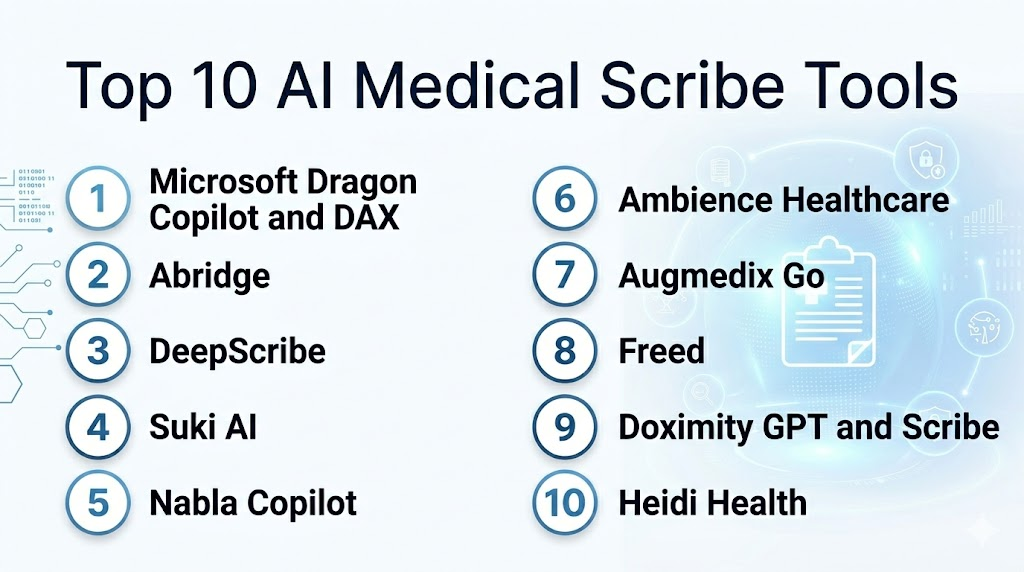
Top 10 AI Medical Scribe Tools
1- Microsoft Dragon Copilot and DAX
2- Abridge
3- DeepScribe
4- Suki AI
5- Nabla Copilot
6- Ambience Healthcare
7- Augmedix Go
8- Freed
9- Doximity GPT and Scribe
10- Heidi Health
1- Microsoft Dragon Copilot and DAX
One-line verdict: Best for large health systems needing enterprise ambient documentation and deep clinical voice workflow support.
Short description:
Microsoft Dragon Copilot and Dragon Ambient eXperience support ambient clinical documentation, voice workflows, and AI-generated note drafts for healthcare organizations. The platform is useful for large hospitals, health systems, and enterprise clinics that want scalable documentation automation backed by Microsoft and Nuance clinical voice technology.
Standout Capabilities
- Ambient clinical documentation
- Enterprise clinical voice workflow support
- AI-generated clinical note drafts
- Support for clinician review and sign-off
- Integration with healthcare workflows and EHR environments where configured
- Voice dictation heritage through Dragon technology
- Specialty and organization-level customization depending on deployment
- Enterprise deployment and administrative controls
AI-Specific Depth
- Model support: Proprietary Microsoft and Nuance clinical AI and speech models
- RAG and knowledge integration: Varies / N/A
- Evaluation: Clinical documentation performance varies by environment and should be validated during pilot
- Guardrails: Clinician review, consent workflow, access controls, admin policies, and note sign-off rules vary by configuration
- Observability: Note status, usage analytics, workflow metrics, documentation turnaround, and admin dashboards vary by deployment
Pros
- Strong enterprise healthcare positioning
- Deep clinical voice and dictation heritage
- Good fit for large-scale health system deployment
Cons
- Enterprise implementation may require planning and change management
- Pricing and packaging can vary by contract
- Smaller practices may prefer lighter tools
Security and Compliance
Microsoft and Nuance provide enterprise healthcare technology capabilities. Exact SSO, RBAC, audit logs, encryption, retention, residency, and certifications should be verified directly during procurement. If not confirmed, write Not publicly stated.
Deployment and Platforms
- Enterprise cloud and healthcare workflow deployment options may vary
- Desktop, mobile, and EHR-connected workflows vary by configuration
- Supports ambient documentation and clinical voice workflows
- Integration depends on health system EHR and Microsoft environment
Integrations and Ecosystem
Microsoft Dragon Copilot and DAX connect documentation workflows with enterprise healthcare systems.
- EHR workflows where configured
- Clinical documentation systems
- Voice dictation workflows
- Microsoft healthcare cloud ecosystem
- Provider review workflows
- Administrative dashboards
- Enterprise identity and access systems
Pricing Model
Typically enterprise contract-based. Exact pricing depends on users, modules, health system agreement, EHR integration, deployment scope, and support. Exact pricing is Not publicly stated.
Best-Fit Scenarios
- Large health systems scaling ambient documentation
- Hospitals already using Dragon or Microsoft healthcare tools
- Enterprise clinics needing governance, admin controls, and EHR workflow support
2- Abridge
One-line verdict: Best for health systems needing ambient AI documentation with strong clinical conversation understanding.
Short description:
Abridge converts clinician patient conversations into structured, clinically useful note drafts and documentation outputs. It is useful for health systems, ambulatory groups, and specialty teams that want ambient documentation, clinician review workflows, and support for billable clinical notes.
Standout Capabilities
- Ambient clinical conversation capture
- AI-generated clinical notes
- Conversation-based documentation support
- Clinician review and editing workflows
- Specialty-aware note generation depending on configuration
- Revenue cycle and coding-related workflows depending on product
- Health system deployment support
- Patient clinician conversation context preservation depending on setup
AI-Specific Depth
- Model support: Proprietary clinical conversation and documentation AI models
- RAG and knowledge integration: Varies / N/A
- Evaluation: Performance should be validated by specialty, provider style, and EHR workflow
- Guardrails: Clinician review, consent workflows, access controls, and documentation sign-off vary by deployment
- Observability: Note generation status, clinician edits, workflow analytics, adoption, and documentation metrics vary by configuration
Pros
- Strong ambient documentation focus
- Good fit for health system deployment
- Useful for reducing cognitive load and after-hours charting
Cons
- Integration and customization require planning
- Note quality varies by specialty, audio quality, and workflow
- Pricing is typically enterprise-driven
Security and Compliance
Abridge provides healthcare-focused AI documentation capabilities. Exact SSO, RBAC, audit logs, encryption, retention, residency, and certifications should be verified directly. If not confirmed, write Not publicly stated.
Deployment and Platforms
- Cloud-based ambient documentation platform options
- EHR workflow integration varies by health system
- In-person and telehealth documentation workflows may vary by configuration
- Web or mobile workflow availability should be verified
Integrations and Ecosystem
Abridge connects ambient clinical documentation with provider workflows.
- EHR integration where configured
- Clinical documentation workflows
- Provider review and sign-off
- Revenue cycle workflows depending on product
- Health system analytics
- Specialty documentation templates
- Administrative reporting
Pricing Model
Typically enterprise contract-based. Exact pricing depends on provider count, encounter volume, EHR integration, modules, and agreement. Exact pricing is Not publicly stated.
Best-Fit Scenarios
- Health systems deploying ambient documentation across specialties
- Ambulatory groups reducing documentation burden
- Organizations needing clinician-reviewed AI note generation
3- DeepScribe
One-line verdict: Best for specialty practices needing ambient documentation, specialty templates, and coding support.
Short description:
DeepScribe provides ambient AI documentation built for specialty care, generating notes from clinical conversations and supporting documentation workflows. It is useful for specialty practices, value-based care teams, and clinical groups that need note customization, pre-visit intelligence, and coding-related support.
Standout Capabilities
- Ambient AI medical scribe
- Specialty-specific note generation
- Customization studio for note style
- Pre-visit intelligence depending on product
- Coding support for selected workflows
- Support for oncology, cardiology, urology, orthopedics, and other specialties depending on configuration
- Clinical documentation workflow automation
- Provider preference learning depending on setup
AI-Specific Depth
- Model support: Proprietary ambient AI and specialty documentation models
- RAG and knowledge integration: Pre-visit and chart context features vary by product
- Evaluation: Note quality and specialty performance should be validated during pilot
- Guardrails: Clinician review, access controls, consent workflows, and documentation sign-off vary by deployment
- Observability: Note quality, adoption, provider edits, coding outputs, and workflow analytics vary by configuration
Pros
- Strong specialty care positioning
- Useful customization for provider note preferences
- Coding and pre-visit features may improve workflow value
Cons
- Best value depends on specialty fit
- Integration with each EHR should be verified
- Pricing and feature scope vary by deployment
Security and Compliance
DeepScribe provides healthcare documentation capabilities. Exact SSO, RBAC, audit logs, encryption, retention, residency, and certifications should be verified during procurement. If not confirmed, write Not publicly stated.
Deployment and Platforms
- Cloud-based ambient documentation platform options
- Specialty workflow deployment options
- EHR integration varies by practice and system
- In-person and telehealth workflow support should be verified
Integrations and Ecosystem
DeepScribe connects AI scribing with specialty documentation and coding workflows.
- EHR systems where configured
- Specialty templates
- Coding workflows
- Pre-visit intelligence
- Provider review workflows
- Value-based care workflows
- Administrative analytics
Pricing Model
Typically subscription-based or enterprise contract-based. Exact pricing depends on provider count, specialty, volume, modules, EHR integration, and agreement. Exact pricing is Not publicly stated.
Best-Fit Scenarios
- Specialty clinics needing tailored notes
- Oncology, cardiology, urology, orthopedics, and complex care workflows
- Practices wanting documentation plus coding support
4- Suki AI
One-line verdict: Best for clinicians needing voice-enabled AI documentation, commands, and EHR workflow support.
Short description:
Suki AI provides an AI assistant that helps clinicians generate notes, use voice commands, complete documentation, and reduce EHR workload. It is useful for ambulatory providers, health systems, and specialty practices that want a combination of dictation, ambient documentation, and workflow automation.
Standout Capabilities
- AI-powered clinical documentation
- Voice commands and assistant workflows
- Ambient note generation depending on product
- EHR integration options
- Specialty-specific documentation support
- Clinician review and editing workflow
- Support for reducing after-hours charting
- Mobile and desktop workflow options may vary
AI-Specific Depth
- Model support: Proprietary clinical AI, speech, and documentation models
- RAG and knowledge integration: Varies / N/A
- Evaluation: Documentation performance should be validated by specialty and workflow
- Guardrails: Clinician review, consent workflow, access controls, and note approval vary by deployment
- Observability: Usage, note completion, edits, provider adoption, and documentation metrics vary by configuration
Pros
- Strong clinician assistant and voice workflow experience
- Useful for reducing EHR documentation friction
- Supports flexible provider workflows
Cons
- EHR integration depth varies by system
- Ambient and command features may vary by deployment
- Requires provider training for best adoption
Security and Compliance
Suki provides healthcare-focused AI assistant capabilities. Exact SSO, RBAC, audit logs, encryption, retention, residency, and certifications should be verified directly. If not confirmed, use Not publicly stated.
Deployment and Platforms
- Cloud-based AI assistant options
- Mobile and desktop workflows may vary
- EHR integration depends on customer environment
- Supports in-person and documentation workflows depending on configuration
Integrations and Ecosystem
Suki AI connects documentation assistance with clinician workflows.
- EHR integration where configured
- Voice commands
- Clinical documentation workflows
- Specialty templates
- Provider review workflows
- Health system admin dashboards
- Workflow analytics
Pricing Model
Typically subscription-based or enterprise contract-based. Exact pricing depends on users, modules, EHR integration, and agreement. Exact pricing is Not publicly stated.
Best-Fit Scenarios
- Clinicians wanting voice-driven documentation support
- Ambulatory practices reducing EHR time
- Health systems needing flexible AI assistant workflows
5- Nabla Copilot
One-line verdict: Best for clinicians needing fast, lightweight ambient documentation across in-person and telehealth visits.
Short description:
Nabla Copilot is an AI medical scribe that generates clinical notes from patient conversations. It is useful for clinicians and healthcare organizations that want a lightweight ambient documentation tool with quick note drafting, specialty templates, and easy workflow adoption.
Standout Capabilities
- Ambient clinical note generation
- SOAP and specialty note formats
- In-person and telehealth workflow support
- Fast note drafting
- Clinician review and editing
- Multi-specialty documentation support depending on configuration
- Patient instructions and note outputs depending on workflow
- Ease-focused adoption experience
AI-Specific Depth
- Model support: Proprietary medical documentation AI models
- RAG and knowledge integration: Varies / N/A
- Evaluation: Performance should be tested against local specialty workflows
- Guardrails: Clinician review, consent workflows, access controls, and note approval vary by deployment
- Observability: Note generation, edits, provider usage, workflow metrics, and documentation analytics vary by setup
Pros
- Lightweight and easy to adopt
- Fast note generation for common workflows
- Useful for individual clinicians and clinical teams
Cons
- Enterprise integration depth should be verified
- Advanced coding and revenue workflows may vary
- Note quality depends on audio and clinical complexity
Security and Compliance
Nabla provides healthcare-focused AI scribe capabilities. Exact SSO, RBAC, audit logs, encryption, retention, residency, and certifications should be verified directly. If not confirmed, write Not publicly stated.
Deployment and Platforms
- Web and mobile workflow options may vary
- In-person and telehealth support depending on setup
- EHR integration and export options should be verified
- Cloud-based service model may vary by region
Integrations and Ecosystem
Nabla Copilot supports ambient scribing and documentation workflows.
- Clinical note generation
- EHR export or integration depending on configuration
- Specialty note templates
- Telehealth workflows
- Clinician review workflows
- Patient instructions where supported
- Usage and adoption analytics
Pricing Model
Typically subscription-based for individuals or teams, with enterprise pricing for organizations. Exact pricing depends on plan, users, integrations, and deployment. Exact pricing is Not publicly stated.
Best-Fit Scenarios
- Individual clinicians seeking faster note drafting
- Small and mid-sized practices adopting ambient scribing
- Telehealth and outpatient workflows needing lightweight documentation support
6- Ambience Healthcare
One-line verdict: Best for enterprise teams needing ambient documentation plus coding and workflow automation across specialties.
Short description:
Ambience Healthcare provides an AI operating system for healthcare documentation, coding support, and clinical workflow automation. It is useful for health systems and specialty groups that want ambient notes, coding assistance, patient summaries, and specialty-aware documentation workflows.
Standout Capabilities
- Ambient AI documentation
- Specialty-aware note generation
- Coding and billing support depending on product
- Pre-charting and context support depending on configuration
- Patient summary and workflow automation
- Multi-specialty deployment support
- Enterprise healthcare workflow alignment
- Clinician review and sign-off workflows
AI-Specific Depth
- Model support: Proprietary clinical documentation and workflow AI models
- RAG and knowledge integration: Patient chart and workflow context features vary by deployment
- Evaluation: Documentation and coding support should be validated during pilot
- Guardrails: Clinician review, coding review, consent workflows, access controls, and admin policies vary by configuration
- Observability: Note generation, coding suggestions, provider edits, productivity metrics, and workflow analytics vary by setup
Pros
- Broad workflow coverage beyond basic scribing
- Good fit for specialty and enterprise documentation needs
- Useful for combining notes, coding, and clinical context
Cons
- Enterprise deployment requires implementation planning
- Coding suggestions require review by clinicians and billing teams
- Feature availability varies by configuration
Security and Compliance
Ambience provides healthcare AI documentation and workflow capabilities. Exact SSO, RBAC, audit logs, encryption, retention, residency, and certifications should be verified during procurement. If not confirmed, use Not publicly stated.
Deployment and Platforms
- Cloud-based healthcare AI workflow platform options
- Enterprise deployment options vary
- EHR integration should be verified
- Supports ambulatory and specialty workflows depending on configuration
Integrations and Ecosystem
Ambience Healthcare connects ambient documentation with operational and revenue workflows.
- EHR systems where configured
- Coding and billing workflows
- Specialty templates
- Pre-charting workflows
- Clinician review workflows
- Patient summary workflows
- Enterprise analytics
Pricing Model
Typically enterprise contract-based. Exact pricing depends on providers, modules, specialties, integrations, volume, and agreement. Exact pricing is Not publicly stated.
Best-Fit Scenarios
- Health systems needing more than basic notes
- Specialty groups combining documentation and coding support
- Enterprise teams scaling ambient AI across departments
7- Augmedix Go
One-line verdict: Best for organizations wanting AI medical scribing with workflow support and optional human quality models.
Short description:
Augmedix Go provides AI-powered medical note generation from clinician patient conversations, building on Augmedix’s experience in clinical documentation and scribe workflows. It is useful for providers and organizations that want AI scribing with practical workflow support and documentation quality processes.
Standout Capabilities
- AI-generated clinical notes
- Ambient conversation capture
- Mobile and desktop workflow support depending on configuration
- Clinical documentation workflow experience
- Human-in-the-loop or quality workflows may vary by product
- Support for different clinical settings
- Clinician review and editing
- Documentation productivity support
AI-Specific Depth
- Model support: Proprietary clinical documentation AI models
- RAG and knowledge integration: Varies / N/A
- Evaluation: Note quality should be validated by organization and specialty
- Guardrails: Clinician review, consent workflow, quality review options, and access policies vary by deployment
- Observability: Note status, edits, turnaround, provider usage, and documentation metrics vary by setup
Pros
- Strong medical scribe workflow heritage
- Useful for organizations wanting practical documentation support
- AI plus workflow quality options may support adoption
Cons
- Capabilities vary by product and deployment
- Integration with EHR should be verified
- Some workflows may require more process change than lightweight tools
Security and Compliance
Augmedix provides healthcare documentation services and technology. Exact SSO, RBAC, audit logs, encryption, retention, residency, and certifications should be verified directly. If not confirmed, write Not publicly stated.
Deployment and Platforms
- Mobile, desktop, or ambient workflow options may vary
- In-person and clinical documentation workflows depending on configuration
- EHR integration should be verified
- Enterprise and practice deployment options may vary
Integrations and Ecosystem
Augmedix Go connects AI scribing with clinical documentation workflows.
- EHR workflows where configured
- Clinical note drafting
- Provider review workflows
- Quality review workflows depending on product
- Mobile recording workflows
- Documentation analytics
- Practice operations workflows
Pricing Model
Typically subscription-based or enterprise contract-based. Exact pricing depends on provider count, service level, volume, integrations, and agreement. Exact pricing is Not publicly stated.
Best-Fit Scenarios
- Practices transitioning from human scribes to AI scribes
- Organizations wanting workflow support around documentation
- Providers needing ambient note drafting with practical review processes
8- Freed
One-line verdict: Best for individual clinicians and small practices needing easy AI note generation and simple EHR transfer.
Short description:
Freed is an AI medical scribe and clinician assistant that helps generate notes, summaries, codes, and letters from clinical conversations. It is useful for individual clinicians, therapists, small practices, and outpatient providers who want a simple documentation tool with quick onboarding.
Standout Capabilities
- Ambient AI scribe for clinical conversations
- Specialty-aware note generation
- Visit summaries and letters
- Coding support depending on workflow
- One-click or simplified EHR transfer depending on setup
- Clinician assistant features
- Fast onboarding for individual users
- Support for reducing after-hours documentation
AI-Specific Depth
- Model support: Proprietary AI scribe and clinician assistant models
- RAG and knowledge integration: Visit prep and clinical assistant features vary by product
- Evaluation: Note quality should be validated by clinician and specialty
- Guardrails: Clinician review, consent process, access controls, and note transfer workflows vary by deployment
- Observability: Note outputs, clinician edits, usage, coding suggestions, and workflow metrics vary by setup
Pros
- Easy for individual clinicians to start using
- Useful for outpatient and therapy-style workflows
- Supports notes, letters, and coding assistance depending on plan
Cons
- Enterprise integration depth may be more limited than large health system platforms
- Clinicians still need careful note review
- Feature availability and compliance details should be verified directly
Security and Compliance
Freed states healthcare-focused privacy and security positioning, and some public materials reference HIPAA and SOC 2 Type II. Buyers should still verify exact SSO, RBAC, audit logs, encryption, retention, residency, and certification scope during procurement. If not confirmed for the selected plan, write Not publicly stated.
Deployment and Platforms
- Web-based workflow
- Individual and team deployment options may vary
- EHR transfer options vary by environment
- Works for in-person and telehealth-style documentation depending on setup
Integrations and Ecosystem
Freed supports clinician documentation and assistant workflows.
- Clinical note generation
- EHR transfer workflows
- Patient letters
- Coding suggestions depending on plan
- Visit prep features depending on product
- Clinician assistant workflows
- Team usage management depending on plan
Pricing Model
Typically subscription-based, with plan options depending on individual or team use. Exact enterprise pricing depends on organization size, features, and agreement. Exact pricing is Not publicly stated.
Best-Fit Scenarios
- Individual clinicians wanting fast AI scribe adoption
- Small practices reducing documentation burden
- Therapists, primary care, and outpatient providers needing simple note drafts
9- Doximity GPT and Scribe
One-line verdict: Best for clinicians wanting lightweight AI writing, fax, letter, and documentation support inside a physician network.
Short description:
Doximity provides clinician-focused AI tools that can support drafting, communication, and medical writing workflows, including documentation-related assistance depending on available features. It is useful for clinicians who want lightweight AI help for notes, letters, patient communication, and administrative writing.
Standout Capabilities
- AI writing support for clinicians
- Drafting letters and documentation content
- Clinician communication workflows
- Physician network ecosystem
- Lightweight workflow support
- Potential support for scribe-style documentation depending on product availability
- Useful for administrative documentation
- Easy access for clinicians already using Doximity
AI-Specific Depth
- Model support: Proprietary or integrated generative AI capabilities vary by Doximity product
- RAG and knowledge integration: Varies / N/A
- Evaluation: Not publicly stated
- Guardrails: Clinician review, usage policies, privacy controls, and documentation responsibility vary by product
- Observability: Draft activity, user workflows, document generation, and adoption metrics are Not publicly stated
Pros
- Easy access for clinicians in the Doximity ecosystem
- Useful for drafting letters and administrative text
- Lightweight compared with enterprise scribe platforms
Cons
- Not always a full enterprise ambient scribe replacement
- EHR integration depth should be verified
- Clinical note use requires careful review and workflow control
Security and Compliance
Doximity provides clinician-oriented healthcare technology. Exact SSO, RBAC, audit logs, encryption, retention, residency, and certifications for AI scribe workflows should be verified directly. If not confirmed, write Not publicly stated.
Deployment and Platforms
- Web and mobile clinician workflows may vary
- Product availability depends on Doximity account and region
- Documentation and communication features vary by product
- EHR integration should be verified if required
Integrations and Ecosystem
Doximity supports clinician productivity and communication workflows.
- Clinician network workflows
- AI writing support
- Letter drafting
- Patient communication support depending on product
- Fax and communication workflows depending on product
- Mobile clinician tools
- Administrative documentation assistance
Pricing Model
Pricing and access vary by product and clinician account model. Enterprise pricing, if applicable, is Not publicly stated.
Best-Fit Scenarios
- Clinicians needing lightweight AI writing support
- Providers drafting letters and administrative documentation
- Users already active in the Doximity ecosystem
10- Heidi Health
One-line verdict: Best for clinicians needing flexible AI scribing, note generation, and configurable documentation workflows.
Short description:
Heidi Health provides AI medical scribe and clinical documentation tools that help clinicians create notes, letters, and documentation outputs from consultations. It is useful for clinicians, clinics, and healthcare teams that want flexible note templates, fast documentation drafting, and practical workflow customization.
Standout Capabilities
- AI medical scribe for consultations
- Clinical note generation
- Customizable templates
- Patient letters and documentation outputs
- Support for different specialties and visit types depending on configuration
- Fast drafting and editing workflows
- Team and organization deployment options
- Flexible clinician documentation experience
AI-Specific Depth
- Model support: Proprietary AI documentation models
- RAG and knowledge integration: Varies / N/A
- Evaluation: Note quality should be validated by clinician and workflow
- Guardrails: Clinician review, consent workflow, template controls, and access settings vary by deployment
- Observability: Note generation, edits, template use, provider activity, and documentation metrics vary by setup
Pros
- Flexible templates and documentation outputs
- Useful for clinicians wanting configurable workflows
- Supports notes and letters in a practical workflow
Cons
- Enterprise EHR integration depth should be verified
- Clinical accuracy depends on review and local workflow
- Feature availability may vary by plan and region
Security and Compliance
Heidi Health provides healthcare documentation technology. Exact SSO, RBAC, audit logs, encryption, retention, residency, and certifications should be verified during procurement. If not confirmed, write Not publicly stated.
Deployment and Platforms
- Web-based documentation workflow options
- Individual and team deployment options may vary
- EHR export or integration should be verified
- Supports in-person and telehealth-style note generation depending on setup
Integrations and Ecosystem
Heidi Health connects AI scribing with clinician documentation workflows.
- Clinical note drafting
- Template customization
- Patient letters
- Team workflows
- EHR export or integration depending on setup
- Provider review workflows
- Usage analytics depending on plan
Pricing Model
Typically subscription-based for individuals or teams, with organization pricing depending on deployment scope. Exact pricing is Not publicly stated.
Best-Fit Scenarios
- Clinicians needing configurable AI documentation
- Clinics wanting flexible templates and letter generation
- Small and mid-sized teams adopting AI scribing gradually
Comparison Table
| Tool Name | Best For | Deployment | Model Flexibility | Strength | Watch Out | Public Rating |
|---|---|---|---|---|---|---|
| Microsoft Dragon Copilot and DAX | Enterprise ambient documentation | Enterprise cloud and workflow options vary | Hosted proprietary | Health system scale and voice heritage | Enterprise implementation effort | N/A |
| Abridge | Health system ambient notes | Cloud and EHR workflow options vary | Hosted proprietary | Clinical conversation understanding | Integration planning needed | N/A |
| DeepScribe | Specialty care documentation | Cloud options vary | Hosted proprietary | Specialty notes and coding support | Best fit depends on specialty | N/A |
| Suki AI | Voice assistant and documentation | Cloud, mobile, desktop options vary | Hosted proprietary | Voice commands and EHR workflow support | Integration depth varies | N/A |
| Nabla Copilot | Lightweight ambient scribing | Web, mobile, and EHR options vary | Hosted proprietary | Fast note drafting | Advanced enterprise needs vary | N/A |
| Ambience Healthcare | Documentation plus coding workflows | Cloud and enterprise options vary | Hosted proprietary | Broader workflow automation | Enterprise setup required | N/A |
| Augmedix Go | AI scribing with workflow support | Mobile, desktop, and enterprise options vary | Hosted proprietary | Scribe workflow heritage | Product scope varies | N/A |
| Freed | Individual clinicians and small practices | Web and team options vary | Hosted proprietary | Simple onboarding and note drafts | Enterprise depth varies | N/A |
| Doximity GPT and Scribe | Lightweight clinician writing support | Web and mobile options vary | Hosted AI capabilities vary | Clinician productivity ecosystem | Not always full ambient scribe | N/A |
| Heidi Health | Flexible note and letter generation | Web and team options vary | Hosted proprietary | Configurable templates | EHR integration should be verified | N/A |
Scoring and Evaluation
This scoring is comparative, not absolute. It helps buyers compare AI medical scribe tools based on documentation depth, AI reliability, guardrails, integrations, usability, performance, security controls, and support. Scores may vary based on specialty, EHR, audio quality, encounter type, patient consent workflow, regional rules, and clinician editing burden. Public ratings are not guessed. Buyers should validate shortlisted platforms with real clinical encounters, clinician review, privacy testing, EHR workflow testing, and measurable documentation outcomes before procurement.
| Tool | Core | Reliability and Eval | Guardrails | Integrations | Ease | Performance and Cost | Security and Admin | Support | Weighted Total |
| Microsoft Dragon Copilot and DAX | 9.3 | 8.8 | 8.8 | 9.1 | 8.2 | 8.0 | 9.0 | 8.8 | 8.8 |
| Abridge | 9.1 | 8.8 | 8.7 | 8.9 | 8.5 | 8.2 | 8.8 | 8.7 | 8.7 |
| DeepScribe | 8.9 | 8.6 | 8.6 | 8.5 | 8.4 | 8.3 | 8.6 | 8.6 | 8.6 |
| Suki AI | 8.7 | 8.5 | 8.5 | 8.6 | 8.6 | 8.4 | 8.6 | 8.5 | 8.5 |
| Nabla Copilot | 8.6 | 8.4 | 8.4 | 8.2 | 8.8 | 8.6 | 8.4 | 8.4 | 8.5 |
| Ambience Healthcare | 8.9 | 8.5 | 8.7 | 8.6 | 8.3 | 8.2 | 8.7 | 8.6 | 8.6 |
| Augmedix Go | 8.6 | 8.4 | 8.5 | 8.4 | 8.4 | 8.3 | 8.5 | 8.5 | 8.4 |
| Freed | 8.4 | 8.3 | 8.3 | 8.0 | 9.0 | 8.7 | 8.3 | 8.3 | 8.4 |
| Doximity GPT and Scribe | 8.0 | 8.0 | 8.1 | 7.8 | 8.8 | 8.8 | 8.1 | 8.2 | 8.1 |
| Heidi Health | 8.3 | 8.2 | 8.3 | 8.0 | 8.8 | 8.6 | 8.3 | 8.3 | 8.3 |
Top 3 for Enterprise
1- Microsoft Dragon Copilot and DAX
2- Abridge
3- Ambience Healthcare
Top 3 for SMB
1- Freed
2- Nabla Copilot
3- Heidi Health
Top 3 for Developers
1- Nabla Copilot
2- Heidi Health
3- Suki AI
Which AI Medical Scribe Tool Is Right for You
Solo / Freelancer
Solo clinicians, therapists, and independent providers usually need fast setup, simple pricing, and minimal EHR complexity. Freed, Nabla Copilot, and Heidi Health are practical options because they are easier to start with and focus on quick note drafting. Clinicians should still review every note carefully before adding it to the medical record.
SMB
Small and mid-sized clinics should prioritize ease of use, specialty templates, EHR transfer, consent workflows, and predictable cost. Freed, Nabla Copilot, Suki AI, and Heidi Health can fit outpatient teams that want to reduce after-hours charting without a heavy enterprise implementation. Clinics should pilot with a few providers before scaling.
Mid-Market
Mid-market specialty groups and ambulatory networks often need stronger customization, support, and workflow analytics. DeepScribe, Suki AI, Augmedix Go, and Ambience Healthcare can be strong candidates depending on specialty fit, coding needs, and integration requirements. These organizations should measure provider editing burden and note completion time.
Enterprise
Large health systems should prioritize EHR integration, governance, consent workflows, analytics, security controls, support, and specialty scalability. Microsoft Dragon Copilot and DAX, Abridge, and Ambience Healthcare are strong enterprise candidates. DeepScribe may also fit enterprise specialty care rollouts depending on departmental needs.
Regulated Industries
Healthcare organizations must treat AI scribing as a privacy and documentation governance decision. Teams should review patient consent, recording policies, retention, audit logs, access controls, note review responsibilities, and billing compliance. Every AI-generated note should be reviewed and signed by the clinician before becoming final.
Budget vs Premium
Budget-conscious clinicians may start with Freed, Nabla Copilot, or Heidi Health. Premium enterprise buyers may need Microsoft Dragon Copilot and DAX, Abridge, Ambience Healthcare, or DeepScribe for advanced integration, support, specialty workflows, coding support, and governance. Total cost should include licenses, implementation, training, support, EHR integration, and workflow change management.
Build vs Buy
Building an AI medical scribe internally is difficult because it requires speech recognition, medical language understanding, note generation, consent handling, security controls, EHR integration, specialty templates, and clinical validation. Most organizations should buy and validate. A hybrid approach may work for advanced health systems that use commercial scribes while building internal analytics or workflow automation around documentation outcomes.
Implementation Playbook
First 30 Days
- Define the target use case such as outpatient notes, specialty notes, telehealth visits, behavioral health notes, or coding support.
- Identify pilot clinicians and specialties.
- Review patient consent, recording, retention, and privacy policies.
- Select two or three tools for evaluation.
- Test with real visit types and provider workflows.
- Review EHR integration, export, or copy-forward workflow.
- Validate note formats, templates, and specialty terminology.
- Define clinician review and sign-off responsibilities.
- Create a pilot team with clinicians, compliance, IT, billing, legal, and operations leaders.
- Define success metrics such as time saved, editing burden, note completion time, after-hours work, and provider satisfaction.
First 60 Days
- Run a controlled pilot with a small provider group.
- Measure note accuracy, missing information, unsupported statements, and editing time.
- Test ambient capture in exam rooms, telehealth, noisy environments, and multi-speaker visits.
- Train clinicians on how to introduce the AI scribe to patients.
- Review coding suggestions with billing teams if supported.
- Monitor patient acceptance and clinician satisfaction.
- Check privacy, audit logs, access controls, and data handling.
- Refine note templates and provider preferences.
- Compare documentation time before and after pilot.
- Decide whether to expand, adjust, or stop based on evidence.
First 90 Days
- Expand to more clinicians, specialties, or sites if pilot results are strong.
- Standardize consent language and patient-facing explanations.
- Build dashboards for adoption, time saved, note completion, editing burden, and provider satisfaction.
- Review documentation quality and coding impact regularly.
- Create escalation workflows for errors, privacy concerns, or patient objections.
- Update templates and specialty workflows based on feedback.
- Train new users and support staff.
- Review vendor support responsiveness and uptime.
- Monitor for unsafe note generation, omissions, or hallucinated content.
- Scale gradually with governance, measurement, and continuous improvement.
Common Mistakes and How to Avoid Them
- Skipping clinician review: Every AI-generated note should be reviewed before sign-off.
- Ignoring patient consent: Patients should understand when recording or ambient AI is being used.
- Choosing based only on demo notes: Test with real local visits, accents, specialties, and workflows.
- Underestimating EHR integration: Poor note transfer can reduce time savings.
- Not measuring editing burden: A long AI note that needs heavy editing may not save time.
- Ignoring specialty needs: Psychiatry, oncology, surgery, pediatrics, and primary care require different note styles.
- No privacy governance: Audio and clinical notes are sensitive and must be protected.
- Overtrusting coding suggestions: Coding outputs should be reviewed by clinicians and billing teams.
- Poor microphone setup: Audio quality strongly affects note quality.
- No patient explanation script: Staff should know how to explain the tool clearly.
- Rolling out too fast: Start small, learn, then expand.
- No error reporting process: Clinicians need a way to report incorrect notes or unsafe outputs.
- Ignoring staff workflows: Medical assistants, coders, and administrators may also be affected.
- Measuring only time saved: Track quality, patient experience, compliance, and provider satisfaction too.
FAQs
1- What are AI Medical Scribe Tools?
AI Medical Scribe Tools listen to clinician patient conversations and generate structured clinical note drafts. They help reduce manual typing and documentation burden, but clinicians must review and approve the final note.
2- Do AI medical scribes replace human scribes?
They can reduce the need for manual scribing in some workflows, but they do not replace clinical review. Some organizations still use hybrid models with human quality checks, especially in complex or high-risk documentation workflows.
3- Are AI scribes safe for clinical documentation?
They can be safe when used with patient consent, strong privacy controls, clinician review, and proper governance. The clinician remains responsible for verifying the final note before signing it.
4- Can AI scribes integrate with EHR systems?
Many enterprise tools support EHR integration, while lighter tools may rely on export, copy-paste, or one-click transfer. Buyers should verify integration depth with their specific EHR.
5- Which tool is best for large health systems?
Microsoft Dragon Copilot and DAX, Abridge, and Ambience Healthcare are strong options for large health systems because they focus on enterprise deployment, governance, and clinical workflow integration.
6- Which tool is best for small practices?
Freed, Nabla Copilot, and Heidi Health are strong options for small practices because they are easier to start with and focus on fast note drafting and simple workflows.
7- Which tool is best for specialty care?
DeepScribe and Ambience Healthcare are strong candidates for specialty documentation workflows. Buyers should test templates and note quality for their specific specialty before scaling.
8- Can AI scribes help with coding?
Some tools provide coding suggestions such as ICD, CPT, E/M, or HCC support. These suggestions should be reviewed by clinicians and billing teams before use.
9- What should buyers test during a pilot?
Buyers should test note accuracy, editing time, specialty fit, EHR transfer, audio quality, consent workflow, patient acceptance, coding suggestions, and provider satisfaction.
10- Can AI scribes work for telehealth?
Yes, many tools support telehealth workflows. Buyers should test audio capture, speaker separation, platform compatibility, and note quality during virtual visits.
11- What is the biggest risk with AI medical scribes?
The biggest risk is signing inaccurate or unsupported notes without review. AI can mishear, omit details, or add incorrect context, so clinician verification is essential.
12- How should success be measured?
Success should be measured through time saved, reduced after-hours charting, provider satisfaction, note quality, editing burden, patient experience, coding impact, and compliance performance.
Conclusion
AI Medical Scribe Tools help clinicians reduce documentation burden, improve visit focus, and complete clinical notes faster when implemented with proper governance and review. Microsoft Dragon Copilot and DAX is strong for large enterprise health systems, Abridge fits health systems needing ambient conversation understanding, DeepScribe supports specialty documentation and coding workflows, Suki AI provides voice-enabled clinical assistant capabilities, Nabla Copilot offers lightweight ambient note drafting, Ambience Healthcare combines documentation with coding and workflow automation, Augmedix Go brings practical scribe workflow experience, Freed is strong for individual clinicians and small practices, Doximity supports lightweight clinician writing workflows, and Heidi Health provides flexible note and letter generation. To choose the right tool, shortlist based on specialty and EHR needs, pilot with real encounters, verify privacy and consent workflows, measure editing burden, and scale with clinician training, governance, support, and continuous quality monitoring.

Find Trusted Cardiac Hospitals
Compare heart hospitals by city and services — all in one place.
Explore Hospitals
A key consideration is how accurately these medical scribe tools capture nuanced clinical context while staying compliant with privacy and documentation standards in real-time consultations.