
Introduction
AI Pathology Slide Analysis Tools help pathologists, diagnostic laboratories, research teams, pharmaceutical companies, and healthcare organizations analyze digitized pathology slides with artificial intelligence. These tools use deep learning, computer vision, image segmentation, tissue classification, cell detection, biomarker quantification, tumor detection, grading support, and workflow automation to assist with whole slide image review. They are commonly used in digital pathology workflows for cancer diagnosis support, biomarker research, tissue quantification, companion diagnostics research, drug development, quality review, and laboratory productivity.
Why It Matters
Pathology is central to cancer diagnosis, treatment selection, biomarker evaluation, and clinical research. However, traditional slide review can be time-consuming, subjective, and difficult to scale when case volume is high. Whole slide images are very large, and pathologists must review tissue architecture, cell morphology, staining patterns, tumor regions, margins, mitotic activity, immune cells, and biomarker expression. AI pathology slide analysis matters because it can help prioritize cases, quantify biomarkers more consistently, highlight suspicious regions, reduce repetitive counting tasks, support research reproducibility, and improve digital pathology productivity. It does not replace pathologists; it supports expert review with image-based computational assistance.
Real World Use Cases
- Tumor detection support: Highlight suspicious tissue regions for pathologist review in prostate, breast, colon, lung, or other cancer workflows.
- Biomarker quantification: Assist with scoring or quantifying stains such as PD-L1, HER2, Ki-67, ER, PR, or immune markers where supported.
- Cell and tissue segmentation: Identify tumor cells, stromal regions, lymphocytes, necrosis, glands, nuclei, and tissue compartments.
- Pharma and translational research: Analyze large slide datasets for drug development, biomarker discovery, and treatment response research.
- Quality control: Flag slide artifacts, tissue issues, staining variation, or potential review inconsistencies.
- Digital pathology workflow support: Integrate AI outputs into slide viewers, case review, reporting, and laboratory workflows.
- Research model development: Build custom AI models for tissue classification, cell counting, and pathology image analysis.
- Clinical decision support: Assist pathologists with regulated diagnostic-support algorithms where approved for intended use.
Evaluation Criteria for Buyers
- Regulatory status: Buyers must verify clearance, approval, or intended-use status for each clinical algorithm in their region.
- Use-case fit: The tool should match tissue type, stain type, cancer type, diagnostic workflow, or research objective.
- Whole slide image support: Review supported scanner formats, image sizes, storage, annotation, and viewing performance.
- AI accuracy and validation: Validate model performance using local slides, staining protocols, scanners, and patient population.
- Explainability: Outputs should include overlays, heatmaps, masks, cell counts, regions of interest, or confidence signals where appropriate.
- Workflow integration: Check LIS, IMS, digital pathology viewer, scanner, storage, reporting, and laboratory workflow compatibility.
- Customization: Research teams may need no-code or low-code AI model creation, annotation tools, and experiment management.
- Biomarker support: Confirm which biomarkers, stains, assays, and scoring workflows are supported.
- Security and privacy: SSO, RBAC, audit logs, encryption, retention, data residency, and access controls are important.
- Deployment flexibility: Cloud, on-premises, hybrid, and private cloud options should be reviewed carefully.
- Clinical governance: Define who reviews AI outputs, how disagreements are handled, and how performance is monitored.
- Scalability: The platform should handle high-volume whole slide images, multi-site labs, and large research datasets.
Best for: Pathology laboratories, hospital systems, cancer centers, diagnostic networks, pharmaceutical companies, contract research organizations, academic medical centers, translational research teams, and digital pathology programs that need scalable slide analysis, quantification, or diagnostic-support workflows.
Not ideal for: Labs without digital slide scanners, organizations expecting AI to replace pathologists, small teams without digital pathology workflow readiness, or clinical groups that cannot verify regulatory status, intended use, validation, and governance requirements.
What Changed in AI Pathology Slide Analysis Tools
- Digital pathology adoption is accelerating: More laboratories are scanning slides and building digital review workflows.
- AI is moving from research-only to clinical workflow support: Vendors increasingly offer both research and regulated clinical applications.
- Foundation models are influencing pathology AI: Large slide-scale models are improving feature extraction and reducing the need to train every model from scratch.
- Biomarker quantification is a major driver: Pharma, pathology labs, and oncology programs want more reproducible biomarker measurement.
- Pathologist-in-the-loop workflows are expected: AI outputs should guide expert review, not bypass professional judgment.
- Multi-site validation is becoming more important: Scanner type, stain quality, tissue preparation, and population differences can affect model performance.
- Interoperability is a buying priority: Labs want AI outputs integrated with image management systems, LIS, reporting, and slide viewers.
- Research teams need flexible model-building tools: No-code and low-code AI platforms are valuable for custom tissue analysis projects.
- Clinical governance is essential: Algorithms require intended-use controls, audit trails, performance monitoring, and clear review workflows.
- Pharma use cases are expanding: AI slide analysis supports biomarker discovery, patient stratification, trial enrichment, and drug response research.
- Quality control is gaining importance: AI can help identify artifacts, staining issues, and slide-level quality problems.
- Data privacy and residency matter: Whole slide images and patient metadata require careful governance and secure handling.
Quick Buyer Checklist
- Confirm supported tissue types, stain types, scanners, and image formats.
- Verify regulatory status and intended use for each clinical algorithm.
- Test performance with local slides and staining workflows.
- Review whether outputs include heatmaps, masks, measurements, cell counts, and confidence scores.
- Confirm integration with image management systems, LIS, reporting, scanners, and slide viewers.
- Check support for research annotation, model training, validation, and deployment.
- Review biomarker support for your clinical or research needs.
- Validate SSO, RBAC, audit logs, encryption, retention, and data residency controls.
- Confirm cloud, on-premises, hybrid, or private deployment options.
- Define pathologist review, override, escalation, and documentation workflows.
- Review vendor support for onboarding, validation, training, and monitoring.
- Check scalability for whole slide image volume and multi-site deployment.
- Evaluate total cost, including storage, compute, integration, validation, and support.
- Pilot with real cases before production use.
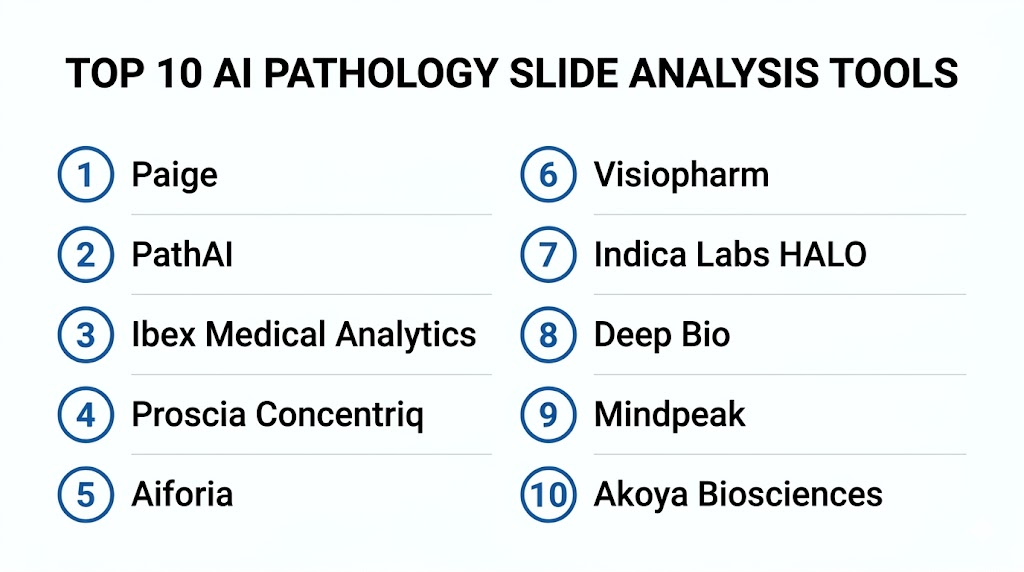
Top 10 AI Pathology Slide Analysis Tools
1- Paige
2- PathAI
3- Ibex Medical Analytics
4- Proscia Concentriq
5- Aiforia
6- Visiopharm
7- Indica Labs HALO
8- Deep Bio
9- Mindpeak
10- Akoya Biosciences
1- Paige
One-line verdict: Best for pathology teams needing AI-assisted cancer diagnosis support and digital pathology workflows.
Short description:
Paige develops AI applications for digital pathology with a focus on cancer diagnosis support and biomarker-related insights. It is useful for pathology laboratories, health systems, and research teams that need AI support across whole slide image review, case prioritization, and cancer-focused pathology workflows.
Standout Capabilities
- AI-assisted digital pathology applications
- Cancer-focused diagnostic decision support
- Whole slide image analysis
- Biomarker and tissue analysis capabilities depending on product
- Pathologist-in-the-loop workflow support
- Digital pathology platform and viewer ecosystem
- Research and clinical workflow relevance
- Support for large-scale pathology AI development
AI-Specific Depth
- Model support: Proprietary pathology AI and computer vision models
- RAG and knowledge integration: Varies / N/A
- Evaluation: Clinical validation and regulatory status vary by product, region, and intended use
- Guardrails: Intended-use controls, pathologist review, access permissions, and workflow rules vary by deployment
- Observability: AI outputs, case status, review activity, overlays, workflow analytics, and platform metrics vary by configuration
Pros
- Strong cancer pathology AI focus
- Useful for diagnostic-support and research workflows
- Fits organizations building digital pathology programs
Cons
- Clinical use depends on region-specific regulatory status
- Deployment requires digital pathology infrastructure
- Buyers must validate performance with local slides and stains
Security and Compliance
Paige provides healthcare and digital pathology capabilities. Exact SSO, RBAC, audit logs, encryption, data retention, residency, and certifications should be verified directly during procurement. If not confirmed, write Not publicly stated.
Deployment and Platforms
- Cloud, on-premises, or hybrid options may vary
- Supports whole slide image review and AI workflows
- Integration with image management systems and scanners should be verified
- Deployment depends on lab infrastructure and regional requirements
Integrations and Ecosystem
Paige connects pathology AI with digital pathology and laboratory workflows.
- Whole slide image viewers
- Image management systems
- Scanner workflows
- Laboratory information systems
- Digital pathology review workflows
- Research workflows
- Enterprise pathology programs
Pricing Model
Typically enterprise contract-based. Exact pricing depends on modules, sites, slide volume, deployment model, and agreement. Exact pricing is Not publicly stated.
Best-Fit Scenarios
- Cancer pathology AI support programs
- Digital pathology labs adopting AI-assisted review
- Health systems building enterprise pathology AI workflows
2- PathAI
One-line verdict: Best for pharma, laboratories, and research teams needing AI-powered pathology analysis and biomarker insights.
Short description:
PathAI provides AI-powered pathology solutions for laboratories, clinicians, and biopharma teams. It is useful for drug development, biomarker discovery, tissue analysis, clinical research, and pathology workflow improvement where slide-level analysis and quantitative insights are important.
Standout Capabilities
- AI-powered pathology slide analysis
- Biopharma and translational research support
- Biomarker discovery and quantification workflows
- Laboratory workflow support
- Whole slide image analysis
- Pathologist collaboration workflows
- Clinical and research pathology applications
- Support for large-scale slide analysis programs
AI-Specific Depth
- Model support: Proprietary pathology AI and machine learning models
- RAG and knowledge integration: Varies / N/A
- Evaluation: Clinical validation and regulatory status vary by product, workflow, and region
- Guardrails: Human review, intended-use controls, workflow permissions, and study-specific governance vary by deployment
- Observability: Slide analysis outputs, tissue annotations, biomarker metrics, study dashboards, and workflow tracking vary by configuration
Pros
- Strong fit for biopharma and translational pathology research
- Useful for biomarker and tissue analysis workflows
- Supports collaboration between AI, pathology, and life sciences teams
Cons
- Clinical diagnostic use depends on specific product and regulatory status
- Enterprise deployment requires data, scanner, and workflow planning
- Pricing and service scope are typically custom
Security and Compliance
PathAI provides healthcare and life sciences AI capabilities. Exact SSO, RBAC, audit logs, encryption, retention, residency, and certifications should be verified during procurement. If not confirmed, write Not publicly stated.
Deployment and Platforms
- Cloud, enterprise, or service-based options may vary
- Supports research and laboratory workflows
- Whole slide image ingestion and analysis workflows
- Deployment depends on product, study, and lab requirements
Integrations and Ecosystem
PathAI connects pathology AI with biopharma, lab, and clinical research workflows.
- Digital pathology slide workflows
- Laboratory workflows
- Biopharma research programs
- Biomarker analytics
- Image management systems
- Data science workflows
- Study reporting workflows
Pricing Model
Typically enterprise contract-based or project-based. Exact pricing depends on scope, volume, modules, services, and agreement. Exact pricing is Not publicly stated.
Best-Fit Scenarios
- Biopharma biomarker discovery and analysis
- Research programs analyzing large pathology datasets
- Laboratories seeking AI-assisted pathology workflow improvement
3- Ibex Medical Analytics
One-line verdict: Best for laboratories needing AI-assisted cancer detection support in routine pathology workflows.
Short description:
Ibex Medical Analytics provides AI-powered pathology solutions designed to support cancer detection, case prioritization, and quality assurance in diagnostic pathology workflows. It is useful for pathology labs looking to improve efficiency and confidence in high-volume cancer diagnosis workflows.
Standout Capabilities
- AI-assisted cancer detection support
- Digital pathology workflow integration
- Case prioritization for suspected findings
- Quality assurance support
- Whole slide image analysis
- Pathologist-in-the-loop review
- Support for routine diagnostic workflow assistance
- Cancer-focused product portfolio depending on region
AI-Specific Depth
- Model support: Proprietary clinical pathology AI models
- RAG and knowledge integration: Varies / N/A
- Evaluation: Clinical validation and regulatory status vary by product, region, and indication
- Guardrails: Intended-use boundaries, pathologist review, quality workflows, and access controls vary by deployment
- Observability: AI findings, slide review status, case prioritization, quality assurance outputs, and workflow metrics vary by setup
Pros
- Strong focus on routine diagnostic pathology support
- Useful for cancer detection and QA workflows
- Fits labs moving toward digital pathology at scale
Cons
- Product availability and regulatory status vary by region
- Requires whole slide scanning and workflow integration
- Local validation is essential before clinical rollout
Security and Compliance
Ibex provides healthcare-focused pathology AI capabilities. Exact SSO, RBAC, audit logs, encryption, retention, residency, and certifications should be verified directly. If not confirmed, write Not publicly stated.
Deployment and Platforms
- Cloud, on-premises, or hybrid deployment options may vary
- Supports digital pathology workflows
- Integration with image management systems and LIS should be verified
- Deployment depends on lab infrastructure and regional requirements
Integrations and Ecosystem
Ibex connects AI outputs with diagnostic pathology workflows.
- Whole slide imaging systems
- Image management systems
- LIS workflows
- Pathologist review workflows
- Quality assurance workflows
- Reporting systems
- Laboratory operations dashboards
Pricing Model
Typically enterprise contract-based. Exact pricing depends on products, sites, slide volume, deployment model, and agreement. Exact pricing is Not publicly stated.
Best-Fit Scenarios
- Diagnostic pathology labs reviewing cancer cases
- Laboratories needing AI-assisted quality review
- High-volume pathology groups adopting digital workflows
4- Proscia Concentriq
One-line verdict: Best for labs needing a digital pathology platform with AI integration and workflow management.
Short description:
Proscia Concentriq is a digital pathology platform that helps laboratories manage, view, analyze, and operationalize digital pathology workflows. It is useful for diagnostic labs, research teams, and life sciences organizations that need enterprise digital pathology infrastructure with AI application integration.
Standout Capabilities
- Enterprise digital pathology platform
- Whole slide image viewing and management
- AI application integration and deployment
- Workflow management for pathology labs
- Research and diagnostic workflow support
- Collaboration and case review tools
- Data management for pathology images
- Support for precision medicine workflows
AI-Specific Depth
- Model support: Platform supports AI applications and analysis workflows depending on configuration
- RAG and knowledge integration: Varies / N/A
- Evaluation: Validation and regulatory status depend on connected AI applications and intended use
- Guardrails: Workflow permissions, pathologist review, algorithm governance, and access controls vary by deployment
- Observability: Slide status, AI results, workflow activity, user review, platform analytics, and operational dashboards vary by setup
Pros
- Strong digital pathology infrastructure platform
- Useful for AI-enabled pathology operations
- Supports diagnostic, research, and life sciences workflows
Cons
- AI capability depends on configured applications
- Requires scanner, storage, and workflow integration planning
- Clinical algorithm review must be handled per use case
Security and Compliance
Proscia provides enterprise digital pathology platform capabilities. Exact SSO, RBAC, audit logs, encryption, data retention, residency, and certifications should be verified directly. If not confirmed, write Not publicly stated.
Deployment and Platforms
- Cloud, on-premises, or hybrid options may vary
- Supports whole slide image management and viewing
- Integrates with scanners, LIS, and digital pathology workflows
- Deployment depends on enterprise pathology architecture
Integrations and Ecosystem
Proscia Concentriq supports digital pathology operations and AI workflows.
- Whole slide scanners
- Image management workflows
- Laboratory information systems
- AI applications
- Pathologist review workflows
- Research workflows
- Enterprise analytics and collaboration
Pricing Model
Typically enterprise contract-based. Exact pricing depends on sites, users, slide volume, deployment model, AI integrations, and agreement. Exact pricing is Not publicly stated.
Best-Fit Scenarios
- Labs building enterprise digital pathology infrastructure
- Organizations integrating multiple AI pathology applications
- Research and life sciences teams managing large pathology image datasets
5- Aiforia
One-line verdict: Best for teams needing AI-powered pathology image analysis with flexible model creation and clinical suites.
Short description:
Aiforia provides AI-powered image analysis for digital pathology, including clinical suites, research solutions, and an AI model development tool. It is useful for pathologists, scientists, laboratories, and research teams that need automated tissue analysis, quantification, and custom AI model creation.
Standout Capabilities
- AI-powered pathology image analysis
- Clinical suites for selected cancer workflows
- Research image analysis solutions
- AI model development through Aiforia Create
- Tissue and cell quantification workflows
- Cloud-based collaborative model-building
- Support for study-centric and case-centric workflows
- Digital pathology workflow integration
AI-Specific Depth
- Model support: Proprietary AI models plus user-created deep learning models through platform tools
- RAG and knowledge integration: Varies / N/A
- Evaluation: Clinical validation and regulatory status vary by product, application, and region
- Guardrails: Human review, model validation workflows, access controls, and intended-use rules vary by deployment
- Observability: Model outputs, annotations, masks, quantification results, study status, and workflow metrics vary by configuration
Pros
- Strong model-building and image analysis flexibility
- Useful for both research and clinical pathology workflows
- Supports automated quantification and collaborative workflows
Cons
- Custom models require validation and governance
- Clinical use depends on application and regional regulatory status
- Research workflows may require pathology and AI expertise
Security and Compliance
Aiforia provides healthcare and research image analysis capabilities. Exact SSO, RBAC, audit logs, encryption, retention, residency, and certifications should be verified during procurement. If not confirmed, write Not publicly stated.
Deployment and Platforms
- Cloud-based collaborative platform options
- Clinical and research workflow options vary
- Supports whole slide image analysis and model development
- Integration with lab infrastructure should be verified
Integrations and Ecosystem
Aiforia supports diagnostic, research, and model-building workflows.
- Whole slide image workflows
- Digital pathology viewers
- Research study workflows
- Clinical pathology workflows
- Annotation and model training tools
- Quantification outputs
- Laboratory infrastructure integrations
Pricing Model
Typically subscription-based or enterprise contract-based. Exact pricing depends on products, users, study scope, slide volume, and agreement. Exact pricing is Not publicly stated.
Best-Fit Scenarios
- Research teams building custom pathology AI models
- Labs needing automated tissue and biomarker quantification
- Organizations evaluating clinical suites for pathology workflows
6- Visiopharm
One-line verdict: Best for image analysis, tissue quantification, and translational pathology research workflows.
Short description:
Visiopharm provides digital pathology image analysis software used for tissue analysis, biomarker quantification, AI model development, and research workflows. It is useful for life sciences teams, pathology researchers, and labs that need flexible quantitative image analysis across tissue slides.
Standout Capabilities
- Digital pathology image analysis
- Tissue segmentation and quantification
- Biomarker analysis workflows
- AI-assisted image analysis tools
- Research and translational pathology support
- Annotation and workflow tools
- Support for multiple stain and tissue analysis workflows
- Quantitative outputs for study reporting
AI-Specific Depth
- Model support: Proprietary image analysis and AI-assisted model workflows
- RAG and knowledge integration: Varies / N/A
- Evaluation: Validation depends on use case, study design, and clinical or research context
- Guardrails: User validation, access controls, study governance, and review workflows vary by configuration
- Observability: Analysis outputs, annotations, measurements, segmentation masks, study dashboards, and result exports vary by setup
Pros
- Strong quantitative image analysis focus
- Useful for translational research and biomarker workflows
- Flexible for multiple tissue and staining use cases
Cons
- Clinical diagnostic use depends on intended use and regulatory status
- Advanced workflows may require image analysis expertise
- Integration needs vary by lab infrastructure
Security and Compliance
Visiopharm provides pathology image analysis software. Exact SSO, RBAC, audit logs, encryption, retention, residency, and certifications should be verified directly. If not confirmed, write Not publicly stated.
Deployment and Platforms
- Deployment options vary by product and customer environment
- Supports digital pathology image analysis workflows
- Integration with scanners, viewers, and lab systems should be verified
- Works across research and pathology analysis contexts
Integrations and Ecosystem
Visiopharm supports pathology image analysis and research workflows.
- Whole slide scanners
- Digital pathology image files
- Annotation workflows
- Biomarker analysis outputs
- Research reporting workflows
- Laboratory data workflows
- Image analysis pipelines
Pricing Model
Typically license-based or enterprise contract-based. Exact pricing depends on products, users, modules, slide volume, and agreement. Exact pricing is Not publicly stated.
Best-Fit Scenarios
- Translational pathology research
- Biomarker and tissue quantification
- Labs needing flexible image analysis workflows
7- Indica Labs HALO
One-line verdict: Best for research and pathology teams needing advanced image analysis, annotation, and quantitative workflows.
Short description:
Indica Labs HALO provides digital pathology image analysis software for whole slide image review, annotation, tissue analysis, cell quantification, and biomarker research. It is useful for academic labs, pharma teams, CROs, and pathology researchers needing flexible analysis modules and quantitative outputs.
Standout Capabilities
- Whole slide image analysis
- Tissue and cell quantification
- Annotation and review workflows
- Biomarker analysis modules
- Multiplex and immunofluorescence analysis support depending on configuration
- Research and preclinical study workflows
- Image management and collaboration options depending on products
- Quantitative reporting and exports
AI-Specific Depth
- Model support: Image analysis algorithms and AI-assisted workflows vary by module
- RAG and knowledge integration: Varies / N/A
- Evaluation: Validation depends on research use case, modules, and study design
- Guardrails: User validation, review workflows, permissions, and study governance vary by deployment
- Observability: Annotations, measurement outputs, segmentation results, analysis logs, and study exports vary by configuration
Pros
- Strong research-focused image analysis ecosystem
- Useful for biomarker quantification and tissue analysis
- Flexible modules for advanced pathology workflows
Cons
- Clinical diagnostic use depends on regulatory status and intended use
- Advanced workflows may require trained users
- Enterprise integration requirements should be verified
Security and Compliance
Indica Labs provides pathology image analysis and workflow tools. Exact SSO, RBAC, audit logs, encryption, retention, residency, and certifications should be verified during procurement. If not confirmed, write Not publicly stated.
Deployment and Platforms
- Desktop, server, or enterprise options may vary by product
- Supports whole slide image analysis and annotation
- Integration with scanners, image storage, and lab workflows should be verified
- Deployment depends on research or enterprise pathology setup
Integrations and Ecosystem
Indica Labs HALO supports pathology image analysis and research operations.
- Whole slide scanners
- Image storage systems
- Annotation workflows
- Biomarker analysis modules
- Research reporting tools
- Data export workflows
- Collaboration workflows
Pricing Model
Typically license-based or enterprise contract-based. Exact pricing depends on modules, users, deployment model, and agreement. Exact pricing is Not publicly stated.
Best-Fit Scenarios
- Academic pathology research labs
- Pharma and CRO biomarker analysis teams
- Researchers needing flexible WSI analysis and annotation tools
8- Deep Bio
One-line verdict: Best for prostate pathology AI support and cancer-focused slide analysis workflows.
Short description:
Deep Bio develops AI-powered pathology solutions with a strong focus on prostate cancer diagnostic support and cancer slide analysis. It is useful for laboratories and pathology teams seeking AI assistance for prostate biopsy review, grading support, and digital pathology workflow enhancement.
Standout Capabilities
- AI-assisted prostate pathology analysis
- Cancer detection and grading support depending on product
- Whole slide image analysis
- Pathologist review assistance
- Case prioritization support depending on workflow
- Digital pathology workflow integration
- Diagnostic-support focus for selected applications
- Research and clinical workflow relevance depending on region
AI-Specific Depth
- Model support: Proprietary pathology AI and computer vision models
- RAG and knowledge integration: Varies / N/A
- Evaluation: Clinical validation and regulatory status vary by product, region, and intended use
- Guardrails: Intended-use controls, pathologist review, reporting boundaries, and workflow permissions vary by deployment
- Observability: AI outputs, regions of interest, grading support, case status, and workflow metrics vary by configuration
Pros
- Strong prostate pathology AI focus
- Useful for cancer-focused diagnostic-support workflows
- Can support pathology efficiency in high-volume prostate biopsy review
Cons
- Narrower clinical scope than broad platforms
- Requires digital pathology infrastructure
- Buyers must verify regulatory status and local validation
Security and Compliance
Deep Bio provides healthcare AI pathology capabilities. Exact SSO, RBAC, audit logs, encryption, retention, residency, and certifications should be verified directly. If not confirmed, use Not publicly stated.
Deployment and Platforms
- Deployment options may vary by region and product
- Supports whole slide image workflows
- Integration with image management systems and lab workflows should be verified
- Digital slide scanning infrastructure required
Integrations and Ecosystem
Deep Bio connects AI analysis with pathology review workflows.
- Whole slide image systems
- Digital pathology viewers
- Laboratory workflows
- Pathologist review tools
- Reporting workflows
- Cancer diagnosis support workflows
- Operational analytics depending on setup
Pricing Model
Typically enterprise contract-based. Exact pricing depends on product, sites, slide volume, deployment model, and agreement. Exact pricing is Not publicly stated.
Best-Fit Scenarios
- Prostate biopsy pathology workflows
- Labs seeking AI-assisted prostate cancer review
- Cancer-focused digital pathology programs
9- Mindpeak
One-line verdict: Best for biomarker scoring support in breast cancer and immunohistochemistry workflows.
Short description:
Mindpeak develops AI tools for digital pathology, with strong focus on biomarker scoring and immunohistochemistry analysis. It is useful for pathology labs and research teams that need AI-assisted scoring support for breast cancer and other selected biomarker workflows.
Standout Capabilities
- AI-assisted biomarker scoring
- Immunohistochemistry image analysis
- Breast cancer pathology support depending on product
- Cell detection and quantification
- Pathologist review assistance
- Integration with digital pathology workflows
- Support for reproducibility in scoring workflows
- Clinical and research relevance depending on intended use
AI-Specific Depth
- Model support: Proprietary biomarker and pathology image analysis models
- RAG and knowledge integration: Varies / N/A
- Evaluation: Clinical validation and regulatory status vary by product, biomarker, region, and intended use
- Guardrails: Pathologist review, scoring boundaries, intended-use controls, and workflow permissions vary by configuration
- Observability: Scoring outputs, cell counts, biomarker metrics, overlays, case status, and review activity vary by deployment
Pros
- Strong focus on biomarker and IHC scoring
- Useful for reproducibility in selected scoring workflows
- Can support pathologist review in breast cancer-related workflows
Cons
- Scope depends on supported biomarkers and regions
- Requires careful local validation of staining and scoring workflows
- Integration with digital pathology systems must be confirmed
Security and Compliance
Mindpeak provides healthcare AI pathology capabilities. Exact SSO, RBAC, audit logs, encryption, retention, residency, and certifications should be verified during procurement. If not confirmed, write Not publicly stated.
Deployment and Platforms
- Deployment options vary by customer and product
- Supports digital pathology image analysis workflows
- Integration with viewers, scanners, and lab systems should be verified
- Requires digitized slide workflows
Integrations and Ecosystem
Mindpeak supports biomarker scoring and digital pathology workflows.
- Whole slide image systems
- IHC analysis workflows
- Digital pathology viewers
- Laboratory review workflows
- Reporting workflows
- Research workflows
- Quality review processes
Pricing Model
Typically enterprise contract-based or module-based. Exact pricing depends on products, sites, slide volume, biomarkers, deployment, and agreement. Exact pricing is Not publicly stated.
Best-Fit Scenarios
- Breast cancer biomarker scoring workflows
- IHC quantification and reproducibility support
- Digital pathology labs improving scoring consistency
10- Akoya Biosciences
One-line verdict: Best for spatial biology and multiplex tissue imaging analysis in research and translational workflows.
Short description:
Akoya Biosciences provides spatial biology and multiplex tissue imaging solutions that help researchers analyze tissue microenvironments, cell phenotypes, immune contexture, and biomarker expression. It is useful for translational research, oncology research, immunology, and pharma programs that need advanced tissue imaging and spatial analysis.
Standout Capabilities
- Spatial biology tissue analysis
- Multiplex immunofluorescence workflows
- Cell phenotyping and tissue microenvironment analysis
- Biomarker quantification and spatial context
- Research and translational medicine support
- Image analysis and data interpretation workflows
- Oncology and immunology research relevance
- Support for high-dimensional tissue studies
AI-Specific Depth
- Model support: Image analysis and AI-assisted spatial biology workflows vary by product
- RAG and knowledge integration: Varies / N/A
- Evaluation: Validation depends on assay, study design, and research context
- Guardrails: Study governance, user validation, data permissions, and analysis controls vary by deployment
- Observability: Tissue segmentation, cell phenotyping, marker expression, spatial metrics, analysis outputs, and study dashboards vary by configuration
Pros
- Strong spatial biology and multiplex imaging focus
- Useful for pharma, oncology, and translational research
- Supports advanced tissue microenvironment analysis
Cons
- More research and translational focused than routine diagnostic pathology
- Requires specialized assays and analysis expertise
- Clinical diagnostic use depends on intended use and regulatory status
Security and Compliance
Akoya Biosciences provides spatial biology and tissue imaging analysis capabilities. Exact SSO, RBAC, audit logs, encryption, retention, residency, and certifications should be verified directly. If not confirmed, use Not publicly stated.
Deployment and Platforms
- Deployment depends on instruments, software, and analysis workflows
- Supports spatial biology and tissue imaging studies
- Integration with research data workflows should be verified
- Laboratory setup and assay workflows are important
Integrations and Ecosystem
Akoya supports spatial tissue analysis and translational research workflows.
- Multiplex imaging instruments
- Tissue analysis software
- Biomarker analysis workflows
- Research data exports
- Oncology research workflows
- Pharma study workflows
- Translational medicine pipelines
Pricing Model
Typically instrument, software, service, or enterprise contract-based depending on product and workflow. Exact pricing is Not publicly stated.
Best-Fit Scenarios
- Spatial biology research programs
- Pharma biomarker and immune profiling studies
- Translational oncology and tissue microenvironment analysis
Comparison Table
| Tool Name | Best For | Deployment | Model Flexibility | Strength | Watch Out | Public Rating |
|---|---|---|---|---|---|---|
| Paige | Cancer pathology AI support | Cloud, on-premises, or hybrid options vary | Hosted proprietary | Diagnostic-support and biomarker AI | Verify regulatory status by use case | N/A |
| PathAI | Biopharma and pathology research | Cloud, enterprise, or service-based options vary | Hosted proprietary | Biomarker discovery and tissue analytics | Scope is often project-specific | N/A |
| Ibex Medical Analytics | Routine cancer pathology support | Cloud, on-premises, or hybrid options vary | Hosted proprietary | Cancer detection and QA workflows | Availability varies by region | N/A |
| Proscia Concentriq | Digital pathology platform with AI integration | Cloud, on-premises, or hybrid options vary | Platform plus AI apps | Enterprise workflow management | AI depends on configured apps | N/A |
| Aiforia | AI image analysis and model creation | Cloud-based options vary | Proprietary plus user-created models | Flexible research and clinical suites | Custom models need validation | N/A |
| Visiopharm | Quantitative image analysis | Deployment varies | Proprietary analysis workflows | Biomarker and tissue quantification | Requires analysis expertise | N/A |
| Indica Labs HALO | Research image analysis and annotation | Desktop, server, or enterprise options vary | Module-based analysis workflows | Advanced research analysis modules | Clinical use must be verified | N/A |
| Deep Bio | Prostate cancer pathology support | Deployment varies | Hosted proprietary | Prostate-focused diagnostic support | Narrower clinical scope | N/A |
| Mindpeak | Biomarker and IHC scoring | Deployment varies | Hosted proprietary | Breast and biomarker scoring support | Biomarker scope varies | N/A |
| Akoya Biosciences | Spatial biology and multiplex tissue analysis | Instrument, software, and workflow dependent | Varies by product | Spatial tissue microenvironment analysis | Research-focused scope | N/A |
Scoring and Evaluation
This scoring is comparative, not absolute. It helps buyers compare AI pathology slide analysis tools based on clinical or research coverage, AI reliability, guardrails, integrations, usability, performance, security controls, and support. Scores may vary based on tissue type, stain type, scanner, image management system, regulatory region, clinical use case, research objective, and local validation. Public ratings are not guessed. Buyers should validate shortlisted platforms with local slides, local staining protocols, pathologist review, IT testing, compliance review, and operational workflow evaluation before procurement.
| Tool | Core | Reliability and Eval | Guardrails | Integrations | Ease | Performance and Cost | Security and Admin | Support | Weighted Total |
| Paige | 9.0 | 8.7 | 8.6 | 8.5 | 8.3 | 8.1 | 8.6 | 8.6 | 8.6 |
| PathAI | 8.9 | 8.7 | 8.5 | 8.4 | 8.2 | 8.1 | 8.6 | 8.6 | 8.5 |
| Ibex Medical Analytics | 8.8 | 8.6 | 8.6 | 8.4 | 8.3 | 8.2 | 8.5 | 8.5 | 8.5 |
| Proscia Concentriq | 8.8 | 8.4 | 8.6 | 8.8 | 8.4 | 8.2 | 8.6 | 8.6 | 8.5 |
| Aiforia | 8.7 | 8.5 | 8.5 | 8.4 | 8.5 | 8.3 | 8.5 | 8.5 | 8.5 |
| Visiopharm | 8.5 | 8.4 | 8.3 | 8.3 | 8.1 | 8.2 | 8.3 | 8.4 | 8.3 |
| Indica Labs HALO | 8.5 | 8.3 | 8.3 | 8.4 | 8.2 | 8.2 | 8.3 | 8.4 | 8.3 |
| Deep Bio | 8.4 | 8.4 | 8.4 | 8.2 | 8.3 | 8.2 | 8.4 | 8.4 | 8.3 |
| Mindpeak | 8.3 | 8.4 | 8.4 | 8.2 | 8.3 | 8.2 | 8.4 | 8.4 | 8.3 |
| Akoya Biosciences | 8.4 | 8.3 | 8.2 | 8.2 | 8.0 | 8.0 | 8.2 | 8.4 | 8.2 |
Top 3 for Enterprise
1- Paige
2- Proscia Concentriq
3- PathAI
Top 3 for SMB
1- Aiforia
2- Ibex Medical Analytics
3- Mindpeak
Top 3 for Developers
1- Aiforia
2- Indica Labs HALO
3- Visiopharm
Which AI Pathology Slide Analysis Tool Is Right for You
Solo / Freelancer
Solo pathology consultants usually do not deploy enterprise digital pathology AI at scale unless they support labs or research teams. For research-focused work, Aiforia, Visiopharm, and Indica Labs HALO may be easier to evaluate because they support flexible image analysis and model-building workflows. Clinical use still requires regulatory and workflow validation.
SMB
Small and mid-sized pathology labs should start with one high-value use case such as prostate cancer review support, biomarker scoring, or tissue quantification. Ibex Medical Analytics, Deep Bio, and Mindpeak may be relevant depending on tissue type and intended use. Aiforia can fit labs that need both research and clinical image analysis flexibility.
Mid-Market
Mid-market labs and diagnostic groups usually need digital pathology infrastructure plus AI applications. Proscia Concentriq can support platform-level digital pathology operations, while Paige, Ibex, Aiforia, and Mindpeak can support specific diagnostic or quantification workflows. Buyers should prioritize integration with scanners, image management systems, LIS, and reporting workflows.
Enterprise
Large health systems, national labs, and enterprise pathology groups should prioritize scalability, governance, multi-site deployment, workflow integration, auditability, and support quality. Paige, PathAI, and Proscia Concentriq are strong enterprise candidates depending on whether the priority is cancer AI, biopharma and biomarker analytics, or enterprise digital pathology workflow management.
Regulated Industries
Healthcare, diagnostic pathology, pharma, and clinical trial teams should verify intended use, regulatory status, validation evidence, audit trails, access controls, data residency, and model monitoring requirements. Paige, Ibex, Mindpeak, Aiforia, and other vendors may support regulated workflows, but each product and use case must be verified directly.
Budget vs Premium
Budget-conscious research teams may begin with focused image analysis tools or limited-use modules. Premium enterprise buyers may need platforms like Paige, PathAI, or Proscia Concentriq for broader workflow integration, governance, and large-scale slide analysis. Total cost should include scanners, storage, compute, validation, integration, training, and ongoing support.
Build vs Buy
Building pathology slide analysis AI internally can work for academic or pharma research teams with annotated datasets, pathology expertise, machine learning engineers, and validation workflows. Most diagnostic labs should buy because clinical AI requires regulatory review, robust validation, cybersecurity, scanner compatibility, workflow integration, support, and pathologist adoption. A hybrid model can work where research teams build custom models while using commercial platforms for deployment and workflow management.
Implementation Playbook
First 30 Days
- Define the main use case such as cancer detection support, biomarker quantification, tissue segmentation, quality control, or research analysis.
- Confirm whether the workflow is clinical, research, biopharma, or quality assurance.
- Identify scanner types, slide formats, stains, tissue types, and image management systems.
- Select two or three vendors for evaluation.
- Verify regulatory status and intended use for clinical workflows.
- Collect representative local slide samples for testing.
- Define pathologist review, override, escalation, and documentation rules.
- Validate privacy, security, retention, access control, and data transfer requirements.
- Create a pilot team with pathologists, lab operations, IT, compliance, research leads, and procurement.
- Define success metrics such as review efficiency, scoring consistency, quantification accuracy, turnaround time, and user adoption.
First 60 Days
- Run a controlled pilot with local slides and real workflow scenarios.
- Compare AI outputs with pathologist review and existing scoring workflows.
- Measure false positives, false negatives, scoring variability, and review time.
- Test integration with scanner output, image management system, LIS, reporting, and storage.
- Train pathologists, researchers, and technicians on intended use and limitations.
- Review overlays, heatmaps, masks, cell counts, and measurement outputs for usability.
- Validate export formats and reporting workflows.
- Review cybersecurity and data handling with compliance teams.
- Collect user feedback and refine workflow protocols.
- Decide whether to expand, adjust, or stop the pilot based on evidence.
First 90 Days
- Expand to more cases, stains, tissue types, or lab sites if pilot results are strong.
- Establish ongoing model monitoring for performance drift and workflow impact.
- Create recurring governance review meetings with pathology leadership.
- Document AI-assisted review policies and quality assurance procedures.
- Monitor adoption, review times, scoring consistency, and operational impact.
- Update training materials for new users.
- Review vendor support responsiveness and system uptime.
- Create dashboards for slide volume, AI output, review status, and quality metrics.
- Integrate outputs into reporting or research data workflows where appropriate.
- Continue validation whenever scanners, stains, workflows, or models change.
Common Mistakes and How to Avoid Them
- Assuming AI replaces pathologists: AI supports expert review but does not replace professional interpretation.
- Skipping local validation: Slide preparation, scanner type, staining, and population differences can affect performance.
- Using tools outside intended use: Clinical algorithms should be used only for approved or validated use cases.
- Ignoring scanner compatibility: Whole slide image formats and scanner differences matter.
- No pathologist involvement: Pathologists must help define review workflows, overlays, thresholds, and output usefulness.
- Overlooking data storage needs: Whole slide images are large and require scalable storage and compute planning.
- Ignoring biomarker protocol differences: Staining and scoring workflows must match the intended assay context.
- No model monitoring: AI performance should be monitored over time.
- Poor workflow integration: AI outputs must appear where pathologists actually review cases.
- Not documenting overrides: Disagreements between AI and pathologist review should be tracked.
- Deploying too many use cases at once: Start with one focused workflow and expand gradually.
- Weak security review: Slide images and metadata require strong access and privacy controls.
- Not measuring outcomes: Track efficiency, consistency, quality, adoption, and operational impact.
- Treating research validation as clinical validation: Research performance does not automatically equal clinical readiness.
FAQs
1- What are AI Pathology Slide Analysis Tools?
AI Pathology Slide Analysis Tools use computer vision and machine learning to analyze digitized pathology slides. They can help detect tissue regions, quantify biomarkers, count cells, segment structures, and support pathologist review.
2- Do these tools replace pathologists?
No. These tools support pathologists by highlighting findings, quantifying features, and reducing repetitive analysis work. Final clinical interpretation remains with qualified pathology professionals.
3- What is a whole slide image?
A whole slide image is a high-resolution digital scan of a glass pathology slide. It allows pathologists and AI systems to view, navigate, annotate, and analyze tissue digitally.
4- What types of pathology workflows use AI?
Common workflows include tumor detection, biomarker quantification, prostate cancer review, breast cancer scoring, tissue segmentation, immune cell analysis, quality control, and translational research.
5- Which tool is best for cancer pathology support?
Paige, Ibex Medical Analytics, Deep Bio, and Mindpeak are strong candidates depending on cancer type, biomarker needs, and regulatory region. Buyers should verify each intended use directly.
6- Which tool is best for biopharma research?
PathAI, Aiforia, Visiopharm, Indica Labs HALO, and Akoya Biosciences are strong options for biopharma, biomarker, spatial biology, and translational research workflows.
7- Which tool is best for building custom pathology AI models?
Aiforia is strong for no-code or low-code AI model creation in pathology image analysis. Visiopharm and Indica Labs HALO also support flexible image analysis workflows for research teams.
8- What should buyers test during a pilot?
Buyers should test local slides, scanner formats, staining variability, tissue types, AI output usability, pathologist agreement, integration with lab systems, security controls, and reporting workflows.
9- Are AI pathology tools regulated?
Some tools may be regulated for specific clinical uses, while others are intended for research or workflow support. Buyers must verify regulatory status, region, and intended use for each product.
10- Can AI help with biomarker scoring?
Yes. AI can help quantify biomarker expression and improve consistency in selected scoring workflows. However, staining protocols, assay context, and clinical validation are critical.
11- What systems should AI pathology tools integrate with?
Important integrations include whole slide scanners, image management systems, digital pathology viewers, LIS, reporting systems, storage, research databases, and laboratory workflow tools.
12- What is the biggest risk with AI pathology slide analysis?
The biggest risk is using AI outputs without proper validation, pathologist review, and intended-use governance. Local validation, workflow integration, quality monitoring, and documentation are essential.
Conclusion
AI Pathology Slide Analysis Tools help pathology labs, researchers, and life sciences teams analyze digitized slides more efficiently, consistently, and quantitatively. Paige is strong for cancer pathology AI support, PathAI fits biopharma and biomarker research, Ibex supports routine cancer pathology workflows, Proscia Concentriq provides enterprise digital pathology infrastructure, Aiforia offers flexible AI image analysis and model creation, Visiopharm and Indica Labs HALO support quantitative research workflows, Deep Bio focuses on prostate pathology, Mindpeak supports biomarker and IHC scoring, and Akoya Biosciences is valuable for spatial biology and multiplex tissue imaging. To choose the right tool, shortlist by tissue type and use case, verify regulatory status, test with local slides, confirm scanner and LIS integration, and scale with pathologist review, clinical governance, security controls, and continuous performance monitoring.

Find Trusted Cardiac Hospitals
Compare heart hospitals by city and services — all in one place.
Explore Hospitals
A key consideration is how reliably these tools maintain diagnostic consistency across different labs and staining variations without introducing bias in edge-case pathology samples.