
Introduction
AI Radiology Workflow Orchestration Tools help hospitals, imaging centers, radiology groups, and teleradiology providers manage how imaging studies move from acquisition to AI analysis, prioritization, radiologist review, reporting, escalation, and follow-up. These platforms connect PACS, RIS, VNA, EHR, reporting systems, AI algorithms, worklists, notification tools, and clinical teams into a coordinated workflow. Instead of using separate AI tools in disconnected systems, workflow orchestration helps radiology departments route the right case to the right reviewer at the right time, while keeping critical findings visible and auditable.
Why It Matters
Radiology teams face rising imaging volumes, urgent emergency cases, staffing shortages, subspecialty demands, and growing expectations for faster turnaround. A critical CT scan, chest X-ray, stroke case, fracture study, or screening exam can lose value if it is delayed in the worklist or if AI output does not reach the correct clinical team. AI radiology workflow orchestration matters because it helps prioritize urgent studies, coordinate multiple AI applications, reduce manual routing, balance workload, support clinical escalation, and improve operational visibility. It is not only about AI detection; it is about making AI useful inside the real radiology workflow.
Real World Use Cases
- Critical case triage: Prioritize suspected urgent findings such as stroke, pulmonary embolism, intracranial hemorrhage, pneumothorax, fractures, and critical chest findings.
- Multi-AI orchestration: Route imaging studies through multiple AI algorithms and return results into the radiology workflow.
- Radiologist worklist prioritization: Move urgent or high-risk cases higher in the reading queue.
- Care team notification: Notify stroke teams, emergency teams, pulmonology teams, or specialists when AI flags time-sensitive findings.
- Multi-site workflow coordination: Manage imaging queues across hospital networks, outpatient centers, and teleradiology teams.
- Follow-up management: Track incidental findings, lung nodules, missed follow-up risks, and care pathway completion.
- Subspecialty routing: Assign studies based on modality, body region, urgency, radiologist expertise, and availability.
- Operational analytics: Track turnaround time, case volume, AI alert performance, bottlenecks, and workload distribution.
Evaluation Criteria for Buyers
- PACS and RIS integration: The platform must fit smoothly into existing imaging systems and radiology worklists.
- AI algorithm orchestration: Buyers should check whether the platform supports one vendor’s algorithms, third-party algorithms, or multi-vendor AI management.
- Modality coverage: Review support for X-ray, CT, MRI, mammography, ultrasound, and advanced imaging workflows.
- Clinical workflow fit: The tool should match real radiologist, technologist, emergency, inpatient, outpatient, and teleradiology workflows.
- Triage accuracy and prioritization: AI-driven prioritization should improve urgency handling without creating alert fatigue.
- Notification and escalation: Strong tools notify the correct team quickly and support escalation rules.
- Auditability: The platform should show who received alerts, who reviewed findings, and what actions were taken.
- Security and privacy: SSO, RBAC, audit logs, encryption, data retention, and privacy controls are essential.
- Regulatory readiness: Buyers must verify regulatory status and intended use for each AI algorithm and region.
- Operational dashboards: Leaders should see volume, turnaround time, AI impact, adoption, alert quality, and throughput.
- Deployment flexibility: Cloud, on-premises, hybrid, edge, and regional data handling options should be reviewed.
- Vendor support: Implementation, training, monitoring, support response, and clinical change management matter.
Best for: Hospitals, radiology groups, imaging centers, teleradiology providers, stroke centers, emergency departments, enterprise imaging teams, and health systems that use multiple imaging AI applications or manage high imaging volume across sites.
Not ideal for: Small clinics with simple imaging workflows, organizations without PACS or RIS integration capacity, teams that expect AI to replace radiologists, or providers that cannot verify regulatory status, clinical governance, and intended-use requirements.
What Changed in AI Radiology Workflow Orchestration Tools
- AI workflow is moving beyond standalone algorithms: Hospitals increasingly need platforms that route, manage, monitor, and govern multiple AI outputs.
- Multi-vendor orchestration is becoming important: Imaging teams may want to use different AI tools from different vendors without creating disconnected workflows.
- Urgent case prioritization is a major driver: AI orchestration can help critical studies reach radiologists and care teams faster.
- Care coordination is now part of imaging AI value: The best workflows connect findings to clinical teams, not just radiology dashboards.
- PACS and RIS integration determines adoption: A strong algorithm with poor workflow integration can fail in daily practice.
- Radiologist workload balancing is gaining attention: Teams need smarter routing based on urgency, specialty, queue load, and availability.
- Operational analytics matter more: Imaging leaders want evidence of turnaround improvement, alert usefulness, and workflow impact.
- Clinical governance is essential: AI outputs need review rules, escalation rules, audit trails, and performance monitoring.
- Data privacy and residency are stronger buying factors: Imaging data is sensitive and may require strict regional handling.
- Follow-up workflows are expanding: Lung nodules, incidental findings, and screening follow-up are increasingly part of orchestration.
- Teleradiology workflows need smarter routing: Distributed reading networks need assignment logic, SLA visibility, and escalation.
- AI adoption depends on change management: Training, clinician trust, and workflow design are as important as model performance.
Quick Buyer Checklist
- Confirm integration with PACS, RIS, VNA, EHR, reporting, and notification systems.
- Verify whether the platform supports single-vendor or multi-vendor AI orchestration.
- Check supported modalities and clinical use cases.
- Validate regulatory status and intended use for each AI algorithm.
- Test prioritization with real local cases and radiologist workflows.
- Review alert fatigue, false positives, and escalation rules.
- Confirm support for multi-site, teleradiology, and subspecialty routing.
- Check dashboards for turnaround time, AI alert volume, adoption, and bottlenecks.
- Review SSO, RBAC, audit logs, encryption, data retention, and privacy controls.
- Confirm deployment options such as cloud, on-premises, or hybrid.
- Define clinician-in-the-loop review and disagreement workflows.
- Review vendor training, implementation, monitoring, and support quality.
- Pilot with real imaging workflows before scaling.
- Involve radiologists, technologists, clinicians, IT, compliance, and operations early.
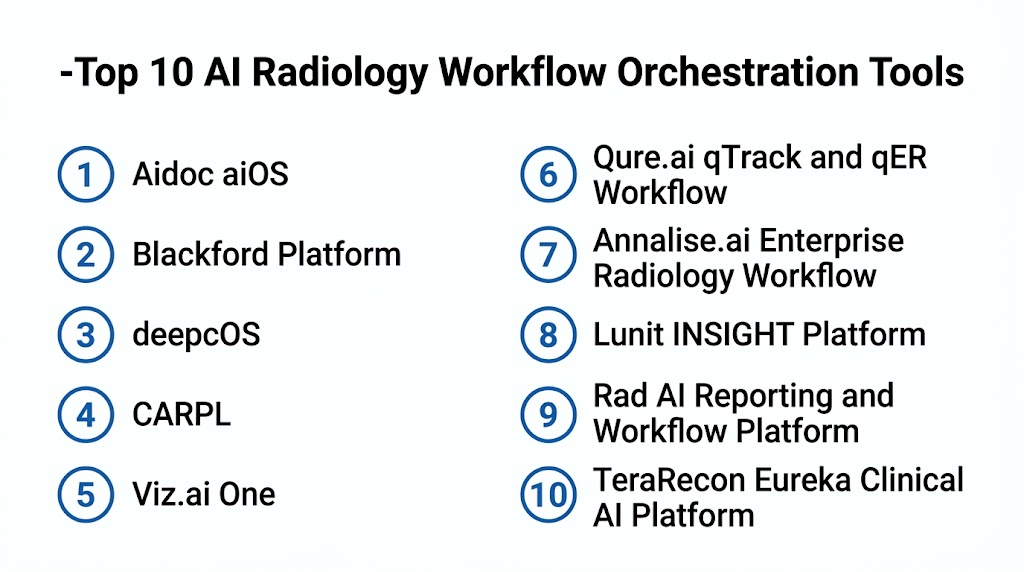
Top 10 AI Radiology Workflow Orchestration Tools
1- Aidoc aiOS
2- Blackford Platform
3- deepcOS
4- CARPL
5- Viz.ai One
6- Qure.ai qTrack and qER Workflow
7- Annalise.ai Enterprise Radiology Workflow
8- Lunit INSIGHT Platform
9- Rad AI Reporting and Workflow Platform
10- TeraRecon Eureka Clinical AI Platform
1- Aidoc aiOS
One-line verdict: Best for enterprise health systems needing broad clinical AI orchestration and radiology workflow prioritization.
Short description:
Aidoc aiOS helps health systems deploy, manage, and operationalize clinical AI across radiology and care team workflows. It supports imaging workflow prioritization, finding notification, care activation, and enterprise AI strategy for hospitals using multiple clinical AI capabilities.
Standout Capabilities
- Clinical AI platform for radiology and care workflows
- Automated imaging analysis and prioritization
- Critical finding notification and care team activation
- Multi-condition AI support depending on deployed modules
- Enterprise workflow dashboards and monitoring
- Follow-up workflow support depending on configuration
- Integration with PACS, RIS, and clinical systems
- Governance support for scalable AI deployment
AI-Specific Depth
- Model support: Proprietary clinical AI and platform-based orchestration
- RAG and knowledge integration: Varies / N/A
- Evaluation: Clinical validation and regulatory status vary by algorithm and region
- Guardrails: Intended-use controls, clinician review, escalation rules, permissions, and workflow policies vary by deployment
- Observability: AI alert activity, worklist prioritization, case status, workflow analytics, and operational dashboards vary by configuration
Pros
- Strong enterprise clinical AI platform approach
- Useful for urgent finding prioritization and care team activation
- Fits multi-site health systems needing scalable AI governance
Cons
- Requires integration planning with imaging and clinical systems
- Individual AI capabilities vary by module and region
- Buyers must validate each use case against local workflow and regulatory needs
Security and Compliance
Aidoc provides healthcare-focused clinical AI capabilities. Exact SSO, RBAC, audit logs, encryption, retention, residency, and certifications should be verified directly during procurement. If not confirmed, write Not publicly stated.
Deployment and Platforms
- Cloud, on-premises, or hybrid options may vary
- Supports radiology and clinical workflow integration
- PACS, RIS, EHR, and notification integration should be verified
- Deployment depends on health system architecture and regional requirements
Integrations and Ecosystem
Aidoc aiOS is designed to connect AI findings with radiology and patient care workflows.
- PACS integration
- RIS integration
- EHR workflows
- Radiology worklists
- Care team notification systems
- Follow-up workflows
- Operational dashboards and analytics
Pricing Model
Typically enterprise contract-based. Exact pricing depends on modules, algorithms, sites, imaging volume, deployment model, and agreement. Exact pricing is Not publicly stated.
Best-Fit Scenarios
- Enterprise health systems deploying clinical AI at scale
- Emergency radiology prioritization and care activation
- Multi-site hospitals needing AI governance and workflow monitoring
2- Blackford Platform
One-line verdict: Best for radiology teams needing vendor-neutral orchestration of multiple imaging AI applications.
Short description:
Blackford Platform helps healthcare organizations integrate, deploy, manage, and monitor multiple medical imaging AI applications through a unified platform layer. It is useful for radiology departments that want to avoid one-off AI deployments and instead manage AI tools centrally.
Standout Capabilities
- Vendor-neutral imaging AI orchestration
- Multi-application AI deployment and management
- Integration with existing radiology systems
- AI portfolio access and partner ecosystem
- Centralized AI workflow routing
- Performance and operational monitoring
- DICOM workflow support
- Support for enterprise AI governance
AI-Specific Depth
- Model support: Multi-algorithm ecosystem through partner AI applications
- RAG and knowledge integration: Varies / N/A
- Evaluation: Regulatory status and validation vary by third-party AI application
- Guardrails: Workflow policies, intended-use governance, access controls, and algorithm routing vary by configuration
- Observability: Algorithm status, integration health, case routing, workflow outputs, and dashboard monitoring vary by setup
Pros
- Strong platform approach for multi-vendor AI
- Helps reduce fragmented AI deployments
- Useful for enterprise imaging AI governance
Cons
- Clinical capability depends on selected AI applications
- Regulatory review is required for each algorithm and use case
- Requires thoughtful AI portfolio and integration strategy
Security and Compliance
Blackford provides an imaging AI platform capability. Exact SSO, RBAC, audit logs, encryption, retention, residency, and certifications should be verified directly. Third-party AI applications may have separate requirements. If not confirmed, use Not publicly stated.
Deployment and Platforms
- Deployment options vary by customer and connected AI applications
- Supports radiology workflow integration
- PACS and enterprise imaging connectivity should be verified
- Platform configuration depends on selected AI tools and site architecture
Integrations and Ecosystem
Blackford supports orchestration across radiology environments and AI ecosystems.
- PACS integration
- DICOM routing
- AI partner applications
- Radiology workflow systems
- Reporting workflows
- Enterprise imaging systems
- Dashboard and monitoring tools
Pricing Model
Typically enterprise contract-based. Pricing depends on platform scope, sites, AI applications, integrations, and support. Exact pricing is Not publicly stated.
Best-Fit Scenarios
- Hospitals deploying multiple imaging AI tools
- Radiology groups needing vendor-neutral AI orchestration
- Enterprise imaging teams building a scalable AI platform strategy
3- deepcOS
One-line verdict: Best for health systems needing a radiology AI operating system with multi-vendor app orchestration.
Short description:
deepcOS provides a platform for integrating and managing multiple radiology AI applications across imaging workflows. It is useful for hospitals and imaging networks that want a central layer for selecting, deploying, and monitoring AI tools from different vendors.
Standout Capabilities
- Radiology AI operating system approach
- Multi-vendor AI application orchestration
- AI marketplace and application access depending on region
- Integration with PACS and radiology workflows
- Centralized deployment and management
- Workflow routing and case processing
- AI monitoring and governance support
- Scalable multi-site AI adoption support
AI-Specific Depth
- Model support: Multi-vendor AI application ecosystem
- RAG and knowledge integration: Varies / N/A
- Evaluation: Validation and regulatory status depend on each connected AI application
- Guardrails: Intended-use controls, access permissions, routing policies, and review workflows vary by deployment
- Observability: AI application status, case flow, result routing, integration health, and operational dashboards vary by configuration
Pros
- Strong fit for multi-vendor AI strategy
- Helps centralize AI deployment and monitoring
- Useful for health systems avoiding fragmented AI integrations
Cons
- Clinical coverage depends on selected AI apps
- Buyers must validate each algorithm individually
- Implementation requires imaging IT and workflow alignment
Security and Compliance
deepc provides radiology AI platform capabilities. Exact SSO, RBAC, audit logs, encryption, retention, residency, and certifications should be verified during procurement. If not confirmed, write Not publicly stated.
Deployment and Platforms
- Cloud, on-premises, or hybrid options may vary
- Supports radiology AI workflow integration
- PACS and DICOM workflow integration should be verified
- Deployment depends on hospital IT architecture and regional data requirements
Integrations and Ecosystem
deepcOS connects multiple AI applications into radiology operations.
- PACS systems
- DICOM routing
- Radiology worklists
- Third-party AI applications
- Reporting and review workflows
- Enterprise imaging environments
- Operational dashboards
Pricing Model
Typically enterprise platform or contract-based pricing. Exact pricing depends on sites, AI apps, imaging volume, deployment model, and agreement. Exact pricing is Not publicly stated.
Best-Fit Scenarios
- Health systems managing multiple radiology AI vendors
- Imaging centers building an AI marketplace approach
- Hospitals needing centralized AI governance and monitoring
4- CARPL
One-line verdict: Best for organizations needing a vendor-neutral medical imaging AI marketplace and deployment platform.
Short description:
CARPL helps healthcare organizations access, deploy, test, and integrate multiple medical imaging AI applications through a platform model. It is useful for radiology teams that want flexibility to evaluate multiple AI vendors and operationalize selected algorithms in clinical workflows.
Standout Capabilities
- Medical imaging AI marketplace approach
- Multi-vendor AI application deployment
- AI testing and validation workflows depending on configuration
- Integration with imaging systems
- Centralized workflow orchestration for selected tools
- Support for evaluating AI algorithms before adoption
- Enterprise AI governance support
- Multi-site deployment support depending on architecture
AI-Specific Depth
- Model support: Multi-vendor AI application ecosystem
- RAG and knowledge integration: Varies / N/A
- Evaluation: Algorithm evaluation depends on selected apps, local data, and validation workflows
- Guardrails: Deployment policies, access controls, intended-use rules, and review workflows vary by configuration
- Observability: App performance, case routing, outputs, usage, and workflow metrics vary by setup
Pros
- Useful for comparing and deploying multiple AI tools
- Flexible marketplace-style approach
- Helpful for organizations building AI adoption programs
Cons
- Clinical capabilities depend on selected AI partners
- Requires local validation and governance for each app
- Integration and support complexity may vary by vendor mix
Security and Compliance
CARPL provides medical imaging AI platform capabilities. Exact SSO, RBAC, audit logs, encryption, data retention, residency, and certifications should be verified directly. If not confirmed, use Not publicly stated.
Deployment and Platforms
- Cloud, on-premises, or hybrid options may vary
- Supports medical imaging AI workflow integration
- PACS and DICOM connectivity should be verified
- Deployment depends on selected AI applications and customer requirements
Integrations and Ecosystem
CARPL supports evaluation and orchestration of imaging AI applications.
- PACS integration
- DICOM workflows
- Third-party AI applications
- Radiology review workflows
- Reporting systems
- AI validation workflows
- Enterprise imaging systems
Pricing Model
Typically contract-based and dependent on platform usage, sites, selected AI applications, volume, and support. Exact pricing is Not publicly stated.
Best-Fit Scenarios
- Hospitals evaluating many imaging AI tools
- Radiology groups needing vendor-neutral AI deployment
- Enterprise AI committees building standardized evaluation workflows
5- Viz.ai One
One-line verdict: Best for time-sensitive imaging workflows that need AI detection, notification, and care coordination.
Short description:
Viz.ai One supports AI-powered care coordination by detecting suspected conditions, prioritizing cases, and notifying clinical teams. It is useful for hospitals and health networks focused on urgent pathways such as neurovascular, cardiovascular, and other time-sensitive care workflows.
Standout Capabilities
- AI-powered care coordination platform
- Real-time disease detection workflows depending on module
- Automated team notification and escalation
- Imaging-based triage and prioritization
- Mobile and web-based clinical coordination
- Specialist activation workflows
- Multi-site care pathway support
- Workflow analytics and performance tracking
AI-Specific Depth
- Model support: Proprietary clinical AI and care coordination intelligence
- RAG and knowledge integration: Varies / N/A
- Evaluation: Clinical validation and regulatory status vary by algorithm, region, and indication
- Guardrails: Clinician review, intended-use controls, notification rules, and escalation policies vary by deployment
- Observability: Case alerts, response status, notification metrics, team activity, and pathway analytics vary by setup
Pros
- Strong care coordination and notification workflow
- Useful for time-sensitive clinical pathways
- Supports rapid team activation and case awareness
Cons
- Best value depends on matching specific clinical pathways
- Requires clinical protocol alignment
- Buyers must verify clearance and intended use by module and region
Security and Compliance
Viz.ai provides healthcare AI and care coordination capabilities. Exact SSO, RBAC, audit logs, encryption, data retention, residency, and certifications should be verified directly. If not confirmed, write Not publicly stated.
Deployment and Platforms
- Cloud-based and workflow deployment options may vary
- Web and mobile clinical coordination interfaces may be available
- Integrates with imaging and clinical systems
- Deployment depends on hospital IT, clinical pathways, and regional requirements
Integrations and Ecosystem
Viz.ai One connects imaging AI findings with clinical teams and pathways.
- PACS and imaging workflows
- EHR workflows
- Clinical notification systems
- Mobile care team coordination
- Specialty care pathways
- Hospital workflow systems
- Analytics and reporting workflows
Pricing Model
Typically enterprise contract-based. Exact pricing depends on modules, sites, clinical workflows, volume, and agreement. Exact pricing is Not publicly stated.
Best-Fit Scenarios
- Stroke and neurovascular care networks
- Emergency imaging workflows needing immediate escalation
- Multi-site hospitals coordinating time-sensitive care pathways
6- Qure.ai qTrack and qER Workflow
One-line verdict: Best for chest imaging, emergency imaging, and follow-up workflows in high-volume environments.
Short description:
Qure.ai provides AI-enabled imaging and workflow tools that support triage, prioritization, care coordination, and follow-up tracking across selected imaging use cases. It is useful for hospitals, public health programs, radiology teams, and screening networks that need practical workflow support around X-ray and CT findings.
Standout Capabilities
- Chest X-ray and CT workflow support depending on product
- Emergency imaging triage workflows
- Follow-up tracking through qTrack-style workflows
- Care coordination support
- Public health and screening workflow relevance
- Radiology prioritization and alerting
- Multi-site deployment support depending on configuration
- Operational dashboards and reporting
AI-Specific Depth
- Model support: Proprietary clinical AI and computer vision models
- RAG and knowledge integration: Varies / N/A
- Evaluation: Clinical validation and regulatory status vary by product, region, and indication
- Guardrails: Intended-use rules, clinician review, escalation policies, and workflow permissions vary by configuration
- Observability: AI alerts, case prioritization, follow-up status, workflow metrics, and reporting outputs vary by deployment
Pros
- Strong chest imaging and public health workflow fit
- Useful for follow-up management and triage
- Practical for high-volume X-ray and CT workflows
Cons
- Clinical scope varies by module and region
- PACS, RIS, and reporting integration need planning
- Local validation is important before scaling
Security and Compliance
Qure.ai provides healthcare AI capabilities. Exact SSO, RBAC, audit logs, encryption, retention, residency, and certifications should be verified directly. If not confirmed, use Not publicly stated.
Deployment and Platforms
- Cloud, on-premises, or hybrid deployment options may vary
- Supports radiology and clinical workflow integration
- PACS, RIS, and reporting integration should be verified
- Deployment depends on module, site, and region
Integrations and Ecosystem
Qure.ai supports imaging triage, reporting, and follow-up workflows.
- PACS integration
- RIS and reporting workflows
- EHR and care coordination systems
- Public health workflows
- Clinical dashboards
- Notification systems
- Operational reporting
Pricing Model
Typically enterprise or program-based pricing. Exact pricing depends on products, sites, imaging volume, deployment model, and contract. Exact pricing is Not publicly stated.
Best-Fit Scenarios
- Chest X-ray prioritization and reporting support
- Emergency imaging triage workflows
- Lung health and follow-up tracking programs
7- Annalise.ai Enterprise Radiology Workflow
One-line verdict: Best for broad radiology decision support that needs workflow integration across chest X-ray and CT.
Short description:
Annalise.ai provides AI tools that support radiologists and clinicians with broad imaging decision support, especially in chest X-ray and CT workflows depending on product and region. It is useful for teams that need finding-level support integrated into radiology review and prioritization workflows.
Standout Capabilities
- Broad AI-assisted imaging interpretation support
- Chest X-ray workflow support
- CT workflow support depending on availability
- Worklist prioritization and finding visibility
- Clinician-in-the-loop design
- Radiology reporting and review support
- Multi-finding AI assistance depending on module
- Workflow analytics and adoption support
AI-Specific Depth
- Model support: Proprietary deep learning and computer vision models
- RAG and knowledge integration: Varies / N/A
- Evaluation: Clinical validation and regulatory status vary by product, finding, region, and intended use
- Guardrails: Intended-use boundaries, clinician review, reporting controls, and workflow rules vary by deployment
- Observability: AI outputs, finding prioritization, case status, reporting support, and workflow analytics vary by setup
Pros
- Broad finding support in selected imaging workflows
- Useful for radiologist decision support and prioritization
- Strong fit for chest X-ray and CT workflows where available
Cons
- Product availability and clearance vary by region
- Broad finding coverage requires strong clinical governance
- Buyers must validate workflow impact locally
Security and Compliance
Annalise.ai provides healthcare AI capabilities. Exact SSO, RBAC, audit logs, encryption, retention, residency, and certifications should be verified directly. If not confirmed, write Not publicly stated.
Deployment and Platforms
- Cloud, on-premises, or hybrid options may vary
- Integrates with radiology workflows
- PACS and reporting integration should be verified
- Deployment depends on clinical and IT requirements
Integrations and Ecosystem
Annalise.ai supports radiology review and decision-support workflows.
- PACS integration
- RIS workflows
- Reporting systems
- Hospital imaging operations
- Clinical review workflows
- Worklist prioritization
- Analytics and governance reporting
Pricing Model
Typically enterprise contract-based. Exact pricing depends on product, sites, imaging volume, deployment, and agreement. Exact pricing is Not publicly stated.
Best-Fit Scenarios
- Radiology departments needing broad chest X-ray support
- Hospitals evaluating CT workflow support
- Health systems needing decision-support integration into existing radiology workflows
8- Lunit INSIGHT Platform
One-line verdict: Best for oncology, chest imaging, and breast imaging workflows that need AI-assisted prioritization and review.
Short description:
Lunit INSIGHT supports medical imaging AI workflows across selected chest and breast imaging use cases. It is useful for radiology groups, hospitals, screening programs, and oncology-focused imaging teams that want AI outputs integrated into review, prioritization, and reporting workflows.
Standout Capabilities
- Chest imaging AI support
- Breast imaging and mammography workflow support depending on product
- Oncology-oriented imaging decision support
- Screening workflow relevance
- Radiology review assistance
- Finding prioritization and visualization
- Integration with imaging systems
- Workflow analytics depending on setup
AI-Specific Depth
- Model support: Proprietary deep learning and computer vision models
- RAG and knowledge integration: Varies / N/A
- Evaluation: Clinical validation and regulatory status vary by product, region, and indication
- Guardrails: Intended-use limits, clinician review, reporting workflows, and access policies vary by configuration
- Observability: AI outputs, case prioritization, review support, reporting support, and operational analytics vary by deployment
Pros
- Strong focus on cancer-related imaging workflows
- Useful for chest and breast imaging support
- Fits screening and radiology decision-support programs
Cons
- Product availability varies by region and indication
- Workflow integration depends on PACS and reporting setup
- Buyers must verify regulatory status for local use
Security and Compliance
Lunit provides healthcare AI solutions. Exact SSO, RBAC, audit logs, encryption, retention, residency, and certifications should be verified directly. If not confirmed, use Not publicly stated.
Deployment and Platforms
- Cloud, on-premises, or hybrid options may vary
- Supports imaging workflow integration
- PACS and reporting integration should be verified
- Deployment depends on product and regional requirements
Integrations and Ecosystem
Lunit INSIGHT connects AI findings with radiology and screening workflows.
- PACS integration
- Mammography workflow systems
- Radiology reporting systems
- Screening program workflows
- Hospital imaging operations
- Clinical analytics
- Enterprise imaging workflows
Pricing Model
Typically enterprise contract-based. Exact pricing depends on product, sites, imaging volume, deployment, and agreement. Exact pricing is Not publicly stated.
Best-Fit Scenarios
- Breast imaging and mammography workflows
- Chest imaging decision-support programs
- Oncology-focused screening and diagnostic workflows
9- Rad AI Reporting and Workflow Platform
One-line verdict: Best for radiology groups needing reporting automation, impression generation, and workflow productivity support.
Short description:
Rad AI focuses on radiology reporting and workflow productivity by helping radiologists generate report impressions, reduce repetitive documentation, and streamline reporting tasks. It is useful for imaging practices that want AI support around reporting workflow rather than only image detection.
Standout Capabilities
- Radiology reporting automation support
- Impression generation assistance
- Workflow productivity tools for radiologists
- Report consistency support
- Integration with reporting systems depending on setup
- Reduction of repetitive documentation effort
- Support for radiologist efficiency
- Practice-level workflow analytics depending on configuration
AI-Specific Depth
- Model support: Proprietary language and workflow AI models for radiology reporting
- RAG and knowledge integration: Varies / N/A
- Evaluation: Not publicly stated
- Guardrails: Radiologist review, reporting controls, access permissions, and workflow policies vary by deployment
- Observability: Reporting activity, draft outputs, user review, productivity metrics, and workflow analytics vary by configuration
Pros
- Strong focus on reporting workflow efficiency
- Useful for reducing repetitive radiologist documentation
- Complements detection-focused imaging AI tools
Cons
- Not primarily a multi-algorithm image orchestration platform
- Requires careful report review and clinician oversight
- Integration depends on reporting environment
Security and Compliance
Rad AI provides healthcare-focused radiology workflow tools. Exact SSO, RBAC, audit logs, encryption, data retention, residency, and certifications should be verified during procurement. If not confirmed, write Not publicly stated.
Deployment and Platforms
- Cloud-based or workflow-integrated options may vary
- Integrates with radiology reporting workflows
- Platform availability and integration vary by site
- Deployment depends on reporting stack and operational requirements
Integrations and Ecosystem
Rad AI connects reporting automation with radiology operations.
- Radiology reporting systems
- Dictation and report workflows
- PACS or RIS-related workflows depending on implementation
- Practice management workflows
- Analytics and productivity reporting
- Radiologist review processes
- Enterprise imaging workflows
Pricing Model
Typically enterprise or practice contract-based. Exact pricing depends on modules, users, reporting volume, integrations, and agreement. Exact pricing is Not publicly stated.
Best-Fit Scenarios
- Radiology groups improving reporting productivity
- Practices reducing repetitive report documentation
- Imaging organizations complementing detection AI with reporting workflow AI
10- TeraRecon Eureka Clinical AI Platform
One-line verdict: Best for advanced visualization teams needing clinical AI integration across imaging analysis workflows.
Short description:
TeraRecon Eureka Clinical AI Platform supports advanced visualization and clinical AI workflows across medical imaging analysis. It is useful for radiology departments that need AI-enabled imaging analysis, visualization, and workflow support for complex cases and advanced imaging environments.
Standout Capabilities
- Advanced visualization workflow support
- Clinical AI platform capabilities
- Imaging analysis and post-processing support
- Integration with radiology and enterprise imaging workflows
- Support for complex imaging review
- AI algorithm integration depending on product scope
- Workflow support for specialty imaging
- Enterprise imaging deployment options
AI-Specific Depth
- Model support: Proprietary and integrated clinical AI capabilities vary by module
- RAG and knowledge integration: Varies / N/A
- Evaluation: Regulatory status and validation vary by AI application and clinical use case
- Guardrails: Clinician review, intended-use controls, access policies, and workflow settings vary by setup
- Observability: Case processing, advanced visualization outputs, AI result status, workflow activity, and operational metrics vary by configuration
Pros
- Strong advanced imaging and visualization focus
- Useful for complex clinical image analysis workflows
- Can complement broader enterprise imaging strategies
Cons
- Workflow orchestration scope depends on selected modules
- May be more specialized than general AI orchestration platforms
- Implementation requires imaging IT planning
Security and Compliance
TeraRecon provides healthcare imaging and advanced visualization capabilities. Exact SSO, RBAC, audit logs, encryption, data retention, residency, and certifications should be verified directly. If not confirmed, write Not publicly stated.
Deployment and Platforms
- Cloud, on-premises, or hybrid options may vary
- Supports advanced visualization and imaging workflows
- Integration with PACS and enterprise imaging systems should be verified
- Deployment depends on clinical imaging architecture
Integrations and Ecosystem
TeraRecon Eureka connects imaging analysis with advanced visualization and clinical workflows.
- PACS integration
- Enterprise imaging systems
- Advanced visualization workflows
- Clinical AI applications
- Reporting workflows
- Specialty imaging workflows
- Operational dashboards
Pricing Model
Typically enterprise contract-based. Exact pricing depends on modules, users, sites, imaging volume, deployment model, and agreement. Exact pricing is Not publicly stated.
Best-Fit Scenarios
- Radiology departments needing advanced visualization with AI support
- Specialty imaging teams managing complex imaging analysis
- Health systems integrating clinical AI into enterprise imaging workflows
Comparison Table
| Tool Name | Best For | Deployment | Model Flexibility | Strength | Watch Out | Public Rating |
|---|---|---|---|---|---|---|
| Aidoc aiOS | Enterprise clinical AI orchestration | Cloud, on-premises, or hybrid options vary | Hosted proprietary | Critical finding prioritization and care activation | Verify each module and region | N/A |
| Blackford Platform | Multi-vendor imaging AI management | Deployment varies | Multi-algorithm ecosystem | Vendor-neutral orchestration | Clinical value depends on selected apps | N/A |
| deepcOS | Radiology AI operating system | Cloud, on-premises, or hybrid options vary | Multi-vendor ecosystem | Centralized AI deployment and monitoring | Validate every connected algorithm | N/A |
| CARPL | AI marketplace and deployment platform | Cloud, on-premises, or hybrid options vary | Multi-vendor ecosystem | AI testing and flexible deployment | Requires governance per app | N/A |
| Viz.ai One | Time-sensitive care coordination | Cloud and workflow options vary | Hosted proprietary | Real-time notification and team activation | Best for selected clinical pathways | N/A |
| Qure.ai qTrack and qER Workflow | Chest imaging and follow-up workflows | Cloud, on-premises, or hybrid options vary | Hosted proprietary | Triage plus follow-up tracking | Scope varies by module | N/A |
| Annalise.ai Enterprise Radiology Workflow | Broad chest X-ray and CT support | Cloud, on-premises, or hybrid options vary | Hosted proprietary | Broad finding decision support | Requires workflow governance | N/A |
| Lunit INSIGHT Platform | Oncology, chest, and breast workflows | Cloud, on-premises, or hybrid options vary | Hosted proprietary | Cancer-related imaging support | Verify local availability | N/A |
| Rad AI Reporting and Workflow Platform | Reporting productivity | Cloud or workflow-integrated options vary | Hosted proprietary | Reporting automation | Not image triage-first | N/A |
| TeraRecon Eureka Clinical AI Platform | Advanced visualization and clinical AI | Cloud, on-premises, or hybrid options vary | Varies by module | Advanced imaging workflow support | Specialized scope | N/A |
Scoring and Evaluation
This scoring is comparative, not absolute. It helps buyers compare AI radiology workflow orchestration tools based on workflow depth, AI reliability, guardrails, integrations, usability, performance, security controls, and support. Scores may vary based on modality, regulatory region, PACS and RIS environment, imaging volume, clinical use case, and local validation results. Public ratings are not guessed. Buyers should validate shortlisted platforms with real local imaging workflows, clinician review, IT testing, compliance review, and operational metrics before procurement.
| Tool | Core | Reliability and Eval | Guardrails | Integrations | Ease | Performance and Cost | Security and Admin | Support | Weighted Total |
| Aidoc aiOS | 9.2 | 8.8 | 8.7 | 8.8 | 8.3 | 8.1 | 8.7 | 8.7 | 8.7 |
| Blackford Platform | 8.8 | 8.4 | 8.6 | 8.9 | 8.3 | 8.2 | 8.6 | 8.5 | 8.5 |
| deepcOS | 8.7 | 8.4 | 8.5 | 8.8 | 8.3 | 8.2 | 8.5 | 8.4 | 8.5 |
| CARPL | 8.6 | 8.3 | 8.5 | 8.7 | 8.2 | 8.2 | 8.4 | 8.4 | 8.4 |
| Viz.ai One | 8.9 | 8.7 | 8.7 | 8.6 | 8.5 | 8.2 | 8.7 | 8.7 | 8.6 |
| Qure.ai qTrack and qER Workflow | 8.7 | 8.5 | 8.5 | 8.5 | 8.4 | 8.4 | 8.5 | 8.5 | 8.5 |
| Annalise.ai Enterprise Radiology Workflow | 8.6 | 8.6 | 8.5 | 8.4 | 8.4 | 8.3 | 8.5 | 8.5 | 8.5 |
| Lunit INSIGHT Platform | 8.5 | 8.5 | 8.5 | 8.4 | 8.3 | 8.3 | 8.5 | 8.5 | 8.4 |
| Rad AI Reporting and Workflow Platform | 8.4 | 8.3 | 8.5 | 8.4 | 8.7 | 8.4 | 8.5 | 8.4 | 8.4 |
| TeraRecon Eureka Clinical AI Platform | 8.4 | 8.3 | 8.4 | 8.4 | 8.1 | 8.2 | 8.4 | 8.4 | 8.3 |
Top 3 for Enterprise
1- Aidoc aiOS
2- Blackford Platform
3- deepcOS
Top 3 for SMB
1- Qure.ai qTrack and qER Workflow
2- Rad AI Reporting and Workflow Platform
3- Lunit INSIGHT Platform
Top 3 for Developers
1- Blackford Platform
2- CARPL
3- TeraRecon Eureka Clinical AI Platform
Which AI Radiology Workflow Orchestration Tool Is Right for You
Solo / Freelancer
Solo radiology consultants usually do not purchase enterprise orchestration platforms directly, but they may advise imaging centers on AI strategy. For focused use cases, Qure.ai, Lunit INSIGHT, and Rad AI may be easier to evaluate. For multi-vendor strategy consulting, Blackford, deepcOS, and CARPL are more relevant because they support broader AI portfolio thinking.
SMB
Small and mid-sized imaging centers should avoid deploying too many AI tools at once. A focused workflow is usually better. Qure.ai can fit chest imaging and follow-up needs, Lunit INSIGHT can support chest or breast imaging workflows depending on product availability, and Rad AI can support reporting productivity. SMB buyers should prioritize simple integration, training, and clear ROI.
Mid-Market
Mid-market hospitals and radiology groups often need both clinical AI and workflow orchestration. Aidoc aiOS, Viz.ai One, Annalise.ai, and Blackford can be strong options depending on whether the focus is enterprise triage, care coordination, broad image support, or multi-vendor AI management. Mid-market teams should involve radiology, IT, compliance, and clinical operations early.
Enterprise
Large health systems should prioritize scalability, governance, multi-site deployment, auditability, integration, workflow analytics, and support quality. Aidoc aiOS is strong for enterprise clinical AI orchestration, Blackford Platform and deepcOS are strong for multi-vendor AI orchestration, and Viz.ai One is strong for time-sensitive clinical pathway coordination.
Regulated Industries
Healthcare buyers must treat radiology workflow orchestration as a regulated clinical and operational workflow decision. Buyers should verify intended use, regional clearance, audit logs, access controls, privacy controls, integration design, and clinician-in-the-loop workflows. Any AI algorithm connected through an orchestration platform should be reviewed individually for regulatory status and clinical validation.
Budget vs Premium
Budget-conscious organizations should start with one high-impact workflow such as chest X-ray prioritization, reporting automation, stroke notification, or follow-up tracking. Premium enterprise buyers may deploy a platform approach through Aidoc, Blackford, deepcOS, or CARPL to manage multiple AI tools across sites. Total cost should include licensing, integration, training, governance, and workflow monitoring.
Build vs Buy
Building an internal radiology workflow orchestration system is difficult because it requires DICOM routing, PACS integration, RIS connectivity, AI algorithm management, clinical validation, cybersecurity, auditability, and workflow monitoring. Most healthcare organizations should buy proven platforms and validate them locally. A hybrid approach may work for academic centers that build research models but use commercial orchestration for clinical deployment.
Implementation Playbook
First 30 Days
- Define the target workflow such as emergency triage, stroke care coordination, chest imaging prioritization, reporting productivity, or multi-vendor AI orchestration.
- Map current PACS, RIS, VNA, EHR, reporting, notification, and teleradiology workflows.
- Identify which AI algorithms or workflow tools will be included in the pilot.
- Verify regulatory status, intended use, and regional availability for every AI module.
- Select two or three vendors for structured evaluation.
- Define clinician-in-the-loop review and escalation rules.
- Validate privacy, security, access control, audit logging, and data handling requirements.
- Create a pilot team with radiologists, technologists, clinicians, IT, compliance, procurement, and operations leaders.
- Define success metrics such as turnaround time, alert response time, worklist impact, follow-up completion, and radiologist adoption.
- Document how AI results will appear in the real workflow.
First 60 Days
- Run a controlled pilot with real imaging workflows and local cases.
- Test PACS, RIS, reporting, notification, and dashboard integration.
- Measure false positives, false negatives, alert fatigue, and case prioritization impact.
- Train radiologists, technologists, and clinical teams on intended use and workflow limitations.
- Review escalation timing and communication pathways.
- Monitor whether AI outputs reach the right people at the right time.
- Collect radiologist feedback on usability and trust.
- Review clinical governance, legal, and compliance requirements.
- Compare operational metrics before and after pilot launch.
- Decide whether to expand, adjust, or stop the pilot based on evidence.
First 90 Days
- Expand the workflow to more modalities, sites, shifts, or clinical pathways if pilot results are strong.
- Standardize protocols for AI alerts, review responsibilities, disagreements, and documentation.
- Create recurring governance meetings for radiology leadership and operations teams.
- Monitor ongoing performance, adoption, system uptime, and support responsiveness.
- Track operational dashboards for turnaround time, alert quality, case volume, and follow-up completion.
- Review model performance and workflow drift.
- Update training for new radiologists and staff.
- Integrate orchestration insights into quality improvement programs.
- Review security and privacy controls regularly.
- Scale carefully with clear ownership, monitoring, and continuous feedback.
Common Mistakes and How to Avoid Them
- Deploying AI without workflow orchestration: Standalone algorithms may not help if results do not reach the right workflow.
- Skipping radiologist involvement: Radiologists must help design review, prioritization, and escalation rules.
- Ignoring PACS and RIS complexity: Integration quality can determine success or failure.
- Using AI outside intended use: Every algorithm should be used only as cleared, approved, or validated for the region and workflow.
- Overloading teams with alerts: Poorly tuned prioritization can create fatigue and reduce trust.
- Deploying too many tools at once: Start with one or two high-impact workflows.
- No local validation: Performance and workflow impact may differ by site.
- No escalation protocol: Critical alerts need clear ownership and response paths.
- Ignoring follow-up workflows: Detection without follow-up may not improve patient outcomes.
- Not monitoring adoption: A tool may be deployed but not meaningfully used.
- Weak security review: Imaging data requires strong privacy, audit, and access controls.
- No operational metrics: Track turnaround time, alert quality, adoption, and workflow impact.
- Assuming AI replaces clinical review: Clinician judgment remains essential.
- Forgetting change management: Training, communication, and feedback loops are necessary for adoption.
FAQs
1- What are AI Radiology Workflow Orchestration Tools?
AI Radiology Workflow Orchestration Tools coordinate imaging AI, PACS, RIS, worklists, alerts, reporting, and clinical notifications. They help ensure AI findings are routed to the correct workflow and reviewed by the correct clinical team.
2- How are these tools different from medical imaging AI algorithms?
A medical imaging AI algorithm detects or analyzes a specific finding. A workflow orchestration platform manages how algorithms are deployed, how cases are routed, how alerts are delivered, and how results fit into radiology operations.
3- Do these tools replace radiologists?
No. These tools support radiologists by prioritizing cases, routing studies, managing AI outputs, and improving workflow efficiency. Final clinical interpretation remains with qualified healthcare professionals.
4- What systems should these tools integrate with?
Important integrations include PACS, RIS, VNA, EHR, reporting systems, DICOM routers, notification platforms, teleradiology workflows, dashboards, and AI applications.
5- Which tool is best for multi-vendor AI orchestration?
Blackford Platform, deepcOS, and CARPL are strong options for multi-vendor AI orchestration. They are useful when a hospital wants to deploy and manage algorithms from different vendors through a central platform.
6- Which tool is best for urgent care coordination?
Viz.ai One is strong for time-sensitive care coordination, especially when hospitals need rapid notification and team activation for selected clinical pathways. Aidoc can also support critical finding workflows and care activation.
7- Which tool is best for enterprise radiology AI orchestration?
Aidoc aiOS is a strong option for enterprise clinical AI orchestration. Blackford Platform and deepcOS are also strong when the priority is multi-vendor AI management across a larger imaging organization.
8- Which tool is best for reporting workflow automation?
Rad AI is a strong option for radiology reporting productivity and workflow automation. It focuses more on reporting assistance than broad image triage orchestration.
9- What should hospitals test during a pilot?
Hospitals should test PACS and RIS integration, AI result routing, alert timing, worklist prioritization, false positives, user adoption, turnaround time, escalation workflows, and security controls.
10- Are these platforms regulated?
The platform itself and each connected AI algorithm may have different regulatory considerations. Buyers should verify intended use, clearance, approval, or authorization for every AI module and region.
11- Can these tools support teleradiology?
Yes, many orchestration platforms can support distributed worklists, multi-site routing, urgent case prioritization, and workload balancing. Buyers should verify teleradiology workflow support directly.
12- What is the biggest risk with AI radiology workflow orchestration?
The biggest risk is deploying AI without clinical governance and workflow validation. A tool can create confusion or alert fatigue if review rules, escalation paths, regulatory status, and user training are not clearly defined.
Conclusion
AI Radiology Workflow Orchestration Tools help imaging organizations move from isolated AI algorithms to practical, governed, and workflow-ready clinical AI operations. Aidoc aiOS is strong for enterprise clinical AI orchestration, Blackford Platform and deepcOS support multi-vendor AI management, CARPL helps organizations evaluate and deploy multiple imaging AI applications, Viz.ai One is valuable for time-sensitive care coordination, Qure.ai supports chest imaging and follow-up workflows, Annalise.ai and Lunit INSIGHT support radiology decision-support workflows, Rad AI improves reporting productivity, and TeraRecon Eureka supports advanced imaging and clinical AI workflows. To choose the right platform, shortlist by clinical use case, verify regulatory status, pilot with local workflows, confirm PACS and RIS integration, measure workflow impact, and scale with strong clinical governance, training, monitoring, and continuous feedback.

Find Trusted Cardiac Hospitals
Compare heart hospitals by city and services — all in one place.
Explore Hospitals
A key gap is how well these tools reduce radiologist workload without introducing workflow fragmentation across PACS, reporting systems, and hospital IT infrastructure.