
Introduction
AI Root Cause Analysis for Incidents Tools help IT, SRE, DevOps, cloud operations, and security teams understand why an incident happened. These platforms use artificial intelligence, machine learning, anomaly detection, event correlation, dependency mapping, service topology, logs, metrics, traces, deployment history, configuration changes, and incident timelines to identify the most likely cause of outages, performance degradation, alerts, and service failures. Instead of manually jumping across dashboards, logs, tickets, traces, and monitoring tools, teams can use AI-assisted RCA to connect symptoms with likely causes and reduce mean time to resolution.
Why It Matters
Modern systems are distributed across cloud services, containers, Kubernetes, microservices, APIs, databases, queues, serverless functions, SaaS tools, and third-party dependencies. When something breaks, the symptom may appear in one layer, while the root cause sits somewhere else. A slow checkout page may come from a database query, a broken deployment, a cloud region issue, a bad feature flag, or a downstream API. AI root cause analysis matters because it helps teams cut through noise, find relationships, reconstruct timelines, reduce repeated incidents, and fix the real issue instead of only treating symptoms. It improves incident response speed, reliability, uptime, and team productivity.
Real World Use Cases
- Application outage investigation: Identify whether failures come from code changes, infrastructure issues, database bottlenecks, or service dependencies.
- Performance degradation analysis: Correlate slow response times with traces, resource usage, network latency, and downstream services.
- Cloud incident RCA: Find root causes across cloud resources, load balancers, containers, autoscaling, managed services, and configuration changes.
- Kubernetes troubleshooting: Analyze pod restarts, node pressure, failed deployments, service mesh issues, and resource limits.
- Change-related incident detection: Connect incidents with deployments, configuration changes, feature flags, infrastructure updates, or dependency changes.
- Alert correlation: Group related alerts into a single incident and identify the most likely starting point.
- Security incident support: Help correlate unusual behavior, endpoint alerts, cloud changes, identity risk, and network events.
- Post-incident reporting: Generate clear timelines, contributing factors, likely root cause, impact summary, and follow-up actions.
Evaluation Criteria for Buyers
- Correlation depth: The platform should connect logs, metrics, traces, alerts, topology, changes, incidents, and dependencies.
- RCA accuracy: Buyers should test whether the tool identifies likely causes from real historical incidents.
- Topology awareness: Strong RCA needs service maps, infrastructure relationships, dependency graphs, and ownership context.
- Change intelligence: The tool should correlate incidents with deployments, configuration changes, releases, and infrastructure updates.
- AI explanation quality: RCA suggestions should include evidence, affected services, timeline, and confidence signals.
- Observability coverage: Look for application, infrastructure, cloud, Kubernetes, database, network, and user experience visibility.
- Automation support: The platform should support workflow triggers, remediation recommendations, incident updates, and ticketing.
- Integration depth: Check integrations with observability tools, CI CD, ITSM, incident management, cloud providers, SIEM, and communication tools.
- Governance controls: SSO, RBAC, audit logs, encryption, data retention, and approval workflows are important.
- Scalability: The tool should support high-cardinality telemetry, large service graphs, and high event volume.
- Human review: Teams should be able to validate, override, annotate, and improve RCA suggestions.
- Postmortem support: Good tools should help generate timelines, contributing factors, action items, and recurrence prevention insights.
Best for: SRE teams, DevOps teams, IT operations teams, platform engineers, incident response teams, cloud operations teams, application owners, NOC teams, reliability leaders, and enterprises that need faster incident investigation across complex distributed systems.
Not ideal for: Very small teams with simple infrastructure, organizations without centralized monitoring or telemetry, companies that do not maintain service ownership, or teams that are not ready to act on AI-generated RCA recommendations.
What Changed in AI Root Cause Analysis for Incidents
- RCA is moving from manual investigation to assisted investigation: AI now helps correlate alerts, changes, dependencies, and telemetry faster.
- Topology-aware analysis is more important: Service maps and dependency graphs help teams understand where an issue started.
- Change correlation is now critical: Many incidents are linked to deployments, configuration drift, cloud changes, feature flags, and infrastructure updates.
- Logs, metrics, and traces are being analyzed together: Isolated dashboards are less useful than unified observability context.
- Kubernetes and cloud-native systems need smarter RCA: Dynamic workloads create constantly changing dependencies and failure patterns.
- Incident summaries are becoming automated: AI can help produce timelines, likely causes, impact summaries, and follow-up actions.
- Human-in-the-loop validation remains important: AI can suggest likely root causes, but engineers must verify before applying fixes.
- Event noise reduction is expected: RCA tools increasingly group related alerts into incidents and suppress duplicate noise.
- SRE and security workflows are converging: Some incidents include performance, availability, cloud, and security signals together.
- Preventing repeat incidents matters more: RCA platforms now help identify contributing factors and improvement actions.
- Integration with incident tools is essential: RCA should connect with PagerDuty, ServiceNow, Jira, Slack, Teams, and other workflows.
- AI copilots are entering operations workflows: Teams increasingly expect plain-language investigation and suggested remediation steps.
Quick Buyer Checklist
- Confirm support for logs, metrics, traces, events, topology, deployments, and incidents.
- Test RCA accuracy using past real incidents.
- Check service dependency mapping and topology graph quality.
- Review change correlation with CI CD, feature flags, cloud changes, and configuration updates.
- Confirm integrations with Datadog, Dynatrace, New Relic, Splunk, Grafana, PagerDuty, ServiceNow, Jira, Slack, and cloud providers where relevant.
- Check whether RCA suggestions include evidence and confidence indicators.
- Review alert grouping, deduplication, and event correlation quality.
- Validate Kubernetes, microservices, cloud, and database visibility.
- Check postmortem and incident summary generation.
- Review SSO, RBAC, audit logs, encryption, retention, and admin controls.
- Confirm customization for teams, services, ownership, severity, and escalation rules.
- Test workflow automation and remediation recommendations.
- Validate performance at production telemetry volume.
- Run a pilot with historical incidents before rollout.
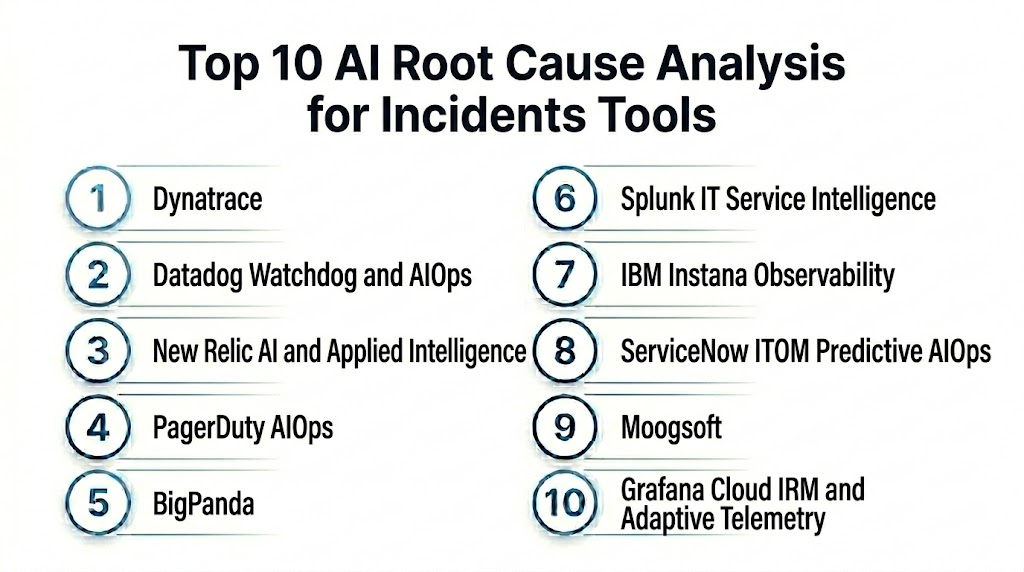
Top 10 AI Root Cause Analysis for Incidents Tools
1- Dynatrace
2- Datadog Watchdog and AIOps
3- New Relic AI and Applied Intelligence
4- PagerDuty AIOps
5- BigPanda
6- Splunk IT Service Intelligence
7- IBM Instana Observability
8- ServiceNow ITOM Predictive AIOps
9- Moogsoft
10- Grafana Cloud IRM and Adaptive Telemetry
1- Dynatrace
One-line verdict: Best for enterprises needing automatic RCA across applications, infrastructure, cloud, and service dependencies.
Short description:
Dynatrace provides full-stack observability and AI-assisted root cause analysis across applications, infrastructure, services, cloud environments, Kubernetes, databases, and user experience. It is useful for teams that need topology-aware incident investigation and automatic correlation across complex distributed systems.
Standout Capabilities
- Automatic service discovery and dependency mapping
- AI-assisted root cause analysis
- Logs, metrics, traces, events, and topology correlation
- Cloud, Kubernetes, application, and infrastructure monitoring
- Code-level and transaction-level visibility
- Problem detection and impact analysis
- User experience and business impact context
- Automation and remediation workflow support
AI-Specific Depth
- Model support: Proprietary AI and causal analysis capabilities
- RAG and knowledge integration: Varies / N/A
- Evaluation: Not publicly stated
- Guardrails: Alerting policies, automation approvals, access controls, and workflow settings vary by configuration
- Observability: Service topology, problem cards, dependency maps, traces, metrics, logs, events, and root cause evidence
Pros
- Strong topology-aware RCA
- Broad full-stack observability coverage
- Useful for large enterprise and cloud-native environments
Cons
- Platform depth can require onboarding and governance
- Pricing and packaging may be complex
- Best value depends on broad instrumentation coverage
Security and Compliance
Dynatrace provides enterprise observability and platform security controls. Exact SSO, RBAC, audit logs, encryption, data retention, residency, and certifications should be verified during procurement. If not confirmed, write Not publicly stated.
Deployment and Platforms
- Cloud and managed options may vary
- Agents and integrations for applications, infrastructure, cloud, and Kubernetes
- Web-based observability interface
- Supports hybrid and multi-cloud environments depending on configuration
Integrations and Ecosystem
Dynatrace integrates RCA insights with incident, DevOps, and operations workflows.
- Cloud providers
- Kubernetes and containers
- CI CD tools
- ITSM tools
- Incident management platforms
- Collaboration tools
- APIs and automation workflows
Pricing Model
Typically subscription-based and usage-influenced depending on observability units, hosts, data volume, and selected capabilities. Exact pricing is Not publicly stated in a universal format.
Best-Fit Scenarios
- Enterprises needing automatic service dependency RCA
- SRE teams managing complex microservices
- Organizations wanting full-stack observability and AI-assisted problem analysis
2- Datadog Watchdog and AIOps
One-line verdict: Best for Datadog users needing AI-assisted anomaly detection, correlation, and incident investigation.
Short description:
Datadog Watchdog and AIOps capabilities help teams detect anomalies, correlate related signals, surface likely causes, and investigate incidents across logs, metrics, traces, infrastructure, cloud, and application telemetry. It is useful for teams already using Datadog for observability and reliability workflows.
Standout Capabilities
- Anomaly detection across metrics and logs
- Incident correlation and context surfacing
- Logs, metrics, traces, and infrastructure visibility
- Service maps and dependency views
- Cloud, container, and Kubernetes monitoring
- Deployment and change tracking
- Alert grouping and noise reduction
- Incident management and collaboration workflows
AI-Specific Depth
- Model support: Proprietary anomaly detection and AI-assisted observability capabilities
- RAG and knowledge integration: Varies / N/A
- Evaluation: Not publicly stated
- Guardrails: Monitor policies, access controls, workflow automation, and notification rules vary by configuration
- Observability: Watchdog insights, service maps, traces, logs, metrics, monitors, and incident timelines
Pros
- Strong fit for Datadog-centered teams
- Broad observability coverage in one platform
- Useful for anomaly detection and incident context
Cons
- Cost can grow with high telemetry volume
- RCA quality depends on instrumentation and tagging
- Advanced workflows may need careful configuration
Security and Compliance
Datadog provides enterprise platform security features such as access controls, audit capabilities, encryption, and governance options. Exact SSO, RBAC, retention, residency, and certifications should be verified directly. If not confirmed, use Not publicly stated.
Deployment and Platforms
- Cloud-based platform
- Agents and integrations for infrastructure, applications, cloud, and containers
- Web-based observability interface
- Supports hybrid, cloud, and Kubernetes environments depending on configuration
Integrations and Ecosystem
Datadog connects RCA with observability, incident management, and DevOps workflows.
- Cloud providers
- Kubernetes and container platforms
- CI CD tools
- Incident management tools
- Collaboration platforms
- ITSM workflows
- APIs and webhooks
Pricing Model
Typically usage-based or subscription-based depending on products, hosts, data volume, retention, and features. Exact pricing is Not publicly stated in a universal format.
Best-Fit Scenarios
- Teams already using Datadog observability
- SRE teams needing anomaly detection and incident correlation
- Cloud-native teams monitoring services, infrastructure, and deployments
3- New Relic AI and Applied Intelligence
One-line verdict: Best for engineering teams needing AI-assisted RCA across applications, services, and digital experiences.
Short description:
New Relic AI and Applied Intelligence capabilities help teams detect anomalies, correlate incidents, summarize issues, and investigate service health across applications, infrastructure, logs, traces, and user experience. It is useful for teams that want observability data connected with incident intelligence and engineering workflows.
Standout Capabilities
- AI-assisted incident and anomaly analysis
- Logs, metrics, traces, and application telemetry correlation
- Service maps and dependency visibility
- Error tracking and performance investigation
- Alert noise reduction and incident grouping
- Deployment and change correlation
- Incident summaries and engineering context
- Broad observability platform coverage
AI-Specific Depth
- Model support: Proprietary AI and applied intelligence capabilities
- RAG and knowledge integration: Varies / N/A
- Evaluation: Not publicly stated
- Guardrails: Access controls, workflow policies, and alert configuration vary by setup
- Observability: Service health, traces, logs, metrics, anomalies, alerts, and incident context views
Pros
- Good fit for application engineering teams
- Strong observability data foundation
- Useful for service performance and incident summaries
Cons
- RCA quality depends on instrumentation and telemetry quality
- Pricing model should be evaluated for data scale
- Advanced configuration may require platform expertise
Security and Compliance
New Relic provides enterprise observability platform controls. Exact SSO, RBAC, audit logs, encryption, retention, residency, and certifications should be verified during procurement. If details are not confirmed, use Not publicly stated.
Deployment and Platforms
- Cloud-based observability platform
- Agents and integrations for applications, infrastructure, cloud, and Kubernetes
- Web-based analyst and engineering interface
- Supports modern cloud-native environments depending on configuration
Integrations and Ecosystem
New Relic connects RCA with engineering and incident workflows.
- Cloud providers
- Kubernetes and containers
- CI CD tools
- Incident management tools
- Collaboration tools
- Log and trace sources
- APIs and automation workflows
Pricing Model
Typically usage-based or subscription-based depending on data ingest, users, retention, and selected capabilities. Exact pricing is Not publicly stated in a universal format.
Best-Fit Scenarios
- Application teams needing incident context
- SRE teams investigating performance degradation
- Cloud-native teams using observability for RCA
4- PagerDuty AIOps
One-line verdict: Best for operations teams needing alert correlation, noise reduction, and incident workflow intelligence.
Short description:
PagerDuty AIOps helps teams reduce noise, group related alerts, identify probable incident causes, and route incidents to the right responders. It is useful for organizations that rely on PagerDuty for incident response and want stronger event intelligence, service context, and incident triage.
Standout Capabilities
- Alert grouping and noise reduction
- Event correlation and probable cause context
- Incident routing and escalation workflows
- Service dependency and ownership context
- Incident intelligence for response teams
- Integration with monitoring and observability tools
- Automation and response orchestration
- Post-incident improvement support
AI-Specific Depth
- Model support: Proprietary event intelligence and AIOps capabilities
- RAG and knowledge integration: Varies / N/A
- Evaluation: Not publicly stated
- Guardrails: Escalation policies, automation approvals, role controls, and workflow rules vary by setup
- Observability: Incidents, alerts, event groupings, service context, responder activity, and response timelines
Pros
- Strong incident response workflow integration
- Useful for reducing alert noise
- Good fit for teams using PagerDuty as an operations hub
Cons
- RCA depth depends on connected monitoring data
- Not a replacement for full observability instrumentation
- Best value depends on service ownership maturity
Security and Compliance
PagerDuty provides enterprise incident management and operations controls. Exact SSO, RBAC, audit logs, encryption, retention, residency, and certifications should be verified directly. If not confirmed, use Not publicly stated.
Deployment and Platforms
- Cloud-based incident operations platform
- Web and mobile interfaces
- Integrates with monitoring, observability, ITSM, and collaboration tools
- Supports on-call and service ownership workflows
Integrations and Ecosystem
PagerDuty AIOps connects incident intelligence with response and operations tools.
- Observability platforms
- Monitoring tools
- Cloud platforms
- ITSM tools
- Collaboration tools
- CI CD and change systems
- Automation workflows
Pricing Model
Typically subscription-based and plan-based. Exact pricing depends on users, modules, event volume, and enterprise agreement. Exact pricing is Not publicly stated.
Best-Fit Scenarios
- Teams using PagerDuty for incident response
- Organizations needing alert noise reduction
- Operations teams improving incident routing and triage
5- BigPanda
One-line verdict: Best for enterprises needing event correlation, alert intelligence, and incident root cause context.
Short description:
BigPanda is an AIOps platform focused on event correlation, alert noise reduction, incident intelligence, and operations workflow improvement. It helps teams group related alerts, identify likely incident causes, and route high-quality incidents to IT operations and response teams.
Standout Capabilities
- Event correlation and alert grouping
- Noise reduction across monitoring tools
- Incident intelligence and probable root cause context
- Service and topology context
- Change correlation support
- Integration with ITSM and incident workflows
- Operational dashboards and analytics
- Alert enrichment and normalization
AI-Specific Depth
- Model support: Proprietary AIOps and event correlation models
- RAG and knowledge integration: Varies / N/A
- Evaluation: Not publicly stated
- Guardrails: Correlation rules, enrichment policies, workflow controls, and role permissions vary by configuration
- Observability: Event groups, incident views, probable cause context, enrichment details, and operational analytics
Pros
- Strong alert correlation and noise reduction
- Useful for large monitoring environments
- Good fit for IT operations and NOC workflows
Cons
- Depends heavily on integration quality
- RCA depth depends on topology and enrichment data
- Requires tuning for complex environments
Security and Compliance
BigPanda provides enterprise AIOps and incident intelligence capabilities. Exact SSO, RBAC, audit logs, encryption, retention, residency, and certifications should be verified during procurement. If not confirmed, write Not publicly stated.
Deployment and Platforms
- Cloud-based AIOps platform
- Web-based operations console
- Integrates with monitoring and ITSM tools
- Deployment depends on event sources and workflow design
Integrations and Ecosystem
BigPanda connects monitoring alerts with incident and operations workflows.
- Monitoring tools
- Observability platforms
- ITSM systems
- Incident management tools
- CMDB and topology sources
- Change management systems
- Collaboration tools
Pricing Model
Typically subscription-based and enterprise-focused. Exact pricing depends on event volume, integrations, modules, and contract. Exact pricing is Not publicly stated.
Best-Fit Scenarios
- Enterprises with many monitoring tools
- NOC and IT operations teams reducing alert noise
- Organizations needing event correlation and probable cause context
6- Splunk IT Service Intelligence
One-line verdict: Best for Splunk environments needing service health, event analytics, and RCA support.
Short description:
Splunk IT Service Intelligence helps teams monitor service health, correlate events, detect anomalies, and understand operational impact using Splunk data. It is useful for organizations that use Splunk for logs, metrics, and operational analytics and want RCA support through service models and event correlation.
Standout Capabilities
- Service health monitoring
- Event analytics and correlation
- Anomaly detection support
- KPI and service dependency views
- Alert noise reduction
- Integration with Splunk data and dashboards
- Operational analytics and service impact views
- IT and business service mapping
AI-Specific Depth
- Model support: Splunk analytics and machine learning capabilities vary by deployment
- RAG and knowledge integration: Varies / N/A
- Evaluation: Not publicly stated
- Guardrails: Role controls, alert rules, service definitions, and workflow settings vary by configuration
- Observability: Service health scores, KPIs, notable events, dashboards, alerts, and service impact views
Pros
- Strong fit for Splunk-centered environments
- Useful service-level visibility and alert correlation
- Good for operational dashboards and service health tracking
Cons
- Requires Splunk expertise and service modeling
- Setup can be complex in large environments
- Cost depends on Splunk deployment and data usage
Security and Compliance
Splunk provides enterprise platform security features such as access control, audit capabilities, and data governance options. Exact SSO, RBAC, encryption, retention, residency, and certifications depend on deployment and subscription. If not verified, use Not publicly stated.
Deployment and Platforms
- Splunk Cloud and enterprise options may vary
- Web-based Splunk interface
- Uses Splunk data sources, services, and dashboards
- Deployment depends on Splunk architecture and integrations
Integrations and Ecosystem
Splunk IT Service Intelligence works inside Splunk-centered operations and observability workflows.
- Splunk Enterprise and Splunk Cloud
- Monitoring tools
- Logs, metrics, and events
- ITSM systems
- Incident management tools
- Service models and CMDB sources
- Automation workflows
Pricing Model
Typically tied to Splunk licensing, usage, and selected modules. Exact pricing is Not publicly stated.
Best-Fit Scenarios
- Splunk-based IT operations teams
- Enterprises needing service health and RCA support
- Organizations correlating logs, metrics, and events in Splunk
7- IBM Instana Observability
One-line verdict: Best for application teams needing automatic observability and dependency-aware incident analysis.
Short description:
IBM Instana Observability provides application performance monitoring, infrastructure monitoring, dependency mapping, trace analysis, and incident context for cloud-native and microservices environments. It is useful for teams that need automatic discovery and detailed application-level RCA support.
Standout Capabilities
- Automatic application and service discovery
- Distributed tracing and dependency mapping
- Application performance monitoring
- Infrastructure and Kubernetes monitoring
- Incident and anomaly context
- Service health and dependency views
- Change and deployment context depending on integration
- Support for cloud-native environments
AI-Specific Depth
- Model support: Proprietary analytics and observability intelligence capabilities
- RAG and knowledge integration: Varies / N/A
- Evaluation: Not publicly stated
- Guardrails: Access controls, alert policies, and workflow rules vary by configuration
- Observability: Traces, service maps, performance metrics, dependency views, alerts, and incident context
Pros
- Strong automatic discovery and service mapping
- Useful for microservices and cloud-native RCA
- Good distributed tracing and application visibility
Cons
- Best value depends on application instrumentation
- Broader ITSM workflows may require integrations
- Pricing and deployment scope should be reviewed
Security and Compliance
IBM provides enterprise security capabilities across its observability and IT operations portfolio. Exact SSO, RBAC, audit logs, encryption, retention, residency, and certifications should be verified directly. If not confirmed, use Not publicly stated.
Deployment and Platforms
- Cloud and self-hosted options may vary
- Agents for applications, infrastructure, and Kubernetes
- Web-based observability console
- Supports cloud-native and hybrid environments depending on setup
Integrations and Ecosystem
IBM Instana connects application observability with operations workflows.
- Kubernetes and containers
- Cloud providers
- CI CD systems
- ITSM tools
- Incident management tools
- IBM observability and AIOps ecosystem
- APIs and automation workflows
Pricing Model
Typically subscription-based and influenced by monitored entities, hosts, or usage. Exact pricing is Not publicly stated in a universal format.
Best-Fit Scenarios
- Application teams managing microservices
- SRE teams needing distributed tracing for RCA
- Organizations using IBM observability or AIOps workflows
8- ServiceNow ITOM Predictive AIOps
One-line verdict: Best for enterprises needing RCA connected with ITSM, CMDB, service operations, and workflows.
Short description:
ServiceNow ITOM Predictive AIOps helps teams reduce event noise, identify probable causes, correlate incidents, and automate service operations workflows. It is useful for enterprises that want RCA connected with CMDB, service mapping, ITSM processes, change management, and operational automation.
Standout Capabilities
- Event correlation and noise reduction
- Probable root cause analysis support
- CMDB and service mapping context
- ITSM and incident workflow integration
- Predictive AIOps capabilities
- Change and incident correlation
- Service impact analysis
- Automation and remediation workflows
AI-Specific Depth
- Model support: Proprietary ServiceNow AI and predictive analytics capabilities
- RAG and knowledge integration: Varies / N/A
- Evaluation: Not publicly stated
- Guardrails: Workflow approvals, role controls, automation rules, and governance settings vary by configuration
- Observability: Event groups, incident records, service maps, CMDB context, workflow logs, and probable cause insights
Pros
- Strong ITSM and CMDB integration
- Useful for enterprise service operations
- Good fit for operational workflows and governance
Cons
- Best value depends on ServiceNow maturity
- Requires accurate CMDB and service mapping
- Implementation can be complex
Security and Compliance
ServiceNow provides enterprise platform governance and security controls. Exact SSO, RBAC, audit logs, encryption, retention, residency, and certifications should be verified during procurement. If not verified, use Not publicly stated.
Deployment and Platforms
- Cloud-based ServiceNow platform
- Web-based IT operations and service management interface
- Integrates with monitoring, CMDB, ITSM, and workflow systems
- Deployment depends on ServiceNow architecture and modules
Integrations and Ecosystem
ServiceNow ITOM Predictive AIOps connects RCA with enterprise service operations.
- ServiceNow ITSM
- ServiceNow CMDB
- Monitoring tools
- Observability platforms
- Cloud providers
- Automation workflows
- Incident and change management
Pricing Model
Typically subscription-based and module-based. Exact pricing depends on ServiceNow products, users, modules, and enterprise agreement. Exact pricing is Not publicly stated.
Best-Fit Scenarios
- Enterprises using ServiceNow as ITSM backbone
- IT operations teams needing CMDB-aware RCA
- Organizations connecting incidents, changes, and service impact
9- Moogsoft
One-line verdict: Best for event correlation and AIOps-driven incident noise reduction across monitoring tools.
Short description:
Moogsoft is an AIOps platform focused on event correlation, anomaly detection, alert grouping, and incident intelligence. It is useful for IT operations and SRE teams that need to reduce alert noise, correlate events from many monitoring sources, and identify likely causes faster.
Standout Capabilities
- Event correlation and alert clustering
- Anomaly detection
- Incident noise reduction
- Probable root cause support
- Monitoring tool integrations
- Collaboration and incident workflow support
- Situational awareness dashboards
- Automation support depending on configuration
AI-Specific Depth
- Model support: Proprietary AIOps and event correlation models
- RAG and knowledge integration: Varies / N/A
- Evaluation: Not publicly stated
- Guardrails: Alert rules, correlation policies, workflow permissions, and response controls vary by configuration
- Observability: Alert clusters, incident views, event timelines, correlation outputs, and operational dashboards
Pros
- Strong event correlation focus
- Useful for reducing noisy alerts
- Good fit for mixed monitoring environments
Cons
- RCA depth depends on data source and enrichment quality
- Requires tuning for environment-specific patterns
- Product packaging and ownership context should be verified
Security and Compliance
Moogsoft provides enterprise AIOps capabilities. Exact SSO, RBAC, audit logs, encryption, data retention, residency, and certifications should be verified during procurement. If not confirmed, write Not publicly stated.
Deployment and Platforms
- Cloud and enterprise options may vary
- Web-based operations console
- Integrates with monitoring and incident workflows
- Deployment details depend on product package and customer environment
Integrations and Ecosystem
Moogsoft connects monitoring events with operations and response workflows.
- Monitoring tools
- Observability platforms
- ITSM systems
- Incident management tools
- Collaboration tools
- Cloud monitoring sources
- APIs and automation workflows
Pricing Model
Typically subscription-based and enterprise-oriented. Exact pricing depends on event volume, integrations, deployment, and contract. Exact pricing is Not publicly stated.
Best-Fit Scenarios
- IT operations teams reducing event noise
- Mixed monitoring environments
- Teams needing AIOps correlation before incident routing
10- Grafana Cloud IRM and Adaptive Telemetry
One-line verdict: Best for open observability teams needing incident context, telemetry control, and RCA workflows.
Short description:
Grafana Cloud provides observability across metrics, logs, traces, profiling, alerts, dashboards, incident response, and telemetry pipelines. Grafana Cloud IRM and adaptive telemetry capabilities can support incident investigation, alert context, and RCA workflows for teams that use open telemetry and Grafana-based observability.
Standout Capabilities
- Metrics, logs, traces, and dashboards in one ecosystem
- Incident response workflows through Grafana IRM capabilities
- Alerting and on-call workflows
- OpenTelemetry and Prometheus-friendly architecture
- Telemetry optimization and adaptive controls
- Service and infrastructure dashboards
- Integration with Loki, Tempo, Mimir, and related tooling
- Useful for open-source-friendly observability teams
AI-Specific Depth
- Model support: Varies by Grafana AI and cloud capabilities configured
- RAG and knowledge integration: Varies / N/A
- Evaluation: Not publicly stated
- Guardrails: Access controls, alert policies, incident workflows, and telemetry routing rules vary by configuration
- Observability: Dashboards, alerts, incidents, traces, logs, metrics, on-call activity, and telemetry health views
Pros
- Strong open observability ecosystem
- Good fit for teams using Prometheus, Loki, and OpenTelemetry
- Flexible dashboards and incident workflows
Cons
- RCA automation depth may vary by setup
- Requires observability design and dashboard discipline
- AI capabilities may depend on selected features and integrations
Security and Compliance
Grafana provides enterprise observability and platform controls depending on product and deployment. Exact SSO, RBAC, audit logs, encryption, retention, residency, and certifications should be verified directly. If not confirmed, use Not publicly stated.
Deployment and Platforms
- Grafana Cloud and self-managed options may vary
- Web-based dashboards and incident workflows
- Supports metrics, logs, traces, and alerts
- Works with Kubernetes, cloud, and infrastructure telemetry
Integrations and Ecosystem
Grafana Cloud connects RCA workflows with open observability data sources.
- Prometheus
- Loki
- Tempo
- Mimir
- OpenTelemetry
- Cloud providers
- Incident and on-call workflows
Pricing Model
Typically subscription-based or usage-based depending on telemetry volume, users, and selected Grafana Cloud capabilities. Exact pricing is Not publicly stated in a universal format.
Best-Fit Scenarios
- Teams using open observability tooling
- SRE teams managing metrics, logs, traces, and incidents together
- Organizations wanting flexible RCA workflows in Grafana dashboards
Comparison Table
| Tool Name | Best For | Deployment | Model Flexibility | Strength | Watch Out | Public Rating |
|---|---|---|---|---|---|---|
| Dynatrace | Automatic full-stack RCA | Cloud and managed options vary | Hosted proprietary | Topology-aware root cause analysis | Platform depth and cost planning | N/A |
| Datadog Watchdog and AIOps | Datadog-centered incident investigation | Cloud | Hosted proprietary | Anomaly detection and context | Telemetry cost management | N/A |
| New Relic AI and Applied Intelligence | Application and engineering RCA | Cloud | Hosted proprietary | App and service incident context | Data quality matters | N/A |
| PagerDuty AIOps | Incident routing and alert correlation | Cloud | Hosted proprietary | Noise reduction and response workflow | Needs connected monitoring data | N/A |
| BigPanda | Enterprise event correlation | Cloud | Hosted proprietary | Alert grouping and probable cause | Requires integration quality | N/A |
| Splunk IT Service Intelligence | Splunk service health RCA | Cloud and enterprise options vary | Hosted proprietary | Service health and event analytics | Splunk expertise needed | N/A |
| IBM Instana Observability | Microservices and tracing RCA | Cloud and self-hosted options vary | Hosted proprietary | Automatic discovery and traces | Instrumentation coverage needed | N/A |
| ServiceNow ITOM Predictive AIOps | ITSM and CMDB-aware RCA | Cloud | Hosted proprietary | Service operations workflow | CMDB accuracy required | N/A |
| Moogsoft | AIOps event correlation | Cloud and enterprise options vary | Hosted proprietary | Alert noise reduction | Tuning required | N/A |
| Grafana Cloud IRM and Adaptive Telemetry | Open observability RCA workflows | Cloud and self-managed options vary | Varies by setup | Open telemetry ecosystem | RCA automation depth varies | N/A |
Scoring and Evaluation
This scoring is comparative, not absolute. It helps buyers compare AI root cause analysis tools based on RCA depth, AI reliability, guardrails, integrations, usability, performance, security controls, and support. Scores may vary based on telemetry quality, service topology accuracy, incident workflow maturity, cloud architecture, team skills, and existing observability stack. Public ratings are not guessed. Buyers should validate shortlisted platforms with real historical incidents, known outages, change events, and production telemetry.
| Tool | Core | Reliability and Eval | Guardrails | Integrations | Ease | Performance and Cost | Security and Admin | Support | Weighted Total |
| Dynatrace | 9.4 | 8.9 | 8.7 | 9.0 | 8.3 | 8.1 | 8.8 | 8.8 | 8.8 |
| Datadog Watchdog and AIOps | 9.0 | 8.6 | 8.6 | 9.2 | 8.5 | 8.2 | 8.7 | 8.7 | 8.7 |
| New Relic AI and Applied Intelligence | 8.8 | 8.5 | 8.4 | 8.8 | 8.5 | 8.4 | 8.6 | 8.5 | 8.6 |
| PagerDuty AIOps | 8.5 | 8.3 | 8.7 | 9.0 | 8.6 | 8.4 | 8.7 | 8.7 | 8.6 |
| BigPanda | 8.7 | 8.5 | 8.5 | 8.8 | 8.1 | 8.2 | 8.5 | 8.4 | 8.5 |
| Splunk IT Service Intelligence | 8.7 | 8.4 | 8.5 | 9.0 | 7.9 | 8.0 | 8.7 | 8.6 | 8.5 |
| IBM Instana Observability | 8.8 | 8.5 | 8.4 | 8.6 | 8.3 | 8.3 | 8.6 | 8.5 | 8.5 |
| ServiceNow ITOM Predictive AIOps | 8.6 | 8.4 | 8.8 | 8.8 | 8.0 | 8.0 | 8.9 | 8.7 | 8.5 |
| Moogsoft | 8.4 | 8.3 | 8.4 | 8.7 | 8.1 | 8.3 | 8.4 | 8.3 | 8.3 |
| Grafana Cloud IRM and Adaptive Telemetry | 8.2 | 8.1 | 8.2 | 8.8 | 8.3 | 8.6 | 8.4 | 8.4 | 8.4 |
Top 3 for Enterprise
1- Dynatrace
2- Datadog Watchdog and AIOps
3- ServiceNow ITOM Predictive AIOps
Top 3 for SMB
1- New Relic AI and Applied Intelligence
2- Grafana Cloud IRM and Adaptive Telemetry
3- PagerDuty AIOps
Top 3 for Developers
1- Grafana Cloud IRM and Adaptive Telemetry
2- New Relic AI and Applied Intelligence
3- Datadog Watchdog and AIOps
Which AI Root Cause Analysis for Incidents Tool Is Right for You
Solo / Freelancer
Solo engineers and consultants usually need flexible, affordable, and easy-to-integrate tools. Grafana Cloud IRM and Adaptive Telemetry can fit open observability workflows. New Relic AI and Applied Intelligence may be useful for application troubleshooting and performance RCA. The best option depends on whether the work is more application-focused, infrastructure-focused, or incident workflow-focused.
SMB
SMBs should choose tools that are easy to adopt and do not require heavy platform engineering. New Relic AI and Applied Intelligence is useful for application teams. PagerDuty AIOps is practical when incident response and alert routing are the main pain points. Grafana Cloud can work for teams using Prometheus, OpenTelemetry, and open observability tools.
Mid-Market
Mid-market teams usually need stronger alert correlation, service maps, and incident response workflows. Datadog Watchdog and AIOps, Dynatrace, BigPanda, and IBM Instana Observability can be strong options depending on telemetry maturity and application architecture. Teams should prioritize tools that integrate with their current observability and incident management stack.
Enterprise
Large enterprises should prioritize topology-aware RCA, scalability, governance, automation, service ownership, and integration with ITSM. Dynatrace is strong for automatic full-stack RCA, Datadog is strong for broad observability workflows, ServiceNow ITOM Predictive AIOps is strong for ITSM and CMDB-aware operations, and BigPanda is useful for event correlation across many monitoring tools.
Regulated Industries
Finance, healthcare, public sector, and critical infrastructure teams should prioritize audit logs, RBAC, retention controls, evidence trails, change correlation, and governance workflows. Dynatrace, ServiceNow ITOM Predictive AIOps, Splunk IT Service Intelligence, and IBM Instana Observability may be strong options depending on existing stack and compliance needs. Buyers should verify all compliance claims directly.
Budget vs Premium
Budget-conscious teams should start with tools that align with existing observability investments. Open-observability teams can evaluate Grafana Cloud. Application teams can evaluate New Relic. Premium enterprise teams may benefit from Dynatrace, Datadog, ServiceNow, or BigPanda when they need advanced correlation, topology, automation, and governance.
Build vs Buy
Building internal RCA workflows can work for mature platform teams with strong observability, data engineering, service catalog, and incident management practices. Most organizations should buy because production-grade RCA needs topology mapping, anomaly detection, event correlation, workflow automation, telemetry scale, and continuous support. A hybrid approach can work where observability platforms provide signals and internal automation adds company-specific context.
Implementation Playbook
First 30 Days
- Define the main RCA use cases such as application outages, cloud incidents, Kubernetes failures, database latency, and deployment-related incidents.
- Identify telemetry sources such as logs, metrics, traces, events, alerts, CI CD systems, cloud changes, and incident records.
- Select two or three platforms for pilot testing.
- Connect a limited set of high-value services.
- Import service ownership and dependency information where possible.
- Test RCA suggestions against known historical incidents.
- Compare AI-generated timelines with engineer-written incident notes.
- Validate access controls, audit logs, retention, and privacy settings.
- Define success metrics such as mean time to detect, mean time to identify cause, mean time to resolve, alert reduction, and postmortem quality.
- Create a pilot team with SREs, DevOps, platform engineering, service owners, and incident managers.
First 60 Days
- Expand monitoring to more services, clusters, applications, and cloud resources.
- Add change data from CI CD, infrastructure as code, feature flags, and configuration tools.
- Configure alert correlation and incident grouping rules.
- Build service maps and ownership routing.
- Integrate with incident management, ITSM, collaboration, and ticketing workflows.
- Review RCA recommendations with engineers and incident commanders.
- Create summary templates for technical teams, managers, and postmortems.
- Tune anomaly detection thresholds and alert noise reduction.
- Train teams on how to validate RCA evidence.
- Establish approval workflows for remediation automation.
First 90 Days
- Scale RCA workflows across production services and major business systems.
- Automate low-risk enrichment and timeline generation.
- Keep human approval for production remediation actions.
- Track MTTR, false RCA suggestions, repeated incidents, and alert noise reduction.
- Improve topology data and dependency mapping.
- Add executive reporting around reliability trends and incident causes.
- Create recurring reviews for repeat failure patterns.
- Integrate RCA outputs into postmortem and problem management workflows.
- Review governance controls and access policies.
- Establish continuous improvement for telemetry quality, service ownership, and automated investigation.
Common Mistakes and How to Avoid Them
- Using RCA without complete telemetry: Logs, metrics, traces, topology, and change events all improve root cause accuracy.
- Ignoring service ownership: RCA is not useful if the right team is not routed quickly.
- Skipping change correlation: Many incidents are caused by deployments, configuration updates, or infrastructure changes.
- Over-trusting AI suggestions: Engineers should validate evidence before applying fixes.
- No topology mapping: Without dependency context, RCA tools may only identify symptoms.
- Poor tagging and metadata: Inconsistent service names, environments, and teams make correlation harder.
- Not testing against historical incidents: Past incidents are the best way to validate RCA quality.
- Creating too many alerts: RCA works better when noise is reduced and signals are meaningful.
- Ignoring customer impact: Prioritize incidents based on affected services and user impact.
- No postmortem workflow: RCA insights should feed into prevention and action items.
- Automating risky remediation too early: Start with recommendations before moving to automated fixes.
- Not measuring RCA accuracy: Track correct root cause suggestions and false leads.
- Buying based only on dashboards: Choose based on evidence quality, integration depth, and workflow fit.
- Forgetting data governance: Incident data may include sensitive system, customer, and employee information.
FAQs
1- What are AI Root Cause Analysis for Incidents Tools?
AI Root Cause Analysis for Incidents Tools help teams identify the likely cause of outages, performance problems, and service failures. They correlate telemetry such as logs, metrics, traces, alerts, topology, and changes to explain why an incident happened.
2- How is RCA different from monitoring?
Monitoring tells teams that something is wrong. RCA helps explain why it is wrong and where the issue likely started. Good RCA connects symptoms with causes across services, infrastructure, and changes.
3- What data is needed for AI RCA?
AI RCA works best with logs, metrics, traces, events, alert history, service topology, deployment history, cloud changes, configuration data, and incident records. More complete telemetry usually improves accuracy.
4- Can AI RCA fully automate incident resolution?
AI RCA can suggest likely causes and recommend remediation steps, but full automation should be used carefully. High-impact production fixes should usually include human approval and validation.
5- Which tool is best for full-stack automatic RCA?
Dynatrace is a strong option for full-stack automatic RCA because it combines service topology, observability data, anomaly detection, and causal context. Buyers should still validate fit with their own environment.
6- Which tool is best for Datadog users?
Datadog Watchdog and AIOps are strong fits for Datadog-centered teams. They help with anomaly detection, incident context, service maps, and correlation across Datadog telemetry.
7- Which tool is best for ITSM-heavy environments?
ServiceNow ITOM Predictive AIOps is a strong fit for organizations that rely on ServiceNow ITSM, CMDB, change management, and service operations workflows.
8- Which tool is best for event correlation?
BigPanda and Moogsoft are strong options for event correlation and alert noise reduction. They are useful when teams receive alerts from many monitoring tools and need cleaner incident grouping.
9- Which tool is best for open observability teams?
Grafana Cloud IRM and Adaptive Telemetry can be a strong fit for teams using Prometheus, Loki, Tempo, OpenTelemetry, and Grafana dashboards. It works well for open observability workflows.
10- Can RCA tools help with postmortems?
Yes. RCA tools can help create incident timelines, impact summaries, probable causes, contributing factors, and action items. Teams should still review and edit postmortems for accuracy and learning value.
11- What should buyers test during a pilot?
Buyers should test known historical incidents, deployment-related failures, database latency, cloud outages, Kubernetes problems, and noisy alert storms. They should compare AI RCA output with what engineers already know happened.
12- What is the biggest risk with AI RCA?
The biggest risk is accepting a likely cause without validating evidence. AI RCA should guide investigation, not replace engineering judgment. Teams should require supporting logs, traces, metrics, changes, and topology context.
Conclusion
AI Root Cause Analysis for Incidents Tools help teams move from alert overload to faster, evidence-based incident understanding. Dynatrace is strong for automatic full-stack RCA, Datadog Watchdog and AIOps fits Datadog-centered teams, New Relic AI and Applied Intelligence supports application and engineering RCA, PagerDuty AIOps improves alert grouping and response workflows, BigPanda is strong for event correlation, Splunk IT Service Intelligence supports Splunk-based service health analysis, IBM Instana Observability helps microservices teams with automatic discovery and tracing, ServiceNow ITOM Predictive AIOps connects RCA with ITSM and CMDB workflows, Moogsoft helps reduce event noise, and Grafana Cloud IRM and Adaptive Telemetry fits open observability teams. To choose the right platform, shortlist tools based on your observability stack, pilot with real incidents, verify governance and evidence quality, then scale with better telemetry, service ownership, automation guardrails, and continuous post-incident learning.

Find Trusted Cardiac Hospitals
Compare heart hospitals by city and services — all in one place.
Explore Hospitals
A key concern is whether these RCA tools actually reduce MTTR without adding noise through low-confidence or misleading root-cause suggestions.