
Introduction
AI Video Generation Platforms are software tools that use artificial intelligence to automate the creation of video content from text, images, audio, or other multimedia inputs. They are designed to streamline content production, reduce the need for manual filming or editing, and allow organizations to rapidly generate high-quality video at scale. In 2026, these platforms have evolved with multimodal AI, agentic workflows, and enterprise-grade governance, making them increasingly relevant for marketing, training, entertainment, and corporate communications.
Real-world use cases include:
- Marketing campaigns: Generating personalized promotional videos for social media and digital ads.
- E-learning content: Converting instructional text and presentations into engaging educational videos.
- Product demos and tutorials: Rapidly creating product walkthroughs without manual filming.
- Internal communications: Automating HR announcements, corporate updates, and training videos.
- Entertainment and media production: Generating short-form clips, trailers, or animated scenes.
- Localized content creation: Producing region-specific videos with multiple languages and voiceovers.
What buyers should evaluate:
- AI model quality and support for multimodal inputs
- Customization and control over style, characters, and branding
- Latency and cost per video generation
- Security, privacy, and enterprise compliance
- Guardrails against harmful or inappropriate outputs
- Integration capabilities with content management and production pipelines
- Observability, auditing, and usage metrics
- Scalability and performance under high-volume generation
- Licensing and ownership of AI-generated content
- Ease of use, templates, and automation workflows
Best for: Marketing teams, e-learning creators, media companies, enterprises needing high-volume video automation. Suitable for small to large organizations in tech, media, retail, and education.
Not ideal for: Organizations with extremely high-fidelity live-action needs, bespoke cinematography, or where manual filming is essential for brand or regulatory reasons.
What’s Changed in AI Video Generation Platforms in 2026+
- Increased use of agentic AI workflows allowing multi-step video creation from prompts.
- Multimodal input support: text, images, sketches, and voice instructions all integrated.
- Advanced evaluation frameworks for hallucinations, output consistency, and style fidelity.
- Stronger guardrails to prevent prompt injection, harmful content, and copyright violations.
- Enhanced enterprise privacy: data residency, retention, and secure processing.
- Cost and latency optimization through model routing and hybrid deployment options.
- Observability tools providing trace logs, token usage, latency, and cost metrics.
- Integration ecosystems expanded for CMS, CRM, DAM, and creative suites.
- Increased support for BYO and open-source models, allowing custom fine-tuning.
- Governance and compliance expectations formalized, particularly in regulated sectors.
- Greater AI creativity controls for style, tone, and output format consistency.
- Automation with human review workflows to balance speed and quality assurance.
Quick Buyer Checklist
- Verify data privacy & retention policies and regional compliance.
- Decide on model type: hosted AI, BYO model, or open-source.
- Check connectors & RAG capabilities for content sourcing if relevant.
- Assess evaluation and testing frameworks for video output quality.
- Confirm guardrails for content safety and brand compliance.
- Evaluate latency and cost controls for production scale.
- Ensure auditability & admin controls for enterprise usage.
- Consider vendor lock-in risk and portability of AI-generated assets.
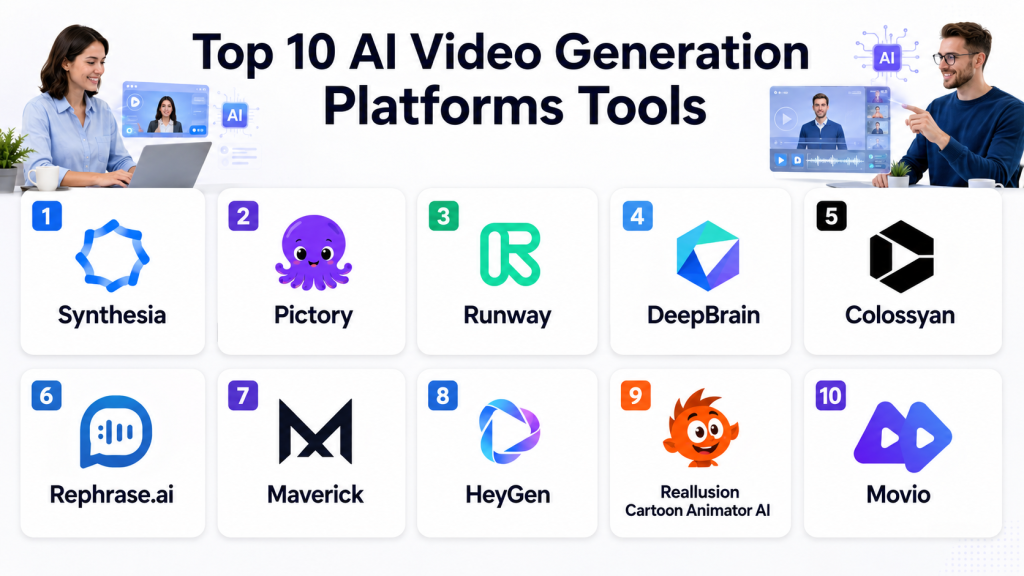
Top 10 AI Video Generation Platforms Tools
1- Synthesia
One-line verdict: Best for marketing teams and enterprises needing multilingual AI-generated video at scale.
Short description: Synthesia converts text scripts into professional videos with avatars and voiceovers, widely used in corporate training and marketing.
Standout Capabilities
- 70+ AI avatars with multiple languages
- Realistic lip-sync and voice generation
- Custom avatars for branding
- Script-to-video templates
- Enterprise-grade security and governance
- Cloud-based rapid rendering
- Automatic subtitles and translation
- Integration with LMS and marketing platforms
AI-Specific Depth
- Model support: Proprietary
- RAG / knowledge integration: N/A
- Evaluation: Human-in-loop review, automated script checks
- Guardrails: Policy checks, prompt content filtering
- Observability: Video generation metrics, latency, usage reporting
Pros
- Rapid creation of professional videos
- Multilingual support with natural voices
- Enterprise security and governance features
Cons
- Limited animation flexibility
- Less suitable for creative film-style videos
- Subscription pricing can be high for small teams
Security & Compliance
SSO/SAML, RBAC, encryption, data retention controls; Certifications: Not publicly stated
Deployment & Platforms
- Web
- Cloud
Integrations & Ecosystem
Supports APIs and LMS integrations:
- Zoom, Slack, LMS platforms, marketing tools
- Export to MP4
- SDKs for automation
- Template marketplace
Pricing Model
Usage-based subscription tiers; custom enterprise plans available
Best-Fit Scenarios
- Corporate training
- Marketing campaigns
- Multilingual explainer videos
2- Pictory
One-line verdict: Ideal for content creators and marketers converting blogs or scripts into shareable videos.
Short description: Pictory transforms long-form content into short videos automatically, using AI-driven summarization and visuals.
Standout Capabilities
- Script-to-video conversion
- Automatic summarization of long content
- Stock footage suggestions
- Auto-captioning and subtitles
- Voiceover generation
- Theme-based templates
- Video trimming and highlight generation
AI-Specific Depth
- Model support: Proprietary
- RAG / knowledge integration: N/A
- Evaluation: Content coherence checks
- Guardrails: Brand-safe templates, content moderation
- Observability: Video processing time, cost metrics
Pros
- Rapid content repurposing
- Easy for non-technical users
- Cloud-based with simple UI
Cons
- Limited custom animations
- Less control over detailed visuals
- Dependent on stock libraries
Security & Compliance
Varies / N/A
Deployment & Platforms
- Web
- Cloud
Integrations & Ecosystem
- API for CMS integration
- Social media scheduling tools
- Stock image and video libraries
Pricing Model
Subscription-based with tiered usage limits
Best-Fit Scenarios
- Blog-to-video conversion
- Social media marketing
- Video summaries
3- Runway
One-line verdict: Suited for creators needing flexible AI video editing and generation for media production.
Short description: Runway enables text-to-video, video inpainting, and generative editing, blending AI with creative workflows.
Standout Capabilities
- Text-to-video generation
- Inpainting and style transfer
- Green screen replacement
- Real-time collaborative editing
- AI-assisted video enhancement
- Multimodal input support
- Export in multiple formats
AI-Specific Depth
- Model support: Proprietary + open-source model options
- RAG / knowledge integration: N/A
- Evaluation: Human review and automated regression
- Guardrails: Content moderation filters
- Observability: Token usage, latency, output logs
Pros
- Creative flexibility
- Real-time editing
- Collaborative features
Cons
- Steeper learning curve
- Cloud dependency
- Output rendering may vary by resolution
Security & Compliance
Varies / N/A
Deployment & Platforms
- Web
- Cloud
Integrations & Ecosystem
- API support
- Adobe ecosystem compatibility
- Export to multiple formats
Pricing Model
Tiered subscription with cloud rendering
Best-Fit Scenarios
- Creative content studios
- Video marketing campaigns
- Media production prototyping
4- DeepBrain
One-line verdict: Focused on enterprise teams generating AI avatars and corporate video content efficiently.
Short description: DeepBrain specializes in avatar-driven video generation with multilingual support and script automation.
Standout Capabilities
- AI avatar creation
- Multilingual voiceover
- Script-based video generation
- Custom branding
- Cloud-based rendering
- Template library
- Automated subtitle generation
AI-Specific Depth
- Model support: Proprietary
- RAG / knowledge integration: N/A
- Evaluation: Script consistency and lip-sync evaluation
- Guardrails: Content filtering and brand safety
- Observability: Generation metrics and logs
Pros
- Enterprise-ready
- Efficient avatar videos
- Easy-to-use templates
Cons
- Limited creative animation
- Less suitable for entertainment videos
- Cloud-only deployment
Security & Compliance
SSO/RBAC, encryption, audit logs; Certifications: Not publicly stated
Deployment & Platforms
- Web
- Cloud
Integrations & Ecosystem
- LMS and CMS connectors
- API access
- Template export options
Pricing Model
Subscription-based tiers
Best-Fit Scenarios
- Internal communications
- HR training videos
- Multilingual corporate announcements
5- Colossyan
One-line verdict: Great for teams creating professional AI video content with customizable avatars.
Short description: Colossyan transforms text scripts into video using AI avatars, ideal for e-learning, marketing, and internal communication.
Standout Capabilities
- Customizable AI avatars
- Voice cloning and multilingual audio
- Script-to-video conversion
- Cloud rendering with fast output
- Templates for multiple industries
- Automated captions and subtitles
AI-Specific Depth
- Model support: Proprietary
- RAG / knowledge integration: N/A
- Evaluation: Automated lip-sync and voice review
- Guardrails: Brand-safe templates, content moderation
- Observability: Video metrics and usage reporting
Pros
- Fast video generation
- Multiple languages
- Enterprise-focused features
Cons
- Limited animation flexibility
- Cloud dependency
- Avatar style options may be restrictive
Security & Compliance
Varies / N/A
Deployment & Platforms
- Web
- Cloud
Integrations & Ecosystem
- LMS, CMS, and API integrations
- Template sharing
- Export to MP4
Pricing Model
Subscription-based
Best-Fit Scenarios
- E-learning
- Marketing campaigns
- Internal communications
6- Rephrase.ai
One-line verdict: Optimal for personalized AI videos for marketing, sales, and client communication.
Short description: Rephrase.ai generates personalized video content using AI avatars and text scripts for targeted communication.
Standout Capabilities
- Personalized video generation
- AI avatars and voice cloning
- Template-based automation
- Multilingual support
- Fast cloud rendering
- Integration with email and CRM
- Analytics and performance metrics
AI-Specific Depth
- Model support: Proprietary
- RAG / knowledge integration: N/A
- Evaluation: Output consistency checks
- Guardrails: Content moderation and policy compliance
- Observability: Latency, token usage, and cost metrics
Pros
- Personalization at scale
- Enterprise-ready features
- Easy to deploy
Cons
- Limited animation options
- Cloud-only
- Licensing for avatars may be restrictive
Security & Compliance
Varies / N/A
Deployment & Platforms
- Web
- Cloud
Integrations & Ecosystem
- CRM and email platform integration
- API access
- Export options
Pricing Model
Subscription-based with usage tiers
Best-Fit Scenarios
- Sales videos
- Customer onboarding
- Marketing personalization
7- Maverick
One-line verdict: Excellent for creating personalized e-commerce video messages at scale.
Short description: Maverick focuses on personalized marketing videos, converting text or product feeds into AI-driven video messages.
Standout Capabilities
- Personalized video at scale
- AI avatars and voices
- Product feed integration
- Automated captions
- Multilingual output
- Template library for marketing
- Cloud-based fast rendering
AI-Specific Depth
- Model support: Proprietary
- RAG / knowledge integration: N/A
- Evaluation: Automated QA of text-to-video alignment
- Guardrails: Brand-safe checks
- Observability: Token usage and latency
Pros
- Marketing automation
- Personalization features
- Fast content creation
Cons
- Limited creative flexibility
- Cloud dependency
- Focused on e-commerce, less general-purpose
Security & Compliance
Varies / N/A
Deployment & Platforms
- Web
- Cloud
Integrations & Ecosystem
- CRM, email marketing
- API access
- Social media publishing
Pricing Model
Subscription-based
Best-Fit Scenarios
- Product marketing
- Customer outreach
- Personalized campaigns
8- HeyGen
One-line verdict: Ideal for teams generating AI avatar videos with natural speech and multiple languages.
Short description: HeyGen creates AI-driven avatar videos from text, supporting multilingual output and custom templates for branding.
Standout Capabilities
- Text-to-video generation
- Multiple avatar and voice options
- Multilingual support
- Cloud-based rendering
- Script-to-video templates
- Branding customization
- Automated subtitles
AI-Specific Depth
- Model support: Proprietary
- RAG / knowledge integration: N/A
- Evaluation: Script alignment and voice lip-sync checks
- Guardrails: Content safety and brand moderation
- Observability: Latency and cost metrics
Pros
- Rapid video generation
- Multilingual support
- Branding-friendly templates
Cons
- Limited creative motion graphics
- Cloud-only
- Avatar library may be restrictive
Security & Compliance
Varies / N/A
Deployment & Platforms
- Web
- Cloud
Integrations & Ecosystem
- API and LMS connectors
- Template library
- Export to MP4
Pricing Model
Tiered subscription
Best-Fit Scenarios
- Corporate training
- Marketing content
- Multilingual communications
9- Reallusion Cartoon Animator AI
One-line verdict: Best for small studios and creators needing animated video generation with AI assist.
Short description: Focused on animated content, it combines AI with traditional animation pipelines for short-form and marketing videos.
Standout Capabilities
- 2D character animation
- AI-assisted lip-sync and motion
- Scene generation from text prompts
- Template-based automation
- Multimodal input support
- Export options for social media
- Cloud and local rendering
AI-Specific Depth
- Model support: Proprietary + BYO assets
- RAG / knowledge integration: N/A
- Evaluation: Visual coherence checks
- Guardrails: Content safety for animation
- Observability: Export logs, token metrics
Pros
- Creative animation control
- AI accelerates workflow
- Flexible input sources
Cons
- Requires design familiarity
- Limited live-action video
- Local rendering may be resource-intensive
Security & Compliance
Varies / N/A
Deployment & Platforms
- Windows/macOS
- Cloud/Hybrid
Integrations & Ecosystem
- Import/export with Adobe
- Plugin support
- Animation asset library
Pricing Model
Tiered license, subscription for cloud features
Best-Fit Scenarios
- Short animated videos
- Marketing content
- Educational clips
10- Movio
One-line verdict: Suitable for enterprises creating AI avatar-led video communications and training at scale.
Short description: Movio provides AI avatar-based video generation, widely used in corporate communications, e-learning, and marketing automation.
Standout Capabilities
- AI avatar videos
- Script-to-video automation
- Multilingual voice support
- Brand customization
- Cloud rendering and rapid output
- Pre-built templates
- Automated captioning
AI-Specific Depth
- Model support: Proprietary
- RAG / knowledge integration: N/A
- Evaluation: Lip-sync and script alignment
- Guardrails: Content and brand safety
- Observability: Latency and usage metrics
Pros
- Enterprise-ready
- Multilingual capabilities
- Fast production
Cons
- Limited creative motion options
- Cloud-only
- Avatar library restrictiveness
Security & Compliance
SSO/RBAC; Certifications: Not publicly stated
Deployment & Platforms
- Web
- Cloud
Integrations & Ecosystem
- API support
- LMS/CMS integration
- Export templates
Pricing Model
Subscription-based
Best-Fit Scenarios
- Internal communication
- Corporate training
- Marketing campaigns
Comparison Table
| Tool Name | Best For | Deployment | Model Flexibility | Strength | Watch-Out | Public Rating |
|---|---|---|---|---|---|---|
| Synthesia | Enterprise & marketing | Cloud | Proprietary | Multilingual avatars | Limited animation | N/A |
| Pictory | Content creators | Cloud | Proprietary | Script-to-video | Stock dependency | N/A |
| Runway | Creative studios | Cloud | Proprietary + Open-source | Editing & flexibility | Learning curve | N/A |
| DeepBrain | Enterprise | Cloud | Proprietary | Avatar efficiency | Creative limit | N/A |
| Colossyan | E-learning & marketing | Cloud | Proprietary | Custom avatars | Cloud dependency | N/A |
| Rephrase.ai | Personalized marketing | Cloud | Proprietary | Personalization | Animation limit | N/A |
| Maverick | E-commerce marketing | Cloud | Proprietary | Personalized scale | Focused on e-commerce | N/A |
| HeyGen | Enterprise communication | Cloud | Proprietary | Multilingual avatars | Creative limit | N/A |
| Reallusion Cartoon Animator AI | Animation studios | Cloud/Hybrid | Proprietary + BYO | AI-assisted animation | Requires design skills | N/A |
| Movio | Corporate training | Cloud | Proprietary | Avatar videos at scale | Limited motion options | N/A |
Scoring & Evaluation
Scoring is comparative across features, reliability, guardrails, integrations, usability, performance/cost, security, and support. Weighted totals reflect strategic trade-offs.
| Tool | Core | Reliability/Eval | Guardrails | Integrations | Ease | Perf/Cost | Security/Admin | Support | Weighted Total |
|---|---|---|---|---|---|---|---|---|---|
| Synthesia | 9 | 8 | 8 | 8 | 9 | 8 | 8 | 7 | 8.4 |
| Pictory | 8 | 7 | 7 | 7 | 9 | 8 | 7 | 7 | 7.6 |
| Runway | 9 | 8 | 8 | 8 | 7 | 8 | 7 | 7 | 7.9 |
| DeepBrain | 8 | 7 | 8 | 7 | 8 | 8 | 8 | 7 | 7.7 |
| Colossyan | 8 | 7 | 7 | 7 | 8 | 8 | 7 | 7 | 7.4 |
| Rephrase.ai | 8 | 7 | 7 | 7 | 8 | 8 | 7 | 7 | 7.4 |
| Maverick | 8 | 7 | 7 | 7 | 8 | 8 | 7 | 7 | 7.4 |
| HeyGen | 8 | 7 | 7 | 7 | 8 | 8 | 7 | 7 | 7.4 |
| Reallusion Cartoon Animator AI | 9 | 8 | 8 | 7 | 7 | 8 | 7 | 7 | 7.9 |
| Movio | 8 | 7 | 7 | 7 | 8 | 8 | 7 | 7 | 7.4 |
Top 3 for Enterprise: Synthesia, DeepBrain, Movio
Top 3 for SMB: Pictory, Maverick, HeyGen
Top 3 for Developers: Runway, Reallusion Cartoon Animator AI, HeyGen
Which AI Video Generation Platforms Tool Is Right for You?
Solo / Freelancer
Use lightweight cloud platforms like Pictory or HeyGen for fast, low-cost video creation. Templates and automated captions help save time.
SMB
Synthesia, Colossyan, or Maverick provide scalable, multilingual video production with minimal technical overhead.
Mid-Market
Runway and Reallusion allow creative control and collaborative editing for marketing or training teams needing semi-custom outputs.
Enterprise
Synthesia, DeepBrain, and Movio support high-volume production, governance, and multilingual outputs with robust security.
Regulated industries
Focus on platforms with SSO/RBAC, encryption, audit logs, and retention controls like Synthesia or Movio.
Budget vs premium
Freelancers or small content teams benefit from Pictory or HeyGen, whereas enterprises gain from full-featured avatar solutions.
Build vs buy
DIY animation pipelines are viable only for studios with AI/CG expertise. Most businesses benefit from pre-built AI platforms.
Implementation Playbook (30 / 60 / 90 Days)
- 30 days: Pilot with a few scripts; measure output quality, latency, and cost; gather feedback.
- 60 days: Harden security, integrate with CMS/LMS, refine guardrails, establish evaluation framework.
- 90 days: Scale to full production, optimize cost and latency, enforce governance, implement observability dashboards.
Include AI-specific tasks: evaluation harness, prompt/version control, red teaming, and incident handling.
Common Mistakes & How to Avoid Them
- Ignoring prompt injection risks
- Skipping video evaluation and QA
- Unmanaged data retention and privacy gaps
- Lack of observability for performance and cost
- Surprising cost spikes in high-volume generation
- Over-automation without human review
- Vendor lock-in without export options
- Misalignment of avatars or voiceovers with branding
- Using unsuitable AI models for creative outputs
- Limited multilingual testing
- Failing to integrate into existing workflows
- Neglecting accessibility features (captions, translations)
- Underestimating storage and bandwidth needs
FAQs
H3: What data do AI video platforms retain?
Varies by vendor; typically cloud platforms store temporary input/output files, with enterprise options for retention control.
H3: Can I use my own AI models?
Some platforms support BYO or open-source models; many rely on proprietary models. Always verify vendor support.
H3: Are these platforms secure for confidential content?
Enterprise-grade platforms provide encryption, SSO, RBAC, and audit logs; always review data residency and compliance policies.
H3: Can AI-generated videos be localized?
Yes, many platforms support multilingual audio, subtitles, and text-to-speech for global markets.
H3: How accurate is lip-sync and voiceover?
Proprietary avatars generally offer realistic lip-sync; always test outputs for consistency.
H3: What are guardrails in AI video platforms?
Guardrails prevent harmful or off-brand content, including prompt injection defense and content moderation filters.
H3: How are costs managed?
Platforms use usage-based or subscription models; observability metrics help track token/processing costs.
H3: Can videos be exported for other platforms?
Yes, most offer MP4 export; some provide APIs for CMS, LMS, or marketing platform integration.
H3: How do I evaluate AI output quality?
Combine automated evaluation (script coherence, lip-sync) and human review for high-stakes content.
H3: Are these tools suitable for e-learning?
Yes, especially platforms with avatars, voiceovers, multilingual support, and template libraries.
H3: Can small teams use these tools efficiently?
Yes, SaaS platforms like Pictory and HeyGen are beginner-friendly and require minimal setup.
H3: What if I need high-end creative animation?
Hybrid solutions like Runway or Cartoon Animator AI allow more control but may require design expertise.
Conclusion
AI Video Generation Platforms have matured in 2026 with agentic workflows, multimodal input, and enterprise-ready governance. Choosing the right tool depends on scale, use case, creative flexibility, and compliance needs. Key insights: prioritize evaluation, guardrails, cost/latency control, and integration into existing workflows. Next steps: shortlist platforms based on use case, pilot with real scripts, verify security, governance, and output quality, then scale production

Find Trusted Cardiac Hospitals
Compare heart hospitals by city and services — all in one place.
Explore Hospitals
Most comparisons here stop at features, but in real teams the biggest challenge is not which tool generates video, but how it fits into an automated content pipeline. For example, none of these tools clearly address CI/CD-style content workflows—like versioning scripts, regenerating videos on content changes, or rolling back video assets when messaging changes post-release. In practice, teams end up stitching these tools into CMS + Git-based content pipelines, and without that, “fast generation” quickly turns into content sprawl with no traceability. Another missing angle is credit-based cost explosion under automation, where batch generation (marketing variants, localization, A/B testing) can silently break budgets unless you enforce quotas and usage gates.