
Introduction
Enterprise Social Networks (ESNs) are internal digital platforms designed to help employees communicate, collaborate, and share knowledge across an organization. Unlike public social media, these tools are built specifically for workplace use, focusing on productivity, structured collaboration, and secure information exchange. They combine elements of messaging apps, intranets, discussion forums, and knowledge bases into a single, unified environment.
In today’s distributed and hybrid workplaces, ESNs play a critical role in breaking down silos, connecting teams across locations, and preserving organizational knowledge. They enable faster decision-making, improve employee engagement, and create transparency by giving everyone a shared space to discuss ideas, updates, and projects.
Common real-world use cases include:
- Company-wide announcements and leadership communication
- Cross-functional collaboration and project discussions
- Knowledge sharing, FAQs, and internal communities of practice
- Employee engagement initiatives and feedback loops
When evaluating Enterprise Social Networks, buyers should look at usability, scalability, integration with existing tools, security and compliance, customization, and long-term adoption potential—not just features on paper.
Best for:
Medium to large organizations, distributed teams, enterprises undergoing digital transformation, HR and internal communications teams, and knowledge-driven industries like IT, consulting, healthcare, and finance.
Not ideal for:
Solo professionals, very small teams with simple chat needs, or organizations that only need lightweight messaging without structured collaboration or governance.
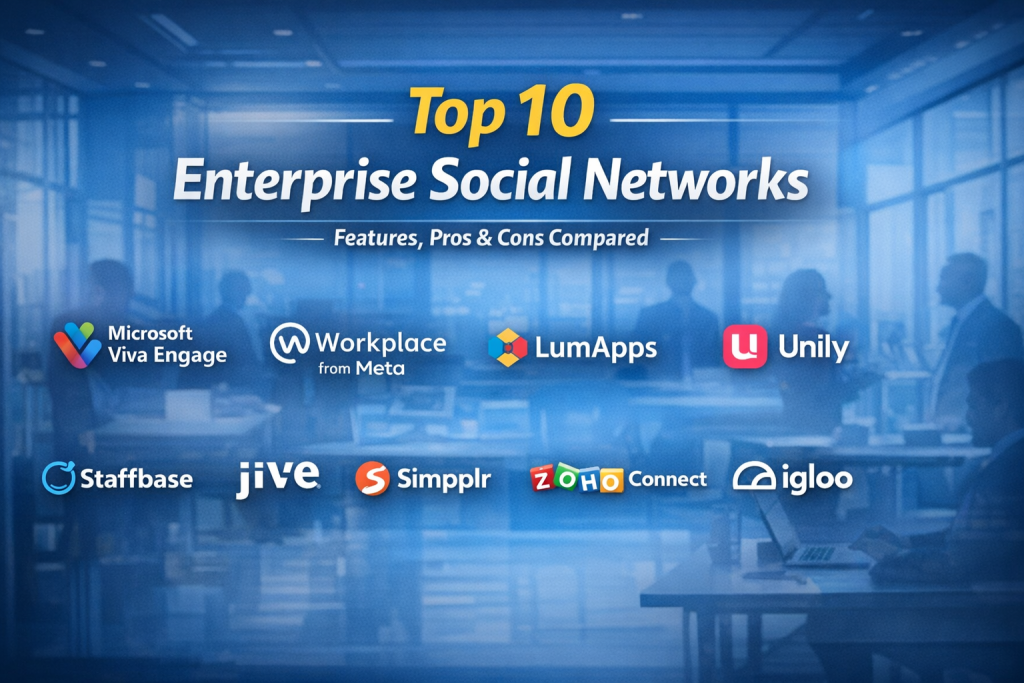
Top 10 Enterprise Social Networks Tools
1 — Microsoft Viva Engage
Short description:
A modern enterprise social network integrated into the Microsoft ecosystem, designed for company-wide engagement and leadership communication.
Key features:
- Company communities and discussion spaces
- Leadership announcements and campaigns
- Integration with Microsoft 365 apps
- Knowledge sharing and Q&A
- Analytics for engagement insights
- Mobile and desktop access
Pros:
- Deep integration with Microsoft tools
- Familiar interface for Microsoft users
- Strong enterprise adoption
Cons:
- Best experience requires Microsoft stack
- Limited customization outside ecosystem
Security & compliance:
SSO, encryption at rest and in transit, GDPR, ISO, SOC 2 (via Microsoft).
Support & community:
Extensive documentation, enterprise support plans, large global user community.
2 — Workplace from Meta
Short description:
A social-media-style enterprise network focused on internal communication and engagement.
Key features:
- News Feed-style updates
- Groups and communities
- Live video and broadcasts
- Mobile-first experience
- Integration with productivity tools
Pros:
- Intuitive, familiar interface
- Strong engagement features
- Excellent mobile usability
Cons:
- Less suited for structured knowledge management
- Perception concerns due to Meta branding
Security & compliance:
Encryption, SSO, GDPR; compliance varies by plan.
Support & community:
Good onboarding resources, standard and enterprise support options.
3 — LumApps
Short description:
An intelligent intranet and social collaboration platform built for large enterprises.
Key features:
- Personalized news and content
- Social communities
- Knowledge management
- Integration with Google Workspace and Microsoft 365
- AI-driven content recommendations
Pros:
- Strong intranet capabilities
- Highly customizable
- Good personalization
Cons:
- Higher cost
- Implementation complexity
Security & compliance:
SSO, GDPR, ISO standards; enterprise-grade security.
Support & community:
Dedicated customer success teams, structured onboarding.
4 — Unily
Short description:
A premium digital workplace and enterprise social network for global organizations.
Key features:
- Company-wide social feeds
- Campaigns and engagement tools
- Integrations with enterprise systems
- Advanced analytics
- Multi-language support
Pros:
- Enterprise-ready scalability
- Rich engagement tools
- Strong governance
Cons:
- Premium pricing
- Requires structured rollout
Security & compliance:
SOC 2, GDPR, ISO, SSO, audit logs.
Support & community:
High-touch enterprise support and implementation partners.
5 — Happeo
Short description:
A modern social intranet focused on clarity, communication, and knowledge sharing.
Key features:
- Channels and pages
- Social discussions
- Google Workspace integration
- Searchable knowledge base
- Analytics dashboard
Pros:
- Clean, intuitive UI
- Strong search functionality
- Fast deployment
Cons:
- Limited outside Google ecosystem
- Fewer advanced workflows
Security & compliance:
SSO, GDPR; compliance varies.
Support & community:
Helpful documentation and responsive support team.
6 — Staffbase
Short description:
An enterprise communication platform focused on frontline and deskless workers.
Key features:
- Company news feeds
- Employee apps
- Campaign management
- Analytics and insights
- Multilingual support
Pros:
- Excellent for frontline teams
- Strong mobile experience
- Scalable
Cons:
- Less collaborative than peers
- Limited third-party integrations
Security & compliance:
GDPR, ISO certifications, encryption.
Support & community:
Enterprise onboarding and dedicated account managers.
7 — Jive
Short description:
A long-standing enterprise social network emphasizing collaboration and knowledge sharing.
Key features:
- Discussion forums
- Content publishing
- Social profiles
- Analytics and insights
- Integrations with enterprise tools
Pros:
- Mature feature set
- Strong community management
- Proven enterprise use
Cons:
- Interface feels dated
- Slower innovation pace
Security & compliance:
SSO, audit logs, GDPR; varies by deployment.
Support & community:
Established support ecosystem and documentation.
8 — Simpplr
Short description:
An employee experience platform combining social networking with intranet features.
Key features:
- Personalized content feeds
- Social interactions
- Knowledge discovery
- Analytics and insights
- Integrations with HR tools
Pros:
- Strong personalization
- Easy to use
- Good adoption rates
Cons:
- Premium pricing
- Limited customization
Security & compliance:
SOC 2, GDPR, SSO, encryption.
Support & community:
Guided onboarding and enterprise support.
9 — Zoho Connect
Short description:
A cost-effective enterprise social network within the Zoho ecosystem.
Key features:
- Groups and forums
- Company feeds
- Task collaboration
- File sharing
- Integration with Zoho apps
Pros:
- Affordable pricing
- Easy setup
- Good for SMBs
Cons:
- Limited advanced analytics
- Best within Zoho ecosystem
Security & compliance:
SSO, GDPR; varies by plan.
Support & community:
Solid documentation and Zoho support channels.
10 — Igloo
Short description:
A flexible digital workplace and social intranet platform.
Key features:
- Social collaboration spaces
- Knowledge management
- Content publishing
- Integrations with enterprise tools
- Custom branding
Pros:
- Flexible and configurable
- Good knowledge management
- Strong governance
Cons:
- Interface learning curve
- Requires admin effort
Security & compliance:
SSO, encryption, GDPR, audit logs.
Support & community:
Dedicated support and implementation resources.
Comparison Table
| Tool Name | Best For | Platform(s) Supported | Standout Feature | Rating |
|---|---|---|---|---|
| Microsoft Viva Engage | Microsoft-centric enterprises | Web, Mobile, Desktop | Microsoft 365 integration | N/A |
| Workplace from Meta | Engagement-focused teams | Web, Mobile | Social-media-like UX | N/A |
| LumApps | Large enterprises | Web, Mobile | Personalized intranet | N/A |
| Unily | Global enterprises | Web, Mobile | Enterprise governance | N/A |
| Happeo | Google Workspace users | Web, Mobile | Clean social intranet | N/A |
| Staffbase | Frontline workforces | Mobile, Web | Employee comms at scale | N/A |
| Jive | Knowledge-driven orgs | Web | Community management | N/A |
| Simpplr | Employee experience | Web, Mobile | Personalization | N/A |
| Zoho Connect | SMBs | Web, Mobile | Cost-effective ESN | N/A |
| Igloo | Content-heavy orgs | Web, Mobile | Knowledge hubs | N/A |
Evaluation & Scoring of Enterprise Social Networks
| Criteria | Weight | Notes |
|---|---|---|
| Core features | 25% | Depth of social, content, and collaboration tools |
| Ease of use | 15% | UI clarity and adoption |
| Integrations & ecosystem | 15% | Compatibility with existing stack |
| Security & compliance | 10% | Enterprise governance |
| Performance & reliability | 10% | Stability at scale |
| Support & community | 10% | Onboarding and assistance |
| Price / value | 15% | ROI relative to cost |
Which Enterprise Social Networks Tool Is Right for You?
- Solo users: ESNs are usually unnecessary; simple chat tools suffice.
- SMBs: Look for affordability and quick setup (e.g., Zoho Connect).
- Mid-market: Balance usability with integrations (Happeo, Simpplr).
- Enterprise: Prioritize scalability, governance, and compliance (Unily, LumApps).
Budget-conscious teams should favor platforms with bundled ecosystems, while premium buyers gain value from analytics, governance, and customization. Choose based on integration fit, security needs, and long-term scalability.
Frequently Asked Questions (FAQs)
- What is an Enterprise Social Network?
An internal platform for employee communication and collaboration. - How is it different from chat apps?
ESNs focus on structured knowledge and company-wide engagement. - Are ESNs secure?
Most offer enterprise-grade security and compliance features. - Do ESNs replace intranets?
Many modern ESNs combine intranet and social features. - How long does implementation take?
From weeks for SMBs to months for large enterprises. - Are ESNs mobile-friendly?
Most leading platforms are mobile-optimized. - What industries benefit most?
IT, healthcare, finance, consulting, and education. - Can ESNs integrate with HR systems?
Yes, many support HR and productivity integrations. - Are they expensive?
Costs vary widely based on features and scale. - What’s the biggest adoption challenge?
Driving consistent employee engagement.
Conclusion
Enterprise Social Networks are no longer optional for organizations aiming to improve collaboration, transparency, and engagement. The right platform depends on company size, digital maturity, integration needs, and security requirements. There is no universal “best” tool—only the one that best aligns with your organization’s goals, culture, and long-term strategy.

Find Trusted Cardiac Hospitals
Compare heart hospitals by city and services — all in one place.
Explore Hospitals
An enterprise social network only sticks when people know where to post quick updates versus where to look up lasting answers—otherwise feeds get noisy and structured knowledge gets buried. Pairing engagement-focused hubs like Viva Engage, Happeo, or Staffbase with clear norms around communities and search helps keep cross-team updates readable. How have you kept internal communities active without turning them into another notification headache?
Enterprise social networks can make internal communication more accessible, especially when employees work across different teams or locations. I would compare platforms based on discussion spaces, searchable knowledge sharing, employee directories, group permissions, and integration with everyday workplace tools. Features such as announcement controls, notification settings, document collaboration, and mobile access can influence how actively employees use the network. It is also important to check content moderation, data retention, access management, and analytics to understand whether the platform supports useful participation without creating unnecessary communication noise.
Enterprise social networks help organizations improve internal communication, encourage employee collaboration, and share knowledge across departments. When comparing these platforms, I would focus on discussion groups, employee directories, content sharing, messaging features, and integration with workplace tools. These capabilities can strengthen team connections, simplify information sharing, and support a more collaborative work environment. The right platform should provide secure communication, easy navigation, and flexible features for connecting employees across the organization.
Internal social platforms often struggle to find purpose when competing against instant messaging channels like Teams or Slack. Aligning enterprise networks around community-of-practice knowledge sharing and company-wide AMAs keeps discourse focused on lasting organizational knowledge rather than ephemeral banter.
Enterprise social networks help employees share knowledge, communicate across departments, and collaborate on workplace activities. When comparing options, consider team messaging, document sharing, access controls, search functionality, third-party integrations, and mobile support to improve internal communication and employee engagement.
Enterprise social networks can make a real difference in how teams communicate and share knowledge across departments. Beyond messaging and updates, features like searchable discussions and community spaces help employees learn from each other’s experiences. I think encouraging genuine participation is just as important as choosing the right platform, especially in larger organizations. A well-managed network can help build stronger connections and make collaboration feel more natural.
Enterprise social networks aim to connect employees like consumer platforms do, and this comparison explains the use cases fairly. I appreciate the attention to adoption challenges, since empty networks reflect culture more than features. One practical note is that leadership participation drives usage, because employees follow visible example. Connection tools need active communities. Honest overview for workplace teams.
Enterprise social networks are more effective when useful discussions reach the right teams instead of getting buried in a busy company-wide feed. When comparing platforms, check whether they support topic-based communities, searchable discussion archives, and clear moderation controls for different departments. Integration with everyday work tools can also help employees turn shared knowledge into action without repeatedly switching between applications.
Enterprise social networks can strengthen workplace collaboration by creating a shared space for communication, knowledge exchange, and team engagement. Features such as discussion groups, searchable content, employee directories, and integration with business applications help reduce information silos. Strong access controls and clear communication guidelines are equally important for maintaining productive interactions and protecting sensitive organizational information.
As internal communities expand, useful conversations can easily get lost among older posts. Assigning owners to important discussions helps keep shared knowledge accurate. Teams should also remove outdated guidance and organize valuable answers for easy access. Testing search results with common employee queries can reveal missing or irrelevant information. This makes the platform more useful for everyday collaboration and knowledge sharing.
Enterprise social networks help organizations strengthen internal communication, encourage collaboration, and build stronger connections among employees. Key features such as activity feeds, employee profiles, discussion forums, group communities, instant messaging, file sharing, and knowledge management can make workplace interactions more effective. When comparing solutions, businesses should consider integration with existing enterprise tools, security controls, scalability, mobile accessibility, customization, and ease of use. The right platform can reduce communication barriers, improve employee engagement, encourage knowledge sharing, and create a more connected and collaborative workplace.
Enterprise social networks can help employees share ideas and stay connected across teams. They offer spaces for updates, discussions, file sharing, and company news. Yet a platform only helps when people find it useful and easy to use. Clear groups, strong search, and links to existing work tools can improve daily use. Managers should also set clear rules for sharing company information. Too many alerts or scattered discussions can create more noise than value. The best platform supports open communication while keeping work organized and secure.
When employees share knowledge across several workplace platforms, useful information can quickly become difficult to find or maintain. A discussion may contain an important decision, while the final outcome remains buried in a chat thread or an outdated document. Organizations should evaluate how these tools preserve decision history, identify duplicate content, and connect discussions with approved knowledge resources. It is also worth checking whether administrators can archive inactive communities without losing records that teams still need. Clear ownership for reviewing and updating shared information helps prevent internal networks from becoming collections of outdated posts. These capabilities can make a real difference in long-term productivity, especially for distributed teams that depend on reliable institutional knowledge.
This analysis illustrates why internal social platforms create significant governance liabilities without automated compliance guardrails. Beyond threaded discussions, platform teams must implement eDiscovery pipelines, immutable audit logging, and automated DLP filters. These controls prevent developers and staff from inadvertently exposing proprietary production credentials, architectural secrets, or unredacted customer data across conversational channels.
Enterprise social networks help employees share updates, exchange knowledge, and collaborate across teams and departments. When comparing platforms, consider discussion tools, search features, access controls, mobile support, and integration with workplace apps. Clear community guidelines and active participation from team leaders can make internal communication more useful, reduce information silos, and help employees find answers faster.
Choosing the right platform is only half the battle; the real hurdle is driving long-term adoption once the initial excitement fades. If employees default back to disjointed email threads or siloed chat apps, even the most feature-rich intranet will struggle to build a unified culture.
Enterprise social networks help employees share knowledge, communicate across departments, and collaborate without relying on long email threads. Platforms like Workplace from Meta have demonstrated how company-wide feeds, groups, and messaging can support internal communication, while tools such as Microsoft Viva Engage offer similar ways to connect teams and encourage knowledge sharing.
Enterprise social networks deliver the most value when employees use them to share knowledge and solve problems, not just post updates. Clear community guidelines, searchable discussions, and leadership participation can help turn everyday conversations into lasting organizational knowledge.
This is a well-structured and insightful comparison of enterprise social networking platforms that goes beyond simple tool lists to focus on real business value — from enhancing internal communication and knowledge sharing to promoting employee engagement and seamless integration with collaboration ecosystems. I appreciate how the pros and cons clearly highlight important considerations like customization flexibility, governance and security controls, scalability, and mobile accessibility. For IT leaders and organizational decision-makers looking to foster better connectivity and culture within distributed teams, this breakdown offers practical insights and criteria to help choose the platform that best fits both technical needs and company objectives.