
Introduction
Thin Client Management Tools are specialized platforms designed to centrally configure, monitor, secure, and maintain thin clients, zero clients, and virtual desktop endpoints across an organization. Instead of managing each endpoint individually, IT teams use these tools to deploy operating systems, push policies, manage updates, control user access, and ensure consistent performance from a single console.
These tools are especially important in today’s remote-first and hybrid work environments, where organizations rely heavily on VDI, DaaS, and cloud desktops. Thin clients are widely used in industries such as healthcare, education, manufacturing, retail, and call centers because they are cost-effective, secure, and easier to manage than traditional PCs.
When choosing a Thin Client Management Tool, buyers should evaluate device compatibility, ease of administration, scalability, security controls, integration with VDI platforms, automation capabilities, and long-term cost efficiency. The right tool reduces IT overhead, improves endpoint reliability, and strengthens security posture across the organization.
Best for:
IT administrators, infrastructure teams, VDI engineers, managed service providers, and enterprises managing large fleets of thin or zero clients across distributed locations.
Not ideal for:
Individual users, small teams without centralized IT needs, or organizations relying exclusively on fully managed laptops or mobile device management (MDM) solutions.
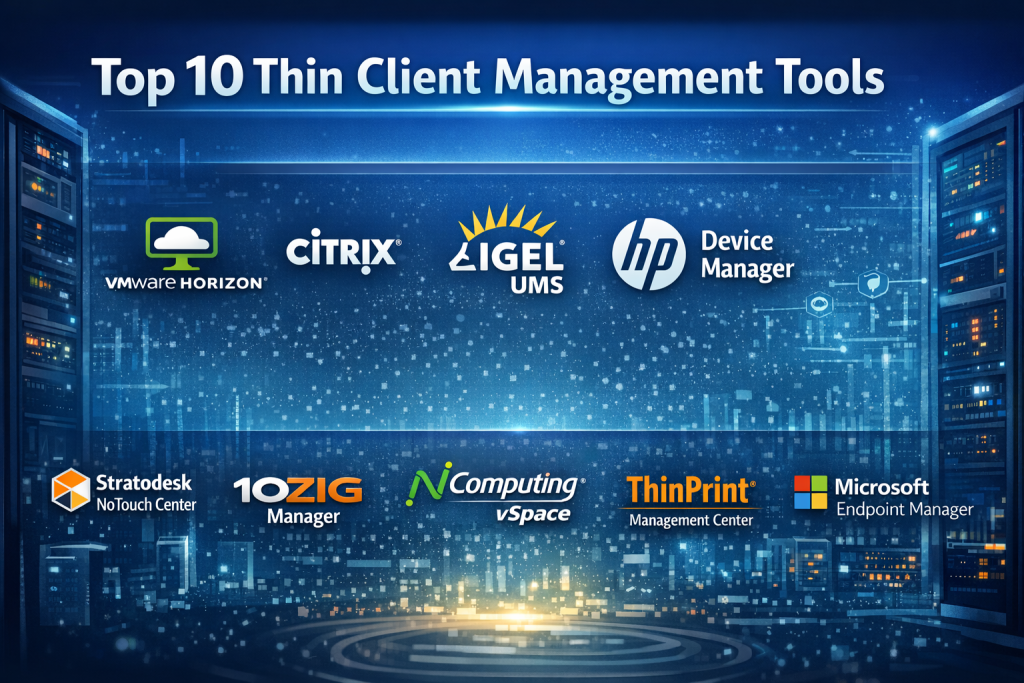
Top 10 Thin Client Management Tools
1 — VMware Horizon
Short description:
An enterprise-grade virtual desktop and application platform with integrated thin client and endpoint management, designed for large-scale VDI environments.
Key features
- Centralized VDI and thin client management
- Deep integration with VMware ecosystem
- Policy-based device control
- Image management and automated updates
- Strong monitoring and performance analytics
- Multi-cloud deployment support
Pros
- Highly scalable for large enterprises
- Mature ecosystem and enterprise reliability
Cons
- Complex setup and administration
- Premium pricing model
Security & compliance:
SSO, role-based access, encryption, audit logs, GDPR, ISO, SOC 2 (varies by deployment).
Support & community:
Extensive documentation, enterprise-grade support, strong partner and community ecosystem.
2 — Citrix Virtual Apps and Desktops
Short description:
A leading VDI solution offering robust thin client and endpoint control, optimized for performance-sensitive and remote work environments.
Key features
- Centralized thin client policy management
- High-performance remote display protocol
- Advanced session monitoring
- Broad device and OS compatibility
- Strong automation and scripting
- Hybrid and multi-cloud support
Pros
- Excellent performance over low bandwidth
- Rich policy and access controls
Cons
- Steep learning curve
- Licensing complexity
Security & compliance:
SSO, MFA, encryption, audit logs, GDPR, HIPAA, ISO, SOC 2.
Support & community:
Comprehensive documentation, enterprise support, large global user community.
3 — IGEL UMS (Unified Management Suite)
Short description:
A purpose-built thin client management platform for IGEL OS devices, focusing on simplicity, security, and endpoint consistency.
Key features
- Centralized configuration and policy control
- Secure OS updates and image management
- USB and peripheral control
- VDI broker integration
- Device inventory and reporting
- Profile-based user management
Pros
- Optimized specifically for thin clients
- Strong security-first design
Cons
- Limited to IGEL ecosystem
- Less flexible for mixed environments
Security & compliance:
Encryption, secure boot, audit logs, GDPR, ISO (deployment dependent).
Support & community:
Clear documentation, enterprise support options, active thin client community.
4 — HP Device Manager
Short description:
A centralized tool for managing HP thin clients, designed for streamlined device configuration and lifecycle management.
Key features
- Central policy and firmware management
- Device discovery and grouping
- Remote configuration and troubleshooting
- BIOS and OS control
- Role-based administration
- Reporting and alerts
Pros
- Seamless integration with HP hardware
- Straightforward UI for admins
Cons
- Best suited for HP-only environments
- Limited cross-vendor support
Security & compliance:
Role-based access, secure firmware updates, audit logging (varies by use case).
Support & community:
Vendor documentation, enterprise support, hardware-centric user base.
5 — Dell Wyse Management Suite
Short description:
A comprehensive management platform for Dell Wyse thin clients, offering cloud and on-premises deployment options.
Key features
- Cloud-based and on-prem management
- OS image deployment and updates
- Policy-driven device control
- Monitoring and diagnostics
- VDI and DaaS integration
- Asset inventory management
Pros
- Flexible deployment models
- Strong automation features
Cons
- Primarily focused on Dell Wyse devices
- Advanced features may increase cost
Security & compliance:
Encryption, RBAC, audit logs, GDPR, ISO (deployment dependent).
Support & community:
Strong enterprise support, solid documentation, active vendor ecosystem.
6 — Stratodesk NoTouch Center
Short description:
A lightweight yet powerful platform for managing NoTouch OS-based thin clients across diverse hardware.
Key features
- Centralized OS and configuration management
- Hardware-agnostic support
- Remote device control
- Profile-based policies
- VDI broker compatibility
- Fast deployment and provisioning
Pros
- Vendor-neutral approach
- Simple and efficient administration
Cons
- Smaller ecosystem
- Limited advanced analytics
Security & compliance:
Secure boot, encryption, role-based access, GDPR (varies by setup).
Support & community:
Clear documentation, responsive support, niche but active community.
7 — 10ZiG Manager
Short description:
A management console for 10ZiG thin clients, emphasizing performance monitoring and centralized control.
Key features
- Central device management dashboard
- OS and firmware updates
- Device health monitoring
- VDI integration
- Configuration templates
- Reporting and alerts
Pros
- Optimized for 10ZiG hardware
- Strong performance monitoring
Cons
- Hardware-specific focus
- Limited cross-platform flexibility
Security & compliance:
Role-based access, secure updates, audit logs (varies).
Support & community:
Vendor documentation, enterprise support options, focused user base.
8 — NComputing vSpace Management
Short description:
A cost-effective thin client and virtual desktop management solution popular in education and emerging markets.
Key features
- Centralized device and session management
- Multi-user desktop support
- OS image deployment
- Resource usage monitoring
- Simple policy controls
- Lightweight infrastructure requirements
Pros
- Affordable pricing
- Easy to deploy
Cons
- Limited enterprise-grade features
- Less suitable for large enterprises
Security & compliance:
Basic access controls, encryption (varies).
Support & community:
Basic documentation, vendor support, education-focused community.
9 — ThinPrint Management Center
Short description:
A specialized platform focused on managing secure printing in thin client and VDI environments.
Key features
- Centralized print management
- Bandwidth-optimized printing
- Secure print workflows
- Driver-less printing
- VDI integration
- Monitoring and reporting
Pros
- Best-in-class thin client printing
- Reduces printing complexity
Cons
- Narrow focus on printing
- Requires complementary management tools
Security & compliance:
Encryption, secure print release, audit logs, GDPR.
Support & community:
Good documentation, enterprise support, focused user community.
10 — Microsoft Endpoint Manager (Intune)
Short description:
A unified endpoint management platform that can be adapted for thin client-like environments, especially Windows-based setups.
Key features
- Central policy and configuration management
- Cloud-based deployment
- Integration with identity services
- Security baseline enforcement
- Reporting and compliance checks
- Automation via scripts
Pros
- Strong identity and security integration
- Cloud-native scalability
Cons
- Not purpose-built for thin clients
- Limited support for non-Windows devices
Security & compliance:
SSO, MFA, encryption, audit logs, GDPR, ISO, SOC 2.
Support & community:
Extensive documentation, global community, enterprise support plans.
Comparison Table
| Tool Name | Best For | Platform(s) Supported | Standout Feature | Rating |
|---|---|---|---|---|
| VMware Horizon | Large enterprises | Windows, Linux, Cloud | Deep VDI integration | N/A |
| Citrix Virtual Apps and Desktops | Performance-critical VDI | Multi-OS | High-performance protocol | N/A |
| IGEL UMS | Dedicated thin client fleets | IGEL OS | Security-first design | N/A |
| HP Device Manager | HP hardware environments | HP Thin Clients | Native hardware control | N/A |
| Dell Wyse Management Suite | Dell Wyse deployments | Cloud & On-prem | Flexible deployment | N/A |
| Stratodesk NoTouch Center | Vendor-neutral setups | Multi-hardware | Hardware agnostic | N/A |
| 10ZiG Manager | 10ZiG customers | 10ZiG devices | Device performance insights | N/A |
| NComputing vSpace | Education & SMB | Multi-OS | Cost-effective VDI | N/A |
| ThinPrint Management Center | Printing-heavy VDI | Multi-OS | Optimized printing | N/A |
| Microsoft Endpoint Manager | Windows-centric orgs | Windows, Cloud | Identity integration | N/A |
Evaluation & Scoring of Thin Client Management Tools
| Tool | Core Features (25%) | Ease of Use (15%) | Integrations (15%) | Security (10%) | Performance (10%) | Support (10%) | Price / Value (15%) | Total Score |
|---|---|---|---|---|---|---|---|---|
| VMware Horizon | 23 | 10 | 14 | 9 | 9 | 9 | 10 | 84 |
| Citrix VAD | 24 | 9 | 14 | 9 | 10 | 9 | 9 | 84 |
| IGEL UMS | 22 | 13 | 12 | 9 | 8 | 8 | 11 | 83 |
| Dell Wyse MS | 21 | 12 | 12 | 8 | 8 | 8 | 11 | 80 |
| Stratodesk | 20 | 13 | 11 | 8 | 8 | 7 | 12 | 79 |
Which Thin Client Management Tool Is Right for You?
- Solo users & SMBs: Lightweight, cost-effective solutions with minimal setup complexity
- Mid-market organizations: Vendor-aligned tools with strong automation and reporting
- Enterprises: Highly scalable platforms with deep VDI, security, and compliance capabilities
- Budget-conscious teams: Tools with predictable pricing and essential features
- Security-driven industries: Platforms offering encryption, auditing, and strong access controls
Frequently Asked Questions (FAQs)
- What is a thin client management tool?
A centralized system for configuring, monitoring, and securing thin client devices. - Do I need one for a small deployment?
Usually no, unless you manage multiple devices or locations. - Are thin clients more secure than PCs?
Yes, they reduce local attack surfaces and centralize control. - Can these tools manage zero clients?
Many platforms support both thin and zero clients. - Is cloud deployment mandatory?
No, many tools offer on-prem, cloud, or hybrid options. - Do they support remote work?
Yes, especially when paired with VDI or DaaS platforms. - How long does implementation take?
Anywhere from a few hours to several weeks, depending on scale. - Are these tools expensive?
Costs vary widely based on features and deployment size. - Can they integrate with identity providers?
Most enterprise tools support SSO and directory services. - What is the biggest mistake buyers make?
Choosing a tool without considering long-term scalability and hardware compatibility.
Conclusion
Thin Client Management Tools play a critical role in modern IT environments by simplifying endpoint administration, strengthening security, and reducing operational costs. The most important factors to consider are device compatibility, scalability, security, ease of management, and overall value.
There is no single “best” solution for everyone. The right choice depends on your organization’s size, infrastructure, security requirements, and long-term IT strategy. By aligning tool capabilities with real operational needs, teams can build a more secure, efficient, and manageable thin client environment.

Find Trusted Cardiac Hospitals
Compare heart hospitals by city and services — all in one place.
Explore Hospitals

Thin client management becomes more challenging when devices are used in different locations with varying network conditions. A configuration update that works well in the office may fail on a remote device with limited connectivity, leaving users unable to access their desktop sessions. I would check whether the tools support staged configuration changes, remote recovery, and clear device-level status reporting. These capabilities help IT teams manage large deployments without turning every failed update into an on-site support task.
Great points raised. Hardware tied management consoles like HP Device Manager and Dell Wyse Management Suite deliver zero touch BIOS and firmware control directly tuned to proprietary endpoint silicon. However, deploying vendor locked suites restricts organizations during global hardware procurement shortages. Hardware agnostic platforms like IGEL Universal Management Suite and Stratodesk NoTouch Center decouple endpoint operating systems from physical x86 machinery, allowing systems engineers to convert aging desktop fleets into standardized, secure terminals without replacing underlying hardware.
The list mixes tools from different layers, so a direct comparison is tricky. IGEL UMS, HP Device Manager, and Wyse manage the endpoint itself, Horizon and Citrix deliver the desktop session, and ThinPrint fills a printing gap in either setup. I’d first decide which layer is actually missing, since in most environments these complement each other, and the real test becomes how cleanly the endpoint manager hands off to the VDI broker already in place.
Thin client management tools help IT teams centrally configure, monitor, update, and secure endpoint devices while reducing the complexity of managing distributed computing environments. Solutions that support remote administration, centralized application delivery, patch management, access control, and real-time monitoring can simplify maintenance and improve operational consistency. I believe compatibility with existing infrastructure, scalability, security features, and ease of deployment are essential factors when comparing these tools. The right platform should reduce administrative overhead, extend the useful life of endpoint hardware, and provide users with reliable access to applications and resources while maintaining strong control over the overall IT environment.
Thin client management becomes particularly challenging when an organization operates devices across multiple offices with different network conditions and peripheral requirements. A configuration that works well at headquarters may cause printing delays, audio problems, or poor session responsiveness at a remote branch. I would compare these tools based on how effectively administrators can diagnose problems at the endpoint level, identify whether the bottleneck is the client, network, or centralized server, and roll back configuration changes without visiting each location. Peripheral compatibility is another area that deserves practical testing, especially for USB devices, scanners, and video conferencing equipment. It is also worth checking whether firmware updates can be staged across a small group of devices before wider deployment. These operational details often determine whether thin clients genuinely reduce support workload or simply shift troubleshooting from individual desktops to centralized infrastructure.
Thin client management tools can make it easier to manage devices, apply updates, and fix issues from one place. I would also check how well they handle remote troubleshooting, device security, and performance monitoring. A useful tool should help IT teams spot problems early without disrupting users’ daily work. Support for different hardware and operating systems can also reduce extra management effort. How can IT teams keep thin clients secure and updated while avoiding downtime for users?
Thin client management tools help IT teams manage many devices from one place. Important features include remote updates, device settings, software controls, and system monitoring. Central management can save time across offices and large teams. Buyers should test how the platform handles failed updates and devices that lose network access. Clear reports can help staff find outdated settings and other issues. A reliable tool improves device control, strengthens security, and makes routine IT support easier to manage.
Managing hundreds of remote endpoints and virtual desktop terminals from a single console is an absolute lifesaver for IT administrators. While enterprise VDI platforms offer deep multi-cloud integrations and heavy session controls, vendor-neutral software lets teams manage mixed hardware fleets with ease. Checking out the feature breakdown is a great way to pick a management tool that keeps your virtual endpoints secure and updated.
Thin client environments can become harder to support when devices depend on different network conditions and display setups. I would check how the management tool handles unstable connections, monitor resolution changes, and peripherals such as printers or USB headsets. These issues may not appear during a controlled test but can disrupt daily work at remote offices. Collecting device-level diagnostics and keeping configuration profiles consistent makes it easier for support teams to identify recurring problems without troubleshooting every endpoint from scratch.
Thin client management tools help IT teams maintain centralized control over endpoint devices while reducing the effort required for routine administration. When comparing platforms, I would focus on remote configuration, operating system and firmware updates, device health monitoring, user access controls, and compatibility with different thin client models. Centralized troubleshooting is particularly useful for organizations with multiple offices, where sending technicians to every location can be costly and time-consuming. It is also important to evaluate how the software handles network interruptions and restores device settings after a failure. A practical trial across different hardware models can reveal whether the platform simplifies maintenance, improves consistency, and keeps users productive without creating extra work for IT staff.
Thin client management tools help IT teams centralize device configuration, software updates, access policies, and troubleshooting across distributed work environments. Remote administration and automated patching can reduce maintenance effort while keeping endpoints consistent and secure. Monitoring device health alongside network performance also helps teams identify connectivity issues early and maintain reliable access to centralized applications.
One practical factor worth testing is how thin client management tools handle firmware updates and policy changes across devices from different vendors, especially when remote locations have unreliable connectivity. While IGEL UMS and Dell Wyse Management Suite focus on dedicated device ecosystems, Stratodesk NoTouch Center offers greater hardware flexibility.
Thin client management tools can simplify IT support by centralizing updates, device settings, and user access. Teams should evaluate how quickly they can deploy patches, restore failed sessions, and troubleshoot devices across different locations. Strong monitoring and reliable centralized control can reduce downtime while keeping maintenance work manageable.
Thin client management tools can simplify IT operations by centralizing device configuration, software updates, and security policies. When comparing platforms, I would also consider remote troubleshooting, compatibility with existing infrastructure, and support for devices across multiple locations. Strong monitoring and automated patch management can reduce downtime while helping teams maintain consistent security standards. Clear reporting is equally important for identifying recurring issues before they affect users. How can organizations balance centralized control with the flexibility needed to support different users and workplace environments?
This breakdown offers a clear, practical guide for navigating vendor lock-in vs. hardware agility in endpoint environments. While software like IGEL UMS or Stratodesk shines for vendor-agnostic hardware re-purposing, managing diverse firmware and peripheral drivers across mixed estates often adds unexpected overhead. In practice, a enterprise’s choice usually hinges on whether they prioritize single-pane-of-glass policy enforcement or tight integration with existing identity and VDI brokers.
Managing thin clients across multiple offices can be difficult when devices fall behind on updates or lose connection to the central server. I’d look for tools that show device health, operating system versions, and failed update attempts from one dashboard. Remote troubleshooting and scheduled maintenance can help IT teams resolve issues with less disruption for employees.
One operational challenge is managing configuration changes safely across hundreds or thousands of thin clients. A policy or firmware update that works in a test environment can still cause login failures, peripheral issues, or connectivity problems on specific hardware models. IT teams should look for staged deployments, automatic failure detection, rollback options, and clear device-level change logs. Testing updates on a small group of devices before wider rollout can help prevent organization-wide disruptions. It is also useful to monitor update success rates and identify devices that remain offline or fall behind on security patches. These safeguards make endpoint management more predictable and reduce the time administrators spend recovering from failed changes.
Centralized thin client management streamlines enterprise VDI operations, yet infrastructure teams must implement automated firmware rollout pipelines, zero-trust cryptographic device verification, and granular peripheral access policies to prevent distributed endpoint configuration drift across remote workforces.
Thin client management tools help IT teams centrally configure devices, deploy updates, monitor performance, and maintain consistent endpoint settings across an organization. Comparing remote administration, security controls, software deployment, and compatibility with virtual desktop environments helps businesses identify solutions that simplify device maintenance and reduce support overhead.
Thank you for compiling this detailed list. The way you’ve balanced high-performance enterprise platforms with more cost-effective solutions like NComputing is very helpful for teams at different levels of operational maturity. This post serves as a perfect starting point for any infrastructure team looking to optimize their thin client deployment and improve reliability. Great work!