
Introduction
Time blocking apps are productivity tools designed to help individuals and teams plan their day by assigning specific blocks of time to defined tasks, activities, or priorities. Instead of working from an endless to-do list, users visually schedule their work on a calendar, creating clear boundaries around focus time, meetings, breaks, and personal commitments.
In today’s always-on digital environment, time blocking has become essential. Knowledge workers, founders, remote teams, and students all struggle with distractions, context switching, and overcommitment. Time blocking apps address these challenges by encouraging intentional planning, realistic scheduling, and deep work habits.
Common real-world use cases include planning a focused workday, balancing meetings with creative tasks, managing hybrid or remote schedules, aligning personal goals with daily execution, and reducing burnout through better workload visibility. For teams, these tools improve coordination and protect uninterrupted work time.
When choosing a time blocking app, users should evaluate ease of use, flexibility, calendar integrations, automation, analytics, cross-platform support, and how well the tool adapts to changing priorities. Security, reliability, and long-term scalability also matter, especially for professional and enterprise users.
Best for:
Time blocking apps are ideal for professionals, entrepreneurs, remote workers, managers, students, and teams in industries like technology, consulting, education, marketing, healthcare administration, and creative fields—anywhere structured focus and time awareness are critical.
Not ideal for:
They may be less suitable for highly reactive roles (such as emergency response or frontline retail), users who prefer spontaneous workflows, or organizations that rely entirely on rigid shift-based scheduling systems.
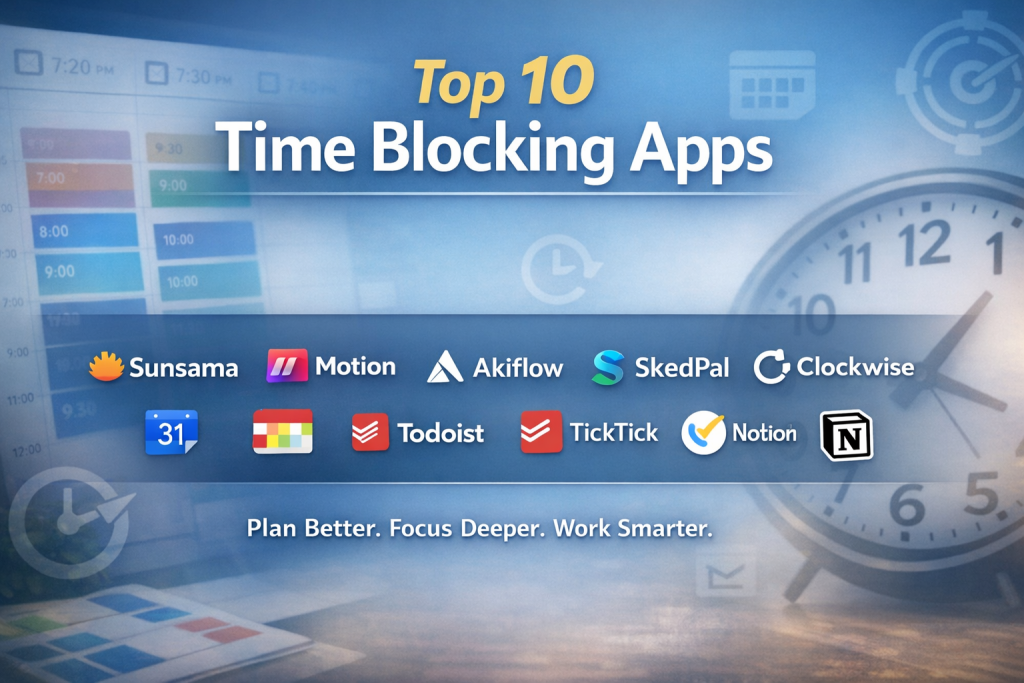
Top 10 Time Blocking Apps Tools
1 — Sunsama
Short description:
Sunsama is a guided daily planning app built for professionals who want mindful, realistic schedules that balance productivity and well-being.
Key features:
- Daily planning ritual with task prioritization
- Calendar-based time blocking
- Task import from multiple tools
- Focus mode for deep work
- Workload forecasting and limits
- End-of-day reflection
- Unified task and calendar view
Pros:
- Encourages sustainable work habits
- Excellent daily focus experience
- Clean, intuitive interface
Cons:
- Premium pricing
- Limited customization for advanced workflows
- Not designed for large teams
Security & compliance:
Basic encryption, GDPR alignment; enterprise certifications vary.
Support & community:
High-quality documentation, responsive email support, small but engaged user community.
2 — Motion
Short description:
Motion uses automation and AI-driven scheduling to dynamically plan tasks, meetings, and priorities in real time.
Key features:
- Automatic time blocking
- AI task prioritization
- Smart calendar rescheduling
- Deadline awareness
- Meeting optimization
- Team scheduling support
- Cross-platform access
Pros:
- Saves significant planning time
- Handles schedule changes automatically
- Strong for busy professionals
Cons:
- Less manual control
- Can feel opaque to new users
- Premium cost
Security & compliance:
Encryption in transit and at rest; compliance varies by plan.
Support & community:
Structured onboarding, in-app help, growing professional user base.
3 — Akiflow
Short description:
Akiflow centralizes tasks and calendars into one powerful command center for advanced productivity users.
Key features:
- Unified inbox for tasks
- Drag-and-drop time blocking
- Keyboard-first workflow
- Calendar synchronization
- Task capture from multiple sources
- Daily planning mode
- Productivity analytics
Pros:
- Extremely fast and efficient
- Excellent for power users
- Highly flexible planning
Cons:
- Steeper learning curve
- Not ideal for casual users
- Limited native team features
Security & compliance:
Standard data encryption; compliance certifications vary.
Support & community:
Active product updates, helpful documentation, niche but loyal community.
4 — SkedPal
Short description:
SkedPal focuses on priority-based time blocking that adapts schedules automatically based on rules and availability.
Key features:
- Priority and rule-based scheduling
- Auto-adjusting calendar blocks
- Flexible task duration handling
- Goal-oriented planning
- Calendar integration
- Advanced filters
- Long-term planning support
Pros:
- Very powerful automation
- Excellent for complex schedules
- Reduces decision fatigue
Cons:
- Interface feels dated
- Setup requires effort
- Not beginner-friendly
Security & compliance:
Encryption and GDPR support; enterprise compliance varies.
Support & community:
Detailed help guides, webinars, dedicated user forums.
5 — Clockwise
Short description:
Clockwise optimizes calendars by automatically creating focus time and reorganizing meetings for teams.
Key features:
- Automatic focus time creation
- Smart meeting rescheduling
- Team-wide calendar optimization
- Focus analytics
- Integration with work calendars
- Availability insights
- Collaboration-aware planning
Pros:
- Excellent for teams
- Reduces meeting overload
- Minimal manual effort
Cons:
- Less control for individuals
- Primarily calendar-focused
- Best value at team scale
Security & compliance:
SSO, encryption, SOC 2 alignment, GDPR support.
Support & community:
Strong enterprise support, onboarding resources, professional user base.
6 — Google Calendar
Short description:
Google Calendar is a widely used calendar tool that supports manual time blocking with broad ecosystem integration.
Key features:
- Manual time blocking
- Cross-device synchronization
- Event and reminder management
- Color-coded schedules
- Integration with productivity tools
- Sharing and collaboration
- Notifications and alerts
Pros:
- Free and widely accessible
- Extremely reliable
- Easy to adopt
Cons:
- No advanced automation
- Limited task intelligence
- Requires discipline for effectiveness
Security & compliance:
Enterprise-grade security, encryption, ISO, SOC, GDPR support.
Support & community:
Extensive documentation, global user community, enterprise support options.
7 — Fantastical
Short description:
Fantastical combines elegant design with natural language scheduling for intuitive time blocking.
Key features:
- Natural language input
- Visual calendar views
- Time zone support
- Task and event integration
- Custom calendar sets
- Collaboration tools
- Apple ecosystem optimization
Pros:
- Beautiful interface
- Fast scheduling
- Strong cross-device experience
Cons:
- Premium subscription
- Limited automation
- Best within Apple ecosystem
Security & compliance:
Standard encryption; compliance varies.
Support & community:
Well-documented help center, responsive support, active user base.
8 — Todoist
Short description:
Todoist is a task manager that supports time blocking when combined with calendar integrations.
Key features:
- Task prioritization
- Due dates and recurring tasks
- Calendar sync
- Productivity tracking
- Labels and filters
- Cross-platform support
- Team task management
Pros:
- Simple and flexible
- Affordable pricing
- Excellent task management
Cons:
- Time blocking is indirect
- Limited scheduling automation
- Requires integrations for full use
Security & compliance:
Encryption, GDPR compliance; enterprise features vary.
Support & community:
Extensive documentation, large global community, responsive support.
9 — TickTick
Short description:
TickTick blends task management, habit tracking, and calendar-based time blocking in one app.
Key features:
- Calendar time blocking
- Task and habit tracking
- Pomodoro timer
- Smart reminders
- Cross-platform access
- List and tag management
- Productivity analytics
Pros:
- All-in-one productivity tool
- Affordable pricing
- Easy to use
Cons:
- Interface can feel busy
- Limited enterprise controls
- Less automation
Security & compliance:
Basic encryption; compliance varies.
Support & community:
Good documentation, active user forums, standard support channels.
10 — Notion
Short description:
Notion is a flexible workspace that supports time blocking through customizable databases and calendar views.
Key features:
- Custom calendar databases
- Time blocking templates
- Task and project management
- Team collaboration
- Notes and documentation
- Cross-platform access
- Extensive customization
Pros:
- Extremely flexible
- Strong for teams
- Centralized knowledge base
Cons:
- Manual setup required
- No native automation
- Can be overwhelming
Security & compliance:
SSO, encryption, SOC 2, GDPR support on higher plans.
Support & community:
Large template ecosystem, extensive documentation, active global community.
Comparison Table
| Tool Name | Best For | Platform(s) Supported | Standout Feature | Rating |
|---|---|---|---|---|
| Sunsama | Mindful daily planning | Web, Desktop | Guided daily planning | N/A |
| Motion | Automated scheduling | Web, Mobile | AI-powered rescheduling | N/A |
| Akiflow | Power users | Web, Desktop | Unified task inbox | N/A |
| SkedPal | Complex schedules | Web, Mobile | Rule-based planning | N/A |
| Clockwise | Team focus time | Web | Automatic focus blocks | N/A |
| Google Calendar | General users | Web, Mobile | Reliability & ecosystem | N/A |
| Fantastical | Design-focused users | Desktop, Mobile | Natural language input | N/A |
| Todoist | Task-first planners | Web, Mobile | Task simplicity | N/A |
| TickTick | All-in-one productivity | Web, Mobile | Habits + time blocking | N/A |
| Notion | Custom workflows | Web, Desktop, Mobile | Extreme flexibility | N/A |
Evaluation & Scoring of Time Blocking Apps
| Criteria | Weight | Sunsama | Motion | Akiflow | SkedPal | Clockwise | Google Calendar | Fantastical | Todoist | TickTick | Notion |
|---|---|---|---|---|---|---|---|---|---|---|---|
| Core features | 25% | High | Very High | High | Very High | Medium | Medium | Medium | Medium | Medium | High |
| Ease of use | 15% | High | Medium | Medium | Low | High | Very High | High | Very High | High | Medium |
| Integrations | 15% | Medium | Medium | High | Medium | Medium | Very High | Medium | High | Medium | High |
| Security | 10% | Medium | Medium | Medium | Medium | High | Very High | Medium | Medium | Medium | High |
| Performance | 10% | High | High | High | Medium | High | Very High | High | High | High | Medium |
| Support | 10% | Medium | Medium | Medium | Medium | High | High | Medium | High | Medium | High |
| Price / value | 15% | Medium | Medium | Medium | Medium | Medium | Very High | Medium | High | High | Medium |
Which Time Blocking Apps Tool Is Right for You?
- Solo users: Sunsama, Fantastical, TickTick
- SMBs: Akiflow, Todoist, Notion
- Mid-market teams: Motion, Clockwise
- Enterprise: Clockwise, Google Calendar, Notion
Budget-conscious users may prefer Google Calendar, Todoist, or TickTick, while premium users benefit from Motion or Sunsama. If simplicity matters, choose intuitive tools; if flexibility and scalability are key, opt for Notion or Akiflow. Security-sensitive environments should prioritize enterprise-grade compliance.
Frequently Asked Questions (FAQs)
1. What is time blocking?
Time blocking is a planning method where you assign fixed time slots to specific tasks or activities.
2. Are time blocking apps better than to-do lists?
They provide more structure by connecting tasks to actual time, reducing overload and procrastination.
3. Can teams use time blocking apps?
Yes, many tools support shared calendars and team optimization.
4. Do these apps work offline?
Most require internet access; limited offline support varies by platform.
5. Are time blocking apps expensive?
Pricing ranges from free to premium subscriptions depending on features.
6. Is AI scheduling reliable?
It works well for dynamic schedules but may require oversight.
7. Can I integrate tasks from other tools?
Many apps support integrations with task managers and calendars.
8. Are these apps secure?
Most use encryption; enterprise-grade tools offer advanced compliance.
9. What mistakes should beginners avoid?
Over-scheduling and not leaving buffer time.
10. Do I need automation to succeed with time blocking?
No—manual time blocking works well with discipline and consistency.
Conclusion
Time blocking apps help transform intention into execution by aligning tasks with time. The right tool improves focus, reduces stress, and makes workloads more realistic. While some users benefit from AI-driven automation, others thrive with simple, manual planning.
There is no single “best” time blocking app for everyone. The ideal choice depends on your role, schedule complexity, budget, and need for flexibility or automation. By evaluating your priorities carefully, you can select a tool that truly supports how you work—not just how you plan.

Find Trusted Cardiac Hospitals
Compare heart hospitals by city and services — all in one place.
Explore Hospitals
This article does a great job breaking down the top time‑blocking apps and why they’re so useful for intentional planning and productivity — especially in today’s world where context‑switching and overloaded calendars are common challenges. By outlining key features, pros, and cons for tools ranging from calendar‑centric options like Google Calendar and Fantastical to AI‑driven schedulers like Motion and power‑user hubs like Akiflow, the guide helps readers understand not just what these apps do, but how they fit different workflows and personalities. I also appreciate the inclusion of both simple, accessible tools and more advanced, automation‑oriented platforms, which makes it easier to match a solution to your specific needs — whether you’re managing individual focus time or coordinating across teams.