
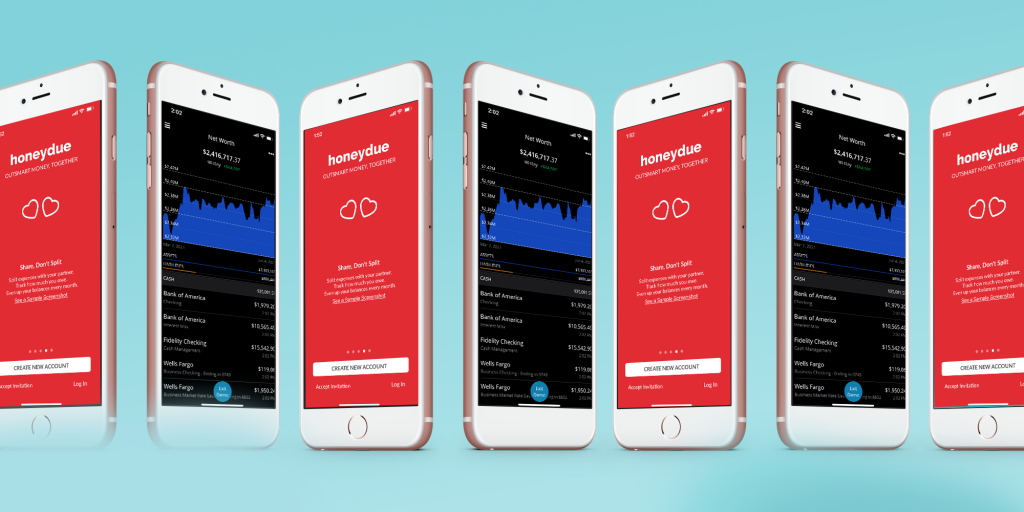
Are you tired of constantly worrying about your finances? Do you want to take control of your spending habits and savings? Look no further than these top 11 best apps for finance! From budgeting to investing, these apps have got you covered.
1. Mint
Mint is a popular personal finance app that helps you track your spending, budget, and investments. It also offers personalized financial advice to help you meet your financial goals. With Mint, you can link all your bank accounts, credit cards, and investments in one place, making it easy to manage your money.
2. Acorns
Acorns is an investment app that automatically invests your spare change from everyday purchases. It rounds up your purchases to the nearest dollar and invests the difference in a diversified portfolio of stocks and bonds. With Acorns, you can start investing with just a few cents.
3. Robinhood
Robinhood is a commission-free investing app that allows you to buy and sell stocks, ETFs, and options. It also offers cryptocurrency trading. With Robinhood, you can invest in your favorite companies and build a diversified portfolio without paying any fees.
4. Personal Capital
Personal Capital is a wealth management app that offers investment advice and portfolio management. It also offers a retirement planner and a net worth tracker. With Personal Capital, you can track your investments and plan for your financial future.
5. YNAB
YNAB (You Need A Budget) is a budgeting app that helps you track your income and expenses. It also offers personalized budgeting advice and goal setting. With YNAB, you can get a clear view of your financial situation and make informed decisions about your money.
6. Credit Karma
Credit Karma is a credit monitoring app that offers free credit scores and reports. It also offers personalized credit advice and recommendations for credit cards and loans. With Credit Karma, you can stay on top of your credit and improve your financial health.
7. Venmo

Venmo is a popular payment app that allows you to send and receive money from friends and family. It also offers a social feed to see what your friends are paying for. With Venmo, you can easily split bills and pay back your friends.
8. PayPal
PayPal is a payment app that allows you to send and receive money from anyone with an email address. It also offers a variety of payment options, including debit cards and credit cards. With PayPal, you can make payments and purchases securely and easily.
9. Zelle
Zelle is a payment app that allows you to send and receive money from friends and family. It also offers instant transfer options and no fees. With Zelle, you can easily split bills and pay back your friends.
10. Expensify
Expensify is an expense management app that helps you track your business expenses. It also offers receipt scanning and automatic expense reporting. With Expensify, you can simplify your expense tracking and save time.
11. Stash
Stash is an investment app that allows you to invest in stocks and ETFs with as little as $5. It also offers personalized investment advice and goal setting. With Stash, you can start investing in your future today.
In conclusion, these top 11 best apps for finance offer a variety of financial services to help you take control of your money. Whether you want to track your spending, invest in your future, or manage your expenses, these apps have got you covered. So what are you waiting for? Download these apps today and start taking control of your finances!

👤 About the Author
Ashwani is passionate about DevOps, DevSecOps, SRE, MLOps, and AiOps, with a strong drive to simplify and scale modern IT operations. Through continuous learning and sharing, Ashwani helps organizations and engineers adopt best practices for automation, security, reliability, and AI-driven operations.
🌐 Connect & Follow:
Website: WizBrand.com
Facebook: facebook.com/DevOpsSchool
X (Twitter): x.com/DevOpsSchools
LinkedIn: linkedin.com/company/devopsschool
YouTube: youtube.com/@TheDevOpsSchool
Instagram: instagram.com/devopsschool
Quora: devopsschool.quora.com
Email– contact@devopsschool.com
Find Trusted Cardiac Hospitals
Compare heart hospitals by city and services — all in one place.
Explore Hospitals