
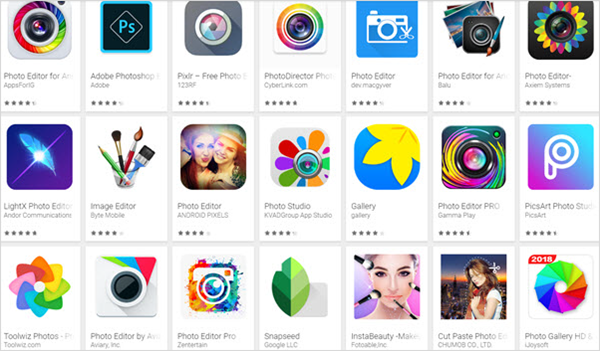
Hey there, fellow photography enthusiasts! Are you tired of lugging around your heavy DSLR cameras and equipment? Well, worry not, because we’ve got you covered with the top 11 best apps for photography that you can use on your smartphone or tablet.
1. VSCO
VSCO is a popular app among photographers because of its wide range of filters and editing tools. The app has a sleek interface and is easy to use. You can use it to edit your photos, add filters, and share them with your friends.
2. Snapseed
Snapseed is another popular app that has a lot of editing tools and filters. It has a clean interface and is easy to use. It also has features like selective adjustments, which allows you to adjust specific parts of your photo.
3. Adobe Lightroom
Adobe Lightroom is a powerful editing app that is used by many professional photographers. It has a lot of features like presets, selective adjustments, and curve adjustments. It also has a camera feature that allows you to capture RAW photos.
4. ProCamera
ProCamera is a feature-packed camera app that allows you to shoot RAW photos. It also has a lot of manual controls like ISO, shutter speed, and focus. You can also use it to edit your photos with its built-in editor.
5. Camera+
Camera+ is a popular camera app that has a lot of features like manual controls, filters, and editing tools. It also has a built-in stabilizer that helps you take sharper photos.
6. Afterlight
Afterlight is a simple yet powerful photo editing app that has a lot of filters and editing tools. It also has a feature called “Fusion” that allows you to blend two photos together.
7. TouchRetouch
TouchRetouch is a unique app that allows you to remove unwanted objects from your photos. It also has a clone tool that you can use to duplicate parts of your photo.
8. Darkroom
Darkroom is a powerful editing app that has a lot of features like selective adjustments, curves, and filters. It also has a built-in camera feature that allows you to capture RAW photos.
9. Pixlr
Pixlr is a simple yet powerful photo editing app that has a lot of filters and editing tools. It also has a built-in camera feature that allows you to capture photos with different aspect ratios.
10. Halide
Halide is a manual camera app that allows you to control every aspect of your photo. It has features like focus peaking and exposure warnings that help you take better photos.
11. Camera MX
Camera MX is a feature-packed camera app that has a lot of manual controls. It also has a lot of filters and editing tools that you can use to enhance your photos.
So there you have it, folks! These are the top 11 best apps for photography that you can use on your smartphone or tablet. Give them a try and let us know which one is your favorite. Happy shooting!

👤 About the Author
Ashwani is passionate about DevOps, DevSecOps, SRE, MLOps, and AiOps, with a strong drive to simplify and scale modern IT operations. Through continuous learning and sharing, Ashwani helps organizations and engineers adopt best practices for automation, security, reliability, and AI-driven operations.
🌐 Connect & Follow:
Website: WizBrand.com
Facebook: facebook.com/DevOpsSchool
X (Twitter): x.com/DevOpsSchools
LinkedIn: linkedin.com/company/devopsschool
YouTube: youtube.com/@TheDevOpsSchool
Instagram: instagram.com/devopsschool
Quora: devopsschool.quora.com
Email– contact@devopsschool.com
Find Trusted Cardiac Hospitals
Compare heart hospitals by city and services — all in one place.
Explore Hospitals