
Are you a tech enthusiast looking for a comprehensive guide to IT operations dashboard? You’ve come to the right place! In this article, we’ll cover everything you need to know about IT operations dashboard, from its definition to its benefits, and how to make the most of it.
Definition of IT Operations Dashboard
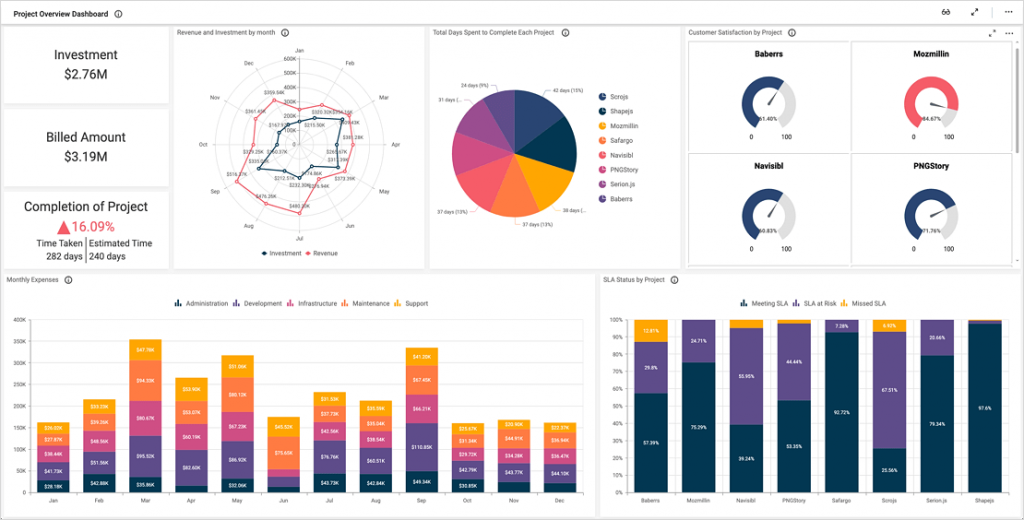
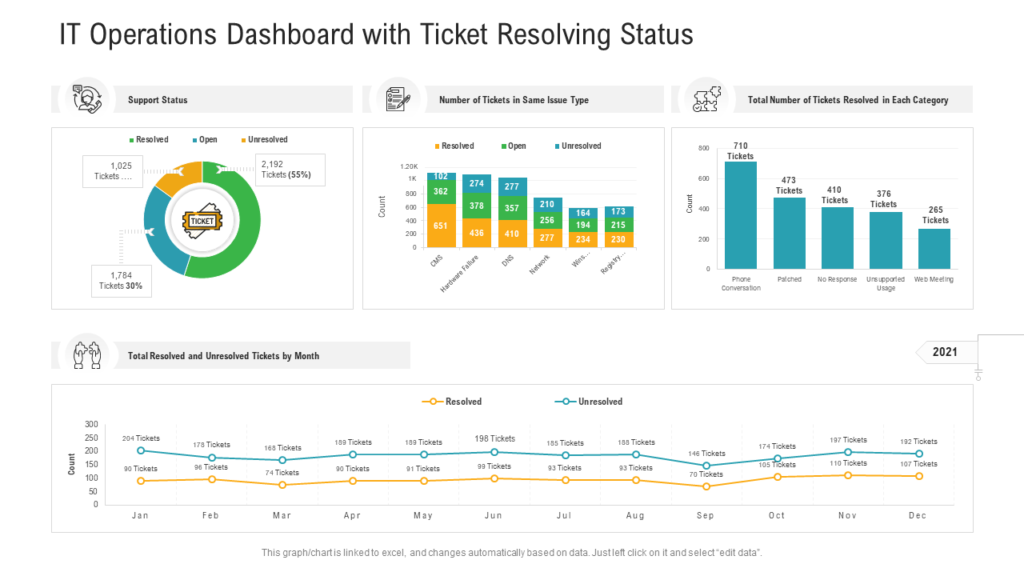
First things first, what is an IT operations dashboard? In simple terms, an IT operations dashboard is a tool that offers an overview of your IT infrastructure and applications’ performance and availability. It provides real-time data that helps IT teams monitor, analyze, and troubleshoot issues in real-time. An IT operations dashboard typically includes various charts, graphs, and metrics that help IT teams visualize their IT infrastructure’s performance.
Benefits of IT Operations Dashboard
Now that we know what an IT operations dashboard is let’s dive into its benefits. Here are some of the reasons why IT teams use an IT operations dashboard:
Real-Time Visibility
The primary benefit of an IT operations dashboard is that it provides real-time visibility into your IT infrastructure. This means that IT teams can monitor their IT infrastructure’s performance in real-time and identify issues before they become major problems. Real-time visibility also helps IT teams respond quickly to issues and ensure that their IT infrastructure is running smoothly.
Centralized View
Another significant benefit of an IT operations dashboard is that it provides a centralized view of your IT infrastructure. Instead of monitoring your IT infrastructure through multiple tools and platforms, an IT operations dashboard offers a single pane of glass view that helps IT teams manage their IT infrastructure more efficiently.
Improved Collaboration
An IT operations dashboard also helps improve collaboration between IT teams. With a centralized view of your IT infrastructure, IT teams can work together to troubleshoot issues and resolve problems more quickly.
Better Decision Making
The real-time data provided by an IT operations dashboard also helps IT teams make better decisions. By analyzing the data provided by an IT operations dashboard, IT teams can identify trends, predict issues, and make proactive decisions that help keep their IT infrastructure running smoothly.
How to Make the Most of Your IT Operations Dashboard
Now that you understand the benefits of an IT operations dashboard let’s explore how to make the most of it. Here are some tips to help you get the most out of your IT operations dashboard:
Define Your Metrics
Before you start using an IT operations dashboard, it’s essential to define the metrics that you want to track. This will help you focus on the most critical areas of your IT infrastructure and ensure that you’re monitoring the right metrics.
Customize Your Dashboard
Most IT operations dashboards come with pre-built templates, but it’s essential to customize your dashboard to fit your organization’s specific needs. By customizing your dashboard, you can ensure that you’re monitoring the metrics that matter most to your organization.
Set Up Alerts
Setting up alerts is another crucial step in making the most of your IT operations dashboard. Alerts can help you identify issues before they become major problems and allow you to respond quickly to issues.
Analyze Your Data
Finally, it’s essential to analyze the data provided by your IT operations dashboard continually. By analyzing your data, you can identify trends, predict issues, and make proactive decisions that help keep your IT infrastructure running smoothly.
Conclusion
In conclusion, an IT operations dashboard is a powerful tool that offers real-time visibility into your IT infrastructure’s performance. By providing a centralized view of your IT infrastructure, improving collaboration between IT teams, and helping IT teams make better decisions, an IT operations dashboard is an essential tool for any organization. By defining your metrics, customizing your dashboard, setting up alerts, and analyzing your data, you can make the most of your IT operations dashboard and ensure that your IT infrastructure is running smoothly.

👤 About the Author
Ashwani is passionate about DevOps, DevSecOps, SRE, MLOps, and AiOps, with a strong drive to simplify and scale modern IT operations. Through continuous learning and sharing, Ashwani helps organizations and engineers adopt best practices for automation, security, reliability, and AI-driven operations.
🌐 Connect & Follow:
Website: WizBrand.com
Facebook: facebook.com/DevOpsSchool
X (Twitter): x.com/DevOpsSchools
LinkedIn: linkedin.com/company/devopsschool
YouTube: youtube.com/@TheDevOpsSchool
Instagram: instagram.com/devopsschool
Quora: devopsschool.quora.com
Email– contact@devopsschool.com
Find Trusted Cardiac Hospitals
Compare heart hospitals by city and services — all in one place.
Explore Hospitals