
What the Heck is IT Operations? A Comprehensive Guide

Introduction: Why Should You Care About IT Ops?
If you’re like most people, you’ve probably heard the term “IT operations” thrown around a lot lately. But what exactly does it mean? And why should you care?
In this comprehensive guide, we’ll take a deep dive into the world of IT operations. We’ll explore what it is, why it matters, and how it impacts businesses of all sizes. So whether you’re a seasoned IT professional or just someone who’s curious about the tech industry, this guide is for you!
What is IT Operations?
At its core, IT operations (sometimes referred to as “IT ops” or simply “ops”) is the practice of managing and maintaining an organization’s technology infrastructure. This includes everything from hardware and software to networks and databases.
But IT operations is more than just keeping the lights on. It’s about ensuring that an organization’s technology is running smoothly, efficiently, and securely. This involves a wide range of tasks, including:
- Monitoring systems and applications for issues
- Responding to and resolving incidents and outages
- Deploying new hardware and software
- Managing data backups and disaster recovery
- Ensuring compliance with industry regulations and standards
The Importance of IT Operations
In today’s digital age, technology is at the heart of almost every business. From online retailers to healthcare providers, virtually every organization relies on technology to some degree. And when that technology fails, the impact can be catastrophic.
This is where IT operations comes in. By proactively managing and maintaining an organization’s technology infrastructure, IT ops teams can minimize the risk of downtime and ensure that critical systems are always available. This can ultimately help businesses save time, money, and even their reputation.
IT Operations in Practice
So what does IT operations look like in practice? Let’s take a hypothetical example:
Imagine you’re the IT operations manager at a large e-commerce company. Your team is responsible for ensuring that the company’s website, mobile app, and back-end systems are all running smoothly.
One day, you receive an alert that the website is experiencing slow page load times. You quickly spring into action, using monitoring tools to identify the root cause of the issue. It turns out that a new feature that was recently deployed is causing a bottleneck in the website’s database.
You work with the development team to roll back the feature and optimize the database, and within a few hours, the website is back up to speed. Crisis averted!
This is just one example of the many tasks that IT operations teams are responsible for on a daily basis. It’s a challenging and fast-paced field, but also one that can be incredibly rewarding.
Common Challenges in IT Operations
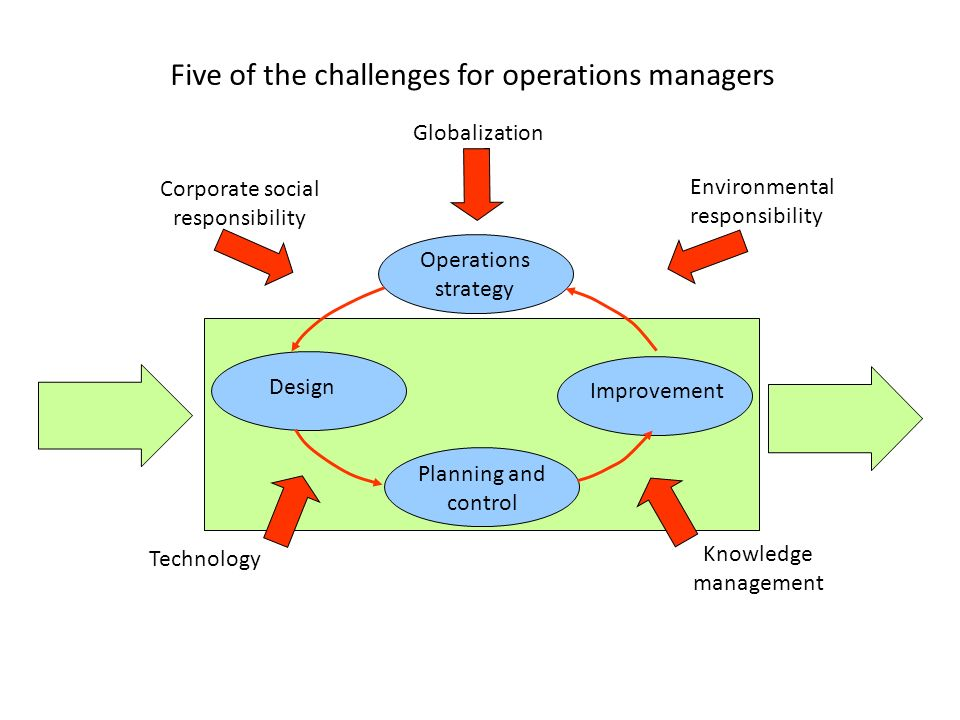
Of course, IT operations isn’t without its challenges. Some of the most common issues that IT ops teams face include:
- Keeping up with the pace of technological change
- Balancing competing priorities and demands
- Managing complex and interconnected systems
- Ensuring security and compliance in an ever-changing threat landscape
But despite these challenges, IT operations remains a critical function for businesses of all sizes. And with the right tools, processes, and people in place, it’s a field that can deliver real value to organizations.
Conclusion: Why IT Operations Matters
In conclusion, IT operations is a vital function that plays a critical role in the success of modern businesses. By ensuring that an organization’s technology is running smoothly and securely, IT ops teams can help minimize downtime, improve efficiency, and ultimately drive business growth.
Whether you’re an IT professional or just someone who’s interested in the tech industry, understanding the basics of IT operations is essential. So next time you hear someone talking about “IT ops,” you’ll know exactly what they mean!

👤 About the Author
Ashwani is passionate about DevOps, DevSecOps, SRE, MLOps, and AiOps, with a strong drive to simplify and scale modern IT operations. Through continuous learning and sharing, Ashwani helps organizations and engineers adopt best practices for automation, security, reliability, and AI-driven operations.
🌐 Connect & Follow:
Website: WizBrand.com
Facebook: facebook.com/DevOpsSchool
X (Twitter): x.com/DevOpsSchools
LinkedIn: linkedin.com/company/devopsschool
YouTube: youtube.com/@TheDevOpsSchool
Instagram: instagram.com/devopsschool
Quora: devopsschool.quora.com
Email– contact@devopsschool.com
Find Trusted Cardiac Hospitals
Compare heart hospitals by city and services — all in one place.
Explore Hospitals