MYHOSPITALNOW.COM

Find Trusted Doctors & Hospitals

Discover healthcare providers, compare hospitals, and explore treatment options worldwide.

Free Treatment Quotes • Doctor Search • Hospital Comparison

Find Healthcare Options

www.myhospitalnow.com

How to Create a Custom Page of Custom Theme in WordPress? Part-6

How to Create a Custom Page of Custom Theme in WordPress?

Why to use Custom Page?

Customized page templates allow you to individualize any part of your WordPress site without affecting the rest of it. WordPress uses page.php to provide the content of all pages on your website.

By default, when we create dynamic or static pages in WordPress; thereafter it will search page.php file to open that pages.

Now, let’s see what will be the first step to create a custom page of the custom theme.

  1. Create a file named of page.php in customtheme folder.
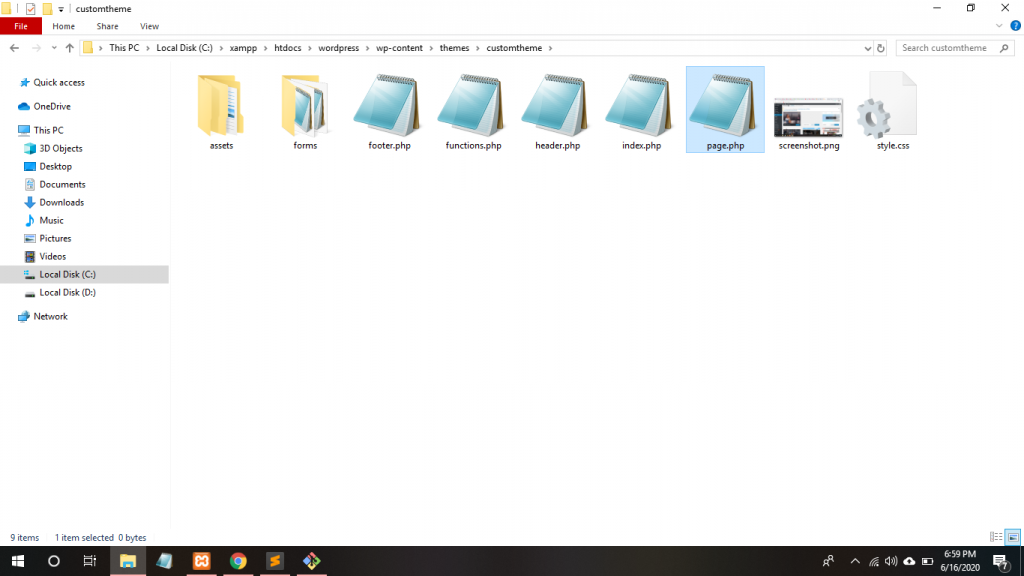
Windows File Explorer showing the customtheme folder with page.php selected

2. As we know that get_header(); and get_footer(); methods are used to include its file to that file which we are using. i.e., page.php file. if(have_posts()):while(have_posts()): the_post(); The loop is PHP code use by WordPress to display posts. The the_title(); and the_content(); are methods for accessing the page of its title and content.
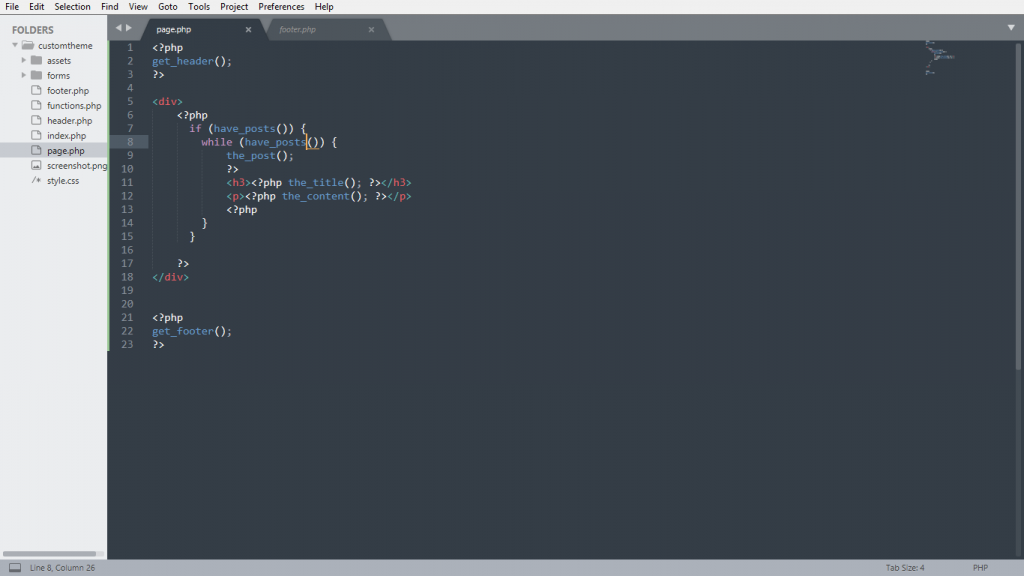
Sublime Text page.php with get_header, the WordPress loop, the_title, the_content and get_footer

3. Whenever we create the pages’ title and its content through administer panel of WordPress, it saves in our created database. If you forget its database name, just open with C:\xampp\htdocs\wordpress\wp_config.php file notepad.
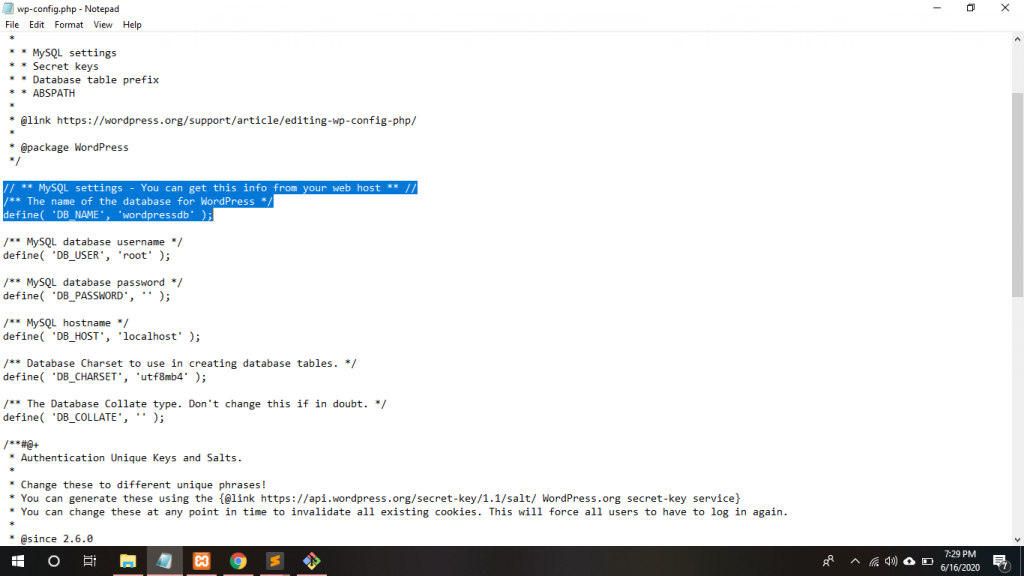
Wp-config.php in Notepad with MySQL settings and DB_NAME wordpressdb highlighted

4. Just click your database->wp_posts
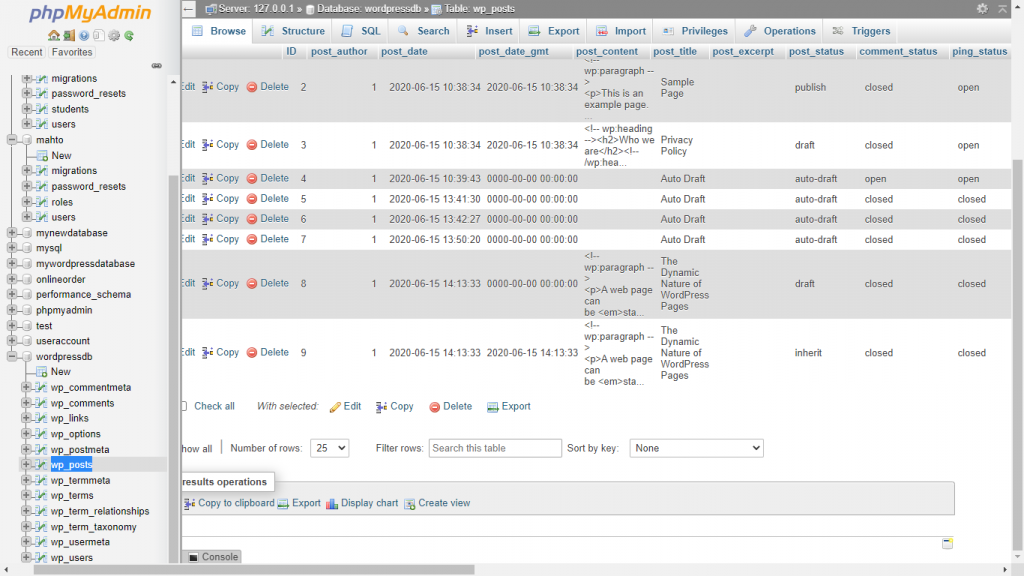
PhpMyAdmin browsing the wp_posts table of the wordpressdb database

5. Click the left side of the panel of pages->add a new page and write your custom page title and content.
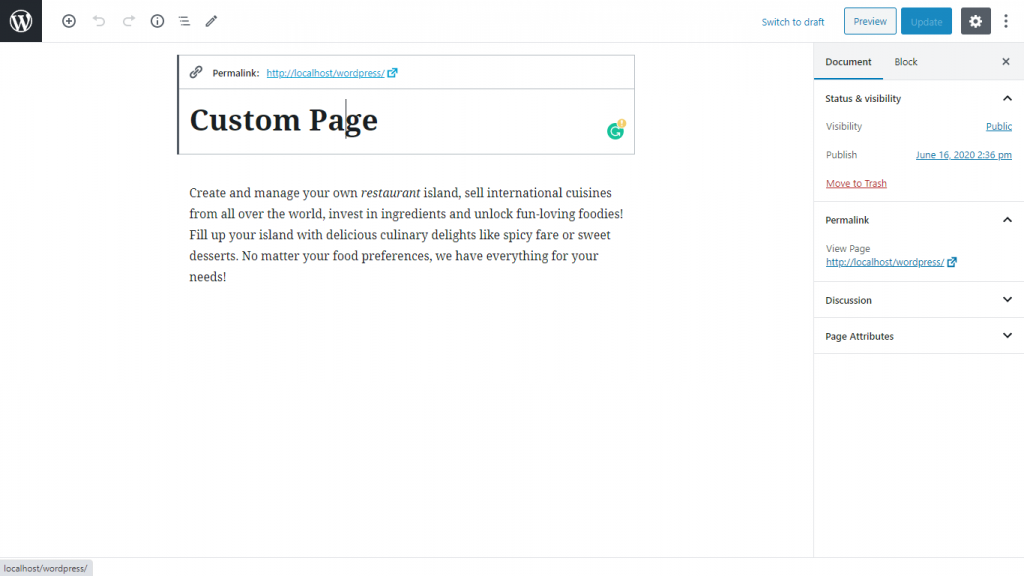
WordPress block editor with a new page titled Custom Page and its content

6. Click the Custom Theme which is active ->customize->open HomePage Setting-> check a static page -> choose your custom page from homepage dropdown.
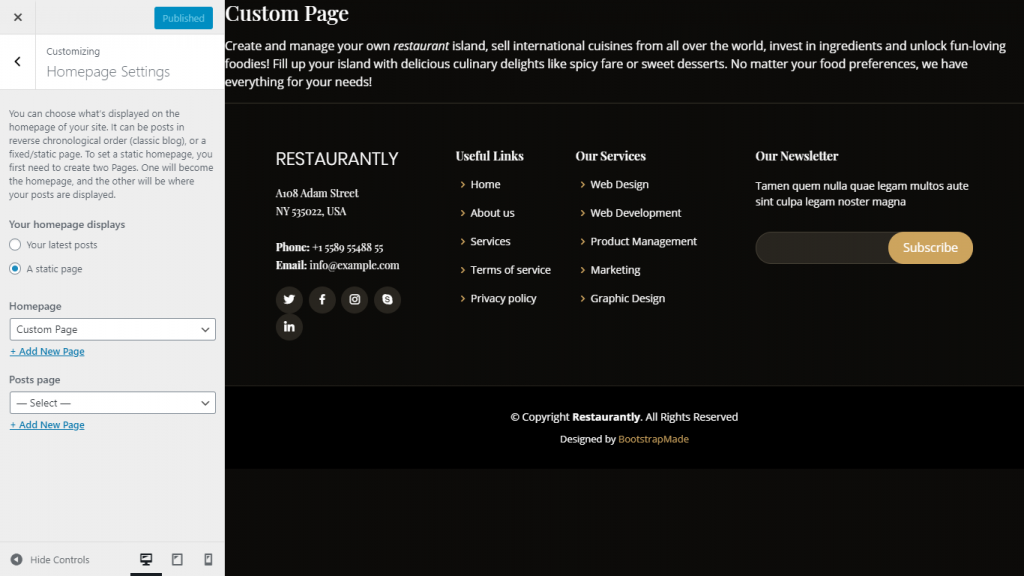
WordPress Customizer Homepage Settings with a static page set to Custom Page
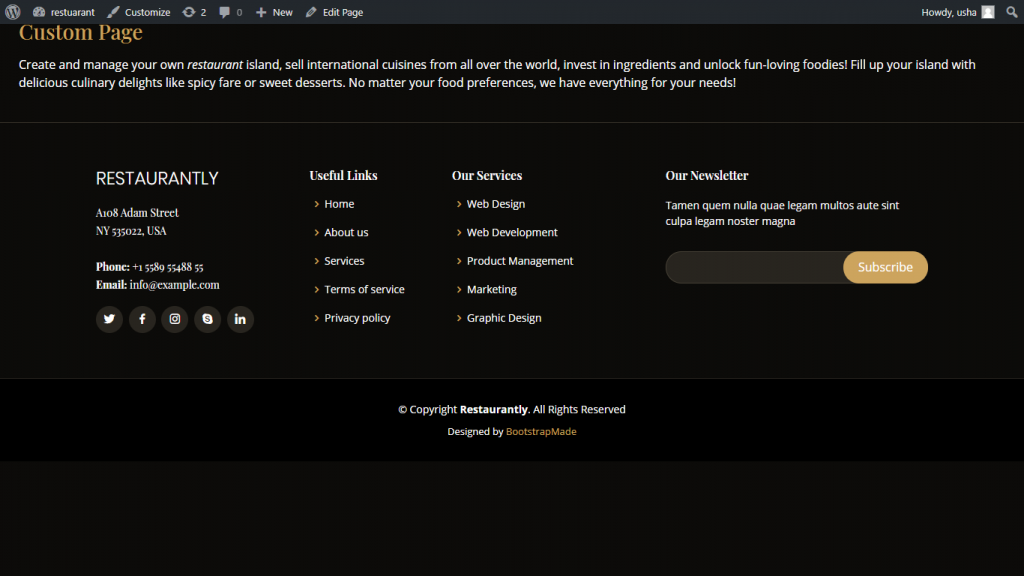
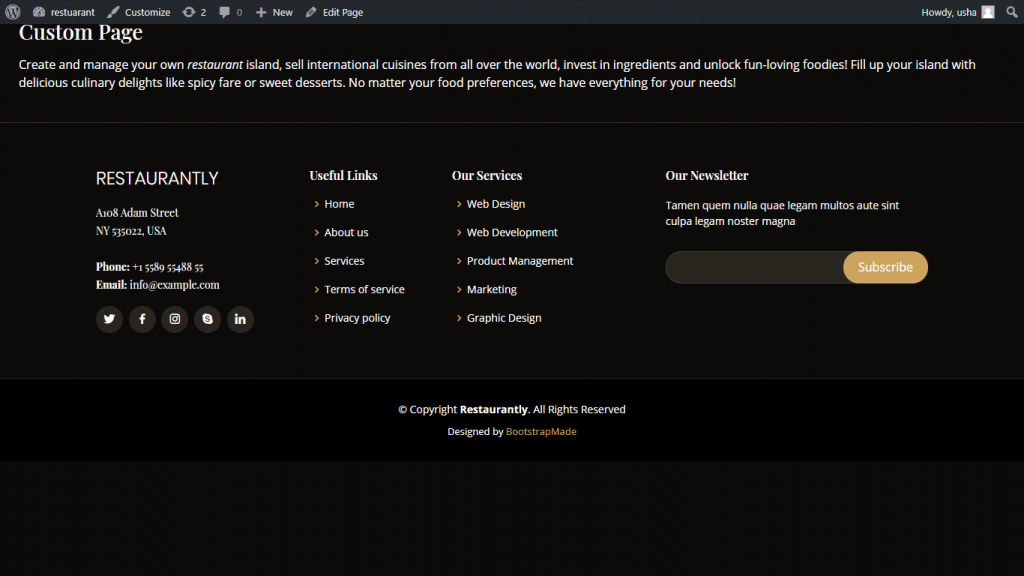
Custom Page shown as the site homepage in the Restaurantly custom theme

7. By using the the_permalink(); method: Automatically link that custom page.

Permalinks are the permanent URLs to your individual weblog pages, posts, as well as categories and other lists of weblog postings. 
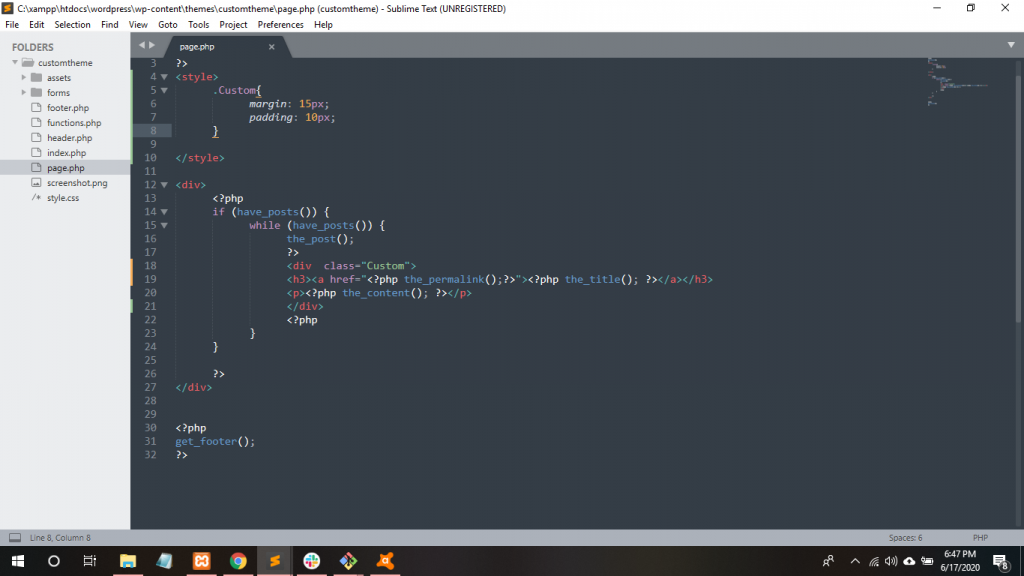
Sublime Text page.php wrapping the_title in a link using the_permalink, with a Custom CSS class
Custom Page title now rendered as a permalink in the Restaurantly theme

Thanks.

Find Trusted Cardiac Hospitals

Compare heart hospitals by city and services — all in one place.

Explore Hospitals

With MotoShare.in, you can book a bike instantly, enjoy doorstep delivery, and ride without worries. Perfect for travelers, professionals, and adventure enthusiasts looking for a seamless mobility solution.

Related Posts

WordPress Typography Patterns: Styled Lists, Notice Boxes, and Code Blocks with Reusable CSS

This guide modernizes a legacy WordPress typography post into practical, reusable patterns for custom list markers, callout boxes, and code styling. It focuses on maintainable CSS and editor-friendly markup you can reuse across posts and documentation pages.

Read More

Moving a WordPress Site to Webflow: What Happens to Your Hosting, DNS and Email

Most guides about Webflow answer one question: is it the right builder for you? This one starts after that decision. You have a WordPress site on Bluehost,…

Read More

How to Choose the Right Website Development and SEO Partner for Your Business

A professional website has evolved far beyond a digital business card or an online brochure. Today, it serves as the core foundation of a brand’s entire online…

Read More

Docker Compose: WordPress + MySQL Using Shared Environment Variables

Create a project folder: Create a .env file: Create docker-compose.yml: Start the containers: Open WordPress: Now students can see how environment variables are passed into both containers….

Read More

Top 10 Content Management Systems (CMS): Features, Pros, Cons & Comparison

Introduction A Content Management System (CMS) is software that helps individuals and organizations create, manage, organize, and publish digital content without needing deep technical or coding knowledge….

Read More

Top 10 Content Management Systems (CMS) Tools in 2026: Features, Pros, Cons & Comparison

Introduction A Content Management System (CMS) is an essential platform for creating, managing, and modifying content on a website without needing specialized technical knowledge. In 2026, a…

Read More