
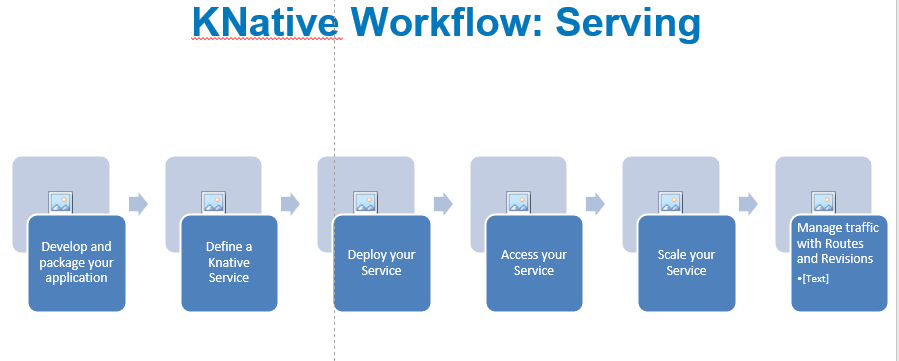
Here is a step-by-step workflow for Knative Serving:
- Develop and package your application: First, you’ll need to develop your application and package it into a container image. Knative Serving supports any container image format, including Docker images and images built with other tools like Cloud Build or Buildpacks.
- Define a Knative Service: Once you have your container image, you need to define a Knative Service that describes how to run and manage your application. A Knative Service is defined using a YAML configuration file that specifies things like the container image to use, the number of replicas to run, and the networking configuration.
- Deploy your Service: You can deploy your Knative Service using the
kubectl applycommand, which will create the necessary Kubernetes resources (such as Deployments, Services, and ConfigMaps) to run your Service. Once your Service is deployed, Knative Serving will automatically create a new Kubernetes Revision for each new version of your application. - Access your Service: Once your Service is running, you can access it using its hostname. By default, Knative Serving will create a DNS record for your Service that maps its hostname to the IP address of the Knative Gateway. You can use this hostname to access your application over HTTP or HTTPS.
- Scale your Service: Knative Serving provides automatic scaling for your Service based on incoming traffic. By default, Knative Serving will scale your Service to zero when there is no traffic, and scale it up as traffic increases. You can also configure custom autoscaling policies based on metrics like CPU utilization or request latency.
- Manage traffic with Routes and Revisions: Knative Serving provides advanced traffic management features that allow you to control how traffic is routed to different revisions of your Service. You can define multiple Routes that map to different revisions of your Service, and use labels and annotations to control traffic splitting and canary releases.
Overall, the workflow for Knative Serving involves developing and packaging your application, defining a Knative Service configuration, deploying your Service to Kubernetes, accessing your Service over the internet, and using advanced traffic management features to manage your application at scale.

I’m Rajesh Kumar, a DevOps, SRE, DevSecOps, Cloud, and Platform Engineering expert passionate about sharing practical knowledge, real-world experiences, and industry best practices. I have worked at Cotocus and regularly write about technology, travel, investing, health, product reviews, and digital marketing through my various platforms.
I publish technical articles at DevOps School, travel stories at Holiday Landmark, stock market insights at Stocks Mantra, health and fitness guidance at My Medic Plus, product reviews at TrueReviewNow, and SEO and digital marketing strategies at Wizbrand.
Find Trusted Cardiac Hospitals
Compare heart hospitals by city and services — all in one place.
Explore Hospitals