Static and dynamic analysis are complementary software security testing approaches used by developers, security engineers, and DevOps teams. If you are deciding where each method fits in your delivery pipeline, this guide explains what each one is good at, where each one falls short, and how to combine both for better coverage.
Originally published on 2015-04-07; fully revised and updated.
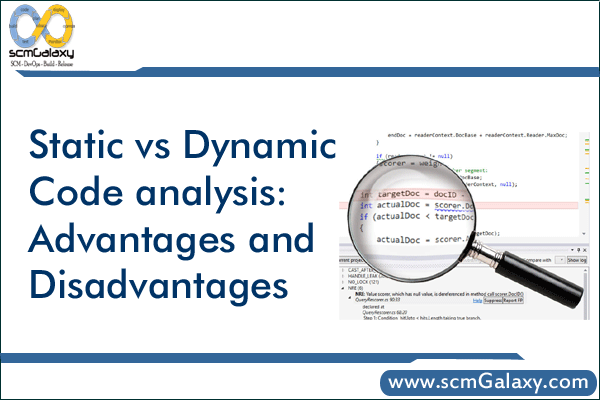
The original post summarized pros and cons attributed to Maj. Michael Kleffman of the Air Force’s Application Software Assurance Center of Excellence. This revision keeps the same core comparison and adds a modern DevSecOps workflow context. Original post: Static vs dynamic code analysis: Advantages and Disadvantages.
Static vs dynamic analysis: what each method tests
Static analysis inspects source code (or binaries) without executing the application. Dynamic analysis tests a running application in its runtime environment. Because they operate at different points, each finds different classes of issues.
| Aspect | Static analysis (SAST) | Dynamic analysis (DAST) |
|---|---|---|
| When it runs | Early in development and CI before deployment | After deployment to a test/staging runtime |
| Primary input | Source code, bytecode, or binaries | Running application endpoint |
| Typical strength | Pinpoints issues close to exact code location | Finds runtime-exposed behavior and misconfigurations |
| Best use | Shift-left feedback for developers | Validation of exploitable behavior in deployed app |
| Common blind spot | Runtime-only issues | Harder traceability back to exact code line |
| Output quality caveat | Depends heavily on rule quality and tuning | Depends heavily on scan scope, rules, and test coverage |
Static code analysis: strengths and limitations
Where static analysis helps most
- Can identify weaknesses near the exact location in code, making fixes faster.
- Works well for early lifecycle checks, reducing late-stage rework.
- Automated tooling can scan large portions of a codebase quickly.
- Can provide remediation guidance that shortens developer research time.
- Fits naturally into pull request and CI gates.
Limitations to plan for
- Manual review can be time-consuming.
- Tool support and quality vary across programming languages and frameworks.
- False positives and false negatives require triage discipline.
- Tooling can create a false sense of security if teams do not tune rules and review results.
- Does not directly reveal runtime-environment vulnerabilities.
Dynamic code analysis: strengths and limitations
Where dynamic analysis helps most
- Finds vulnerabilities observable in a running environment.
- Can test applications even when source code access is limited or unavailable.
- Helps validate whether suspected issues are actually exploitable.
- Can catch issues missed during static analysis.
- Supports end-to-end validation after deployment to test environments.
Limitations to plan for
- False positives and false negatives still occur.
- Results depend on scanner rules, coverage depth, and environment realism.
- Mapping a finding back to exact source code may take longer than static analysis.
- Like static tools, dynamic tools can create overconfidence if run without review and tuning.
Use both in one CI/CD security workflow
A practical DevSecOps approach is to run static analysis early for fast developer feedback, then run dynamic analysis against a deployed test instance before release decisions.
flowchart TD
    A[Developer commit] --> B[Build and unit tests]
    B --> C[Run static analysis]
    C --> D{High severity findings}
    D -- yes --> E[Fail pipeline and fix code]
    D -- no --> F[Deploy to test environment]
    F --> G[Run dynamic analysis]
    G --> H{Exploitable issues found}
    H -- yes --> I[Block release and open remediation ticket]
    H -- no --> J[Approve release]
Example CI configuration
The example below shows one way to place static and dynamic checks in separate pipeline stages. Adapt tooling, severity thresholds, and fail conditions to your policy.
stages:
  - build
  - test
  - sast
  - deploy_test
  - dast

sast_scan:
  stage: sast
  image: returntocorp/semgrep
  script:
    - semgrep --config=auto --error

build_test_image:
  stage: deploy_test
  script:
    - docker build -t myapp:test .
    - docker run -d --name myapp -p 8080:8080 myapp:test

dast_scan:
  stage: dast
  image: ghcr.io/zaproxy/zaproxy:stable
  variables:
    TARGET_URL: "http://host.docker.internal:8080"
  script:
    - zap-baseline.py -t "$TARGET_URL" -r zap-report.html
  artifacts:
    paths:
      - zap-report.htmlCode language: JavaScript (javascript)
Choosing emphasis by delivery stage
| Delivery stage | Primary analysis focus | Why |
|---|---|---|
| Local development and pull requests | Static analysis first | Fast feedback and direct code-level remediation |
| Integration and staging | Dynamic analysis added | Validates behavior in realistic runtime conditions |
| Pre-release governance | Combined SAST and DAST evidence | Balances code-level and runtime-level assurance |
Common pitfalls and best practices
- Do not treat any single scanner output as complete security assurance.
- Tune rules and severities to reduce alert fatigue and improve signal quality.
- Track remediation lead time, not just finding counts.
- Use dynamic analysis to validate high-risk static findings before release where possible.
- Pair tool automation with skilled review for triage and prioritization.

I’m Rajesh Kumar, a DevOps, SRE, DevSecOps, Cloud, and Platform Engineering expert passionate about sharing practical knowledge, real-world experiences, and industry best practices. I have worked at Cotocus and regularly write about technology, travel, investing, health, product reviews, and digital marketing through my various platforms.
I publish technical articles at DevOps School, travel stories at Holiday Landmark, stock market insights at Stocks Mantra, health and fitness guidance at My Medic Plus, product reviews at TrueReviewNow, and SEO and digital marketing strategies at Wizbrand.
Find Trusted Cardiac Hospitals
Compare heart hospitals by city and services — all in one place.
Explore Hospitals