
Introduction
Email remains the most widely used business communication channel—and also the most targeted attack vector for cybercriminals. From phishing and business email compromise (BEC) to ransomware delivery and data exfiltration, email-based threats continue to grow in volume, sophistication, and financial impact. Email Security Tools are designed to protect organizations from these risks by detecting, blocking, and responding to malicious email activity before it reaches users’ inboxes.
Modern email security goes far beyond traditional spam filters. Today’s tools use artificial intelligence, behavioral analysis, threat intelligence, and real-time scanning to identify advanced threats such as zero-day malware, impersonation attacks, malicious links, and social engineering tactics. They also play a critical role in regulatory compliance, data protection, and overall security posture.
Key real-world use cases include preventing phishing attacks, stopping ransomware delivery, protecting executives from impersonation, ensuring email data compliance, and reducing human error through user awareness and automated response.
When choosing an email security tool, buyers should evaluate threat detection accuracy, ease of deployment, integration with existing email platforms, automation capabilities, compliance support, scalability, and cost-effectiveness.
Best for:
Email Security Tools are ideal for IT teams, CISOs, security analysts, compliance officers, and managed service providers across SMBs, mid-sized businesses, enterprises, healthcare, finance, education, and government sectors.
Not ideal for:
Organizations with no external email exposure, extremely small teams using basic free email services, or environments where email is not a primary communication channel may find full-scale email security platforms excessive and may rely on built-in protections instead.
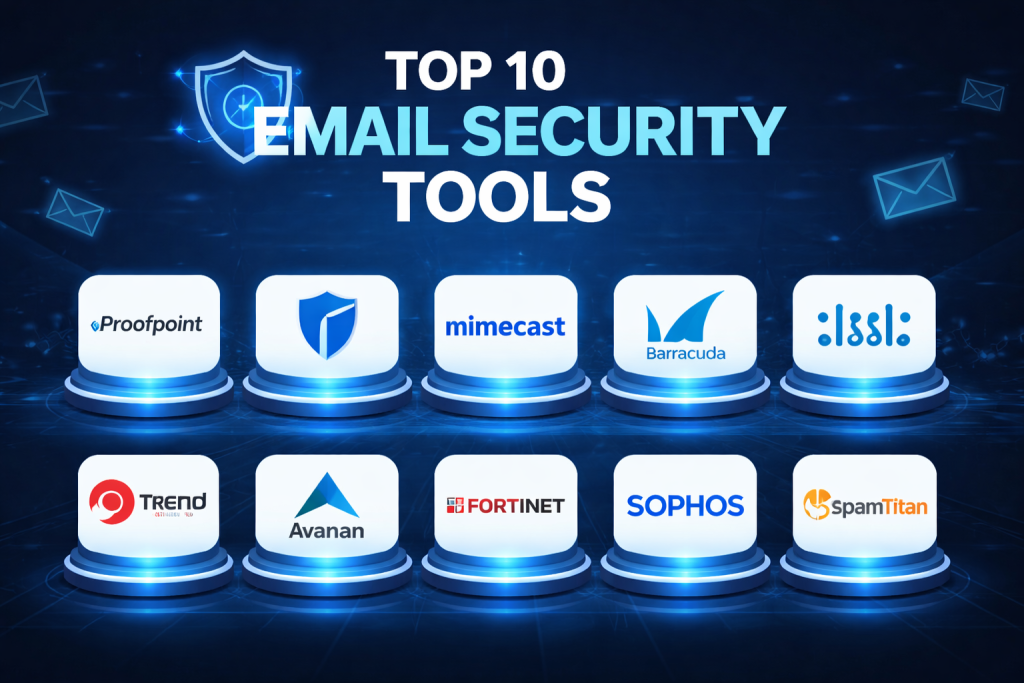
Top 10 Email Security Tools
1 — Proofpoint Email Protection
Short description:
Proofpoint is a market-leading enterprise email security platform focused on people-centric threat protection, advanced phishing defense, and data loss prevention.
Key features:
- Advanced phishing and BEC detection
- AI-based threat and behavior analysis
- URL and attachment sandboxing
- Email fraud and impersonation protection
- Data loss prevention (DLP) for email
- Threat intelligence integration
- Security awareness training integration
Pros:
- Extremely strong phishing and BEC detection
- Trusted by large enterprises globally
Cons:
- Higher cost compared to SMB-focused tools
- Complex setup for smaller teams
Security & compliance:
SOC 2, ISO, GDPR, HIPAA support, encryption, audit logs, SSO
Support & community:
Enterprise-grade support, extensive documentation, strong professional services
2 — Microsoft Defender for Office 365
Short description:
Native email security solution for organizations using Microsoft 365, offering deep integration and advanced threat protection.
Key features:
- Anti-phishing and anti-malware protection
- Safe Links and Safe Attachments
- AI-based threat detection
- Automated investigation and response
- Integration with Microsoft security ecosystem
- Real-time threat intelligence
Pros:
- Seamless integration with Microsoft 365
- Centralized security management
Cons:
- Limited customization outside Microsoft ecosystem
- Advanced features require higher-tier licenses
Security & compliance:
SOC 2, ISO, GDPR, HIPAA, encryption, audit logs
Support & community:
Extensive documentation, large user community, enterprise support available
3 — Mimecast Email Security
Short description:
Mimecast delivers comprehensive email security, continuity, and archiving with a strong focus on resilience.
Key features:
- Advanced phishing and malware detection
- Email continuity during outages
- URL and attachment protection
- Impersonation defense
- Archiving and compliance support
- Threat intelligence feeds
Pros:
- Excellent email continuity capabilities
- Strong compliance and archiving features
Cons:
- Interface can feel complex
- Pricing may be high for SMBs
Security & compliance:
SOC 2, ISO, GDPR, HIPAA, encryption, audit trails
Support & community:
Strong enterprise support, onboarding assistance, knowledge base
4 — Barracuda Email Protection
Short description:
Barracuda offers flexible and scalable email security designed for SMBs and mid-market organizations.
Key features:
- Spam, phishing, and malware protection
- Advanced threat detection
- Account takeover protection
- Email continuity and backup
- Easy deployment options
- Cloud-based management
Pros:
- Easy to deploy and manage
- Cost-effective for SMBs
Cons:
- Less advanced analytics than enterprise tools
- Limited customization
Security & compliance:
SOC 2, GDPR, encryption, audit logs
Support & community:
Good documentation, responsive support, MSP-friendly
5 — Cisco Secure Email
Short description:
Cisco Secure Email provides robust email threat protection with deep integration into Cisco’s security ecosystem.
Key features:
- Advanced malware and phishing detection
- Machine learning-based analysis
- URL reputation and sandboxing
- Domain reputation scoring
- Integration with Cisco SecureX
- Automated incident response
Pros:
- Strong threat intelligence from Cisco
- Excellent for Cisco-centric environments
Cons:
- Less intuitive UI
- Best value when using other Cisco tools
Security & compliance:
SOC 2, ISO, GDPR, encryption, audit logging
Support & community:
Enterprise support, extensive documentation, Cisco community forums
6 — Trend Micro Email Security
Short description:
Trend Micro offers layered email protection with strong ransomware and phishing defenses.
Key features:
- AI-driven threat detection
- Anti-phishing and anti-malware
- URL reputation analysis
- Attachment sandboxing
- Cloud and hybrid deployment
- Centralized management console
Pros:
- Strong ransomware protection
- Reliable performance
Cons:
- Interface can feel dated
- Limited reporting customization
Security & compliance:
SOC 2, ISO, GDPR, HIPAA support
Support & community:
Global support availability, detailed documentation
7 — Avanan (Check Point Harmony Email)
Short description:
Avanan focuses on API-based cloud email security with advanced threat detection.
Key features:
- API-level email scanning
- AI-driven phishing detection
- Account takeover prevention
- Real-time remediation
- No MX record changes required
- Cloud-native architecture
Pros:
- Fast deployment
- Strong protection for cloud email
Cons:
- Less suitable for on-prem environments
- Premium pricing
Security & compliance:
SOC 2, GDPR, encryption, audit logs
Support & community:
Enterprise support, onboarding resources, growing community
8 — Fortinet FortiMail
Short description:
FortiMail provides flexible email security with deployment options for cloud, on-prem, and hybrid environments.
Key features:
- Spam and malware filtering
- Advanced phishing protection
- Data loss prevention
- Email encryption
- Sandboxing integration
- Fortinet ecosystem integration
Pros:
- Flexible deployment options
- Good value for mid-market
Cons:
- UI complexity
- Learning curve for new users
Security & compliance:
SOC 2, ISO, GDPR, HIPAA support
Support & community:
Strong enterprise support, Fortinet community forums
9 — Sophos Email
Short description:
Sophos Email delivers AI-powered threat detection with simplified management for SMBs.
Key features:
- Machine learning-based phishing detection
- URL time-of-click protection
- Impersonation protection
- Policy-based controls
- Integration with Sophos Central
- Lightweight deployment
Pros:
- Simple setup and management
- Good balance of features and cost
Cons:
- Limited advanced customization
- Best when paired with other Sophos tools
Security & compliance:
SOC 2, GDPR, encryption, audit logs
Support & community:
Good documentation, responsive support, active user base
10 — SpamTitan Email Security
Short description:
SpamTitan is an affordable email security solution focused on spam filtering and phishing protection.
Key features:
- Anti-spam and anti-phishing
- Malware and virus detection
- URL scanning
- Simple policy management
- Cloud-based deployment
- Reporting and alerts
Pros:
- Budget-friendly
- Easy to use
Cons:
- Limited enterprise features
- Basic analytics
Security & compliance:
GDPR, encryption, audit logs
Support & community:
Standard support, basic documentation
Comparison Table
| Tool Name | Best For | Platform(s) Supported | Standout Feature | Rating |
|---|---|---|---|---|
| Proofpoint | Large enterprises | Cloud, Hybrid | BEC & phishing defense | N/A |
| Microsoft Defender for Office 365 | Microsoft 365 users | Cloud | Native integration | N/A |
| Mimecast | Compliance-focused orgs | Cloud, Hybrid | Email continuity | N/A |
| Barracuda | SMBs | Cloud | Easy deployment | N/A |
| Cisco Secure Email | Cisco environments | Cloud, On-prem | Threat intelligence | N/A |
| Trend Micro | Ransomware protection | Cloud, Hybrid | Malware defense | N/A |
| Avanan | Cloud-first teams | Cloud | API-based scanning | N/A |
| FortiMail | Hybrid deployments | Cloud, On-prem | Deployment flexibility | N/A |
| Sophos Email | SMBs | Cloud | Ease of use | N/A |
| SpamTitan | Budget teams | Cloud | Cost efficiency | N/A |
Evaluation & Scoring of Email Security Tools
| Tool | Core Features (25%) | Ease of Use (15%) | Integrations (15%) | Security & Compliance (10%) | Performance (10%) | Support (10%) | Price / Value (15%) | Total Score |
|---|---|---|---|---|---|---|---|---|
| Proofpoint | 23 | 12 | 14 | 9 | 9 | 9 | 10 | 86 |
| Microsoft Defender | 22 | 13 | 15 | 9 | 9 | 8 | 11 | 87 |
| Mimecast | 21 | 11 | 13 | 9 | 9 | 8 | 10 | 81 |
| Barracuda | 18 | 14 | 12 | 8 | 8 | 8 | 13 | 81 |
| Cisco Secure Email | 20 | 10 | 14 | 9 | 9 | 8 | 9 | 79 |
Which Email Security Tool Is Right for You?
- Solo users: Built-in email protections or lightweight tools may be sufficient
- SMBs: Barracuda, Sophos, SpamTitan offer affordability and simplicity
- Mid-market: Mimecast, FortiMail, Trend Micro balance features and cost
- Enterprise: Proofpoint, Microsoft Defender, Cisco Secure Email
Budget-conscious vs premium:
Lower-cost tools focus on spam and phishing, while premium solutions deliver advanced analytics, automation, and compliance.
Feature depth vs ease of use:
Enterprise platforms offer depth but require expertise; SMB tools prioritize usability.
Integration and scalability:
Choose tools aligned with your email platform and future growth plans.
Security and compliance:
Regulated industries should prioritize audit logs, encryption, and compliance certifications.
Frequently Asked Questions (FAQs)
1. What is an email security tool?
It protects organizations from email-based threats such as phishing, malware, and data leaks.
2. Are built-in email protections enough?
For small teams, sometimes yes, but advanced threats often require dedicated tools.
3. How do email security tools detect phishing?
They use AI, behavior analysis, reputation scoring, and threat intelligence.
4. Do these tools work with cloud email services?
Yes, most support popular cloud email platforms.
5. Can email security tools prevent ransomware?
They significantly reduce risk by blocking malicious attachments and links.
6. Are email security tools expensive?
Costs vary widely based on features, scale, and vendor.
7. Do they support compliance requirements?
Many support GDPR, HIPAA, and other regulations.
8. How long does deployment take?
Cloud-based tools can be deployed in hours or days.
9. Do users need training?
Basic training helps, especially for phishing awareness.
10. What is the biggest mistake buyers make?
Choosing tools based only on price instead of threat coverage and scalability.
Conclusion
Email security remains a critical pillar of modern cybersecurity strategies. With attackers continuously evolving their tactics, organizations need reliable, scalable, and intelligent tools to protect their inboxes and users. The best Email Security Tool is not a one-size-fits-all solution—it depends on company size, budget, email platform, compliance needs, and risk tolerance.
By focusing on strong threat detection, seamless integration, compliance support, and long-term scalability, organizations can significantly reduce email-related risks and build a more resilient security posture.

Find Trusted Cardiac Hospitals
Compare heart hospitals by city and services — all in one place.
Explore Hospitals
