
Introduction
Workflow Form Automation Tools help organizations design digital forms that automatically trigger actions, approvals, notifications, and data flows across teams and systems. Instead of manually routing paper forms or chasing approvals over email, these tools turn forms into structured, intelligent workflows that move work forward with speed and accuracy.
They are important because modern businesses rely on repeatable processes—employee onboarding, purchase requests, incident reporting, customer intake, compliance approvals, and more. When these processes are handled manually, they become slow, error-prone, and hard to audit. Workflow form automation replaces chaos with clarity by standardizing how data is collected, validated, routed, approved, and stored.
Real-world use cases include:
- HR onboarding and offboarding approvals
- IT service requests and change management
- Finance expense approvals and procurement workflows
- Compliance, audits, and policy acknowledgements
- Customer intake and internal request handling
When choosing a tool, users should evaluate form flexibility, workflow logic, integrations, security, scalability, ease of use, and pricing. The best platforms balance powerful automation with usability, ensuring teams can build workflows without heavy technical dependency.
Best for:
Operations teams, HR, finance departments, IT service desks, compliance officers, SMBs scaling processes, and enterprises standardizing governance.
Not ideal for:
One-time surveys, static data collection without workflows, or teams needing heavy custom code rather than configurable automation.
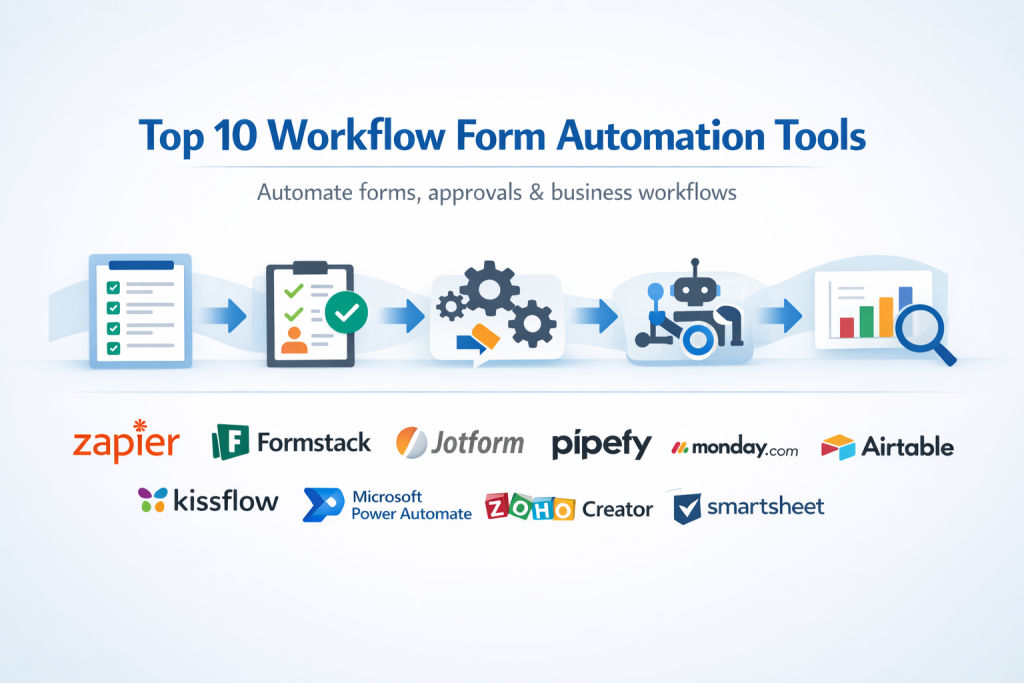
Top 10 Workflow Form Automation Tools
1 — Zapier
Short description:
Zapier connects forms to thousands of apps, automatically triggering workflows without coding. Best for teams that need fast automation across many tools.
Key features
- No-code workflow builder
- Thousands of app integrations
- Multi-step automation logic
- Conditional branching
- Real-time triggers
- Data mapping between systems
Pros
- Extremely easy to start
- Massive integration ecosystem
- Fast deployment
Cons
- Limited native form builder
- Complex workflows can get costly
- Not ideal for deep approvals
Security & compliance:
SSO, encryption in transit, SOC 2 (varies by plan)
Support & community:
Strong documentation, large user community, email support, enterprise support available
2 — Formstack
Short description:
Formstack combines form creation with workflow automation and document generation for regulated industries.
Key features
- Drag-and-drop form builder
- Approval workflows
- Document automation
- Conditional logic
- E-signatures
- CRM integrations
Pros
- Strong compliance focus
- User-friendly interface
- End-to-end form workflows
Cons
- Pricing can be high
- Limited UI customization
- Learning curve for advanced logic
Security & compliance:
SOC 2, GDPR, HIPAA, encryption, audit logs
Support & community:
Detailed documentation, onboarding help, responsive customer support
3 — Jotform
Short description:
Jotform offers powerful form creation with workflow automation and approval routing for teams of all sizes.
Key features
- Workflow approvals
- Conditional form logic
- Payment integrations
- Mobile-friendly forms
- App marketplace
- PDF generation
Pros
- Very intuitive UI
- Rich template library
- Fast setup
Cons
- Workflow depth is moderate
- Performance issues at high scale
- Branding limits on lower plans
Security & compliance:
SOC 2, GDPR, HIPAA (paid plans)
Support & community:
Strong documentation, community forum, ticket-based support
#4 — Pipefy
Short description:
Pipefy is designed for structured workflow automation using forms, pipelines, and rule-based logic.
Key features
- Form-driven workflows
- Rule automation engine
- SLA tracking
- Integrations with enterprise tools
- Analytics dashboards
- Role-based permissions
Pros
- Excellent for operations teams
- Clear visual workflows
- Strong reporting
Cons
- Interface can feel dense
- Setup requires planning
- Limited design flexibility
Security & compliance:
SOC 2, GDPR, SSO, audit logs
Support & community:
Enterprise-grade support, documentation, onboarding services
5 — Monday.com
Short description:
Monday.com uses forms as entry points into automated workflows across teams and projects.
Key features
- Form-to-workflow automation
- Visual boards
- Approval automations
- Integration marketplace
- Real-time collaboration
- Reporting dashboards
Pros
- Very user-friendly
- Highly visual workflows
- Strong team collaboration
Cons
- Not form-centric by default
- Automation limits on lower tiers
- Can become expensive
Security & compliance:
SOC 2, ISO 27001, GDPR, SSO
Support & community:
Strong help center, webinars, enterprise support
6 — Airtable
Short description:
Airtable blends forms, databases, and automation for flexible workflow design.
Key features
- Form-to-base automation
- Relational data handling
- Automation scripts
- App integrations
- Custom views
- Collaboration controls
Pros
- Extremely flexible
- Strong data modeling
- Clean UI
Cons
- Requires structure planning
- Complex logic needs expertise
- Not ideal for strict approvals
Security & compliance:
SOC 2, GDPR, encryption
Support & community:
Good documentation, active community, paid support options
7 — Kissflow
Short description:
Kissflow focuses on low-code workflow automation for business users.
Key features
- Visual workflow designer
- Approval routing
- SLA management
- Integration connectors
- Custom forms
- Role-based access
Pros
- Business-friendly design
- Strong approval logic
- Scales well
Cons
- UI customization is limited
- Advanced features cost extra
- Fewer integrations than Zapier
Security & compliance:
SOC 2, GDPR, ISO 27001
Support & community:
Dedicated onboarding, knowledge base, enterprise support
8 — Microsoft Power Automate
Short description:
Power Automate integrates deeply with Microsoft ecosystem for form-driven automation.
Key features
- Microsoft Forms integration
- Enterprise connectors
- Approval workflows
- RPA capabilities
- AI automation
- Azure integration
Pros
- Ideal for Microsoft-centric teams
- Powerful automation depth
- Strong enterprise controls
Cons
- Steep learning curve
- UI not beginner-friendly
- Licensing complexity
Security & compliance:
ISO, SOC, GDPR, enterprise compliance standards
Support & community:
Extensive documentation, enterprise support, large community
9 — Zoho Creator
Short description:
Zoho Creator enables custom form-based workflows with scripting and automation.
Key features
- Custom form creation
- Workflow rules
- Deluge scripting
- Zoho ecosystem integration
- Mobile apps
- Role permissions
Pros
- Cost-effective
- Highly customizable
- Strong Zoho integration
Cons
- Scripting required for advanced logic
- UI feels dated
- Limited third-party integrations
Security & compliance:
ISO 27001, GDPR, encryption
Support & community:
Documentation, ticket support, active user base
10 — Smartsheet
Short description:
Smartsheet uses form submissions to drive automated workflows and approvals at scale.
Key features
- Form-based data intake
- Automated approvals
- Enterprise reporting
- Resource management
- Integrations
- Audit trails
Pros
- Enterprise-ready
- Strong governance controls
- Scalable workflows
Cons
- Spreadsheet-like UI not for everyone
- Setup complexity
- Higher pricing tiers
Security & compliance:
SOC 2, ISO 27001, GDPR
Support & community:
Enterprise support, training resources, documentation
Comparison Table
| Tool Name | Best For | Platform(s) Supported | Standout Feature | Rating |
|---|---|---|---|---|
| Zapier | Cross-app automation | Web | Massive integrations | N/A |
| Formstack | Regulated workflows | Web | Compliance-ready forms | N/A |
| Jotform | Fast form workflows | Web, Mobile | Template richness | N/A |
| Pipefy | Operations teams | Web | Structured pipelines | N/A |
| Monday.com | Team collaboration | Web, Mobile | Visual automation | N/A |
| Airtable | Flexible data workflows | Web | Database + forms | N/A |
| Kissflow | Business approvals | Web | Low-code workflows | N/A |
| Power Automate | Microsoft users | Web, Desktop | Enterprise automation | N/A |
| Zoho Creator | Custom workflows | Web, Mobile | Low-cost customization | N/A |
| Smartsheet | Enterprise scale | Web | Governance & audit | N/A |
Evaluation & Scoring of Workflow Form Automation Tools
| Criteria | Weight | Zapier | Formstack | Jotform | Pipefy | Monday | Airtable | Kissflow | Power Automate | Zoho Creator | Smartsheet |
|---|---|---|---|---|---|---|---|---|---|---|---|
| Core features | 25% | 22 | 21 | 20 | 23 | 21 | 22 | 22 | 24 | 21 | 23 |
| Ease of use | 15% | 15 | 14 | 15 | 12 | 15 | 13 | 14 | 10 | 12 | 11 |
| Integrations | 15% | 15 | 12 | 11 | 12 | 13 | 12 | 11 | 15 | 10 | 12 |
| Security & compliance | 10% | 8 | 10 | 9 | 9 | 9 | 8 | 9 | 10 | 8 | 10 |
| Performance | 10% | 8 | 9 | 8 | 9 | 8 | 8 | 9 | 9 | 8 | 9 |
| Support & community | 10% | 9 | 9 | 8 | 9 | 9 | 8 | 9 | 9 | 8 | 9 |
| Price / value | 15% | 11 | 9 | 12 | 10 | 10 | 11 | 10 | 9 | 13 | 9 |
Which Workflow Form Automation Tool Is Right for You?
- Solo users: Jotform, Airtable, Zoho Creator
- SMBs: Kissflow, Monday.com, Formstack
- Mid-market: Pipefy, Smartsheet
- Enterprise: Power Automate, Smartsheet, Formstack
Budget-focused teams should prioritize Zoho Creator or Jotform, while premium buyers may prefer Power Automate or Smartsheet. Choose feature depth if workflows are complex, or ease of use if adoption speed matters. Integration and compliance needs often decide the final choice.
Frequently Asked Questions (FAQs)
- What is workflow form automation?
It automates how forms trigger approvals, tasks, and data movement across systems. - Do these tools require coding?
Most are no-code or low-code, though advanced logic may require scripting. - Are they secure for sensitive data?
Yes, many support encryption, access controls, and compliance standards. - Can they replace paper forms?
Absolutely, that is one of their primary benefits. - Are approvals customizable?
Yes, most tools allow conditional and multi-level approvals. - Do they integrate with CRMs and ERPs?
Most offer native or connector-based integrations. - Are these tools scalable?
Enterprise platforms scale to thousands of workflows. - What is the biggest mistake buyers make?
Choosing complexity over usability. - Can workflows be changed later?
Yes, workflows are configurable and editable. - Is one tool best for everyone?
No, the best tool depends on team size, budget, and process needs.
Conclusion
Workflow Form Automation Tools transform forms from static data collectors into powerful engines of action. They reduce manual work, increase accuracy, and provide visibility into how work gets done. While each tool offers unique strengths, the right choice depends on your organization’s size, complexity, compliance needs, and integration ecosystem.
There is no single universal winner. The best tool is the one that fits your workflows, your people, and your long-term growth strategy.

Find Trusted Cardiac Hospitals
Compare heart hospitals by city and services — all in one place.
Explore Hospitals
Workflow and form automation tools help businesses collect information, streamline approvals, and reduce repetitive administrative tasks. When comparing solutions, I would focus on form customization, conditional logic, workflow integration, notifications, and reporting features. These capabilities can reduce manual errors and speed up everyday business processes. The right tool should make forms easy to create, connect tasks smoothly, and help teams manage information more efficiently.
Workflow and form automation tools can save teams a lot of time by reducing repetitive data entry and manual approvals. Creating digital forms that automatically send information to the right people helps keep work moving without unnecessary delays. Features like conditional logic, system integrations, and approval tracking are especially useful for handling different business processes. The right tool makes everyday tasks easier to manage and helps teams focus more on meaningful work.
Workflow automation needs regular checks as business processes and approval rules change over time. A form update might leave an integration expecting fields that no longer exist or use different values. I would test important workflows in a staging environment before making changes available to everyone. Automated checks should cover rejected requests, missing information, duplicate submissions, and failed integrations. Teams also need alerts when requests remain pending longer than expected or stop midway. Keeping a record of workflow changes makes it easier to trace problems after an update. It is equally important to assign clear ownership for fixing failures across connected departments. These practices help maintain dependable automation without creating extra manual work for staff.
Workflow form automation can reduce delays caused by manual data entry and repeated approval requests. However, the process must remain easy to follow for both users and managers. I would compare conditional fields, approval rules, notifications, and links with existing business systems. Error handling matters because incomplete forms or failed integrations can stop important work. Teams should also check whether they can track each request from submission to completion. A useful tool should make responsibilities clear and keep a record of decisions. Automating a confusing process will not fix it, so teams should simplify the workflow before setting up the automation.
Workflow form automation tools help organizations replace repetitive paperwork with structured digital forms, automated approvals, and consistent data collection. Conditional fields, validation rules, and integrations with business applications can reduce manual errors while accelerating routine processes. Designing forms around actual user needs and regularly reviewing workflow bottlenecks also improves adoption, strengthens data accuracy, and helps teams manage administrative tasks more efficiently.
Workflow changes need careful testing when forms are tied to important business processes. Adding a required field or changing an approval rule can cause pending requests to fail or send submissions to the wrong team. I would check whether a platform supports versioned workflows, safe testing before release, and rollback when an update causes problems. Existing submissions should also retain the rules and form structure that applied when users submitted them. This matters for audits, troubleshooting, and explaining past decisions. Treating workflow updates like software releases helps teams improve processes without disrupting daily operations or losing trust in automated approvals.
From a platform engineering perspective, a major operational vulnerability here is the lack of version control and dead-letter queueing for broken API webhooks. When third-party endpoints experience outages or schema changes, unmanaged form workflows often fail silently without replay capabilities, resulting in orphaned approval states and unrecoverable downstream transactional data.
Workflow and form automation tools help teams collect information, route requests, and manage approvals without relying on repetitive manual tasks. When comparing platforms, look at form customization, conditional logic, integration options, access controls, and workflow tracking. Start by automating a simple process, then measure completion time and error rates to see where automation delivers the most value.
Workflow form automation becomes much more useful when submitted data can trigger the right action without creating extra manual work. Comparing how tools manage multi-step approvals, reminders for pending requests, and changes to form fields can help teams choose a system that fits their processes. I would also check whether administrators can test workflow changes before publishing them, since a small configuration mistake can affect every submission.
Workflow and form automation tools should make it easier to collect accurate information and route each submission to the right person. When comparing platforms, check how they handle conditional fields, incomplete submissions, and approval steps that depend on specific answers. It is also useful to review whether failed integrations trigger clear alerts and allow safe retries, so important requests do not get lost between connected systems.
Choosing between tools like Zapier for cross-app speed and Power Automate for deep enterprise governance really highlights how crucial it is to map your team’s integration ecosystem first. Scaling automation becomes a bottleneck if the form builder doesn’t match the complexity of your actual approval routing.
Workflow and form automation tools are most effective when they reduce repetitive tasks without making processes harder to manage. Connecting forms to existing systems, adding validation rules, and setting clear approval steps can reduce errors and improve turnaround times. Regularly reviewing automated workflows also helps identify bottlenecks as business needs change.
Workflow and form automation tools help businesses collect information, route submissions for approval, and automate repetitive administrative tasks without relying on manual processes. Platforms like Jotform offer customizable forms, conditional logic, and workflow automation features, enabling teams to reduce paperwork, improve data consistency, and manage business processes more efficiently.