
Introduction
AI Customer Community Moderation Tools help brands keep online communities safe, useful, respectful, and on-topic. These tools use AI, machine learning, rule engines, language models, image analysis, spam detection, toxicity scoring, and workflow automation to review posts, comments, replies, messages, images, links, and user behavior across community platforms.
Why It Matters
Customer communities are no longer simple discussion forums. They now support product education, peer-to-peer support, brand advocacy, feedback collection, onboarding, customer success, and social engagement. When spam, abuse, harassment, fake promotions, hate speech, misinformation, or off-topic content grows inside a community, trust drops quickly.
Manual moderation alone is difficult because conversations happen across time zones, languages, channels, and content formats. AI moderation tools help teams detect risk faster, reduce repetitive review work, prioritize urgent cases, and protect both the brand and the community experience.
Real World Use Cases
- Detecting toxic comments, harassment, spam, and abusive behavior
- Automatically flagging risky posts for human review
- Moderating customer forums, Discord groups, social comments, and support communities
- Protecting brand pages from harmful comments and scams
- Reviewing user-generated images, videos, and text
- Supporting multilingual moderation at scale
- Enforcing community rules consistently
- Identifying coordinated abuse, bot activity, or suspicious posting patterns
- Helping support teams prioritize urgent customer escalations
- Reducing workload for community managers and trust and safety teams
Evaluation Criteria for Buyers
When choosing an AI customer community moderation tool, buyers should evaluate:
- Accuracy across text, image, video, and links
- Support for community-specific policies and custom rules
- Human review workflows and escalation controls
- Multilingual moderation quality
- Integrations with social, forum, chat, and customer support platforms
- Reporting dashboards and moderation analytics
- Speed of detection and response
- Transparency of AI decisions
- Enterprise security and access controls
- Pricing flexibility for growing communities
Best For
AI moderation tools are best for brands, SaaS companies, marketplaces, gaming communities, creator communities, education platforms, customer support communities, and enterprises that manage high-volume user conversations.
Not Ideal For
They are not ideal for teams that want AI to fully replace human judgment. Sensitive moderation decisions still need human oversight, policy review, appeals, and context-aware handling.
What’s Changed in AI Customer Community Moderation
AI moderation has moved beyond simple keyword blocking. Modern tools now focus on context, intent, behavior patterns, account history, visual content, multilingual signals, and brand-specific rules. Instead of only removing bad words, advanced moderation platforms can identify sarcasm, coded abuse, spam campaigns, scam links, harassment patterns, unsafe images, and coordinated attacks.
Another major shift is the rise of human-AI workflows. The best tools do not simply delete content automatically. They help human moderators prioritize the right cases, review risky conversations faster, and apply community rules more consistently. This is important because moderation is not only a safety task. It is also a trust, customer experience, and brand reputation function.
Quick Buyer Checklist
- Does the tool support text moderation?
- Does it support image and video moderation?
- Can you create custom community rules?
- Does it offer human review queues?
- Does it integrate with your community platform?
- Can it detect spam, scams, hate speech, threats, and harassment?
- Does it support multiple languages?
- Does it provide reports for community health?
- Can it scale during traffic spikes?
- Are security and compliance details clearly documented?
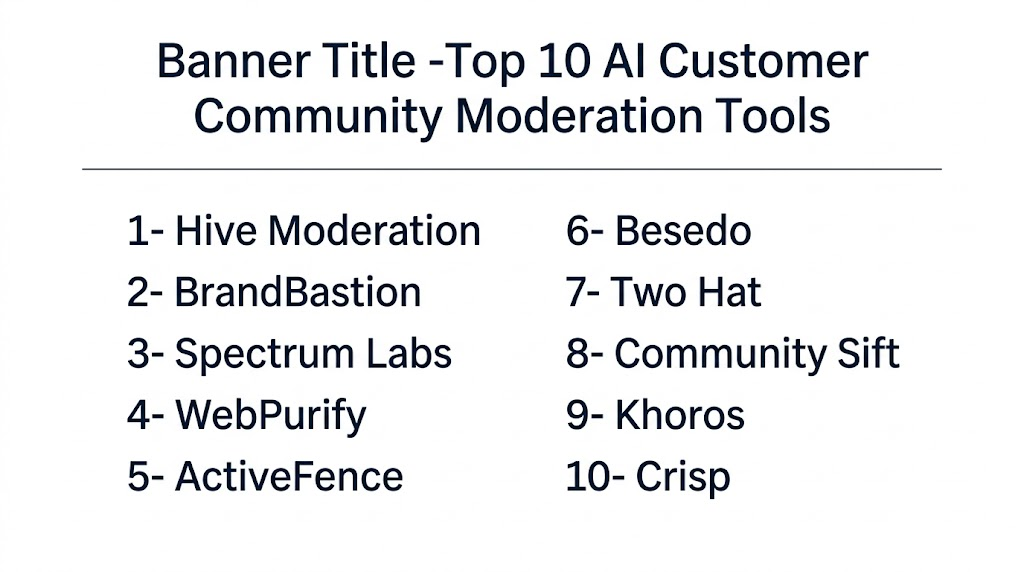
Top 10 AI Customer Community Moderation Tools
1- Hive Moderation
2- BrandBastion
3- Spectrum Labs
4- WebPurify
5- ActiveFence
6- Besedo
7- Two Hat
8- Community Sift
9- Khoros
10- Crisp
1- Hive Moderation
One Line Verdict
Hive Moderation is a strong choice for teams that need scalable AI moderation for visual and text-based user-generated content.
Short Description
Hive offers AI models for content understanding, including moderation for images, videos, text, and other media formats. It is useful for platforms that handle large volumes of user-generated content and need automated detection of unsafe, explicit, violent, spammy, or policy-breaking material. For customer communities, Hive can help identify harmful content before it spreads widely.
Standout Capabilities
- AI moderation for image, video, and text
- Detection of unsafe or harmful content
- API-based integration for custom platforms
- Scalable model infrastructure
- Useful for large community, marketplace, and media platforms
- Supports automated review workflows
AI-Specific Depth
Hive is especially strong for multimodal moderation. This means it can help teams moderate not only written comments but also uploaded images, video frames, and visual content. This is important for communities where members share screenshots, photos, memes, product images, or media files.
Pros
- Strong visual moderation capabilities
- Suitable for high-volume content environments
- Flexible API-first approach
- Good fit for platforms with custom moderation workflows
Cons
- May require technical implementation
- Less suitable for teams looking for a plug-and-play community dashboard only
- Pricing may vary based on volume and use case
Security & Compliance
Not publicly stated for every plan. Buyers should confirm data handling, retention, access control, and compliance requirements directly before deployment.
Deployment & Platforms
Cloud-based API and platform integrations. Deployment may vary depending on the customer use case.
Integrations & Ecosystem
Hive can be integrated into custom moderation pipelines through APIs. It is suitable for product teams, marketplaces, social platforms, and communities that need content review embedded into their own systems.
Pricing Model
Varies / N/A
Best Fit Scenarios
- Large user-generated content platforms
- Communities with image and video uploads
- Marketplaces with content safety needs
- Teams needing API-based moderation
- Enterprises with custom trust and safety workflows
2- BrandBastion
One Line Verdict
BrandBastion is a strong option for brands that need AI-powered moderation across social comments, ads, and customer-facing engagement channels.
Short Description
BrandBastion focuses on AI-powered social media moderation, brand protection, comment management, and engagement workflows. It is useful for customer communities where conversations happen across social channels, paid ads, organic posts, and public comment sections. The platform helps teams hide or escalate harmful comments and respond faster to customer conversations.
Standout Capabilities
- AI-powered comment moderation
- Social media engagement workflows
- Brand protection for paid and organic content
- Custom moderation rules
- Alerts for harmful or urgent comments
- Reporting and insights for social conversations
AI-Specific Depth
BrandBastion applies AI to classify, filter, and prioritize comments at scale. It is especially useful for brands that manage large public communities on social platforms where harmful comments, spam, scams, and negative engagement can damage trust quickly.
Pros
- Strong fit for social media moderation
- Helps reduce manual comment review
- Good for brand safety and engagement teams
- Useful for campaigns, ads, and public pages
Cons
- Less focused on private forum moderation
- Best value comes when social channels are a major community touchpoint
- Advanced customization may depend on plan or service model
Security & Compliance
Not publicly stated for all use cases. Buyers should verify security controls, platform permissions, and data processing details.
Deployment & Platforms
Cloud-based platform for social moderation and engagement workflows.
Integrations & Ecosystem
Integrates with social media environments and customer engagement workflows. Exact integration coverage should be confirmed based on the channels used by the buyer.
Pricing Model
Varies / N/A
Best Fit Scenarios
- Brands managing large social communities
- Paid ad comment moderation
- Retail, ecommerce, and consumer brands
- Marketing teams needing brand protection
- Social care teams handling customer replies
3- Spectrum Labs
One Line Verdict
Spectrum Labs is well suited for platforms that need contextual AI moderation for harmful behavior, trust, and safety risks.
Short Description
Spectrum Labs focuses on AI-powered trust and safety, helping platforms detect toxic behavior, harassment, grooming risk, scams, hate, abuse, and other harmful interactions. It is valuable for customer communities that need more than basic keyword blocking and want behavior-aware moderation that understands context and patterns.
Standout Capabilities
- Contextual AI moderation
- Detection of toxic and harmful behavior
- Risk scoring for safety teams
- Human review support
- Policy-based moderation workflows
- Useful for high-risk digital communities
AI-Specific Depth
Spectrum Labs is built around context-aware moderation. Instead of only flagging specific words, it can help detect patterns of harmful behavior. This is important because many community risks are subtle, repeated, or coded rather than obvious in one message.
Pros
- Strong trust and safety focus
- Useful for complex behavior detection
- Good fit for communities with sensitive safety risks
- Helps prioritize human review
Cons
- May be more advanced than small teams need
- Implementation may require careful policy configuration
- Product availability and packaging should be verified
Security & Compliance
Not publicly stated for all deployments. Buyers should confirm enterprise security, data retention, and privacy details.
Deployment & Platforms
Cloud-based moderation and trust safety solution. Deployment may vary by platform and integration needs.
Integrations & Ecosystem
Can support trust and safety workflows for digital platforms and online communities. Integration details should be verified based on the buyer’s environment.
Pricing Model
Varies / N/A
Best Fit Scenarios
- Online communities with safety-sensitive conversations
- Social platforms
- Gaming and dating communities
- Marketplace trust and safety teams
- Communities needing contextual abuse detection
4- WebPurify
One Line Verdict
WebPurify is a practical moderation solution for teams that need AI plus human review for text, image, and video moderation.
Short Description
WebPurify provides content moderation services for user-generated text, images, and videos. It combines automated moderation with human review options, making it useful for brands that need accuracy, escalation handling, and moderation coverage across multiple content types. It is a good fit for customer communities where both automation and human judgment matter.
Standout Capabilities
- Text moderation
- Image moderation
- Video moderation
- Human moderation support
- Profanity filtering
- Custom moderation rules
- API integration options
AI-Specific Depth
WebPurify uses automation to speed up content review and can combine AI filtering with human moderation. This hybrid approach is useful when brands need faster moderation but still want human review for sensitive or borderline cases.
Pros
- Hybrid AI and human moderation model
- Supports multiple content types
- Suitable for community platforms and marketplaces
- Practical for teams needing review accuracy
Cons
- Human review may add cost depending on volume
- Advanced workflows may require setup
- Not purely AI-only for all moderation needs
Security & Compliance
Not publicly stated for every package. Buyers should confirm security, privacy, and data handling practices before adoption.
Deployment & Platforms
Cloud-based moderation services with API support.
Integrations & Ecosystem
Can integrate with custom community platforms and applications through APIs. Suitable for teams that need moderation embedded into their product or customer platform.
Pricing Model
Varies / N/A
Best Fit Scenarios
- Marketplaces with user-generated listings
- Customer communities with uploads
- Product review platforms
- Forums requiring human review backup
- Brands needing text and media moderation
5- ActiveFence
One Line Verdict
ActiveFence is a strong enterprise-grade option for trust and safety teams handling complex abuse, harmful content, and platform risk.
Short Description
ActiveFence helps platforms detect and manage harmful online activity, unsafe content, abuse networks, and trust and safety risks. It is more enterprise-focused than basic moderation tools and is best for organizations with serious safety, policy, regulatory, or platform integrity needs. For customer communities, it can support deeper risk intelligence and proactive detection.
Standout Capabilities
- Trust and safety intelligence
- Harmful content detection
- Abuse and risk identification
- Platform integrity support
- Policy enforcement workflows
- Enterprise moderation support
AI-Specific Depth
ActiveFence uses AI and intelligence workflows to identify harmful content and risky behavior patterns. It is useful where moderation requires more than reviewing individual posts, especially when harmful activity is coordinated or hidden.
Pros
- Strong enterprise trust and safety orientation
- Useful for high-risk communities
- Supports proactive risk detection
- Good fit for platform-level moderation teams
Cons
- May be too advanced for small communities
- Likely requires enterprise evaluation
- Pricing and deployment details may vary
Security & Compliance
Not publicly stated for all packages. Enterprise buyers should validate compliance, governance, data security, and privacy controls directly.
Deployment & Platforms
Cloud-based enterprise trust and safety platform.
Integrations & Ecosystem
Designed to support trust and safety workflows across large platforms. Exact integrations depend on customer needs and implementation scope.
Pricing Model
Varies / N/A
Best Fit Scenarios
- Enterprise communities
- Large social platforms
- Marketplace safety teams
- Communities exposed to abuse campaigns
- Platforms needing proactive risk intelligence
6- Besedo
One Line Verdict
Besedo is a good fit for marketplaces and community platforms that need scalable moderation with automation and human review.
Short Description
Besedo provides content moderation tools and services for online platforms, marketplaces, and communities. It helps detect fraud, spam, inappropriate content, and policy violations across user-generated content. Its combination of automation and moderation services makes it useful for businesses that need both speed and review quality.
Standout Capabilities
- Automated content moderation
- Human moderation services
- Marketplace and community moderation
- Fraud and spam detection
- Policy enforcement support
- Scalable review workflows
AI-Specific Depth
Besedo uses automation to identify suspicious or policy-breaking content and route it for review. It is particularly useful for marketplace-style communities where bad actors may post scams, fake listings, misleading content, or harmful messages.
Pros
- Strong marketplace moderation background
- Supports automation and human review
- Useful for fraud and spam reduction
- Good for structured user-generated content
Cons
- May be less focused on social engagement workflows
- Setup may depend on platform complexity
- Public technical details may be limited
Security & Compliance
Not publicly stated for all offerings. Buyers should verify compliance, data processing, and moderation workflow security.
Deployment & Platforms
Cloud-based moderation platform and managed services.
Integrations & Ecosystem
Suitable for marketplaces, classifieds, digital platforms, and communities that need moderation integrated into content submission and review workflows.
Pricing Model
Varies / N/A
Best Fit Scenarios
- Online marketplaces
- Classified platforms
- Customer communities with user listings
- Fraud-prone platforms
- Teams needing managed moderation support
7- Two Hat
One Line Verdict
Two Hat is a strong moderation solution for communities that need protection from toxic, abusive, and unsafe user interactions.
Short Description
Two Hat provides AI-powered content moderation technology focused on online safety, user behavior, and community protection. It is useful for gaming, social, youth-oriented, and customer communities where chat, comments, and user interaction need continuous monitoring. The tool is designed to help platforms detect harmful language and unsafe behavior at scale.
Standout Capabilities
- AI-powered text moderation
- Toxicity and abuse detection
- Community safety workflows
- Support for chat and interactive environments
- Policy-based content filtering
- Human review support depending on use case
AI-Specific Depth
Two Hat focuses on conversational safety and harmful interaction detection. This makes it useful for communities with real-time messages, active discussions, and member-to-member communication where moderation speed matters.
Pros
- Strong focus on online safety
- Useful for chat-heavy communities
- Good for gaming and youth-oriented environments
- Helps reduce toxic behavior at scale
Cons
- Public product details may vary
- May require custom implementation
- Best fit depends on platform type
Security & Compliance
Not publicly stated for all customer scenarios. Buyers should confirm privacy, compliance, and data handling details.
Deployment & Platforms
Cloud-based moderation technology. Deployment may vary depending on integration requirements.
Integrations & Ecosystem
Can support digital community, gaming, chat, and user interaction environments. Integration scope should be reviewed with the vendor.
Pricing Model
Varies / N/A
Best Fit Scenarios
- Gaming communities
- Chat-based communities
- Youth safety environments
- Social platforms
- High-volume interactive communities
8- Community Sift
One Line Verdict
Community Sift is useful for teams that need chat and text moderation for online communities, games, and interactive platforms.
Short Description
Community Sift focuses on filtering and moderating text-based community conversations. It is commonly associated with online safety, chat moderation, and user-generated text review. For customer communities with active discussions, live chat, or member messaging, it can help detect inappropriate language, spam, and unsafe communication.
Standout Capabilities
- Text and chat moderation
- Community safety filtering
- Detection of harmful language
- Support for real-time environments
- Policy-based moderation
- Suitable for interactive communities
AI-Specific Depth
Community Sift applies automated classification to live community conversations. This is useful when teams need fast filtering before harmful messages affect other members.
Pros
- Good fit for text-heavy communities
- Useful for real-time moderation
- Strong online safety orientation
- Practical for gaming and interactive spaces
Cons
- Less focused on visual moderation
- May need integration support
- Public feature details may be limited
Security & Compliance
Not publicly stated for all offerings. Buyers should validate privacy and data handling requirements.
Deployment & Platforms
Cloud-based moderation technology for community and chat environments.
Integrations & Ecosystem
Useful for platforms with chat, messaging, comments, and text-based user interaction. Integration details should be confirmed based on the platform.
Pricing Model
Varies / N/A
Best Fit Scenarios
- Gaming communities
- Chat rooms
- Live customer communities
- Youth-focused platforms
- Text-heavy discussion spaces
9- Khoros
One Line Verdict
Khoros is a strong choice for enterprise brands that need community management, moderation workflows, engagement, and analytics in one broader platform.
Short Description
Khoros provides customer engagement, community management, social care, and digital interaction tools. It is not only a moderation tool, but it can support moderation workflows inside larger customer community operations. For enterprises running branded customer communities, Khoros can help manage conversations, member engagement, governance, and support workflows.
Standout Capabilities
- Enterprise community management
- Moderation workflow support
- Customer engagement tools
- Analytics and reporting
- Social and support workflow alignment
- Useful for branded customer communities
AI-Specific Depth
Khoros includes automation and intelligence across customer engagement workflows. For moderation, it is best viewed as a broader community operations platform rather than a pure AI moderation engine.
Pros
- Strong enterprise community platform
- Good for branded customer communities
- Supports engagement and moderation workflows
- Useful for support and community teams together
Cons
- May be too broad for teams needing only AI moderation
- Advanced AI moderation depth may vary by configuration
- Enterprise pricing may not suit small teams
Security & Compliance
Not publicly stated for every configuration. Enterprise buyers should confirm compliance, access controls, and data governance features.
Deployment & Platforms
Cloud-based customer engagement and community platform.
Integrations & Ecosystem
Fits into enterprise customer support, social care, and community engagement ecosystems. Integration options may vary by product package.
Pricing Model
Varies / N/A
Best Fit Scenarios
- Enterprise customer communities
- Branded support forums
- Social care teams
- Customer engagement operations
- Large brands needing governance and analytics
10- Crisp
One Line Verdict
Crisp is a practical option for teams that want customer messaging, support community features, automation, and moderation-friendly workflows in one platform.
Short Description
Crisp is mainly known as a customer messaging and support platform, but it can support community-style customer engagement through chat, inbox, knowledge base, automation, and customer communication workflows. While it is not a dedicated enterprise trust and safety platform, it can help smaller teams manage customer conversations, reduce spam, and organize support interactions.
Standout Capabilities
- Customer messaging inbox
- Chat automation
- Support workflow management
- Knowledge base support
- Team collaboration
- Conversation filtering and organization
AI-Specific Depth
Crisp can support AI-assisted customer interaction and automation, but it is not as specialized in harmful content moderation as dedicated tools like Hive, BrandBastion, or Spectrum Labs. It is better suited for support-led communities and customer communication environments.
Pros
- Good for support-focused teams
- Easier to adopt than enterprise moderation platforms
- Combines messaging and support workflows
- Useful for startups and SMBs
Cons
- Not a dedicated AI moderation platform
- Limited fit for large-scale trust and safety operations
- Advanced moderation may require additional tools
Security & Compliance
Not publicly stated for every plan and use case. Buyers should verify data security, retention, and compliance requirements.
Deployment & Platforms
Cloud-based customer messaging and support platform.
Integrations & Ecosystem
Works well with customer support, website chat, and communication workflows. Integration coverage should be checked based on the buyer’s stack.
Pricing Model
Varies / N/A
Best Fit Scenarios
- SMB support communities
- Website customer chat
- Early-stage customer communities
- Teams needing messaging plus automation
- Support-led engagement workflows
Comparison Table
| Tool | Best For | Main Moderation Focus | Deployment | Standout Feature | Best Fit Team |
|---|---|---|---|---|---|
| Hive Moderation | Multimodal content moderation | Text, image, video | Cloud API | Strong visual moderation | Product and trust teams |
| BrandBastion | Social community moderation | Comments and social engagement | Cloud | Brand-safe social moderation | Marketing and social teams |
| Spectrum Labs | Contextual safety moderation | Harmful behavior and abuse | Cloud | Behavior-aware AI detection | Trust and safety teams |
| WebPurify | Hybrid moderation | Text, image, video | Cloud API | AI plus human review | Marketplaces and communities |
| ActiveFence | Enterprise trust and safety | Platform risk and harmful activity | Cloud | Proactive risk intelligence | Enterprise safety teams |
| Besedo | Marketplace moderation | Fraud, spam, policy violations | Cloud | Automation plus managed review | Marketplace teams |
| Two Hat | Online safety | Toxicity and unsafe chat | Cloud | Real-time community safety | Gaming and social platforms |
| Community Sift | Chat moderation | Text and live community chat | Cloud | Real-time text filtering | Interactive communities |
| Khoros | Enterprise community management | Community workflows | Cloud | Broad engagement platform | Enterprise community teams |
| Crisp | Support-led customer communities | Customer messages and spam control | Cloud | Messaging plus automation | SMB support teams |
Scoring and Evaluation Table
| Tool | Core Moderation | Ease of Use | Integrations | AI Depth | Human Review Fit | Value | Weighted Total |
|---|---|---|---|---|---|---|---|
| Hive Moderation | 9 | 7 | 8 | 9 | 7 | 8 | 8.3 |
| BrandBastion | 8 | 8 | 8 | 8 | 8 | 8 | 8.0 |
| Spectrum Labs | 9 | 7 | 7 | 9 | 8 | 7 | 8.0 |
| WebPurify | 8 | 8 | 8 | 7 | 9 | 8 | 8.0 |
| ActiveFence | 9 | 6 | 7 | 9 | 8 | 7 | 7.9 |
| Besedo | 8 | 7 | 7 | 7 | 9 | 8 | 7.7 |
| Two Hat | 8 | 7 | 7 | 8 | 7 | 7 | 7.5 |
| Community Sift | 7 | 7 | 7 | 7 | 7 | 7 | 7.0 |
| Khoros | 7 | 7 | 8 | 6 | 7 | 7 | 7.0 |
| Crisp | 5 | 9 | 7 | 5 | 5 | 8 | 6.4 |
Score Interpretation
- 8.0 and above: Strong fit for serious moderation needs
- 7.0 to 7.9: Good fit for specific use cases
- Below 7.0: Useful for lighter moderation or support-led workflows
Top 3 Recommendations
Best for Enterprise
1- ActiveFence
2- Spectrum Labs
3- Khoros
Enterprise teams usually need policy governance, auditability, escalation workflows, and broader trust and safety controls. These tools are better suited for complex moderation environments.
Best for SMB
1- BrandBastion
2- WebPurify
3- Crisp
SMB teams often need fast setup, practical moderation, and manageable workflows without heavy engineering resources.
Best for Developers
1- Hive Moderation
2- WebPurify
3- Spectrum Labs
Developer teams usually need APIs, flexible integration, scalable review pipelines, and the ability to embed moderation into product workflows.
Which Tool Is Right for You
Choose Hive Moderation If
You need strong AI moderation for images, videos, and text inside a custom platform. It is best when your product team can integrate APIs and build moderation flows around them.
Choose BrandBastion If
Your community lives heavily on social media, ads, and public comments. It is useful for brands that need real-time comment protection, moderation, and social engagement support.
Choose Spectrum Labs If
Your biggest concern is harmful behavior, harassment, grooming risk, scams, or toxic interaction patterns. It is best for platforms where context matters more than simple keyword blocking.
Choose WebPurify If
You want a balanced mix of AI moderation and human review. It works well when your community has text, image, and video content that sometimes needs manual judgment.
Choose ActiveFence If
You are an enterprise platform with complex trust and safety needs. It is best for proactive risk detection, platform integrity, and serious abuse prevention.
Choose Besedo If
You run a marketplace or community where fraud, fake listings, spam, and policy violations are common. It is a practical fit for structured user-generated content.
Choose Two Hat If
Your community is chat-heavy and needs safety controls for toxic behavior, harmful language, or real-time interaction risk.
Choose Community Sift If
You need text and chat filtering for live communities, games, or interactive user spaces.
Choose Khoros If
You need a full customer community platform with moderation workflows, engagement, analytics, and enterprise community operations.
Choose Crisp If
You are a smaller team that mainly needs customer messaging, support automation, and light moderation around customer conversations.
Implementation Playbook 30 60 90 Days
First 30 Days
- Define your community rules clearly
- Identify high-risk content categories
- Choose moderation labels such as spam, abuse, hate, scam, harassment, unsafe image, and escalation
- Connect the moderation tool to one or two priority channels
- Start with human review for all high-risk AI flags
- Track false positives and missed cases
- Create internal response templates for moderators
Next 60 Days
- Expand moderation to more channels
- Add custom rules for your brand, industry, and audience
- Build escalation paths for legal, safety, customer support, and community managers
- Train moderators on how to review AI decisions
- Create reports for volume, risk category, response time, and appeal trends
- Review multilingual moderation quality
- Test moderation during traffic spikes and campaigns
Next 90 Days
- Automate low-risk moderation actions
- Keep human review for sensitive cases
- Improve policy documentation based on real incidents
- Add community health dashboards
- Review vendor performance and cost
- Build a feedback loop between support, community, trust and safety, and product teams
- Measure impact on response time, user trust, spam reduction, and moderator workload
Common Mistakes to Avoid
Relying Only on Keyword Filters
Keyword filters are useful, but they cannot understand context, sarcasm, coded abuse, or behavior patterns. Modern communities need more than blocked word lists.
Fully Automating Sensitive Decisions
AI can assist moderation, but it should not fully replace human review for serious enforcement actions, account bans, appeals, or safety-sensitive cases.
Ignoring Community-Specific Rules
Every community has different norms. A gaming community, healthcare forum, developer forum, and ecommerce review community will not need the same moderation policy.
Not Measuring False Positives
Overblocking can frustrate good users. Teams should regularly review false positives and tune rules to avoid silencing legitimate discussion.
Forgetting Multilingual Moderation
Many communities are multilingual. A tool that performs well in English may not handle local slang, mixed-language comments, or regional context equally well.
No Escalation Workflow
Flagging content is not enough. Teams need clear escalation paths for threats, abuse, legal risks, fraud, and urgent customer complaints.
Lack of Moderator Training
Human moderators need training on AI scores, policy interpretation, edge cases, appeals, and tone of response.
Frequently Asked Questions
1- What are AI Customer Community Moderation Tools?
AI Customer Community Moderation Tools are platforms that help detect, flag, remove, or escalate harmful content inside customer communities. They use AI to review text, images, videos, links, and behavior patterns. These tools help community managers reduce spam, abuse, harassment, scams, and policy violations while keeping conversations healthy.
2- Can AI fully replace human moderators?
No, AI should support human moderators rather than fully replace them. AI is useful for speed, scale, and first-level detection, but human judgment is still important for context, appeals, sensitive decisions, and community culture. The best setup is a human-AI moderation workflow.
3- Which AI moderation tool is best for social media comments?
BrandBastion is a strong choice for social media comment moderation because it focuses on brand protection, paid and organic comments, alerts, and engagement workflows. It is especially useful for marketing teams, social media managers, and brands that receive high comment volume.
4- Which tool is best for image and video moderation?
Hive Moderation and WebPurify are strong options for image and video moderation. Hive is useful for API-based AI moderation at scale, while WebPurify is useful when teams want both automated moderation and human review support for visual content.
5- Which tool is best for enterprise trust and safety?
ActiveFence and Spectrum Labs are strong choices for enterprise trust and safety use cases. They are better suited for platforms that need risk intelligence, harmful behavior detection, abuse prevention, and policy-driven moderation workflows.
6- What should small teams choose?
Small teams can consider BrandBastion, WebPurify, or Crisp depending on their needs. BrandBastion is better for social comments, WebPurify is better for content moderation with human review, and Crisp is useful for support-led customer conversations with lighter moderation needs.
7- Do these tools support multiple languages?
Many AI moderation tools support multilingual moderation, but quality varies by vendor, language, slang, and context. Buyers should test the tool with real community content before full deployment, especially if the community uses mixed languages or regional expressions.
8- Are AI moderation tools accurate?
AI moderation tools can be highly useful, but no tool is perfect. Accuracy depends on training data, content type, language, policy clarity, and how well the tool is configured. Teams should measure false positives, false negatives, escalation quality, and moderator feedback.
9- What content can AI moderation detect?
AI moderation tools can detect spam, hate speech, harassment, threats, explicit content, scams, unsafe images, toxic language, abusive behavior, suspicious links, and policy violations. Advanced tools can also detect patterns across users, conversations, and repeated behavior.
10- How do I choose the right AI moderation tool?
Start by identifying where your community lives, what content types you need to moderate, and what risks matter most. Then compare tools based on AI accuracy, human review workflows, integrations, multilingual support, reporting, security, and pricing. Always run a pilot using real community content before scaling.
Conclusion
AI Customer Community Moderation Tools are now essential for brands that want safer, cleaner, and more trusted customer communities. The right tool depends on your community type, content volume, risk level, and moderation workflow. Hive Moderation is strong for multimodal AI moderation, BrandBastion is excellent for social comment protection, Spectrum Labs and ActiveFence are strong for trust and safety, while WebPurify and Besedo offer practical moderation support for marketplaces and user-generated content platforms. Smaller teams may prefer Crisp or simpler workflows, while enterprise teams should prioritize governance, escalation, and reporting. The best approach is not to remove humans from moderation, but to use AI to help moderators work faster, smarter, and more consistently. Start with a pilot, review real community data, tune rules carefully, and scale only after your team is confident in accuracy, fairness, and workflow quality.

Find Trusted Cardiac Hospitals
Compare heart hospitals by city and services — all in one place.
Explore Hospitals
The article is useful for comparing moderation tools, but in practice the real challenge is balancing automation with context. AI often misflags genuine discussions, especially in technical or diverse communities, which can affect user trust. A better approach is using AI for first-level filtering while keeping human review and continuous feedback loops to ensure fair and accurate moderation.