
Introduction
AI Symptom Checker Apps help users understand possible causes of symptoms, assess urgency, prepare for medical visits, and navigate toward the right level of care. These tools use artificial intelligence, medical knowledge bases, structured symptom interviews, probabilistic reasoning, triage logic, clinical rules, and sometimes natural language interfaces to ask users about symptoms, risk factors, duration, severity, medical history, medications, and warning signs. They are not a replacement for doctors, nurses, emergency care, or professional diagnosis; they are designed to support early guidance, patient education, digital triage, and care navigation.
Why It Matters
People often search symptoms online before contacting a clinician, but general search results can be confusing, alarming, incomplete, or unreliable. Healthcare systems also face rising demand, call center pressure, limited appointment availability, and unnecessary visits to emergency or urgent care settings. AI symptom checker apps matter because they can guide users through a more structured assessment, identify red-flag symptoms, suggest whether care may be urgent, and help users prepare better information for clinicians. For healthcare organizations, these tools can improve patient intake, reduce unnecessary routing, support digital front-door strategies, and help patients reach the right care channel faster.
Real World Use Cases
- Patient self-assessment: Help users understand possible causes of symptoms and decide what to do next.
- Digital triage: Guide users toward emergency care, urgent care, primary care, telehealth, pharmacy, or self-care based on symptom severity.
- Pre-visit intake: Collect structured symptom history before a telehealth or clinic visit.
- Care navigation: Direct patients to the right service line, clinician, location, or appointment type.
- Call center support: Assist nurse lines or support staff with structured symptom intake.
- Chronic condition monitoring: Help users track recurring symptoms and determine when escalation may be needed.
- Population health routing: Support health systems and payers in directing members to appropriate care.
- Patient education: Provide general health information and encourage users to seek professional care when needed.
Evaluation Criteria for Buyers
- Medical safety: The app should clearly state that it does not replace professional medical advice and should escalate red-flag symptoms appropriately.
- Clinical validation: Buyers should review evidence, testing methods, physician involvement, safety evaluation, and triage accuracy.
- Regulatory status: Intended use should be reviewed carefully because some symptom checker functions may fall under healthcare software or medical device oversight depending on region.
- Triage quality: The tool should distinguish emergency symptoms, urgent care needs, routine care, and self-care guidance responsibly.
- Explainability: Users and clinicians should understand why possible causes or next steps are suggested.
- Question flow: The app should ask clear, relevant, and safe follow-up questions without overwhelming users.
- Population coverage: Check support for adults, children, pregnancy, chronic conditions, mental health, and high-risk groups.
- Integration options: Provider buyers should evaluate EHR, telehealth, call center, patient portal, CRM, scheduling, and care navigation integrations.
- Privacy and security: SSO, RBAC, audit logs, encryption, consent, data retention, and privacy controls are important.
- User experience: The app should be simple, accessible, multilingual where needed, and understandable for non-clinical users.
- Escalation workflows: Red flags should trigger clear urgent care guidance and appropriate disclaimers.
- Analytics: Healthcare organizations should track usage, routing outcomes, conversion to appointments, safety escalations, and user satisfaction.
Best for: Patients seeking early symptom guidance, healthcare providers offering digital front-door access, telehealth teams, insurers, employers, care navigation teams, nurse call centers, and health systems that want structured symptom intake and triage support.
Not ideal for: Users with emergency symptoms who need immediate care, people expecting a confirmed diagnosis, organizations without privacy governance, or healthcare teams that cannot validate clinical safety, escalation logic, and intended use.
What Changed in AI Symptom Checker Apps
- Digital front-door strategies are expanding: Healthcare organizations increasingly use symptom checkers to route patients before appointments.
- AI triage is becoming more conversational: Many tools now use chat-style interviews instead of static symptom lists.
- Care navigation is now a key feature: Strong apps do not only show possible causes; they guide users toward the right care option.
- Patient safety expectations are higher: Red-flag detection, urgent escalation, and clear disclaimers are essential.
- Clinical validation is a major buying factor: Buyers want evidence that triage advice is safe and appropriate.
- Integration with telehealth is more important: Symptom checkers increasingly support pre-visit intake and virtual care workflows.
- Health systems want operational analytics: Usage, routing, escalation, and conversion data help measure impact.
- Personalization is improving: Apps may consider age, sex, medical history, risk factors, duration, and severity.
- Privacy concerns are stronger: Symptom data is sensitive and must be handled carefully.
- Generative AI requires guardrails: Free-form symptom chat must avoid unsafe diagnosis, hallucinated guidance, or unsupported recommendations.
- Multilingual access is gaining importance: Symptom assessment must be understandable across different patient populations.
- Clinician-in-the-loop workflows matter for provider deployments: AI output should support care teams, not replace clinical review.
Quick Buyer Checklist
- Verify whether the app is for consumers, providers, payers, employers, or clinical teams.
- Confirm safety disclaimers and emergency escalation language.
- Review clinical validation, physician oversight, and triage testing.
- Check whether the tool supports symptom assessment, triage, care navigation, intake, or differential diagnosis.
- Test with real user scenarios, including red-flag symptoms and ambiguous cases.
- Review privacy policy, consent flows, data retention, encryption, and access controls.
- Confirm integration with EHR, telehealth, scheduling, patient portal, call center, or CRM systems.
- Check whether users can export or share assessment summaries with clinicians.
- Review multilingual, accessibility, and health literacy support.
- Confirm support for children, pregnancy, older adults, and chronic conditions if needed.
- Check analytics for usage, routing, escalation, and outcomes.
- Validate the app’s limitations and intended use before deployment.
- Involve clinicians, compliance, IT, patient experience, and operations teams early.
- Run a controlled pilot before organization-wide rollout.
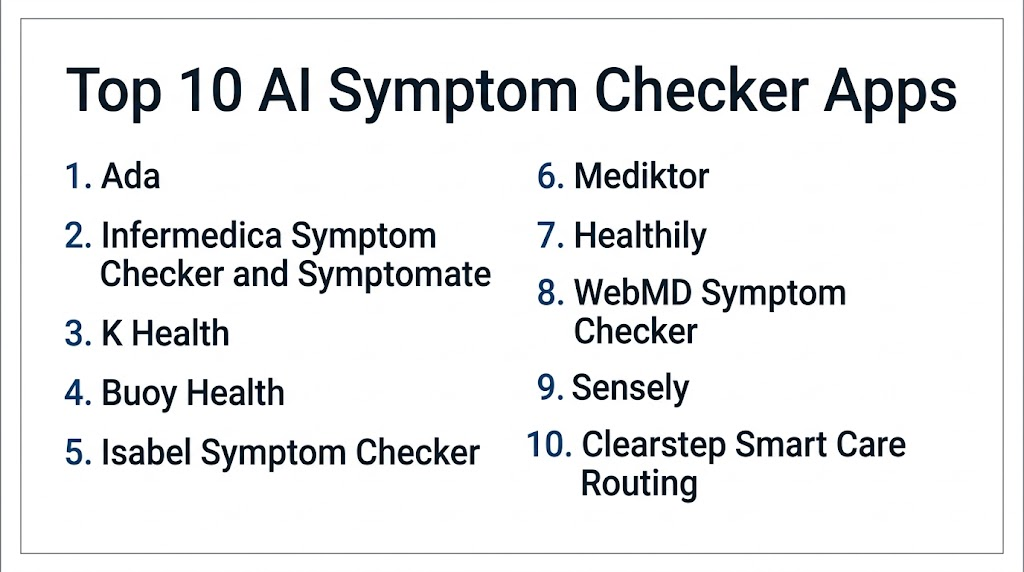
Top 10 AI Symptom Checker Apps
1- Ada
2- Infermedica Symptom Checker and Symptomate
3- K Health
4- Buoy Health
5- Isabel Symptom Checker
6- Mediktor
7- Healthily
8- WebMD Symptom Checker
9- Sensely
10- Clearstep Smart Care Routing
1- Ada
One-line verdict: Best for consumer-friendly AI symptom assessment and healthcare partner digital front-door workflows.
Short description:
Ada is an AI-powered health assessment and symptom checker app that guides users through structured questions about symptoms and possible next steps. It is useful for consumers, employers, payers, and healthcare partners that want symptom assessment, care navigation, and early guidance in an accessible digital experience.
Standout Capabilities
- AI-powered symptom assessment
- Structured follow-up questions based on user responses
- Possible condition suggestions for user education
- Care guidance and next-step suggestions
- Consumer app experience
- Enterprise health assessment solutions
- Support for preparing information before a medical visit
- Privacy-focused user experience depending on region and configuration
AI-Specific Depth
- Model support: Proprietary AI symptom assessment engine
- RAG and knowledge integration: Medical knowledge integration varies by product and deployment
- Evaluation: Clinical testing and safety evaluation are referenced by the vendor, but buyers should verify details directly
- Guardrails: Emergency guidance, disclaimers, user review, and intended-use boundaries vary by region and product
- Observability: Assessment history, symptom inputs, possible causes, care guidance, and partner analytics vary by configuration
Pros
- Strong consumer symptom checker experience
- Easy structured assessment flow
- Useful for digital front-door and partner health navigation workflows
Cons
- Not a diagnostic replacement
- Possible causes may worry users if not interpreted carefully
- Enterprise integration and features vary by partner deployment
Security and Compliance
Ada provides health data handling and privacy controls depending on product and region. Exact SSO, RBAC, audit logs, encryption, data retention, residency, and certifications should be verified directly during procurement. If not confirmed, write Not publicly stated.
Deployment and Platforms
- Consumer mobile app options
- Web-based symptom assessment options may vary
- Enterprise deployment options for partners may vary
- Integration with healthcare workflows depends on partner configuration
Integrations and Ecosystem
Ada can support both consumer and enterprise symptom assessment workflows.
- Consumer health app workflows
- Employer health programs
- Payer care navigation
- Healthcare provider digital front-door workflows
- Telehealth routing where configured
- Patient intake workflows
- Analytics and reporting depending on deployment
Pricing Model
Consumer access may vary by region and product. Enterprise pricing is typically contract-based and depends on scale, integrations, users, and partner needs. Exact pricing is Not publicly stated.
Best-Fit Scenarios
- Consumer symptom self-assessment
- Digital front-door healthcare access
- Payers or providers needing structured symptom intake and care navigation
2- Infermedica Symptom Checker and Symptomate
One-line verdict: Best for healthcare organizations needing AI triage, patient intake, and care navigation workflows.
Short description:
Infermedica provides clinical AI triage and symptom assessment technology for chat, voice, patient portals, call centers, and digital front-door workflows. Symptomate is its consumer-facing symptom checker experience, while its enterprise products support healthcare organizations with structured intake and care routing.
Standout Capabilities
- AI-powered symptom checking
- Digital triage and care navigation
- Patient intake support
- Chat, voice, and call center workflow options
- Healthcare organization deployment options
- API and integration-oriented approach
- Structured interview logic
- Analytics for patient routing and assessment workflows
AI-Specific Depth
- Model support: Proprietary AI medical reasoning and triage engine
- RAG and knowledge integration: Medical knowledge base and symptom-condition logic depending on product
- Evaluation: Vendor references clinical testing and engine accuracy, but buyers should verify evidence directly
- Guardrails: Emergency escalation, triage boundaries, clinician review workflows, and intended-use settings vary by deployment
- Observability: Assessment flows, triage outcomes, care routing, call center metrics, and patient intake analytics vary by configuration
Pros
- Strong enterprise triage and intake focus
- Flexible deployment across chat, voice, portal, and call center workflows
- Useful for healthcare providers, payers, and digital health platforms
Cons
- Requires careful workflow and safety configuration
- Consumer and enterprise capabilities differ
- Clinical validation should be reviewed for each intended use
Security and Compliance
Infermedica provides healthcare-focused digital triage capabilities. Exact SSO, RBAC, audit logs, encryption, retention, data residency, and certifications should be verified during procurement. If not confirmed, write Not publicly stated.
Deployment and Platforms
- Web-based symptom checker
- API-based enterprise deployment options
- Chat and voice workflows may be available depending on product
- Patient portal and call center integrations may vary
- Consumer app experience through Symptomate
Integrations and Ecosystem
Infermedica supports digital triage and healthcare access workflows.
- Patient portals
- Telehealth platforms
- Call center workflows
- Payer member portals
- Healthcare provider websites
- Care navigation systems
- APIs and custom workflows
Pricing Model
Enterprise pricing is typically contract-based and depends on use case, volume, integrations, channels, and support. Consumer-facing availability may vary. Exact pricing is Not publicly stated.
Best-Fit Scenarios
- Healthcare providers building digital triage workflows
- Payers routing members to appropriate care
- Call centers and telehealth platforms needing structured symptom intake
3- K Health
One-line verdict: Best for virtual care programs combining AI symptom intake with clinician-supported care.
Short description:
K Health provides AI-assisted symptom assessment and virtual care workflows that help users enter symptoms, receive guidance, and connect with clinicians where available. It is useful for digital health organizations, employers, payers, and care delivery groups that want AI-supported intake paired with provider review.
Standout Capabilities
- AI-assisted symptom intake
- Patient-facing virtual care workflows
- Clinician-supported care options depending on service availability
- Structured health context gathering
- Triage and care navigation support
- Digital front-door experience
- Support for common primary care use cases
- Operational workflows for virtual care delivery
AI-Specific Depth
- Model support: Proprietary clinical AI and virtual care models
- RAG and knowledge integration: Varies / N/A
- Evaluation: Clinical validation varies by workflow and deployment; exact details are Not publicly stated
- Guardrails: Clinician review, escalation rules, care protocols, disclaimers, and patient safety workflows vary by deployment
- Observability: Intake activity, patient interactions, clinician review, triage outputs, and operational analytics vary by configuration
Pros
- Combines AI intake with care access workflows
- Useful for virtual primary care and digital front-door models
- Helps structure patient information before clinician review
Cons
- Availability and care options vary by region and partner
- Not a standalone diagnostic tool
- Requires strong safety protocols and escalation governance
Security and Compliance
K Health provides healthcare technology and virtual care capabilities. Exact SSO, RBAC, audit logs, encryption, retention, residency, and certifications should be verified directly. If not confirmed, write Not publicly stated.
Deployment and Platforms
- Consumer and virtual care platform options vary
- Web and mobile experiences may vary by service
- Partner deployments may include integrated care workflows
- EHR and provider workflow integration should be verified
Integrations and Ecosystem
K Health supports AI-assisted care access and virtual care delivery.
- Virtual care workflows
- Patient intake systems
- Clinician review workflows
- Care routing and triage
- Employer or payer health programs
- Patient communication tools
- Operational analytics
Pricing Model
Typically consumer, employer, payer, or enterprise contract-based depending on deployment. Exact pricing depends on service model, region, patient volume, and agreement. Exact pricing is Not publicly stated.
Best-Fit Scenarios
- Virtual care programs needing AI-assisted intake
- Employers or payers offering digital health access
- Health systems adding AI-supported patient triage before clinician visits
4- Buoy Health
One-line verdict: Best for conversational symptom checking and care navigation in consumer and payer workflows.
Short description:
Buoy Health provides an AI-driven symptom checker and care navigation experience that asks users questions and suggests possible next steps. It is useful for consumers, employers, payers, and healthcare organizations that want conversational triage and routing support.
Standout Capabilities
- Conversational symptom assessment
- Care navigation and next-step guidance
- User-friendly question flow
- Possible condition education
- Payer and employer workflow relevance
- Digital front-door support
- Patient routing and engagement
- Health information and navigation assistance
AI-Specific Depth
- Model support: Proprietary AI symptom checker and navigation engine
- RAG and knowledge integration: Medical knowledge and routing logic vary by product
- Evaluation: Not publicly stated
- Guardrails: Emergency guidance, disclaimers, triage boundaries, and routing rules vary by deployment
- Observability: User assessments, care routing, engagement metrics, and navigation outcomes vary by configuration
Pros
- Conversational and user-friendly symptom flow
- Useful for care navigation and health plan member engagement
- Helps users understand urgency and next steps
Cons
- Not a substitute for professional diagnosis
- Clinical validation details should be reviewed directly
- Enterprise integration depth varies by deployment
Security and Compliance
Buoy Health provides digital health and symptom navigation capabilities. Exact SSO, RBAC, audit logs, encryption, retention, data residency, and certifications should be verified during procurement. If not confirmed, write Not publicly stated.
Deployment and Platforms
- Web-based and digital front-door experiences may vary
- Enterprise or partner deployment options may vary
- Consumer symptom checker experience may vary by availability
- Integration depends on partner workflows and routing needs
Integrations and Ecosystem
Buoy Health can support care navigation and member engagement workflows.
- Employer health programs
- Payer member navigation
- Provider digital front doors
- Telehealth routing
- Care recommendations
- Patient engagement workflows
- Analytics and reporting depending on deployment
Pricing Model
Typically enterprise or partner contract-based. Exact pricing depends on users, routing workflows, integrations, and scope. Exact pricing is Not publicly stated.
Best-Fit Scenarios
- Payers improving care navigation
- Employers guiding members to appropriate care
- Consumers seeking structured symptom guidance
5- Isabel Symptom Checker
One-line verdict: Best for differential diagnosis support and symptom-based clinical reasoning.
Short description:
Isabel Symptom Checker helps users and clinicians generate possible diagnoses based on symptoms and clinical findings. It is useful for diagnostic reasoning, broad differential support, and situations where users want to explore possible causes before discussing symptoms with a healthcare professional.
Standout Capabilities
- Symptom-based differential diagnosis support
- Broad medical condition database
- Free-text or symptom-entry style workflow depending on product
- Clinician-oriented diagnostic reasoning heritage
- Consumer-accessible symptom checker
- Support for broadening possible diagnostic considerations
- Simple assessment experience
- Educational value for users and trainees
AI-Specific Depth
- Model support: Proprietary diagnostic search and AI-supported reasoning technology
- RAG and knowledge integration: Clinical condition knowledge retrieval depending on product
- Evaluation: Not publicly stated
- Guardrails: Clinician review, differential diagnosis limitations, disclaimers, and access controls vary by deployment
- Observability: Search activity, symptom inputs, possible condition outputs, and usage analytics vary by configuration
Pros
- Strong differential diagnosis orientation
- Useful for broad symptom exploration
- Simple and quick symptom entry experience
Cons
- Not a treatment decision tool
- Outputs require professional interpretation
- Consumer users may misread possible diagnoses without clinical context
Security and Compliance
Isabel Healthcare provides clinical decision and symptom support capabilities. Exact SSO, RBAC, audit logs, encryption, retention, residency, and certifications should be verified during procurement. If not confirmed, write Not publicly stated.
Deployment and Platforms
- Web-based symptom checker
- Professional and consumer access options may vary
- EHR integration options may vary for clinical products
- Works as a diagnostic reasoning support workflow
Integrations and Ecosystem
Isabel supports symptom checking and differential diagnosis workflows.
- Web symptom checker
- Clinical decision support workflows
- Medical education workflows
- EHR integration where configured
- Differential diagnosis support
- Patient preparation before visits
- Professional diagnostic reasoning workflows
Pricing Model
Consumer and professional access models may vary. Institutional pricing is typically subscription-based or contract-based. Exact pricing is Not publicly stated.
Best-Fit Scenarios
- Users exploring possible causes of symptoms
- Clinicians needing differential diagnosis support
- Training programs teaching diagnostic reasoning
6- Mediktor
One-line verdict: Best for healthcare organizations needing AI symptom assessment, triage, and patient navigation.
Short description:
Mediktor provides an AI-powered symptom checker and triage platform that supports patient assessment and routing across healthcare access points. It is useful for hospitals, insurers, telemedicine providers, and digital health platforms that want symptom-driven care navigation.
Standout Capabilities
- AI symptom assessment
- Digital triage and urgency guidance
- Patient navigation support
- Conversational assessment experience
- Enterprise healthcare workflow deployment
- Integration with telemedicine and care access workflows
- Support for patient intake
- Analytics for routing and usage depending on setup
AI-Specific Depth
- Model support: Proprietary AI symptom assessment and triage engine
- RAG and knowledge integration: Medical knowledge base integration varies by product
- Evaluation: Clinical validation details should be verified directly
- Guardrails: Emergency escalation, user disclaimers, clinician review workflows, and routing policies vary by configuration
- Observability: Symptom assessments, triage outcomes, routing metrics, user flows, and operational dashboards vary by deployment
Pros
- Strong focus on digital triage and care navigation
- Useful for enterprise healthcare access workflows
- Supports conversational symptom assessment
Cons
- Enterprise setup requires integration planning
- Product capabilities vary by region and deployment
- Buyers should verify evidence and safety testing for intended use
Security and Compliance
Mediktor provides healthcare-focused AI triage capabilities. Exact SSO, RBAC, audit logs, encryption, retention, residency, and certifications should be verified directly. If not confirmed, use Not publicly stated.
Deployment and Platforms
- Web and digital workflow options may vary
- Enterprise deployment for providers, insurers, and telehealth platforms
- API and integration options may vary
- Patient-facing and professional workflows depend on configuration
Integrations and Ecosystem
Mediktor supports patient access and care navigation workflows.
- Telemedicine platforms
- Health system websites
- Payer portals
- Patient intake workflows
- Call center support
- Scheduling and routing systems
- Analytics and reporting tools
Pricing Model
Typically enterprise contract-based. Exact pricing depends on volume, integration scope, users, channels, and agreement. Exact pricing is Not publicly stated.
Best-Fit Scenarios
- Health systems building digital front-door triage
- Insurers routing members to the right care
- Telehealth platforms needing symptom-based intake
7- Healthily
One-line verdict: Best for consumer wellness guidance and symptom checking with broader self-care support.
Short description:
Healthily provides digital health tools including symptom checking, self-care guidance, health information, and wellness support. It is useful for consumers and organizations that want a broader health companion experience rather than only a symptom triage tool.
Standout Capabilities
- Symptom checking and health guidance
- Consumer-friendly self-care support
- Health information and education
- Wellness and lifestyle content depending on product
- Digital health companion experience
- User-friendly health navigation
- Support for preparing for medical conversations
- Personal health engagement workflows
AI-Specific Depth
- Model support: Proprietary digital health and symptom assessment capabilities vary by product
- RAG and knowledge integration: Health knowledge integration varies by product
- Evaluation: Not publicly stated
- Guardrails: Disclaimers, emergency guidance, self-care boundaries, and user safety messages vary by deployment
- Observability: User assessments, engagement activity, health journeys, and content usage vary by configuration
Pros
- Consumer-friendly health guidance experience
- Useful for self-care education and everyday symptom questions
- Broader wellness positioning beyond symptom checking
Cons
- Not a clinical diagnostic replacement
- Enterprise healthcare integration may be limited compared with B2B triage platforms
- Clinical evidence and validation details should be reviewed directly
Security and Compliance
Healthily handles health-related user data depending on product and region. Exact privacy controls, encryption, retention, access controls, audit logs, and certifications should be verified directly. If not confirmed, write Not publicly stated.
Deployment and Platforms
- Consumer app and web experiences may vary
- Digital health companion workflows
- Partner deployment options may vary
- Platform availability depends on region and product
Integrations and Ecosystem
Healthily supports consumer health engagement and symptom guidance workflows.
- Consumer health app workflows
- Self-care guidance
- Health education content
- Wellness journeys
- Symptom checking workflows
- Partner digital health programs
- User engagement analytics depending on deployment
Pricing Model
Consumer and partner pricing may vary depending on product and region. Enterprise pricing, if applicable, is typically contract-based. Exact pricing is Not publicly stated.
Best-Fit Scenarios
- Consumers seeking self-care and symptom guidance
- Wellness-focused digital health programs
- Organizations wanting broader health engagement content
8- WebMD Symptom Checker
One-line verdict: Best for broad consumer health education and familiar symptom exploration.
Short description:
WebMD Symptom Checker helps consumers explore symptoms, possible causes, and general health information. It is useful for users who want a familiar consumer health experience and broad educational support before seeking professional care.
Standout Capabilities
- Broad consumer symptom exploration
- Health information and condition education
- Familiar consumer health brand experience
- Body-map and symptom-based workflows depending on version
- Possible cause exploration
- General care guidance and health content
- Accessible web-based experience
- Useful for patient education and preparation
AI-Specific Depth
- Model support: Varies / N/A
- RAG and knowledge integration: Health content and symptom-condition knowledge workflows vary by product
- Evaluation: Not publicly stated
- Guardrails: Consumer disclaimers, emergency guidance, and self-care limits vary by product
- Observability: User symptom entries, content usage, and consumer engagement metrics are Not publicly stated
Pros
- Familiar and accessible consumer health experience
- Broad condition and symptom coverage
- Useful for general education before contacting a clinician
Cons
- Not necessarily AI-first compared with dedicated AI triage engines
- Not a diagnosis or substitute for medical care
- May not offer deep enterprise care navigation workflows
Security and Compliance
WebMD provides consumer health information services. Exact privacy controls, encryption, data retention, access controls, audit logs, and certifications for symptom checker workflows should be verified directly. If not confirmed, write Not publicly stated.
Deployment and Platforms
- Web-based consumer health experience
- Mobile access may vary by product
- Not primarily an enterprise clinical triage deployment
- Availability and feature set may vary by region
Integrations and Ecosystem
WebMD Symptom Checker fits consumer health education workflows.
- Consumer symptom exploration
- Health education content
- Condition information
- Care preparation
- Wellness content
- User health information search
- Consumer digital health journeys
Pricing Model
Consumer access model may vary. Enterprise pricing for related products, if any, is Not publicly stated.
Best-Fit Scenarios
- Consumers seeking general symptom education
- Users preparing questions for a medical visit
- Health content journeys where broad information is the main need
9- Sensely
One-line verdict: Best for virtual health assistant workflows, patient engagement, and guided care navigation.
Short description:
Sensely provides virtual health assistant technology that can support symptom checking, patient engagement, triage, and care navigation workflows. It is useful for healthcare organizations, insurers, and digital health programs that want a conversational assistant to guide users through health-related journeys.
Standout Capabilities
- Virtual health assistant experience
- Symptom assessment and triage support depending on configuration
- Patient engagement workflows
- Care navigation and education support
- Conversational user interface
- Enterprise healthcare deployment options
- Remote monitoring and follow-up workflows depending on product
- Multi-channel patient communication support
AI-Specific Depth
- Model support: Proprietary virtual assistant and health engagement AI capabilities vary by deployment
- RAG and knowledge integration: Health knowledge and workflow integration vary by product
- Evaluation: Not publicly stated
- Guardrails: Care protocols, escalation rules, human review workflows, and user safety controls vary by configuration
- Observability: User interactions, triage outputs, engagement metrics, and workflow analytics vary by deployment
Pros
- Strong patient engagement and virtual assistant experience
- Useful for payer and provider care navigation
- Can support guided workflows beyond simple symptom checking
Cons
- Clinical triage depth depends on configuration
- Requires workflow design and integration planning
- Validation and intended use must be reviewed carefully
Security and Compliance
Sensely provides healthcare virtual assistant capabilities. Exact SSO, RBAC, audit logs, encryption, data retention, residency, and certifications should be verified during procurement. If not confirmed, use Not publicly stated.
Deployment and Platforms
- Web, mobile, and virtual assistant deployment options may vary
- Enterprise healthcare deployment options
- Patient engagement and navigation workflows
- Integration with health system or payer workflows depends on configuration
Integrations and Ecosystem
Sensely supports digital patient engagement and care navigation workflows.
- Payer member engagement
- Provider patient navigation
- Remote care workflows
- Virtual assistant channels
- Care management programs
- Patient education workflows
- Analytics and reporting depending on deployment
Pricing Model
Typically enterprise contract-based. Exact pricing depends on users, workflows, integrations, channels, and deployment scope. Exact pricing is Not publicly stated.
Best-Fit Scenarios
- Payers improving member engagement
- Providers needing virtual assistant patient navigation
- Digital health teams combining symptom guidance with ongoing engagement
10- Clearstep Smart Care Routing
One-line verdict: Best for healthcare organizations needing AI-powered digital front-door routing and patient access optimization.
Short description:
Clearstep provides smart care routing and digital front-door technology that helps patients find appropriate care options based on symptoms, needs, location, and available services. It is useful for health systems seeking to guide patients to the right care setting, reduce access friction, and improve patient navigation.
Standout Capabilities
- AI-powered care routing
- Digital front-door patient access
- Symptom-based navigation workflows
- Provider and service matching
- Appointment and access guidance depending on integration
- Health system workflow support
- Patient intake and routing analytics
- Support for reducing call center and access burden
AI-Specific Depth
- Model support: Proprietary care routing and AI navigation capabilities
- RAG and knowledge integration: Healthcare service and routing knowledge integration varies by deployment
- Evaluation: Not publicly stated
- Guardrails: Escalation rules, service routing policies, clinician review workflows, and safety guidance vary by configuration
- Observability: Routing outcomes, patient journeys, conversion analytics, engagement metrics, and access dashboards vary by setup
Pros
- Strong health system digital front-door fit
- Focuses on routing patients to appropriate care
- Useful for improving access and reducing navigation friction
Cons
- More care routing-focused than standalone consumer diagnosis support
- Requires integration with provider services and scheduling workflows
- Safety and escalation logic must be configured carefully
Security and Compliance
Clearstep provides healthcare access and routing technology. Exact SSO, RBAC, audit logs, encryption, retention, residency, and certifications should be verified directly. If not confirmed, write Not publicly stated.
Deployment and Platforms
- Web-based digital front-door deployment options
- Health system integration options may vary
- Patient-facing care navigation workflows
- Integration with scheduling, provider directories, and access tools should be verified
Integrations and Ecosystem
Clearstep connects symptom navigation with healthcare access workflows.
- Health system websites
- Provider directories
- Scheduling workflows
- Patient access centers
- Telehealth routing
- Care navigation systems
- Analytics and operational reporting
Pricing Model
Typically enterprise contract-based. Exact pricing depends on health system size, routing workflows, integrations, patient volume, and agreement. Exact pricing is Not publicly stated.
Best-Fit Scenarios
- Health systems building digital front-door access
- Providers reducing patient navigation friction
- Organizations routing patients to the right care option based on symptoms and needs
Comparison Table
| Tool Name | Best For | Deployment | Model Flexibility | Strength | Watch Out | Public Rating |
|---|---|---|---|---|---|---|
| Ada | Consumer symptom assessment and partner health navigation | App, web, and enterprise options vary | Hosted proprietary | User-friendly AI assessment | Not a diagnosis | N/A |
| Infermedica Symptom Checker and Symptomate | Clinical AI triage and patient intake | Web, API, chat, voice, and enterprise options vary | Hosted proprietary | Enterprise digital triage | Requires workflow safety setup | N/A |
| K Health | Virtual care intake and clinician-supported workflows | App, web, and partner options vary | Hosted proprietary | AI intake plus care access | Availability varies | N/A |
| Buoy Health | Conversational care navigation | Web and partner options vary | Hosted proprietary | Friendly symptom flow | Validation details should be reviewed | N/A |
| Isabel Symptom Checker | Differential diagnosis support | Web and integration options vary | Proprietary diagnostic reasoning | Broad differential support | Requires clinical interpretation | N/A |
| Mediktor | Enterprise symptom assessment and triage | Web, API, and enterprise options vary | Hosted proprietary | Care routing and digital triage | Integration planning needed | N/A |
| Healthily | Consumer self-care and symptom guidance | App and web options vary | Proprietary capabilities vary | Health companion experience | Less clinical workflow depth | N/A |
| WebMD Symptom Checker | Consumer health education | Web and mobile options vary | Varies / N/A | Familiar broad health content | Not AI-first enterprise triage | N/A |
| Sensely | Virtual health assistant workflows | Web, mobile, and enterprise options vary | Hosted proprietary | Patient engagement and navigation | Clinical depth varies by setup | N/A |
| Clearstep Smart Care Routing | Health system digital front-door routing | Web and enterprise options vary | Hosted proprietary | Smart care access routing | Needs service directory integration | N/A |
Scoring and Evaluation
This scoring is comparative, not absolute. It helps buyers compare AI symptom checker apps based on symptom assessment depth, AI reliability, guardrails, integrations, usability, performance, security controls, and support. Scores may vary based on region, intended use, user population, clinical governance, integration depth, care routing logic, and validation evidence. Public ratings are not guessed. Buyers should validate shortlisted apps with real user scenarios, red-flag cases, clinician review, compliance testing, privacy review, and measurable routing outcomes before deployment.
| Tool | Core | Reliability and Eval | Guardrails | Integrations | Ease | Performance and Cost | Security and Admin | Support | Weighted Total |
| Ada | 9.0 | 8.6 | 8.6 | 8.3 | 8.8 | 8.4 | 8.5 | 8.5 | 8.6 |
| Infermedica Symptom Checker and Symptomate | 9.1 | 8.7 | 8.7 | 8.8 | 8.5 | 8.4 | 8.6 | 8.6 | 8.7 |
| K Health | 8.7 | 8.3 | 8.7 | 8.4 | 8.7 | 8.3 | 8.6 | 8.5 | 8.5 |
| Buoy Health | 8.5 | 8.2 | 8.5 | 8.3 | 8.8 | 8.4 | 8.4 | 8.4 | 8.4 |
| Isabel Symptom Checker | 8.5 | 8.4 | 8.3 | 8.0 | 8.5 | 8.5 | 8.2 | 8.3 | 8.3 |
| Mediktor | 8.8 | 8.4 | 8.6 | 8.6 | 8.5 | 8.3 | 8.5 | 8.5 | 8.5 |
| Healthily | 8.1 | 8.0 | 8.2 | 7.8 | 8.7 | 8.6 | 8.1 | 8.2 | 8.2 |
| WebMD Symptom Checker | 7.9 | 7.9 | 8.1 | 7.6 | 8.6 | 8.7 | 8.0 | 8.2 | 8.1 |
| Sensely | 8.4 | 8.1 | 8.5 | 8.4 | 8.5 | 8.3 | 8.5 | 8.4 | 8.4 |
| Clearstep Smart Care Routing | 8.5 | 8.2 | 8.6 | 8.7 | 8.6 | 8.3 | 8.5 | 8.5 | 8.5 |
Top 3 for Enterprise
1- Infermedica Symptom Checker and Symptomate
2- Clearstep Smart Care Routing
3- Mediktor
Top 3 for SMB
1- Ada
2- Buoy Health
3- Healthily
Top 3 for Developers
1- Infermedica Symptom Checker and Symptomate
2- Clearstep Smart Care Routing
3- Mediktor
Which AI Symptom Checker App Is Right for You
Solo / Freelancer
Solo users, independent clinicians, and digital health consultants usually need tools that are easy to access and simple to test. Ada, Isabel Symptom Checker, Healthily, and WebMD Symptom Checker can be useful for general symptom exploration, health education, and differential thinking. For professional use, outputs should always be interpreted through clinical judgment and verified with appropriate care.
SMB
Small clinics, telehealth startups, and employer health programs should prioritize ease of deployment, safe triage, and patient-friendly user experience. Ada, Buoy Health, Mediktor, and K Health may be useful depending on whether the goal is consumer symptom checking, virtual care intake, or care routing. SMBs should avoid complex integrations until the safety model and workflow value are proven.
Mid-Market
Mid-market providers, payers, and virtual care groups usually need better integration, analytics, and routing control. Infermedica, Mediktor, Clearstep, and Sensely can support structured intake, digital triage, call center workflows, and member navigation. These teams should pilot across specific use cases such as urgent care routing, telehealth intake, or primary care navigation.
Enterprise
Large health systems and payers should prioritize scalability, safety governance, integration, care routing analytics, privacy, and operational support. Infermedica is strong for clinical AI triage and patient intake, Clearstep is strong for health system care routing, Mediktor is strong for enterprise symptom assessment, and Sensely is useful for virtual assistant patient engagement. Enterprise buyers should involve clinicians, compliance, call center leaders, IT, and patient access teams early.
Regulated Industries
Healthcare organizations must treat symptom checking as a safety-sensitive workflow. They should verify intended use, regulatory obligations, clinical validation, escalation logic, privacy, auditability, and clinician review requirements. Any tool that influences care routing or urgency should be tested with red-flag cases and monitored continuously after deployment.
Budget vs Premium
Budget-conscious users may start with consumer tools such as Ada, Healthily, WebMD, or Isabel for general guidance and education. Premium healthcare buyers may need enterprise platforms such as Infermedica, Mediktor, Clearstep, or Sensely for integration, routing, analytics, call center support, and governance. Total cost should include implementation, integrations, clinical review, maintenance, and monitoring.
Build vs Buy
Building an AI symptom checker internally is difficult because it requires clinical knowledge modeling, safety review, red-flag triage, privacy compliance, usability testing, validation, localization, and ongoing monitoring. Most organizations should buy or partner with established platforms. A hybrid approach can work when a health system uses a commercial symptom engine but builds custom routing and scheduling workflows around it.
Implementation Playbook
First 30 Days
- Define the main use case such as consumer symptom checking, urgent care routing, telehealth intake, call center support, or patient navigation.
- Identify the target users such as patients, members, employees, nurses, call center agents, or clinicians.
- Review intended use and regulatory considerations.
- Select two or three tools for evaluation.
- Create test scenarios including common symptoms, vague symptoms, pediatric concerns, chronic conditions, and red-flag emergency symptoms.
- Review privacy policy, consent, data handling, retention, and security controls.
- Define escalation language and emergency care guidance.
- Identify integration needs such as EHR, telehealth, scheduling, portal, CRM, or provider directory.
- Create a pilot team with clinicians, compliance, IT, patient experience, access center, and operations leaders.
- Define success metrics such as safe routing, user completion rate, appointment conversion, reduced call burden, and patient satisfaction.
First 60 Days
- Run a controlled pilot with a narrow user group or specific service line.
- Test the app with real-world symptom scenarios and clinician-reviewed outputs.
- Measure red-flag escalation behavior and inappropriate routing risk.
- Review user experience, completion rates, and drop-off points.
- Integrate with scheduling, telehealth, or provider routing where appropriate.
- Train call center staff, care navigation teams, or clinicians on how outputs should be used.
- Document limitations, disclaimers, and escalation rules.
- Review analytics for routing outcomes and user behavior.
- Collect feedback from users and clinical reviewers.
- Decide whether to expand, refine, or stop the pilot based on safety and operational value.
First 90 Days
- Expand to more symptoms, service lines, locations, or user groups if pilot results are strong.
- Monitor routing accuracy, escalation safety, user satisfaction, and conversion to care.
- Create recurring clinical governance reviews.
- Review privacy, consent, and data retention practices.
- Update service directories, care routing rules, and escalation workflows.
- Monitor for bias, underserved population gaps, and language accessibility issues.
- Build dashboards for leaders showing usage, routing, access improvement, and safety signals.
- Train new staff and update user education materials.
- Review vendor support quality and platform reliability.
- Continue safety testing whenever clinical content, workflows, or routing rules change.
Common Mistakes and How to Avoid Them
- Treating symptom checkers as diagnosis tools: They should guide users, not replace medical evaluation.
- Ignoring emergency symptoms: Red-flag escalation must be clear, fast, and safe.
- Skipping clinical review: Clinicians should review triage logic and test scenarios before deployment.
- No privacy review: Symptom data is sensitive and should be protected carefully.
- Poor care routing: The tool should route users to real, available services, not generic advice only.
- Overloading users with questions: Long assessments can lead to drop-offs and incomplete triage.
- No accessibility planning: Language, literacy, disability access, and mobile usability matter.
- Ignoring pediatric and pregnancy use cases: These groups may need special handling or exclusions.
- No feedback loop: User outcomes and routing performance should improve the workflow over time.
- Using unsafe free-text AI without guardrails: Generative responses should not hallucinate diagnosis or treatment guidance.
- Skipping pilot testing: Test with realistic symptoms, edge cases, and urgent scenarios before launch.
- No clinician-in-the-loop workflow: Provider deployments need clear review and escalation rules.
- Measuring only traffic: Track safety, routing accuracy, user outcomes, and care conversion.
- Forgetting change management: Staff and users need to understand what the tool can and cannot do.
FAQs
1- What are AI Symptom Checker Apps?
AI Symptom Checker Apps ask users about symptoms, risk factors, and health context to suggest possible causes and next steps. They are designed for education, triage, intake, or care navigation, not final diagnosis.
2- Do symptom checker apps replace doctors?
No. They cannot replace doctors, nurses, emergency care, or clinical diagnosis. They can help users organize symptoms and decide whether to seek care, but medical decisions should involve qualified professionals.
3- Are AI symptom checker apps accurate?
Accuracy varies by app, symptom type, user input quality, clinical validation, and intended use. Buyers and healthcare organizations should review evidence, test with real scenarios, and verify safety performance before deployment.
4- Which app is best for consumers?
Ada, Healthily, WebMD Symptom Checker, Isabel Symptom Checker, and Buoy Health are useful consumer-facing options. The best choice depends on whether the user wants structured assessment, health education, or differential diagnosis support.
5- Which platform is best for healthcare organizations?
Infermedica, Mediktor, Clearstep, Sensely, and Ada enterprise solutions are strong candidates for healthcare organizations. They support digital triage, care routing, patient intake, and access workflows depending on deployment.
6- Which tool is best for differential diagnosis?
Isabel Symptom Checker is strong for differential diagnosis support. It can help broaden possible diagnostic considerations, but outputs still require clinical interpretation.
7- Which tool is best for virtual care intake?
K Health, Infermedica, Mediktor, and Clearstep may fit virtual care intake and routing workflows. The best option depends on the care model, integration needs, and safety requirements.
8- Can symptom checkers detect emergencies?
Good symptom checkers should identify red-flag symptoms and recommend urgent or emergency care when appropriate. Users should seek immediate medical help for severe or concerning symptoms regardless of app output.
9- What should buyers test during a pilot?
Buyers should test common symptoms, rare symptoms, red flags, pediatric scenarios, pregnancy scenarios, chronic conditions, user drop-offs, routing accuracy, privacy controls, and integration with scheduling or telehealth workflows.
10- Are symptom checker apps regulated?
Regulatory status depends on intended use, region, claims, and whether the software provides medical device-like recommendations. Buyers should verify regulatory obligations with legal, clinical, and compliance teams.
11- Can these apps integrate with EHR systems?
Some enterprise tools can integrate with EHRs, patient portals, scheduling systems, call centers, and telehealth platforms. Integration depth varies widely by vendor and deployment.
12- What is the biggest risk with AI symptom checker apps?
The biggest risk is unsafe guidance caused by poor input, weak triage logic, missing red flags, or users treating app output as a diagnosis. Strong disclaimers, clinical validation, escalation rules, and monitoring are essential.
Conclusion
AI Symptom Checker Apps help users understand symptoms, prepare for medical conversations, and navigate toward appropriate care when implemented responsibly. Ada is strong for consumer-friendly AI assessment, Infermedica supports enterprise digital triage and intake, K Health connects AI intake with virtual care, Buoy Health offers conversational care navigation, Isabel supports differential diagnosis thinking, Mediktor helps healthcare organizations with AI triage, Healthily supports consumer self-care guidance, WebMD offers broad symptom education, Sensely provides virtual assistant workflows, and Clearstep helps health systems route patients to the right care. To choose the right tool, shortlist by user type and care workflow, verify safety and privacy controls, pilot with real symptom scenarios, confirm escalation logic, and scale with clinical governance, user education, integration monitoring, and continuous outcome review

Find Trusted Cardiac Hospitals
Compare heart hospitals by city and services — all in one place.
Explore Hospitals
A key gap is how reliably these apps differentiate between common self-limiting symptoms and early signs of serious conditions without causing unnecessary anxiety or missed escalation.