
Introduction
AI Storyboarding Tools are platforms that use artificial intelligence to help creators plan, visualize, and structure narratives for films, videos, animations, games, and marketing content. These tools automate parts of the storyboarding process, generate visual frames from scripts, suggest scene compositions, and streamline creative workflows. In 2026, AI storyboarding has become critical for filmmakers, content creators, advertisers, and gaming studios seeking speed, consistency, and collaboration in production pipelines.
Real-world use cases include:
- Film and TV production: Automatically generating storyboard frames from scripts.
- Marketing and advertising: Visualizing campaigns before shooting.
- Animation studios: Drafting complex sequences quickly with AI-assisted visuals.
- Game design: Mapping out interactive sequences or cutscenes.
- Educational content: Creating visual guides for e-learning videos.
- Corporate training videos: Planning visual flow for instructional content.
What buyers should evaluate:
- Script-to-scene AI conversion accuracy
- Support for multiple visual styles and shot compositions
- Integration with video editing and animation pipelines
- Collaboration and version control features
- Export formats for production workflows (PDF, image, video)
- Real-time preview or batch frame generation
- Multimodal input support (text, sketches, images)
- AI evaluation for composition, continuity, and pacing
- Guardrails for copyright and content safety
- Scalability for large projects and team use
Best for: Filmmakers, game designers, marketing teams, animation studios, and enterprises producing video content.
Not ideal for: Projects requiring entirely handcrafted or high-detail cinematography, fine art, or live-action complex visual effects where AI interpretation may fall short.
What’s Changed in AI Storyboarding Tools in 2026+
- Multi-step agentic workflows for transforming scripts into storyboard sequences
- Multimodal input: text, rough sketches, concept art, or reference images
- AI-assisted composition suggestions for camera angles, lighting, and pacing
- Real-time preview and collaborative editing for distributed teams
- Integration with animation and video production pipelines
- Enterprise-grade privacy and security for proprietary content
- Observability dashboards for frame generation time, cost, and quality
- Guardrails to prevent misuse of copyrighted reference images
- Batch processing for large-scale projects
- Multi-style templates for cinematic, marketing, or educational content
- AI evaluation for narrative continuity, shot pacing, and visual composition
- Cloud, hybrid, and on-premises deployment options
Quick Buyer Checklist
- Script-to-visual accuracy
- Style and template flexibility
- Multi-user collaboration and version control
- Integration with video and animation tools
- Real-time or batch frame generation
- Security and IP protection
- Observability for cost and processing metrics
- Guardrails for content safety
- Multimodal input support
- Export options for production workflow compatibility
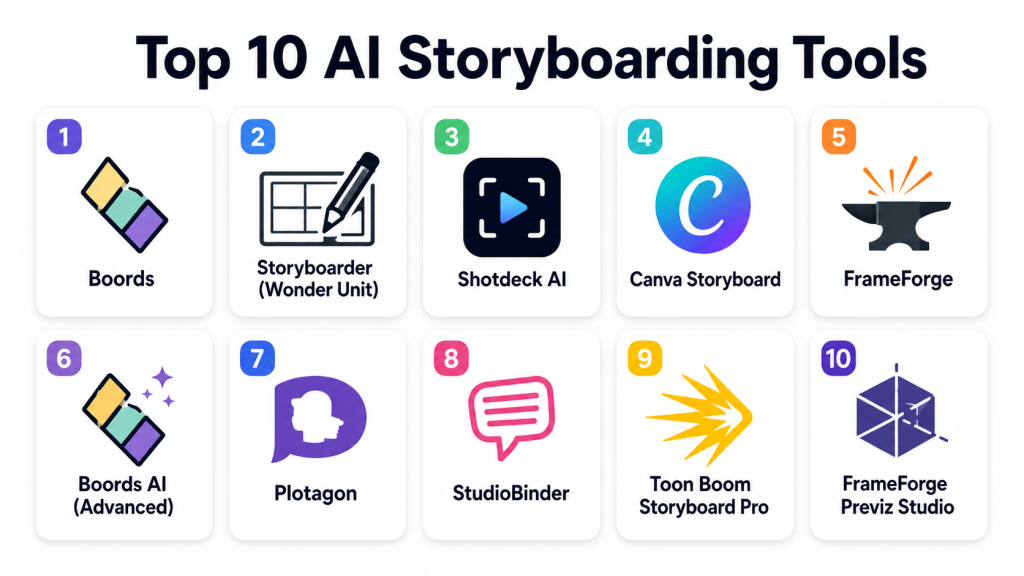
Top 10 AI Storyboarding Tools
1- Boords
One-line verdict: Best for filmmakers and content teams needing simple, collaborative storyboard creation.
Short description: Boords allows teams to generate storyboards, add notes, and manage revisions efficiently, with AI-assisted frame suggestions.
Standout Capabilities
- Collaborative storyboard editor
- AI-assisted frame composition suggestions
- Script-to-board mapping
- Export to PDF, images, or video sequences
- Scene notes and versioning
- Integration with animation/video tools
- Multi-user permissions and project management
- Template library for styles
AI-Specific Depth
- Model support: Proprietary
- RAG / knowledge integration: N/A
- Evaluation: Composition and pacing checks
- Guardrails: IP protection and content moderation
- Observability: Project metrics, export logs
Pros
- Collaborative and beginner-friendly
- Efficient script-to-board mapping
- Multiple export formats
Cons
- Limited advanced visual AI generation
- Cloud-focused
- Less suited for complex cinematic planning
Security & Compliance
SSO/RBAC, encryption; Certifications: Not publicly stated
Deployment & Platforms
- Web, Cloud
Integrations & Ecosystem
- Video editors, animation tools, API
- Cloud storage, project management integration
Pricing Model
Subscription-based
Best-Fit Scenarios
- Marketing content planning
- Small film projects
- Animation pre-visualization
2- Storyboarder (Wonder Unit)
One-line verdict: Ideal for animators and independent filmmakers needing free and flexible storyboarding software.
Short description: Storyboarder offers a free tool for drafting storyboards with AI-assisted sketch generation and flexible export options.
Standout Capabilities
- Free, open-source storyboard creation
- AI-assisted sketch suggestions
- Script-to-board alignment
- Export to PDFs, Photoshop, or After Effects
- Simple timeline interface
- Version control support
- Multi-style frame templates
AI-Specific Depth
- Model support: Open-source / proprietary hybrid
- RAG / knowledge integration: N/A
- Evaluation: Frame continuity checks
- Guardrails: N/A
- Observability: Export and revision metrics
Pros
- Free and open-source
- Easy to learn
- Flexible export formats
Cons
- Limited enterprise features
- Cloud storage not integrated
- AI sketch capabilities are basic
Security & Compliance
Varies / N/A
Deployment & Platforms
- Windows, macOS, Linux
Integrations & Ecosystem
- Photoshop, After Effects, API
- Project files for animation pipelines
Pricing Model
Free
Best-Fit Scenarios
- Indie animation
- Student projects
- Small creative teams
3- Shotdeck AI
One-line verdict: Suited for professional filmmakers seeking AI-assisted reference frame generation.
Short description: Shotdeck AI generates storyboard frames based on script descriptions and visual references for cinematic planning.
Standout Capabilities
- AI-generated visual reference frames
- Integration with shot libraries
- Script-to-scene mapping
- Multi-style cinematic templates
- Collaboration features
- Export in image or sequence format
AI-Specific Depth
- Model support: Proprietary
- RAG / knowledge integration: N/A
- Evaluation: Composition and continuity checks
- Guardrails: Copyright-safe reference handling
- Observability: Frame generation time and cost
Pros
- Professional cinematic reference
- Supports high-fidelity planning
- Collaborative workflow
Cons
- Cloud-only
- Premium subscription
- Requires manual refinement for complex shots
Security & Compliance
Varies / N/A
Deployment & Platforms
- Web, Cloud
Integrations & Ecosystem
- Video editing and animation software
- Project management APIs
Pricing Model
Subscription
Best-Fit Scenarios
- Film pre-visualization
- High-end marketing content
- Cinematic projects
4- Canva Storyboard
One-line verdict: Great for marketers and educators needing fast storyboard creation with templates.
Short description: Canva Storyboard allows AI-assisted storyboard creation, easy editing, and export for videos or presentations.
Standout Capabilities
- Drag-and-drop storyboard editor
- AI-assisted frame layout suggestions
- Pre-built templates
- Export to PDF or video slides
- Collaborative editing
- Multi-platform access
AI-Specific Depth
- Model support: Proprietary
- RAG / knowledge integration: N/A
- Evaluation: Layout and pacing checks
- Guardrails: N/A
- Observability: Usage logs
Pros
- Easy for non-professionals
- Fast template-based creation
- Cloud-based collaboration
Cons
- Limited cinematic customization
- Cloud-dependent
- AI composition is basic
Security & Compliance
SSO/RBAC; Certifications: Not publicly stated
Deployment & Platforms
- Web, Cloud, iOS, Android
Integrations & Ecosystem
- Canva templates, API, presentation export
Pricing Model
Subscription
Best-Fit Scenarios
- Educational videos
- Social media campaigns
- Marketing storyboards
5- FrameForge
One-line verdict: Ideal for filmmakers and animation studios needing precise shot planning with AI assistance.
Short description: FrameForge provides AI-assisted storyboarding, camera placement, and shot planning for professional film and animation projects.
Standout Capabilities
- AI-assisted camera framing
- Shot sequencing and timelines
- Integration with scripts and pre-vis workflows
- Multi-style scene templates
- Export to PDF, images, or animation software
AI-Specific Depth
- Model support: Proprietary
- RAG / knowledge integration: N/A
- Evaluation: Shot composition analysis
- Guardrails: N/A
- Observability: Project metrics
Pros
- Professional-grade shot planning
- Precise camera and framing tools
- Supports complex projects
Cons
- Steep learning curve
- Cloud optional but mainly desktop
- Subscription cost
Security & Compliance
Varies / N/A
Deployment & Platforms
- Windows, macOS, Cloud
Integrations & Ecosystem
- After Effects, Premiere, animation software
- API support
Pricing Model
Subscription
Best-Fit Scenarios
- Feature films
- Animation studios
- Professional marketing videos
6- Boords AI (Advanced)
One-line verdict: Enterprise-focused storyboard platform with AI frame generation and collaboration.
Short description: Boords AI allows teams to automate frame generation from scripts and manage collaborative storyboarding at scale.
Standout Capabilities
- AI frame suggestion
- Script-to-board automation
- Multi-user collaboration
- Export to multiple formats
- Version control
AI-Specific Depth
- Model support: Proprietary
- RAG / knowledge integration: N/A
- Evaluation: Frame consistency checks
- Guardrails: Content safety
- Observability: Project metrics
Pros
- Enterprise-ready
- Collaborative
- AI-assisted automation
Cons
- Cloud-only
- Limited advanced visual AI
- Premium subscription
Security & Compliance
SSO/RBAC; Certifications: Not publicly stated
Deployment & Platforms
- Web, Cloud
Integrations & Ecosystem
- Video editing, CMS, animation tools
Pricing Model
Subscription
Best-Fit Scenarios
- Large production teams
- Corporate video projects
- Marketing campaigns
7- Plotagon
One-line verdict: Excellent for simple animated storyboarding with AI character motion suggestions.
Short description: Plotagon allows users to create animated storyboards from scripts with AI-assisted character movement and dialogue visualization.
Standout Capabilities
- AI-assisted animation of characters
- Script-to-scene mapping
- Multi-style templates
- Export as video or image sequences
- Voiceover integration
AI-Specific Depth
- Model support: Proprietary
- RAG / knowledge integration: N/A
- Evaluation: Animation and timing checks
- Guardrails: Content moderation
- Observability: Export and project metrics
Pros
- Animated storyboard generation
- Easy for beginners
- Visual script-to-scene mapping
Cons
- Limited cinematic depth
- Cloud or desktop dependency
- Animation style limited
Security & Compliance
Varies / N/A
Deployment & Platforms
- Web, Cloud, Windows, macOS
Integrations & Ecosystem
- Video export, API, educational platforms
Pricing Model
Subscription
Best-Fit Scenarios
- Animated educational videos
- Social media content
- Marketing campaigns
8- StudioBinder
One-line verdict: Suited for production teams needing professional pre-visualization and shot planning.
Short description: StudioBinder provides AI-assisted storyboard creation, production management, and collaborative planning for film and commercial teams.
Standout Capabilities
- Shot planning and AI frame suggestions
- Script-to-board integration
- Production calendar
- Team collaboration tools
- Export to PDF or video sequence
AI-Specific Depth
- Model support: Proprietary
- RAG / knowledge integration: N/A
- Evaluation: Composition and continuity checks
- Guardrails: N/A
- Observability: Project metrics
Pros
- Professional production planning
- Collaborative team workflow
- AI-assisted frame suggestions
Cons
- Cloud subscription
- Less suitable for animation-heavy projects
- Learning curve for beginners
Security & Compliance
Varies / N/A
Deployment & Platforms
- Web, Cloud
Integrations & Ecosystem
- Video editors, production tools, APIs
Pricing Model
Subscription
Best-Fit Scenarios
- Feature films
- Commercials
- Corporate productions
9- Toon Boom Storyboard Pro
One-line verdict: Best for animation studios needing advanced storyboard and animatic generation.
Short description: Storyboard Pro combines AI-assisted storyboard creation, animatics, and production pipeline integration for professional animation studios.
Standout Capabilities
- Advanced frame and animatic generation
- AI-assisted timing and composition
- Multi-layer animation support
- Export to multiple formats
- Collaboration tools
AI-Specific Depth
- Model support: Proprietary
- RAG / knowledge integration: N/A
- Evaluation: Animation quality checks
- Guardrails: N/A
- Observability: Project metrics
Pros
- Professional animation support
- Precise timing and composition
- Industry-standard output
Cons
- Steep learning curve
- Premium license cost
- Desktop-focused
Security & Compliance
Varies / N/A
Deployment & Platforms
- Windows, macOS
Integrations & Ecosystem
- Video editors, animation pipelines, APIs
Pricing Model
Subscription/license
Best-Fit Scenarios
- Animation studios
- Feature-length projects
- Game cinematics
10- FrameForge Previz Studio
One-line verdict: Suitable for filmmakers and studios requiring detailed shot planning and storyboard automation.
Short description: FrameForge Previz Studio offers AI-assisted storyboard generation, shot simulation, and scene pre-visualization for professional production.
Standout Capabilities
- AI frame suggestion and shot simulation
- Camera angle and lens planning
- Script-to-board mapping
- Export to PDF, images, or animatics
- Integration with production pipelines
AI-Specific Depth
- Model support: Proprietary
- RAG / knowledge integration: N/A
- Evaluation: Continuity and composition checks
- Guardrails: N/A
- Observability: Export metrics
Pros
- Detailed shot planning
- AI-assisted automation
- Professional pre-visualization
Cons
- Steep learning curve
- Desktop-heavy
- Subscription cost
Security & Compliance
Varies / N/A
Deployment & Platforms
- Windows, macOS, Cloud
Integrations & Ecosystem
- Animation, video editors, API
Pricing Model
Subscription
Best-Fit Scenarios
- Feature films
- Commercial productions
- Animation and game cinematics
Comparison Table
| Tool Name | Best For | Deployment | Model Flexibility | Strength | Watch-Out | Public Rating |
|---|---|---|---|---|---|---|
| Boords | Filmmakers/content teams | Web/Cloud | Proprietary | Collaboration | Limited cinematic depth | N/A |
| Storyboarder | Indie animators | Windows/macOS/Linux | Open-source/proprietary | Free & flexible | Limited enterprise features | N/A |
| Shotdeck AI | Professional filmmakers | Web/Cloud | Proprietary | Cinematic references | Premium cost | N/A |
| Canva Storyboard | Educators/marketers | Web/iOS/Android | Proprietary | Template-based | Limited cinematic flexibility | N/A |
| FrameForge | Film/animation studios | Windows/macOS | Proprietary | Camera planning | Learning curve | N/A |
| Boords AI | Enterprise teams | Web/Cloud | Proprietary | Scalable automation | Cloud-only | N/A |
| Plotagon | Animated content creators | Web/Cloud | Proprietary | Character animation | Limited cinematic depth | N/A |
| StudioBinder | Production teams | Web/Cloud | Proprietary | Pre-vis & collaboration | Less animation support | N/A |
| Toon Boom Storyboard Pro | Animation studios | Windows/macOS | Proprietary | Animatic generation | Steep learning curve | N/A |
| FrameForge Previz Studio | Filmmakers/studios | Windows/macOS/Cloud | Proprietary | Detailed shot planning | Desktop-heavy | N/A |
Scoring & Evaluation
| Tool | Core | Reliability/Eval | Guardrails | Integrations | Ease | Perf/Cost | Security/Admin | Support | Weighted Total |
|---|---|---|---|---|---|---|---|---|---|
| Boords | 8 | 7 | 7 | 7 | 8 | 8 | 7 | 7 | 7.4 |
| Storyboarder | 7 | 7 | 7 | 6 | 8 | 8 | 7 | 6 | 7.1 |
| Shotdeck AI | 9 | 8 | 8 | 7 | 7 | 8 | 7 | 7 | 7.9 |
| Canva Storyboard | 8 | 7 | 7 | 7 | 9 | 8 | 7 | 7 | 7.6 |
| FrameForge | 9 | 8 | 8 | 7 | 7 | 8 | 7 | 7 | 7.9 |
| Boords AI | 8 | 7 | 8 | 7 | 8 | 8 | 8 | 7 | 7.6 |
| Plotagon | 8 | 7 | 7 | 7 | 8 | 8 | 7 | 7 | 7.4 |
| StudioBinder | 8 | 7 | 7 | 7 | 8 | 8 | 7 | 7 | 7.4 |
| Toon Boom SP | 9 | 8 | 8 | 7 | 7 | 8 | 7 | 7 | 7.9 |
| FrameForge Previz | 9 | 8 | 8 | 7 | 7 | 8 | 7 | 7 | 7.9 |
Top 3 for Enterprise: FrameForge, Boords AI, Toon Boom Storyboard Pro
Top 3 for SMB: Canva Storyboard, Boords, Plotagon
Top 3 for Developers: Storyboarder, Shotdeck AI, FrameForge Previz
Which AI Storyboarding Tool Is Right for You?
Solo / Freelancer
Storyboarder or Plotagon for affordable and flexible storyboard creation.
SMB
Boords, Canva Storyboard, or StudioBinder for collaborative and template-based workflows.
Mid-Market
Shotdeck AI, FrameForge for professional pre-visualization, cinematic reference generation, and team collaboration on medium-scale productions.
Enterprise
Boords AI, Toon Boom Storyboard Pro, and FrameForge Previz Studio provide scalable AI-assisted storyboarding, version control, and integration with enterprise production pipelines.
Regulated industries
Use platforms with strong security, SSO/RBAC, and IP protection like Boords AI or FrameForge Previz Studio when handling proprietary scripts or confidential content.
Budget vs premium
Freelancers and small studios: Storyboarder, Plotagon, or Canva Storyboard
Premium: FrameForge, Toon Boom Storyboard Pro, Boords AI for enterprise-grade features, collaboration, and AI-assisted automation
Build vs buy
Custom storyboard pipelines can be resource-intensive; pre-built AI tools are recommended for most studios, marketers, and enterprises unless you have in-house AI and animation expertise.
Implementation Playbook (30 / 60 / 90 Days)
- 30 days: Pilot 1–2 projects; test AI frame suggestions, export formats, and collaborative features.
- 60 days: Integrate into production pipelines; establish version control, guardrails, and team workflows.
- 90 days: Scale storyboarding for full production; optimize cloud usage, monitor AI output quality, and enforce governance.
Common Mistakes & How to Avoid Them
- Ignoring AI frame accuracy and continuity checks
- Over-reliance on default templates without human review
- Weak collaboration or version control for team projects
- Not integrating storyboard output into video/animation pipelines
- Cloud-only dependency without offline or hybrid options
- Overlooking IP or copyright protection for generated visuals
- Failing to check style consistency across frames
- Ignoring multi-language or localization requirements
- Skipping evaluation of AI-generated composition and pacing
- Underestimating storage or rendering needs for high-volume projects
- Not monitoring cost or processing time for batch outputs
- Neglecting accessibility for educational or training content
FAQs
H3: Can AI storyboarding tools generate frames from scripts automatically?
Yes, many tools like Boords AI or Shotdeck AI can convert text scripts into suggested storyboard frames.
H3: Do these platforms support animation and motion?
Some tools, like Plotagon or Toon Boom Storyboard Pro, provide basic animated frame previews or animatics.
H3: Are collaborative features available?
Yes, enterprise platforms like Boords AI and StudioBinder allow multi-user collaboration, version control, and comments.
H3: Can I export storyboards to video editors?
Most platforms allow exports to PDF, image sequences, or video formats compatible with animation and editing software.
H3: Do these tools support multi-language or localization?
Yes, modern AI storyboarding tools can generate captions, scene notes, and text labels in multiple languages.
H3: Are templates available for different styles?
Yes, cinematic, marketing, educational, and animation-specific templates are widely available.
H3: Can AI assist with camera angles and composition?
Platforms like FrameForge and Shotdeck AI suggest framing, lens choice, and composition based on script content.
H3: Is real-time storyboard preview supported?
Some platforms provide live AI-assisted previews to help visualize scenes as they are generated.
H3: Are these platforms secure for proprietary scripts?
Enterprise-focused tools like Boords AI offer SSO, RBAC, and encryption for IP protection.
H3: Can I use these tools for marketing videos?
Yes, Canva Storyboard, Boords, and Plotagon are ideal for quick marketing content planning.
H3: Do I need design skills to use AI storyboarding tools?
Many platforms provide templates and AI assistance, so minimal design expertise is required for basic storyboarding.
H3: Can AI storyboarding tools be integrated into existing pipelines?
Yes, most enterprise tools support API or export formats compatible with animation and video production workflows.
Conclusion
AI Storyboarding Tools in 2026 have evolved to provide efficient, scalable, and collaborative solutions for visual storytelling across film, animation, marketing, and educational content. Choosing the right tool depends on project scale, desired style, collaboration needs, and enterprise requirements. Key insights: leverage AI for initial frame generation, use templates for consistency, integrate into production pipelines, and monitor quality and cost. Next steps: shortlist platforms based on use case, pilot projects with AI-assisted storyboarding, validate security and continuity, then scale production with workflow observability and collaboration in place.

Find Trusted Cardiac Hospitals
Compare heart hospitals by city and services — all in one place.
Explore Hospitals
The article doesn’t sufficiently address temporal and narrative consistency across boards, which is the hardest unsolved problem in AI storyboarding.
Most tools still treat each frame independently, which causes:
In real production, storyboards are not just images—they encode camera logic and spatial continuity rules. Tools that don’t support shared scene graphs or reusable world-state representations will always produce visually impressive but structurally unreliable boards.
This becomes especially problematic when boards are later converted into animatics or video generation pipelines.