
How to Install and Configure pre-commit on macOS, Windows, and Linux: Complete Step-by-Step Guide
SEO Title: How to Install and Configure pre-commit on Mac, Windows & Linux (2026) Meta Description: Learn how to install and configure pre-commit Git hooks on macOS,…
How to Install MongoDB Atlas CLI on Mac, Windows, and Linux: Complete Step-by-Step Tutorial
SEO Title: Install MongoDB Atlas CLI on macOS, Windows & Linux – Complete Guide Meta Description: Learn how to install MongoDB Atlas CLI on macOS, Windows, Ubuntu,…
How to Install Confluent CLI on macOS, Windows, and Linux: Complete Step-by-Step Guide
Meta Title: How to Install Confluent CLI on Mac, Windows & Linux (2026) Meta Description: Learn how to install and configure Confluent CLI on macOS, Windows, Ubuntu,…
How to Configure HTTP/HTTPS Proxy on Linux and Windows (CLI, GUI, Registry, and APT)
Set up proxy access correctly on Windows and Linux for command-line tools, package managers, and system-level use. This guide covers quick commands, persistent configuration, and common troubleshooting steps.
Bootstrap a Windows Node with Chef over WinRM (Knife Windows Guide)
Learn how to bootstrap a Microsoft Windows node using Chef with the `knife bootstrap windows winrm` workflow. This revised guide adds prerequisites, command variants, validation steps, and operational pitfalls.
Windows XP/2000 Commands and Tools: Practical Admin Reference with Examples
A modernized, task-oriented reference to key Windows XP/2000 command-line tools for troubleshooting, system administration, and automation. Includes command comparisons, workflow guidance, and copy-ready examples.
How to Assign Computer Startup Scripts with Group Policy (Local and Domain GPO)
Learn the exact steps to assign computer startup scripts through Group Policy, including where to configure them, how script order works, and how to validate deployment. This guide expands the original quick tip into a practical, production-ready reference.
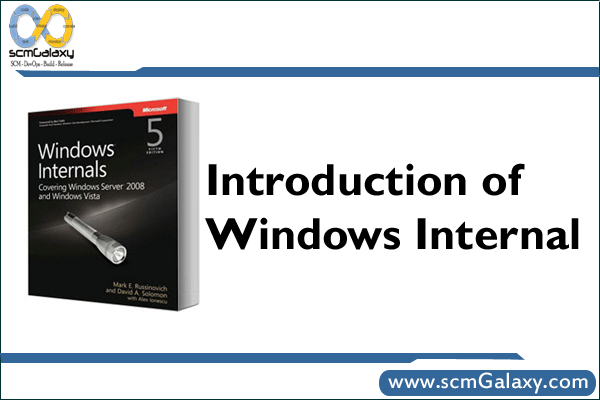
Windows Internals for Administrators: Resource Kit Tools, Services, and Troubleshooting
A practical overview of legacy Windows Resource Kit tools, how Windows Services work, and a repeatable troubleshooting flow for build and runtime issues. Includes command examples, comparison tables, and an operations-focused workflow diagram.
NMake for Windows: What It Is, How to Install It, and How to Use It
NMake is Microsoft’s make utility for Windows, commonly used in Visual Studio and older Perl-on-Windows build flows. This guide explains what NMake does, how to set it up (including legacy steps from the original post), and how to run practical build commands.
Install Apache on Windows 7 (Legacy): MSI Setup, UAC Prompts, and PHP Integration
A practical, legacy-focused guide to installing Apache HTTP Server on Windows 7 for local development. It covers package selection, UAC behavior, verification steps, and basic PHP wiring.
Windows 7 Deployment Best Practices: A Structured Playbook for Enterprise IT
A practical rewrite of the original Windows 7 deployment guidance, with rollout strategy comparisons, tooling guidance, and readiness checks. Useful for legacy Windows 7 estates and as a model for modern desktop migration planning.
Windows XP/2000 Command-Line Reference for Administrators
A structured reference to key Windows XP and Windows 2000 command-line tools, including OS availability, troubleshooting workflow, and practical command examples. Useful for legacy support, migration prep, and forensic troubleshooting.

Freeware Toolkit for DevOps: Revised 2009 Windows Software Catalog and Safe Selection Workflow
This revised guide turns a 2009 freeware link dump into a structured reference for engineers. It keeps key legacy links, adds a security-first evaluation workflow, and includes practical verification commands.
Windows Batch Scripts to Shut Down or Restart a PC (Legacy and Modern Methods)
Learn how to build simple Windows batch files for restart and shutdown operations. This revision preserves the original legacy SHUTDOWN.EXE approach and adds modern, built-in shutdown command examples.
MS-DOS Basics: Practical Commands for Files, Directories, and Legacy Disk Tasks
This revised guide turns a classic DOS tutorial into a structured, practical reference for command-line basics. Learn essential MS-DOS commands for navigation, file operations, directory management, cleanup, and legacy floppy workflows.
System Mechanic vs Advanced SystemCare for Small Teams Without an MDM
If you’re keeping a handful of Windows workstations or test machines healthy without a device-management platform, iolo’s System Mechanic is the better choice over IObit’s Advanced SystemCare…
Top 5 SD Card Recovery Software for Windows [2026 Reviews]
Quick Answer An outstanding SD card recovery software on Windows is the one that allows easy-to-use recovery, restores a good range of file types, does full scans,…
The Support Time Nobody Logs: Where Remote Sessions Actually Lose Minutes
The ticket timeline looks clean: opened at 9:04, resolved at 10:52. What the timeline doesn’t show is that the fix itself took eleven minutes. The other ninety-seven…
Can One Powerful Computer Be Used by 3–4 Users at the Same Time?
Windows vs macOS vs Linux Multi-User Setup Guide Introduction Many people have the same practical idea: “Instead of buying 3–4 separate computers, can I buy one very…
Complete Tutorial: How to Enable Slack Notifications and Sound Alerts on Mac and Windows
Slack notifications are useful only when they actually reach you. Many people enable notifications inside Slack but still miss messages because macOS Focus, Windows Do Not Disturb,…
Windows Administrator: Role Blueprint, Responsibilities, Skills, KPIs, and Career Path
The Windows Administrator is a hands-on infrastructure practitioner responsible for the availability, security, and lifecycle management of Windows-based enterprise services—typically including Active Directory, Group Policy, Windows Server platforms, endpoint and server patching, identity integrations, and core on-prem/hybrid operational controls. This role ensures that Windows systems are hardened, patched, monitored, recoverable, and operated to agreed service levels, while enabling employee productivity and application hosting needs.
Senior Windows Administrator: Role Blueprint, Responsibilities, Skills, KPIs, and Career Path
The Senior Windows Administrator is accountable for the reliability, security, and operational excellence of the organization’s Windows-based infrastructure, including core identity services, server platforms, endpoint management integrations, and Windows-adjacent enterprise services. This role ensures that Windows environments are standardized, patched, monitored, recoverable, and compliant—while progressively automating operations to reduce toil and improve service quality.
Principal Windows Administrator: Role Blueprint, Responsibilities, Skills, KPIs, and Career Path
The Principal Windows Administrator is the senior-most individual contributor responsible for the reliability, security, and operability of the enterprise Windows ecosystem—spanning Windows Server, Active Directory/identity services, endpoint management, patching, and core Microsoft infrastructure services. This role sets technical direction and standards, designs and improves operating practices, and resolves the most complex incidents and systemic issues affecting Windows platforms.
Lead Windows Administrator: Role Blueprint, Responsibilities, Skills, KPIs, and Career Path
The Lead Windows Administrator is the senior hands-on owner of Windows-based enterprise infrastructure, responsible for the reliability, security, and operational excellence of core Microsoft platforms (e.g., Windows Server, Active Directory, identity integrations, patching, endpoint/device management, and automation). This role exists in software companies and IT organizations because Windows and Microsoft identity services remain foundational for workforce access, enterprise applications, and hybrid infrastructure—even as application workloads move to cloud-native platforms.
Junior Windows Administrator: Role Blueprint, Responsibilities, Skills, KPIs, and Career Path
The Junior Windows Administrator supports the stability, security, and day-to-day operation of Windows-based infrastructure across an enterprise IT environment. The role focuses on executing standard operational tasks (user and server administration, patching, monitoring, and ticket resolution) under established processes, with increasing ownership of routine changes and small improvements over time.
Top 10 Windows Management Tools: Features, Pros, Cons & Comparison
Introduction Windows Management Tools are software solutions designed to help IT teams centrally manage, secure, monitor, configure, and maintain Windows-based systems across an organization. These tools simplify…
Top 10 Model Registry Tools: Features, Pros, Cons & Comparison
Introduction Model Registry Tools are a core component of modern machine learning and MLOps workflows. They provide a centralized system to store, version, track, approve, and manage…
DOTNET: IIS Performance Checklist
✅ IIS-Only Performance Optimization Settings (Complete List) 1. Application Pool Settings (IIS Core) ✔ Start Mode ✔ Idle Time-out ✔ Worker Process Settings ✔ Recycling Settings 2….
DOTNET: How to improve an application performance of DOTNET? A Complete Checklist
0. First principle: measure before tuning Before touching settings: 1. OS & Hardware-level optimizations These are outside IIS but critical: 2. IIS application pool tuning 2.1 .NET…
Grafana k6 OSS: Demo & Lab
1. Install k6 on Windows You have a few options. I’ll show the two easiest: Option A – Using winget (recommended if available) Option B – Using…