
By default docker use https to connect to docker registry. But there can be use cases to use insecure registry. Here are the steps to use insecure registry.
In ubuntu
edit the file /etc/default/docker and update DOCKER_OPTS e.g
DOCKER_OPTS='--insecure-registry 15.206.81.210:9000'
Code language: JavaScript (javascript)
where 15.206.81.210 is ipaddress of registry and 9000 is your port on which registry is configured.
In Centos
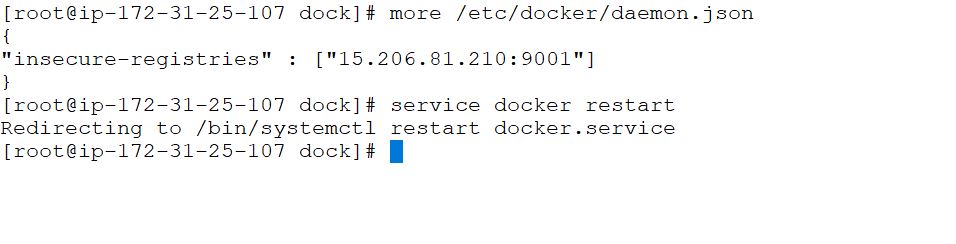
Edit the file /etc/docker/daemon.json e.g.
$ vi /etc/docker/daemon.json

{
"insecure-registries" : ["15.206.81.210:9001"]
}

$ service docker restartCode language: JavaScript (javascript)
where 15.206.81.210 is ipaddress of registry and 9001 is your port on which registry is configured.
Nexus Error
Error response from daemon: Get https://15.206.81.210:8081/v2/: http: server gave HTTP response to HTTPS client
Code language: JavaScript (javascript)
Docker Tutorials Fundamental To Advanced-2021 Crash Course:- https://bit.ly/3hOIbTB

I’m Rajesh Kumar, a DevOps, SRE, DevSecOps, Cloud, and Platform Engineering expert passionate about sharing practical knowledge, real-world experiences, and industry best practices. I have worked at Cotocus and regularly write about technology, travel, investing, health, product reviews, and digital marketing through my various platforms.
I publish technical articles at DevOps School, travel stories at Holiday Landmark, stock market insights at Stocks Mantra, health and fitness guidance at My Medic Plus, product reviews at TrueReviewNow, and SEO and digital marketing strategies at Wizbrand.
Find Trusted Cardiac Hospitals
Compare heart hospitals by city and services — all in one place.
Explore Hospitals
