
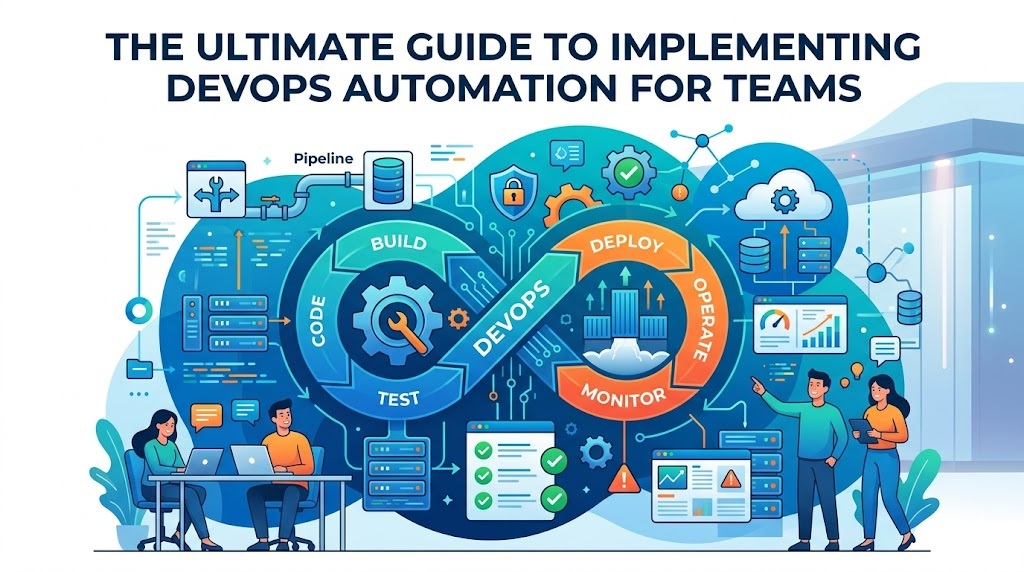
Introduction
In the fast-paced world of software development, manual processes are the primary bottleneck that prevents teams from achieving their goals. When developers rely on manual code deployments, human-configured infrastructure, or repetitive testing, they invite human error and significantly slow down the delivery lifecycle. This is where automation becomes not just an advantage, but a necessity for survival in a competitive market.
Automation in DevOps acts as the engine that powers high-velocity engineering teams. By removing the friction associated with repetitive, low-value tasks, organizations can focus their human talent on innovation and problem-solving rather than maintenance. Companies invest heavily in this transformation to ensure that every release is consistent, predictable, and secure. If you are looking to deepen your expertise, DevOpsSchool provides comprehensive resources to help you master these critical skills.
What Is DevOps Automation?
At its simplest, DevOps automation is the practice of using software tools to perform tasks that would otherwise require manual human intervention. Think of it like a smart manufacturing line for software. Instead of a person manually checking every bolt on a car, a programmed robot ensures every bolt is tightened to the exact same tension, every single time.
In the DevOps context, automation is the foundation that enables the “culture” to function. Without it, you cannot achieve the speed and reliability that DevOps promises. It bridges the gap between development and operations by creating a unified, automated path from code commit to production deployment.
Why Automation Matters in DevOps
Automation is the cornerstone of reliability. When a process is performed manually, it is susceptible to “configuration drift,” where small, undocumented changes over time lead to instability. Automation enforces consistency.
Practical Workflow Example:
Consider a team deploying an application to five different servers. If they do it manually, one server might miss a library update, leading to a crash in production. With automation, the same script executes the update on all five servers simultaneously, ensuring the environment is identical across the board. This eliminates the “it works on my machine” syndrome and drastically reduces downtime.
How Automation Transforms DevOps Workflows
Automation redefines how teams interact with their infrastructure and codebases.
| Workflow Area | Automation Impact |
| Code Integration | Merges code and runs initial builds automatically. |
| Testing | Executes test suites instantly upon code commit. |
| Deployment | Provisions and pushes updates without manual interference. |
| Infrastructure Management | Creates and scales environments via code definitions. |
| Monitoring | Detects anomalies and triggers self-healing processes. |
| Security | Scans code for vulnerabilities before deployment. |
CI/CD Automation
Continuous Integration (CI) and Continuous Delivery (CD) are the heartbeats of DevOps. CI automation ensures that every time a developer saves code, it is compiled, tested, and validated. CD automation takes that validated code and deploys it to a staging or production environment. Tools like Jenkins or GitLab CI are standard here, acting as orchestrators that chain these tasks together so that developers can focus on writing features instead of pushing buttons.
Infrastructure Automation
Infrastructure as Code (IaC) is the practice of managing hardware and cloud resources through configuration files rather than manual dashboard clicks. With tools like Terraform, you can define your entire data center environment in text files. If you need to scale up to handle a surge in traffic, you simply update the file and trigger the automation to deploy new servers instantly.
Testing Automation in DevOps
Manual testing is slow and prone to oversight. Automation in testing means that as soon as code is pushed, frameworks like Selenium or JUnit run thousands of tests in minutes. This provides immediate feedback to developers. If a bug is introduced, they know about it instantly, allowing them to fix it while the code is still fresh in their minds, rather than days later after a failed manual QA cycle.
Monitoring and Alerting Automation
Modern systems are too complex for humans to watch manually. Automation allows for advanced monitoring where systems “watch” themselves. If a server’s CPU usage hits a threshold, automation can trigger a script to restart a service or spin up an additional server to balance the load. This ensures that the system is self-healing, reducing the burden on on-call engineers.
Security Automation in DevOps
Security is often a late-stage concern, but with DevSecOps, automation brings security to the beginning of the cycle. Automated tools scan your code for vulnerabilities (like hardcoded passwords or outdated libraries) every time a build occurs. This “shift-left” approach ensures that security is baked into the product, not bolted on at the end.
Benefits of DevOps Automation
| Benefit | Business Impact |
| Faster releases | Reduces time-to-market for new features. |
| Better reliability | Minimizes system outages and downtime. |
| Reduced costs | Frees up human hours for high-value innovation. |
| Improved scalability | Allows infrastructure to grow with demand automatically. |
| Higher productivity | Enables teams to deploy more often with less stress. |
Real-World Example: Team Without Automation
Imagine a team where every deployment involves a 20-page checklist, manual server configuration, and a “deployment day” where the whole team stays late. They experience frequent errors, “blame games” when things break, and a slow pace that frustrates both developers and customers. The risk of human error is high, and the process is fundamentally unscalable.
Real-World Example: Team Using Automation Successfully
Now, imagine a team where a developer commits code and it automatically runs through tests, security scans, and deploys to a staging environment in under ten minutes. If the tests pass, they click a button to push to production. The entire process is transparent, documented by code, and repeatable. The team is calm, the customers receive updates faster, and the system is more stable than ever.
Common Automation Mistakes
- Automating broken processes: Trying to speed up a workflow that is fundamentally flawed will only create problems faster.
- Over-automation: Automating tasks that are too complex or change too frequently can lead to high maintenance costs.
- Ignoring monitoring: Assuming that because it is automated, it does not need oversight.
- Lack of collaboration: Automation created in a silo often fails to integrate with the rest of the team’s tools.
Best Practices for DevOps Automation
- Start small: Identify one repetitive manual task and automate it first.
- Automate repetitive tasks: Focus on high-frequency, low-variance work.
- Measure outcomes: Track metrics like deployment frequency and lead time for changes.
- Monitor workflows: Keep a pulse on your automation pipelines to ensure they stay healthy.
- Continuously improve: DevOps is a cycle; refine your automation scripts as your needs grow.
Role of DevOpsSchool in Learning DevOps Automation
Learning automation requires a structured approach. DevOpsSchool specializes in helping engineers bridge the gap between theory and practice. By focusing on real-world scenarios—such as setting up CI/CD pipelines, mastering IaC, and understanding the nuances of automated testing—the platform provides a roadmap for those looking to build professional-grade automation skills. Understanding these tools within a proper workflow context is exactly what sets apart a novice from a senior architect.
Career Importance of Automation Skills
Automation skills are the most sought-after competencies in the IT industry today. Roles like DevOps Engineer, Site Reliability Engineer (SRE), and Platform Engineer are defined by their ability to automate. These professionals are tasked with building the “platforms” that allow companies to scale, and as organizations move deeper into cloud-native architectures, the demand for these skills continues to rise across all sectors, from finance to healthcare.
Industries Benefiting From DevOps Automation
- SaaS Companies: Need to deploy daily updates to stay competitive.
- Banking & Finance: Require extreme security and compliance-ready automation.
- Healthcare: Rely on automation to manage complex, sensitive data pipelines.
- Telecom: Use automation to manage massive, global network infrastructures.
- E-Commerce: Need to scale instantly during high-traffic sales events.
- Enterprise IT: Leverage automation to modernize legacy infrastructure.
Future of Automation in DevOps
The future of automation lies in intelligence. We are moving toward “AI-assisted automation,” where systems use machine learning to predict failures before they happen. Self-healing systems will become more common, and the rise of “Platform Engineering” means we will see more standardized, automated internal platforms that allow developers to self-serve their infrastructure needs safely.
FAQs
- What is DevOps automation? It is the use of software tools to perform tasks without human intervention, ensuring speed and consistency.
- Why is automation important? It eliminates human error, reduces manual effort, and enables faster software delivery.
- Which tasks should be automated first? Focus on high-frequency, repetitive tasks like build processes and environment provisioning.
- Does automation replace engineers? No, it empowers engineers to focus on complex problem-solving rather than repetitive tasks.
- What tools support automation? Tools like Jenkins, Terraform, Ansible, GitLab CI, and Selenium are industry staples.
- Is CI/CD part of automation? Yes, CI/CD is the primary framework for automating the software delivery pipeline.
- How does automation improve reliability? It ensures that configurations and tests are identical every single time, removing “human drift.”
- What is Infrastructure as Code? It is managing servers and networks through human-readable definition files instead of manual configuration.
- Can automation be overdone? Yes, automating unstable or rarely performed tasks can result in wasted effort.
- How do I start automating? Begin by identifying the most frustrating manual task in your current workflow and researching the right tool for that specific job.
- Is automation hard to learn? It has a learning curve, but breaking it down into small, practical steps makes it very manageable.
- Does automation work for all companies? Yes, though the scale and tools will vary depending on company size.
- What is the difference between scripting and automation? A script is a set of instructions; automation is the orchestrated use of scripts within a professional, repeatable pipeline.
- How do I measure success? Use metrics like Deployment Frequency, Lead Time for Changes, and Change Failure Rate.
- What is the next step after learning automation? Deepen your knowledge in security automation (DevSecOps) and self-healing system architectures.
Final Thoughts
Automation is not a one-time project; it is a mindset. As a mentor, I have seen teams transform from struggling with weekly releases to deploying multiple times a day—all because they embraced the power of automation. Start small, focus on the consistency of your processes, and remember that every hour you automate is an hour you gain back for innovation. Mastery comes from practical experience, so keep building, keep testing, and keep refining your pipelines.

Find Trusted Cardiac Hospitals
Compare heart hospitals by city and services — all in one place.
Explore Hospitals