
Introduction
AI Capacity Forecasting for IT Tools help infrastructure, cloud, DevOps, SRE, and IT operations teams predict future resource demand before performance issues, outages, or unnecessary costs occur. These tools use artificial intelligence, machine learning, predictive analytics, historical telemetry, seasonal patterns, workload trends, utilization data, cloud spend signals, service dependencies, and business demand indicators to forecast CPU, memory, storage, network, database, Kubernetes, cloud, and application capacity needs. Instead of reacting after systems slow down or budgets rise, teams can proactively plan scaling, right-size resources, reduce waste, and maintain service reliability.
Why It Matters
Modern IT environments are dynamic. Workloads move across cloud platforms, containers scale up and down, user demand changes quickly, data volume grows, and business applications depend on many services. Manual capacity planning often relies on spreadsheets, static thresholds, and reactive analysis, which can lead to over-provisioning, under-provisioning, unexpected outages, and wasted spend. AI capacity forecasting matters because it helps teams predict saturation risk, identify growth trends, plan infrastructure investments, optimize cloud usage, and avoid last-minute firefighting. It supports better reliability, lower operational cost, improved performance, and stronger alignment between IT capacity and business demand.
Real World Use Cases
- Cloud capacity planning: Forecast compute, storage, database, and network demand across cloud accounts and regions.
- Kubernetes resource forecasting: Predict CPU, memory, pod scaling, node pressure, and cluster capacity requirements.
- Infrastructure right-sizing: Identify over-provisioned and under-provisioned servers, virtual machines, and workloads.
- Database capacity forecasting: Predict storage growth, query load, connection volume, and performance bottlenecks.
- Application demand forecasting: Estimate future traffic, transaction volume, response-time risk, and peak-load requirements.
- Data center planning: Forecast hardware, power, cooling, storage, and network growth for on-premises environments.
- Budget and FinOps planning: Predict cloud spend, reserved capacity needs, and waste-reduction opportunities.
- Incident prevention: Detect capacity-related risks before they become outages, performance degradation, or SLA violations.
Evaluation Criteria for Buyers
- Forecasting accuracy: The tool should predict future demand using historical telemetry, seasonality, growth patterns, and workload behavior.
- Resource coverage: Buyers should check support for compute, memory, storage, database, network, containers, Kubernetes, cloud services, and applications.
- AIOps intelligence: Strong tools should detect trends, anomalies, saturation risks, and abnormal growth automatically.
- Multi-cloud support: Teams should evaluate AWS, Microsoft Azure, Google Cloud, private cloud, hybrid, and Kubernetes support.
- Cost optimization: The platform should connect capacity forecasts with cloud cost, rightsizing, reserved capacity, and waste reduction.
- Scenario modeling: Buyers should look for what-if analysis, growth modeling, traffic spike simulation, and planning assumptions.
- Automation support: The tool should support scaling recommendations, workflow triggers, ticket creation, and remediation guidance.
- Integration depth: Check integrations with observability, ITSM, CMDB, cloud billing, Kubernetes, CI CD, and incident management tools.
- Governance controls: SSO, RBAC, audit logs, data retention, encryption, and approval workflows are important.
- Reporting quality: Dashboards should support engineers, managers, finance teams, executives, and capacity planners.
- Explainability: Forecasts should show evidence, historical trend context, confidence ranges, and drivers.
- Scalability: The tool should handle large telemetry volumes, many services, and distributed infrastructure environments.
Best for: SRE teams, DevOps teams, IT operations teams, cloud operations teams, infrastructure teams, platform engineers, FinOps teams, capacity planners, data center teams, and enterprises that need proactive resource planning across cloud, hybrid, and application environments.
Not ideal for: Very small teams with simple workloads, organizations without centralized telemetry, companies that do not track utilization trends, or teams that only need basic manual threshold alerts.
What Changed in AI Capacity Forecasting for IT
- Capacity planning is becoming predictive instead of reactive: AI helps teams forecast future demand before capacity issues affect users.
- Cloud cost and capacity are now linked: Forecasting is no longer only about performance; it also supports FinOps and spend optimization.
- Kubernetes makes capacity planning harder: Dynamic pods, autoscaling, nodes, limits, and requests require smarter forecasting.
- AIOps platforms are adding capacity intelligence: Observability tools increasingly combine anomaly detection, forecasting, and resource optimization.
- Scenario planning is more important: Teams want to model traffic spikes, seasonal peaks, migrations, and business growth.
- Resource right-sizing is becoming continuous: AI helps identify waste and recommend better instance sizes, storage tiers, and scaling policies.
- Forecast explainability matters: Engineers and finance teams need to understand why a forecast predicts future saturation or spend.
- Hybrid environments need unified forecasting: Many organizations still manage cloud, data center, and SaaS resources together.
- Data volume growth is a major capacity driver: Logs, metrics, backups, databases, and analytics pipelines need proactive storage planning.
- Automation is increasing: Forecasts can trigger tickets, scaling recommendations, workflow approvals, or capacity purchase planning.
- Business context is becoming part of forecasting: Product launches, campaigns, usage growth, and customer demand affect infrastructure needs.
- Capacity insights are moving into executive dashboards: Leaders want reliable forecasts for cost, risk, and operational planning.
Quick Buyer Checklist
- Confirm support for cloud, on-premises, Kubernetes, databases, storage, network, and application resources.
- Test forecasts against historical capacity incidents and known traffic spikes.
- Review forecast time ranges, confidence levels, and seasonality handling.
- Check whether the tool supports cost forecasting and resource right-sizing.
- Validate integrations with observability, cloud billing, CMDB, ITSM, and incident tools.
- Review Kubernetes support for pods, nodes, resource limits, requests, and autoscaling.
- Check whether forecasts explain drivers such as growth, traffic, storage, or workload changes.
- Confirm alerting for predicted saturation, budget overruns, and underutilized resources.
- Review scenario modeling and what-if planning capabilities.
- Validate SSO, RBAC, audit logs, encryption, retention, and admin controls.
- Check dashboards for engineers, FinOps, managers, and executives.
- Confirm workflow automation for tickets, approvals, recommendations, and scaling tasks.
- Test performance at real telemetry volume.
- Run a pilot with production metrics and cost data before rollout.
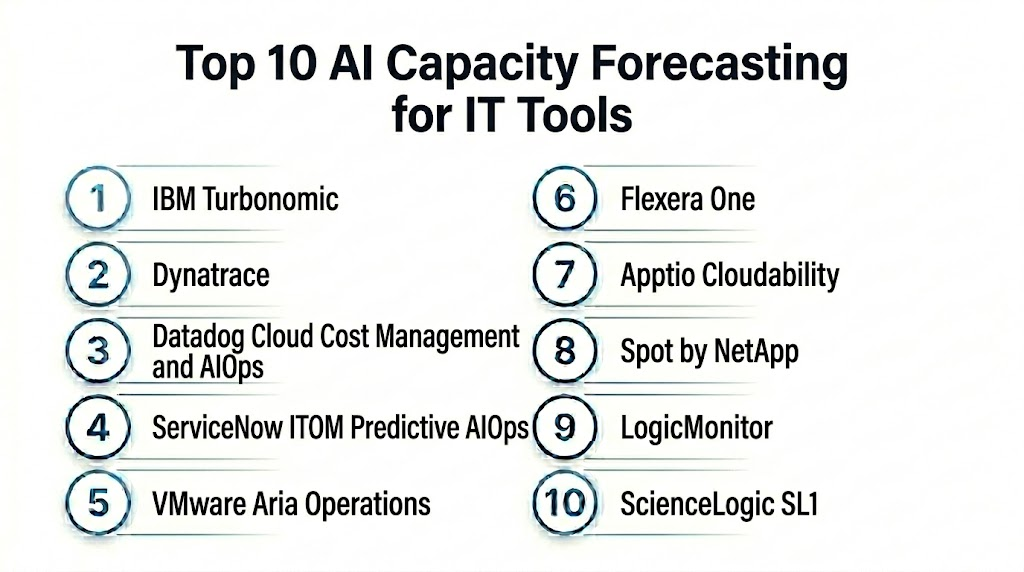
Top 10 AI Capacity Forecasting for IT Tools
1- IBM Turbonomic
2- Dynatrace
3- Datadog Cloud Cost Management and AIOps
4- ServiceNow ITOM Predictive AIOps
5- VMware Aria Operations
6- Flexera One
7- Apptio Cloudability
8- Spot by NetApp
9- LogicMonitor
10- ScienceLogic SL1
1- IBM Turbonomic
One-line verdict: Best for enterprises needing AI-driven resource optimization and capacity planning across hybrid infrastructure.
Short description:
IBM Turbonomic helps teams optimize application resource allocation across cloud, virtualized, containerized, and hybrid environments. It is useful for organizations that want AI-driven recommendations for rightsizing, scaling, placement, and capacity decisions based on application demand and resource supply.
Standout Capabilities
- AI-driven resource optimization
- Capacity planning across hybrid infrastructure
- Application-aware resource recommendations
- Rightsizing for virtual machines and cloud workloads
- Kubernetes resource optimization support
- Automation for scaling and placement actions
- Performance and cost balancing
- Scenario planning for infrastructure changes
AI-Specific Depth
- Model support: Proprietary analytics and AI-driven resource optimization models
- RAG and knowledge integration: Varies / N/A
- Evaluation: Not publicly stated
- Guardrails: Automation policies, approval workflows, access controls, and action constraints vary by configuration
- Observability: Resource demand, supply chain views, optimization actions, capacity risk, utilization trends, and forecast insights
Pros
- Strong application-aware capacity optimization
- Useful for hybrid and virtualized environments
- Supports proactive recommendations and automation
Cons
- Requires integration with infrastructure and application platforms
- Automation needs governance and approval workflows
- Best value depends on accurate resource and dependency data
Security and Compliance
IBM provides enterprise platform security capabilities. Exact SSO, RBAC, audit logs, encryption, retention, residency, and certifications should be verified during procurement. If not confirmed, write Not publicly stated.
Deployment and Platforms
- Cloud and enterprise deployment options may vary
- Supports hybrid cloud, virtualized environments, and container platforms depending on configuration
- Web-based management interface
- Integration with infrastructure, cloud, and application platforms
Integrations and Ecosystem
IBM Turbonomic connects capacity forecasting with infrastructure and operations workflows.
- Cloud providers
- Virtualization platforms
- Kubernetes platforms
- Application performance tools
- IT operations workflows
- Automation systems
- IBM observability and AIOps ecosystem
Pricing Model
Typically subscription-based and enterprise-oriented. Exact pricing depends on environment size, modules, managed resources, and contract. Exact pricing is Not publicly stated.
Best-Fit Scenarios
- Enterprises optimizing hybrid infrastructure capacity
- Teams balancing application performance and cloud cost
- Organizations wanting AI-driven resource actions with governance
2- Dynatrace
One-line verdict: Best for full-stack teams needing predictive capacity insights tied to application performance and topology.
Short description:
Dynatrace provides full-stack observability with AI-assisted analysis across applications, infrastructure, cloud, Kubernetes, databases, and user experience. It is useful for teams that want capacity forecasting connected with topology, service dependencies, performance trends, and root-cause context.
Standout Capabilities
- Full-stack observability across applications and infrastructure
- AI-assisted anomaly detection and problem analysis
- Service topology and dependency mapping
- Cloud, Kubernetes, and database monitoring
- Resource utilization trend analysis
- Forecasting and predictive alerting support depending on configuration
- User experience and business impact context
- Automation and remediation workflow support
AI-Specific Depth
- Model support: Proprietary AI and causal analytics capabilities
- RAG and knowledge integration: Varies / N/A
- Evaluation: Not publicly stated
- Guardrails: Alerting policies, workflow approvals, automation settings, and access controls vary by configuration
- Observability: Service maps, logs, metrics, traces, utilization trends, anomalies, problem cards, and dependency evidence
Pros
- Strong topology-aware observability
- Useful for capacity forecasting tied to application performance
- Good fit for complex cloud-native environments
Cons
- Platform depth can require onboarding
- Cost and packaging should be evaluated carefully
- Forecasting quality depends on instrumentation coverage
Security and Compliance
Dynatrace provides enterprise observability and platform security controls. Exact SSO, RBAC, audit logs, encryption, data retention, residency, and certifications should be verified during procurement. If not confirmed, use Not publicly stated.
Deployment and Platforms
- Cloud and managed options may vary
- Agents and integrations for applications, cloud, Kubernetes, and infrastructure
- Web-based observability interface
- Supports hybrid and multi-cloud environments depending on setup
Integrations and Ecosystem
Dynatrace connects capacity insights with observability, DevOps, and operations workflows.
- Cloud providers
- Kubernetes and containers
- CI CD tools
- ITSM systems
- Incident management platforms
- Collaboration tools
- APIs and automation workflows
Pricing Model
Typically subscription-based and usage-influenced depending on observability units, hosts, data volume, and selected capabilities. Exact pricing is Not publicly stated in a universal format.
Best-Fit Scenarios
- Enterprises forecasting capacity across applications and cloud
- SRE teams managing microservices and Kubernetes
- Teams needing capacity insights linked to performance impact
3- Datadog Cloud Cost Management and AIOps
One-line verdict: Best for cloud-native teams needing capacity, cost, and utilization forecasting inside observability workflows.
Short description:
Datadog helps teams monitor infrastructure, applications, cloud services, Kubernetes, logs, metrics, traces, and cost data. Its AIOps and cloud cost capabilities are useful for forecasting resource trends, detecting utilization anomalies, identifying capacity risk, and connecting performance data with cloud spend.
Standout Capabilities
- Infrastructure and application observability
- Cloud cost visibility and allocation
- Anomaly detection across metrics and logs
- Utilization trend analysis
- Kubernetes and container monitoring
- Forecasting support through monitors and analytics
- Service maps and dependency context
- Dashboards for SRE, DevOps, and FinOps teams
AI-Specific Depth
- Model support: Proprietary anomaly detection and AIOps capabilities
- RAG and knowledge integration: Varies / N/A
- Evaluation: Not publicly stated
- Guardrails: Monitor policies, access controls, alerting workflows, and automation rules vary by configuration
- Observability: Metrics, logs, traces, cost dashboards, utilization trends, Watchdog insights, and service maps
Pros
- Strong fit for cloud-native observability teams
- Connects infrastructure usage with cloud cost visibility
- Useful dashboards for engineering and FinOps collaboration
Cons
- Costs can grow with telemetry volume
- Forecasting depth depends on configuration and data quality
- Requires tagging discipline for accurate cost and capacity analysis
Security and Compliance
Datadog provides enterprise platform security features such as access controls, audit capabilities, encryption, and governance options. Exact SSO, RBAC, retention, residency, and certifications should be verified directly. If not confirmed, use Not publicly stated.
Deployment and Platforms
- Cloud-based platform
- Agents and integrations for applications, cloud, Kubernetes, infrastructure, and logs
- Web-based dashboards and analytics
- Supports hybrid and cloud-native environments depending on setup
Integrations and Ecosystem
Datadog connects capacity forecasting with observability and FinOps workflows.
- AWS, Microsoft Azure, and Google Cloud integrations
- Kubernetes and container platforms
- CI CD systems
- Incident management tools
- Collaboration platforms
- Cloud billing and cost data
- APIs and webhooks
Pricing Model
Typically usage-based or subscription-based depending on products, hosts, data volume, retention, and features. Exact pricing is Not publicly stated in a universal format.
Best-Fit Scenarios
- Cloud-native teams needing usage and cost forecasting
- SRE teams monitoring infrastructure saturation risk
- FinOps and DevOps teams collaborating on capacity optimization
4- ServiceNow ITOM Predictive AIOps
One-line verdict: Best for enterprises needing capacity forecasting connected with ITSM, CMDB, and service operations.
Short description:
ServiceNow ITOM Predictive AIOps helps IT operations teams correlate events, predict issues, understand service impact, and improve operational workflows. It is useful for enterprises that want capacity-related insights connected with CMDB, ITSM, incident management, change management, and service ownership.
Standout Capabilities
- Predictive AIOps for IT operations
- Event correlation and noise reduction
- Service mapping and CMDB context
- Capacity and performance issue prediction depending on configuration
- Incident and change correlation
- Workflow automation and remediation support
- Service impact analysis
- ITSM and operations dashboards
AI-Specific Depth
- Model support: Proprietary ServiceNow AI and predictive analytics capabilities
- RAG and knowledge integration: Varies / N/A
- Evaluation: Not publicly stated
- Guardrails: Workflow approvals, role controls, automation rules, and governance settings vary by configuration
- Observability: Event groups, incident records, service maps, CMDB context, predictions, workflow logs, and probable cause insights
Pros
- Strong ITSM and workflow integration
- Useful for enterprise service operations
- Good fit for CMDB-aware planning and governance
Cons
- Best value depends on ServiceNow maturity
- Requires accurate CMDB and service mapping
- Implementation can be complex
Security and Compliance
ServiceNow provides enterprise platform governance and security controls. Exact SSO, RBAC, audit logs, encryption, retention, residency, and certifications should be verified during procurement. If not verified, use Not publicly stated.
Deployment and Platforms
- Cloud-based ServiceNow platform
- Web-based IT operations and service management interface
- Integrates with monitoring, CMDB, ITSM, and workflow systems
- Deployment depends on ServiceNow modules and architecture
Integrations and Ecosystem
ServiceNow ITOM Predictive AIOps connects capacity forecasting with enterprise service operations.
- ServiceNow ITSM
- ServiceNow CMDB
- Monitoring tools
- Observability platforms
- Cloud providers
- Automation workflows
- Incident and change management
Pricing Model
Typically subscription-based and module-based. Exact pricing depends on ServiceNow products, users, modules, and enterprise agreement. Exact pricing is Not publicly stated.
Best-Fit Scenarios
- Enterprises using ServiceNow as ITSM backbone
- IT operations teams needing service-aware capacity planning
- Organizations linking capacity risk with incidents, changes, and workflows
5- VMware Aria Operations
One-line verdict: Best for VMware-centered teams needing capacity planning, rightsizing, and workload optimization.
Short description:
VMware Aria Operations helps teams monitor, optimize, and plan capacity across VMware environments and supported hybrid cloud infrastructure. It is useful for organizations running large virtualized estates that need predictive capacity analytics, rightsizing, workload placement insights, and operations dashboards.
Standout Capabilities
- Capacity planning for VMware environments
- Rightsizing recommendations
- Workload optimization and placement insights
- Performance and utilization trend analysis
- Forecasting for compute, storage, and memory
- Operations dashboards and alerts
- Hybrid cloud operations support depending on setup
- Integration with VMware ecosystem
AI-Specific Depth
- Model support: Proprietary analytics and predictive capacity capabilities
- RAG and knowledge integration: Varies / N/A
- Evaluation: Not publicly stated
- Guardrails: Policy controls, access permissions, and automation settings vary by configuration
- Observability: Capacity dashboards, utilization trends, rightsizing recommendations, alerts, and workload views
Pros
- Strong fit for VMware estates
- Useful rightsizing and capacity planning
- Good for infrastructure teams managing virtual machines and clusters
Cons
- Best value depends on VMware ecosystem adoption
- Less ideal as a universal multi-cloud forecasting layer
- Licensing and product packaging should be verified
Security and Compliance
VMware provides enterprise infrastructure management and security capabilities across its platform. Exact SSO, RBAC, audit logs, encryption, retention, residency, and certifications should be verified directly. If not confirmed, use Not publicly stated.
Deployment and Platforms
- Deployment options vary by VMware architecture
- Web-based operations interface
- Supports VMware infrastructure and selected hybrid cloud scenarios
- Integrates with VMware management ecosystem
Integrations and Ecosystem
VMware Aria Operations connects capacity planning with virtualized and hybrid operations.
- VMware vSphere
- VMware cloud environments
- Infrastructure monitoring
- IT operations workflows
- Automation tools
- Dashboards and reporting
- Hybrid cloud management tools
Pricing Model
Typically subscription-based or license-based depending on VMware bundle, edition, and environment. Exact pricing is Not publicly stated.
Best-Fit Scenarios
- VMware-heavy enterprises
- Infrastructure teams planning virtualized capacity
- Organizations needing rightsizing and workload placement insights
6- Flexera One
One-line verdict: Best for FinOps and IT asset teams needing cloud cost forecasting and resource optimization.
Short description:
Flexera One helps organizations manage cloud cost, IT assets, software usage, and technology spend. It is useful for teams that need cloud spend forecasting, resource optimization, rightsizing insights, and governance across hybrid IT and cloud environments.
Standout Capabilities
- Cloud cost management and forecasting
- Rightsizing and optimization recommendations
- Multi-cloud visibility
- IT asset and software cost context
- Budgeting and spend planning
- Reserved capacity and commitment planning support
- Governance and policy workflows
- Executive and finance reporting
AI-Specific Depth
- Model support: Proprietary analytics and optimization capabilities
- RAG and knowledge integration: Varies / N/A
- Evaluation: Not publicly stated
- Guardrails: Policy controls, approval workflows, role permissions, and governance rules vary by configuration
- Observability: Cost dashboards, utilization trends, optimization recommendations, budget views, and forecast reports
Pros
- Strong FinOps and IT cost visibility
- Useful for cloud capacity and budget forecasting
- Good governance and reporting for technology spend
Cons
- More cost-management focused than deep application observability
- Requires strong tagging and financial governance
- Best value depends on clean cloud and asset data
Security and Compliance
Flexera provides enterprise technology management capabilities. Exact SSO, RBAC, audit logs, encryption, retention, residency, and certifications should be verified during procurement. If not confirmed, write Not publicly stated.
Deployment and Platforms
- Cloud-based management platform
- Web-based dashboards and reporting
- Supports multi-cloud and IT asset workflows depending on modules
- Deployment depends on cloud accounts, asset data, and integrations
Integrations and Ecosystem
Flexera One connects capacity and cost planning with financial and IT governance workflows.
- Cloud providers
- IT asset data
- Finance systems
- CMDB and ITSM workflows
- Reporting dashboards
- Policy and governance workflows
- APIs and data exports
Pricing Model
Typically subscription-based and enterprise-oriented. Exact pricing depends on modules, cloud spend, assets, users, and contract. Exact pricing is Not publicly stated.
Best-Fit Scenarios
- FinOps teams forecasting cloud spend and capacity demand
- Enterprises managing hybrid IT cost and optimization
- Organizations needing governance around cloud resource growth
7- Apptio Cloudability
One-line verdict: Best for FinOps teams needing cloud spend forecasting, rightsizing, and capacity cost planning.
Short description:
Apptio Cloudability helps teams manage cloud financial operations through cost visibility, forecasting, budgeting, rightsizing, and optimization workflows. It is useful for organizations that need to connect capacity growth with cloud spend, budget planning, chargeback, and business unit accountability.
Standout Capabilities
- Cloud cost forecasting
- Budgeting and variance analysis
- Rightsizing recommendations
- Reserved instance and savings commitment planning
- Cost allocation and chargeback support
- Business unit reporting
- Cloud usage and spend trend analysis
- FinOps governance workflows
AI-Specific Depth
- Model support: Proprietary analytics and forecasting capabilities
- RAG and knowledge integration: Varies / N/A
- Evaluation: Not publicly stated
- Guardrails: Budget controls, role permissions, and governance workflows vary by configuration
- Observability: Cost trends, forecasts, utilization recommendations, budget dashboards, and allocation reports
Pros
- Strong cloud financial forecasting
- Useful for FinOps and budget owners
- Helps connect capacity decisions with cost impact
Cons
- More FinOps-focused than operational RCA or deep infrastructure monitoring
- Requires accurate tagging and cloud billing data
- Engineering teams may need complementary observability tools
Security and Compliance
Apptio and IBM provide enterprise technology financial management capabilities. Exact SSO, RBAC, audit logs, encryption, retention, residency, and certifications should be verified directly. If not confirmed, use Not publicly stated.
Deployment and Platforms
- Cloud-based platform
- Web dashboards and reporting
- Multi-cloud cost support varies by configuration
- Deployment depends on cloud billing, tags, accounts, and business mapping
Integrations and Ecosystem
Apptio Cloudability connects cloud spend forecasting with FinOps and IT finance workflows.
- Cloud providers
- Finance systems
- Business unit reporting
- IT governance workflows
- Budgeting and allocation tools
- Data exports and APIs
- Optimization workflows
Pricing Model
Typically subscription-based and enterprise-focused. Exact pricing depends on cloud spend, modules, users, and contract. Exact pricing is Not publicly stated.
Best-Fit Scenarios
- FinOps teams forecasting cloud spend
- Organizations planning reserved capacity and commitments
- Enterprises allocating capacity cost across teams and business units
8- Spot by NetApp
One-line verdict: Best for cloud teams needing automated resource optimization, scaling, and cost-aware capacity management.
Short description:
Spot by NetApp helps teams optimize cloud infrastructure by automating resource allocation, scaling, and cost optimization across cloud workloads. It is useful for teams that want to forecast and manage capacity while using automation to reduce waste and improve cloud efficiency.
Standout Capabilities
- Cloud resource optimization
- Automated scaling and workload placement
- Cost-aware capacity management
- Rightsizing recommendations
- Kubernetes and container optimization support depending on product
- Use of spot and discounted capacity strategies
- Cloud workload efficiency dashboards
- Automation for cloud infrastructure operations
AI-Specific Depth
- Model support: Proprietary optimization and automation analytics
- RAG and knowledge integration: Varies / N/A
- Evaluation: Not publicly stated
- Guardrails: Automation rules, scaling policies, access permissions, and approval workflows vary by configuration
- Observability: Resource utilization, optimization actions, cost savings views, scaling events, and capacity recommendations
Pros
- Strong cloud cost and resource optimization focus
- Useful automation for scaling and capacity efficiency
- Good fit for Kubernetes and cloud workload optimization use cases
Cons
- Best suited for cloud environments
- Automation should be governed carefully
- Exact capabilities depend on selected Spot products
Security and Compliance
NetApp provides enterprise cloud operations and optimization capabilities. Exact SSO, RBAC, audit logs, encryption, retention, residency, and certifications should be verified during procurement. If not verified, write Not publicly stated.
Deployment and Platforms
- Cloud-based platform
- Integrates with public cloud environments
- Kubernetes and container support varies by product
- Web dashboards and automation workflows
- Deployment depends on cloud accounts and workload architecture
Integrations and Ecosystem
Spot by NetApp connects capacity forecasting with automated cloud optimization workflows.
- AWS, Microsoft Azure, and Google Cloud support varies by product
- Kubernetes platforms
- Cloud cost systems
- CI CD and DevOps workflows
- Monitoring tools
- Automation workflows
- APIs and integrations
Pricing Model
Typically subscription-based, usage-based, or savings-influenced depending on product and contract. Exact pricing is Not publicly stated in a universal format.
Best-Fit Scenarios
- Cloud teams optimizing compute capacity
- Kubernetes teams reducing wasted resources
- Organizations using automation for cost-aware scaling
9- LogicMonitor
One-line verdict: Best for IT operations teams needing predictive infrastructure monitoring and capacity insights.
Short description:
LogicMonitor provides infrastructure monitoring, cloud monitoring, network monitoring, and AIOps capabilities that help teams detect trends, forecast capacity risk, and manage operational health. It is useful for IT operations teams that need visibility across hybrid infrastructure, devices, cloud services, and applications.
Standout Capabilities
- Infrastructure and network monitoring
- Cloud and hybrid environment visibility
- Predictive insights and anomaly detection
- Capacity trend analysis
- Alerting and dashboard workflows
- Device, server, storage, and network monitoring
- AIOps-supported event intelligence
- Managed service provider-friendly workflows
AI-Specific Depth
- Model support: Proprietary AIOps and predictive analytics capabilities
- RAG and knowledge integration: Varies / N/A
- Evaluation: Not publicly stated
- Guardrails: Alert policies, role controls, escalation rules, and automation settings vary by configuration
- Observability: Resource trends, alerts, dashboards, anomaly insights, utilization views, and capacity reports
Pros
- Strong hybrid infrastructure monitoring
- Useful for network, server, and cloud capacity trends
- Good fit for IT operations and MSP environments
Cons
- Application-level depth may vary compared with full APM platforms
- Forecasting quality depends on monitoring coverage
- Pricing and packaging should be verified
Security and Compliance
LogicMonitor provides enterprise monitoring and platform security capabilities. Exact SSO, RBAC, audit logs, encryption, retention, residency, and certifications should be verified directly. If not confirmed, use Not publicly stated.
Deployment and Platforms
- Cloud-based monitoring platform
- Collectors for infrastructure and networks
- Web-based dashboards and alerting
- Supports hybrid, cloud, and on-premises environments depending on setup
Integrations and Ecosystem
LogicMonitor connects capacity insights with IT operations workflows.
- Cloud providers
- Network devices
- Servers and storage
- ITSM tools
- Incident management tools
- Collaboration platforms
- APIs and automation workflows
Pricing Model
Typically subscription-based and influenced by monitored resources, modules, or contract. Exact pricing is Not publicly stated.
Best-Fit Scenarios
- IT operations teams monitoring hybrid infrastructure
- MSPs managing customer capacity trends
- Organizations forecasting network, server, and storage growth
10- ScienceLogic SL1
One-line verdict: Best for hybrid IT teams needing AIOps, infrastructure monitoring, and capacity trend intelligence.
Short description:
ScienceLogic SL1 provides hybrid IT monitoring, AIOps, event correlation, dependency context, and operational intelligence. It is useful for enterprises and service providers that need to monitor infrastructure, cloud, networks, applications, and capacity trends across complex environments.
Standout Capabilities
- Hybrid IT monitoring
- AIOps and event correlation
- Infrastructure and network visibility
- Capacity and utilization trend analysis
- Service dependency context
- Alert noise reduction
- Dashboards and reporting
- MSP and enterprise operations support
AI-Specific Depth
- Model support: Proprietary AIOps and analytics capabilities
- RAG and knowledge integration: Varies / N/A
- Evaluation: Not publicly stated
- Guardrails: Access controls, alert policies, workflow rules, and automation settings vary by configuration
- Observability: Monitoring dashboards, utilization trends, event correlation, service views, and operational reports
Pros
- Strong hybrid IT monitoring coverage
- Useful for service providers and complex infrastructure
- Supports event correlation and operational dashboards
Cons
- Implementation may require planning
- Application-level forecasting depth depends on integrations
- Pricing and packaging vary by environment
Security and Compliance
ScienceLogic provides enterprise monitoring and AIOps capabilities. Exact SSO, RBAC, audit logs, encryption, retention, residency, and certifications should be verified during procurement. If not confirmed, write Not publicly stated.
Deployment and Platforms
- Cloud and enterprise deployment options may vary
- Web-based operations interface
- Supports hybrid infrastructure, network, cloud, and application monitoring
- Deployment depends on collectors, integrations, and monitored estate
Integrations and Ecosystem
ScienceLogic SL1 connects capacity forecasting with IT operations and service provider workflows.
- Cloud providers
- Network infrastructure
- Servers and storage
- ITSM tools
- Incident management workflows
- MSP systems
- APIs and automation tools
Pricing Model
Typically subscription-based and enterprise-oriented. Exact pricing depends on monitored resources, modules, deployment, and contract. Exact pricing is Not publicly stated.
Best-Fit Scenarios
- Enterprises monitoring hybrid IT capacity
- MSPs and service providers managing multiple environments
- IT operations teams needing AIOps and capacity trend intelligence
Comparison Table
| Tool Name | Best For | Deployment | Model Flexibility | Strength | Watch Out | Public Rating |
|---|---|---|---|---|---|---|
| IBM Turbonomic | Hybrid resource optimization | Cloud and enterprise options vary | Hosted proprietary | AI-driven resource actions | Governance needed for automation | N/A |
| Dynatrace | Full-stack capacity context | Cloud and managed options vary | Hosted proprietary | Topology-aware forecasting context | Instrumentation quality matters | N/A |
| Datadog Cloud Cost Management and AIOps | Cloud-native capacity and cost | Cloud | Hosted proprietary | Observability plus cost insight | Telemetry cost planning needed | N/A |
| ServiceNow ITOM Predictive AIOps | ITSM-connected capacity planning | Cloud | Hosted proprietary | CMDB and workflow alignment | ServiceNow maturity required | N/A |
| VMware Aria Operations | VMware capacity planning | VMware and hybrid options vary | Hosted proprietary | Virtualization rightsizing | VMware-focused fit | N/A |
| Flexera One | FinOps and IT cost forecasting | Cloud | Hosted proprietary | Cloud spend governance | Needs clean tagging | N/A |
| Apptio Cloudability | Cloud financial planning | Cloud | Hosted proprietary | Budget and commitment forecasting | FinOps-focused scope | N/A |
| Spot by NetApp | Automated cloud optimization | Cloud | Hosted proprietary | Cost-aware scaling automation | Cloud-focused | N/A |
| LogicMonitor | Hybrid infrastructure monitoring | Cloud | Hosted proprietary | Predictive infrastructure insights | App depth varies | N/A |
| ScienceLogic SL1 | Hybrid IT and MSP operations | Cloud and enterprise options vary | Hosted proprietary | AIOps and capacity trend intelligence | Implementation planning needed | N/A |
Scoring and Evaluation
This scoring is comparative, not absolute. It helps buyers compare AI capacity forecasting tools based on forecasting depth, AI reliability, guardrails, integrations, usability, performance, security controls, and support. Scores may vary based on telemetry quality, cloud maturity, tagging discipline, infrastructure complexity, FinOps practice, and automation readiness. Public ratings are not guessed. Buyers should validate shortlisted tools using real utilization history, cost data, peak load events, and production capacity constraints.
| Tool | Core | Reliability and Eval | Guardrails | Integrations | Ease | Performance and Cost | Security and Admin | Support | Weighted Total |
| IBM Turbonomic | 9.3 | 8.8 | 8.8 | 8.8 | 8.1 | 8.7 | 8.7 | 8.7 | 8.8 |
| Dynatrace | 9.1 | 8.7 | 8.6 | 9.0 | 8.3 | 8.2 | 8.8 | 8.8 | 8.7 |
| Datadog Cloud Cost Management and AIOps | 8.9 | 8.6 | 8.5 | 9.1 | 8.5 | 8.4 | 8.7 | 8.7 | 8.7 |
| ServiceNow ITOM Predictive AIOps | 8.7 | 8.5 | 8.9 | 8.9 | 8.0 | 8.1 | 8.9 | 8.7 | 8.6 |
| VMware Aria Operations | 8.8 | 8.5 | 8.5 | 8.6 | 8.2 | 8.5 | 8.6 | 8.5 | 8.5 |
| Flexera One | 8.5 | 8.4 | 8.7 | 8.5 | 8.1 | 8.7 | 8.7 | 8.5 | 8.5 |
| Apptio Cloudability | 8.4 | 8.3 | 8.6 | 8.5 | 8.3 | 8.8 | 8.6 | 8.5 | 8.5 |
| Spot by NetApp | 8.6 | 8.4 | 8.5 | 8.5 | 8.2 | 8.9 | 8.5 | 8.4 | 8.5 |
| LogicMonitor | 8.4 | 8.2 | 8.4 | 8.6 | 8.4 | 8.4 | 8.5 | 8.5 | 8.4 |
| ScienceLogic SL1 | 8.4 | 8.2 | 8.4 | 8.6 | 8.0 | 8.3 | 8.5 | 8.5 | 8.3 |
Top 3 for Enterprise
1- IBM Turbonomic
2- Dynatrace
3- ServiceNow ITOM Predictive AIOps
Top 3 for SMB
1- LogicMonitor
2- Datadog Cloud Cost Management and AIOps
3- New Relic alternative not included in Top 10 because this list prioritizes dedicated capacity and IT operations planning tools
Top 3 for Developers
1- Datadog Cloud Cost Management and AIOps
2- Dynatrace
3- Spot by NetApp
Which AI Capacity Forecasting for IT Tool Is Right for You
Solo / Freelancer
Solo consultants and freelance cloud engineers usually need lightweight tools aligned with their client stack. Datadog Cloud Cost Management and AIOps can work well when clients already use Datadog. LogicMonitor may fit infrastructure monitoring projects. Spot by NetApp can be useful for cloud optimization work where automation and cost-aware scaling are important.
SMB
SMBs should prioritize easy deployment, clear dashboards, and practical forecasting without heavy platform engineering. LogicMonitor is a strong option for hybrid infrastructure monitoring. Datadog can work well for cloud-native SMBs. Apptio Cloudability may be useful if cloud spend forecasting is the main challenge and the organization has a FinOps process.
Mid-Market
Mid-market teams usually need stronger forecasting, rightsizing, and service-level insights. VMware Aria Operations is strong for VMware-heavy environments. Flexera One and Apptio Cloudability are useful for FinOps and cloud budgeting. Dynatrace and Datadog fit teams that want capacity forecasting connected with observability and performance data.
Enterprise
Large enterprises should prioritize governance, automation controls, hybrid coverage, service dependency context, ITSM integration, and multi-team reporting. IBM Turbonomic is strong for AI-driven resource optimization, Dynatrace is strong for topology-aware capacity insights, and ServiceNow ITOM Predictive AIOps is strong for ITSM and CMDB-connected capacity workflows.
Regulated Industries
Finance, healthcare, public sector, and critical infrastructure teams should prioritize audit logs, RBAC, retention controls, approval workflows, change tracking, and evidence-based forecasting. ServiceNow ITOM Predictive AIOps, IBM Turbonomic, Dynatrace, VMware Aria Operations, and Flexera One may be strong options depending on existing governance and infrastructure. Buyers should verify all compliance claims directly.
Budget vs Premium
Budget-conscious teams should begin with forecasting features already available in their monitoring, cloud billing, or observability platform. Premium enterprise teams may benefit from dedicated optimization and AIOps tools like IBM Turbonomic, ServiceNow ITOM Predictive AIOps, Dynatrace, or Flexera One when scale, governance, and automation matter.
Build vs Buy
Building capacity forecasting internally can work for mature platform teams with strong telemetry pipelines, data science skills, tagging discipline, and business forecasting inputs. Most teams should buy because production-grade forecasting requires data ingestion, seasonality modeling, rightsizing recommendations, workflow integration, dashboards, governance, and support. A hybrid model can work where commercial platforms provide forecasting and internal teams add business-specific assumptions.
Implementation Playbook
First 30 Days
- Define the main capacity forecasting goals such as preventing saturation, reducing cloud waste, improving budget planning, or forecasting Kubernetes growth.
- Identify telemetry sources such as metrics, logs, cloud billing, Kubernetes metrics, database metrics, storage growth, and application traffic.
- Select two or three tools for pilot testing.
- Connect a limited set of high-value services or environments.
- Import historical utilization and cost data where available.
- Test forecasts against known peaks, outages, and growth periods.
- Review forecast explainability and confidence indicators.
- Validate SSO, RBAC, audit logs, retention, and privacy controls.
- Define success metrics such as forecast accuracy, cost reduction, saturation prevention, and planning time saved.
- Create a pilot team with SRE, DevOps, cloud operations, FinOps, and infrastructure stakeholders.
First 60 Days
- Expand coverage to more services, clusters, databases, and cloud accounts.
- Add business context such as product launches, seasonal demand, migration plans, and customer growth.
- Configure alerts for predicted saturation, budget overruns, and underutilized resources.
- Integrate with ITSM, incident management, cloud billing, CMDB, and observability tools.
- Create dashboards for engineers, finance teams, managers, and executives.
- Validate rightsizing recommendations with service owners.
- Define approval workflows for automated scaling or resource changes.
- Build capacity review meetings into regular operations.
- Document ownership for each major resource group.
- Tune forecasting windows, thresholds, and assumptions.
First 90 Days
- Scale forecasting across production and business-critical environments.
- Automate low-risk recommendations such as ticket creation or reporting.
- Keep human approval for high-impact scaling, cost, or performance changes.
- Track forecast accuracy against actual usage.
- Review over-provisioned and under-provisioned resources monthly.
- Build executive reporting around capacity risk and cost optimization.
- Add scenario planning for migrations, peak periods, and new product launches.
- Integrate capacity insights into post-incident reviews.
- Review governance and access policies.
- Establish continuous improvement for telemetry quality, forecasting models, and operational decisions.
Common Mistakes and How to Avoid Them
- Forecasting without enough historical data: Capacity trends need reliable historical telemetry.
- Ignoring seasonality: Weekly, monthly, campaign, and business cycles can affect demand.
- Separating capacity from cost: Cloud capacity decisions should include financial impact.
- No tagging discipline: Poor tags make team, service, and cost attribution unreliable.
- Over-automating scaling: High-impact changes should require approval until confidence is proven.
- Ignoring Kubernetes requests and limits: Bad container settings can distort capacity forecasts.
- Planning only for average usage: Peak demand and burst behavior matter.
- Not including business context: Marketing campaigns, migrations, and product launches can change capacity needs.
- Using static thresholds only: AI forecasting should complement, not simply repeat, threshold alerts.
- Not validating forecasts: Compare predictions with actual usage regularly.
- Ignoring storage growth: Storage, backups, logs, and databases often grow quietly until they become expensive or risky.
- No ownership model: Forecasts need owners who can act on recommendations.
- Buying before piloting: Test with real telemetry, known incidents, and peak usage patterns.
- Measuring only savings: Also measure reliability, saturation prevention, and planning accuracy.
FAQs
1- What are AI Capacity Forecasting for IT Tools?
AI Capacity Forecasting for IT Tools predict future resource demand across cloud, infrastructure, applications, databases, Kubernetes, storage, and networks. They use historical telemetry, predictive analytics, and machine learning to help teams plan capacity before issues happen.
2- How is capacity forecasting different from monitoring?
Monitoring shows what is happening now. Capacity forecasting predicts what is likely to happen in the future based on trends, growth, seasonality, and workload behavior. Both are useful, but forecasting helps teams plan ahead.
3- What resources can these tools forecast?
They can forecast CPU, memory, storage, network bandwidth, database usage, Kubernetes resources, cloud compute, application traffic, log volume, and cloud spend. Coverage varies by platform and integrations.
4- Why is AI useful for capacity planning?
AI can detect trends, seasonality, anomalies, saturation risks, and unusual growth patterns faster than manual analysis. It can also recommend rightsizing, scaling, and cost optimization actions.
5- Which tool is best for hybrid resource optimization?
IBM Turbonomic is a strong option for hybrid resource optimization because it focuses on application demand, resource supply, rightsizing, scaling, and automated recommendations across environments.
6- Which tool is best for VMware environments?
VMware Aria Operations is a strong fit for VMware-heavy environments because it supports capacity planning, rightsizing, utilization analysis, and workload optimization across VMware infrastructure.
7- Which tool is best for FinOps teams?
Flexera One and Apptio Cloudability are strong options for FinOps teams. They focus on cloud cost forecasting, budgeting, rightsizing, allocation, and financial governance.
8- Which tool is best for cloud-native engineering teams?
Datadog and Dynatrace are strong options for cloud-native engineering teams because they connect capacity trends with observability, performance, Kubernetes, infrastructure, and application telemetry.
9- Can these tools automate scaling?
Some tools can recommend or automate resource changes, scaling, placement, or optimization actions. Teams should use approval workflows and guardrails before enabling high-impact automation.
10- What data should buyers use for a pilot?
Buyers should use production utilization metrics, cloud billing data, Kubernetes metrics, database growth, storage trends, network throughput, application traffic, and known peak periods or incidents.
11- How can teams validate forecast accuracy?
Teams can compare predicted usage with actual usage over time, test against historical peaks, review known incidents, and track whether recommendations prevent saturation or reduce waste.
12- What is the biggest mistake in capacity forecasting?
The biggest mistake is treating capacity forecasting as only a technical metric exercise. Good forecasting also needs business context, ownership, cost visibility, governance, and regular validation against real outcomes.
Conclusion
AI Capacity Forecasting for IT Tools help teams predict demand, prevent capacity-related incidents, reduce waste, and plan infrastructure growth with better confidence. IBM Turbonomic is strong for AI-driven resource optimization, Dynatrace connects capacity insights with full-stack observability, Datadog helps cloud-native teams link utilization and cost, ServiceNow ITOM Predictive AIOps connects forecasting with ITSM workflows, VMware Aria Operations fits VMware-heavy environments, Flexera One and Apptio Cloudability support FinOps and cloud spend forecasting, Spot by NetApp helps automate cloud optimization, LogicMonitor supports predictive hybrid infrastructure monitoring, and ScienceLogic SL1 fits complex IT operations and service provider environments. To choose the right tool, shortlist based on your infrastructure stack, pilot with real telemetry and cost data, verify forecast accuracy and governance controls, then scale with ownership, automation guardrails, and regular capacity review cycles.

Find Trusted Cardiac Hospitals
Compare heart hospitals by city and services — all in one place.
Explore Hospitals
A key gap is how well these forecasting tools adapt to sudden workload shifts and continuously retrain models without degrading cost and capacity accuracy over time.