
Introduction
AI Endpoint Behavior Analytics tools help security teams detect suspicious activity on endpoints such as laptops, desktops, servers, virtual machines, cloud workloads, and mobile devices. These tools use artificial intelligence, machine learning, behavioral analytics, endpoint telemetry, process monitoring, file behavior analysis, memory inspection, threat intelligence, and automated response to identify abnormal activity that may indicate malware, ransomware, credential theft, lateral movement, privilege abuse, or data theft.
Why It Matters
Endpoints are one of the most common entry points for cyberattacks. Employees open files, browse websites, install software, access SaaS tools, connect from remote networks, and use business applications every day. Attackers often abuse this normal endpoint activity to hide malicious behavior. Traditional antivirus tools may miss fileless malware, living-off-the-land attacks, script abuse, credential dumping, and unknown ransomware variants. AI endpoint behavior analytics matters because it helps security teams detect what a process does, how a device behaves, whether activity is unusual, and what response should happen next.
Real World Use Cases
- Ransomware behavior detection: Detect mass file encryption, suspicious process chains, shadow copy deletion, and abnormal file modification.
- Fileless malware detection: Identify suspicious PowerShell, command-line, WMI, script, and memory-based activity.
- Credential theft monitoring: Detect suspicious access to credential stores, LSASS memory, browser credentials, and authentication artifacts.
- Lateral movement detection: Identify unusual remote execution, administrative tool abuse, and suspicious endpoint-to-endpoint activity.
- Endpoint compromise investigation: Review process trees, file changes, registry changes, network connections, and user activity.
- Insider threat detection: Detect unusual file access, removable media usage, unauthorized tool execution, and policy violations.
- Cloud workload protection: Monitor server and workload behavior across hybrid and cloud environments.
- Automated response: Isolate devices, kill malicious processes, quarantine files, roll back changes, or trigger SOAR playbooks.
Evaluation Criteria for Buyers
- Behavioral detection depth: The platform should detect suspicious process, file, memory, registry, network, and user behavior.
- Machine learning quality: Buyers should check whether AI reduces false positives and detects unknown threats.
- Endpoint telemetry: The tool should provide detailed process trees, command lines, file activity, network connections, and system events.
- Ransomware protection: Strong tools should detect and stop encryption behavior, persistence, and destructive actions.
- Response capability: Look for device isolation, process termination, file quarantine, rollback, script blocking, and investigation actions.
- XDR integration: Endpoint behavior analytics is stronger when correlated with identity, cloud, email, network, and SaaS signals.
- Threat hunting: Analysts should be able to search endpoint activity, indicators, process behavior, and historical telemetry.
- Operating system coverage: Buyers should check Windows, macOS, Linux, server, cloud workload, and mobile support where needed.
- Performance impact: Endpoint agents should provide strong visibility without slowing business devices.
- Governance controls: SSO, RBAC, audit logs, retention, admin controls, and exception workflows are important.
- Ease of investigation: Analysts need clear timelines, root cause views, alerts, entity context, and remediation guidance.
- Scalability: The platform should support distributed endpoints, remote users, servers, and high event volumes.
Best for: SOC teams, endpoint security teams, incident responders, threat hunters, IT security managers, MSSPs, DevSecOps teams, cloud workload security teams, and enterprises that need behavior-based protection across endpoints and workloads.
Not ideal for: Very small teams that only need basic antivirus, organizations without security operations workflows, companies that cannot manage endpoint agents, or teams that do not have the capacity to review and act on endpoint behavior alerts.
What Changed in AI Endpoint Behavior Analytics
- Endpoint detection is moving beyond antivirus: Modern tools analyze behavior, process activity, memory, scripts, command lines, and attack chains.
- AI is improving unknown threat detection: Machine learning helps detect suspicious behavior even when no known signature exists.
- Ransomware behavior analytics is essential: Security teams need tools that detect encryption patterns, destructive behavior, and privilege abuse quickly.
- XDR correlation is becoming standard: Endpoint alerts are more useful when connected with identity, email, network, cloud, and SaaS signals.
- Fileless attacks require deeper telemetry: PowerShell abuse, LOLBins, script execution, and memory-based attacks require behavior analytics.
- Cloud workload behavior matters more: Servers, containers, virtual machines, and cloud workloads need endpoint-style monitoring.
- Automated response is expanding: High-confidence detections can isolate hosts, stop processes, quarantine files, or roll back changes.
- Threat hunting is becoming more accessible: Security teams want searchable endpoint telemetry and guided investigations.
- Identity and endpoint risk are converging: Many endpoint attacks involve stolen credentials, privilege escalation, and suspicious login behavior.
- Agent performance matters: Buyers expect strong behavior analytics without heavy device slowdown.
- Governance is more important: Security teams need audit logs, role-based controls, policy history, and exception management.
- Human review still matters: AI can speed detection, but high-impact containment actions should be governed carefully.
Quick Buyer Checklist
- Confirm support for Windows, macOS, Linux, servers, cloud workloads, and mobile where needed.
- Check whether the tool detects ransomware, fileless malware, credential theft, lateral movement, and script abuse.
- Review behavioral analytics for processes, files, registry, memory, network connections, and command lines.
- Test endpoint agent performance on real business devices.
- Confirm response actions such as isolation, process kill, file quarantine, rollback, and remediation scripts.
- Review SIEM, SOAR, XDR, IAM, cloud, email, and ticketing integrations.
- Check whether alerts include root cause, process tree, timeline, and related activity.
- Validate threat hunting capabilities and historical telemetry retention.
- Review SSO, RBAC, audit logs, encryption, retention, and admin controls.
- Test false positives with normal business applications and developer tools.
- Confirm policy controls for exceptions, exclusions, and sensitive systems.
- Review pricing model by endpoint, workload, module, or data volume.
- Run a pilot with real endpoint activity and attack simulations.
- Verify support quality, documentation, and deployment guidance.
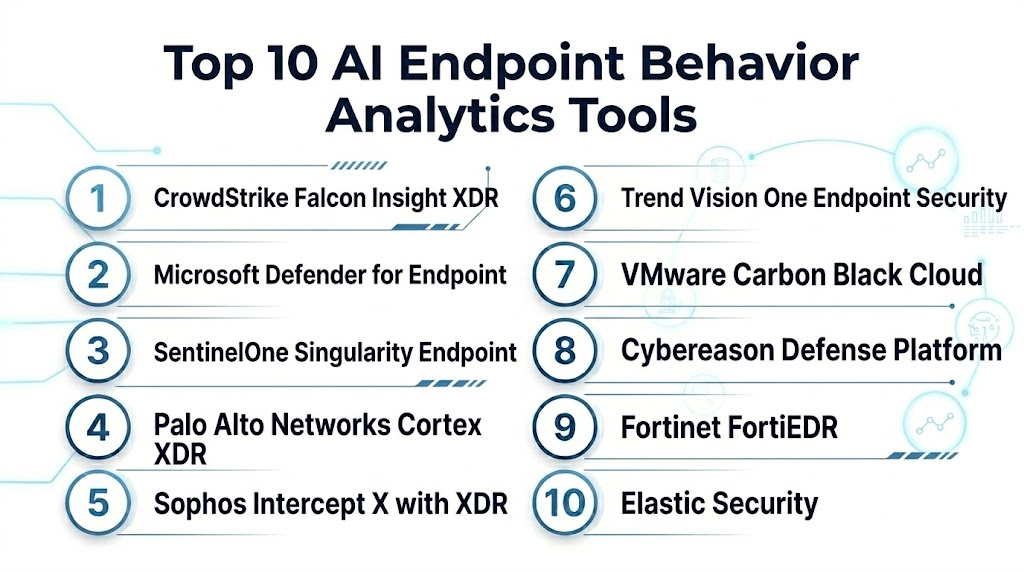
Top 10 AI Endpoint Behavior Analytics Tools
1- CrowdStrike Falcon Insight XDR
2- Microsoft Defender for Endpoint
3- SentinelOne Singularity Endpoint
4- Palo Alto Networks Cortex XDR
5- Sophos Intercept X with XDR
6- Trend Vision One Endpoint Security
7- VMware Carbon Black Cloud
8- Cybereason Defense Platform
9- Fortinet FortiEDR
10- Elastic Security
1- CrowdStrike Falcon Insight XDR
One-line verdict: Best for enterprises needing cloud-native endpoint behavior analytics with strong threat intelligence.
Short description:
CrowdStrike Falcon Insight XDR provides endpoint detection and response with behavioral analytics, real-time telemetry, threat intelligence, and automated response. It is useful for SOC teams that need deep endpoint visibility, rapid threat investigation, and XDR correlation across endpoints, identity, cloud, and workload environments.
Standout Capabilities
- Real-time endpoint behavior monitoring
- AI and machine learning-based threat detection
- Process tree and attack chain visibility
- Cloud-native endpoint telemetry collection
- Threat intelligence enrichment
- Automated response actions
- XDR correlation across supported modules
- Threat hunting and investigation workflows
AI-Specific Depth
- Model support: Proprietary AI, machine learning, and behavioral detection models
- RAG and knowledge integration: Varies / N/A
- Evaluation: Not publicly stated
- Guardrails: Response policies, detection tuning, and admin controls vary by configuration
- Observability: Endpoint telemetry, process trees, detection timelines, threat scores, and investigation dashboards
Pros
- Strong endpoint detection and response depth
- Good threat intelligence and attack context
- Useful for enterprise SOC and threat hunting workflows
Cons
- Best value depends on Falcon ecosystem adoption
- Advanced use may require trained analysts
- Pricing and packaging vary by module
Security and Compliance
CrowdStrike provides enterprise security capabilities across its platform. Exact SSO, RBAC, audit logs, encryption, retention, residency, and certification details should be verified directly. If not confirmed, use Not publicly stated.
Deployment and Platforms
- Cloud-native management platform
- Lightweight endpoint agent
- Windows, macOS, Linux support varies by feature
- Server and cloud workload support varies by module
- Web console and API access
Integrations and Ecosystem
CrowdStrike Falcon Insight XDR connects endpoint behavior analytics with broader security operations.
- CrowdStrike Falcon platform
- SIEM integrations
- SOAR workflows
- Identity protection modules
- Cloud security modules
- Threat intelligence workflows
- ITSM and ticketing integrations
Pricing Model
Typically subscription-based and module-based. Exact pricing depends on endpoint count, modules, services, and contract. Exact pricing is Not publicly stated.
Best-Fit Scenarios
- Enterprise SOC teams needing endpoint behavior analytics
- Threat hunting programs requiring detailed endpoint telemetry
- Organizations using CrowdStrike for endpoint, identity, cloud, and XDR
2- Microsoft Defender for Endpoint
One-line verdict: Best for Microsoft-centered organizations needing endpoint behavior analytics and XDR correlation.
Short description:
Microsoft Defender for Endpoint provides endpoint protection, endpoint detection and response, behavioral analytics, automated investigation, and threat response. It is useful for organizations using Microsoft security tools and wanting endpoint behavior analytics connected with identity, email, cloud, and SIEM workflows.
Standout Capabilities
- Endpoint behavior monitoring and detection
- Cloud-based analytics and threat intelligence
- Automated investigation and response
- Device risk and exposure visibility
- Attack timeline and incident correlation
- Integration with Microsoft Defender XDR
- Threat and vulnerability management options
- Advanced hunting across endpoint telemetry
AI-Specific Depth
- Model support: Proprietary Microsoft AI and machine learning models
- RAG and knowledge integration: Varies / N/A
- Evaluation: Not publicly stated
- Guardrails: Security policies, automated response settings, and admin controls vary by configuration
- Observability: Device timeline, alerts, incidents, advanced hunting results, automated investigation logs, and endpoint telemetry
Pros
- Strong fit for Microsoft security environments
- Good XDR correlation across Microsoft ecosystem
- Useful automated investigation and endpoint response workflows
Cons
- Best value depends on Microsoft licensing and ecosystem adoption
- Configuration and portal complexity may require skilled administrators
- Cost can vary with additional Microsoft security services
Security and Compliance
Microsoft provides enterprise security controls such as access management, encryption, audit capabilities, and administrative governance across its platform. Exact certifications, retention, residency, and feature availability depend on plan and configuration. If not verified, use Not publicly stated.
Deployment and Platforms
- Cloud-managed endpoint security platform
- Windows, macOS, Linux support varies by capability
- Mobile support varies by plan
- Server support varies by licensing
- Web console and advanced hunting interface
Integrations and Ecosystem
Microsoft Defender for Endpoint fits deeply into Microsoft security operations.
- Microsoft Defender XDR
- Microsoft Sentinel
- Microsoft Entra
- Microsoft Defender for Cloud
- Microsoft Defender for Office
- APIs and automation
- ITSM and response workflows
Pricing Model
Typically subscription-based through Microsoft licensing. Exact pricing depends on plan, bundle, region, and agreement. Exact pricing is Not publicly stated.
Best-Fit Scenarios
- Microsoft-centered security operations
- Enterprises needing endpoint XDR and automated investigation
- Teams correlating endpoint behavior with identity, email, and cloud signals
3- SentinelOne Singularity Endpoint
One-line verdict: Best for autonomous endpoint behavior analytics with fast response and rollback capabilities.
Short description:
SentinelOne Singularity Endpoint uses AI-powered detection, behavioral analytics, and automated response to protect endpoints and workloads. It is useful for teams that need strong prevention, endpoint behavior monitoring, ransomware protection, and autonomous remediation.
Standout Capabilities
- AI-powered endpoint detection and prevention
- Behavioral AI for suspicious activity detection
- Automated response and remediation
- Ransomware rollback capabilities where supported
- Storyline-based investigation views
- Endpoint and cloud workload protection options
- Threat hunting and remote response workflows
- XDR expansion across supported environments
AI-Specific Depth
- Model support: Proprietary AI and behavioral detection models
- RAG and knowledge integration: Varies / N/A
- Evaluation: Not publicly stated
- Guardrails: Response policies, exclusions, and admin controls vary by configuration
- Observability: Storyline views, endpoint telemetry, alerts, process relationships, and response logs
Pros
- Strong autonomous response capabilities
- Useful ransomware protection and rollback features
- Clear storyline-based investigation experience
Cons
- Automated response needs careful policy governance
- Advanced features vary by package
- Pricing and packaging should be verified directly
Security and Compliance
SentinelOne provides enterprise endpoint security capabilities. Exact SSO, RBAC, audit logs, encryption, data retention, residency, and certifications should be verified during procurement. If not confirmed, write Not publicly stated.
Deployment and Platforms
- Cloud-based management platform
- Endpoint agent
- Windows, macOS, Linux support varies by feature
- Server and cloud workload support varies by package
- Web console and API support
Integrations and Ecosystem
SentinelOne Singularity Endpoint supports endpoint, XDR, and security operations workflows.
- SentinelOne Singularity platform
- SIEM integrations
- SOAR workflows
- Identity security options
- Cloud workload security options
- Threat intelligence workflows
- ITSM and ticketing tools
Pricing Model
Typically subscription-based and tiered by endpoint, workload, and module. Exact pricing is Not publicly stated.
Best-Fit Scenarios
- Teams needing autonomous endpoint response
- Organizations prioritizing ransomware protection
- SOC teams wanting endpoint behavior storylines and automated remediation
4- Palo Alto Networks Cortex XDR
One-line verdict: Best for endpoint behavior analytics correlated with network, cloud, and identity security signals.
Short description:
Palo Alto Networks Cortex XDR provides endpoint detection and response with behavioral analytics and cross-domain correlation. It is useful for organizations that want endpoint telemetry connected with network, cloud, identity, and Palo Alto security ecosystem signals.
Standout Capabilities
- Endpoint behavior analytics and EDR
- Cross-domain XDR correlation
- Attack chain and root cause analysis
- Behavioral threat protection
- Malware and exploit prevention
- Cloud and network context depending on deployment
- Incident grouping and prioritization
- Investigation and response workflows
AI-Specific Depth
- Model support: Proprietary analytics, behavioral detection, and machine learning models
- RAG and knowledge integration: Varies / N/A
- Evaluation: Not publicly stated
- Guardrails: Security policies, response controls, and administrative settings vary by configuration
- Observability: Incident views, endpoint telemetry, root cause analysis, alerts, and response actions
Pros
- Strong XDR correlation across multiple security layers
- Good fit for Palo Alto Networks customers
- Useful root cause and attack chain visibility
Cons
- Best value depends on Palo Alto ecosystem alignment
- May require careful tuning in complex environments
- Pricing and packaging vary by deployment
Security and Compliance
Palo Alto Networks provides enterprise security controls across its security products. Exact SSO, RBAC, audit logs, encryption, retention, residency, and certifications should be verified directly. If not confirmed, use Not publicly stated.
Deployment and Platforms
- Cloud-based management console
- Endpoint agent
- Windows, macOS, Linux support varies by feature
- Cloud and network correlation depends on product package
- API and integration options
Integrations and Ecosystem
Cortex XDR connects endpoint behavior analytics with broader Palo Alto security workflows.
- Palo Alto Networks firewalls
- Cortex products
- Prisma Cloud
- SIEM integrations
- SOAR workflows
- Identity and cloud data sources
- ITSM and ticketing workflows
Pricing Model
Typically subscription-based and module-based. Exact pricing depends on endpoint count, package, modules, and agreement. Exact pricing is Not publicly stated.
Best-Fit Scenarios
- Palo Alto Networks security environments
- Enterprises needing endpoint, network, and cloud correlation
- SOC teams requiring root cause and attack lifecycle views
5- Sophos Intercept X with XDR
One-line verdict: Best for teams needing endpoint behavior analytics with strong ransomware and exploit protection.
Short description:
Sophos Intercept X with XDR provides endpoint protection, behavioral detection, exploit prevention, ransomware defense, and cross-product investigation. It is useful for organizations that need endpoint behavior analytics with manageable operations and broad security control integration.
Standout Capabilities
- Endpoint behavior analytics
- Ransomware protection and rollback features where supported
- Exploit prevention
- Deep learning malware detection
- XDR investigation across supported Sophos products
- Threat hunting and query capabilities
- Centralized management console
- Managed detection and response options available
AI-Specific Depth
- Model support: Proprietary deep learning and behavioral analytics
- RAG and knowledge integration: Varies / N/A
- Evaluation: Not publicly stated
- Guardrails: Policy controls, exclusions, and response settings vary by configuration
- Observability: Endpoint alerts, threat cases, investigation data, policy logs, and XDR query results
Pros
- Strong ransomware and exploit protection focus
- Manageable for mid-market security teams
- Good option when MDR support is needed
Cons
- Advanced XDR value depends on Sophos ecosystem adoption
- Some deeper enterprise workflows may need additional integrations
- Feature availability varies by package
Security and Compliance
Sophos provides enterprise endpoint security capabilities. Exact SSO, RBAC, audit logs, encryption, retention, residency, and certifications should be verified during procurement. If unverified, use Not publicly stated.
Deployment and Platforms
- Cloud-managed endpoint security platform
- Endpoint agent
- Windows, macOS, Linux support varies by feature
- Server support varies by package
- Web console
Integrations and Ecosystem
Sophos Intercept X with XDR works well inside the Sophos security ecosystem.
- Sophos Central
- Sophos firewall products
- Sophos MDR options
- SIEM integrations
- XDR workflows
- Endpoint and server protection
- APIs and reporting
Pricing Model
Typically subscription-based and tiered by endpoint, server, module, and service level. Exact pricing is Not publicly stated.
Best-Fit Scenarios
- Mid-market teams needing strong endpoint behavior protection
- Organizations prioritizing ransomware defense
- Teams wanting endpoint security with optional managed detection support
6- Trend Vision One Endpoint Security
One-line verdict: Best for teams needing endpoint behavior analytics inside a broader XDR and risk platform.
Short description:
Trend Vision One Endpoint Security provides endpoint protection, behavioral detection, threat intelligence, and XDR correlation. It is useful for organizations that want endpoint behavior analytics connected with email, cloud, network, workload, and risk insights.
Standout Capabilities
- Endpoint behavior analytics and detection
- Malware and ransomware protection
- XDR correlation across supported Trend security layers
- Threat intelligence enrichment
- Attack surface and risk context depending on package
- Investigation and response workflows
- Endpoint telemetry and hunting support
- Centralized security operations visibility
AI-Specific Depth
- Model support: Proprietary AI, machine learning, and behavioral analytics
- RAG and knowledge integration: Varies / N/A
- Evaluation: Not publicly stated
- Guardrails: Policy controls and response workflows vary by configuration
- Observability: Endpoint alerts, XDR events, risk views, telemetry, and investigation dashboards
Pros
- Strong cross-layer security correlation
- Good endpoint behavior analytics and threat intelligence context
- Useful for organizations using multiple Trend security products
Cons
- Best value depends on Trend ecosystem adoption
- Packaging and product scope can vary
- Requires tuning and workflow planning for enterprise environments
Security and Compliance
Trend Micro provides enterprise security capabilities across endpoint and XDR products. Exact SSO, RBAC, audit logs, encryption, retention, residency, and certifications should be verified directly. If not confirmed, write Not publicly stated.
Deployment and Platforms
- Cloud-based security operations platform
- Endpoint agent
- Windows, macOS, Linux support varies by capability
- Server and workload support varies by product package
- Web console and APIs
Integrations and Ecosystem
Trend Vision One Endpoint Security connects endpoint behavior analytics with broader XDR workflows.
- Trend Vision One platform
- Email security
- Cloud security
- Workload security
- SIEM integrations
- SOAR workflows
- ITSM and ticketing systems
Pricing Model
Typically subscription-based and module-based. Exact pricing depends on endpoints, workloads, modules, and agreement. Exact pricing is Not publicly stated.
Best-Fit Scenarios
- Organizations using Trend Micro security products
- Teams needing endpoint analytics with XDR correlation
- Enterprises connecting endpoint behavior with broader risk insights
7- VMware Carbon Black Cloud
One-line verdict: Best for teams needing endpoint behavior monitoring, threat hunting, and workload protection.
Short description:
VMware Carbon Black Cloud provides endpoint and workload security with behavioral detection, endpoint telemetry, threat hunting, and response capabilities. It is useful for teams that need visibility into endpoint activity, suspicious process behavior, and workload security across enterprise environments.
Standout Capabilities
- Endpoint behavior monitoring
- Suspicious process and attack chain detection
- Threat hunting across endpoint telemetry
- Endpoint detection and response workflows
- Workload protection options
- Policy-based prevention
- Investigation and response tools
- Integration with VMware and security ecosystems
AI-Specific Depth
- Model support: Proprietary behavioral analytics and machine learning capabilities
- RAG and knowledge integration: Varies / N/A
- Evaluation: Not publicly stated
- Guardrails: Policy settings, detection rules, and response controls vary by configuration
- Observability: Endpoint telemetry, process activity, alerts, threat hunting data, and investigation views
Pros
- Strong endpoint telemetry and behavior visibility
- Useful for threat hunting and workload security
- Good fit for VMware-centered environments
Cons
- Product packaging and ownership context can vary by customer environment
- Requires analyst skill for deeper hunting
- Best value depends on integration and deployment quality
Security and Compliance
VMware Carbon Black Cloud provides enterprise endpoint security capabilities. Exact SSO, RBAC, audit logs, encryption, retention, residency, and certifications should be verified during procurement. If details are not confirmed, use Not publicly stated.
Deployment and Platforms
- Cloud-managed endpoint security platform
- Endpoint agent
- Windows, macOS, Linux support varies by capability
- Workload support varies by deployment
- Web console and API support
Integrations and Ecosystem
VMware Carbon Black Cloud supports endpoint security and threat hunting workflows.
- VMware ecosystem
- SIEM integrations
- SOAR workflows
- Cloud workload tools
- ITSM and ticketing systems
- Threat intelligence sources
- APIs and automation
Pricing Model
Typically subscription-based and tiered by endpoint, workload, and package. Exact pricing is Not publicly stated.
Best-Fit Scenarios
- Teams needing endpoint telemetry and hunting
- VMware-centered enterprises
- Organizations protecting endpoints and workloads together
8- Cybereason Defense Platform
One-line verdict: Best for visual attack storylines and endpoint behavior analytics across complex incidents.
Short description:
Cybereason Defense Platform provides endpoint detection, behavioral analytics, threat hunting, and incident investigation capabilities. It is useful for security teams that need to understand attack chains, connect related behaviors, and respond to endpoint threats quickly.
Standout Capabilities
- Endpoint behavior analytics
- Attack storyline and MalOp-style investigation
- Ransomware and malware detection
- Threat hunting workflows
- Suspicious process and lateral movement detection
- Automated and guided response options
- Endpoint telemetry and investigation context
- Security operations dashboards
AI-Specific Depth
- Model support: Proprietary behavioral analytics and machine learning capabilities
- RAG and knowledge integration: Varies / N/A
- Evaluation: Not publicly stated
- Guardrails: Response policies and administrative controls vary by deployment
- Observability: Attack storylines, endpoint events, process activity, alerts, and investigation views
Pros
- Strong attack storyline visualization
- Useful for incident investigation and response
- Good behavior analytics for endpoint threats
Cons
- Requires tuning and analyst familiarity
- Feature availability varies by package
- Pricing and deployment details are not universally public
Security and Compliance
Cybereason provides enterprise endpoint security capabilities. Exact SSO, RBAC, audit logs, encryption, data retention, residency, and certifications should be verified directly. If unverified, use Not publicly stated.
Deployment and Platforms
- Cloud and enterprise options may vary
- Endpoint agent
- Windows, macOS, Linux support varies by feature
- Web console
- API and integration options
Integrations and Ecosystem
Cybereason Defense Platform connects endpoint behavior analytics with SOC workflows.
- SIEM integrations
- SOAR workflows
- Threat intelligence sources
- ITSM and ticketing systems
- Endpoint investigation workflows
- MDR options may vary
- API integrations
Pricing Model
Typically subscription-based and enterprise-focused. Exact pricing depends on endpoint count, modules, and contract. Exact pricing is Not publicly stated.
Best-Fit Scenarios
- SOC teams needing attack storyline views
- Enterprises investigating complex endpoint incidents
- Organizations prioritizing behavioral detection and guided response
9- Fortinet FortiEDR
One-line verdict: Best for Fortinet customers needing endpoint behavior analytics and automated threat containment.
Short description:
Fortinet FortiEDR provides endpoint detection and response with behavior-based detection, automated response, and integration into Fortinet security workflows. It is useful for organizations using Fortinet Security Fabric and wanting endpoint protection connected with network, firewall, and SOC operations.
Standout Capabilities
- Endpoint behavior detection
- Automated threat containment
- Ransomware and malware protection
- Real-time endpoint monitoring
- Security Fabric integration
- Incident investigation and response
- Policy-based controls
- Endpoint visibility for SOC teams
AI-Specific Depth
- Model support: Proprietary analytics and behavioral detection capabilities
- RAG and knowledge integration: Varies / N/A
- Evaluation: Not publicly stated
- Guardrails: Policy controls, containment rules, and administrative settings vary by configuration
- Observability: Endpoint alerts, behavior context, response logs, dashboards, and incident views
Pros
- Strong fit for Fortinet security environments
- Useful automated containment workflows
- Good endpoint visibility connected with broader security fabric
Cons
- Best value depends on Fortinet ecosystem adoption
- May need tuning for business-critical applications
- Pricing and package details vary
Security and Compliance
Fortinet provides enterprise security capabilities across its products. Exact SSO, RBAC, audit logs, encryption, retention, residency, and certifications should be verified directly. If not confirmed, write Not publicly stated.
Deployment and Platforms
- Cloud and enterprise options may vary
- Endpoint agent
- Windows, macOS, Linux support varies by feature
- Web console
- Fortinet Security Fabric integration
Integrations and Ecosystem
FortiEDR works best inside Fortinet-centered security operations.
- Fortinet Security Fabric
- FortiGate firewalls
- FortiSIEM
- FortiSOAR
- SIEM integrations
- ITSM and ticketing systems
- Network security workflows
Pricing Model
Typically subscription-based or enterprise licensing-based. Exact pricing depends on endpoints, modules, and contract. Exact pricing is Not publicly stated.
Best-Fit Scenarios
- Fortinet-centered enterprises
- Teams needing automated endpoint containment
- SOC teams correlating endpoint behavior with network security
10- Elastic Security
One-line verdict: Best for teams wanting flexible endpoint behavior analytics with open security data workflows.
Short description:
Elastic Security provides endpoint protection, security analytics, threat hunting, SIEM, and detection workflows built on the Elastic platform. It is useful for teams that want flexible endpoint behavior analytics, searchable telemetry, detection engineering, and integration with broader observability and security data.
Standout Capabilities
- Endpoint behavior analytics
- Endpoint protection and response
- SIEM and security analytics
- Threat hunting using searchable telemetry
- Detection engineering flexibility
- Cloud and endpoint data correlation
- Open data workflows
- Dashboards and investigation timelines
AI-Specific Depth
- Model support: Proprietary and platform-based analytics capabilities vary by deployment
- RAG and knowledge integration: Varies / N/A
- Evaluation: Not publicly stated
- Guardrails: Detection rules, access controls, and response workflows vary by configuration
- Observability: Endpoint events, detection alerts, dashboards, timelines, search queries, and investigation data
Pros
- Flexible and data-driven security analytics
- Good fit for detection engineering and threat hunting
- Useful for teams already using Elastic
Cons
- Requires engineering skill for best results
- Deployment and tuning can be complex
- Advanced capabilities may vary by subscription and architecture
Security and Compliance
Elastic provides enterprise security and access control capabilities across its platform. Exact SSO, RBAC, audit logs, encryption, retention, residency, and certifications should be verified during procurement. If not confirmed, use Not publicly stated.
Deployment and Platforms
- Cloud and self-managed options may vary
- Endpoint agent
- Windows, macOS, Linux support varies by capability
- Web console
- Security analytics and SIEM workflows
Integrations and Ecosystem
Elastic Security supports flexible endpoint and security analytics workflows.
- Elastic Stack
- SIEM workflows
- Cloud logs
- Endpoint telemetry
- Threat intelligence data
- SOAR and ticketing integrations
- APIs and detection engineering pipelines
Pricing Model
Typically subscription-based with cloud and self-managed options. Exact pricing depends on usage, deployment, and subscription level. Exact pricing is Not publicly stated in a universal format.
Best-Fit Scenarios
- Detection engineering teams
- Organizations using Elastic for logs and security analytics
- Teams needing flexible endpoint behavior analytics and threat hunting
Comparison Table
| Tool Name | Best For | Deployment | Model Flexibility | Strength | Watch Out | Public Rating |
|---|---|---|---|---|---|---|
| CrowdStrike Falcon Insight XDR | Enterprise endpoint behavior analytics | Cloud | Hosted proprietary | Threat intelligence and EDR depth | Ecosystem and module cost | N/A |
| Microsoft Defender for Endpoint | Microsoft-centered endpoint security | Cloud | Hosted proprietary | Microsoft XDR correlation | Licensing complexity | N/A |
| SentinelOne Singularity Endpoint | Autonomous response and ransomware defense | Cloud | Hosted proprietary | Automated response and rollback | Response governance needed | N/A |
| Palo Alto Networks Cortex XDR | Endpoint and cross-domain XDR | Cloud | Hosted proprietary | Network, cloud, endpoint correlation | Best with Palo Alto stack | N/A |
| Sophos Intercept X with XDR | Mid-market endpoint protection | Cloud | Hosted proprietary | Ransomware and exploit protection | XDR depth varies by ecosystem | N/A |
| Trend Vision One Endpoint Security | Endpoint analytics with broader XDR | Cloud | Hosted proprietary | Cross-layer security correlation | Packaging can vary | N/A |
| VMware Carbon Black Cloud | Endpoint telemetry and hunting | Cloud | Hosted proprietary | Behavior monitoring and workload support | Requires analyst skill | N/A |
| Cybereason Defense Platform | Attack storyline investigations | Cloud and enterprise options vary | Hosted proprietary | Visual attack chain analysis | Package details vary | N/A |
| Fortinet FortiEDR | Fortinet endpoint security operations | Cloud and enterprise options vary | Hosted proprietary | Automated containment | Fortinet fit matters | N/A |
| Elastic Security | Flexible endpoint analytics | Cloud and self-managed options vary | Hosted proprietary and platform analytics | Searchable telemetry and detection engineering | Needs engineering skill | N/A |
Scoring and Evaluation
This scoring is comparative, not absolute. It helps buyers compare AI endpoint behavior analytics tools based on endpoint detection depth, AI reliability, guardrails, integrations, usability, performance, security controls, and support. Scores may vary based on endpoint count, operating systems, security stack, analyst skill, deployment quality, and response workflows. Public ratings are not guessed. Buyers should validate shortlisted tools through a pilot using real endpoints, normal business applications, and realistic attack simulations.
| Tool | Core | Reliability and Eval | Guardrails | Integrations | Ease | Performance and Cost | Security and Admin | Support | Weighted Total |
| CrowdStrike Falcon Insight XDR | 9.2 | 8.8 | 8.7 | 9.0 | 8.4 | 8.3 | 8.8 | 8.8 | 8.8 |
| Microsoft Defender for Endpoint | 9.0 | 8.6 | 8.8 | 9.2 | 8.4 | 8.5 | 9.0 | 8.8 | 8.8 |
| SentinelOne Singularity Endpoint | 9.0 | 8.6 | 8.8 | 8.7 | 8.5 | 8.4 | 8.6 | 8.6 | 8.6 |
| Palo Alto Networks Cortex XDR | 9.0 | 8.6 | 8.6 | 9.0 | 8.2 | 8.2 | 8.7 | 8.6 | 8.6 |
| Sophos Intercept X with XDR | 8.5 | 8.3 | 8.5 | 8.3 | 8.6 | 8.5 | 8.5 | 8.5 | 8.4 |
| Trend Vision One Endpoint Security | 8.6 | 8.4 | 8.4 | 8.8 | 8.2 | 8.3 | 8.6 | 8.5 | 8.5 |
| VMware Carbon Black Cloud | 8.5 | 8.3 | 8.3 | 8.5 | 8.0 | 8.2 | 8.5 | 8.4 | 8.3 |
| Cybereason Defense Platform | 8.5 | 8.3 | 8.3 | 8.3 | 8.2 | 8.2 | 8.4 | 8.3 | 8.3 |
| Fortinet FortiEDR | 8.4 | 8.2 | 8.5 | 8.5 | 8.2 | 8.4 | 8.5 | 8.4 | 8.4 |
| Elastic Security | 8.3 | 8.2 | 8.2 | 8.8 | 7.9 | 8.5 | 8.4 | 8.3 | 8.3 |
Top 3 for Enterprise
1- CrowdStrike Falcon Insight XDR
2- Microsoft Defender for Endpoint
3- Palo Alto Networks Cortex XDR
Top 3 for SMB
1- Sophos Intercept X with XDR
2- Microsoft Defender for Endpoint
3- Fortinet FortiEDR
Top 3 for Developers
1- Elastic Security
2- VMware Carbon Black Cloud
3- SentinelOne Singularity Endpoint
Which AI Endpoint Behavior Analytics Tool Is Right for You
Solo / Freelancer
Solo consultants and small security advisors usually do not need a full enterprise endpoint behavior analytics platform unless they manage client environments. Elastic Security can be useful for technical users who want flexible endpoint telemetry and security analytics. Microsoft Defender for Endpoint may fit Microsoft-centered client environments where licensing and endpoint coverage are already available.
SMB
SMBs should prioritize ease of deployment, ransomware protection, low operational overhead, and clear remediation workflows. Sophos Intercept X with XDR is a strong fit for many mid-sized teams, while Microsoft Defender for Endpoint works well for Microsoft-centered organizations. Fortinet FortiEDR may be a good option when the company already uses Fortinet security infrastructure.
Mid-Market
Mid-market teams usually need better endpoint visibility, threat hunting, and integrations with SIEM, SOAR, identity, and ticketing tools. SentinelOne Singularity Endpoint, CrowdStrike Falcon Insight XDR, Trend Vision One Endpoint Security, and VMware Carbon Black Cloud can be strong options depending on the existing security stack and analyst maturity.
Enterprise
Large enterprises should prioritize scalability, XDR correlation, endpoint telemetry depth, threat intelligence, response governance, and cross-platform support. CrowdStrike Falcon Insight XDR, Microsoft Defender for Endpoint, Palo Alto Networks Cortex XDR, and SentinelOne Singularity Endpoint are strong enterprise candidates. The best choice depends on ecosystem fit and response workflow maturity.
Regulated Industries
Finance, healthcare, government, and critical infrastructure teams should prioritize audit logs, RBAC, retention controls, endpoint isolation governance, evidence collection, and forensic visibility. Microsoft Defender for Endpoint, CrowdStrike Falcon Insight XDR, Palo Alto Networks Cortex XDR, Core endpoint-focused platforms such as SentinelOne, and VMware Carbon Black Cloud may be strong options depending on requirements. Buyers should verify all compliance claims directly.
Budget vs Premium
Budget-conscious teams should start with endpoint security capabilities already included in their Microsoft, Fortinet, Sophos, or Elastic environments. Premium enterprise teams may benefit from CrowdStrike Falcon Insight XDR, Palo Alto Networks Cortex XDR, SentinelOne Singularity Endpoint, or Trend Vision One Endpoint Security when they need broader XDR, threat intelligence, and advanced response workflows.
Build vs Buy
Building endpoint behavior analytics internally can work for advanced security engineering teams with strong endpoint telemetry pipelines, detection engineering skills, and response automation. Most organizations should buy because production-grade endpoint behavior analytics requires stable agents, behavioral models, ransomware protection, response actions, threat intelligence, support, and policy management. A hybrid approach can work where commercial EDR provides telemetry and internal teams build custom detections on top.
Implementation Playbook
First 30 Days
- Define the main endpoint behavior analytics use cases such as ransomware, credential theft, fileless malware, lateral movement, and insider misuse.
- Identify endpoint groups such as laptops, servers, developer workstations, executives, cloud workloads, and privileged admin devices.
- Select two or three platforms for pilot testing.
- Deploy agents to a limited set of representative devices.
- Test endpoint performance and business application compatibility.
- Run safe attack simulations for ransomware behavior, suspicious scripts, process injection, and credential access.
- Review alerts, process trees, timelines, and response recommendations.
- Validate privacy, retention, RBAC, audit logs, and admin controls.
- Define success metrics such as detection quality, response speed, agent stability, false positive rate, and analyst usability.
- Create a pilot team with SOC, IT operations, endpoint engineering, and incident response stakeholders.
First 60 Days
- Expand agent coverage to more endpoint groups and server segments.
- Configure policies for ransomware protection, script monitoring, exploit prevention, and suspicious behavior detection.
- Integrate alerts with SIEM, SOAR, ITSM, IAM, XDR, and ticketing systems.
- Create response workflows for device isolation, process termination, file quarantine, rollback, and escalation.
- Validate automated response actions with human review.
- Tune exclusions for business applications, developer tools, and sensitive systems.
- Train analysts on process trees, endpoint timelines, and root cause investigation.
- Build dashboards for SOC analysts, endpoint teams, and leadership.
- Define escalation rules for privileged endpoints and critical servers.
- Document governance rules for containment and rollback actions.
First 90 Days
- Scale deployment across remote users, servers, cloud workloads, and high-risk devices.
- Tune behavioral policies based on pilot feedback.
- Automate high-confidence response workflows where appropriate.
- Track metrics such as threat detection quality, false positives, device isolation time, remediation speed, and endpoint coverage.
- Review policy exceptions and risky exclusions.
- Add recurring threat hunting across endpoint telemetry.
- Improve executive reporting around endpoint risk and incident reduction.
- Review endpoint agent performance and update strategy.
- Create incident handling playbooks for ransomware, fileless malware, credential theft, and lateral movement.
- Establish continuous improvement for endpoint behavior detection, response governance, and analyst workflows.
Common Mistakes and How to Avoid Them
- Treating EDR like basic antivirus: Endpoint behavior analytics needs investigation workflows, telemetry review, and response planning.
- Deploying agents without testing performance: Always test on real business devices, developer workstations, and servers.
- Overusing exclusions: Too many exclusions can weaken detection and create blind spots.
- Ignoring script activity: PowerShell, command-line tools, WMI, and living-off-the-land binaries are common attack paths.
- Not monitoring credential theft behavior: Credential access is often a key step before lateral movement.
- Over-trusting automated response: Isolation and rollback actions should be governed carefully, especially on critical systems.
- Skipping SIEM and SOAR integration: Endpoint alerts are more useful when connected to broader incident workflows.
- Not training analysts: Process trees and endpoint timelines require analyst skill to interpret correctly.
- Ignoring remote users: Remote endpoints are often exposed to different networks and risky activity.
- Missing server and workload coverage: Servers and cloud workloads need behavior analytics, not only laptops.
- Not tuning false positives: Noisy endpoint alerts can lead to analyst fatigue.
- Forgetting policy governance: Response rules, exclusions, and admin access should be reviewed regularly.
- Buying before piloting: Test tools with real endpoints and realistic attack simulations before purchase.
- Measuring only blocked malware: Track investigation speed, endpoint coverage, response quality, and risk reduction.
FAQs
1- What is AI Endpoint Behavior Analytics?
AI Endpoint Behavior Analytics uses machine learning and behavioral detection to monitor endpoint activity and identify suspicious actions. It looks at processes, files, registry changes, memory behavior, command lines, network connections, and user activity to detect threats.
2- How is endpoint behavior analytics different from antivirus?
Antivirus often focuses on known malware signatures and reputation. Endpoint behavior analytics focuses on what activity does on the device, making it more useful for unknown threats, fileless attacks, ransomware behavior, and suspicious process chains.
3- What threats can endpoint behavior analytics detect?
It can help detect ransomware, fileless malware, credential theft, lateral movement, privilege escalation, malicious scripts, process injection, suspicious network connections, and insider misuse. Detection quality depends on telemetry, policies, and tuning.
4- Does AI endpoint behavior analytics replace EDR?
No. It is usually a core part of modern EDR and XDR platforms. EDR provides endpoint visibility and response, while behavior analytics helps detect unusual or malicious endpoint activity.
5- Which tool is best for Microsoft environments?
Microsoft Defender for Endpoint is a strong fit for Microsoft-centered environments because it connects with Microsoft Defender XDR, Microsoft Sentinel, Microsoft Entra, and other Microsoft security tools.
6- Which tool is best for ransomware behavior detection?
SentinelOne Singularity Endpoint, Sophos Intercept X with XDR, CrowdStrike Falcon Insight XDR, and Microsoft Defender for Endpoint are strong options for ransomware behavior detection. Buyers should test ransomware simulation scenarios during a pilot.
7- Which tool is best for enterprise SOC teams?
CrowdStrike Falcon Insight XDR, Microsoft Defender for Endpoint, Palo Alto Networks Cortex XDR, and SentinelOne Singularity Endpoint are strong enterprise options. The best choice depends on ecosystem fit, analyst skill, and response workflow.
8- Can these tools isolate infected endpoints?
Yes, many modern endpoint behavior analytics and EDR tools support endpoint isolation, process termination, file quarantine, and other response actions. Exact capabilities vary by product and plan.
9- What data should buyers use for a pilot?
Buyers should test normal business activity, developer tools, administrative scripts, simulated ransomware behavior, suspicious PowerShell, credential access scenarios, and lateral movement simulations. This helps validate detection quality and false positives.
10- Do these tools slow down endpoints?
Modern agents are designed to be lightweight, but performance impact can vary by device type, policy configuration, workload, and operating system. Buyers should test performance on real endpoints before rollout.
11- Are these tools useful for cloud workloads?
Yes, many endpoint behavior analytics platforms support server and cloud workload protection. Buyers should verify support for virtual machines, Linux workloads, containers, and cloud-native environments where relevant.
12- What should buyers verify before choosing a tool?
Buyers should verify operating system coverage, behavioral detection depth, ransomware protection, response actions, SIEM and SOAR integrations, RBAC, audit logs, data retention, agent performance, support quality, and pricing model.
Conclusion
AI Endpoint Behavior Analytics tools help security teams detect threats that traditional antivirus and static rules may miss, especially ransomware behavior, fileless malware, credential theft, suspicious scripts, lateral movement, and abnormal endpoint activity. The best platform depends on your endpoint estate, security stack, operating systems, cloud workload needs, analyst skills, and response governance. CrowdStrike Falcon Insight XDR is strong for enterprise endpoint telemetry and threat intelligence, Microsoft Defender for Endpoint fits Microsoft-centered environments, SentinelOne Singularity Endpoint is strong for autonomous response and ransomware protection, Palo Alto Networks Cortex XDR is useful for cross-domain XDR correlation, Sophos Intercept X with XDR works well for practical endpoint protection, Trend Vision One Endpoint Security connects endpoint analytics with broader XDR, VMware Carbon Black Cloud supports endpoint telemetry and hunting, Cybereason Defense Platform is useful for attack storylines, Fortinet FortiEDR fits Fortinet environments, and Elastic Security gives technical teams flexible endpoint analytics. To choose wisely, shortlist tools based on your endpoint platforms and response needs, pilot them with real endpoint activity and attack simulations, verify security and evaluation controls, then scale with governance, automation, tuning, and continuous detection improvement.

Find Trusted Cardiac Hospitals
Compare heart hospitals by city and services — all in one place.
Explore Hospitals
One overlooked factor is how effectively these tools handle behavioral drift over time without increasing false positives or alert fatigue in real production environments.