
Introduction
AI Incident Triage and Summarization Tools help security teams review alerts faster, understand incidents clearly, prioritize risk, and create useful investigation summaries. These tools use artificial intelligence, machine learning, natural language processing, alert correlation, threat intelligence, automation, and security context to reduce manual investigation work inside SOC and incident response workflows. Instead of analysts spending long hours reading raw logs, checking multiple dashboards, and writing manual reports, these platforms help convert complex security signals into clear incident stories, recommended actions, and response-ready summaries.
Why It Matters
Security teams receive alerts from SIEM, SOAR, EDR, XDR, cloud security tools, identity platforms, network systems, email security, vulnerability scanners, and threat intelligence feeds. Many of these alerts are noisy, duplicated, incomplete, or difficult to interpret quickly. AI incident triage and summarization matters because it helps analysts understand what happened, which assets are affected, how serious the incident is, and what should be done next. It improves response speed, reduces alert fatigue, supports junior analysts, improves report quality, and helps security leaders make better decisions based on clear incident context.
Real World Use Cases
- Alert prioritization: Rank alerts based on severity, business impact, affected assets, user risk, and threat context.
- Incident summarization: Convert raw alerts, logs, and timelines into readable summaries for analysts and managers.
- Investigation guidance: Suggest next steps such as checking endpoint activity, validating identity risk, reviewing cloud logs, or isolating a device.
- Threat intelligence enrichment: Add context about indicators, malware behavior, attacker techniques, suspicious domains, and known tactics.
- Cross-source correlation: Combine endpoint, network, identity, cloud, email, and application signals into one incident view.
- Ticket and case updates: Generate consistent case notes, escalation details, and closure summaries.
- Playbook recommendations: Suggest or trigger response workflows based on incident type and confidence level.
- Analyst enablement: Help junior analysts understand complex alerts with plain-language explanations and structured next steps.
Evaluation Criteria for Buyers
- Alert triage accuracy: The tool should reduce noise, identify true risk, and prioritize incidents clearly.
- Summarization quality: Summaries should be readable, complete, actionable, and grounded in actual security evidence.
- Data source coverage: The platform should connect with SIEM, SOAR, EDR, XDR, cloud, identity, network, email, and ticketing tools.
- Threat context: Strong tools should enrich incidents with threat intelligence, attacker techniques, IOCs, and known behavior patterns.
- Natural language query support: Analysts should be able to ask questions in simple language and receive useful investigation answers.
- Workflow automation: The tool should support playbooks, ticket updates, case routing, enrichment, and response recommendations.
- Explainability: AI output should show supporting evidence, related events, affected entities, and reasoning.
- Governance controls: SSO, RBAC, audit logs, data retention, encryption, privacy settings, and approval workflows are important.
- Human review: High-impact actions should include human approval and clear escalation rules.
- Customization: Teams should be able to customize triage rules, summary formats, severity logic, and response workflows.
- Performance: Responses should be fast enough for live SOC workflows and incident response.
- Scalability: The platform should support high alert volumes, multiple teams, and large security data environments.
Best for: SOC teams, incident response analysts, threat hunters, security engineers, MSSPs, security operations managers, cloud security teams, and enterprises that handle high alert volume across many security tools.
Not ideal for: Very small teams with low alert volume, organizations without centralized security monitoring, companies that cannot integrate core security tools, or teams that are not ready to act on AI-generated triage recommendations.
What Changed in AI Incident Triage and Summarization
- Natural language investigation is becoming normal: Analysts can ask questions in plain English instead of manually building complex queries.
- Incident narratives are now faster to create: AI can summarize timelines, alerts, entities, and evidence into readable incident reports.
- Cross-tool context is more important: Good triage depends on endpoint, identity, cloud, network, email, and threat intelligence context.
- AI is helping reduce alert fatigue: Related alerts can be grouped, summarized, and prioritized instead of reviewed one by one.
- Human-in-the-loop control is essential: AI can recommend actions, but analysts should approve high-impact containment steps.
- Explainability is a key buying factor: Teams want AI summaries that include evidence and not just confident statements.
- Threat intelligence enrichment is expected: Incident summaries should include attacker techniques, suspicious indicators, and known context where available.
- Automation is moving from simple playbooks to guided response: Copilots can suggest investigation paths and response steps based on incident type.
- Analyst enablement is a major use case: AI copilots help junior analysts follow structured investigations and reduce knowledge gaps.
- Governance and privacy matter more: Incident data may include sensitive employee, customer, system, and business information.
- SOC reporting is improving: AI can help create executive summaries, technical notes, and ticket updates from the same incident data.
- Integration quality separates strong tools from basic assistants: The best products work inside real SOC workflows, not as standalone chat tools.
Quick Buyer Checklist
- Confirm integration with SIEM, SOAR, EDR, XDR, IAM, cloud, network, email, and ticketing tools.
- Test whether the tool can summarize real alerts from your environment.
- Review whether AI output includes supporting evidence and related entities.
- Check whether incident prioritization reduces duplicate and low-value alerts.
- Validate threat intelligence enrichment quality.
- Confirm natural language investigation support.
- Review response playbook and automation capabilities.
- Check SSO, RBAC, audit logs, encryption, data retention, and privacy controls.
- Confirm whether summaries can be customized for analysts, managers, and executives.
- Test how the platform handles incomplete or noisy data.
- Verify human approval options for high-risk actions.
- Check integration with case management and ITSM workflows.
- Review cost model and scaling limits.
- Run a pilot with real incidents before rollout.
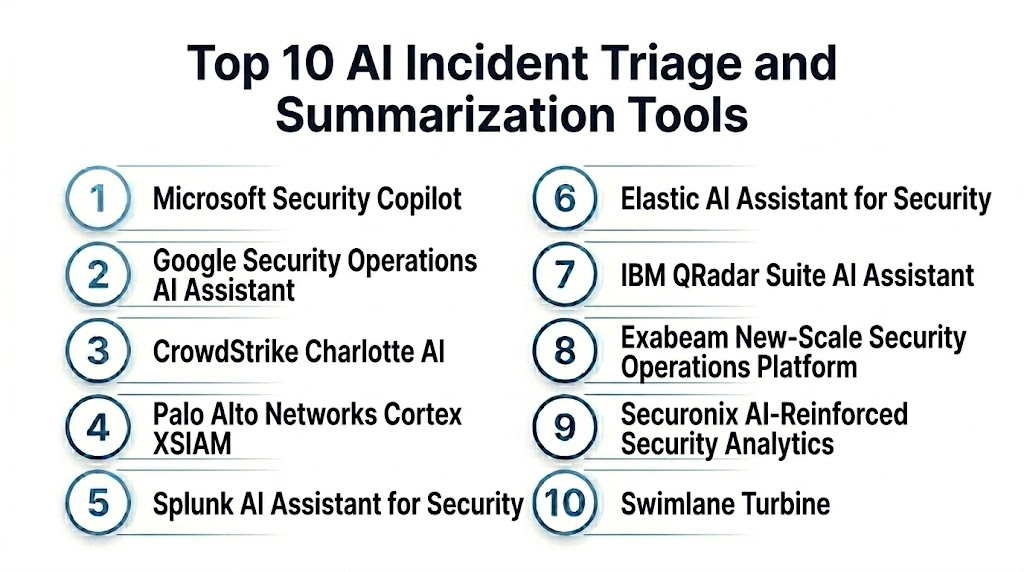
Top 10 AI Incident Triage and Summarization Tools
1- Microsoft Security Copilot
2- Google Security Operations AI Assistant
3- CrowdStrike Charlotte AI
4- Palo Alto Networks Cortex XSIAM
5- Splunk AI Assistant for Security
6- Elastic AI Assistant for Security
7- IBM QRadar Suite AI Assistant
8- Exabeam New-Scale Security Operations Platform
9- Securonix AI-Reinforced Security Analytics
10- Swimlane Turbine
1- Microsoft Security Copilot
One-line verdict: Best for Microsoft-centered security teams needing AI-assisted investigation, triage, and incident summaries.
Short description:
Microsoft Security Copilot helps analysts investigate incidents, summarize alerts, ask security questions, enrich findings, and accelerate response across Microsoft security data and connected tools. It is useful for teams that use Microsoft Defender, Microsoft Sentinel, Microsoft Entra, and Microsoft cloud security services.
Standout Capabilities
- Natural language incident investigation
- Incident summarization and analyst guidance
- Integration with Microsoft Defender and Sentinel workflows
- Threat intelligence and security context enrichment
- Support for prompt-based investigation tasks
- Security operations reporting assistance
- Cross-domain context across identity, endpoint, email, and cloud
- Response guidance for analysts
AI-Specific Depth
- Model support: Proprietary Microsoft security AI and large language model capabilities
- RAG and knowledge integration: Security data retrieval from connected Microsoft and supported third-party sources
- Evaluation: Not publicly stated
- Guardrails: Role-based access, tenant controls, permissions, and admin policies vary by configuration
- Observability: Prompt history, investigation outputs, incident context, and security activity views vary by deployment
Pros
- Strong fit for Microsoft security environments
- Helpful for summarizing incidents across Microsoft Defender and Sentinel
- Good natural language experience for analysts
Cons
- Best value depends on Microsoft ecosystem adoption
- Third-party data coverage may require connector setup
- Licensing and usage model should be reviewed carefully
Security and Compliance
Microsoft provides enterprise security controls such as access management, encryption, audit capabilities, and administrative governance across its platform. Exact certifications, data residency, retention, and feature availability depend on plan, region, and configuration. If not verified, use Not publicly stated.
Deployment and Platforms
- Cloud-based security copilot experience
- Works with Microsoft security portals and supported integrations
- Web-based analyst interface
- Microsoft ecosystem integration
- Third-party integration varies by connector and configuration
Integrations and Ecosystem
Microsoft Security Copilot works best when connected with Microsoft security tools and supported partner sources.
- Microsoft Defender XDR
- Microsoft Sentinel
- Microsoft Entra
- Microsoft Defender for Cloud
- Microsoft Defender for Office
- Security data connectors
- Automation and case workflows
Pricing Model
Typically subscription-based or usage-influenced depending on Microsoft licensing and configuration. Exact pricing is Not publicly stated in a universal format.
Best-Fit Scenarios
- Microsoft-centered SOC teams
- Analysts needing incident summaries across Defender and Sentinel
- Enterprises that want natural language security investigation inside existing Microsoft workflows
2- Google Security Operations AI Assistant
One-line verdict: Best for cloud-scale security teams needing AI-assisted investigation across large security datasets.
Short description:
Google Security Operations AI Assistant helps analysts search, investigate, summarize, and understand security incidents across large security datasets. It is useful for SOC teams that use Google Security Operations, Chronicle-style security data, cloud telemetry, threat intelligence, and large-scale log investigation workflows.
Standout Capabilities
- Natural language investigation assistance
- Security event search and summarization
- Large-scale data correlation
- Incident context generation
- Threat intelligence enrichment
- Analyst guidance for investigation workflows
- Timeline and evidence support
- Cloud security data alignment
AI-Specific Depth
- Model support: Proprietary Google security AI capabilities
- RAG and knowledge integration: Security data retrieval from connected Google Security Operations datasets
- Evaluation: Not publicly stated
- Guardrails: Access policies, admin settings, and data controls vary by deployment
- Observability: Query outputs, investigation summaries, case context, and analyst activity visibility vary by configuration
Pros
- Strong fit for large security data environments
- Useful for fast investigation and summarization
- Good alignment with Google security and cloud workflows
Cons
- Best value depends on Google Security Operations adoption
- Requires strong data ingestion and normalization
- Platform learning curve may exist for some teams
Security and Compliance
Google Cloud and Google Security Operations provide enterprise security and governance capabilities. Exact SSO, RBAC, audit logs, encryption, data retention, residency, and certification details should be verified during procurement. If not confirmed, write Not publicly stated.
Deployment and Platforms
- Cloud-based security operations platform
- Web-based investigation interface
- Works with connected security data sources
- Google Cloud and security telemetry support varies by setup
Integrations and Ecosystem
Google Security Operations AI Assistant supports cloud-scale investigation and security operations workflows.
- Google Security Operations
- Cloud logs and telemetry
- Threat intelligence sources
- SIEM workflows
- SOAR workflows
- Endpoint and identity signals where connected
- Case and investigation workflows
Pricing Model
Typically subscription-based or usage-based depending on data ingestion, retention, and platform agreement. Exact pricing is Not publicly stated.
Best-Fit Scenarios
- Enterprises using Google Security Operations
- SOC teams handling large-scale security datasets
- Analysts needing AI-generated incident context and evidence summaries
3- CrowdStrike Charlotte AI
One-line verdict: Best for Falcon customers needing AI-assisted SOC triage, threat hunting, and incident understanding.
Short description:
CrowdStrike Charlotte AI is an AI assistant designed to help security teams investigate threats, ask security questions, summarize findings, and accelerate SOC workflows inside the Falcon ecosystem. It is useful for organizations already using CrowdStrike endpoint, identity, cloud, threat intelligence, and exposure management capabilities.
Standout Capabilities
- Natural language security assistance
- Falcon data investigation support
- Threat hunting guidance
- Incident explanation and summarization
- Endpoint and threat intelligence context
- Analyst workflow acceleration
- Security operations recommendations
- Integration with CrowdStrike Falcon ecosystem
AI-Specific Depth
- Model support: Proprietary CrowdStrike AI and security intelligence capabilities
- RAG and knowledge integration: Security context retrieval from Falcon data and connected sources
- Evaluation: Not publicly stated
- Guardrails: Admin permissions, role-based access, and workflow controls vary by configuration
- Observability: Analyst queries, investigation results, security findings, and platform activity visibility vary by setup
Pros
- Strong fit for CrowdStrike Falcon environments
- Useful for endpoint-centered investigation and triage
- Can support analyst productivity and threat hunting
Cons
- Best value depends on Falcon ecosystem adoption
- Third-party context may vary by integration
- Pricing and access details should be verified directly
Security and Compliance
CrowdStrike provides enterprise security capabilities across its platform. Exact SSO, RBAC, audit logs, encryption, retention, residency, and certification details should be verified directly. If not confirmed, use Not publicly stated.
Deployment and Platforms
- Cloud-based Falcon platform experience
- Web-based security operations interface
- Works with CrowdStrike Falcon modules
- Integration scope varies by licensed products and connectors
Integrations and Ecosystem
CrowdStrike Charlotte AI works best inside the Falcon ecosystem.
- CrowdStrike Falcon Insight
- CrowdStrike Falcon Identity
- CrowdStrike Falcon Cloud Security
- CrowdStrike threat intelligence
- Exposure management workflows
- SIEM and SOAR integrations
- API and automation workflows
Pricing Model
Typically subscription-based and tied to CrowdStrike platform licensing. Exact pricing is Not publicly stated.
Best-Fit Scenarios
- CrowdStrike-centered SOC teams
- Analysts investigating endpoint and identity alerts
- Enterprises needing AI-assisted threat hunting and incident explanation
4- Palo Alto Networks Cortex XSIAM
One-line verdict: Best for enterprises needing AI-driven incident triage inside an integrated SIEM, SOAR, and XDR platform.
Short description:
Palo Alto Networks Cortex XSIAM combines SIEM, XDR, automation, analytics, and security operations capabilities to help analysts triage, investigate, and respond to incidents. It is useful for organizations that want incident summarization, alert correlation, automation, and cross-signal investigation inside one platform.
Standout Capabilities
- Unified incident triage across security telemetry
- Alert correlation and case grouping
- AI-assisted investigation and prioritization
- Automated response workflows
- Cross-domain analytics across endpoint, cloud, network, and identity data
- Case management and incident timelines
- Security automation and orchestration
- Risk-based incident views
AI-Specific Depth
- Model support: Proprietary analytics, automation, and AI-assisted security capabilities
- RAG and knowledge integration: Security context retrieval from connected Cortex and third-party data sources
- Evaluation: Not publicly stated
- Guardrails: Playbook controls, admin permissions, and workflow approvals vary by configuration
- Observability: Incident timelines, investigation views, alert evidence, automation logs, and response tracking
Pros
- Strong unified SOC platform approach
- Good fit for high-volume incident triage
- Useful correlation across multiple security layers
Cons
- Best value depends on adoption of Cortex ecosystem
- Implementation may require planning and migration effort
- Pricing and packaging vary by scope
Security and Compliance
Palo Alto Networks provides enterprise security controls across its products. Exact SSO, RBAC, audit logs, encryption, data retention, residency, and certifications should be verified directly. If not confirmed, write Not publicly stated.
Deployment and Platforms
- Cloud-based security operations platform
- Web-based analyst console
- Integrates SIEM, SOAR, XDR, and analytics workflows
- Data source coverage depends on integrations and deployment design
Integrations and Ecosystem
Cortex XSIAM connects incident triage and summarization with broader Palo Alto Networks security workflows.
- Cortex XDR
- Cortex automation workflows
- Palo Alto Networks firewalls
- Prisma Cloud
- SIEM and SOAR data sources
- Endpoint and identity telemetry
- Ticketing and response workflows
Pricing Model
Typically subscription-based and enterprise-oriented. Exact pricing depends on modules, data volume, deployment scope, and agreement. Exact pricing is Not publicly stated.
Best-Fit Scenarios
- Enterprises consolidating SIEM, SOAR, and XDR workflows
- SOC teams needing automated triage and incident correlation
- Palo Alto Networks-centered security operations
5- Splunk AI Assistant for Security
One-line verdict: Best for Splunk-based SOC teams needing AI-assisted searching, triage, and incident reporting.
Short description:
Splunk AI Assistant for Security helps analysts use natural language to explore security data, generate searches, summarize findings, and support investigation workflows. It is useful for teams using Splunk Enterprise Security and Splunk security data pipelines for alert triage and incident reporting.
Standout Capabilities
- Natural language support for security investigation
- Search assistance and query generation
- Alert and event context summarization
- Investigation support inside Splunk workflows
- Security data exploration
- Analyst productivity improvement
- Integration with Splunk security analytics
- Support for incident reporting workflows
AI-Specific Depth
- Model support: Proprietary and platform-supported AI capabilities vary by deployment
- RAG and knowledge integration: Retrieval from connected Splunk security data sources
- Evaluation: Not publicly stated
- Guardrails: Role-based access, admin settings, data controls, and permissions vary by configuration
- Observability: Generated searches, analyst activity, alert context, dashboard output, and investigation history vary by setup
Pros
- Strong fit for Splunk-centered environments
- Helps analysts work faster with search and summarization
- Useful for data-heavy security investigations
Cons
- Best value depends on Splunk data quality
- Requires familiarity with Splunk workflows
- Cost and availability depend on Splunk licensing
Security and Compliance
Splunk provides enterprise platform security features such as access control, audit capabilities, and data management options. Exact SSO, RBAC, encryption, retention, residency, and certifications depend on deployment and license. If not verified, use Not publicly stated.
Deployment and Platforms
- Cloud and enterprise deployment options may vary
- Web-based Splunk interface
- Works inside Splunk security and analytics workflows
- Data source coverage depends on Splunk ingestion and connectors
Integrations and Ecosystem
Splunk AI Assistant for Security fits inside Splunk security operations.
- Splunk Enterprise Security
- Splunk SOAR
- Security data lakes
- Endpoint logs
- Identity logs
- Cloud telemetry
- ITSM and ticketing workflows
Pricing Model
Typically subscription-based and related to Splunk licensing, usage, or platform capabilities. Exact pricing is Not publicly stated.
Best-Fit Scenarios
- Splunk-centered SOC teams
- Analysts needing faster security search and investigation support
- Enterprises using Splunk for SIEM and incident triage
6- Elastic AI Assistant for Security
One-line verdict: Best for teams needing flexible AI-assisted incident triage over searchable security data.
Short description:
Elastic AI Assistant for Security helps analysts investigate alerts, explain detections, generate queries, summarize incident context, and work faster inside Elastic Security. It is useful for teams that use Elastic as a SIEM, data platform, detection engineering environment, or security analytics workspace.
Standout Capabilities
- AI-assisted alert investigation
- Natural language query support
- Detection explanation and guidance
- Incident summary assistance
- Search and timeline support
- Integration with Elastic Security workflows
- Flexible security data exploration
- Analyst productivity support
AI-Specific Depth
- Model support: Varies by deployment and configured AI provider options
- RAG and knowledge integration: Retrieval from Elastic security data and knowledge sources where configured
- Evaluation: Not publicly stated
- Guardrails: Access controls, connector controls, and admin settings vary by deployment
- Observability: Query activity, generated recommendations, alert context, timelines, and investigation views vary by setup
Pros
- Flexible for teams with strong security data pipelines
- Good fit for detection engineers and analysts
- Useful for alert explanation and query assistance
Cons
- Requires Elastic familiarity for best results
- Quality depends on indexed data and configuration
- Self-managed deployments may need more engineering support
Security and Compliance
Elastic provides enterprise security capabilities across its platform. Exact SSO, RBAC, audit logs, encryption, retention, residency, and certifications depend on deployment and subscription. If details are not confirmed, use Not publicly stated.
Deployment and Platforms
- Cloud and self-managed options may vary
- Web-based Elastic Security interface
- Works with Elastic data streams and security alerts
- AI provider and connector support may vary by configuration
Integrations and Ecosystem
Elastic AI Assistant for Security works inside Elastic-powered security workflows.
- Elastic Security
- Elastic SIEM
- Endpoint telemetry
- Cloud logs
- Threat intelligence data
- Detection engineering workflows
- Case management and investigation timelines
Pricing Model
Typically subscription-based or usage-influenced depending on Elastic deployment and AI configuration. Exact pricing is Not publicly stated.
Best-Fit Scenarios
- Teams using Elastic Security
- Detection engineers needing query and investigation support
- SOC teams needing flexible summaries across searchable telemetry
7- IBM QRadar Suite AI Assistant
One-line verdict: Best for IBM security teams needing AI-assisted incident explanation inside QRadar workflows.
Short description:
IBM QRadar Suite AI Assistant helps analysts investigate incidents, understand alert context, summarize findings, and support security operations inside IBM QRadar workflows. It is useful for teams using QRadar SIEM, QRadar SOAR, and related IBM security operations capabilities.
Standout Capabilities
- AI-assisted incident investigation
- Alert explanation and summarization
- Security event correlation support
- Analyst guidance for response workflows
- Case and investigation context
- Integration with QRadar Suite workflows
- Security operations reporting support
- Support for reducing analyst workload
AI-Specific Depth
- Model support: Proprietary IBM security AI capabilities
- RAG and knowledge integration: Retrieval from QRadar data and connected sources where configured
- Evaluation: Not publicly stated
- Guardrails: Admin controls, user permissions, and workflow governance vary by deployment
- Observability: Incident views, case updates, alert evidence, investigation output, and audit activity vary by configuration
Pros
- Strong fit for IBM QRadar environments
- Helps analysts understand SIEM incidents faster
- Useful for case summaries and investigation guidance
Cons
- Best value depends on QRadar ecosystem adoption
- Data quality and connector coverage affect output
- Licensing and deployment details vary
Security and Compliance
IBM provides enterprise security capabilities across its security portfolio. Exact SSO, RBAC, audit logs, encryption, retention, residency, and certification details for specific deployments should be verified during procurement. If not confirmed, write Not publicly stated.
Deployment and Platforms
- Cloud and enterprise options may vary
- Web-based QRadar Suite interface
- Works with QRadar SIEM and SOAR workflows
- Deployment depends on IBM security architecture
Integrations and Ecosystem
IBM QRadar Suite AI Assistant supports IBM-centered SOC workflows.
- IBM QRadar SIEM
- IBM QRadar SOAR
- Security event sources
- Endpoint and network data
- Identity and cloud data sources
- Case management workflows
- Ticketing integrations
Pricing Model
Typically subscription-based or enterprise licensing-based. Exact pricing is Not publicly stated.
Best-Fit Scenarios
- QRadar-centered SOC teams
- Analysts needing incident explanation and summaries
- Enterprises using IBM security operations workflows
8- Exabeam New-Scale Security Operations Platform
One-line verdict: Best for timeline-based triage and behavior-informed incident summarization.
Short description:
Exabeam helps security teams detect, triage, investigate, and respond to incidents using behavior analytics, timelines, correlation, and automation. It is useful for SOC teams that want incident summaries grounded in user behavior, entity activity, alert timelines, and correlated events.
Standout Capabilities
- Timeline-based incident investigation
- User and entity behavior context
- Alert correlation and risk prioritization
- Incident summary support
- Security operations automation
- Case and workflow support
- Analyst guidance through related event views
- Useful context for insider threat and compromised account scenarios
AI-Specific Depth
- Model support: Proprietary behavior analytics and AI-assisted security operations capabilities
- RAG and knowledge integration: Retrieval from security events, timelines, and connected data sources
- Evaluation: Not publicly stated
- Guardrails: Role controls, workflow policies, and detection settings vary by configuration
- Observability: Timelines, risk scores, alerts, case details, and investigation activity
Pros
- Strong timeline-based investigation experience
- Useful behavior analytics context for triage
- Good for incident narratives and analyst workflows
Cons
- Best value depends on data source coverage
- Requires tuning and analyst adoption
- Pricing and product packaging vary
Security and Compliance
Exabeam provides enterprise security operations capabilities. Exact SSO, RBAC, audit logs, encryption, data retention, residency, and certifications should be verified during procurement. If not confirmed, use Not publicly stated.
Deployment and Platforms
- Cloud and enterprise options may vary
- Web-based analyst interface
- Works with security logs, identity data, endpoint data, and cloud sources
- Deployment depends on selected modules and integrations
Integrations and Ecosystem
Exabeam supports incident triage through behavior analytics and security operations integrations.
- SIEM data sources
- SOAR workflows
- Identity systems
- Endpoint telemetry
- Cloud logs
- Ticketing systems
- Case management workflows
Pricing Model
Typically subscription-based and enterprise-oriented. Exact pricing depends on modules, data volume, users, and contract. Exact pricing is Not publicly stated.
Best-Fit Scenarios
- SOC teams needing timeline-based investigation
- Insider threat and compromised account triage
- Teams wanting behavior-informed incident summaries
9- Securonix AI-Reinforced Security Analytics
One-line verdict: Best for behavior-driven incident triage with risk scoring and security analytics context.
Short description:
Securonix provides security analytics, UEBA, threat detection, and AI-assisted investigation capabilities that help teams triage alerts, prioritize incidents, and summarize suspicious activity. It is useful for enterprises that need behavior-driven detection and incident context across users, entities, cloud, identity, and security logs.
Standout Capabilities
- Behavior-driven alert correlation
- Risk-based incident prioritization
- User and entity behavior analytics
- AI-assisted investigation support
- Incident summary and analyst context
- Threat detection across multiple data sources
- Insider threat and account compromise support
- Security operations dashboards
AI-Specific Depth
- Model support: Proprietary machine learning and behavior analytics models
- RAG and knowledge integration: Retrieval from connected security and behavior data sources
- Evaluation: Not publicly stated
- Guardrails: Risk policies, alert thresholds, workflow controls, and admin permissions vary by configuration
- Observability: Risk dashboards, alert context, behavior profiles, case details, and investigation output
Pros
- Strong behavior analytics foundation
- Useful risk scoring for incident triage
- Good fit for large enterprises with complex data sources
Cons
- Implementation may require tuning
- Best value depends on data quality and integrations
- Pricing and packaging vary
Security and Compliance
Securonix provides enterprise security analytics capabilities. Exact SSO, RBAC, audit logs, encryption, data retention, residency, and certifications should be verified directly. If not confirmed, use Not publicly stated.
Deployment and Platforms
- Cloud-based platform
- Web-based security analytics console
- Integrates with logs, identities, endpoints, cloud, SaaS, and network sources
- Deployment scope varies by modules and environment
Integrations and Ecosystem
Securonix connects incident triage with behavior analytics and security operations workflows.
- SIEM data sources
- SOAR workflows
- Identity systems
- Endpoint tools
- Cloud platforms
- ITSM and ticketing systems
- Threat intelligence sources
Pricing Model
Typically subscription-based and enterprise-focused. Exact pricing depends on data volume, modules, and contract. Exact pricing is Not publicly stated.
Best-Fit Scenarios
- Enterprises using behavior analytics for triage
- SOC teams needing risk-based alert prioritization
- Insider threat and compromised account investigation workflows
10- Swimlane Turbine
One-line verdict: Best for automation-focused SOCs needing AI-assisted triage, summaries, and response workflows.
Short description:
Swimlane Turbine is a security automation platform that helps teams automate incident triage, enrichment, case management, and response workflows. It is useful for SOC teams that need AI-assisted summaries, workflow orchestration, ticket enrichment, and repeatable response processes.
Standout Capabilities
- Security automation and orchestration
- AI-assisted case summaries
- Alert enrichment and triage workflows
- Playbook automation
- Case management support
- Cross-tool workflow orchestration
- Low-code automation experience
- Reporting and operational dashboards
AI-Specific Depth
- Model support: Proprietary automation and AI-assisted security workflow capabilities
- RAG and knowledge integration: Retrieval from connected security tools and case data
- Evaluation: Not publicly stated
- Guardrails: Workflow approvals, role controls, admin policies, and automation permissions vary by configuration
- Observability: Playbook logs, case updates, workflow outcomes, summary output, and automation history
Pros
- Strong automation and workflow orchestration
- Useful for reducing repetitive triage tasks
- Good fit for SOC process standardization
Cons
- Best value depends on playbook design and integrations
- Requires workflow planning and governance
- AI output quality depends on connected data sources
Security and Compliance
Swimlane provides enterprise automation and security operations capabilities. Exact SSO, RBAC, audit logs, encryption, retention, residency, and certifications should be verified during procurement. If not confirmed, write Not publicly stated.
Deployment and Platforms
- Cloud and enterprise options may vary
- Web-based automation and case workflow interface
- Connects with many security and IT tools
- Deployment depends on use case and integration design
Integrations and Ecosystem
Swimlane Turbine connects incident triage and summarization with automation workflows.
- SIEM tools
- EDR and XDR platforms
- Cloud security tools
- Identity systems
- Threat intelligence sources
- ITSM and ticketing platforms
- Custom APIs and workflow connectors
Pricing Model
Typically subscription-based and enterprise-oriented. Exact pricing depends on automation scope, users, integrations, and contract. Exact pricing is Not publicly stated.
Best-Fit Scenarios
- SOC teams needing automated triage workflows
- MSSPs managing repetitive incident processes
- Teams wanting AI-assisted summaries inside SOAR-style operations
Comparison Table
| Tool Name | Best For | Deployment | Model Flexibility | Strength | Watch Out | Public Rating |
|---|---|---|---|---|---|---|
| Microsoft Security Copilot | Microsoft-centered SOC teams | Cloud | Hosted proprietary | Cross-domain incident summaries | Best with Microsoft stack | N/A |
| Google Security Operations AI Assistant | Large security data environments | Cloud | Hosted proprietary | Cloud-scale investigation support | Requires strong data ingestion | N/A |
| CrowdStrike Charlotte AI | Falcon security teams | Cloud | Hosted proprietary | Falcon-based investigation assistance | Ecosystem dependent | N/A |
| Palo Alto Networks Cortex XSIAM | Unified SIEM, SOAR, and XDR workflows | Cloud | Hosted proprietary | Cross-signal incident correlation | Implementation planning needed | N/A |
| Splunk AI Assistant for Security | Splunk-based SOC teams | Cloud and enterprise options vary | Hosted proprietary | Search and summarization support | Splunk expertise needed | N/A |
| Elastic AI Assistant for Security | Flexible security data teams | Cloud and self-managed options vary | Varies by configured provider | Query and alert explanation | Requires Elastic maturity | N/A |
| IBM QRadar Suite AI Assistant | QRadar environments | Cloud and enterprise options vary | Hosted proprietary | SIEM incident explanation | QRadar ecosystem fit needed | N/A |
| Exabeam New-Scale Security Operations Platform | Timeline-based triage | Cloud and enterprise options vary | Hosted proprietary | Behavior-informed timelines | Data quality matters | N/A |
| Securonix AI-Reinforced Security Analytics | Behavior-driven triage | Cloud | Hosted proprietary | Risk scoring and UEBA context | Tuning required | N/A |
| Swimlane Turbine | Automation-focused SOC teams | Cloud and enterprise options vary | Hosted proprietary | Playbook-driven triage | Workflow design required | N/A |
Scoring and Evaluation
This scoring is comparative, not absolute. It helps buyers compare AI incident triage and summarization tools based on incident triage depth, AI reliability, guardrails, integrations, usability, performance, security controls, and support. Scores may vary based on security stack, data quality, integration depth, SOC maturity, analyst skill, and automation needs. Public ratings are not guessed. Buyers should validate shortlisted tools through pilots with real alert streams, past incidents, and current response workflows.
| Tool | Core | Reliability and Eval | Guardrails | Integrations | Ease | Performance and Cost | Security and Admin | Support | Weighted Total |
| Microsoft Security Copilot | 9.2 | 8.7 | 8.8 | 9.2 | 8.6 | 8.2 | 9.0 | 8.8 | 8.8 |
| Google Security Operations AI Assistant | 9.0 | 8.6 | 8.6 | 8.8 | 8.3 | 8.2 | 8.8 | 8.6 | 8.6 |
| CrowdStrike Charlotte AI | 8.8 | 8.6 | 8.6 | 8.8 | 8.4 | 8.3 | 8.8 | 8.7 | 8.6 |
| Palo Alto Networks Cortex XSIAM | 9.1 | 8.6 | 8.7 | 9.0 | 8.1 | 8.1 | 8.8 | 8.7 | 8.7 |
| Splunk AI Assistant for Security | 8.8 | 8.5 | 8.5 | 9.0 | 8.2 | 8.1 | 8.7 | 8.6 | 8.5 |
| Elastic AI Assistant for Security | 8.5 | 8.4 | 8.4 | 8.8 | 8.1 | 8.4 | 8.6 | 8.4 | 8.4 |
| IBM QRadar Suite AI Assistant | 8.6 | 8.4 | 8.5 | 8.7 | 8.1 | 8.1 | 8.6 | 8.5 | 8.4 |
| Exabeam New-Scale Security Operations Platform | 8.7 | 8.4 | 8.4 | 8.7 | 8.1 | 8.1 | 8.5 | 8.5 | 8.4 |
| Securonix AI-Reinforced Security Analytics | 8.7 | 8.5 | 8.4 | 8.7 | 8.0 | 8.1 | 8.5 | 8.4 | 8.4 |
| Swimlane Turbine | 8.5 | 8.3 | 8.7 | 8.8 | 8.4 | 8.3 | 8.6 | 8.5 | 8.5 |
Top 3 for Enterprise
1- Microsoft Security Copilot
2- Palo Alto Networks Cortex XSIAM
3- Google Security Operations AI Assistant
Top 3 for SMB
1- Elastic AI Assistant for Security
2- Swimlane Turbine
3- IBM QRadar Suite AI Assistant
Top 3 for Developers
1- Elastic AI Assistant for Security
2- Splunk AI Assistant for Security
3- Google Security Operations AI Assistant
Which AI Incident Triage and Summarization Tool Is Right for You
Solo / Freelancer
Solo consultants usually do not need a full enterprise incident triage platform unless they manage client SOC environments. Elastic AI Assistant for Security can be useful for technical users who work with searchable security data. Microsoft Security Copilot may also be useful for consultants supporting Microsoft-centered security environments, but cost and licensing should be reviewed carefully.
SMB
SMBs should prioritize tools that reduce manual alert review, are easy to operate, and integrate with existing security systems. Elastic AI Assistant for Security may fit teams already using Elastic. Swimlane Turbine can help teams automate repetitive workflows. IBM QRadar Suite AI Assistant may be useful for QRadar-centered teams that need structured incident summaries.
Mid-Market
Mid-market organizations usually need stronger triage, case management, and workflow automation. Splunk AI Assistant for Security, Exabeam New-Scale Security Operations Platform, Securonix AI-Reinforced Security Analytics, and Swimlane Turbine can help teams improve triage consistency and analyst productivity. The best choice depends on SIEM, SOAR, and data source alignment.
Enterprise
Large enterprises should prioritize scalability, governance, integration depth, explainability, and cross-domain context. Microsoft Security Copilot, Google Security Operations AI Assistant, Palo Alto Networks Cortex XSIAM, CrowdStrike Charlotte AI, and Splunk AI Assistant for Security are strong candidates depending on existing security architecture.
Regulated Industries
Finance, healthcare, public sector, and critical infrastructure teams should prioritize RBAC, audit logs, evidence trails, data retention, privacy controls, approval workflows, and explainable AI output. Microsoft Security Copilot, IBM QRadar Suite AI Assistant, Splunk AI Assistant for Security, and Palo Alto Networks Cortex XSIAM may be strong options depending on compliance needs. Buyers should verify all security and compliance claims directly.
Budget vs Premium
Budget-conscious teams should start with AI triage and summarization capabilities already available in their current SIEM, SOAR, or XDR platform. Premium enterprise teams may benefit from broader copilots and unified security operations platforms that cover endpoint, identity, cloud, network, and threat intelligence sources. The key is to buy based on workflow fit rather than AI branding alone.
Build vs Buy
Building an internal AI incident triage assistant can work for mature security engineering teams with strong data pipelines, LLM governance, prompt engineering, detection engineering, and case management expertise. Most teams should buy because production-grade triage requires integrations, access control, auditability, response workflows, data grounding, and vendor support. A hybrid model can work where commercial copilots handle standard workflows and internal automation handles custom business logic.
Implementation Playbook
First 30 Days
- Define the main triage and summarization use cases.
- Identify alert sources such as SIEM, EDR, XDR, cloud security, identity, email, and network tools.
- Select two or three tools for pilot testing.
- Connect a limited set of high-value alert sources.
- Test summaries using real historical incidents.
- Compare AI summaries with analyst-written case notes.
- Validate role-based access, privacy settings, audit logs, and retention controls.
- Define success metrics such as triage time reduction, summary quality, duplicate alert reduction, and analyst satisfaction.
- Create a pilot team with SOC analysts, incident responders, detection engineers, and security managers.
- Document which actions require human approval.
First 60 Days
- Expand data integrations to more tools and alert sources.
- Create triage workflows for phishing, endpoint malware, cloud exposure, identity risk, data exfiltration, and suspicious network activity.
- Customize summary templates for analyst notes, escalation reports, and executive updates.
- Integrate with ticketing and case management systems.
- Configure playbook recommendations and response workflows.
- Review AI outputs for accuracy, completeness, and evidence grounding.
- Train analysts on how to ask better investigation questions.
- Create escalation rules for critical assets and privileged users.
- Build dashboards for triage time, incident volume, and automation impact.
- Create feedback loops so analysts can improve summaries and workflows.
First 90 Days
- Scale coverage across SOC shifts and business units.
- Automate low-risk enrichment and case update tasks.
- Keep human approval for containment and high-impact response actions.
- Review summary quality and false assumptions regularly.
- Tune prompt templates, severity logic, and workflow routing.
- Track metrics such as mean time to triage, mean time to respond, duplicate alert reduction, analyst hours saved, and case quality.
- Add executive reporting around incident trends and SOC efficiency.
- Review governance policies for data access, retention, and prompt history.
- Create incident handling playbooks for AI-generated recommendations.
- Establish continuous improvement for triage logic, response automation, and analyst training.
Common Mistakes and How to Avoid Them
- Using AI summaries without evidence: Always require supporting alerts, logs, entities, and timestamps.
- Skipping human review: Analysts should review high-risk summaries and response recommendations.
- Connecting too few data sources: Triage quality improves when endpoint, identity, cloud, network, and threat intel context are included.
- Ignoring data quality: Poor logs and incomplete telemetry create weak summaries.
- Over-automating response: Containment actions should be governed with approval workflows.
- Not customizing summary templates: Analyst notes, manager updates, and compliance reports need different formats.
- Forgetting privacy controls: Incident data may include user, customer, and business-sensitive information.
- Not measuring value: Track triage time, summary accuracy, analyst adoption, and case quality.
- Buying based only on AI branding: Choose based on integrations, explainability, governance, and workflow fit.
- Ignoring junior analyst training: AI guidance works best when analysts understand how to validate and question outputs.
- Not handling hallucination risk: AI tools should be grounded in real security data and reviewed for unsupported claims.
- Skipping pilot testing: Test with real incidents before wide rollout.
- No exception process: Some alerts require special handling, suppression, or manual escalation.
- Weak access control: Not every user should see every incident summary or sensitive investigation detail.
FAQs
1- What are AI Incident Triage and Summarization Tools?
AI Incident Triage and Summarization Tools help security teams prioritize alerts, understand incidents, summarize evidence, and recommend investigation steps. They use AI, machine learning, natural language processing, and security data correlation to reduce manual analyst work.
2- How are these tools different from SIEM?
A SIEM collects and correlates security logs. AI incident triage and summarization tools sit on top of or inside SIEM, SOAR, XDR, or security operations platforms to explain alerts, summarize incidents, prioritize response, and guide analysts.
3- Can these tools reduce alert fatigue?
Yes, they can reduce alert fatigue by grouping related alerts, summarizing incident context, highlighting critical issues, and helping analysts focus on higher-risk cases. Results depend on data quality, integration depth, and tuning.
4- Do AI summaries replace analyst-written reports?
No. They can create first drafts and improve consistency, but analysts should review and edit summaries before using them for official reports, compliance evidence, or executive communication.
5- What data sources are important?
Important data sources include SIEM alerts, EDR telemetry, identity logs, cloud security findings, network alerts, email security events, vulnerability data, threat intelligence, and ticketing history.
6- Are these tools safe for sensitive incident data?
They can be safe when configured with strong access controls, encryption, audit logs, data retention policies, privacy controls, and tenant boundaries. Buyers should verify data handling and governance before deployment.
7- Can AI triage tools take automated response actions?
Many tools can recommend or trigger playbooks, but high-impact actions such as isolating endpoints, disabling accounts, blocking traffic, or deleting resources should include human approval unless the organization has mature automation controls.
8- Which tool is best for Microsoft environments?
Microsoft Security Copilot is a strong fit for Microsoft-centered environments because it works closely with Microsoft Defender, Microsoft Sentinel, Microsoft Entra, and other Microsoft security services.
9- Which tool is best for Splunk environments?
Splunk AI Assistant for Security is a strong fit for Splunk-centered SOC teams because it can support search, investigation, and summarization workflows inside the Splunk ecosystem.
10- Which tool is best for automation-heavy SOC teams?
Swimlane Turbine and Palo Alto Networks Cortex XSIAM are strong options for teams that want incident triage connected with automation, playbooks, case management, and response workflows.
11- What should buyers test during a pilot?
Buyers should test real alerts, past incidents, noisy alert groups, phishing investigations, endpoint incidents, cloud alerts, identity alerts, and escalation summaries. They should compare AI output with human analyst notes.
12- What is the biggest risk with AI incident summarization?
The biggest risk is trusting unsupported or incomplete AI output. Teams should require evidence-grounded summaries, analyst review, access control, and clear governance for any AI-assisted incident decision.
Conclusion
AI Incident Triage and Summarization Tools help SOC teams reduce alert overload, speed up investigations, improve case documentation, and create clearer incident narratives from complex security data. Microsoft Security Copilot is strong for Microsoft-centered enterprises, Google Security Operations AI Assistant fits large security data environments, CrowdStrike Charlotte AI supports Falcon-based investigation, Palo Alto Networks Cortex XSIAM is useful for unified SIEM, SOAR, and XDR workflows, Splunk AI Assistant for Security supports Splunk-based SOCs, Elastic AI Assistant for Security helps teams with flexible searchable telemetry, IBM QRadar Suite AI Assistant fits QRadar environments, Exabeam supports timeline-based triage, Securonix adds behavior-driven risk context, and Swimlane Turbine is strong for automation-focused SOCs. To choose the right tool, shortlist based on your security stack, pilot with real incidents, verify governance and privacy controls, validate summary accuracy, then scale with analyst training, automation guardrails, and continuous workflow improvement

Find Trusted Cardiac Hospitals
Compare heart hospitals by city and services — all in one place.
Explore Hospitals