
Introduction
AI Malware Classification Tools help security teams identify, analyze, label, and understand malicious files, URLs, scripts, documents, executables, archives, and suspicious behaviors. These tools use static analysis, dynamic sandboxing, machine learning, behavioral analytics, threat intelligence, YARA rules, file reputation, memory analysis, network behavior, and AI-assisted summaries to classify malware into families, campaigns, techniques, or risk categories.
Traditional malware analysis often required manual reverse engineering, signature matching, and time-consuming sandbox review. Modern AI-powered malware classification tools make the process faster by automatically extracting indicators, detecting suspicious behavior, comparing samples with known malware families, identifying evasive techniques, and generating analyst-friendly reports.
Why It Matters
Malware remains one of the biggest security risks for enterprises, governments, healthcare organizations, banks, SaaS companies, and small businesses. Ransomware, loaders, stealers, trojans, spyware, droppers, worms, malicious macros, and fileless malware can enter through email attachments, phishing links, compromised websites, removable media, cloud storage, or software supply chain attacks.
AI malware classification matters because security teams need quick answers. Analysts must know whether a file is malicious, what family it belongs to, what it does, which systems it contacts, what persistence techniques it uses, and how to respond. Faster classification improves incident response, threat hunting, SOC triage, malware research, detection engineering, and threat intelligence enrichment.
Real World Use Cases
- Classifying unknown files and executables
- Detecting ransomware, trojans, loaders, and stealers
- Analyzing malicious email attachments
- Investigating suspicious URLs and phishing payloads
- Extracting indicators of compromise
- Mapping malware behavior to attack techniques
- Supporting SOC alert triage
- Enriching SIEM and SOAR workflows
- Building YARA and detection rules
- Investigating evasive or sandbox-aware malware
- Comparing samples with known malware families
- Supporting threat intelligence and incident response teams
Evaluation Criteria for Buyers
Before selecting an AI malware classification tool, buyers should evaluate:
- Static and dynamic analysis depth
- Machine learning and behavioral detection capabilities
- Malware family classification accuracy
- Sandbox evasion resistance
- File type and operating system coverage
- URL and document analysis support
- Indicator extraction quality
- Threat intelligence enrichment
- YARA and Sigma support
- API and automation capabilities
- SIEM, SOAR, EDR, and XDR integrations
- Report clarity and analyst usability
- Privacy and sample sharing controls
- Deployment model and data residency
- Cost, throughput, and analysis limits
Best for: SOC teams, malware analysts, incident responders, threat hunters, detection engineers, digital forensics teams, MDR providers, MSSPs, enterprise security teams, government agencies, and research labs.
Not ideal for: organizations with very low malware analysis volume, teams that only need basic antivirus scanning, or companies that cannot manage secure sample handling and analyst review workflows.
What’s Changed in AI Malware Classification Tools
- Malware classification is moving from signature-only detection to behavior-based and AI-assisted analysis.
- AI summaries are helping analysts understand complex sandbox reports faster.
- Malware families are changing quickly, making hash-based detection less reliable.
- Evasive malware increasingly detects virtual machines, sandboxes, and analysis tools.
- Fileless malware and script-based attacks are increasing the need for behavioral monitoring.
- AI-assisted detection helps classify malware even when exact signatures are unavailable.
- Threat intelligence enrichment is becoming part of malware analysis workflows.
- SOC teams want malware verdicts connected directly to SIEM, SOAR, EDR, and XDR systems.
- YARA rule generation and rule matching remain important for malware family tracking.
- Cloud sandboxes are becoming common, but privacy controls are critical for sensitive samples.
- Open-source analysis stacks remain valuable for research, labs, and custom workflows.
- Buyers are prioritizing explainable classification instead of black-box verdicts only.
Quick Buyer Checklist
Use this checklist before shortlisting any AI malware classification tool:
- Does it support static and dynamic malware analysis?
- Can it classify malware families and behaviors?
- Does it analyze Windows, macOS, Linux, Android, documents, scripts, and URLs?
- Can it detect evasive and sandbox-aware malware?
- Does it extract indicators such as IPs, domains, URLs, files, registry keys, and mutexes?
- Does it provide clear behavioral reports?
- Does it support YARA or custom detection rules?
- Can it integrate with SIEM, SOAR, EDR, and XDR tools?
- Does it support API-based automation?
- Can it handle private sample analysis?
- Does it provide threat intelligence enrichment?
- Can analysts control sample sharing and visibility?
- Does it support bulk analysis and high throughput?
- Are reports easy for SOC analysts to understand?
- Does pricing match your malware analysis volume?
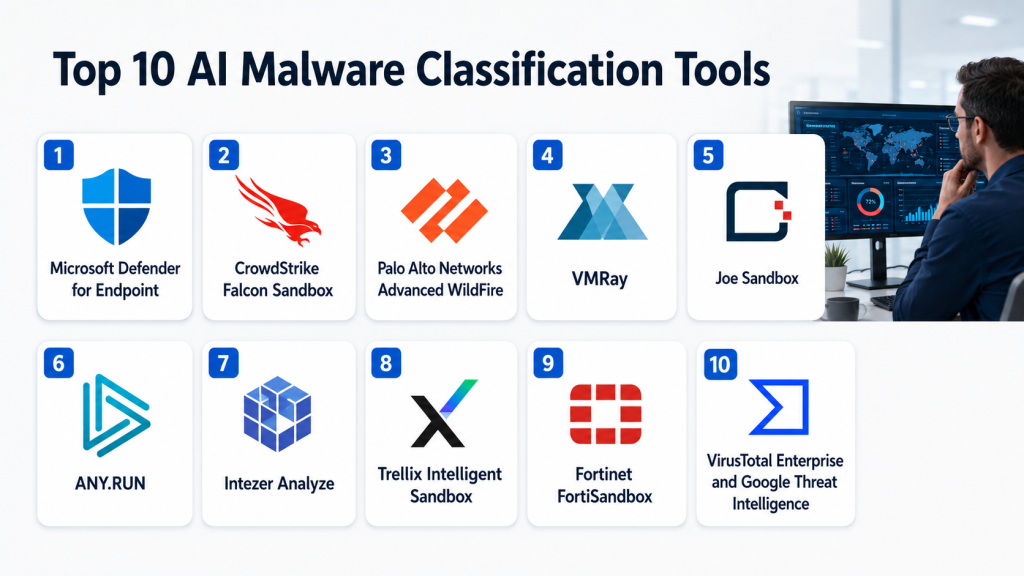
Top 10 AI Malware Classification Tools
1- VirusTotal
One-line verdict: Best for fast multi-engine reputation checks, malware context, and community-driven enrichment.
Short description:
VirusTotal is one of the most widely used malware analysis and file reputation platforms. It helps analysts check files, URLs, domains, and IP addresses against multiple detection engines and intelligence sources, making it useful for quick triage and enrichment.
Standout Capabilities
- Multi-engine file and URL scanning
- File reputation and detection history
- Indicator enrichment for domains and IPs
- Community and intelligence context
- Relationship graphs for investigation
- API-based automation
- Malware sample search and hunting
- Broad security ecosystem adoption
AI-Specific Depth
- Model support: Varies / N/A
- RAG / knowledge integration: Threat intelligence and sample relationship data available
- Evaluation: Detection history and multi-engine comparison available
- Guardrails: Access controls and private analysis options vary by plan
- Observability: Search, graph views, detection trends, and API usage visibility available
Pros
- Very useful for fast malware reputation checks
- Strong enrichment and ecosystem value
- Easy for SOC analysts and researchers to use
Cons
- Public sample sharing can be risky for sensitive files
- Detection verdicts may vary across engines
- Not a full replacement for deep sandbox analysis
Security & Compliance
Supports account-based access and enterprise controls depending on plan. Sensitive sample handling should be reviewed carefully because sharing behavior depends on the selected workflow and subscription.
Deployment & Platforms
- Cloud platform
- Web-based interface
- API-based access
- Enterprise integrations available
Integrations & Ecosystem
VirusTotal is commonly integrated into security operations, threat intelligence, and malware research workflows.
- SIEM workflows
- SOAR playbooks
- EDR and XDR enrichment
- Threat intelligence platforms
- Browser and analyst workflows
- APIs
- Malware hunting processes
Pricing Model
Free access and commercial enterprise options are available. Exact pricing varies by access level, search capabilities, API limits, and enterprise features.
Best-Fit Scenarios
- Quick malware reputation checks
- IOC enrichment in SOC workflows
- Threat intelligence and malware hunting
2- ANY.RUN
One-line verdict: Best for interactive malware analysis with real-time behavior visibility and fast SOC triage.
Short description:
ANY.RUN is an interactive malware analysis sandbox that allows analysts to execute suspicious files and URLs in a controlled environment while observing behavior in real time. It is useful for SOC analysts who need fast, visual, and interactive malware investigation.
Standout Capabilities
- Interactive malware sandboxing
- Real-time process and network behavior visibility
- URL and file analysis
- Malware configuration extraction
- IOC extraction
- Threat intelligence lookup
- Public and private analysis options
- Analyst-friendly visual investigation workflow
AI-Specific Depth
- Model support: ANY.RUN analytics and detection ecosystem
- RAG / knowledge integration: Sandbox behavior, threat intelligence, and malware telemetry available
- Evaluation: Behavioral reports and verdict review workflows available
- Guardrails: Public and private analysis controls depend on plan
- Observability: Session replay, process tree, network activity, and behavior views available
Pros
- Very practical for hands-on malware investigation
- Fast visibility into malware behavior
- Useful for SOC triage and threat hunting
Cons
- Interactive analysis requires analyst judgment
- Public submissions may expose sensitive samples
- Advanced private workflows may require paid plans
Security & Compliance
Supports private analysis options depending on plan. Organizations should review sample visibility, retention, sharing controls, and access permissions before submitting sensitive files.
Deployment & Platforms
- Cloud sandbox platform
- Web-based analysis interface
- API access may vary by plan
- Interactive virtual environments
Integrations & Ecosystem
ANY.RUN integrates into malware analysis, SOC, threat intelligence, and incident response workflows.
- SIEM enrichment
- SOAR workflows
- Threat intelligence lookup
- IOC extraction
- Malware research workflows
- APIs
- Analyst investigations
Pricing Model
Free community access and paid commercial plans are available. Exact pricing varies by analysis limits, private sessions, and enterprise capabilities.
Best-Fit Scenarios
- Interactive malware behavior analysis
- SOC triage for suspicious files and URLs
- Malware configuration and IOC extraction
3- VMRay
One-line verdict: Best for privacy-focused sandbox analysis of evasive malware, phishing, and advanced threats.
Short description:
VMRay provides advanced malware and phishing analysis through sandbox-based and AI-assisted techniques. It is designed for teams that need accurate behavioral analysis, automation, privacy controls, and high-fidelity threat intelligence outputs.
Standout Capabilities
- Advanced sandbox malware analysis
- Evasive malware detection
- Phishing and URL analysis
- AI-assisted analysis support
- Threat intelligence feed options
- High-fidelity IOC extraction
- SOC and CERT workflow support
- Privacy-focused analysis controls
AI-Specific Depth
- Model support: VMRay analytics and AI-assisted analysis ecosystem
- RAG / knowledge integration: Sandbox behavior, threat intelligence, and IOC context available
- Evaluation: Behavioral verdicts and analyst review workflows available
- Guardrails: Privacy and sample control options available
- Observability: Reports, behavior traces, IOC output, and analysis dashboards available
Pros
- Strong for evasive and advanced malware
- Good privacy-focused sandbox approach
- Useful for SOC, CERT, and threat intelligence teams
Cons
- Enterprise setup may require planning
- Pricing transparency is limited
- Best value depends on malware analysis volume
Security & Compliance
Supports enterprise access controls, privacy-oriented workflows, and governance features. Specific certifications, data residency, and retention details should be validated during procurement.
Deployment & Platforms
- Cloud options
- Enterprise deployment options may vary
- Web-based sandbox interface
- API-based automation
Integrations & Ecosystem
VMRay integrates with SOC, threat intelligence, email security, SIEM, and SOAR workflows.
- SIEM integrations
- SOAR workflows
- Email security tools
- Threat intelligence platforms
- Incident response workflows
- APIs
- IOC export workflows
Pricing Model
Enterprise subscription pricing. Exact pricing varies by deployment, analysis volume, modules, and contract.
Best-Fit Scenarios
- Evasive malware analysis
- Privacy-sensitive malware investigations
- Automated SOC sandbox workflows
4- Joe Sandbox
One-line verdict: Best for deep malware analysis across multiple operating systems, file types, and URLs.
Short description:
Joe Sandbox is an automated malware analysis platform used to analyze suspicious files, URLs, documents, and executables. It supports deep behavioral analysis and detailed reporting across multiple operating systems, making it useful for malware analysts and incident response teams.
Standout Capabilities
- Automated malware analysis
- Multi-platform analysis support
- URL, email, document, and file analysis
- Deep behavioral reporting
- AI-based malware and phishing detection capabilities
- IOC extraction
- Network and process activity analysis
- Detailed technical reports
AI-Specific Depth
- Model support: Joe Sandbox AI and analysis ecosystem
- RAG / knowledge integration: Sandbox behavior, document analysis, and phishing context available
- Evaluation: Analysis reports and verdict review workflows available
- Guardrails: Private analysis and access controls vary by deployment
- Observability: Detailed reports, process behavior, network activity, and generated summaries available
Pros
- Detailed technical malware analysis
- Broad file and platform support
- Useful for phishing and malicious document investigation
Cons
- Detailed reports may require malware analysis expertise
- Private and enterprise capabilities vary by plan
- Deep analysis may be more than smaller teams need
Security & Compliance
Supports access controls and private analysis options depending on deployment and plan. Sensitive sample handling, retention, and sharing should be verified during procurement.
Deployment & Platforms
- Cloud platform
- Enterprise deployment options may vary
- Web-based analysis interface
- API access available depending on plan
Integrations & Ecosystem
Joe Sandbox supports SOC, CERT, malware research, and automated analysis workflows.
- SIEM enrichment
- SOAR automation
- Email security workflows
- Incident response workflows
- Threat intelligence platforms
- APIs
- Malware research processes
Pricing Model
Free community access and commercial plans are available. Exact pricing varies by analysis limits, private analysis, deployment, and feature set.
Best-Fit Scenarios
- Deep malware reverse engineering support
- Malicious document and URL analysis
- Multi-platform malware investigation
5- Falcon Sandbox
One-line verdict: Best for hybrid analysis of unknown malware, evasive threats, and attack lifecycle behavior.
Short description:
Falcon Sandbox is a malware analysis platform associated with hybrid analysis workflows that combine static and dynamic techniques to understand suspicious files and behaviors. It is useful for detecting unknown malware, extracting indicators, and understanding attack chains.
Standout Capabilities
- Static and dynamic malware analysis
- Hybrid analysis approach
- Unknown threat detection
- Evasive malware analysis
- IOC extraction
- Network and process behavior reporting
- Threat intelligence enrichment
- Malware behavior classification
AI-Specific Depth
- Model support: Varies / N/A
- RAG / knowledge integration: Malware behavior and threat intelligence enrichment available
- Evaluation: Behavioral analysis and verdict review available
- Guardrails: Sample visibility and access controls vary by plan
- Observability: Technical reports, process behavior, network activity, and IOC views available
Pros
- Strong hybrid malware analysis approach
- Useful for unknown and evasive samples
- Good technical reporting for analysts
Cons
- Advanced use requires analyst expertise
- Public sample handling should be reviewed carefully
- Enterprise details depend on deployment and licensing
Security & Compliance
Security controls depend on the selected access model and deployment. Organizations should verify sample privacy, user permissions, retention, and data sharing policies before submitting sensitive malware samples.
Deployment & Platforms
- Cloud-based analysis options
- Web interface
- API and enterprise options may vary
- Malware research workflow support
Integrations & Ecosystem
Falcon Sandbox can support SOC triage, incident response, and malware research workflows.
- Threat intelligence enrichment
- SIEM workflows
- SOAR playbooks
- EDR investigation support
- IOC extraction
- APIs may vary
- Research workflows
Pricing Model
Free and commercial options may be available depending on access level and platform. Exact pricing varies.
Best-Fit Scenarios
- Unknown malware classification
- Evasive sample analysis
- Attack lifecycle investigation
6- Intezer Analyze
One-line verdict: Best for malware family classification using code reuse, genetic analysis, and threat context.
Short description:
Intezer Analyze focuses on malware analysis and classification by identifying code reuse and genetic relationships between files, malware families, and known software components. It helps analysts understand whether a file is malicious, related to known malware, or based on trusted code.
Standout Capabilities
- Malware genetic analysis
- Code reuse detection
- Malware family classification
- Linux and cloud malware analysis support
- Alert triage automation
- IOC and threat context
- Incident response support
- Malware similarity analysis
AI-Specific Depth
- Model support: Intezer analysis and classification ecosystem
- RAG / knowledge integration: Code similarity, malware family, and threat intelligence context available
- Evaluation: Classification review and analyst workflows available
- Guardrails: Access controls and workflow governance available
- Observability: Analysis reports, code similarity views, and classification results available
Pros
- Strong malware family classification approach
- Useful for Linux and cloud malware investigations
- Helps analysts understand code relationships
Cons
- Specialized classification approach may not cover every use case
- Best value requires malware analysis maturity
- Pricing transparency is limited
Security & Compliance
Supports enterprise access controls and private analysis workflows depending on plan. Data handling, retention, and sharing controls should be validated during procurement.
Deployment & Platforms
- Cloud platform
- Web-based analysis interface
- API-based workflows
- Enterprise options may vary
Integrations & Ecosystem
Intezer integrates with security operations, cloud detection, malware analysis, and incident response workflows.
- SIEM workflows
- SOAR playbooks
- Cloud security workflows
- EDR and XDR enrichment
- Threat intelligence platforms
- APIs
- Alert triage processes
Pricing Model
Subscription and enterprise pricing. Exact pricing varies by users, analysis volume, and features.
Best-Fit Scenarios
- Malware family classification
- Linux and cloud malware analysis
- Code reuse and similarity investigation
7- Cuckoo Sandbox
One-line verdict: Best for open-source malware sandboxing, research labs, and custom analysis pipelines.
Short description:
Cuckoo Sandbox is an open-source automated malware analysis system used by researchers and security teams to execute suspicious files in controlled environments and collect behavioral reports. It is valuable for teams that want customization and control over analysis infrastructure.
Standout Capabilities
- Open-source malware sandboxing
- Dynamic behavior analysis
- File and URL analysis support
- Custom analysis environment control
- Report generation
- IOC extraction
- Research-friendly architecture
- Custom integration possibilities
AI-Specific Depth
- Model support: Custom AI integrations possible
- RAG / knowledge integration: Sandbox reports can feed custom knowledge and analysis systems
- Evaluation: Analyst review and custom validation required
- Guardrails: Governance depends on deployment setup
- Observability: Reports and monitoring depend on configuration
Pros
- Open-source and highly customizable
- Good for research and controlled labs
- Useful for building custom analysis workflows
Cons
- Requires setup and maintenance expertise
- Evasion resistance depends on configuration
- Not as polished as commercial platforms
Security & Compliance
Security depends on deployment design, isolation, access controls, network configuration, and operational practices. Certifications are not publicly stated for general open-source deployments.
Deployment & Platforms
- Self-hosted deployment
- Linux-based infrastructure commonly used
- Custom sandbox environments
- API and custom workflow support
Integrations & Ecosystem
Cuckoo can be integrated into custom malware analysis, incident response, and threat intelligence pipelines.
- SIEM workflows
- SOAR playbooks
- Custom data pipelines
- Threat intelligence systems
- YARA workflows
- APIs
- Research environments
Pricing Model
Open-source software. Costs depend on infrastructure, maintenance, engineering, and support needs.
Best-Fit Scenarios
- Malware research labs
- Custom sandbox pipelines
- Open-source analysis environments
8- YARA
One-line verdict: Best for rule-based malware family detection, classification, hunting, and sample clustering.
Short description:
YARA is a rule-based malware research and detection tool used by analysts to identify malware families based on strings, binary patterns, hexadecimal sequences, and logical conditions. It is not a complete sandbox, but it is highly important for malware classification workflows.
Standout Capabilities
- Malware family rule creation
- Pattern-based sample classification
- String and binary matching
- Threat hunting support
- Sample clustering workflows
- Rule sharing across teams
- Integration with malware repositories
- Lightweight and flexible detection logic
AI-Specific Depth
- Model support: Custom AI-assisted rule generation possible through external tooling
- RAG / knowledge integration: Can integrate with malware repositories and CTI systems
- Evaluation: Rule testing and false positive validation required
- Guardrails: Depends on rule management and access controls
- Observability: Rule match results and scanning logs depend on implementation
Pros
- Powerful for malware family classification
- Lightweight and widely adopted
- Useful for detection engineering and threat hunting
Cons
- Requires analyst expertise to write quality rules
- Not a full malware analysis platform
- Poorly written rules can create false positives
Security & Compliance
Security depends on where and how YARA is deployed. Access controls, auditability, and governance must be managed through the surrounding tooling and operational processes.
Deployment & Platforms
- Command-line tool
- Self-hosted workflows
- Integrated into security tools and pipelines
- Works across analyst and research environments
Integrations & Ecosystem
YARA is commonly integrated into malware analysis, detection engineering, and threat intelligence workflows.
- Malware repositories
- Sandboxes
- EDR workflows
- SIEM enrichment
- Threat intelligence platforms
- File scanning pipelines
- Research tooling
Pricing Model
Open-source software. Costs depend on internal development, rule management, infrastructure, and analyst time.
Best-Fit Scenarios
- Malware family classification
- Threat hunting with custom rules
- Detection engineering workflows
9- MalShare
One-line verdict: Best for malware researchers needing open sample sharing, collection, and classification workflows.
Short description:
MalShare is a community-oriented malware repository used by researchers and analysts to collect, share, and study malware samples. It is useful for building datasets, testing YARA rules, comparing malware samples, and supporting research workflows.
Standout Capabilities
- Malware sample repository
- Community-driven sample sharing
- Hash-based search and lookup
- API access
- Research dataset support
- Malware collection workflows
- Integration with custom analysis pipelines
- Support for classification experiments
AI-Specific Depth
- Model support: Custom ML and AI workflows possible using collected samples
- RAG / knowledge integration: Can feed malware research and enrichment pipelines
- Evaluation: Dataset quality and labeling depend on analyst process
- Guardrails: Sample handling and access governance depend on user workflow
- Observability: Repository and API visibility depend on implementation
Pros
- Useful for malware research datasets
- Supports custom classification experiments
- Good for YARA testing and sample comparison
Cons
- Requires safe malware handling practices
- Not a finished enterprise classification platform
- Data quality and labeling require analyst validation
Security & Compliance
Security depends on how samples are downloaded, stored, analyzed, and shared. Organizations must enforce safe malware handling, isolation, access control, and legal review where needed.
Deployment & Platforms
- Web-based repository
- API access
- Research workflow support
- External analysis pipeline integration
Integrations & Ecosystem
MalShare can support malware research, detection engineering, and AI model development workflows.
- Custom sandboxes
- YARA testing
- Malware datasets
- Research pipelines
- Threat intelligence workflows
- APIs
- Classification experiments
Pricing Model
Community-oriented access. Operational costs depend on internal infrastructure, analysis, storage, and security controls.
Best-Fit Scenarios
- Malware research datasets
- Sample collection and classification testing
- YARA and detection rule validation
10- CAPE Sandbox
One-line verdict: Best for open-source malware configuration extraction and advanced sandbox customization.
Short description:
CAPE Sandbox is an open-source malware analysis sandbox based on Cuckoo-style workflows with a focus on malware configuration extraction and advanced analysis. It is useful for teams that need custom sandbox control, unpacking workflows, and malware family-specific extraction.
Standout Capabilities
- Open-source malware sandboxing
- Malware configuration extraction
- Dynamic behavior analysis
- Custom analysis modules
- IOC extraction
- Unpacking and payload analysis support
- Research-focused flexibility
- Integration with custom pipelines
AI-Specific Depth
- Model support: Custom AI integrations possible
- RAG / knowledge integration: Sandbox reports and extracted configs can feed custom knowledge systems
- Evaluation: Analyst review and custom validation required
- Guardrails: Depends on deployment security and workflow governance
- Observability: Reports, extracted configs, and execution logs depend on setup
Pros
- Strong for malware configuration extraction
- Open-source and customizable
- Useful for advanced malware research teams
Cons
- Requires technical setup and maintenance
- Not a turnkey enterprise product
- Sandbox evasion resistance depends on configuration
Security & Compliance
Security depends on deployment isolation, network controls, access permissions, sample handling, and operational governance. Certifications are not publicly stated for general open-source deployments.
Deployment & Platforms
- Self-hosted deployment
- Linux-based infrastructure commonly used
- Custom sandbox environments
- API and pipeline integration possible
Integrations & Ecosystem
CAPE Sandbox can support malware research, incident response, and custom classification pipelines.
- Threat intelligence systems
- SIEM enrichment
- SOAR workflows
- YARA workflows
- Malware repositories
- Custom APIs
- Research pipelines
Pricing Model
Open-source software. Costs depend on infrastructure, engineering, sandbox maintenance, and analyst time.
Best-Fit Scenarios
- Malware configuration extraction
- Advanced malware research
- Custom open-source sandbox workflows
Comparison Table
| Tool Name | Best For | Deployment | Model Flexibility | Strength | Watch-Out | Public Rating |
|---|---|---|---|---|---|---|
| VirusTotal | Fast reputation checks | Cloud | Varies / N/A | Multi-engine enrichment | Sensitive sample sharing risk | N/A |
| ANY.RUN | Interactive malware analysis | Cloud | ANY.RUN analytics ecosystem | Real-time behavior visibility | Public session caution | N/A |
| VMRay | Evasive malware analysis | Cloud and enterprise options | VMRay AI-assisted ecosystem | Privacy-focused sandboxing | Enterprise pricing | N/A |
| Joe Sandbox | Deep malware analysis | Cloud and enterprise options | Joe Sandbox AI ecosystem | Detailed reports | Requires analyst expertise | N/A |
| Falcon Sandbox | Hybrid malware analysis | Cloud options | Varies / N/A | Unknown threat analysis | Validate access model | N/A |
| Intezer Analyze | Malware family classification | Cloud | Intezer classification ecosystem | Code reuse analysis | Specialized use case | N/A |
| Cuckoo Sandbox | Open-source sandboxing | Self-hosted | Custom integrations | Custom analysis control | Maintenance burden | N/A |
| YARA | Rule-based classification | Self-hosted and integrated | Custom integrations | Malware family rules | Requires expert rules | N/A |
| MalShare | Malware sample research | Web and API | Custom AI workflows | Sample repository | Safe handling required | N/A |
| CAPE Sandbox | Config extraction | Self-hosted | Custom integrations | Malware config extraction | Technical setup | N/A |
Scoring & Evaluation
The scoring below is comparative, not absolute. It reflects how each tool may support malware classification based on analysis depth, reliability, guardrails, integrations, usability, performance, security administration, and ecosystem support. Actual performance depends on sample type, malware sophistication, sandbox configuration, analyst skill, workflow integration, and data privacy needs. Buyers should use this table as a shortlist guide and validate tools with real malware samples in a controlled environment.
| Tool | Core | Reliability | Guardrails | Integrations | Ease | Performance | Security | Support | Weighted Total |
| VirusTotal | 8 | 8 | 7 | 10 | 9 | 9 | 7 | 8 | 8.3 |
| ANY.RUN | 8 | 8 | 7 | 8 | 9 | 8 | 7 | 8 | 8.0 |
| VMRay | 9 | 9 | 9 | 8 | 7 | 8 | 9 | 8 | 8.5 |
| Joe Sandbox | 9 | 9 | 8 | 8 | 7 | 8 | 8 | 8 | 8.3 |
| Falcon Sandbox | 8 | 8 | 7 | 8 | 7 | 8 | 7 | 7 | 7.7 |
| Intezer Analyze | 8 | 8 | 8 | 8 | 8 | 8 | 8 | 7 | 8.0 |
| Cuckoo Sandbox | 7 | 7 | 6 | 8 | 5 | 7 | 6 | 6 | 6.8 |
| YARA | 8 | 8 | 6 | 9 | 5 | 9 | 6 | 7 | 7.4 |
| MalShare | 6 | 6 | 5 | 7 | 6 | 7 | 5 | 6 | 6.1 |
| CAPE Sandbox | 8 | 7 | 6 | 8 | 5 | 7 | 6 | 6 | 7.0 |
Top 3 for Enterprise
- VMRay
- Joe Sandbox
- VirusTotal
Top 3 for SMB
- ANY.RUN
- VirusTotal
- Intezer Analyze
Top 3 for Developers
- YARA
- Cuckoo Sandbox
- CAPE Sandbox
Which AI Malware Classification Tool Is Right for You
Solo / Freelancer
Solo malware researchers, students, and independent analysts can start with VirusTotal, ANY.RUN, YARA, MalShare, Cuckoo Sandbox, and CAPE Sandbox depending on skill level. VirusTotal and ANY.RUN are easier for quick triage, while YARA and open-source sandboxes are better for hands-on learning and custom research.
SMB
Small and mid-sized organizations should prioritize ease of use, safe sample handling, and fast triage. ANY.RUN, VirusTotal, Intezer Analyze, and selected commercial sandbox options can be practical choices. SMBs should avoid building complex malware labs unless they have skilled analysts and secure infrastructure.
Mid-Market
Mid-market teams often need a combination of quick reputation checks, sandbox analysis, and automation. VirusTotal, ANY.RUN, VMRay, Joe Sandbox, and Intezer Analyze can help classify suspicious files, enrich alerts, and support incident response workflows. Integration with SIEM, SOAR, EDR, and email security is important at this stage.
Enterprise
Large enterprises need privacy controls, automation, high throughput, advanced sandboxing, threat intelligence enrichment, API access, and clear reporting. VMRay, Joe Sandbox, VirusTotal, Falcon Sandbox, and Intezer Analyze are strong candidates depending on the organization’s malware analysis maturity and data privacy requirements.
Regulated Industries
Financial services, healthcare, public sector, energy, and defense organizations should prioritize private analysis, sample retention controls, auditability, deployment flexibility, and analyst review. Public submission platforms should be used carefully for sensitive files. Private sandboxing and controlled workflows are usually better for regulated environments.
Budget vs Premium
Budget-focused teams can start with open-source tools such as YARA, Cuckoo Sandbox, CAPE Sandbox, and selective use of free community platforms. Premium buyers should prioritize evasion resistance, private analysis, automation APIs, threat intelligence enrichment, reporting clarity, and enterprise support.
Build vs Buy
Building makes sense for research labs, academic teams, and advanced security engineering groups that need custom analysis pipelines. Buying is better when organizations need faster deployment, managed infrastructure, private analysis, enterprise support, and integration with operational security tools. Many mature teams combine commercial sandboxes with open-source tools and custom YARA workflows.
Implementation Playbook
First 30 Days
- Define priority malware analysis use cases
- Identify common sample sources such as email attachments, EDR alerts, SIEM alerts, and suspicious downloads
- Decide which samples can be submitted to cloud tools and which require private analysis
- Select two or three tools for pilot testing
- Build a safe sample handling process
- Define classification labels such as ransomware, loader, stealer, trojan, benign, suspicious, and unknown
- Configure initial SIEM, SOAR, or EDR enrichment workflows
- Document analyst review and escalation steps
Days 31 to 60
- Test tools with historical malware samples and known benign files
- Review false positives and false negatives
- Integrate sandbox results into incident response workflows
- Create YARA rules for recurring malware families
- Add IOC extraction to SOAR playbooks
- Define private analysis policies for sensitive samples
- Train analysts to interpret behavioral reports
- Build reporting templates for malware investigations
Days 61 to 90
- Expand classification workflows across email, endpoint, cloud, and network alerts
- Automate low-risk enrichment tasks
- Improve malware family labeling and tagging
- Connect analysis outputs to threat intelligence platforms
- Review sandbox evasion cases and update analysis environments
- Measure classification speed and analyst time saved
- Create governance for sample retention and sharing
- Establish recurring review of detection rules and malware trends
Common Mistakes & How to Avoid Them
- Submitting sensitive internal files to public analysis platforms without review
- Treating a single antivirus verdict as final truth
- Ignoring behavioral analysis and relying only on hashes
- Not validating false positives and false negatives
- Failing to isolate malware analysis environments
- Using open-source sandboxes without proper hardening
- Not integrating malware classification into SIEM and SOAR workflows
- Ignoring document and script-based malware
- Failing to extract and operationalize indicators
- Not training analysts to read sandbox reports
- Writing weak YARA rules that create noisy results
- Forgetting to review sandbox evasion techniques
- Not maintaining sample classification labels consistently
- Choosing tools without testing real samples from your environment
FAQs
1- What are AI Malware Classification Tools
AI Malware Classification Tools help identify whether a file, URL, script, or document is malicious and classify it by behavior, family, risk level, or attack technique. They use sandboxing, machine learning, static analysis, dynamic analysis, and threat intelligence.
2- How is malware classification different from malware detection
Detection answers whether something appears malicious. Classification goes deeper by identifying the malware family, behavior, campaign, technique, or relationship to known threats. Classification helps analysts understand what the malware does and how to respond.
3- What is static malware analysis
Static analysis examines a file without executing it. It may review strings, imports, headers, metadata, signatures, embedded resources, code structure, and file characteristics to identify suspicious patterns.
4- What is dynamic malware analysis
Dynamic analysis runs malware in a controlled sandbox to observe behavior. It can reveal file changes, registry changes, process activity, network connections, persistence methods, and payload execution.
5- Why are sandboxes important for malware classification
Sandboxes help analysts observe what malware actually does when executed. This is important because many malware samples hide their true behavior until they run in a target-like environment.
6- Can AI classify unknown malware
AI and behavioral analytics can help classify unknown malware by comparing behavior, structure, code similarity, and indicators with known families. However, analyst review is still important for high-risk cases.
7- What are YARA rules
YARA rules are pattern-based detection rules used to identify malware families or suspicious file traits. Analysts use strings, hexadecimal patterns, and conditions to match related samples.
8- Is VirusTotal enough for malware analysis
VirusTotal is excellent for quick reputation checks and enrichment, but it should not be the only tool for deep malware analysis. Sensitive samples also require careful handling because sharing behavior depends on workflow and access level.
9- What is sandbox evasion
Sandbox evasion happens when malware detects that it is running in an analysis environment and hides its behavior. Advanced sandboxes attempt to reduce this risk, but analysts still need to review suspicious results carefully.
10- Are open-source malware analysis tools safe
Open-source tools can be safe when deployed correctly, but they require isolation, hardening, access controls, and skilled operators. Poorly configured malware labs can create security risks.
11- How should malware classification tools integrate with SOC workflows
They should connect with SIEM, SOAR, EDR, XDR, email security, threat intelligence, and ticketing systems. This allows analysts to enrich alerts, extract indicators, automate triage, and document incident response.
12- Which malware classification tool is best
There is no universal best tool. VirusTotal is strong for quick enrichment, ANY.RUN is strong for interactive analysis, VMRay and Joe Sandbox are strong for advanced sandboxing, Intezer is strong for malware family classification, and open-source tools are useful for custom research.
Conclusion
AI Malware Classification Tools help security teams move from uncertain file verdicts to clearer malware understanding. They support faster triage, deeper analysis, better incident response, stronger detection engineering, and more useful threat intelligence. The best tools combine static analysis, dynamic sandboxing, behavioral detection, threat intelligence, indicator extraction, and analyst-friendly reporting.
VirusTotal is excellent for quick reputation checks and enrichment, ANY.RUN is practical for interactive analysis, VMRay and Joe Sandbox are strong for advanced sandboxing, Falcon Sandbox supports hybrid malware analysis, and Intezer Analyze is useful for code similarity and malware family classification. Cuckoo Sandbox, YARA, MalShare, and CAPE Sandbox remain valuable for researchers, developers, and teams building custom malware analysis workflows.
The right next step is to shortlist tools based on your malware analysis volume, privacy needs, analyst skill level, integration requirements, and budget. Run a pilot with real malware samples in a controlled environment, validate classification quality, review sample sharing controls, connect outputs to SOC workflows, and scale carefully with clear governance.

Find Trusted Cardiac Hospitals
Compare heart hospitals by city and services — all in one place.
Explore Hospitals
A gap that stands out in AI malware classification discussions is how these tools perform once they move beyond lab datasets into real production SOC pipelines with high-volume, noisy telemetry. In practice, classification accuracy is only part of the problem—teams also struggle with integrating model outputs into SIEM/SOAR workflows without increasing alert fatigue or breaking triage SLAs. It would be valuable to explore how these platforms handle continuous model drift, especially as new malware families and obfuscation techniques evolve weekly, and whether there are built-in mechanisms for analyst feedback loops to retrain or adjust classification confidence over time.