
Introduction
AI OEE Analytics tools help manufacturers measure, analyze, and improve Overall Equipment Effectiveness by using artificial intelligence, machine learning, real-time production data, machine monitoring, downtime tracking, quality analytics, and predictive insights. OEE is built around three core performance areas: availability, performance, and quality. When these areas are measured accurately, manufacturers can understand how effectively their machines, lines, and production assets are being used.
Traditional OEE tracking often depends on manual logs, spreadsheets, operator input, and delayed reports. This can make it difficult to identify the true causes of downtime, speed loss, quality issues, and production inefficiency. AI-powered OEE Analytics tools improve this process by collecting machine data automatically, detecting hidden losses, identifying patterns, and helping teams prioritize improvement actions.
These platforms are valuable for discrete manufacturing, process manufacturing, automotive, aerospace, electronics, food production, packaging, pharmaceuticals, industrial equipment, and high-volume production environments. By improving visibility into equipment effectiveness, manufacturers can reduce downtime, improve throughput, increase quality, and make better production decisions.
Why It Matters
OEE is one of the most practical performance metrics in manufacturing because it connects machine availability, production speed, and quality output into one clear measurement. However, OEE is only useful when the underlying data is accurate, timely, and actionable. If downtime reasons are entered late, quality losses are not tracked properly, or machine performance data is incomplete, teams may make decisions based on weak information.
AI OEE Analytics matters because it turns raw production data into insight. Instead of only showing a final OEE number, modern platforms can explain what caused performance losses, which machines are underperforming, which shifts are struggling, where bottlenecks occur, and what actions may improve production output. This helps teams move from reporting problems to solving them.
The business impact can be significant. Better OEE analytics can increase machine utilization, reduce unplanned downtime, improve schedule adherence, lower scrap, reduce manual reporting effort, and support continuous improvement programs. For plant managers and operations leaders, AI-powered OEE Analytics provides a stronger foundation for data-driven manufacturing performance management.
Real World Use Cases
- Tracking OEE across machines, lines, shifts, and plants
- Identifying downtime causes automatically
- Detecting speed losses and micro-stoppages
- Improving machine availability
- Reducing scrap and quality-related losses
- Comparing performance across shifts and teams
- Supporting continuous improvement programs
- Predicting equipment issues before they affect OEE
- Monitoring production bottlenecks
- Improving schedule adherence
- Reducing manual reporting and spreadsheet work
- Connecting machine performance with maintenance workflows
Evaluation Criteria for Buyers
When evaluating AI OEE Analytics tools, buyers should consider:
- Real-time machine data collection
- Accurate OEE calculation for availability, performance, and quality
- Downtime reason tracking and classification
- AI-driven loss detection
- Predictive maintenance support
- Quality analytics and defect tracking
- Integration with ERP, MES, CMMS, and shop floor systems
- Ease of use for operators, supervisors, and plant managers
- Support for manual and automated data capture
- Shift, line, machine, and plant-level reporting
- Root cause analysis capabilities
- Alerting and exception management
- Deployment flexibility across cloud, edge, hybrid, and on-premises environments
- Security and access control features
- Scalability across multiple facilities
Best For
AI OEE Analytics tools are best for manufacturers, plant managers, production supervisors, operations leaders, maintenance teams, continuous improvement teams, industrial engineers, quality managers, and manufacturing IT teams that need better visibility into equipment performance, downtime, speed loss, and quality impact.
Not Ideal For
These tools may not be ideal for very small manufacturing teams with simple manual operations, limited machine data, or low production complexity. If a company has only a few machines and stable output with minimal downtime or quality issues, basic production tracking may be enough. AI OEE Analytics delivers the most value when production complexity, downtime cost, and performance improvement opportunities are high.
What’s Changing in AI OEE Analytics
- OEE tracking is moving from manual reporting to automated machine data collection.
- AI is helping identify hidden losses that traditional dashboards may miss.
- Downtime classification is becoming more intelligent and less dependent on manual entry.
- Predictive maintenance is being connected directly with OEE improvement programs.
- Real-time alerts are helping supervisors respond faster to production issues.
- Quality analytics is becoming more connected with availability and performance data.
- Edge data collection is improving visibility from older and newer machines.
- AI copilots are beginning to help teams interpret loss patterns and improvement priorities.
- Multi-site OEE benchmarking is becoming more important for enterprise manufacturers.
- Operator-friendly interfaces are becoming essential for adoption.
- OEE analytics is increasingly connected with scheduling and maintenance workflows.
- Manufacturers are using OEE insights to support lean, Six Sigma, and continuous improvement programs.
Quick Buyer Checklist
Before selecting an AI OEE Analytics platform, verify:
- It can collect machine data accurately
- It supports both automated and manual inputs
- It calculates availability, performance, and quality clearly
- It can track planned and unplanned downtime
- It can classify downtime reasons consistently
- It provides real-time dashboards for production teams
- It supports shift, line, machine, and plant-level reporting
- It connects with ERP, MES, CMMS, or maintenance systems
- It helps identify root causes of OEE losses
- It supports predictive maintenance or anomaly detection where needed
- It is easy for operators and supervisors to use
- It includes role-based access and audit controls
- It can scale across multiple plants
- It provides clear reporting for continuous improvement teams
- It avoids unnecessary vendor lock-in
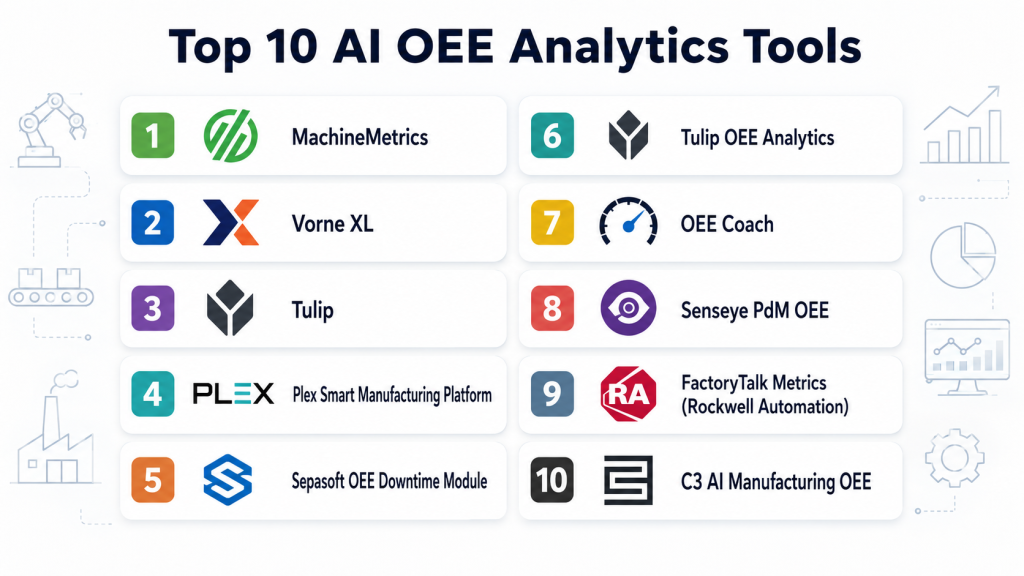
Top 10 AI OEE Analytics Tools
1- MachineMetrics
One-Line Verdict: Best for manufacturers needing real-time machine monitoring and actionable OEE visibility.
Short Description
MachineMetrics helps manufacturers collect machine data, monitor production performance, and analyze OEE across equipment and production operations. The platform focuses on real-time visibility, machine connectivity, downtime tracking, and operational insights for shop floor teams.It is especially useful for manufacturers that want to reduce manual reporting, improve machine utilization, and identify the causes behind production losses. MachineMetrics is a strong fit for teams modernizing from spreadsheets or disconnected shop floor systems.
Standout Capabilities
- Real-time machine monitoring
- OEE tracking and production visibility
- Downtime tracking and classification
- Machine connectivity support
- Production performance dashboards
- Alerts and notifications
- Maintenance and operations insights
- Shop floor data collection
AI-Specific Depth
- Model support: Proprietary analytics and machine learning capabilities
- Knowledge integration: Varies by implementation
- Evaluation: Production performance and alert validation workflows
- Guardrails: User permissions, workflow rules, and human review
- Observability: Real-time dashboards, machine status, and production metrics
Pros
- Strong focus on machine data collection
- Good fit for real-time OEE visibility
- Helps reduce manual production reporting
Cons
- Best value depends on machine connectivity readiness
- Advanced analytics may require configuration
- Broader enterprise planning may need additional systems
Security and Compliance
Enterprise security features are available. Buyers should verify role-based access, encryption, audit logging, identity management, data retention, and deployment-specific governance requirements.
Deployment and Platforms
- Cloud
- Edge-supported shop floor environments
- Web-based access
Integrations and Ecosystem
MachineMetrics connects shop floor machine data with manufacturing performance workflows.
- CNC machines and production equipment
- ERP systems
- Maintenance systems
- Manufacturing dashboards
- APIs
- Shop floor data sources
Pricing Model
Subscription and enterprise pricing models. Exact pricing is not publicly stated.
Best-Fit Scenarios
- Real-time machine monitoring
- OEE improvement across equipment
- Replacing manual production tracking
2- Vorne XL
One-Line Verdict: Best for manufacturers seeking focused OEE tracking, visual factory performance, and production improvement.
Short Description
Vorne XL is an OEE and production monitoring solution designed to help manufacturers measure performance, identify downtime losses, and improve production output. It provides real-time visibility into production status and helps teams understand how equipment effectiveness changes across shifts, lines, and machines.The platform is useful for manufacturers that want practical OEE reporting and visual factory management without starting with an overly broad manufacturing software rollout.
Standout Capabilities
- Real-time OEE monitoring
- Downtime tracking
- Production performance displays
- Availability, performance, and quality visibility
- Shift and line comparisons
- Visual factory management
- Continuous improvement reporting
- Production loss analysis
AI-Specific Depth
- Model support: Analytics and reporting capabilities, AI depth varies
- Knowledge integration: Varies
- Evaluation: OEE trend and loss analysis review
- Guardrails: Operator workflows and data validation controls
- Observability: Real-time production displays and OEE dashboards
Pros
- Practical OEE-focused solution
- Good for shop floor visibility
- Helps support continuous improvement programs
Cons
- AI capabilities may be limited compared with broader platforms
- Best suited for OEE tracking rather than advanced predictive analytics
- Integration depth may vary by environment
Security and Compliance
Security capabilities vary by deployment and configuration. Buyers should verify user permissions, audit controls, encryption, and data governance needs.
Deployment and Platforms
- Shop floor deployment
- Manufacturing environments
- Cloud or hybrid options may vary
Integrations and Ecosystem
Vorne XL fits into production monitoring and visual factory workflows.
- Shop floor equipment
- Production displays
- OEE dashboards
- Manufacturing reporting workflows
- Continuous improvement processes
- Operational data systems
Pricing Model
Pricing is not publicly stated.
Best-Fit Scenarios
- Focused OEE tracking
- Visual production management
- Downtime and performance loss analysis
3- Tulip
One-Line Verdict: Best for manufacturers building flexible OEE apps and connected frontline operations.
Short Description
Tulip is a frontline operations platform that helps manufacturers build apps for production tracking, OEE monitoring, quality checks, work instructions, and process improvement. It is useful when teams need flexible, no-code or low-code applications that connect operators, machines, and production workflows.For AI OEE Analytics, Tulip is valuable when organizations want customized production visibility and workflow-driven OEE improvement rather than a fixed reporting system.
Standout Capabilities
- Custom production apps
- OEE and performance tracking workflows
- Operator data capture
- Machine connectivity
- Quality and process tracking
- No-code and low-code app development
- Real-time shop floor dashboards
- Frontline workflow automation
AI-Specific Depth
- Model support: Varies through connected analytics and AI workflows
- Knowledge integration: Manufacturing workflow and operator data context
- Evaluation: App-level performance and workflow review
- Guardrails: User permissions, app governance, and workflow controls
- Observability: Production dashboards and app analytics
Pros
- Highly flexible app-building environment
- Strong fit for frontline manufacturing teams
- Useful for custom OEE and quality workflows
Cons
- Requires thoughtful app design
- Advanced AI depends on implementation
- Governance becomes important as apps scale
Security and Compliance
Enterprise security features are available. Buyers should verify role-based access, identity management, audit logging, encryption, app governance, and data management controls.
Deployment and Platforms
- Cloud
- Edge-supported shop floor environments
- Web-based and tablet-friendly workflows
Integrations and Ecosystem
Tulip connects people, machines, and manufacturing workflows.
- Machine connectivity tools
- ERP systems
- Quality systems
- Sensors and devices
- APIs
- Operator workstations and tablets
Pricing Model
Subscription-based pricing. Exact pricing varies by deployment and usage.
Best-Fit Scenarios
- Custom OEE applications
- Operator-driven production tracking
- Frontline manufacturing workflow improvement
4- Plex Smart Manufacturing Platform
One-Line Verdict: Best for manufacturers connecting OEE analytics with MES, quality, inventory, and production execution.
Short Description
Plex Smart Manufacturing Platform supports manufacturing execution, production control, quality management, inventory tracking, and plant performance visibility. For OEE Analytics, Plex is valuable when equipment effectiveness must be connected with broader production execution and operational workflows.It is especially useful for manufacturers that want OEE reporting tied to real production events, quality outcomes, inventory movement, and shop floor execution data.
Standout Capabilities
- Manufacturing execution support
- Production performance visibility
- OEE and plant analytics
- Quality management connection
- Inventory and production tracking
- Real-time shop floor data
- Operational dashboards
- Production workflow automation
AI-Specific Depth
- Model support: Varies by connected analytics and automation workflows
- Knowledge integration: Manufacturing execution and operational data context
- Evaluation: Schedule, quality, and production performance review
- Guardrails: Role-based workflows and production controls
- Observability: Plant dashboards and execution analytics
Pros
- Strong MES foundation
- Connects OEE with broader manufacturing operations
- Good fit for plant-level performance management
Cons
- May be broader than needed for simple OEE tracking
- Implementation requires process alignment
- Advanced AI depth depends on configuration
Security and Compliance
Enterprise security capabilities are available. Buyers should verify role-based access, audit logs, encryption, user permissions, data retention, and compliance requirements.
Deployment and Platforms
- Cloud
- Manufacturing plant environments
- Hybrid data integration may vary
Integrations and Ecosystem
Plex connects OEE analytics with plant operations and production workflows.
- ERP workflows
- Quality management systems
- Inventory systems
- Shop floor equipment
- Production execution workflows
- Reporting and analytics tools
Pricing Model
Subscription and enterprise licensing. Exact pricing is not publicly stated.
Best-Fit Scenarios
- OEE connected with MES
- Plant performance management
- Quality and production execution visibility
5- Sepasoft OEE Downtime Module
One-Line Verdict: Best for Ignition users needing OEE, downtime tracking, and production performance analytics.
Short Description
Sepasoft OEE Downtime Module helps manufacturers track OEE, downtime, production counts, and equipment performance in environments using the Ignition industrial application platform. It is useful for teams that want OEE analytics tightly connected with industrial automation, SCADA, and shop floor data systems.The module is particularly relevant for manufacturers that already use Ignition or want a flexible industrial platform approach to production monitoring and OEE reporting.
Standout Capabilities
- OEE calculation and reporting
- Downtime tracking
- Production count monitoring
- Equipment state tracking
- Integration with Ignition
- Real-time manufacturing dashboards
- Line and machine performance visibility
- Custom industrial application support
AI-Specific Depth
- Model support: AI depth varies through connected analytics and custom workflows
- Knowledge integration: Industrial automation and production data context
- Evaluation: OEE reports and downtime validation workflows
- Guardrails: Industrial application permissions and workflow rules
- Observability: Dashboards, tags, reports, and production metrics
Pros
- Strong fit for Ignition environments
- Flexible industrial data connectivity
- Useful for custom OEE applications
Cons
- Best suited for teams using or adopting Ignition
- Advanced AI may require additional development
- Configuration requires industrial systems knowledge
Security and Compliance
Security depends on Ignition and deployment configuration. Buyers should verify role-based access, user management, audit logging, encryption, network architecture, and governance controls.
Deployment and Platforms
- On-premises
- Hybrid
- Industrial automation environments
Integrations and Ecosystem
Sepasoft works within industrial automation and manufacturing systems.
- Ignition platform
- SCADA systems
- PLC data
- Industrial databases
- MES workflows
- Shop floor dashboards
Pricing Model
Licensing varies by module and deployment. Exact pricing is not publicly stated.
Best-Fit Scenarios
- OEE analytics in Ignition environments
- Downtime tracking across lines
- Custom industrial performance dashboards
6- Tulip OEE Analytics
One-Line Verdict: Best for manufacturers building flexible OEE dashboards and operator-driven analytics workflows.
Short Description
Tulip OEE Analytics allows manufacturers to create custom shop floor applications to track OEE, downtime, and performance metrics. The platform provides low-code/no-code tools for operators and supervisors to monitor performance in real time and gather actionable insights.It is particularly useful for manufacturers who want tailored dashboards, workflow-driven OEE insights, and seamless operator engagement to improve production effectiveness.
Standout Capabilities
- Custom OEE and production dashboards
- Real-time data capture from machines and operators
- Operator-driven workflow management
- Downtime reason tracking
- Performance monitoring per line, shift, and machine
- Quality tracking and reporting
- Alerts and notifications
- Integration with shop floor devices and sensors
AI-Specific Depth
- Model support: Varies through connected analytics and workflow-based AI
- Knowledge integration: Operator input and machine data
- Evaluation: Production trends, downtime patterns, and performance metrics
- Guardrails: User permissions and workflow approval controls
- Observability: Dashboards, metrics, and operational analytics
Pros
- Highly flexible and operator-friendly
- Supports customized shop floor workflows
- Allows fast deployment of OEE apps
Cons
- Advanced AI optimization requires configuration
- Governance becomes important as apps scale
- Best for operators-focused OEE use cases rather than full enterprise planning
Security and Compliance
Enterprise-grade security features are available. Buyers should verify role-based access, identity management, audit logging, encryption, and governance controls.
Deployment and Platforms
- Cloud
- Edge-supported shop floor environments
- Web and tablet-friendly interfaces
Integrations and Ecosystem
Tulip integrates machine data, operator input, and ERP/MES systems to provide flexible OEE insights:
- PLCs and shop floor sensors
- ERP/MES systems
- Quality management systems
- Custom dashboards
- APIs for external integration
- Operator tablets and handheld devices
Pricing Model
Subscription-based pricing. Exact pricing is not publicly stated.
Best-Fit Scenarios
- Custom OEE dashboards and workflow apps
- Operator-driven production monitoring
- Flexible plant-level analytics
7- OEE Coach
One-Line Verdict: Best for manufacturers seeking predictive insights and actionable recommendations for equipment effectiveness.
Short Description
OEE Coach collects production data and automatically analyzes OEE metrics to provide actionable recommendations. It highlights the root causes of downtime, performance losses, and quality defects and suggests corrective actions for continuous improvement.The platform is ideal for manufacturers who want AI-driven guidance to improve OEE across machines and shifts without manual analytics.
Standout Capabilities
- Automatic OEE calculation and visualization
- Predictive downtime alerts
- Root cause analysis for performance losses
- Shift, line, and machine-level reporting
- Continuous improvement insights
- KPI tracking and benchmarking
- Data-driven recommendations
- Integration with maintenance systems
AI-Specific Depth
- Model support: Proprietary analytics and predictive models
- Knowledge integration: Operational data, historical performance
- Evaluation: Analysis of past downtime and performance trends
- Guardrails: Planner approval and data validation
- Observability: Dashboards and machine-level metrics
Pros
- Provides actionable AI recommendations
- Predictive alerts for downtime and performance issues
- Supports continuous improvement initiatives
Cons
- Limited flexibility for custom workflows
- Data preparation required for predictive accuracy
- Best for mid-to-large manufacturing environments
Security and Compliance
Enterprise security features available. Verify access control, audit logging, encryption, and governance.
Deployment and Platforms
- Cloud
- Hybrid options available
- Web and mobile interfaces
Integrations and Ecosystem
- ERP and MES systems
- Maintenance management platforms
- Production sensors and PLCs
- Reporting tools and dashboards
- API for analytics integration
Pricing Model
Subscription and enterprise licensing. Exact pricing not publicly stated.
Best-Fit Scenarios
- Predictive OEE improvement
- Continuous performance monitoring
- Root cause identification for production issues
8- Senseye PdM OEE
One-Line Verdict: Best for manufacturers connecting predictive maintenance with OEE insights.
Short Description
Senseye PdM OEE combines AI-driven predictive maintenance with OEE analytics to provide a complete view of equipment performance. The platform automatically detects equipment degradation, predicts failures, and quantifies the impact on OEE.It is particularly valuable for manufacturers seeking to reduce unplanned downtime while improving overall equipment effectiveness.
Standout Capabilities
- Predictive maintenance alerts
- OEE calculation and visualization
- Downtime root cause identification
- Equipment health monitoring
- Machine-level KPI tracking
- Performance benchmarking
- Integration with maintenance workflows
- Automated reporting
AI-Specific Depth
- Model support: Predictive AI models for failure detection
- Knowledge integration: Sensor data, historical maintenance records
- Evaluation: Predictive accuracy and OEE impact analysis
- Guardrails: Maintenance team approval workflows
- Observability: Machine dashboards, performance trends
Pros
- Links predictive maintenance with OEE improvement
- Reduces unplanned downtime
- Provides actionable insights on equipment health
Cons
- Requires good historical data for predictive accuracy
- May need integration with existing MES/ERP
- Limited customization for workflow-specific reporting
Security and Compliance
Enterprise security features available, including role-based access, audit logging, and data encryption.
Deployment and Platforms
- Cloud
- Hybrid for industrial environments
- Web-based and mobile dashboards
Integrations and Ecosystem
- Industrial sensors and IoT devices
- MES and ERP systems
- Maintenance management tools
- Dashboards and reporting systems
- API integration for analytics
Pricing Model
Enterprise subscription pricing. Exact pricing not publicly stated.
Best-Fit Scenarios
- Predictive maintenance-driven OEE improvement
- Equipment health monitoring
- Continuous manufacturing improvement
9- FactoryTalk Metrics (Rockwell Automation)
One-Line Verdict: Best for manufacturers using Rockwell Automation for real-time OEE visibility.
Short Description
FactoryTalk Metrics provides real-time production monitoring and OEE calculation within Rockwell Automation environments. It collects machine and process data to highlight downtime, speed losses, and quality issues, supporting plant-level operational decisions.Ideal for manufacturers already invested in Rockwell Automation systems, it provides fast visibility into OEE across multiple lines and shifts.
Standout Capabilities
- Real-time OEE dashboards
- Downtime and quality loss tracking
- Performance benchmarking
- Event-driven alerts
- Plant-wide production visibility
- Integration with Rockwell PLCs and MES
- Continuous improvement analytics
- KPI reporting
AI-Specific Depth
- Model support: Analytics and pattern detection
- Knowledge integration: Production and sensor data
- Evaluation: Loss detection and performance analysis
- Guardrails: Operator approval and workflow validation
- Observability: Dashboards and OEE metrics
Pros
- Tight integration with Rockwell Automation
- Real-time visibility across lines and shifts
- Supports operational decision-making
Cons
- Best suited for Rockwell environments
- AI depth limited to analytics; predictive capabilities vary
- Implementation depends on existing automation systems
Security and Compliance
Enterprise-grade security with access control, audit logging, and encrypted communications.
Deployment and Platforms
- On-premises
- Cloud (varies)
- Web-based dashboards
Integrations and Ecosystem
- Rockwell PLCs and automation devices
- MES and ERP systems
- Operator terminals
- Production dashboards
- Reporting tools
Pricing Model
Enterprise subscription. Exact pricing not publicly stated.
Best-Fit Scenarios
- Real-time OEE monitoring in Rockwell environments
- Plant-level production visibility
- Downtime and quality loss tracking
10- C3 AI Manufacturing OEE
One-Line Verdict: Best for large enterprises seeking AI-driven insights across multiple plants and equipment.
Short Description
C3 AI Manufacturing OEE provides AI-powered production monitoring, OEE calculation, downtime root cause analysis, and predictive insights for large-scale manufacturers. It aggregates data from machines, MES, ERP, and IoT devices to deliver actionable recommendations to improve production effectiveness.It is especially relevant for multi-plant enterprises looking to standardize OEE metrics and drive performance improvements through AI insights.
Standout Capabilities
- AI-powered OEE analytics
- Multi-plant visibility
- Predictive insights for downtime
- Performance benchmarking
- Root cause analysis
- KPI tracking and reporting
- Production alerts and notifications
- Continuous improvement recommendations
AI-Specific Depth
- Model support: Predictive AI and anomaly detection
- Knowledge integration: Operational and historical production data
- Evaluation: Predictive accuracy, OEE improvement tracking
- Guardrails: Role-based access, workflow approvals
- Observability: Dashboards, machine metrics, and plant-level insights
Pros
- Strong AI and predictive capabilities
- Enterprise-scale deployment
- Multi-plant and multi-line visibility
Cons
- Implementation complexity
- Requires high-quality historical data
- Platform may be more than needed for smaller facilities
Security and Compliance
Enterprise security features include RBAC, audit logging, encryption, and governance controls.
Deployment and Platforms
- Cloud
- Enterprise manufacturing environments
- Hybrid deployment possible
Integrations and Ecosystem
- MES and ERP systems
- Industrial IoT devices
- Shop floor sensors
- Production dashboards
- Reporting and analytics systems
Pricing Model
Enterprise subscription. Exact pricing is not publicly stated.
Best-Fit Scenarios
Standardizing OEE metrics across facilities
Large-scale multi-plant OEE improvement
AI-driven predictive downtime analysis
Comparison Table
| Tool Name | Best For | Deployment | Model Flexibility | Strength | Watch-Out | Public Rating |
|---|---|---|---|---|---|---|
| MachineMetrics | Real-time machine monitoring | Cloud and edge | Proprietary analytics | Strong machine connectivity | Needs machine data readiness | N/A |
| Vorne XL | Focused OEE tracking | Shop floor and hybrid | Analytics and reporting | Simple visual OEE tracking | Limited advanced AI depth | N/A |
| Tulip | Custom frontline OEE apps | Cloud and edge | Varies by workflow | Flexible app building | Requires app governance | N/A |
| Plex Smart Manufacturing Platform | MES-connected OEE analytics | Cloud | Varies by analytics workflow | Production execution connection | Broader than basic OEE | N/A |
| Sepasoft OEE Downtime Module | Ignition-based OEE tracking | On-premises and hybrid | Custom analytics workflows | Industrial automation connectivity | Best for Ignition users | N/A |
| OEE Coach | AI-assisted OEE improvement | Cloud and hybrid | Predictive analytics | Actionable recommendations | Data quality affects accuracy | N/A |
| Senseye PdM OEE | Predictive maintenance and OEE | Cloud and hybrid | Predictive AI models | Equipment health connection | Needs historical asset data | N/A |
| FactoryTalk Metrics | Rockwell-based OEE visibility | On-premises and hybrid | Analytics and pattern detection | Automation ecosystem integration | Best for Rockwell environments | N/A |
| C3 AI Manufacturing OEE | Enterprise multi-plant OEE | Cloud and hybrid | Predictive AI and anomaly detection | Enterprise-scale analytics | Implementation complexity | N/A |
| Evocon | Simple production monitoring and OEE | Cloud | Analytics and reporting | Easy OEE adoption | Less suited for advanced enterprise AI | N/A |
Scoring and Evaluation
The scoring below is a practical comparative guide, not an absolute ranking. Each platform has been evaluated based on OEE tracking depth, machine connectivity, AI readiness, integration strength, usability, performance visibility, security controls, and support maturity. Buyers should use this table as a starting point and validate each tool through a focused pilot using their own machines, downtime records, production counts, quality data, and improvement goals.
| Tool | Core Features | Reliability and Evaluation | Guardrails | Integrations | Ease of Use | Performance and Cost | Security and Admin | Support | Weighted Total |
| MachineMetrics | 9 | 8 | 8 | 9 | 8 | 8 | 8 | 8 | 8.4 |
| Vorne XL | 8 | 7 | 7 | 7 | 9 | 8 | 7 | 8 | 7.7 |
| Tulip | 8 | 8 | 8 | 9 | 9 | 8 | 8 | 8 | 8.4 |
| Plex Smart Manufacturing Platform | 9 | 8 | 8 | 9 | 8 | 8 | 9 | 8 | 8.5 |
| Sepasoft OEE Downtime Module | 8 | 8 | 8 | 9 | 7 | 8 | 8 | 8 | 8.1 |
| OEE Coach | 8 | 8 | 7 | 8 | 8 | 8 | 7 | 7 | 7.8 |
| Senseye PdM OEE | 8 | 9 | 8 | 8 | 8 | 8 | 8 | 8 | 8.2 |
| FactoryTalk Metrics | 8 | 8 | 8 | 9 | 7 | 8 | 8 | 8 | 8.1 |
| C3 AI Manufacturing OEE | 9 | 9 | 9 | 9 | 7 | 8 | 9 | 8 | 8.7 |
| Evocon | 8 | 7 | 7 | 7 | 9 | 8 | 7 | 8 | 7.7 |
Top 3 for Enterprise
- C3 AI Manufacturing OEE
- Plex Smart Manufacturing Platform
- MachineMetrics
Top 3 for SMB
- MachineMetrics
- Vorne XL
- Evocon
Top 3 for Developers
- Tulip
- Sepasoft OEE Downtime Module
- FactoryTalk Metrics
Which AI OEE Analytics Tool Is Right for You
Solo and Freelancer
Solo manufacturing consultants and independent improvement specialists usually need tools that are easy to demonstrate, simple to explain, and useful for identifying production losses quickly. Vorne XL, Evocon, and Tulip can be practical choices for consulting-led OEE projects because they support clear dashboards, downtime tracking, and operator-friendly workflows. These tools help consultants show value through faster visibility into machine losses, downtime patterns, and production performance gaps.
SMB
Small and medium manufacturers should prioritize fast adoption, simple dashboards, affordable rollout, and clear downtime tracking. MachineMetrics, Vorne XL, Evocon, and Tulip are strong options when teams are moving away from spreadsheets, whiteboards, and manual downtime logs. SMBs should start with one production line or machine group, prove value, and then expand gradually instead of trying to digitize the entire plant at once.
Mid-Market
Mid-market manufacturers often need a stronger balance between machine monitoring, production execution, quality tracking, and maintenance visibility. Plex Smart Manufacturing Platform, MachineMetrics, Sepasoft OEE Downtime Module, and Senseye PdM OEE can support more connected plant performance management. These organizations should focus on tools that integrate with ERP, MES, CMMS, shop floor systems, and quality workflows.
Enterprise
Large manufacturers need OEE analytics that can scale across multiple plants, lines, shifts, and business units. C3 AI Manufacturing OEE, Plex Smart Manufacturing Platform, MachineMetrics, and FactoryTalk Metrics are stronger options for enterprise environments depending on existing systems. Enterprises should prioritize standard OEE definitions, governance, benchmarking, multi-site dashboards, security, and integration with maintenance and production execution workflows.
Regulated Industries
Regulated industries such as pharmaceuticals, aerospace, food production, and medical device manufacturing should prioritize auditability, traceability, data integrity, access controls, and quality workflow integration. OEE analytics should help teams connect production losses with quality issues, maintenance records, downtime reasons, and controlled improvement actions. Buyers should verify reporting accuracy, user permissions, audit logs, and governance features before rollout.
Budget vs Premium
Budget-conscious manufacturers should begin with a focused OEE pilot on one critical line or machine group. A practical OEE tool can quickly show value by reducing manual reporting, improving downtime visibility, and helping supervisors act faster. Premium platforms are better when the organization needs multi-site benchmarking, predictive analytics, MES integration, advanced governance, and enterprise-level production performance management.
Build vs Buy
Building a custom OEE system can work for companies with strong automation, data engineering, and software teams. However, accurate OEE requires reliable machine states, production counts, scrap tracking, downtime reason codes, operator workflows, and reporting discipline. Buying a proven platform is usually better when the company needs faster deployment, vendor support, tested workflows, and easier adoption. A hybrid model can also work by using a commercial OEE platform and building custom analytics around it.
Implementation Playbook
Implementing AI OEE Analytics should be treated as a performance improvement program, not just a dashboard project. The goal is to understand why equipment effectiveness is being lost and then create a repeatable process to reduce those losses. A successful rollout connects machine data, operator input, downtime reasons, quality results, maintenance events, and production schedules into one improvement workflow.
First Phase
The first phase should focus on one production line, one machine group, or one high-value plant area where OEE improvement can create measurable value. Starting small helps teams validate data quality, train operators, and build confidence before scaling.
Key activities include:
- Select one production line or machine group
- Define current OEE baseline
- Identify major availability, performance, and quality losses
- Connect machine data where possible
- Define downtime reason categories
- Standardize production count tracking
- Standardize scrap and rework tracking
- Align production, maintenance, quality, and IT teams
- Create basic OEE dashboards
- Train operators and supervisors on usage
AI-specific tasks include:
- Identify recurring downtime patterns
- Detect speed loss and micro-stoppage behavior
- Create baseline machine performance models
- Define alert thresholds for abnormal production behavior
- Validate AI insights with supervisors and engineers
- Create human review workflows for recommendations
- Document data gaps and model assumptions
- Track accepted and rejected insights
Success metrics should include:
- Better OEE visibility
- Reduced manual reporting effort
- More accurate downtime classification
- Faster issue identification
- Better operator participation
- Clearer loss prioritization
- Improved machine utilization
- More reliable production data
Second Phase
The second phase should focus on validating data accuracy, improving daily workflows, and connecting OEE insights with production management. OEE dashboards should become part of shift handovers, supervisor meetings, maintenance planning, quality reviews, and continuous improvement discussions.
Key activities include:
- Validate OEE calculations against actual production events
- Improve downtime reason accuracy
- Connect repeated downtime causes with maintenance workflows
- Review machine-level and shift-level trends
- Train supervisors to use OEE reports
- Create alerts for recurring losses
- Add quality loss tracking where needed
- Build daily review routines
- Expand to additional lines
- Standardize reporting across teams
AI-specific tasks include:
- Analyze hidden micro-stoppages
- Detect recurring performance loss patterns
- Identify abnormal speed loss behavior
- Predict assets likely to affect OEE
- Improve alert quality through operator feedback
- Monitor data quality and missing values
- Compare AI insights with operator observations
- Refine models based on real production behavior
- Track improvement actions and outcomes
- Review false positives and missed issues
Success metrics should include:
- Reduced downtime duration
- Fewer repeated production losses
- Improved schedule adherence
- Better quality yield
- Faster maintenance response
- Higher supervisor adoption
- More accurate loss reporting
- Increased throughput
Third Phase
The third phase should focus on scaling OEE analytics across more production lines, machines, plants, and business units. At this stage, manufacturers should standardize definitions, dashboards, governance, and continuous improvement workflows.
Key activities include:
- Expand OEE analytics to more assets and lines
- Standardize OEE definitions across facilities
- Create benchmarking dashboards
- Connect OEE with ERP, MES, and CMMS systems
- Build continuous improvement workflows
- Create executive-level performance reporting
- Train additional operators and supervisors
- Share best practices across plants
- Review vendor support and platform performance
- Build long-term improvement governance
AI-specific tasks include:
- Scale anomaly detection across assets
- Add predictive maintenance models where useful
- Automate recurring loss detection
- Monitor model drift and performance
- Optimize alert sensitivity by line or machine
- Connect OEE insights with scheduling decisions
- Expand quality analytics and defect prediction
- Review access controls and audit logs
- Maintain model documentation and change logs
- Improve recommendations through feedback loops
Long-term success metrics should include:
- Higher average OEE
- Lower unplanned downtime
- Improved throughput
- Lower scrap and rework
- Better shift-to-shift consistency
- Reduced maintenance response time
- Better schedule adherence
- Stronger plant benchmarking
- Lower manual reporting effort
- Improved continuous improvement maturity
Common Mistakes and How to Avoid Them
1. Treating OEE as Only a Number
OEE should not be used only as a scorecard. The real value comes from understanding availability, performance, and quality losses in detail. Teams should use OEE to identify root causes and drive improvement actions rather than only reporting a final percentage.
2. Using Poor Downtime Reason Codes
Downtime categories that are too vague, too many, or inconsistently used can weaken the entire OEE program. Keep reason codes clear, practical, and easy for operators to select. Review them regularly to improve reporting accuracy.
3. Ignoring Operator Adoption
Operators are closest to production issues, so their input matters. If the tool is difficult to use or creates extra work, adoption will suffer. Choose simple workflows, train users properly, and explain how better data helps reduce repeated production problems.
4. Relying Only on Manual Data Entry
Manual entry can add useful context, but it often creates delays and errors. Automated machine data collection improves accuracy and speed. A strong OEE program usually combines automatic data capture with operator explanation.
5. Not Separating Planned and Unplanned Downtime
Planned downtime and unplanned downtime should be tracked clearly. Mixing them can distort OEE and make improvement priorities unclear. Teams should define how maintenance, changeovers, cleaning, breaks, and planned stops are handled.
6. Ignoring Micro-Stoppages
Short stops can create major production losses over time. Many teams focus only on long downtime events and miss repeated small interruptions. AI analytics can help detect these hidden losses and show where they are happening most often.
7. Weak Quality Data
OEE includes quality, so incomplete scrap, rework, and defect data makes the metric unreliable. Quality teams should be involved from the beginning. Strong quality tracking helps connect production losses with real customer and cost impact.
8. No Link to Maintenance Workflows
Downtime insights should lead to maintenance actions when equipment issues are involved. Connect OEE analytics with maintenance planning, inspections, work orders, and preventive actions wherever possible. This turns production data into operational improvement.
9. Comparing Plants Without Standard Rules
Multi-site benchmarking only works when all plants calculate OEE consistently. If each plant uses different definitions, comparisons become misleading. Standardize rules before using OEE for enterprise-level performance reviews.
10. Overcomplicating the First Pilot
Starting with too many machines, dashboards, or KPIs can slow progress. Begin with one line or machine group and prove value. A simple trusted pilot is better than a complex rollout with unreliable data.
11. Not Reviewing Data Accuracy
Machine states, production counts, downtime reasons, and quality records should be checked regularly. If data accuracy is poor, teams may make the wrong decisions. Regular data audits help maintain confidence in the system.
12. Ignoring Business Outcomes
OEE improvement should support business goals such as throughput, delivery performance, cost reduction, quality improvement, and better asset utilization. Do not measure success only by dashboard usage. Track real operational impact.
13. Scaling Without Governance
As OEE expands across lines and plants, governance becomes essential. Define user roles, data ownership, naming standards, reporting rules, and improvement workflows. This keeps the program consistent and scalable.
14. Expecting AI to Fix Process Problems Alone
AI can identify patterns, anomalies, and improvement opportunities, but it cannot fix weak maintenance practices, poor scheduling, operator training gaps, or unreliable processes by itself. AI should support a broader operational excellence strategy.
FAQs
1. What is AI OEE Analytics?
AI OEE Analytics uses artificial intelligence, machine learning, and real-time production data to measure and improve Overall Equipment Effectiveness. It analyzes availability, performance, and quality losses to show where machines and production lines are underperforming. These tools help manufacturers identify downtime causes, speed losses, micro-stoppages, and quality issues. The goal is to turn OEE from a reporting metric into a practical improvement system.
2. Why is OEE important for manufacturers?
OEE helps manufacturers understand how effectively equipment is being used. It combines machine availability, production speed, and quality output into one practical performance view. When tracked correctly, OEE reveals hidden losses that reduce throughput and profitability. It also helps plant teams prioritize improvement actions based on real production data.
3. How does AI improve OEE analytics?
AI improves OEE analytics by detecting hidden patterns in machine data, downtime events, speed losses, and quality issues. It can identify recurring causes, predict equipment problems, and recommend where teams should focus improvement efforts. AI also reduces manual analysis by surfacing important trends automatically. This makes OEE data more actionable for supervisors, engineers, and maintenance teams.
4. What data is needed for AI OEE Analytics?
Common data includes machine status, production counts, downtime events, cycle times, planned production time, quality results, scrap counts, shift schedules, maintenance records, and operator inputs. Some tools collect data automatically from machines, while others combine automated data with manual context. Clean and consistent data is essential for reliable OEE analysis. Poor data quality can lead to incorrect conclusions.
5. Can AI OEE Analytics reduce downtime?
Yes, AI OEE Analytics can help reduce downtime by identifying recurring stoppages, abnormal machine behavior, and equipment-related performance losses. It can also connect downtime patterns with maintenance actions. When teams act on these insights, they can reduce repeated failures and improve machine availability. The impact depends on data quality, maintenance response, and operator adoption.
6. Can OEE Analytics improve product quality?
Yes, OEE Analytics can improve quality by showing how defects, scrap, and rework affect overall equipment effectiveness. AI can detect quality patterns related to machine conditions, process changes, shifts, or production settings. This helps teams identify where defects originate and respond faster. Quality tracking should be integrated from the start to make OEE complete.
7. What is the difference between OEE software and MES?
OEE software focuses mainly on equipment effectiveness, downtime, performance losses, and quality impact. MES systems manage broader manufacturing execution activities such as production orders, routing, quality workflows, inventory, and shop floor control. Some MES platforms include OEE analytics, while standalone OEE tools may offer deeper machine monitoring. The right choice depends on whether the company needs focused OEE improvement or broader production execution.
8. Is AI OEE Analytics useful for small manufacturers?
Yes, small manufacturers can benefit if downtime, speed loss, or quality issues are affecting output. However, they should start with a simple and focused rollout. A few critical machines or one production line can provide enough value for an initial project. Small teams should avoid overly complex enterprise platforms unless they have the resources to manage them.
9. How does AI detect micro-stoppages?
AI can analyze machine signals, cycle times, and production patterns to find short interruptions that may not be logged manually. These micro-stoppages may seem small individually but can create major performance losses over time. By identifying when and where they happen, teams can investigate root causes. This helps improve performance efficiency and production flow.
10. What security features should buyers check?
Buyers should check role-based access, audit logging, encryption, identity management, data retention, user permissions, and integration security. OEE systems may connect to production equipment, shop floor networks, and enterprise systems. Security should be reviewed by both IT and operations teams. This is especially important for multi-site and regulated manufacturing environments.
11. Can AI OEE Analytics connect with maintenance systems?
Yes, many platforms can connect with maintenance systems or support workflows that help maintenance teams act on downtime insights. This is valuable when OEE losses are caused by equipment problems. Connecting OEE analytics with maintenance planning helps turn performance data into inspection, repair, or preventive action. The integration depth varies by platform.
12. How should companies measure success from OEE Analytics?
Companies should measure success through reduced downtime, improved machine utilization, fewer defects, better throughput, lower manual reporting effort, and improved schedule adherence. They should also track whether teams are using the insights in daily meetings and improvement projects. A baseline should be established before rollout. Without a baseline, it is hard to prove business value.
13. What are the biggest implementation challenges?
Common challenges include poor machine connectivity, inaccurate downtime reasons, weak operator adoption, inconsistent OEE definitions, and incomplete quality data. Integration with older machines can also be difficult. Teams should start with a focused pilot and improve data accuracy before scaling. Training and change management are just as important as software selection.
14. Should OEE be tracked in real time?
Real-time OEE tracking is highly useful because supervisors can respond to issues while production is still running. Delayed reports may show what went wrong, but real-time visibility helps teams act sooner. Real-time tracking is especially valuable for high-volume lines, critical machines, and fast-moving production environments. It also improves shift handovers and daily performance reviews.
15. What is the future of AI OEE Analytics?
The future of AI OEE Analytics will include more predictive insights, automated downtime classification, smarter root cause analysis, and stronger integration with maintenance, scheduling, and quality systems. AI copilots may help supervisors ask questions about performance losses in simple language. The most valuable systems will not only report OEE but also recommend practical actions to improve it. Manufacturers that combine AI insights with strong operational discipline will gain the most value.
Conclusion
AI OEE Analytics helps manufacturers move beyond manual reporting and static dashboards toward real-time, data-driven performance improvement. The right platform depends on machine connectivity, production complexity, data quality, existing systems, and improvement goals. MachineMetrics, Vorne XL, Tulip, Plex Smart Manufacturing Platform, Sepasoft OEE Downtime Module, OEE Coach, Senseye PdM OEE, FactoryTalk Metrics, C3 AI Manufacturing OEE, and Evocon each serve different needs across machine monitoring, MES-connected analytics, predictive maintenance, custom workflows, and enterprise performance visibility.The best approach is to start with one high-value line or machine group, define clear OEE baselines, validate data accuracy, train operators, and use insights to reduce real production losses. After the pilot proves value, scale carefully across more lines and facilities with consistent definitions, governance, and continuous improvement routines. Shortlist tools based on your machine environment, pilot them with real production data, verify security and integration needs, then scale the solution that helps your teams reduce downtime, improve quality, increase throughput, and build a stronger manufacturing performance culture.

Find Trusted Cardiac Hospitals
Compare heart hospitals by city and services — all in one place.
Explore Hospitals
AI OEE analytics tools add value, but real gains come from accurate machine data capture, downtime classification discipline, and consistent shop-floor reporting practices.