
Introduction
AI Phishing Detection Systems help organizations detect, block, investigate, and remediate phishing attacks across email, collaboration tools, cloud apps, messaging platforms, and user-reported threats. These systems use artificial intelligence, machine learning, behavioral analytics, natural language analysis, computer vision, sender reputation, domain intelligence, attachment scanning, URL rewriting, sandboxing, and user risk signals to identify suspicious messages before they cause damage.
Traditional email filters were built mainly around signatures, blocklists, static rules, and known malicious indicators. Modern phishing attacks are more advanced. Attackers now use social engineering, impersonation, QR codes, compromised accounts, fake invoices, malicious links, brand spoofing, and AI-generated messages that look natural and personalized. AI phishing detection systems help security teams move beyond basic filtering by analyzing behavior, intent, relationships, tone, sender patterns, and message context.
Why It Matters
Phishing remains one of the most common entry points for ransomware, credential theft, business email compromise, payment fraud, account takeover, malware delivery, and data leakage. A single convincing email can bypass a distracted employee, steal credentials, trigger a fraudulent payment, or give attackers access to internal systems.
AI phishing detection matters because it helps organizations detect subtle threats that traditional tools may miss. It can identify unusual sender behavior, suspicious language, abnormal login patterns, malicious attachments, fake domains, and targeted executive impersonation. It also helps security teams reduce manual investigation time, respond faster to user-reported phishing, and remove malicious emails from inboxes before more users click.
Real World Use Cases
- Blocking phishing emails before delivery
- Detecting business email compromise
- Identifying executive impersonation attacks
- Stopping malicious links and attachments
- Detecting QR code phishing
- Investigating user-reported suspicious emails
- Removing malicious emails from inboxes
- Protecting Microsoft and Google email environments
- Detecting compromised vendor or supplier accounts
- Preventing credential theft and account takeover
- Training users through phishing simulations
- Automating phishing triage and response
Evaluation Criteria for Buyers
Before selecting an AI phishing detection system, buyers should evaluate:
- Detection accuracy for phishing and business email compromise
- AI and machine learning depth
- Behavioral analysis for users, senders, and vendors
- Protection for malicious links, attachments, and QR codes
- Microsoft and Google email integration support
- Post-delivery remediation capabilities
- User-reported phishing workflow
- Security awareness and simulation features
- Account takeover detection
- Domain spoofing and impersonation protection
- Threat intelligence enrichment
- SOAR, SIEM, and ticketing integrations
- Admin controls and audit logs
- Data privacy and retention controls
- Deployment model and operational complexity
Best for: security teams, SOC analysts, IT administrators, email security teams, compliance teams, enterprises, financial institutions, healthcare organizations, SaaS companies, managed security providers, and any organization facing phishing, business email compromise, or account takeover risk.
Not ideal for: very small teams with minimal email risk, organizations that only need basic spam filtering, or teams without the capacity to review alerts, tune policies, and respond to user-reported phishing.
What’s Changed in AI Phishing Detection Systems
- Phishing attacks are becoming more personalized, conversational, and harder to detect with static rules.
- Business email compromise protection is now a core requirement, not an optional add-on.
- AI-generated phishing messages are making grammar-based detection less reliable.
- QR code phishing has increased demand for computer vision and image-based detection.
- Attackers are abusing trusted cloud services, file-sharing platforms, and collaboration apps.
- Account takeover detection is now closely connected to phishing defense.
- Behavioral AI is becoming more important for detecting unusual sender and recipient patterns.
- Post-delivery remediation is essential because some attacks are detected after inbox delivery.
- User-reported phishing triage is being automated to reduce SOC workload.
- Domain lookalike detection and supplier impersonation monitoring are gaining importance.
- Email security is expanding into collaboration security across chat, cloud storage, and productivity apps.
- Buyers now expect phishing tools to integrate with SIEM, SOAR, EDR, XDR, and identity systems.
Quick Buyer Checklist
Use this checklist before shortlisting any AI phishing detection system:
- Does it protect against phishing, spear phishing, and business email compromise?
- Can it detect impersonation of executives, vendors, and trusted brands?
- Does it analyze sender behavior and communication patterns?
- Can it scan URLs, attachments, images, and QR codes?
- Does it support Microsoft and Google email environments?
- Can it remove malicious emails after delivery?
- Does it include user-reported phishing triage?
- Can it automate investigation and remediation?
- Does it detect account takeover or compromised mailbox activity?
- Does it provide domain spoofing and lookalike protection?
- Can it integrate with SIEM, SOAR, EDR, and ticketing tools?
- Does it include admin controls, RBAC, and audit logs?
- Can policies be tuned for different users and departments?
- Does it offer security awareness or phishing simulation features?
- Does pricing align with your user count and risk level?
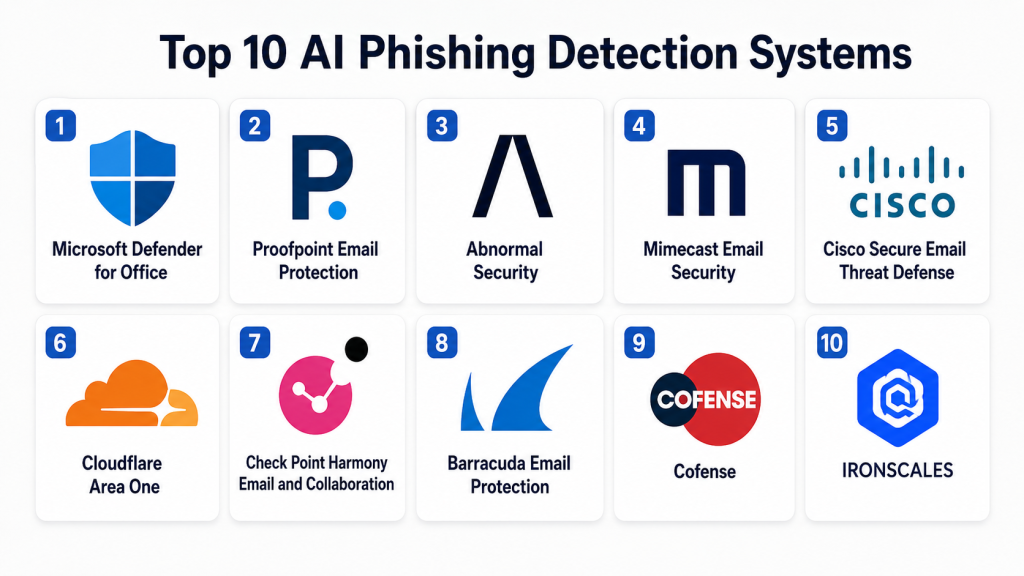
Top 10 AI Phishing Detection Systems
1- Microsoft Defender for Office
One-line verdict: Best for Microsoft-centric organizations needing integrated phishing protection across email and collaboration tools.
Short description:
Microsoft Defender for Office helps protect organizations from phishing, malware, malicious links, unsafe attachments, spoofing, impersonation, and advanced email-based threats. It is a strong fit for teams using Microsoft email, identity, endpoint, and security operations tools.
Standout Capabilities
- Phishing and malware protection
- Safe Links and attachment protection
- Anti-spoofing and impersonation policies
- Integrated Microsoft email security
- Threat Explorer and investigation workflows
- Attack simulation training support
- Integration with Microsoft security ecosystem
- Security automation and incident response support
AI-Specific Depth
- Model support: Microsoft AI and security ecosystem
- RAG / knowledge integration: Microsoft security data and email context integration available
- Evaluation: Detection tuning, investigation, and reporting workflows available
- Guardrails: Policy controls, admin permissions, and tenant governance available
- Observability: Security dashboards, alert views, message trace, and investigation tools available
Pros
- Strong fit for Microsoft email environments
- Integrated with Microsoft security tools
- Good balance of prevention, detection, and investigation
Cons
- Best value depends on Microsoft ecosystem adoption
- Advanced tuning may require skilled administrators
- Licensing and feature access can vary by plan
Security & Compliance
Supports enterprise controls such as RBAC, audit logging, encryption, identity integration, policy management, and administrative governance. Compliance capabilities depend on tenant configuration and licensing.
Deployment & Platforms
- Cloud deployment
- Web-based admin and security portals
- Microsoft email and collaboration environment
- Integration with Microsoft security operations
Integrations & Ecosystem
Microsoft Defender for Office integrates deeply with Microsoft security, identity, and productivity tools.
- Microsoft email
- Microsoft Defender suite
- Microsoft Sentinel
- Microsoft Entra
- Security Copilot ecosystem
- APIs and automation
- SIEM and SOAR workflows
Pricing Model
Subscription-based pricing through Microsoft security and productivity plans. Exact pricing varies by license and plan.
Best-Fit Scenarios
- Microsoft email security modernization
- Integrated phishing and malware defense
- Security teams using Microsoft SIEM and XDR tools
2- Proofpoint Email Protection
One-line verdict: Best for enterprises needing advanced phishing, business email compromise, and people-centric email defense.
Short description:
Proofpoint Email Protection helps organizations detect and block phishing, malware, ransomware, business email compromise, account takeover, and email fraud. It is widely used by enterprises that need layered email security, threat intelligence, and people-centric risk reduction.
Standout Capabilities
- Advanced phishing detection
- Business email compromise protection
- Email fraud defense
- URL and attachment analysis
- Threat intelligence enrichment
- Supplier and domain spoofing protection
- User risk and behavior insights
- Security awareness integration options
AI-Specific Depth
- Model support: Proofpoint AI and machine learning ecosystem
- RAG / knowledge integration: Threat intelligence and email telemetry integration available
- Evaluation: Detection review, threat analysis, and reporting workflows available
- Guardrails: Policy controls, message actions, and admin governance available
- Observability: Threat dashboards, campaign views, and investigation reporting available
Pros
- Strong email threat protection depth
- Good business email compromise coverage
- Useful for large enterprises and regulated industries
Cons
- Enterprise pricing can be significant
- Configuration may require expertise
- Full value depends on broader deployment scope
Security & Compliance
Supports enterprise security controls, role-based administration, auditability, encryption options, policy management, and governance workflows. Specific certifications and residency details should be validated during procurement.
Deployment & Platforms
- Cloud email security
- Gateway and API-based options may vary
- Web-based administration
- Microsoft and Google email environment support
Integrations & Ecosystem
Proofpoint integrates with email platforms, security operations tools, identity systems, and awareness workflows.
- Microsoft email
- Google email
- SIEM tools
- SOAR platforms
- Threat intelligence systems
- Security awareness programs
- APIs and connectors
Pricing Model
Enterprise subscription pricing. Exact pricing varies by modules, users, and deployment scope.
Best-Fit Scenarios
- Enterprise phishing defense
- Business email compromise prevention
- People-centric email risk management
3- Abnormal Security
One-line verdict: Best for behavior-based detection of phishing, social engineering, and account takeover.
Short description:
Abnormal Security is a cloud email security platform focused on behavioral AI for detecting phishing, business email compromise, vendor impersonation, account takeover, and social engineering. It analyzes communication patterns, relationships, identity signals, and message context to detect abnormal behavior.
Standout Capabilities
- Behavioral AI for email security
- Business email compromise detection
- Vendor and supplier impersonation protection
- Account takeover detection
- User-reported phishing automation
- Search and remediation across mailboxes
- Social engineering detection
- Cloud-native email security deployment
AI-Specific Depth
- Model support: Proprietary behavioral AI ecosystem
- RAG / knowledge integration: Email, identity, vendor, and behavioral context integration available
- Evaluation: User-reported phishing triage and detection review workflows available
- Guardrails: Admin controls, policy actions, and workflow governance available
- Observability: Campaign views, mailbox search, remediation history, and risk dashboards available
Pros
- Strong behavioral detection approach
- Good for business email compromise and vendor fraud
- Easier deployment for cloud email environments
Cons
- Best fit is cloud email environments
- Pricing transparency is limited
- Advanced workflow needs depend on integration setup
Security & Compliance
Supports enterprise controls such as role-based access, administrative permissions, auditability, and data handling controls. Specific certification and retention details should be validated with the vendor.
Deployment & Platforms
- Cloud-native deployment
- API-based email security
- Web administration console
- Microsoft and Google email support
Integrations & Ecosystem
Abnormal Security integrates with email, identity, security operations, and collaboration workflows.
- Microsoft email
- Google email
- Identity systems
- SIEM tools
- SOAR workflows
- User reporting workflows
- APIs and remediation tools
Pricing Model
Enterprise subscription pricing. Exact pricing varies by users, modules, and contract.
Best-Fit Scenarios
- Business email compromise defense
- Vendor impersonation detection
- Cloud email security augmentation
4- Mimecast Email Security
One-line verdict: Best for organizations needing layered email protection, phishing defense, and human risk management.
Short description:
Mimecast Email Security helps protect organizations from phishing, malware, impersonation, malicious links, unsafe attachments, and collaboration-based threats. It also supports broader human risk management through awareness, behavior, and email security workflows.
Standout Capabilities
- Advanced phishing protection
- Real-time email scanning
- Impersonation and spoofing defense
- URL and attachment protection
- Email continuity and resilience options
- User awareness and behavior support
- Data protection and compliance workflows
- Collaboration threat protection
AI-Specific Depth
- Model support: Mimecast AI and analytics ecosystem
- RAG / knowledge integration: Email security telemetry and human risk signals available
- Evaluation: Threat reporting and detection review workflows available
- Guardrails: Policy controls, admin permissions, and message handling rules available
- Observability: Security dashboards, message tracking, and threat reporting available
Pros
- Strong layered email protection
- Useful for phishing and impersonation defense
- Good fit for organizations focused on human risk
Cons
- Full platform value may require multiple modules
- Configuration complexity can increase over time
- Exact capabilities vary by product package
Security & Compliance
Supports enterprise security controls including access management, encryption options, auditability, policy management, and compliance-related workflows. Specific certifications and residency details should be confirmed during procurement.
Deployment & Platforms
- Cloud-based email security
- Web-based administration
- Microsoft and Google email support
- Collaboration protection options
Integrations & Ecosystem
Mimecast integrates with email platforms, security tools, identity systems, and awareness workflows.
- Microsoft email
- Google email
- SIEM integrations
- Security awareness workflows
- Identity systems
- APIs
- Email continuity workflows
Pricing Model
Subscription pricing. Exact pricing varies by product modules, users, and contract scope.
Best-Fit Scenarios
- Enterprise email threat protection
- Phishing and impersonation defense
- Human risk reduction programs
5- Cisco Secure Email Threat Defense
One-line verdict: Best for Cisco security customers needing email threat protection with integrated security intelligence.
Short description:
Cisco Secure Email Threat Defense helps organizations detect, block, and investigate phishing, malware, business email compromise, malicious URLs, and unsafe attachments. It fits well for teams already using Cisco security infrastructure and threat intelligence.
Standout Capabilities
- Phishing and malware protection
- Email threat intelligence
- URL and attachment analysis
- Business email compromise detection
- Domain and sender reputation analysis
- Security operations integrations
- User and message investigation workflows
- Cisco ecosystem alignment
AI-Specific Depth
- Model support: Cisco security analytics ecosystem
- RAG / knowledge integration: Email telemetry and threat intelligence integration available
- Evaluation: Detection review and investigation workflows available
- Guardrails: Policy controls, admin governance, and message actions available
- Observability: Threat dashboards, message tracking, and investigation views available
Pros
- Strong fit for Cisco security environments
- Good threat intelligence alignment
- Useful for layered enterprise defense
Cons
- Best value depends on Cisco ecosystem adoption
- Advanced operations may require experienced admins
- Product packaging should be validated carefully
Security & Compliance
Supports enterprise controls such as policy management, access control, auditability, encryption options, and administrative governance. Specific compliance details vary by deployment.
Deployment & Platforms
- Cloud and email security deployment options may vary
- Web-based management
- Microsoft and Google email support may vary by configuration
- Integration with Cisco security tools
Integrations & Ecosystem
Cisco Secure Email Threat Defense integrates with Cisco security operations and broader email security workflows.
- Cisco security products
- Email platforms
- SIEM tools
- SOAR workflows
- Threat intelligence systems
- APIs
- Incident response workflows
Pricing Model
Subscription and enterprise pricing. Exact pricing varies by deployment and product bundle.
Best-Fit Scenarios
- Cisco security ecosystem customers
- Enterprise phishing and malware defense
- Integrated threat intelligence workflows
6- Cloudflare Area One
One-line verdict: Best for organizations needing cloud-native phishing defense and pre-delivery attack detection.
Short description:
Cloudflare Area One is an email security solution designed to detect and block phishing, business email compromise, malware, and malicious campaigns before they reach users. It is useful for organizations that want cloud-native protection with strong domain and web security context.
Standout Capabilities
- Cloud-native email security
- Phishing and business email compromise detection
- Pre-delivery threat blocking
- Malicious domain and URL analysis
- Campaign-level detection
- Email authentication support
- Threat intelligence enrichment
- Security operations integrations
AI-Specific Depth
- Model support: Cloudflare security analytics ecosystem
- RAG / knowledge integration: Email, web, DNS, and threat data context available
- Evaluation: Detection review and security reporting workflows available
- Guardrails: Policy controls and admin governance available
- Observability: Security dashboards, campaign views, and detection reporting available
Pros
- Strong cloud-native architecture
- Useful web and domain intelligence context
- Good fit for phishing prevention programs
Cons
- Best value depends on Cloudflare security strategy
- Advanced email workflow needs should be validated
- Packaging and integration depth may vary
Security & Compliance
Supports enterprise access control, administrative policies, audit-related workflows, and data security controls. Specific certification and retention details should be verified with Cloudflare.
Deployment & Platforms
- Cloud deployment
- Web-based administration
- Email platform integration
- Cloud security ecosystem alignment
Integrations & Ecosystem
Cloudflare Area One integrates with email environments, security platforms, and Cloudflare security services.
- Microsoft email
- Google email
- Cloudflare security services
- SIEM workflows
- Incident response tools
- APIs
- Threat intelligence workflows
Pricing Model
Subscription and enterprise pricing. Exact pricing varies by package and contract.
Best-Fit Scenarios
- Cloud-native phishing defense
- Business email compromise prevention
- Organizations using Cloudflare security services
7- Check Point Harmony Email and Collaboration
One-line verdict: Best for teams needing phishing protection across email and collaboration applications.
Short description:
Check Point Harmony Email and Collaboration protects organizations from phishing, malware, account takeover, malicious attachments, unsafe links, and collaboration app threats. It is suitable for teams looking beyond email-only security into broader cloud collaboration protection.
Standout Capabilities
- Email phishing protection
- Collaboration app security
- Malware and attachment scanning
- URL protection
- Account takeover prevention
- Anti-impersonation controls
- Data loss prevention options
- Integration with Check Point security ecosystem
AI-Specific Depth
- Model support: Check Point AI and threat prevention ecosystem
- RAG / knowledge integration: Email, collaboration, and threat intelligence data integration available
- Evaluation: Detection review and reporting workflows available
- Guardrails: Policy controls and admin governance available
- Observability: Threat dashboards, logs, and investigation views available
Pros
- Covers email and collaboration workflows
- Strong fit for Check Point customers
- Useful for cloud application security
Cons
- Best value depends on broader Check Point adoption
- Configuration should be matched to collaboration platforms
- Pricing details vary by package
Security & Compliance
Supports enterprise access controls, policy management, data protection workflows, encryption options, and administrative governance. Specific certification details should be confirmed during evaluation.
Deployment & Platforms
- Cloud deployment
- Web-based administration
- Email and collaboration app support
- Check Point ecosystem integration
Integrations & Ecosystem
Check Point Harmony Email and Collaboration integrates with security operations and productivity environments.
- Microsoft email
- Google email
- Collaboration applications
- Check Point security tools
- SIEM workflows
- APIs
- Threat intelligence systems
Pricing Model
Subscription pricing. Exact pricing varies by product package, users, and contract.
Best-Fit Scenarios
- Email and collaboration threat protection
- Cloud app phishing defense
- Check Point security ecosystem customers
8- Barracuda Email Protection
One-line verdict: Best for organizations needing practical phishing, impersonation, and email security protection.
Short description:
Barracuda Email Protection helps organizations protect users from phishing, malware, ransomware, business email compromise, account takeover, and email fraud. It is useful for teams that want email threat prevention, incident response, and user protection in one security stack.
Standout Capabilities
- Phishing and malware protection
- Business email compromise detection
- Impersonation protection
- Account takeover defense
- Email incident response
- Domain fraud protection
- Security awareness support
- Cloud email protection
AI-Specific Depth
- Model support: Barracuda AI and email security analytics ecosystem
- RAG / knowledge integration: Email telemetry and threat intelligence integration available
- Evaluation: Incident review and detection reporting workflows available
- Guardrails: Policy controls, admin permissions, and remediation workflows available
- Observability: Threat dashboards, mailbox remediation views, and reporting available
Pros
- Practical email protection stack
- Good for business email compromise and impersonation
- Suitable for mid-market and enterprise teams
Cons
- Advanced capabilities vary by package
- Integration depth should be validated
- May require tuning for complex environments
Security & Compliance
Supports enterprise security controls, policy management, access control, auditability, and administrative governance. Specific compliance details vary by product and deployment.
Deployment & Platforms
- Cloud email protection
- Web-based management
- Microsoft and Google email support may vary
- Security operations workflow support
Integrations & Ecosystem
Barracuda integrates with email platforms, incident response workflows, and security operations tools.
- Microsoft email
- Google email
- SIEM tools
- Incident response workflows
- Awareness training
- APIs
- Email security dashboards
Pricing Model
Subscription pricing. Exact pricing varies by users, modules, and contract scope.
Best-Fit Scenarios
- Mid-market phishing defense
- Business email compromise protection
- Email incident response workflows
9- Cofense
One-line verdict: Best for organizations prioritizing human-reported phishing detection, simulation, and response workflows.
Short description:
Cofense focuses on phishing defense through user reporting, phishing simulations, threat detection, intelligence, and response workflows. It is useful for organizations that want to turn employees into active sensors while improving SOC phishing investigation speed.
Standout Capabilities
- User-reported phishing workflow
- Phishing simulation and training
- Email threat intelligence
- Automated phishing triage
- Security awareness measurement
- Incident response support
- Malicious email analysis
- SOC phishing operations support
AI-Specific Depth
- Model support: Cofense analytics and intelligence ecosystem
- RAG / knowledge integration: Reported phishing data, intelligence, and email context integration available
- Evaluation: User reporting, triage review, and campaign analysis available
- Guardrails: Analyst review, admin controls, and workflow governance available
- Observability: Reporting dashboards, simulation metrics, and phishing campaign views available
Pros
- Strong user-reported phishing workflow
- Good awareness and simulation depth
- Useful for SOC phishing response
Cons
- Not a full replacement for email gateway protection
- Best value requires user participation
- Needs process ownership from security teams
Security & Compliance
Supports role-based access, administrative controls, auditability, and governance workflows. Specific certifications and data handling details should be validated with the vendor.
Deployment & Platforms
- Cloud platform
- Web-based phishing defense console
- Email reporting integrations
- Security awareness workflows
Integrations & Ecosystem
Cofense integrates with email platforms, security operations tools, and awareness programs.
- Microsoft email
- Google email
- SIEM tools
- SOAR workflows
- User reporting buttons
- Threat intelligence
- APIs and response workflows
Pricing Model
Subscription pricing. Exact pricing varies by modules, users, and contract.
Best-Fit Scenarios
- Human-reported phishing defense
- Security awareness programs
- SOC phishing triage and response
10- IRONSCALES
One-line verdict: Best for teams needing AI-powered phishing simulation, detection, response, and security awareness in one workflow.
Short description:
IRONSCALES is an email security platform focused on phishing detection, automated response, mailbox remediation, user reporting, and security awareness. It is useful for organizations that want to combine technical detection with employee-driven phishing defense.
Standout Capabilities
- AI phishing detection
- Automated phishing response
- Mailbox remediation
- User-reported phishing workflows
- Phishing simulation and training
- Campaign-level analysis
- Threat intelligence enrichment
- Security awareness support
AI-Specific Depth
- Model support: IRONSCALES AI and email security ecosystem
- RAG / knowledge integration: Email, user-reporting, and phishing campaign context available
- Evaluation: Simulation results, reported email triage, and response analytics available
- Guardrails: Admin controls, response workflows, and policy governance available
- Observability: Campaign dashboards, response metrics, and training visibility available
Pros
- Combines phishing detection and awareness
- Useful for user-driven defense workflows
- Good automated response capabilities
Cons
- May not replace broader enterprise email security stacks
- Best value depends on user adoption
- Feature depth should be validated for complex enterprises
Security & Compliance
Supports administrative access controls, workflow governance, audit-related visibility, and security management features. Specific certification and retention details should be validated during procurement.
Deployment & Platforms
- Cloud platform
- Web-based console
- Email environment integrations
- Security awareness workflow support
Integrations & Ecosystem
IRONSCALES integrates with email platforms, user reporting workflows, and security operations processes.
- Microsoft email
- Google email
- User reporting tools
- SIEM workflows
- SOAR integrations
- Awareness training
- APIs
Pricing Model
Subscription pricing. Exact pricing varies by users, modules, and contract.
Best-Fit Scenarios
- Phishing detection and response
- Security awareness programs
- User-reported phishing automation
Comparison Table
| Tool Name | Best For | Deployment | Model Flexibility | Strength | Watch-Out | Public Rating |
|---|---|---|---|---|---|---|
| Microsoft Defender for Office | Microsoft email security | Cloud | Microsoft AI ecosystem | Integrated Microsoft protection | Licensing complexity | N/A |
| Proofpoint Email Protection | Enterprise phishing defense | Cloud and gateway options | Proofpoint AI ecosystem | Advanced email threat protection | Enterprise cost | N/A |
| Abnormal Security | Behavioral email security | Cloud | Proprietary behavioral AI | Business email compromise detection | Best for cloud email | N/A |
| Mimecast Email Security | Layered email protection | Cloud | Mimecast AI ecosystem | Human risk and email defense | Module complexity | N/A |
| Cisco Secure Email Threat Defense | Cisco security customers | Cloud and deployment options vary | Cisco security analytics | Threat intelligence alignment | Ecosystem dependency | N/A |
| Cloudflare Area One | Cloud-native phishing defense | Cloud | Cloudflare security analytics | Pre-delivery detection | Validate workflow depth | N/A |
| Check Point Harmony Email and Collaboration | Email and collaboration protection | Cloud | Check Point AI ecosystem | Collaboration security | Package variation | N/A |
| Barracuda Email Protection | Practical email defense | Cloud | Barracuda AI ecosystem | Mid-market protection | Feature depth varies | N/A |
| Cofense | User-reported phishing defense | Cloud | Cofense analytics ecosystem | Human-driven detection | Needs user participation | N/A |
| IRONSCALES | Phishing awareness and response | Cloud | IRONSCALES AI ecosystem | Detection plus training | Validate enterprise depth | N/A |
Scoring & Evaluation
The scoring below is comparative, not absolute. It reflects how each platform may support AI phishing detection based on detection depth, reliability, guardrails, integrations, usability, performance, security administration, and support ecosystem. Actual results depend on email environment, policy configuration, user behavior, threat model, SOC maturity, and integration depth. Buyers should use this table as a shortlist guide and validate each platform through a controlled pilot.
| Tool | Core | Reliability | Guardrails | Integrations | Ease | Performance | Security | Support | Weighted Total |
| Microsoft Defender for Office | 9 | 8 | 8 | 10 | 8 | 8 | 9 | 8 | 8.6 |
| Proofpoint Email Protection | 10 | 9 | 9 | 9 | 7 | 8 | 9 | 9 | 9.0 |
| Abnormal Security | 9 | 9 | 8 | 8 | 9 | 8 | 8 | 8 | 8.6 |
| Mimecast Email Security | 9 | 8 | 8 | 8 | 8 | 8 | 9 | 8 | 8.3 |
| Cisco Secure Email Threat Defense | 8 | 8 | 8 | 8 | 7 | 8 | 9 | 8 | 8.0 |
| Cloudflare Area One | 8 | 8 | 8 | 8 | 8 | 8 | 8 | 7 | 8.0 |
| Check Point Harmony Email and Collaboration | 8 | 8 | 8 | 8 | 8 | 8 | 8 | 8 | 8.0 |
| Barracuda Email Protection | 8 | 8 | 8 | 8 | 8 | 8 | 8 | 8 | 8.0 |
| Cofense | 7 | 8 | 8 | 8 | 8 | 7 | 8 | 8 | 7.7 |
| IRONSCALES | 7 | 8 | 8 | 7 | 8 | 7 | 8 | 7 | 7.5 |
Top 3 for Enterprise
- Proofpoint Email Protection
- Microsoft Defender for Office
- Abnormal Security
Top 3 for SMB
- Microsoft Defender for Office
- Barracuda Email Protection
- IRONSCALES
Top 3 for Developers
- Microsoft Defender for Office
- Cloudflare Area One
- Abnormal Security
Which AI Phishing Detection System Is Right for You
Solo / Freelancer
Solo professionals usually do not need a full enterprise phishing detection system unless they manage email security for clients. Basic email provider protection, strong MFA, password managers, domain protection, and phishing awareness may be enough. For consultants managing Microsoft environments, Microsoft Defender for Office can be a practical starting point.
SMB
Small and mid-sized businesses should prioritize ease of deployment, strong default policies, user reporting, post-delivery remediation, and predictable pricing. Microsoft Defender for Office, Barracuda Email Protection, IRONSCALES, and Mimecast can be practical options depending on the existing email environment and security maturity.
Mid-Market
Mid-market organizations often need stronger protection against business email compromise, vendor impersonation, account takeover, and phishing campaigns. Abnormal Security, Proofpoint, Mimecast, Cloudflare Area One, and Check Point Harmony Email and Collaboration can be strong candidates depending on deployment needs and integration requirements.
Enterprise
Large enterprises need layered protection, advanced threat intelligence, behavioral analysis, post-delivery remediation, domain fraud protection, security awareness, and deep integrations with SOC workflows. Proofpoint, Microsoft Defender for Office, Abnormal Security, Mimecast, and Cisco Secure Email Threat Defense are strong enterprise options.
Regulated Industries
Financial services, healthcare, legal, public sector, insurance, and education organizations should prioritize audit logs, policy control, encryption, data handling, compliance reporting, user risk analytics, and incident evidence. They should also validate retention settings, administrative roles, and integration with SIEM and SOAR workflows.
Budget vs Premium
Budget-focused teams should start with email platform-native protection, strong authentication, user reporting, and basic phishing training. Premium buyers should prioritize behavioral AI, business email compromise detection, supplier impersonation monitoring, post-delivery remediation, and SOC automation.
Build vs Buy
Building phishing detection internally is rarely practical unless the organization has a mature security engineering team and large email telemetry datasets. Buying is usually better because vendors maintain detection models, threat intelligence, remediation workflows, and email platform integrations. Some teams still build custom reporting and SOAR playbooks around commercial phishing tools.
Implementation Playbook
First 30 Days
- Identify top phishing risks such as credential theft, business email compromise, impersonation, and malicious attachments
- Review current email security gaps
- Enable strong authentication and domain authentication controls
- Configure baseline phishing, spoofing, and impersonation policies
- Add user reporting workflows
- Define success metrics such as detection rate, click rate, false positive rate, and remediation time
- Run a pilot with a limited user group
- Document escalation and remediation responsibilities
Days 31 to 60
- Tune policies for executives, finance teams, HR, and high-risk departments
- Enable post-delivery search and remediation workflows
- Integrate alerts with SIEM, SOAR, or ticketing systems
- Configure user-reported phishing triage
- Add phishing simulation and awareness workflows
- Review false positives and missed detections
- Add supplier and vendor impersonation monitoring
- Create incident response steps for credential theft and business email compromise
Days 61 to 90
- Expand protection across all users and domains
- Automate low-risk remediation actions
- Build dashboards for phishing trends and user risk
- Add advanced monitoring for account takeover
- Review domain lookalike and brand spoofing threats
- Create recurring policy review cycles
- Measure reduction in phishing clicks and reporting time
- Improve training based on real attack patterns
Common Mistakes & How to Avoid Them
- Relying only on spam filters for phishing defense
- Ignoring business email compromise and vendor impersonation
- Not enabling strong authentication and access controls
- Forgetting to monitor user-reported phishing
- Not removing malicious emails after delivery
- Treating phishing awareness as a one-time activity
- Ignoring QR code phishing and image-based attacks
- Allowing executives and finance teams to use generic policies only
- Not integrating phishing alerts with SOC workflows
- Ignoring domain spoofing and lookalike domains
- Not measuring false positives and missed detections
- Overblocking legitimate business emails without review
- Failing to train users on real-world phishing examples
- Choosing a tool without testing it against your actual email traffic
FAQs
1- What is an AI Phishing Detection System
An AI Phishing Detection System uses machine learning, behavioral analytics, threat intelligence, and automation to detect phishing emails, malicious links, unsafe attachments, impersonation, and business email compromise.
2- How is AI phishing detection different from spam filtering
Spam filtering mainly blocks unwanted bulk email. AI phishing detection focuses on malicious intent, social engineering, suspicious behavior, impersonation, credential theft, and targeted attacks that may look legitimate.
3- Can AI detect business email compromise
Yes. AI can help detect business email compromise by analyzing sender behavior, communication history, payment language, vendor relationships, unusual requests, and account activity.
4- What is post-delivery remediation
Post-delivery remediation means finding and removing malicious emails from user inboxes after delivery. This is important because some threats are identified after the first message reaches users.
5- Can AI detect QR code phishing
Some advanced email security platforms can analyze images and QR codes to detect hidden phishing links. Buyers should validate this capability during evaluation because feature depth varies.
6- Does phishing detection replace security awareness training
No. Phishing detection blocks many threats, but users still need training because some attacks reach inboxes. Awareness programs help users recognize, report, and avoid suspicious messages.
7- What is user-reported phishing
User-reported phishing allows employees to report suspicious emails through a button or workflow. Security teams can then analyze, confirm, and remove similar threats across the organization.
8- Which email platforms are most commonly protected
Most phishing detection systems focus on Microsoft and Google email environments, but support varies by vendor. Some platforms also protect collaboration tools and cloud applications.
9- How should buyers evaluate detection accuracy
Buyers should test the platform against real email traffic, user-reported messages, known phishing campaigns, simulated attacks, and false positive scenarios before full deployment.
10- What is impersonation protection
Impersonation protection detects emails pretending to come from executives, finance staff, vendors, partners, or trusted brands. It helps prevent fraud, credential theft, and payment scams.
11- What security controls should phishing tools include
Important controls include RBAC, audit logs, encryption, policy management, administrator permissions, data retention settings, SIEM integrations, and secure API access.
12- Which AI phishing detection system is best
There is no universal best system. Proofpoint is strong for enterprise email defense, Microsoft Defender for Office fits Microsoft environments, Abnormal Security is strong for behavioral detection, and Mimecast provides layered email security and human risk management.
Conclusion
AI Phishing Detection Systems are essential for modern organizations because phishing attacks are becoming more personalized, evasive, and difficult to detect with traditional filtering alone. These platforms help detect malicious emails, stop business email compromise, block unsafe links and attachments, identify impersonation, automate remediation, and improve user reporting workflows.The best system depends on your email platform, risk profile, team size, budget, and security operations maturity. Microsoft Defender for Office is strong for Microsoft environments, Proofpoint is a powerful enterprise option, Abnormal Security is strong for behavioral detection, Mimecast offers layered protection, and tools such as Cisco Secure Email Threat Defense, Cloudflare Area One, Check Point Harmony Email and Collaboration, Barracuda, Cofense, and IRONSCALES serve different security needs.The right next step is to shortlist tools based on your highest-risk phishing scenarios, run a pilot using real email traffic, validate detection quality and false positives, connect alerts to SOC workflows, and scale protection gradually. Strong phishing defense combines AI detection, user awareness, post-delivery remediation, identity security, and continuous policy tuning.

Find Trusted Cardiac Hospitals
Compare heart hospitals by city and services — all in one place.
Explore Hospitals
A key gap in AI phishing detection systems is how they handle real-world enterprise noise and adversarial evolution after deployment, not just detection accuracy in controlled datasets. In practice, phishing campaigns are now highly adaptive—using AI-generated language, rotating domains, and even legitimate compromised accounts—so the real challenge is maintaining low false positives while still enforcing real-time blocking in email, browser, and collaboration pipelines. Another often overlooked area is the lack of strong feedback loops between SOC analysts and model retraining pipelines, which leads to slow adaptation when organizations intentionally override or whitelist certain high-risk alerts. It would also be valuable to evaluate how these tools integrate with broader security architecture like SIEM/SOAR systems, and whether they support explainability strong enough for incident response and compliance audits, since “why something was flagged” is often as important as detection itself.