
Introduction
AI-Powered SOAR Automation tools help security teams automate investigation, enrichment, containment, response, case management, and security workflow coordination. SOAR means Security Orchestration, Automation, and Response. In simple terms, these platforms connect security tools together and help teams respond to threats faster with automated playbooks, analyst guidance, approval steps, and response actions.
Traditional SOAR platforms focused mainly on playbooks and integrations. Modern AI-powered SOAR platforms go further by helping analysts summarize incidents, enrich alerts, recommend next steps, automate repetitive investigation tasks, and coordinate response across SIEM, EDR, cloud security, identity, email security, ticketing, and threat intelligence tools.
Why It Matters
Security teams are facing more alerts, more tools, more cloud systems, more identity attacks, and more pressure to respond quickly. Without automation, analysts spend too much time copying data between tools, checking threat intelligence manually, creating tickets, escalating cases, and repeating the same response steps.
AI-powered SOAR automation matters because it helps SOC teams reduce manual effort, improve response speed, standardize incident handling, and reduce analyst fatigue. It also helps organizations create repeatable processes for phishing response, endpoint isolation, malware investigation, account compromise, vulnerability triage, cloud incident response, and compliance evidence collection.
Real World Use Cases
- Phishing email investigation and takedown
- Endpoint containment and isolation
- Suspicious login enrichment
- Malware alert triage
- Cloud misconfiguration response
- Threat intelligence enrichment
- SIEM alert investigation
- Identity compromise response
- Vulnerability prioritization workflow
- Case management and incident documentation
- Ticket creation and escalation
- Automated evidence collection
Evaluation Criteria for Buyers
Before selecting an AI-powered SOAR automation platform, buyers should evaluate:
- Playbook automation depth
- Security tool integration coverage
- AI-assisted investigation capabilities
- Case management and collaboration
- Human approval and escalation workflows
- Threat intelligence enrichment
- SIEM and XDR connectivity
- EDR response action support
- Identity and cloud workflow support
- Low-code or no-code workflow builder
- API and webhook flexibility
- Audit logs and evidence tracking
- RBAC and admin governance
- Automation safety controls
- Cost and operational scalability
Best for: SOC teams, security analysts, incident response teams, threat hunters, detection engineers, cloud security teams, MDR providers, CISOs, and enterprises that need faster and more consistent security response.
Not ideal for: very small teams with low alert volume, organizations without defined response processes, or companies that only need basic alerting and do not yet have enough security tools to orchestrate.
What’s Changed in AI-Powered SOAR Automation
- SOAR is moving from static playbooks to AI-assisted investigation and response guidance.
- AI agents are increasingly used to summarize incidents, enrich alerts, and suggest remediation steps.
- Human approval checkpoints are becoming more important for high-risk actions.
- Security teams are prioritizing low-code workflow design to reduce engineering dependency.
- Modern SOAR platforms are integrating more deeply with SIEM, XDR, EDR, cloud, identity, and ticketing tools.
- Phishing response automation remains one of the most common SOAR starting points.
- Cloud and identity response workflows are becoming more important than traditional network-only workflows.
- SOC teams want better visibility into playbook performance, response time, and automation success.
- Guardrails are becoming critical to prevent unsafe automated actions.
- AI-assisted case documentation is helping analysts reduce repetitive reporting work.
- SOAR is increasingly blending with SIEM, XDR, and security operations platforms.
- Buyers are focusing more on workflow governance, auditability, and cost control.
Quick Buyer Checklist
Use this checklist before shortlisting any AI-powered SOAR automation platform:
- Does it integrate with your SIEM, EDR, identity, cloud, email, and ticketing tools?
- Can analysts build playbooks without heavy coding?
- Does it support human approval before high-risk actions?
- Can it enrich alerts with threat intelligence automatically?
- Does it support phishing, malware, account compromise, and cloud response workflows?
- Can it create and manage incident cases?
- Does it provide audit logs and action history?
- Can it measure automation success and response time?
- Does it support RBAC and admin governance?
- Can it handle API-based custom integrations?
- Does it offer AI-assisted summaries or recommendations?
- Can it prevent unsafe automation through guardrails?
- Does it support reusable workflow templates?
- Can it scale across multiple SOC teams?
- Does pricing align with your alert volume and automation needs?
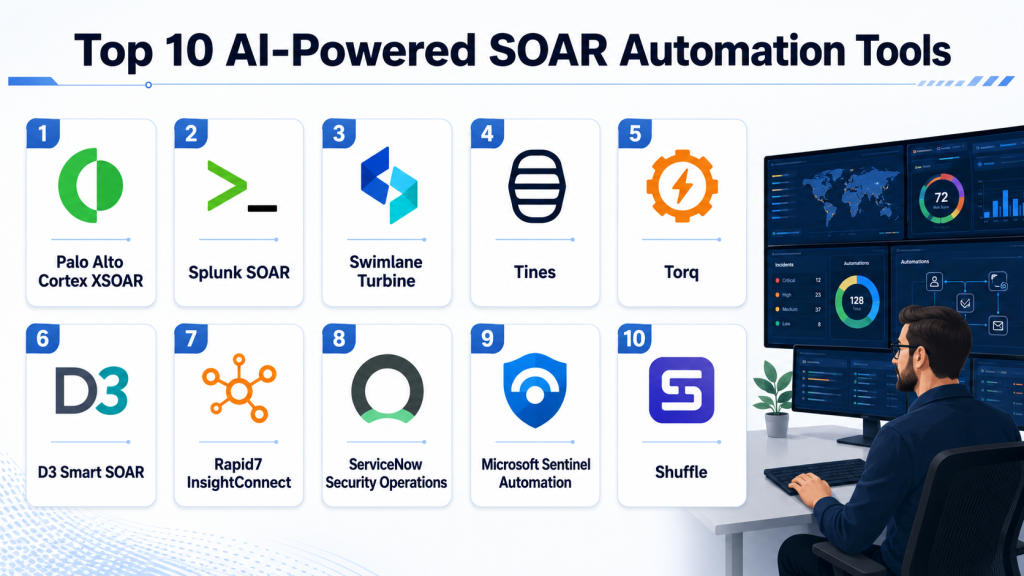
Top 10 AI-Powered SOAR Automation Tools
1- Palo Alto Cortex XSOAR
One-line verdict: Best for large enterprises needing mature SOAR playbooks, integrations, and incident response orchestration.
Short description:
Palo Alto Cortex XSOAR is a security orchestration, automation, and response platform designed to help SOC teams automate investigations, standardize incident response, and connect security tools through playbooks. It is widely used by enterprise security teams with complex response workflows and large security tool stacks.
Standout Capabilities
- Security playbook automation
- Incident case management
- Threat intelligence enrichment
- Large integration ecosystem
- Analyst collaboration workflows
- Automated response actions
- Enterprise orchestration
- Security operations process standardization
AI-Specific Depth
- Model support: Palo Alto AI ecosystem and integrations may vary
- RAG / knowledge integration: Security data and threat intelligence integration available
- Evaluation: Playbook testing and workflow validation available
- Guardrails: Approval workflows and role-based governance available
- Observability: Incident tracking, playbook history, and operational dashboards available
Pros
- Strong enterprise SOAR maturity
- Broad integration ecosystem
- Good for complex incident response processes
Cons
- Implementation can require skilled teams
- Best value often depends on broader Palo Alto adoption
- Workflow design can become complex at scale
Security & Compliance
Supports enterprise security controls such as RBAC, audit logging, permissions, workflow governance, and administrative controls. Specific certification and residency details should be validated during procurement.
Deployment & Platforms
- Cloud and enterprise deployment options may vary
- Web-based SOC console
- API-based integrations
- Enterprise security operations environment
Integrations & Ecosystem
Cortex XSOAR connects with SIEM, EDR, cloud security, threat intelligence, identity, ticketing, and network security tools.
- SIEM platforms
- EDR tools
- Threat intelligence feeds
- Ticketing systems
- Email security tools
- Cloud security tools
- APIs and custom integrations
Pricing Model
Enterprise pricing. Exact pricing varies based on deployment scope, integrations, and usage.
Best-Fit Scenarios
- Large enterprise SOC automation
- Complex incident response orchestration
- Security teams using Palo Alto ecosystem tools
2- Splunk SOAR
One-line verdict: Best for Splunk-centric SOC teams needing automated playbooks and fast incident response workflows.
Short description:
Splunk SOAR helps security teams automate repetitive tasks, orchestrate actions across security tools, and manage investigations through playbooks. It is a strong fit for organizations using Splunk Enterprise Security or Splunk as a central security analytics platform.
Standout Capabilities
- Automated security playbooks
- Incident response orchestration
- Case management workflows
- App and connector ecosystem
- Threat enrichment automation
- Analyst productivity tools
- Security action automation
- Integration with Splunk security operations
AI-Specific Depth
- Model support: Splunk AI and security ecosystem may vary
- RAG / knowledge integration: Security data integration through Splunk ecosystem
- Evaluation: Playbook testing and action validation available
- Guardrails: Role-based permissions and approval workflows available
- Observability: Playbook execution history, case tracking, and dashboards available
Pros
- Strong fit for Splunk environments
- Broad automation and integration capabilities
- Helps reduce repetitive analyst work
Cons
- Best value depends on Splunk ecosystem adoption
- Complex workflows require planning
- Costs can vary with broader security stack usage
Security & Compliance
Supports enterprise security controls such as RBAC, audit logs, workflow permissions, encryption options, and administrative governance. Exact controls depend on deployment and configuration.
Deployment & Platforms
- Cloud and enterprise deployment options may vary
- Web-based interface
- Integrated SOC workflow environment
- API and app-based integrations
Integrations & Ecosystem
Splunk SOAR integrates with security, IT, cloud, and response tools to automate workflows across the SOC.
- Splunk Enterprise Security
- SIEM tools
- EDR tools
- Ticketing platforms
- Threat intelligence feeds
- Cloud services
- APIs and apps
Pricing Model
Enterprise pricing. Exact pricing varies by deployment, modules, and contract structure.
Best-Fit Scenarios
- Splunk-based SOC teams
- Automated incident response workflows
- Security teams needing broad tool orchestration
3- Swimlane Turbine
One-line verdict: Best for enterprises needing low-code security automation with strong workflow flexibility.
Short description:
Swimlane Turbine is a security automation platform designed to help teams automate SOC workflows, threat response, case management, and enterprise security operations. It focuses on reducing manual work through low-code automation and flexible orchestration.
Standout Capabilities
- Low-code security automation
- Case management and collaboration
- Workflow orchestration
- Alert enrichment
- Automated response actions
- Security operations dashboards
- Enterprise integration support
- AI-assisted automation capabilities may vary
AI-Specific Depth
- Model support: Swimlane AI and automation ecosystem may vary
- RAG / knowledge integration: Security workflow and data integration available
- Evaluation: Workflow testing and automation validation available
- Guardrails: Approval workflows and governance controls available
- Observability: Workflow performance and case dashboards available
Pros
- Flexible low-code automation
- Strong workflow customization
- Useful across SOC and broader security operations
Cons
- Advanced workflows still require planning
- AI feature depth should be validated by use case
- May require process maturity for best results
Security & Compliance
Supports enterprise controls such as role-based access, permissions, auditability, and workflow governance. Specific certifications and retention controls should be confirmed with the vendor.
Deployment & Platforms
- Cloud deployment
- Enterprise deployment options may vary
- Web-based automation workspace
- API-based orchestration
Integrations & Ecosystem
Swimlane connects with security tools, IT systems, cloud platforms, and enterprise workflow environments.
- SIEM tools
- EDR platforms
- Identity systems
- Ticketing systems
- Threat intelligence
- Cloud security tools
- APIs and webhooks
Pricing Model
Enterprise subscription pricing. Exact pricing varies.
Best-Fit Scenarios
- Low-code SOC automation
- Enterprise workflow orchestration
- Security teams modernizing manual processes
4- Tines
One-line verdict: Best for security teams wanting flexible no-code automation with fast workflow building.
Short description:
Tines is a no-code automation platform widely used by security teams to automate investigations, response workflows, alert enrichment, and operational tasks. It is especially useful for teams that want speed, flexibility, and workflow control without heavy engineering.
Standout Capabilities
- No-code workflow automation
- Security playbook creation
- API-first automation
- Alert enrichment workflows
- Human approval steps
- Reusable automation stories
- Strong webhook support
- Flexible cross-tool orchestration
AI-Specific Depth
- Model support: AI integrations may vary
- RAG / knowledge integration: Custom data and API integrations possible
- Evaluation: Workflow testing and validation available
- Guardrails: Human approval and access controls available
- Observability: Workflow run history and execution visibility available
Pros
- Fast workflow creation
- Strong flexibility for technical and semi-technical teams
- Useful beyond traditional SOC use cases
Cons
- Requires thoughtful workflow design
- Deep security content depends on team implementation
- Large enterprises may need governance planning
Security & Compliance
Supports enterprise access controls, permissions, auditability, and admin governance. Specific security certifications and residency details should be validated during procurement.
Deployment & Platforms
- Cloud platform
- Web-based workflow builder
- API and webhook-based automation
- Enterprise workspace model
Integrations & Ecosystem
Tines connects with a wide range of security and business tools using APIs, templates, and workflow actions.
- SIEM platforms
- EDR tools
- Ticketing systems
- Email security tools
- Identity platforms
- Cloud tools
- Webhooks and APIs
Pricing Model
Subscription pricing. Exact pricing varies by usage, features, and contract.
Best-Fit Scenarios
- No-code security automation
- Phishing and alert enrichment workflows
- Teams needing fast workflow iteration
5- Torq
One-line verdict: Best for cloud-first teams needing scalable security hyperautomation and response workflows.
Short description:
Torq is a security hyperautomation platform designed to automate cloud security, SOC operations, identity workflows, vulnerability response, and incident handling. It is useful for teams that want flexible automation across cloud-native and enterprise security tools.
Standout Capabilities
- Security hyperautomation
- Cloud security workflow automation
- Identity and access response workflows
- SOC alert enrichment
- Vulnerability response automation
- Low-code workflow design
- Event-driven automation
- Enterprise integration support
AI-Specific Depth
- Model support: Torq AI capabilities and integrations may vary
- RAG / knowledge integration: Security data and workflow integration available
- Evaluation: Workflow testing and operational validation available
- Guardrails: Approval steps and governance controls available
- Observability: Workflow execution and automation analytics available
Pros
- Strong cloud and identity automation fit
- Flexible security workflow design
- Useful for modern cloud-first environments
Cons
- Requires process maturity
- AI feature depth should be validated
- Advanced workflows may need technical design
Security & Compliance
Supports enterprise security controls, permissions, workflow governance, and auditability. Specific certifications and data handling details should be confirmed with the vendor.
Deployment & Platforms
- Cloud platform
- Web-based automation workspace
- API-driven orchestration
- Cloud and enterprise security integrations
Integrations & Ecosystem
Torq integrates with cloud platforms, identity systems, SIEM tools, vulnerability tools, and security operations platforms.
- Cloud security tools
- Identity providers
- SIEM platforms
- Vulnerability scanners
- Ticketing tools
- EDR platforms
- APIs and webhooks
Pricing Model
Enterprise subscription pricing. Exact pricing is not publicly stated.
Best-Fit Scenarios
- Cloud security automation
- Identity incident response
- Vulnerability remediation workflows
6- D3 Smart SOAR
One-line verdict: Best for teams wanting vendor-agnostic SOAR with no-code playbooks and incident response workflows.
Short description:
D3 Smart SOAR is a security orchestration and automation platform focused on helping teams automate investigations, response steps, enrichment, and incident management. It is designed to work across different security tools without forcing a single-vendor ecosystem.
Standout Capabilities
- No-code SOAR automation
- Incident response workflows
- Vendor-agnostic integrations
- Case management
- Alert enrichment
- Automated evidence collection
- Playbook automation
- Response action coordination
AI-Specific Depth
- Model support: D3 automation and AI capabilities may vary
- RAG / knowledge integration: Security tool and incident data integrations available
- Evaluation: Playbook testing and workflow validation available
- Guardrails: Approval workflows and access controls available
- Observability: Case tracking and workflow execution visibility available
Pros
- Vendor-neutral SOAR approach
- Useful no-code automation capabilities
- Good fit for incident response standardization
Cons
- Advanced customization may require planning
- AI depth should be validated during pilot
- Best results depend on integration quality
Security & Compliance
Supports enterprise access controls, audit trails, permissions, and incident workflow governance. Specific certifications and retention options should be verified.
Deployment & Platforms
- Cloud and enterprise deployment options may vary
- Web-based platform
- API-based integration support
- SOC workflow environment
Integrations & Ecosystem
D3 Smart SOAR integrates with security and IT tools to automate investigation and response processes.
- SIEM platforms
- EDR systems
- Threat intelligence
- Ticketing tools
- Email security tools
- Cloud security tools
- REST APIs
Pricing Model
Enterprise pricing. Exact pricing varies.
Best-Fit Scenarios
- Vendor-agnostic SOC automation
- Incident response workflow standardization
- Security teams needing no-code playbooks
7- Rapid7 InsightConnect
One-line verdict: Best for teams using Rapid7 ecosystem and needing practical incident response automation.
Short description:
Rapid7 InsightConnect is a security automation and orchestration platform that helps teams connect tools, automate repetitive tasks, enrich alerts, and accelerate incident response. It is especially useful for organizations already using Rapid7 products.
Standout Capabilities
- Security workflow automation
- Alert enrichment
- Incident response playbooks
- Integration with Rapid7 ecosystem
- Human approval workflows
- Vulnerability response automation
- Ticketing automation
- Low-code workflow builder
AI-Specific Depth
- Model support: Rapid7 AI and automation ecosystem may vary
- RAG / knowledge integration: Security data and workflow integrations available
- Evaluation: Workflow validation and operational review available
- Guardrails: Human approval and role-based controls available
- Observability: Workflow execution and response visibility available
Pros
- Good fit for Rapid7 customers
- Practical automation for common SOC tasks
- Helps reduce repetitive investigation work
Cons
- Best value depends on Rapid7 ecosystem use
- May not be as broad as larger enterprise SOAR platforms
- Advanced customization may require workflow design skills
Security & Compliance
Supports enterprise access controls, workflow governance, auditability, and security administration. Specific controls vary by deployment and configuration.
Deployment & Platforms
- Cloud platform
- Web-based workflow builder
- Integrated Rapid7 ecosystem access
- API-based automation
Integrations & Ecosystem
InsightConnect integrates with security tools, IT systems, vulnerability management, and incident response workflows.
- Rapid7 products
- SIEM tools
- EDR platforms
- Ticketing systems
- Vulnerability scanners
- Email tools
- APIs and plugins
Pricing Model
Subscription pricing. Exact pricing varies by contract and usage.
Best-Fit Scenarios
- Rapid7-based security operations
- Vulnerability response automation
- Practical SOC workflow automation
8- ServiceNow Security Operations
One-line verdict: Best for enterprises connecting security response with ITSM, risk, and business workflows.
Short description:
ServiceNow Security Operations helps enterprises manage security incidents, vulnerability response, threat intelligence workflows, and operational response through the ServiceNow platform. It is especially useful where security response must connect with IT, risk, compliance, and business service workflows.
Standout Capabilities
- Security incident response workflows
- Vulnerability response automation
- Threat intelligence management
- ITSM and security workflow alignment
- Case management
- Task assignment and approvals
- Enterprise dashboards
- Cross-team collaboration
AI-Specific Depth
- Model support: ServiceNow AI ecosystem and integrations may vary
- RAG / knowledge integration: Enterprise knowledge and workflow data integration available
- Evaluation: Workflow analytics and review available
- Guardrails: Approval workflows, RBAC, and governance controls available
- Observability: Incident dashboards and workflow performance visibility available
Pros
- Strong enterprise workflow foundation
- Excellent for connecting security and IT operations
- Useful for regulated and process-heavy organizations
Cons
- Not a standalone pure-play SOAR for every team
- Best value depends on ServiceNow adoption
- Configuration can be complex
Security & Compliance
Supports enterprise access controls, audit logs, workflow governance, encryption, admin policies, and role-based permissions. Specific certifications depend on environment and contract.
Deployment & Platforms
- Cloud platform
- Web-based enterprise workflows
- ServiceNow ecosystem
- Integrated IT and security operations environment
Integrations & Ecosystem
ServiceNow Security Operations connects security response with IT, risk, compliance, and enterprise workflows.
- SIEM tools
- Vulnerability scanners
- Threat intelligence feeds
- ITSM workflows
- EDR tools
- Cloud systems
- APIs and integrations
Pricing Model
Enterprise licensing. Exact pricing varies.
Best-Fit Scenarios
- Security incident response at enterprise scale
- Vulnerability response workflow automation
- Security and IT operations alignment
9- Microsoft Sentinel Automation
One-line verdict: Best for Microsoft-focused SOC teams needing SIEM-linked automation and response playbooks.
Short description:
Microsoft Sentinel Automation uses automation rules and playbooks to help security teams respond to incidents, enrich alerts, trigger workflows, and connect security operations with Microsoft and third-party tools. It is especially useful for organizations already using Microsoft Sentinel and Microsoft security products.
Standout Capabilities
- SIEM-linked automation rules
- Playbook-based response workflows
- Incident enrichment and routing
- Microsoft security ecosystem integration
- Logic-based workflow automation
- Identity and cloud response support
- Threat intelligence integration
- Analyst workflow support
AI-Specific Depth
- Model support: Microsoft AI ecosystem
- RAG / knowledge integration: Security data and Microsoft ecosystem integration available
- Evaluation: Playbook testing and incident review available
- Guardrails: RBAC, approval steps, and workflow permissions available
- Observability: Incident dashboards, automation history, and monitoring available
Pros
- Strong fit for Microsoft security environments
- Good SIEM and automation alignment
- Useful for cloud and identity response
Cons
- Best value depends on Microsoft ecosystem adoption
- Costs require monitoring across related services
- Complex playbooks may need cloud engineering skills
Security & Compliance
Supports Microsoft enterprise identity, RBAC, audit logging, encryption, administrative controls, and governance capabilities. Specific compliance options depend on configuration.
Deployment & Platforms
- Cloud deployment
- Web-based security operations console
- Microsoft cloud ecosystem
- Playbooks and automation workflows
Integrations & Ecosystem
Microsoft Sentinel Automation integrates with Microsoft security tools, cloud services, third-party tools, and workflow systems.
- Microsoft Defender
- Microsoft Entra
- Cloud services
- Threat intelligence feeds
- Ticketing tools
- Third-party connectors
- APIs and workflow automation
Pricing Model
Usage-based cloud pricing. Costs depend on data, automation, connected services, and workflow execution.
Best-Fit Scenarios
- Microsoft-focused SOC automation
- Identity and cloud incident response
- SIEM-driven playbook workflows
10- Shuffle
One-line verdict: Best for developer-first teams wanting open-source security automation and custom SOAR workflows.
Short description:
Shuffle is an open-source security automation platform used to build workflows, connect tools, automate alerts, and create custom response processes. It is a strong option for teams that want flexibility, transparency, and lower entry cost while accepting more operational responsibility.
Standout Capabilities
- Open-source security automation
- Workflow builder
- API-based integrations
- Alert enrichment workflows
- Custom response automation
- Community-driven ecosystem
- Self-hosting options
- Flexible developer-first design
AI-Specific Depth
- Model support: Custom integrations possible
- RAG / knowledge integration: Custom API and data workflows possible
- Evaluation: Workflow testing depends on implementation
- Guardrails: Requires careful configuration and governance
- Observability: Workflow history and monitoring depend on deployment setup
Pros
- Open-source flexibility
- Good for custom automation
- Useful for technical teams and labs
Cons
- Requires operational ownership
- Enterprise support may require paid options or internal expertise
- Governance and security controls depend on setup
Security & Compliance
Security controls depend on deployment, configuration, hosting model, access control design, and administrative practices. Certifications are not publicly stated for all use cases.
Deployment & Platforms
- Self-hosted option
- Cloud option may be available
- Web-based workflow interface
- API and integration-driven architecture
Integrations & Ecosystem
Shuffle connects with security tools through apps, APIs, webhooks, and custom integrations.
- SIEM tools
- EDR systems
- Ticketing platforms
- Threat intelligence sources
- Email security tools
- Cloud tools
- Custom APIs
Pricing Model
Open-source plus commercial or enterprise options may be available. Exact pricing varies.
Best-Fit Scenarios
- Developer-first SOAR workflows
- Security automation labs
- Teams needing flexible self-hosted automation
Comparison Table
| Tool Name | Best For | Deployment | Model Flexibility | Strength | Watch-Out | Public Rating |
|---|---|---|---|---|---|---|
| Palo Alto Cortex XSOAR | Enterprise SOAR | Cloud and enterprise options | Palo Alto AI ecosystem | Mature playbooks | Complex setup | N/A |
| Splunk SOAR | Splunk-centric SOC | Cloud and enterprise options | Splunk ecosystem | Strong automation ecosystem | Cost planning needed | N/A |
| Swimlane Turbine | Low-code automation | Cloud and enterprise options | Varies / N/A | Flexible workflows | Requires process maturity | N/A |
| Tines | No-code security automation | Cloud | Custom integrations | Fast workflow building | Needs workflow governance | N/A |
| Torq | Cloud security automation | Cloud | Varies / N/A | Security hyperautomation | Validate AI depth | N/A |
| D3 Smart SOAR | Vendor-agnostic SOAR | Cloud and enterprise options | Varies / N/A | No-code playbooks | Integration quality matters | N/A |
| Rapid7 InsightConnect | Rapid7 users | Cloud | Rapid7 ecosystem | Practical response automation | Ecosystem dependency | N/A |
| ServiceNow Security Operations | Enterprise workflow response | Cloud | ServiceNow ecosystem | IT and security alignment | Complex configuration | N/A |
| Microsoft Sentinel Automation | Microsoft SOC teams | Cloud | Microsoft AI ecosystem | SIEM-linked automation | Cloud cost monitoring | N/A |
| Shuffle | Developer-first automation | Self-hosted and cloud options | Custom integrations | Open-source flexibility | Requires ownership | N/A |
Scoring & Evaluation
The scoring below is comparative, not absolute. It reflects how each platform may support AI-powered SOAR automation based on workflow depth, reliability, guardrails, integrations, usability, performance, security administration, and support ecosystem. Actual results depend on alert quality, integration depth, playbook design, SOC maturity, approval processes, and response governance. Buyers should use this table as a shortlist guide and validate each platform through a controlled pilot.
| Tool | Core | Reliability | Guardrails | Integrations | Ease | Performance | Security | Support | Weighted Total |
| Palo Alto Cortex XSOAR | 9 | 8 | 9 | 10 | 6 | 8 | 9 | 8 | 8.4 |
| Splunk SOAR | 9 | 8 | 8 | 10 | 7 | 8 | 9 | 8 | 8.4 |
| Swimlane Turbine | 8 | 8 | 8 | 9 | 8 | 8 | 8 | 8 | 8.2 |
| Tines | 8 | 8 | 8 | 9 | 9 | 8 | 8 | 8 | 8.3 |
| Torq | 8 | 8 | 8 | 9 | 8 | 8 | 8 | 7 | 8.0 |
| D3 Smart SOAR | 8 | 8 | 8 | 8 | 8 | 7 | 8 | 7 | 7.8 |
| Rapid7 InsightConnect | 8 | 7 | 8 | 8 | 8 | 7 | 8 | 8 | 7.8 |
| ServiceNow Security Operations | 8 | 8 | 9 | 9 | 6 | 7 | 9 | 8 | 8.0 |
| Microsoft Sentinel Automation | 8 | 8 | 8 | 9 | 7 | 8 | 9 | 8 | 8.1 |
| Shuffle | 7 | 7 | 6 | 8 | 7 | 7 | 6 | 7 | 6.9 |
Top 3 for Enterprise
- Palo Alto Cortex XSOAR
- Splunk SOAR
- ServiceNow Security Operations
Top 3 for SMB
- Tines
- Rapid7 InsightConnect
- Microsoft Sentinel Automation
Top 3 for Developers
- Shuffle
- Tines
- Torq
Which AI-Powered SOAR Automation Tool Is Right for You
Solo / Freelancer
Solo security professionals usually do not need a heavy enterprise SOAR platform unless they manage automation for multiple clients. Shuffle can be useful for learning, labs, and custom workflows. Tines can also work well for consultants who need fast, flexible automation without managing too much infrastructure.
SMB
Small and mid-sized organizations should prioritize ease of deployment, reusable playbooks, simple integrations, and controlled automation. Tines, Rapid7 InsightConnect, Microsoft Sentinel Automation, and D3 Smart SOAR can be practical choices depending on the existing security stack and team skill level.
Mid-Market
Mid-market security teams need better orchestration across SIEM, EDR, identity, ticketing, vulnerability management, and cloud tools. Swimlane Turbine, Torq, Splunk SOAR, and Microsoft Sentinel Automation can help these teams standardize response without overloading analysts.
Enterprise
Large enterprises need mature governance, scalable playbooks, strong audit trails, deep integrations, response collaboration, and advanced case management. Palo Alto Cortex XSOAR, Splunk SOAR, ServiceNow Security Operations, and Swimlane Turbine are strong candidates for complex enterprise environments.
Regulated Industries
Financial services, healthcare, public sector, energy, and telecom organizations should prioritize auditability, approval workflows, RBAC, data retention, evidence collection, and controlled response actions. ServiceNow Security Operations, Palo Alto Cortex XSOAR, Splunk SOAR, and Microsoft Sentinel Automation can be strong options depending on architecture and compliance needs.
Budget vs Premium
Budget-focused teams should start with a few high-value workflows such as phishing response, suspicious login enrichment, and ticket automation. Premium buyers should focus on enterprise integration depth, governance, incident collaboration, playbook lifecycle management, and long-term scalability.
Build vs Buy
Building internally can work for teams with strong engineering skills, API expertise, and custom workflow needs. Buying is better when teams need ready-made integrations, vendor support, auditability, workflow templates, and faster deployment. Many teams use a hybrid model by buying a SOAR platform and customizing workflows around their environment.
Implementation Playbook
First 30 Days
- Identify the top repetitive SOC tasks
- Select two or three workflows for automation
- Map current manual response steps
- Define success metrics such as response time, analyst effort, and escalation rate
- Connect core tools such as SIEM, EDR, ticketing, identity, and email security
- Create approval steps for high-risk actions
- Build a small pilot playbook
- Document expected inputs, outputs, and response owners
Days 31 to 60
- Expand playbooks for phishing, malware, suspicious login, and endpoint alerts
- Add threat intelligence enrichment
- Configure case management and ticket routing
- Add human review for containment actions
- Test playbooks using historical incidents
- Review false positives and automation failures
- Add audit logs and reporting dashboards
- Train analysts on workflow execution and exception handling
Days 61 to 90
- Scale automation to more alert types
- Add vulnerability response and cloud security workflows
- Measure playbook success rate and analyst time saved
- Tune noisy workflows and remove unnecessary steps
- Add executive reporting and compliance evidence views
- Create workflow ownership and review cycles
- Standardize incident response documentation
- Review automation safety, access control, and governance
Common Mistakes & How to Avoid Them
- Automating broken processes before cleaning them up
- Running high-risk response actions without approval
- Connecting too many tools before defining use cases
- Ignoring playbook testing and validation
- Not tracking automation success or failure
- Allowing playbooks to become outdated
- Missing audit logs for response actions
- Over-automating incidents that require human judgment
- Not involving SOC analysts in workflow design
- Ignoring identity and cloud response use cases
- Creating playbooks that are too complex too early
- Not documenting ownership for each workflow
- Forgetting to review permissions and access controls
- Choosing a platform based only on vendor brand instead of workflow fit
FAQs
1- What is AI-Powered SOAR Automation
AI-Powered SOAR Automation uses orchestration, automation, response workflows, and AI assistance to help security teams investigate and respond to incidents faster. It connects tools together and reduces repetitive manual work.
2- How is SOAR different from SIEM
SIEM collects and analyzes security events, while SOAR automates investigation and response workflows. Many organizations use SIEM to detect alerts and SOAR to coordinate the response.
3- Does SOAR replace SOC analysts
No. SOAR helps analysts work faster by automating repetitive tasks, enrichment, ticket creation, and response steps. Human judgment is still needed for complex incidents and high-risk decisions.
4- What are common SOAR use cases
Common use cases include phishing investigation, endpoint isolation, malware triage, suspicious login enrichment, vulnerability response, cloud alert handling, and threat intelligence lookup.
5- What is a SOAR playbook
A SOAR playbook is a predefined workflow that tells the platform what actions to take during an incident. It may include enrichment, decision logic, approvals, ticket updates, containment, and reporting.
6- Why are approval steps important in SOAR
Approval steps prevent unsafe automation. For example, disabling a user account, isolating an endpoint, or blocking a domain may require human review before execution.
7- Can SOAR help reduce alert fatigue
Yes. SOAR can enrich alerts, close known false positives, group related alerts, route incidents, and automate repetitive investigation steps. This helps analysts focus on higher-risk threats.
8- What integrations matter most for SOAR
Important integrations include SIEM, EDR, identity providers, email security, ticketing tools, cloud platforms, threat intelligence feeds, vulnerability scanners, and communication tools.
9- Is open-source SOAR suitable for enterprises
Open-source SOAR can be useful for technical teams and custom workflows. Enterprises should carefully evaluate support, governance, access control, reliability, and long-term maintenance needs.
10- How should teams measure SOAR success
Teams should measure response time, analyst time saved, automation success rate, false positive reduction, escalation quality, playbook reliability, and incident documentation completeness.
11- What is the biggest SOAR implementation mistake
The biggest mistake is automating before defining clear processes. SOAR works best when teams first document response steps, ownership, approval rules, and success metrics.
12- Which SOAR tool is best for regulated industries
There is no universal winner. Regulated organizations should prioritize audit logs, approval workflows, RBAC, evidence collection, retention controls, and secure integrations when choosing a platform.
Conclusion
AI-Powered SOAR Automation tools help security teams move from slow manual response to faster, more consistent, and more measurable security operations. The best platforms connect security tools, automate repetitive work, enrich alerts, support case management, and keep humans involved where judgment and approval are required. For modern SOC teams, SOAR is not just about speed. It is also about consistency, governance, collaboration, and safer response execution.Palo Alto Cortex XSOAR and Splunk SOAR are strong options for large enterprise SOC teams. Swimlane Turbine, Tines, and Torq are strong choices for flexible automation and modern workflow design. D3 Smart SOAR, Rapid7 InsightConnect, ServiceNow Security Operations, Microsoft Sentinel Automation, and Shuffle each fit different maturity levels, ecosystems, and automation strategies.The best next step is to shortlist tools based on your most repetitive security workflows, run a pilot with real alerts, validate integrations and approval controls, measure response improvement, and then scale gradually. Teams that combine automation with clear governance, analyst feedback, and continuous playbook improvement will get the most value from AI-powered SOAR automation.

Find Trusted Cardiac Hospitals
Compare heart hospitals by city and services — all in one place.
Explore Hospitals
A key gap in AI-powered SOAR platforms is how well they actually handle real incident complexity versus pre-defined playbooks in production SOC environments. In practice, most automation works well for linear, known-response scenarios, but breaks down when incidents involve partial data, conflicting signals from SIEM/EDR, or require human judgment mid-playbook execution. Another overlooked area is safe automation governance, especially ensuring that autonomous actions (like account disablement or network isolation) don’t introduce business disruption due to false positives or weak context validation. It would also be valuable to evaluate how these tools support continuous playbook evolution with analyst feedback loops, since static or rarely updated workflows quickly become misaligned with evolving threat patterns and cloud-native architectures.