
Introduction
AI SPC Automation tools help manufacturers monitor process variation, detect quality issues, automate control charts, and respond faster when production conditions move outside expected limits. SPC means Statistical Process Control, and it is one of the most important quality methods used to understand whether a process is stable, predictable, and capable of producing consistent output.
Traditional SPC often depends on manual data entry, spreadsheet charts, periodic quality checks, and delayed reporting. While these methods can work, they may not be fast enough for modern factories where machines, sensors, operators, suppliers, materials, and production conditions change continuously. AI SPC Automation improves this process by using real-time data, machine learning, automated alerts, anomaly detection, predictive insights, and quality analytics to help teams identify process variation before it becomes a defect or customer issue.
These tools are valuable for manufacturing, automotive, electronics, pharmaceuticals, food production, packaging, aerospace, medical devices, chemicals, and high-volume production environments. They help quality teams, process engineers, production supervisors, and plant leaders reduce scrap, improve yield, strengthen compliance readiness, and build a more proactive quality culture.
Why It Matters
SPC is important because quality problems rarely appear suddenly. In many factories, defects start as small process shifts, unstable measurements, operator variation, tool wear, machine drift, material differences, or environmental changes. If teams detect these signals early, they can act before the process creates scrap, rework, downtime, or customer complaints.
AI SPC Automation matters because it helps quality teams move from reactive inspection to proactive process control. Instead of waiting for final inspection results, teams can monitor live data, detect abnormal trends, identify recurring variation patterns, and trigger alerts when action is needed. This improves consistency and reduces the cost of poor quality.
For leadership teams, AI-powered SPC provides better visibility into process health across lines, products, shifts, and sites. It helps standardize quality monitoring, reduce manual reporting, improve audit readiness, and connect quality data with production performance. The result is stronger process control and faster continuous improvement.
Real World Use Cases
- Monitoring process stability in real time
- Automating control chart creation and updates
- Detecting abnormal variation before defects occur
- Reducing scrap, rework, and quality escapes
- Tracking Cp, Cpk, Pp, and Ppk capability metrics
- Monitoring critical-to-quality characteristics
- Comparing quality performance across shifts and lines
- Detecting tool wear, machine drift, and process instability
- Supporting operator alerts when limits are breached
- Connecting SPC with MES, ERP, QMS, and historian systems
- Improving audit readiness with traceable quality records
- Supporting corrective and preventive action workflows
- Standardizing quality rules across multiple plants
- Reducing manual spreadsheet-based quality reporting
- Using AI analytics to predict likely process deviations
Evaluation Criteria for Buyers
When evaluating AI SPC Automation tools, buyers should consider:
- Real-time data collection from machines, sensors, and operators
- Support for standard SPC charts and control rules
- Automated alerts for out-of-control conditions
- AI and machine learning support for anomaly detection
- Process capability analysis
- Measurement system analysis support
- Integration with MES, ERP, QMS, historians, and laboratory systems
- Ease of use for operators, quality engineers, and supervisors
- Support for regulated manufacturing workflows
- Audit logs and traceability
- Multi-site quality monitoring
- Role-based access and approval workflows
- Dashboarding and reporting flexibility
- Support for corrective action workflows
- Ability to reduce manual data entry and spreadsheet dependency
Best For
AI SPC Automation tools are best for manufacturers, quality managers, process engineers, production supervisors, industrial engineers, continuous improvement teams, plant leaders, and operations teams that need better control over process variation, product quality, and production consistency.
Not Ideal For
These tools may not be ideal for very small operations with limited process data, simple production flows, or low quality risk. If a team only needs occasional control charts for small datasets, a spreadsheet add-in or basic statistical tool may be enough. AI SPC Automation delivers the most value when process variation, quality cost, production scale, and compliance needs are significant.
What’s Changing in AI SPC Automation
- SPC is moving from manual charting to automated real-time process monitoring.
- AI is helping detect subtle process shifts before traditional rules trigger alarms.
- Predictive analytics is being added to identify future quality risks.
- Quality teams are connecting SPC with MES, QMS, ERP, and machine data systems.
- Operators are receiving faster alerts when processes move toward unstable conditions.
- Multivariate SPC is becoming more useful for complex manufacturing processes.
- AI is helping teams reduce false alarms by adding process context.
- Cloud and hybrid deployment options are making multi-site SPC easier.
- Measurement system analysis is becoming more connected with SPC workflows.
- Visual dashboards are helping plant leaders monitor process health across lines.
- SPC automation is increasingly linked with corrective and preventive action.
- Quality data traceability is becoming more important for regulated industries.
- AI copilots are starting to help engineers interpret variation patterns.
- SPC is becoming part of broader manufacturing analytics and operational excellence.
- Process monitoring is shifting from after-the-fact reporting to early prevention.
Quick Buyer Checklist
Before selecting an AI SPC Automation platform, verify:
- It supports the control charts your process requires
- It can collect data automatically from production systems
- It supports manual input where operator context is needed
- It provides real-time alerts for out-of-control conditions
- It supports process capability analysis
- It can integrate with QMS, MES, ERP, and historian systems
- It includes audit logs and traceability
- It is easy for operators and quality teams to use
- It supports role-based access and approvals
- It can scale across multiple lines and plants
- It supports measurement system analysis where needed
- It helps reduce spreadsheet dependency
- It provides dashboards for supervisors and executives
- It can support regulated manufacturing requirements
- It allows human review before major quality decisions
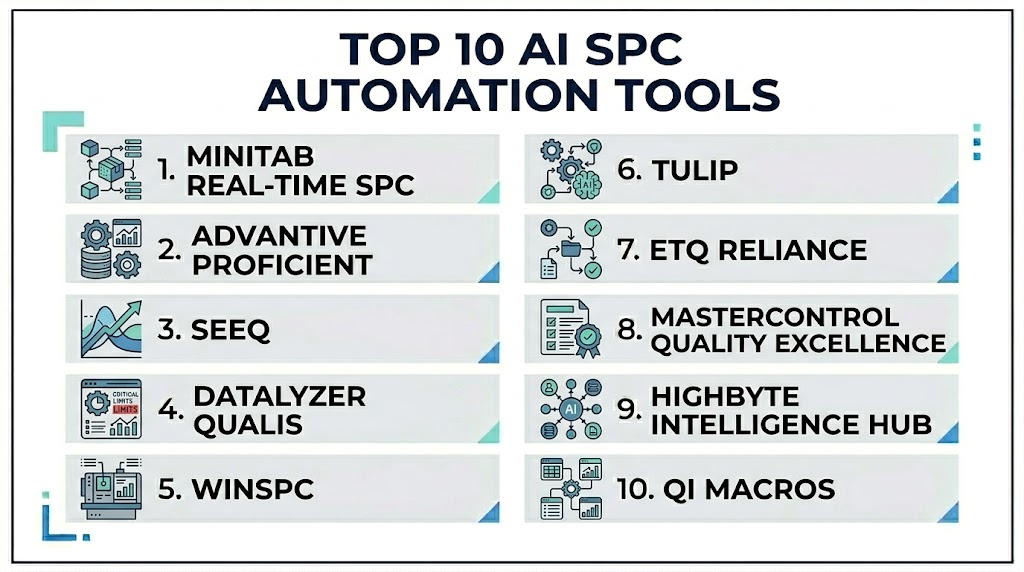
Top 10 AI SPC Automation Tools
1- Minitab Real-Time SPC
One-Line Verdict: Best for manufacturers needing trusted statistical analysis with real-time SPC monitoring.
Short Description
Minitab Real-Time SPC helps quality teams monitor process stability, automate control charts, and respond quickly when variation appears. It brings statistical process control into a real-time environment with dashboards, alerts, and data-driven quality insights.The platform is useful for manufacturers that already trust Minitab for statistical analysis and want to extend that capability into live production monitoring. It supports teams that need both practical SPC automation and deeper statistical investigation.
Standout Capabilities
- Real-time SPC monitoring
- Automated control charts
- Alerts for process variation
- Process capability analysis
- Quality dashboards
- Integration with statistical analysis workflows
- Data collection automation
- Support for quality improvement projects
AI-Specific Depth
- Model support: Statistical analytics and predictive analytics capabilities vary by workflow
- Knowledge integration: Quality data, production data, and statistical analysis context
- Evaluation: Control chart rules, capability metrics, and variation review
- Guardrails: User review, quality limits, and alert rules
- Observability: Dashboards, alerts, control charts, and process metrics
Pros
- Strong statistical foundation
- Good fit for quality teams familiar with SPC
- Real-time monitoring improves response speed
Cons
- Advanced AI depth may vary by configuration
- Integration planning may be needed
- Best results require clean quality data
Security and Compliance
Enterprise security features are available. Buyers should verify role-based access, audit logging, encryption, data retention, and governance requirements based on deployment.
Deployment and Platforms
- Cloud
- Web-based dashboards
- Integration with quality and production data sources
Integrations and Ecosystem
Minitab Real-Time SPC fits well into statistical quality and process improvement workflows.
- Quality data systems
- Manufacturing data sources
- Statistical analysis workflows
- Production dashboards
- Process improvement programs
- Reporting tools
Pricing Model
Subscription and enterprise pricing. Exact pricing is not publicly stated.
Best-Fit Scenarios
- Real-time SPC monitoring
- Process capability analysis
- Quality improvement programs
2- Advantive ProFicient
One-Line Verdict: Best for manufacturers needing enterprise SPC, quality visibility, and production process control.
Short Description
Advantive ProFicient, formerly known in the market through InfinityQS ProFicient, is a quality intelligence and SPC platform designed to help manufacturers monitor production quality, detect variation, and standardize process control across operations.It is useful for manufacturing organizations that need real-time quality visibility, standardized control plans, and traceable process monitoring across multiple lines, products, and sites.
Standout Capabilities
- Enterprise SPC monitoring
- Real-time quality data collection
- Control chart automation
- Quality intelligence dashboards
- Cross-line and cross-site visibility
- Process variation alerts
- Traceability support
- Manufacturing quality analytics
AI-Specific Depth
- Model support: Statistical analytics and quality intelligence capabilities
- Knowledge integration: Production quality data, process measurements, and control plans
- Evaluation: Control limits, process variation, and capability monitoring
- Guardrails: Quality rules, approval workflows, and user permissions
- Observability: Quality dashboards, alerts, chart views, and performance reports
Pros
- Strong enterprise SPC capabilities
- Good fit for multi-site manufacturing
- Supports standardized quality monitoring
Cons
- Implementation may require quality process alignment
- Best value depends on consistent data collection
- May be more than small teams need
Security and Compliance
Enterprise security capabilities are available. Buyers should verify role-based access, audit logging, encryption, traceability, and retention controls.
Deployment and Platforms
- Cloud and enterprise environments may vary
- Web dashboards
- Manufacturing quality workflows
Integrations and Ecosystem
ProFicient connects SPC with manufacturing quality operations.
- Production measurement systems
- Quality systems
- Manufacturing systems
- Shop floor data collection
- Reporting dashboards
- Process improvement workflows
Pricing Model
Enterprise subscription and licensing. Exact pricing is not publicly stated.
Best-Fit Scenarios
- Enterprise SPC standardization
- Multi-site quality monitoring
- Real-time process control
3- Seeq
One-Line Verdict: Best for process industries needing dynamic SPC, time-series analytics, and process investigation.
Short Description
Seeq helps engineers analyze time-series process data, build dynamic SPC workflows, investigate variation, and identify abnormal process behavior. It is especially useful in process industries where production data is continuous, complex, and connected to many process variables.For AI SPC Automation, Seeq is valuable because it helps teams move beyond static SPC charts and apply advanced analytics to near-real-time production data. Engineers can investigate process shifts, compare operating periods, and detect variation patterns more efficiently.
Standout Capabilities
- Time-series analytics
- Dynamic SPC workflows
- Process variation investigation
- Near-real-time monitoring
- Advanced analytics and AI suite capabilities
- Collaboration for engineers
- Process behavior comparison
- Measurement system analysis support
AI-Specific Depth
- Model support: Machine learning, statistical analytics, and advanced process analytics
- Knowledge integration: Time-series data, process context, and engineering knowledge
- Evaluation: Engineer review, trend analysis, and SPC rule validation
- Guardrails: User review, workbooks, access controls, and analytics governance
- Observability: Trends, dashboards, capsules, alerts, and analytics workbooks
Pros
- Strong fit for process engineers
- Excellent time-series analysis depth
- Useful for dynamic and scalable SPC workflows
Cons
- Requires process data and engineering expertise
- May not be a simple plug-and-play SPC tool
- Advanced workflows need configuration
Security and Compliance
Enterprise security features are available. Buyers should verify role-based access, audit logging, encryption, identity management, and deployment-specific governance needs.
Deployment and Platforms
- Cloud
- Hybrid
- Enterprise process data environments
Integrations and Ecosystem
Seeq connects with process and industrial data systems.
- Industrial historians
- Time-series databases
- Manufacturing systems
- Cloud data platforms
- Process analytics workflows
- Engineering collaboration tools
Pricing Model
Enterprise subscription pricing. Exact pricing is not publicly stated.
Best-Fit Scenarios
- Process industry SPC
- Time-series variation analysis
- Advanced quality investigation
4- DataLyzer Qualis
One-Line Verdict: Best for manufacturers needing SPC with quality tools such as MSA, FMEA, and APQP support.
Short Description
DataLyzer Qualis is a quality software platform with SPC functionality, data entry, operator feedback, and quality management support. It is useful for manufacturers that need SPC connected with broader quality planning and continuous improvement workflows.The platform is especially relevant for teams that need SPC alongside tools such as measurement system analysis, failure mode analysis, advanced product quality planning, and audit traceability.
Standout Capabilities
- SPC data collection
- Real-time operator feedback
- Control chart automation
- Measurement system analysis support
- Quality planning support
- Audit traceability
- Multilingual manufacturing use
- Quality workflow integration
AI-Specific Depth
- Model support: SPC and quality analytics, AI depth varies
- Knowledge integration: Quality records, measurement data, inspection workflows, and process control plans
- Evaluation: Control charts, MSA outputs, and quality performance review
- Guardrails: Audit traceability, user permissions, and quality workflows
- Observability: SPC dashboards, quality reports, and operator feedback views
Pros
- Strong quality tool coverage
- Useful for manufacturing quality teams
- Supports audit and traceability needs
Cons
- Advanced AI capabilities may vary
- Setup quality affects results
- Best suited for teams with defined quality workflows
Security and Compliance
Security capabilities are available. Buyers should verify access controls, audit logs, encryption, data retention, and compliance alignment.
Deployment and Platforms
- Web-based environments
- Manufacturing quality workflows
- Deployment details may vary
Integrations and Ecosystem
DataLyzer Qualis fits into quality and manufacturing operations.
- SPC workflows
- MSA workflows
- FMEA workflows
- APQP workflows
- Inspection data
- Quality reporting
Pricing Model
Pricing is not publicly stated.
Best-Fit Scenarios
- SPC with MSA and FMEA
- Quality planning and traceability
- Operator feedback and quality monitoring
5- WinSPC
One-Line Verdict: Best for manufacturers needing real-time SPC monitoring and quality data visibility.
Short Description
WinSPC is a statistical process control software platform used to collect quality data, monitor processes, create control charts, and identify variation. It helps manufacturing teams maintain process control and respond faster to quality issues.For AI SPC Automation, WinSPC is useful when teams need structured SPC workflows, production quality monitoring, and real-time visibility across processes. AI depth may vary, but it remains relevant for SPC automation and quality control.
Standout Capabilities
- Real-time SPC monitoring
- Control chart creation
- Data collection support
- Quality alerts
- Process capability analysis
- Production quality reporting
- Shop floor quality visibility
- Statistical quality workflows
AI-Specific Depth
- Model support: SPC analytics and statistical monitoring, AI depth varies
- Knowledge integration: Quality data, process measurements, and production context
- Evaluation: Control chart rules, process capability, and variation tracking
- Guardrails: Quality limits, alerts, and user review workflows
- Observability: Charts, dashboards, alerts, and reports
Pros
- Focused SPC functionality
- Useful for real-time quality monitoring
- Helps reduce manual charting
Cons
- AI features may be limited compared with newer platforms
- Integration setup may require planning
- Best results require consistent data collection
Security and Compliance
Security features vary by deployment. Buyers should verify user access, audit logging, encryption, and data handling controls.
Deployment and Platforms
- Manufacturing environments
- Deployment options may vary
- Desktop or server workflows may apply depending on configuration
Integrations and Ecosystem
WinSPC supports quality and production data workflows.
- Measurement devices
- Manufacturing systems
- Quality databases
- Production data sources
- Reporting tools
- SPC workflows
Pricing Model
Pricing is not publicly stated.
Best-Fit Scenarios
- Real-time SPC tracking
- Control chart automation
- Manufacturing quality monitoring
6- Tulip
One-Line Verdict: Best for manufacturers building custom SPC and quality workflows on the shop floor.
Short Description
Tulip is a frontline operations platform that helps manufacturers build apps for production tracking, quality checks, inspections, work instructions, and process improvement. It can support SPC-style workflows when teams need flexible data capture and operator-driven quality monitoring.For AI SPC Automation, Tulip is useful when manufacturers want customized quality apps, operator input, machine data, and workflow-driven alerts rather than a fixed SPC-only platform.
Standout Capabilities
- Custom quality apps
- Operator data capture
- Machine connectivity
- Real-time production dashboards
- Inspection workflows
- Quality alerts
- No-code and low-code app building
- Frontline workflow automation
AI-Specific Depth
- Model support: AI capabilities vary through connected analytics and workflows
- Knowledge integration: Operator input, machine data, inspection results, and process workflow context
- Evaluation: App analytics, quality trends, and production outcome review
- Guardrails: App governance, user permissions, and workflow approvals
- Observability: Dashboards, app metrics, quality reports, and production views
Pros
- Highly flexible for shop floor quality workflows
- Strong operator engagement
- Useful for custom SPC-related applications
Cons
- Requires thoughtful app design
- Not a dedicated SPC platform by default
- Governance becomes important as apps scale
Security and Compliance
Enterprise security features are available. Buyers should verify role-based access, identity management, audit logging, app governance, encryption, and data retention needs.
Deployment and Platforms
- Cloud
- Edge-supported shop floor environments
- Web-based and tablet-friendly workflows
Integrations and Ecosystem
Tulip connects quality workflows with frontline operations.
- Machine connectivity tools
- Sensors and devices
- ERP systems
- Quality systems
- APIs
- Operator workstations and tablets
Pricing Model
Subscription-based pricing. Exact pricing varies by deployment and usage.
Best-Fit Scenarios
- Custom SPC data capture
- Operator-driven quality checks
- Shop floor quality workflow automation
7- ETQ Reliance
One-Line Verdict: Best for quality teams connecting SPC insights with enterprise QMS and corrective action workflows.
Short Description
ETQ Reliance is an enterprise quality management platform that supports quality processes such as nonconformance, corrective action, audits, document control, risk management, and supplier quality. While it is not only an SPC platform, it can support quality workflows where SPC findings must connect to structured quality action.For AI SPC Automation, ETQ Reliance is useful when manufacturers need to turn process variation and quality signals into traceable quality events, investigations, approvals, and corrective actions.
Standout Capabilities
- Enterprise quality management
- Corrective action workflows
- Nonconformance management
- Audit management
- Risk-based quality workflows
- Supplier quality support
- Quality event tracking
- Enterprise reporting
AI-Specific Depth
- Model support: AI and analytics capabilities vary by module and configuration
- Knowledge integration: Quality events, audit data, CAPA records, supplier data, and process context
- Evaluation: Quality workflow outcomes, corrective action effectiveness, and trend reporting
- Guardrails: Approval workflows, audit trails, access controls, and quality governance
- Observability: QMS dashboards, event reports, workflow views, and quality metrics
Pros
- Strong enterprise QMS foundation
- Useful for regulated quality workflows
- Connects quality signals with corrective action
Cons
- Not a dedicated SPC automation tool by itself
- Requires integration with SPC or production data sources
- Enterprise setup may take planning
Security and Compliance
Enterprise security and governance features are available. Buyers should verify role-based access, audit logging, encryption, data retention, electronic signatures where needed, and compliance requirements.
Deployment and Platforms
- Cloud
- Enterprise QMS environments
- Web workflows
Integrations and Ecosystem
ETQ Reliance fits into quality and compliance ecosystems.
- QMS workflows
- CAPA processes
- Audit programs
- Supplier quality workflows
- Manufacturing quality systems
- Reporting dashboards
Pricing Model
Enterprise subscription pricing. Exact pricing is not publicly stated.
Best-Fit Scenarios
- SPC-triggered corrective action
- Enterprise quality governance
- Regulated manufacturing quality workflows
8- MasterControl Quality Excellence
One-Line Verdict: Best for regulated manufacturers connecting SPC-related quality signals with compliance workflows.
Short Description
MasterControl Quality Excellence supports quality management workflows such as document control, training, audits, deviations, nonconformance, corrective actions, and supplier quality. It is useful for regulated manufacturers that need traceability and controlled quality processes.For AI SPC Automation, MasterControl is most relevant when SPC signals need to feed into compliant quality events, investigations, approvals, and corrective action workflows.
Standout Capabilities
- Quality management workflows
- Corrective action support
- Nonconformance management
- Audit and compliance workflows
- Document and training control
- Supplier quality support
- Quality event tracking
- Controlled approval processes
AI-Specific Depth
- Model support: AI and analytics capabilities vary by module and implementation
- Knowledge integration: Quality records, compliance documents, training records, and investigation workflows
- Evaluation: Quality event trends, CAPA outcomes, and workflow performance
- Guardrails: Audit trails, approvals, user permissions, and quality governance
- Observability: Quality dashboards, workflow reports, and compliance views
Pros
- Strong fit for regulated industries
- Helps connect quality data with controlled workflows
- Supports audit-ready quality processes
Cons
- Not a pure SPC platform
- Requires integration with process data sources
- May be more than simple SPC teams need
Security and Compliance
Enterprise security and compliance-oriented features are available. Buyers should verify role-based access, audit trails, encryption, data retention, approvals, and electronic record requirements.
Deployment and Platforms
- Cloud
- Enterprise quality environments
- Web workflows
Integrations and Ecosystem
MasterControl supports regulated quality operations.
- QMS workflows
- CAPA workflows
- Document control
- Training management
- Supplier quality processes
- Quality reporting
Pricing Model
Enterprise subscription pricing. Exact pricing is not publicly stated.
Best-Fit Scenarios
- Regulated quality workflows
- SPC-linked CAPA management
- Audit-ready quality operations
9- HighByte Intelligence Hub
One-Line Verdict: Best for manufacturers preparing contextualized industrial data for SPC and AI analytics.
Short Description
HighByte Intelligence Hub helps manufacturers model, contextualize, and move industrial data from machines, systems, and sensors into analytics platforms. It is not a dedicated SPC tool, but it can be a strong foundation for AI SPC Automation when teams need clean, structured, and contextualized production data.For SPC automation, HighByte is useful when the biggest challenge is getting usable process data from industrial systems into quality, analytics, or cloud platforms.
Standout Capabilities
- Industrial data contextualization
- Data modeling for manufacturing systems
- Machine and sensor data integration
- Data pipeline support
- Context-rich analytics enablement
- Industrial system connectivity
- Data standardization
- Support for AI-ready manufacturing data
AI-Specific Depth
- Model support: Bring-your-own analytics and AI workflows
- Knowledge integration: Industrial machine data, process context, and data models
- Evaluation: Data quality validation and downstream analytics review
- Guardrails: Data governance, access controls, and integration rules
- Observability: Data pipeline visibility, model outputs, and integration monitoring
Pros
- Strong foundation for SPC data automation
- Useful for fragmented industrial data environments
- Supports scalable analytics architecture
Cons
- Not a standalone SPC platform
- Requires analytics or SPC tools downstream
- Best suited for data-mature teams
Security and Compliance
Enterprise security capabilities are available. Buyers should verify access controls, encryption, audit logging, data governance, and connection security.
Deployment and Platforms
- Industrial data environments
- Edge and enterprise data workflows may vary
- Integration-driven deployment
Integrations and Ecosystem
HighByte supports industrial data movement and context.
- PLC data sources
- SCADA systems
- Historians
- MES systems
- Cloud analytics platforms
- Quality analytics systems
Pricing Model
Enterprise licensing. Exact pricing is not publicly stated.
Best-Fit Scenarios
- SPC data pipeline modernization
- Industrial data contextualization
- AI-ready process data foundation
10- QI Macros
One-Line Verdict: Best for small teams needing quick SPC charts and quality analysis inside Excel.
Short Description
QI Macros is an Excel add-in that helps users create control charts, histograms, Pareto charts, fishbone diagrams, capability analysis, and other quality improvement visuals. It is a practical option for teams that need simple SPC outputs without implementing a larger enterprise platform.For AI SPC Automation, QI Macros is not a deep AI platform, but it remains useful for smaller teams, consultants, training environments, and quality professionals who need fast statistical charting.
Standout Capabilities
- Excel-based SPC charts
- Control chart templates
- Capability analysis
- Pareto charts
- Fishbone diagrams
- Quality improvement templates
- Simple point-and-click workflow
- Useful for Six Sigma and lean projects
AI-Specific Depth
- Model support: AI capabilities are limited
- Knowledge integration: Excel datasets and manual quality analysis
- Evaluation: Chart review, capability metrics, and statistical outputs
- Guardrails: Human review and spreadsheet controls
- Observability: Excel charts, templates, and quality visuals
Pros
- Easy to use for Excel users
- Good for small teams and consultants
- Fast SPC chart creation
Cons
- Limited real-time automation
- Not designed for enterprise SPC monitoring
- AI depth is limited
Security and Compliance
Security depends on Excel, file governance, and organizational controls. Buyers should verify file access, data protection, and version control practices.
Deployment and Platforms
- Excel add-in
- Windows
- macOS
- Local spreadsheet workflows
Integrations and Ecosystem
QI Macros fits into lightweight quality improvement workflows.
- Excel datasets
- Six Sigma projects
- Quality templates
- Manual SPC analysis
- Training and consulting workflows
- Process improvement documentation
Pricing Model
Commercial add-in pricing. Exact pricing may vary by license.
Best-Fit Scenarios
- Small team SPC analysis
- Excel-based control charts
- Lean and Six Sigma quality projects
Comparison Table
| Tool Name | Best For | Deployment | Model Flexibility | Strength | Watch-Out | Public Rating |
|---|---|---|---|---|---|---|
| Minitab Real-Time SPC | Real-time SPC monitoring | Cloud | Statistical and predictive analytics | Trusted SPC and analytics | Integration planning needed | N/A |
| Advantive ProFicient | Enterprise SPC standardization | Cloud and enterprise | Statistical quality intelligence | Multi-site quality visibility | Process alignment needed | N/A |
| Seeq | Process industry SPC | Cloud and hybrid | Machine learning and statistical analytics | Time-series SPC depth | Requires engineering skill | N/A |
| DataLyzer Qualis | SPC with quality planning | Web-based environments | SPC and quality analytics | MSA and quality tool support | AI depth varies | N/A |
| WinSPC | Real-time control charting | Manufacturing environments | Statistical monitoring | Focused SPC workflows | AI features may be limited | N/A |
| Tulip | Custom shop floor SPC apps | Cloud and edge | Workflow-based AI varies | Flexible operator workflows | Needs app governance | N/A |
| ETQ Reliance | SPC-linked QMS workflows | Cloud | AI varies by module | CAPA and quality governance | Needs SPC data integration | N/A |
| MasterControl Quality Excellence | Regulated quality workflows | Cloud | AI varies by module | Compliance-ready quality control | Not pure SPC | N/A |
| HighByte Intelligence Hub | SPC data foundation | Edge and enterprise | Bring-your-own AI | Industrial data contextualization | Needs downstream SPC tool | N/A |
| QI Macros | Excel-based SPC | Excel add-in | Limited AI | Simple chart creation | Not real-time enterprise SPC | N/A |
Scoring and Evaluation
The scoring below is a comparative guide, not an absolute ranking. Each tool is evaluated based on SPC depth, AI readiness, data automation, integration strength, ease of use, governance, reporting, and suitability for manufacturing quality programs. Buyers should validate these scores through a focused pilot using their own process measurements, inspection records, production data, quality rules, and user workflows.
| Tool | Core Features | Reliability and Evaluation | Guardrails | Integrations | Ease of Use | Performance and Cost | Security and Admin | Support | Weighted Total |
| Minitab Real-Time SPC | 9 | 9 | 8 | 8 | 8 | 8 | 8 | 9 | 8.5 |
| Advantive ProFicient | 9 | 8 | 8 | 9 | 7 | 8 | 8 | 8 | 8.3 |
| Seeq | 9 | 9 | 8 | 9 | 7 | 8 | 8 | 8 | 8.4 |
| DataLyzer Qualis | 8 | 8 | 8 | 8 | 8 | 8 | 8 | 8 | 8.0 |
| WinSPC | 8 | 8 | 7 | 8 | 8 | 8 | 7 | 7 | 7.8 |
| Tulip | 8 | 8 | 8 | 9 | 9 | 8 | 8 | 8 | 8.4 |
| ETQ Reliance | 8 | 8 | 9 | 8 | 7 | 8 | 9 | 8 | 8.2 |
| MasterControl Quality Excellence | 8 | 8 | 9 | 8 | 7 | 8 | 9 | 8 | 8.2 |
| HighByte Intelligence Hub | 8 | 8 | 8 | 9 | 7 | 8 | 8 | 8 | 8.0 |
| QI Macros | 7 | 7 | 6 | 6 | 9 | 9 | 6 | 8 | 7.2 |
Top 3 for Enterprise
- Minitab Real-Time SPC
- Advantive ProFicient
- Seeq
Top 3 for SMB
- QI Macros
- Tulip
- DataLyzer Qualis
Top 3 for Developers
- HighByte Intelligence Hub
- Seeq
- Tulip
Which AI SPC Automation Tool Is Right for You
Solo and Freelancer
Solo quality consultants and independent process improvement specialists often need tools that are easy to use, fast to demonstrate, and practical for client projects. QI Macros is useful for Excel-based SPC and Six Sigma work. Minitab Real-Time SPC is stronger when the client needs live process monitoring. Seeq is useful for consultants working in process industries with time-series data.
SMB
Small and medium manufacturers should prioritize ease of adoption, simple data collection, and practical control charting. QI Macros, DataLyzer Qualis, Tulip, and Minitab Real-Time SPC can be strong options depending on the level of automation needed. SMBs should begin with one line or one critical quality characteristic before scaling.
Mid-Market
Mid-market manufacturers often need stronger integration, live dashboards, operator feedback, and process capability analysis. Minitab Real-Time SPC, DataLyzer Qualis, WinSPC, and Tulip can support teams moving away from manual SPC and spreadsheets. These organizations should focus on tools that connect shop floor data with quality action.
Enterprise
Large enterprises need multi-site quality monitoring, standardized SPC rules, auditability, integration with quality systems, and executive reporting. Advantive ProFicient, Minitab Real-Time SPC, Seeq, ETQ Reliance, and MasterControl are strong options depending on whether the priority is live SPC, process analytics, or quality governance.
Regulated Industries
Regulated industries such as pharmaceuticals, medical devices, aerospace, automotive, food production, and chemicals should prioritize audit trails, traceability, approval workflows, data integrity, and controlled quality processes. MasterControl, ETQ Reliance, DataLyzer Qualis, Minitab Real-Time SPC, and Advantive ProFicient may be relevant depending on the process and compliance model.
Budget vs Premium
Budget-conscious teams can start with QI Macros or a focused SPC workflow in Tulip. Mid-sized teams may benefit from Minitab Real-Time SPC, DataLyzer Qualis, or WinSPC. Premium enterprise programs should evaluate Advantive ProFicient, Seeq, ETQ Reliance, MasterControl, and HighByte when multi-site scaling, governance, and data architecture are priorities.
Build vs Buy
Building custom SPC automation can work for organizations with strong data engineering, quality engineering, and manufacturing analytics teams. However, SPC requires correct chart logic, control rules, alerts, data validation, audit trails, and operator workflows. Buying a proven platform is usually better when the organization needs faster adoption, validated workflows, and quality team trust.
Implementation Playbook
Implementing AI SPC Automation should be treated as a quality improvement program, not only a software rollout. The goal is to improve process control, reduce variation, and help teams act before defects occur. A successful rollout requires reliable data, clear control rules, user training, and connected action workflows.
First Phase
The first phase should focus on one critical process, production line, product family, or quality characteristic. Starting with a focused pilot helps teams validate data quality, confirm control limits, and build user trust before expanding.
Key activities include:
- Select one high-impact process or quality characteristic
- Define baseline defect and variation levels
- Identify measurement points and data sources
- Review measurement system reliability
- Define control chart types and rules
- Standardize data collection workflows
- Train operators and quality engineers
- Create initial SPC dashboards
- Define alert and escalation rules
- Establish pilot success metrics
AI-specific tasks include:
- Detect abnormal variation patterns
- Compare normal and unstable process behavior
- Identify recurring out-of-control signals
- Create early warning alerts
- Review false alerts with quality engineers
- Document model and rule assumptions
- Validate process capability calculations
- Track user feedback on alerts
Success metrics should include:
- Better process visibility
- Faster detection of variation
- Reduced manual charting effort
- Improved alert accuracy
- Higher operator engagement
- Better defect prevention
- More reliable quality data
- Stronger process capability visibility
Second Phase
The second phase should focus on expanding SPC automation into daily quality and production routines. Control charts should become part of shift reviews, quality investigations, supervisor dashboards, and corrective action workflows.
Key activities include:
- Validate control limits and chart logic
- Connect SPC alerts with quality response workflows
- Review recurring variation patterns
- Add more lines or quality characteristics
- Train supervisors on SPC dashboards
- Standardize operator response actions
- Connect SPC with nonconformance workflows where needed
- Improve reporting for quality leadership
- Review measurement system issues
- Build continuous improvement routines
AI-specific tasks include:
- Monitor alert quality and false positives
- Detect process drift and trend changes
- Compare quality patterns across shifts and lines
- Identify likely drivers of variation
- Add predictive quality alerts where possible
- Use feedback to improve alert rules
- Track actions taken after SPC alerts
- Review model drift and data quality
- Create audit trails for high-impact alerts
- Improve explainability of variation signals
Success metrics should include:
- Reduced scrap and rework
- Fewer quality escapes
- Faster response to process shifts
- Better shift-to-shift consistency
- Improved process capability
- Reduced manual investigation time
- Better corrective action quality
- Higher quality team adoption
Third Phase
The third phase should focus on scaling SPC automation across plants, products, and business units. At this stage, organizations should standardize SPC definitions, control rules, dashboards, governance, and continuous improvement workflows.
Key activities include:
- Expand SPC automation across more processes
- Standardize control rules across facilities
- Create enterprise quality dashboards
- Connect SPC with QMS, MES, ERP, and historian systems
- Benchmark process capability across sites
- Build governance for chart changes
- Train additional quality and production teams
- Review vendor support and platform performance
- Connect SPC findings with CAPA workflows
- Establish long-term quality improvement routines
AI-specific tasks include:
- Scale anomaly detection across processes
- Monitor model performance across sites
- Add multivariate analysis where useful
- Review alert performance by product and line
- Improve prediction of process instability
- Maintain model and rule documentation
- Review access controls and audit logs
- Add natural language quality insights where available
- Improve recommendations through feedback loops
- Use SPC insights for preventive quality actions
Long-term success metrics should include:
- Lower defect rates
- Reduced scrap and rework
- Higher first-pass yield
- Better process capability
- Faster containment of quality issues
- Stronger audit readiness
- Reduced manual SPC effort
- More consistent multi-site quality reporting
- Better continuous improvement maturity
- Lower cost of poor quality
Common Mistakes and How to Avoid Them
1. Automating Poor Quality Data
SPC automation is only as good as the data behind it. Inaccurate measurements, missing records, and inconsistent sampling can produce misleading charts. Validate measurement systems and data collection before scaling.
2. Using the Wrong Control Chart
Different data types require different control charts. Using the wrong chart can lead to false conclusions about process stability. Quality teams should select chart types based on data structure and process behavior.
3. Ignoring Measurement System Analysis
If the measurement system is unreliable, SPC results will be unreliable. Teams should confirm that measurement variation is acceptable before using SPC for decisions. Measurement system analysis helps build confidence in the data.
4. Treating Every Alert as Equal
Not every SPC signal requires the same response. Teams should define alert severity and escalation rules. This helps avoid alert fatigue and keeps attention on meaningful variation.
5. Keeping SPC Separate From Operations
SPC should not live only in the quality department. Operators, supervisors, engineers, and maintenance teams should understand how to respond to process signals. SPC works best when it is part of daily production routines.
6. Not Training Operators
Operators need to understand what alerts mean and what action is expected. Without training, alerts may be ignored or handled inconsistently. Simple response instructions improve adoption.
7. Ignoring Process Context
SPC charts show variation, but context explains why variation happens. Material changes, shift changes, machine settings, tool wear, and environmental conditions should be considered during investigation.
8. Overusing Manual Spreadsheets
Spreadsheets can be useful for small analyses, but they become risky for real-time production monitoring. Manual spreadsheets increase the chance of delayed updates, version issues, and missed alerts.
9. Not Connecting SPC With Corrective Actions
SPC alerts should lead to action. If out-of-control signals are not connected to containment, investigation, or corrective action workflows, the value is limited. Connect SPC with QMS or CAPA processes where needed.
10. Setting Static Limits Without Review
Processes change over time. Control limits and rules should be reviewed when equipment, materials, methods, or measurement systems change. Governance is needed to prevent uncontrolled changes.
11. Ignoring False Positives
Too many false alerts reduce trust. Teams should review false positives and adjust rules carefully. The goal is not more alerts but better alerts.
12. Scaling Without Standard Rules
Multi-site SPC only works when definitions, rules, and data collection methods are standardized. Without consistency, plants cannot be compared fairly. Create common SPC governance before scaling.
13. Measuring Only Chart Creation
The goal is not just to create control charts. The goal is to reduce variation, defects, scrap, rework, and customer issues. Measure operational outcomes, not only reporting activity.
14. Expecting AI to Replace Quality Engineers
AI can detect patterns and recommend attention areas, but quality engineers still need to validate findings and decide actions. AI should support human expertise, not replace responsibility.
FAQs
1. What is AI SPC Automation?
AI SPC Automation uses artificial intelligence, statistical methods, and production data to monitor process variation automatically. It helps teams create control charts, detect instability, trigger alerts, and identify quality risks faster. The goal is to move from manual quality tracking to real-time process control. It supports better defect prevention, faster response, and stronger process consistency.
2. Why is SPC important in manufacturing?
SPC is important because it helps manufacturers understand whether a process is stable and predictable. When a process starts to drift, SPC can reveal early warning signs before defects increase. This helps teams act before quality problems reach customers. SPC also supports continuous improvement and process capability management.
3. How does AI improve SPC?
AI improves SPC by detecting subtle patterns, predicting process drift, reducing false alerts, and analyzing multiple process variables together. Traditional SPC rules are useful, but AI can add context from machine data, production history, materials, and quality outcomes. This makes process monitoring more proactive. AI can also help engineers prioritize which signals need attention first.
4. What data is needed for AI SPC Automation?
Common data includes measurements, inspection results, machine readings, process parameters, operator inputs, production counts, defect records, and material information. Some companies also use historian data, MES data, ERP data, and quality system records. Data must be accurate and consistently collected. Poor data quality reduces the usefulness of SPC automation.
5. Can AI SPC reduce scrap and rework?
Yes, AI SPC can reduce scrap and rework by detecting process instability earlier. If teams act quickly when variation appears, they can prevent defects from increasing. SPC alerts can also help identify recurring issues and guide corrective actions. The impact depends on data quality, response workflows, and operator adoption.
6. What is the difference between SPC and quality inspection?
Quality inspection checks whether products meet requirements, often after production or during sampling. SPC monitors the process itself to understand whether it is stable and controlled. Inspection finds defects, while SPC helps prevent defects. The strongest quality programs use both methods together.
7. Can SPC be automated in real time?
Yes, modern SPC platforms can collect data from machines, sensors, operators, and production systems in real time or near real time. Control charts and dashboards can update automatically. Alerts can notify operators and quality teams when variation appears. Real-time SPC helps teams respond before defects spread.
8. Is AI SPC useful for regulated industries?
Yes, AI SPC can be useful for regulated industries such as pharmaceuticals, medical devices, aerospace, automotive, food production, and chemicals. These industries need strong traceability, auditability, and process control. Buyers should verify audit logs, approvals, data integrity, access control, and quality workflow integration. Human review remains important for high-impact quality decisions.
9. What are common SPC chart types?
Common SPC chart types include individual charts, moving range charts, X-bar and range charts, X-bar and standard deviation charts, p charts, np charts, c charts, and u charts. The correct chart depends on the data type and sampling method. Choosing the wrong chart can create misleading signals. Quality engineers should validate chart selection.
10. How does SPC relate to process capability?
SPC helps determine whether a process is stable, while process capability measures whether a stable process can meet specification limits. Capability metrics such as Cp and Cpk are useful only when the process is under control. AI SPC tools can help monitor both stability and capability. This helps teams understand whether quality problems come from instability or poor capability.
11. Can AI SPC connect with MES and QMS systems?
Yes, many SPC platforms can connect with MES, QMS, ERP, historians, and production systems. Integration helps automate data collection and connect SPC alerts with quality actions. Without integration, teams may still rely on manual exports and spreadsheet updates. Buyers should verify integration options before selecting a platform.
12. How should companies measure success from SPC automation?
Companies should measure reduced defects, lower scrap, less rework, improved process capability, faster response to variation, reduced manual reporting, and better audit readiness. They should also track operator adoption and alert response time. A successful SPC program improves real process outcomes, not only chart availability. Baseline metrics should be defined before rollout.
13. What are the biggest implementation challenges?
Common challenges include poor measurement systems, inconsistent data collection, wrong chart selection, weak operator training, false alerts, and disconnected quality workflows. Some teams also struggle with unclear ownership of process response. A successful rollout needs clean data, standard rules, training, and integration with daily operations.
14. Should AI SPC automatically stop production?
In most cases, AI SPC should alert operators and quality teams before automatically stopping production. Automatic stops may be appropriate for safety-critical or high-risk quality scenarios, but they require careful validation and governance. Human review is usually needed for complex decisions. Start with alerts and escalation workflows before adding automation.
15. What is the future of AI SPC Automation?
The future of AI SPC Automation will include stronger predictive process monitoring, multivariate analysis, AI-assisted root cause investigation, natural language quality copilots, and deeper integration with production and quality systems. SPC will become more proactive, helping teams prevent variation before it creates defects. The best results will come from combining AI insights with quality engineering discipline and strong process ownership.
Conclusion
AI SPC Automation helps manufacturers improve process stability, reduce variation, prevent defects, and strengthen quality control. The right platform depends on production complexity, quality requirements, data maturity, compliance needs, and integration environment. Minitab Real-Time SPC, Advantive ProFicient, Seeq, DataLyzer Qualis, WinSPC, Tulip, ETQ Reliance, MasterControl Quality Excellence, HighByte Intelligence Hub, and QI Macros each serve different needs across real-time SPC, process analytics, quality governance, data contextualization, and lightweight charting.The best approach is to start with one critical process or quality characteristic, validate measurement reliability, automate data collection, and train operators on response workflows. Shortlist tools based on your SPC needs, existing systems, user skill level, and compliance requirements. Pilot the selected platform with real production data, verify alert quality, review security and governance, and measure improvements in scrap, rework, process capability, and response time. Once the pilot proves value, scale SPC automation across more lines, products, and facilities with standardized rules and continuous improvement routines.

Find Trusted Cardiac Hospitals
Compare heart hospitals by city and services — all in one place.
Explore Hospitals
AI SPC tools are powerful, but real impact depends on data quality, sensor calibration, and integration with MES/edge systems rather than just algorithmic features.