
Introduction
AI Worker Safety Monitoring Vision and IoT tools help organizations detect unsafe behavior, monitor high-risk zones, improve personal protective equipment compliance, and prevent workplace incidents using artificial intelligence, computer vision, connected sensors, cameras, wearables, and industrial IoT data. These platforms are used in factories, warehouses, construction sites, logistics hubs, mines, energy plants, and other environments where worker safety depends on fast visibility and timely action.
Traditional safety monitoring often depends on manual inspections, supervisor observation, incident reports, and periodic audits. These methods are important, but they can miss near misses, unsafe movements, restricted-zone entries, missing protective gear, fatigue signals, or environmental hazards that happen between inspections. AI-powered worker safety platforms continuously analyze video streams, sensor data, and operational signals to detect risks earlier.
The goal is not to replace safety teams. The goal is to help them identify hazards faster, reduce blind spots, improve compliance, and create a stronger safety culture. When implemented correctly, these tools can support proactive safety management, faster incident response, better training, and stronger visibility across sites.
Why It Matters
Worker safety is one of the most important responsibilities in any industrial, construction, logistics, or manufacturing environment. A single incident can harm employees, disrupt operations, trigger compliance issues, increase insurance costs, damage morale, and affect business continuity. Safety teams need timely, reliable, and contextual information to prevent incidents before they escalate.
AI Worker Safety Monitoring matters because many risks are difficult to detect manually at scale. Cameras may capture unsafe behaviors, but humans cannot watch every feed continuously. Sensors may collect environmental or movement data, but raw data alone does not always show what action is needed. AI helps convert these signals into alerts, trends, and actionable insights.
These platforms can detect missing hard hats, unsafe forklift proximity, restricted area entry, fall risks, unsafe lifting, blocked exits, machine guarding violations, fatigue indicators, heat stress risks, and other safety concerns. For leaders, the value is not only fewer incidents but also better training, improved accountability, stronger compliance readiness, and a measurable safety improvement program.
Real World Use Cases
- Detecting missing helmets, vests, gloves, goggles, and other protective gear
- Monitoring restricted-zone access and unsafe area entry
- Detecting unsafe proximity between workers, forklifts, vehicles, and machines
- Identifying near misses before they become incidents
- Monitoring work-at-height safety behavior
- Detecting blocked exits, spills, and unsafe floor conditions
- Tracking environmental risks such as heat, gas, dust, noise, and air quality
- Supporting lone worker and remote worker safety
- Monitoring fatigue and unsafe driving behavior in fleets
- Improving safety audits with video and sensor evidence
- Supporting incident investigation and root cause analysis
- Reducing manual safety observation workload
- Improving contractor and visitor safety compliance
- Supporting safety training with real event examples
- Creating site-level and enterprise-level safety analytics
Evaluation Criteria for Buyers
When evaluating AI Worker Safety Monitoring Vision and IoT tools, buyers should consider:
- Computer vision accuracy for safety scenarios
- Support for existing cameras and new camera deployments
- PPE detection and safety behavior monitoring depth
- IoT sensor support for environmental and worker safety data
- Real-time alerting and escalation workflows
- False positive reduction and alert prioritization
- Privacy controls and worker trust features
- Edge processing and cloud deployment flexibility
- Integration with EHS, incident management, HR, access control, and operations systems
- Support for high-risk zones and geofencing
- Safety analytics and trend reporting
- Mobile alerts for supervisors and safety teams
- Role-based access and audit logging
- Support for multiple sites and enterprise standardization
- Ease of use for EHS teams, supervisors, and frontline managers
Best For
AI Worker Safety Monitoring Vision and IoT tools are best for manufacturing plants, warehouses, logistics operators, construction companies, mining operations, utilities, oil and gas sites, chemical plants, energy facilities, transport fleets, EHS teams, plant managers, operations leaders, safety officers, and digital transformation teams that need proactive safety visibility across physical work environments.
Not Ideal For
These tools may not be ideal for small offices, low-risk workplaces, or organizations without cameras, sensors, or clear safety monitoring needs. They may also be unsuitable if the organization cannot establish worker privacy policies, consent processes, governance workflows, and human review procedures. In low-risk environments, manual safety checklists and standard EHS systems may be sufficient.
What’s Changing in AI Worker Safety Monitoring Vision and IoT
- Computer vision is making safety monitoring more continuous and less dependent on manual observation.
- Existing CCTV infrastructure is increasingly being reused for AI-powered safety analytics.
- IoT sensors are expanding safety monitoring beyond video into gas, heat, vibration, noise, air quality, and movement signals.
- Edge AI is reducing latency and helping sites process sensitive video data closer to the source.
- AI models are becoming better at detecting near misses, unsafe proximity, and restricted-zone violations.
- Privacy-preserving features such as face blurring and role-based access are becoming more important.
- Safety teams are shifting from incident reporting to proactive risk detection.
- Wearables are improving lone worker, fatigue, heat stress, and environmental exposure monitoring.
- AI alerts are being connected with EHS workflows, incident reports, and supervisor action plans.
- Multisite safety benchmarking is becoming more important for enterprise EHS leaders.
- Safety analytics is being used for training, coaching, and behavior improvement.
- Human review remains essential because false alerts and context errors can affect trust.
- AI safety monitoring is becoming part of broader operational risk and industrial transformation programs.
- Integration with access control, fleet systems, and maintenance tools is becoming more valuable.
- Governance expectations are increasing as worker monitoring tools affect privacy and labor relations.
Quick Buyer Checklist
Before selecting an AI Worker Safety Monitoring platform, verify:
- It supports your main safety risks and use cases
- It can work with your existing cameras where possible
- It supports PPE detection, zone monitoring, and unsafe behavior detection
- It can integrate IoT sensor data if needed
- It provides real-time alerts with escalation workflows
- It includes privacy controls such as masking or restricted video access
- It reduces false positives through context-aware detection
- It supports edge processing for latency or privacy needs
- It integrates with your EHS or incident management system
- It supports role-based access and audit logs
- It provides site-level and enterprise-level reporting
- It allows human review before high-impact action
- It can handle indoor and outdoor environments
- It supports mobile alerts for supervisors
- It can scale across multiple facilities
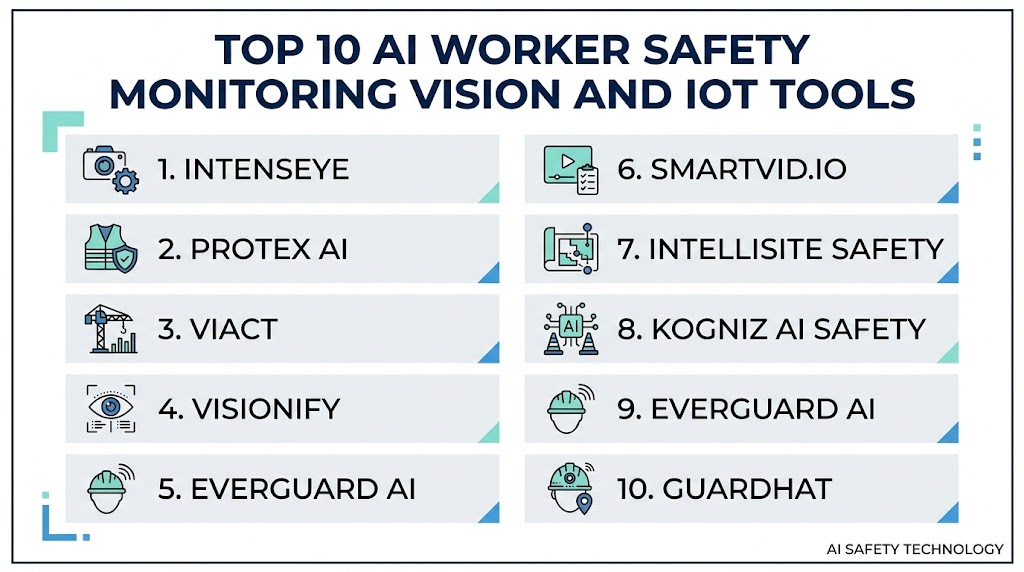
Top 10 AI Worker Safety Monitoring Vision and IoT Tools
1- Intenseye
One-Line Verdict: Best for enterprises seeking computer vision safety monitoring across high-risk industrial sites.
Short Description
Intenseye is an AI-powered workplace safety platform that uses computer vision to detect unsafe behaviors, PPE violations, restricted-zone entry, ergonomics risks, and other workplace hazards. It is designed for organizations that want to improve safety visibility using existing camera infrastructure and AI-driven event detection.The platform is especially useful for manufacturing, logistics, warehousing, and industrial environments where safety teams need continuous visibility without relying only on manual inspections.
Standout Capabilities
- AI-powered PPE monitoring
- Unsafe behavior detection
- Restricted-zone monitoring
- Ergonomics and posture risk detection
- Near-miss visibility
- Safety analytics dashboards
- Existing camera infrastructure support
- Enterprise EHS workflow alignment
AI-Specific Depth
- Model support: Proprietary computer vision models
- Knowledge integration: Safety rule and site context configuration
- Evaluation: Event review and alert validation workflows
- Guardrails: Human review, configurable safety rules, and privacy controls
- Observability: Safety dashboards, event logs, and trend analytics
Pros
- Strong computer vision safety focus
- Useful for proactive EHS programs
- Can help reduce manual observation workload
Cons
- Best value depends on camera coverage and video quality
- Requires privacy and worker communication planning
- Alert tuning may be needed to reduce noise
Security and Compliance
Enterprise security features are available. Buyers should verify role-based access, audit logging, encryption, data retention controls, video privacy settings, and deployment-specific governance requirements.
Deployment and Platforms
- Cloud
- Edge-supported environments may vary
- Works with existing camera infrastructure where supported
Integrations and Ecosystem
Intenseye fits into workplace safety, EHS, and industrial operations workflows.
- CCTV and camera systems
- EHS platforms
- Incident management workflows
- Safety dashboards
- Supervisor alerting tools
- Enterprise reporting systems
Pricing Model
Enterprise subscription pricing. Exact pricing is not publicly stated.
Best-Fit Scenarios
- PPE compliance monitoring
- Unsafe behavior detection
- Enterprise safety analytics across sites
2- Protex AI
One-Line Verdict: Best for EHS teams using computer vision to detect unsafe events and near misses.
Short Description
Protex AI is an AI workplace safety platform that analyzes camera footage to identify unsafe acts, near misses, and safety risks. It helps EHS leaders move from reactive incident reporting to proactive safety insight by capturing safety events that might otherwise go unnoticed.The platform is a strong fit for organizations that want continuous safety monitoring, better near-miss visibility, and practical analytics for coaching and prevention.
Standout Capabilities
- AI safety event detection
- Near-miss monitoring
- Unsafe behavior analytics
- PPE and compliance visibility
- Site-level safety reporting
- Continuous safety monitoring
- Event review workflows
- EHS trend analytics
AI-Specific Depth
- Model support: Proprietary computer vision models
- Knowledge integration: Site-specific safety event context
- Evaluation: EHS event review and validation
- Guardrails: Human review, safety workflow controls, and privacy policies
- Observability: Event dashboards, trend reports, and safety analytics
Pros
- Strong focus on EHS workflows
- Useful for near-miss detection
- Helps safety teams prioritize coaching actions
Cons
- Requires strong camera coverage
- May need site-specific configuration
- Worker privacy governance is important
Security and Compliance
Enterprise security features are available. Buyers should verify access controls, audit logs, encryption, video data handling, retention policies, and site-level governance requirements.
Deployment and Platforms
- Cloud
- Camera-connected environments
- Enterprise safety operations
Integrations and Ecosystem
Protex AI supports safety operations and EHS workflows.
- Existing camera systems
- EHS workflows
- Incident review processes
- Safety analytics dashboards
- Supervisor alerts
- Reporting systems
Pricing Model
Enterprise subscription pricing. Exact pricing is not publicly stated.
Best-Fit Scenarios
- Near-miss visibility
- AI-powered safety event review
- Proactive EHS improvement programs
3- viAct
One-Line Verdict: Best for construction and industrial sites needing AI safety monitoring with camera-based alerts.
Short Description
viAct provides AI video analytics for workplace safety, construction safety, industrial monitoring, and operational risk detection. It can monitor PPE compliance, restricted zones, unsafe work at height, hazardous behaviors, and other safety conditions through CCTV and AI-enabled cameras.The platform is useful for high-risk physical environments where supervisors need real-time alerts and visual evidence to act quickly.
Standout Capabilities
- PPE compliance detection
- Restricted-zone monitoring
- Work-at-height risk detection
- Hazardous behavior recognition
- Real-time alerts
- CCTV-based AI monitoring
- Safety dashboarding
- Construction and industrial site support
AI-Specific Depth
- Model support: Proprietary video analytics and computer vision models
- Knowledge integration: Site safety rules and camera zones
- Evaluation: Alert validation and safety event review
- Guardrails: User-defined rules, supervisor review, and escalation workflows
- Observability: Dashboards, alerts, and event records
Pros
- Strong fit for construction and industrial sites
- Real-time safety alerts
- Supports multiple safety scenarios
Cons
- Accuracy depends on camera angle and conditions
- May require site-specific setup
- Privacy and governance planning is required
Security and Compliance
Security features vary by deployment. Buyers should verify role-based access, encryption, audit logging, data retention, video access policies, and compliance requirements.
Deployment and Platforms
- Cloud
- Edge-enabled environments may vary
- CCTV and AI camera deployments
Integrations and Ecosystem
viAct connects safety monitoring with site operations.
- CCTV systems
- Site safety dashboards
- Alerting workflows
- Construction management workflows
- EHS reporting tools
- Industrial monitoring systems
Pricing Model
Enterprise subscription pricing. Exact pricing is not publicly stated.
Best-Fit Scenarios
- Construction site safety monitoring
- PPE and zone compliance
- Work-at-height risk detection
4- Visionify
One-Line Verdict: Best for facilities needing AI safety monitoring using existing cameras and configurable scenarios.
Short Description
Visionify provides AI-powered workplace safety monitoring that uses camera feeds to detect PPE violations, unsafe acts, hazardous conditions, near misses, and restricted-zone events. It is designed for organizations that want practical computer vision safety analytics across factories, warehouses, and industrial facilities.The platform is useful for teams that need configurable safety scenarios and real-time alerts without building custom computer vision models from scratch.
Standout Capabilities
- PPE compliance monitoring
- Hazard detection
- Unsafe act detection
- Near-miss detection
- Restricted area monitoring
- Existing camera support
- Real-time alerts
- Safety analytics dashboards
AI-Specific Depth
- Model support: Proprietary computer vision models
- Knowledge integration: Safety scenario and camera zone configuration
- Evaluation: Alert review and scenario validation
- Guardrails: Configurable rules, access controls, and human review workflows
- Observability: Safety dashboards, event logs, and alert analytics
Pros
- Practical camera-based safety monitoring
- Supports multiple safety scenarios
- Useful for facility-wide visibility
Cons
- Best value depends on camera quality and placement
- Site setup and tuning may be needed
- Privacy controls should be reviewed carefully
Security and Compliance
Enterprise security capabilities are available. Buyers should verify role-based access, audit logs, encryption, retention controls, and video data governance.
Deployment and Platforms
- Cloud
- Existing camera environments
- Edge options may vary
Integrations and Ecosystem
Visionify fits into safety operations and facility monitoring workflows.
- Camera systems
- EHS workflows
- Alerting tools
- Facility dashboards
- Incident review processes
- Enterprise reporting systems
Pricing Model
Subscription and enterprise pricing. Exact pricing is not publicly stated.
Best-Fit Scenarios
- PPE monitoring
- Facility safety analytics
- Near-miss and hazard detection
5- Everguard AI
One-Line Verdict: Best for industrial environments combining computer vision, wearables, and sensor-based safety monitoring.
Short Description
Everguard AI focuses on worker safety through computer vision, sensor data, wearables, and AI-driven safety intelligence. It is designed for high-risk industrial operations where multiple data sources can help identify unsafe conditions and prevent incidents.The platform is especially relevant for companies that want a broader connected safety ecosystem rather than camera-only monitoring.
Standout Capabilities
- Computer vision safety monitoring
- Wearable and sensor integration
- Proximity risk detection
- PPE compliance support
- Environmental and worker safety insights
- Real-time safety alerts
- Safety analytics dashboards
- Multi-signal risk detection
AI-Specific Depth
- Model support: Proprietary AI models across vision and sensor data
- Knowledge integration: Worker safety context from connected devices
- Evaluation: Event validation and safety trend review
- Guardrails: Human review, alert rules, access controls, and privacy policies
- Observability: Safety dashboards, sensor events, and risk trends
Pros
- Combines vision and IoT safety signals
- Good fit for high-risk industrial sites
- Supports proactive safety intervention
Cons
- May require hardware and sensor deployment
- Implementation can be more complex than camera-only tools
- Requires strong privacy and worker trust planning
Security and Compliance
Enterprise security capabilities are available. Buyers should verify identity controls, data encryption, audit logs, device security, retention policies, and worker privacy controls.
Deployment and Platforms
- Cloud
- Edge and device-connected environments may vary
- Wearable and sensor-enabled deployments
Integrations and Ecosystem
Everguard AI connects multiple safety data sources.
- Camera systems
- Wearables
- Environmental sensors
- Site safety dashboards
- Alerting workflows
- EHS and incident systems
Pricing Model
Enterprise pricing. Exact pricing is not publicly stated.
Best-Fit Scenarios
6- Smartvid.io
One-Line Verdict: Best for construction and industrial sites needing AI to detect unsafe behavior and PPE violations from video.
Short Description
Smartvid.io uses AI to analyze video and sensor data to detect unsafe behaviors, missing PPE, and site hazards. It combines visual analytics with incident reporting to reduce safety risks and improve compliance.
Standout Capabilities
- PPE compliance detection
- Unsafe behavior recognition
- Construction site hazard monitoring
- Near-miss detection
- Real-time alerts
- Integration with incident management workflows
- Dashboard and analytics reporting
- Multi-site monitoring
AI-Specific Depth
- Model support: Proprietary computer vision AI
- Knowledge integration: Site safety rules, sensor data
- Evaluation: Event validation and human review
- Guardrails: Configurable alerts, privacy features, operator approval
- Observability: Safety dashboards, alerts, and trend analytics
Pros
- Strong focus on construction and industrial safety
- Alerts enable proactive interventions
- Scalable for multiple sites
Cons
- Accuracy depends on video quality and placement
- Integration with legacy systems may require effort
- Privacy governance must be established
Security and Compliance
Enterprise-grade RBAC, audit logging, encryption, and video retention controls.
Deployment and Platforms
- Cloud-based
- Web dashboards
- Works with existing camera and IoT infrastructure
Integrations and Ecosystem
- CCTV and camera systems
- EHS platforms
- Incident management systems
- Site safety dashboards
Pricing Model
Enterprise subscription. Exact pricing not publicly stated.
Best-Fit Scenarios
- Construction site PPE monitoring
- Unsafe behavior detection
- Multi-site industrial safety analytics
7- Intellisite Safety
One-Line Verdict: Best for factories and warehouses needing AI-assisted monitoring for restricted zones and operational hazards.
Short Description
Intellisite Safety uses AI and IoT to monitor worker location, restricted zones, PPE compliance, and environmental hazards. Alerts and dashboards enable proactive safety measures across factories and warehouses.
Standout Capabilities
- Restricted-zone monitoring
- Proximity detection
- PPE compliance tracking
- Environmental hazard monitoring
- Real-time alerts
- Safety trend dashboards
- Integration with EHS workflows
- Mobile alert support
AI-Specific Depth
- Model support: Proprietary AI for video and IoT data
- Knowledge integration: Safety rules and zones
- Evaluation: Alerts validated against actual events
- Guardrails: Supervisor review and configurable thresholds
- Observability: Dashboards, alerts, and analytics
Pros
- Reduces risk of unauthorized zone entry
- Supports environmental and worker safety
- Real-time actionable alerts
Cons
- Relies on camera placement and sensor coverage
- Implementation may require site mapping
- Requires user training for effective response
Security and Compliance
Enterprise-grade access control, audit logging, and encrypted data storage.
Deployment and Platforms
- Cloud and edge-enabled environments
- Web dashboards and mobile notifications
Integrations and Ecosystem
- CCTV and IoT sensors
- EHS platforms
- Incident management and reporting dashboards
Pricing Model
Subscription-based. Exact pricing not publicly stated.
Best-Fit Scenarios
- Restricted-zone and PPE monitoring
- Warehouse and factory safety
- Real-time safety alerts
8- Kogniz AI Safety
One-Line Verdict: Best for high-risk industrial environments needing computer vision and sensor AI for proactive safety.
Short Description
Kogniz combines computer vision and IoT sensors to monitor PPE, unsafe behaviors, and environmental hazards. AI algorithms detect incidents before they occur, enabling proactive interventions.
Standout Capabilities
- PPE detection and compliance monitoring
- Unsafe behavior detection
- Environmental hazard analytics
- Worker proximity monitoring
- AI-driven safety alerts
- Dashboard visualization and trend reporting
- Multi-site deployment
- Integration with EHS platforms
AI-Specific Depth
- Model support: Proprietary AI for vision and sensor analytics
- Knowledge integration: Worker safety rules and environmental sensors
- Evaluation: Human validation and feedback loops
- Guardrails: Privacy protection, supervisor review, and configurable thresholds
- Observability: Dashboards, alerts, and reporting
Pros
- Supports multiple high-risk safety scenarios
- Alerts enable preventive action
- Scalable across sites
Cons
- Implementation requires camera and sensor infrastructure
- Training needed for supervisors and operators
- Privacy and governance policies must be enforced
Security and Compliance
Supports enterprise security including RBAC, encryption, and audit logs.
Deployment and Platforms
- Cloud and edge-enabled deployments
- Web dashboards
- Sensor and camera-enabled sites
Integrations and Ecosystem
- CCTV and IoT devices
- EHS software
- Incident reporting systems
- Mobile and web dashboards
Pricing Model
Enterprise subscription. Exact pricing not publicly stated.
Best-Fit Scenarios
- High-risk industrial safety monitoring
- PPE and restricted-zone compliance
- Worker proximity and environmental monitoring
9- Everguard AI
One-Line Verdict: Best for industrial facilities needing integrated vision, wearables, and IoT for worker safety.
Short Description
Everguard AI uses AI, wearable devices, and IoT sensors to monitor worker safety. It detects unsafe proximity, fatigue, environmental hazards, and PPE violations. Alerts and dashboards provide actionable safety intelligence.
Standout Capabilities
- Computer vision safety monitoring
- Wearable device integration
- Proximity and fatigue monitoring
- PPE compliance detection
- Environmental hazard tracking
- Real-time alerts and dashboards
- Multi-site monitoring
- Analytics for trend reporting
AI-Specific Depth
- Model support: Proprietary AI across vision and sensor data
- Knowledge integration: Safety rules, wearable data, environmental sensors
- Evaluation: Event validation and incident trend analytics
- Guardrails: Supervisor review, privacy protections, configurable rules
- Observability: Dashboards and alert reporting
Pros
- Combines multiple data streams for holistic safety
- Good for high-risk industrial sites
- Enables proactive interventions
Cons
- Requires wearable and sensor deployment
- Integration complexity may be high
- Privacy management required
Security and Compliance
Enterprise-grade RBAC, encryption, and audit logging.
Deployment and Platforms
- Cloud and edge-enabled
- Sensor and wearable-connected environments
- Web and mobile dashboards
Integrations and Ecosystem
- Camera systems
- Wearables
- Environmental sensors
- EHS software
- Incident reporting platforms
Pricing Model
Enterprise subscription. Exact pricing not publicly stated.
Best-Fit Scenarios
- High-risk industrial sites
- Integrated vision, wearables, and IoT safety monitoring
- Proactive hazard detection
10- Guardhat
One-Line Verdict: Best for factories and mining sites using connected wearables for worker safety and hazard alerts.
Short Description
Guardhat uses AI-enabled smart helmets, wearables, and sensors to monitor worker location, detect falls, unsafe proximity, gas exposure, and high-risk situations. It provides real-time alerts and dashboards to improve worker safety and compliance.
Standout Capabilities
- Wearable and helmet sensor monitoring
- Fall and proximity detection
- Gas and environmental hazard detection
- Real-time alerts
- Worker location tracking
- Safety dashboards
- Multi-site monitoring
- Incident reporting integration
AI-Specific Depth
- Model support: Proprietary AI for wearables and sensors
- Knowledge integration: Site-specific safety rules and environmental sensors
- Evaluation: Alert validation and incident review
- Guardrails: Supervisor approvals, configurable thresholds, privacy protection
- Observability: Dashboards, alerts, and analytics
Pros
- Integrates wearables for active monitoring
- Real-time alerts improve response
- Good fit for mining, factories, and high-risk environments
Cons
- Hardware deployment required
- Implementation complexity may be high
- Privacy policies must be clearly defined
Security and Compliance
Enterprise-grade security with access control, audit logging, encryption, and retention policies.
Deployment and Platforms
- Cloud
- Edge and wearable-connected deployments
- Web and mobile dashboards
Integrations and Ecosystem
- Wearable devices
- IoT sensors
- Camera systems
- EHS and incident management platforms
- Alerting and reporting dashboards
Pricing Model
Enterprise subscription. Exact pricing not publicly stated.
Best-Fit Scenarios
- Mining and industrial factory safety
- Real-time wearable monitoring
- Proactive hazard and proximity alerts
Comparison Table
| Tool Name | Best For | Deployment | Model Flexibility | Strength | Watch-Out | Public Rating |
|---|---|---|---|---|---|---|
| Intenseye | Enterprise computer vision safety monitoring | Cloud and edge | Proprietary computer vision | Strong safety analytics | Needs camera coverage | N/A |
| Protex AI | Near-miss and unsafe behavior detection | Cloud | Proprietary computer vision | EHS workflow focus | Requires privacy planning | N/A |
| viAct | Construction and industrial site safety | Cloud and edge | Proprietary video analytics | Site hazard detection | Camera placement matters | N/A |
| Visionify | Configurable workplace safety monitoring | Cloud and edge | Proprietary computer vision | Practical safety scenarios | Needs tuning by site | N/A |
| Everguard AI | Vision and IoT safety intelligence | Cloud and edge | Vision and sensor AI | Multi-signal risk detection | Hardware setup may be needed | N/A |
| Smartvid.io | Construction safety video analytics | Cloud | Proprietary computer vision | PPE and site risk detection | Best for camera-based workflows | N/A |
| Intellisite Safety | Restricted-zone and hazard monitoring | Cloud and edge | Vision and IoT AI | Zone and proximity alerts | Site mapping required | N/A |
| Kogniz AI Safety | High-risk industrial safety monitoring | Cloud and edge | Vision and sensor AI | Multi-site safety visibility | Requires sensor readiness | N/A |
| Guardhat | Wearable worker safety monitoring | Cloud and edge | Wearable and sensor AI | Real-time worker alerts | Hardware deployment required | N/A |
| Voxel AI | Warehouse and operations safety analytics | Cloud | Proprietary computer vision | Operational safety event detection | Best with strong camera visibility | N/A |
Scoring and Evaluation
The scoring below is a practical comparative guide, not an absolute ranking. Each platform is evaluated based on worker safety monitoring depth, AI detection strength, IoT readiness, alerting workflows, ease of adoption, integrations, security controls, and enterprise suitability. Buyers should validate these scores through a pilot using their own cameras, safety rules, site layouts, worker workflows, and incident data.
| Tool | Core Features | Reliability and Evaluation | Guardrails | Integrations | Ease of Use | Performance and Cost | Security and Admin | Support | Weighted Total |
| Intenseye | 9 | 9 | 9 | 8 | 8 | 8 | 9 | 8 | 8.6 |
| Protex AI | 9 | 8 | 9 | 8 | 8 | 8 | 8 | 8 | 8.4 |
| viAct | 8 | 8 | 8 | 8 | 8 | 8 | 8 | 7 | 8.0 |
| Visionify | 8 | 8 | 8 | 8 | 8 | 8 | 8 | 7 | 8.0 |
| Everguard AI | 9 | 8 | 9 | 8 | 7 | 8 | 9 | 8 | 8.4 |
| Smartvid.io | 8 | 8 | 8 | 8 | 8 | 8 | 8 | 8 | 8.0 |
| Intellisite Safety | 8 | 8 | 8 | 8 | 8 | 8 | 8 | 7 | 8.0 |
| Kogniz AI Safety | 8 | 8 | 8 | 8 | 8 | 8 | 8 | 7 | 8.0 |
| Guardhat | 8 | 8 | 9 | 7 | 7 | 8 | 9 | 8 | 8.0 |
| Voxel AI | 8 | 8 | 8 | 8 | 8 | 8 | 8 | 8 | 8.0 |
Top 3 for Enterprise
- Intenseye
- Everguard AI
- Protex AI
Top 3 for SMB
- Visionify
- viAct
- Voxel AI
Top 3 for Developers
- Visionify
- Kogniz AI Safety
- Intellisite Safety
Which AI Worker Safety Monitoring Tool Is Right for You
Solo and Freelancer
Solo safety consultants and independent EHS advisors usually need tools that can demonstrate safety value quickly without requiring a large deployment. Visionify, viAct, and Voxel AI can be practical for camera-based safety analysis, pilot projects, and site-level assessments. These tools help consultants show how AI can detect PPE gaps, unsafe movement, near misses, and restricted-zone events.
SMB
Small and medium businesses should prioritize ease of use, simple deployment, clear alerts, and practical safety reporting. Visionify, viAct, Protex AI, and Voxel AI are useful when the goal is to improve site visibility without building a large enterprise safety technology stack. SMBs should begin with one high-risk area, validate alerts, train supervisors, and expand only after workers trust the system.
Mid-Market
Mid-market manufacturers, warehouses, logistics hubs, and construction firms often need stronger alerting, multi-site reporting, and integration with EHS workflows. Protex AI, Intenseye, Smartvid.io, and Intellisite Safety are strong options for teams that want more structured safety analytics. These organizations should focus on tools that reduce false alerts, support supervisor review, and connect insights with corrective actions.
Enterprise
Large enterprises need scalable safety monitoring across multiple facilities, regions, contractor groups, and operational environments. Intenseye, Everguard AI, Protex AI, and Guardhat are strong options depending on whether the priority is computer vision, IoT, wearables, or integrated safety intelligence. Enterprises should prioritize governance, privacy controls, auditability, standard safety rules, and executive-level benchmarking.
Regulated Industries
Regulated and high-risk industries should prioritize audit logs, access controls, privacy policies, incident review workflows, and evidence management. Chemical plants, mining operations, energy facilities, utilities, construction firms, and logistics operators should verify how video, wearable data, and sensor data are collected, stored, reviewed, and deleted. Human review should remain part of any high-impact safety decision.
Budget vs Premium
Budget-conscious teams should start with a focused use case such as PPE detection, restricted-zone monitoring, or forklift proximity alerts. A smaller pilot can show measurable value before scaling. Premium platforms are better when the organization needs multi-site analytics, IoT integration, wearable safety monitoring, enterprise dashboards, and advanced governance.
Build vs Buy
Building a custom AI safety monitoring system can work for organizations with strong computer vision, IoT, security, and EHS expertise. However, safety monitoring requires high accuracy, privacy controls, alert workflows, human review, and strong governance. Buying a proven platform is usually better when the organization needs faster deployment, vendor support, tested safety models, and scalable site operations.
Implementation Playbook
Implementing AI Worker Safety Monitoring Vision and IoT should be treated as a safety improvement program, not only a technology rollout. The goal is to reduce risk, improve visibility, support safety teams, and strengthen worker protection. A successful implementation requires clear policies, worker communication, camera and sensor readiness, human review workflows, and measurable safety outcomes.
First Phase
The first phase should focus on one high-risk area or one practical safety use case. This may include PPE compliance, forklift proximity, restricted-zone access, work-at-height monitoring, or environmental hazard detection. Starting small helps teams validate the technology, tune alerts, and build trust with workers and supervisors.
Key activities include:
- Select one safety use case
- Identify the target facility area
- Review camera and sensor coverage
- Define safety rules and detection scenarios
- Create worker privacy and communication policies
- Align EHS, operations, IT, security, and legal teams
- Define alert ownership and response workflows
- Configure dashboards and supervisor alerts
- Train safety teams on event review
- Create a baseline for safety performance
AI-specific tasks include:
- Validate detection accuracy with real site data
- Review false positives and missed events
- Configure alert thresholds
- Define human review workflows
- Set up event logs and audit trails
- Document model limitations
- Review data retention settings
- Test alerts during normal operations
Success metrics should include:
- Better visibility into unsafe events
- Reduced manual observation workload
- Improved PPE compliance tracking
- Faster supervisor response
- Lower false alert rate
- Better near-miss documentation
- Stronger safety coaching
- Higher worker trust in the system
Second Phase
The second phase should focus on controlled rollout, workflow integration, and alert improvement. The system should become part of daily safety operations, not a separate dashboard that no one uses. Alerts should connect with supervisor actions, EHS review, corrective actions, and training programs.
Key activities include:
- Expand monitoring to additional zones
- Improve alert rules based on pilot feedback
- Connect alerts with incident review workflows
- Train supervisors and site managers
- Review worker feedback and privacy concerns
- Add role-based access controls
- Create daily or weekly safety review routines
- Compare AI-detected events with manual reports
- Improve event categorization
- Standardize response actions
AI-specific tasks include:
- Tune models for site-specific conditions
- Review false positives by scenario
- Test performance across lighting and camera angles
- Validate IoT sensor alerts where used
- Add escalation rules for high-risk events
- Track accepted and dismissed alerts
- Monitor system uptime and latency
- Review bias and privacy risks
- Maintain alert review logs
- Update safety scenario configurations
Success metrics should include:
- Fewer repeated unsafe behaviors
- Better near-miss capture
- Improved alert accuracy
- Faster corrective action completion
- Higher supervisor adoption
- Stronger PPE compliance
- Improved restricted-zone control
- Better incident investigation quality
Third Phase
The third phase should focus on scaling across more sites, standardizing governance, and measuring business impact. Once the pilot is trusted, the organization can expand to multiple facilities, contractor zones, warehouses, production areas, and high-risk operations.
Key activities include:
- Scale safety monitoring across facilities
- Standardize safety rules across sites
- Create enterprise dashboards
- Connect AI alerts with EHS systems
- Build safety trend reports
- Train additional safety and operations teams
- Create governance for video and sensor data
- Review vendor performance and support
- Benchmark safety performance across sites
- Use insights for coaching and prevention
AI-specific tasks include:
- Monitor model performance across sites
- Compare alert accuracy by location
- Add new safety scenarios gradually
- Maintain model and rule documentation
- Review data retention and privacy controls
- Audit access to video and safety events
- Improve alert prioritization
- Add wearable and environmental sensor data where useful
- Track safety improvement outcomes
- Review high-impact alerts with human oversight
Long-term success metrics should include:
- Lower incident frequency
- Better near-miss visibility
- Faster response to safety risks
- Improved PPE compliance
- Reduced restricted-zone violations
- Better contractor safety management
- Stronger safety training programs
- More consistent site-level safety practices
- Higher EHS team productivity
- Improved safety culture
Common Mistakes and How to Avoid Them
1. Deploying Without Worker Communication
Worker safety monitoring affects trust, privacy, and culture. If employees are not informed about why the system is being used, they may feel watched rather than protected. Communicate the purpose clearly, explain privacy controls, and focus on prevention rather than punishment.
2. Choosing Too Many Use Cases at Once
Trying to monitor every possible safety risk from the beginning creates complexity and alert noise. Start with one or two high-value use cases such as PPE detection or restricted-zone monitoring. Validate the results before expanding.
3. Ignoring Privacy Requirements
Computer vision and wearable monitoring can involve sensitive worker data. Organizations should define who can view events, how long data is retained, how alerts are reviewed, and how personal information is protected. Privacy planning should happen before deployment.
4. Not Reviewing False Alerts
False alerts can reduce trust quickly. Safety teams should review incorrect alerts, adjust camera zones, tune detection thresholds, and provide feedback to the vendor or system administrator. Alert quality is essential for adoption.
5. Using AI as a Punishment Tool
AI safety monitoring should support prevention, training, and risk reduction. If workers believe alerts are mainly used for punishment, adoption and trust will suffer. Use insights for coaching, process improvement, and hazard prevention.
6. Poor Camera and Sensor Placement
AI accuracy depends on visibility, lighting, angle, distance, and sensor quality. Poor placement can cause missed events or false alerts. Conduct a site assessment before rollout and adjust camera or sensor coverage where needed.
7. Skipping Human Review
AI alerts should not automatically lead to disciplinary or high-impact decisions without review. Human review helps add context and reduces the risk of incorrect conclusions. This is especially important in complex or high-risk environments.
8. Weak Integration With Safety Workflows
An alert is only useful if someone acts on it. Connect AI alerts with supervisor response, EHS review, incident reporting, training, and corrective action workflows. This turns detection into prevention.
9. Ignoring Environmental Context
Lighting, weather, machine layout, shift patterns, and site activity can affect AI performance. Review how the system behaves under different operating conditions. Update rules and zones when the worksite changes.
10. Overlooking IoT Device Maintenance
Wearables, sensors, and gateways need battery management, calibration, connectivity checks, and maintenance. Without device management, safety monitoring can become unreliable. Assign ownership for hardware health.
11. Not Standardizing Safety Rules
Multi-site organizations need consistent safety definitions. If each site configures alerts differently, enterprise reporting becomes difficult. Standardize core safety rules while allowing local customization where needed.
12. Measuring Only Alert Volume
More alerts do not automatically mean better safety. Measure meaningful outcomes such as reduced near misses, faster response, improved compliance, and fewer repeated unsafe behaviors. Focus on safety impact, not only event counts.
13. Failing to Train Supervisors
Supervisors need to understand how alerts work, how to review events, and how to respond appropriately. Without training, alerts may be ignored or misused. Training should include technical use, safety coaching, and privacy expectations.
14. Scaling Before Trust Is Built
Scaling too quickly can spread confusion and resistance across the organization. Build trust with one site or use case first. Once workers and supervisors see value, expansion becomes easier.
FAQs
1. What is AI Worker Safety Monitoring Vision and IoT?
AI Worker Safety Monitoring Vision and IoT uses computer vision, sensors, wearables, and connected devices to detect safety risks in workplaces. These tools can identify missing PPE, unsafe behavior, restricted-zone entry, proximity risks, falls, environmental hazards, and near misses. The goal is to help safety teams detect risks earlier and respond faster. It supports prevention, training, compliance, and better safety visibility.
2. How does computer vision improve worker safety?
Computer vision analyzes camera feeds to detect unsafe events that may be difficult for supervisors to catch manually. It can monitor PPE compliance, forklift proximity, blocked exits, unsafe posture, restricted-zone entry, and other safety scenarios. Instead of depending only on manual observation, safety teams receive alerts and event records. This helps improve response time and safety coaching.
3. How do IoT sensors support safety monitoring?
IoT sensors can monitor environmental conditions, worker location, movement, gas exposure, temperature, noise, vibration, and proximity to hazards. Wearables can also support lone worker safety, fall detection, fatigue monitoring, and emergency alerts. When combined with AI, sensor data becomes more actionable. This helps organizations detect risks beyond what cameras can see.
4. Can these tools detect PPE violations?
Yes, many AI safety monitoring platforms can detect missing helmets, safety vests, gloves, goggles, face protection, and other protective equipment. Accuracy depends on camera angle, lighting, distance, PPE visibility, and model configuration. PPE detection is one of the most common use cases because it is easy to measure and can support faster safety intervention. Human review should still be used for important decisions.
5. Can AI safety monitoring prevent accidents?
AI safety monitoring can help reduce risk by detecting unsafe conditions before they become incidents. It can identify near misses, unsafe proximity, restricted-zone entry, and repeated unsafe behaviors. However, the technology itself does not prevent accidents unless alerts lead to action. Strong safety processes, supervisor response, training, and worker engagement are still essential.
6. Is worker privacy a concern with AI safety monitoring?
Yes, privacy is an important concern. Organizations should explain why monitoring is used, what data is collected, who can access it, and how long it is retained. Features such as face blurring, limited video access, role-based permissions, and human review can help protect privacy. A clear governance policy is necessary before deployment.
7. What workplaces benefit most from these tools?
Factories, warehouses, logistics hubs, construction sites, mines, chemical plants, energy facilities, utilities, oil and gas sites, and transport operations benefit strongly. These environments often include moving equipment, restricted zones, hazardous materials, height risks, and worker exposure risks. AI safety monitoring is most useful where incidents can be costly, frequent, or difficult to detect manually.
8. Can AI monitor forklift and vehicle proximity?
Yes, many platforms can monitor unsafe proximity between workers, forklifts, vehicles, and machines. Camera-based tools can detect proximity visually, while IoT and wearable systems can use tags or sensors. This helps reduce collision risks in warehouses, factories, yards, and logistics operations. Alert design should avoid excessive false alarms so workers continue to trust the system.
9. Can AI safety tools integrate with EHS systems?
Many platforms can integrate with EHS, incident management, reporting, and workflow tools. Integration helps convert safety alerts into investigations, corrective actions, training tasks, and compliance records. The depth of integration varies by platform and deployment. Buyers should confirm API support, workflow compatibility, and data export options during evaluation.
10. How accurate are AI safety monitoring tools?
Accuracy depends on the safety scenario, camera or sensor quality, environmental conditions, site layout, model training, and configuration. PPE detection may be easier than complex behavior interpretation. A pilot should measure false positives, missed events, alert usefulness, and supervisor feedback. Continuous tuning is usually needed for best results.
11. Do these tools work with existing cameras?
Many computer vision safety platforms can work with existing camera infrastructure, but compatibility depends on camera quality, angle, resolution, network access, and field of view. Some sites may need additional cameras or repositioning. A site survey should be completed before rollout. Existing cameras can reduce hardware cost if they provide suitable coverage.
12. What security features should buyers evaluate?
Buyers should evaluate role-based access, audit logging, encryption, identity management, data retention, video access policies, device security, and network architecture. Worker safety systems may process sensitive video and sensor data, so security must be strong. IT, legal, EHS, and operations teams should review requirements together.
13. Can AI safety monitoring help with training?
Yes, AI-detected events can provide real examples for safety coaching and training. Teams can use anonymized or approved event clips to show common risk patterns, near misses, and correct procedures. This makes training more practical and site-specific. The focus should be improvement and prevention, not blame.
14. What are the biggest implementation challenges?
Common challenges include privacy concerns, false alerts, poor camera coverage, weak sensor connectivity, lack of supervisor training, and unclear response workflows. Some organizations also struggle with worker trust if communication is poor. A successful rollout requires governance, training, pilot validation, and continuous feedback from frontline teams.
15. What is the future of AI Worker Safety Monitoring?
The future of AI Worker Safety Monitoring will include stronger multimodal safety intelligence, better edge processing, improved privacy controls, more accurate near-miss detection, and deeper integration with EHS workflows. Computer vision, wearables, environmental sensors, and AI copilots will work together to help safety teams understand risk faster. The most successful organizations will use these tools to strengthen safety culture, not replace human responsibility.
Conclusion
AI Worker Safety Monitoring Vision and IoT tools help organizations move from reactive incident reporting toward proactive risk detection and prevention. These platforms combine computer vision, cameras, sensors, wearables, and safety analytics to identify unsafe conditions faster and support better decision-making. Intenseye, Protex AI, viAct, Visionify, Everguard AI, Smartvid.io, Intellisite Safety, Kogniz AI Safety, Guardhat, and Voxel AI each serve different needs across PPE monitoring, near-miss detection, restricted-zone control, wearable safety, environmental monitoring, and enterprise safety analytics.The best approach is to start with one high-value safety use case, such as PPE compliance, forklift proximity, restricted-zone monitoring, or environmental hazard detection. Shortlist tools that match your site conditions, camera coverage, privacy expectations, and EHS workflows. Run a focused pilot, validate alert accuracy, communicate clearly with workers, review security and governance, and measure outcomes such as fewer unsafe events, faster response, improved compliance, and better near-miss visibility. Once the pilot proves value, scale gradually across more areas and sites with clear governance, supervisor training, and continuous improvement.

Find Trusted Cardiac Hospitals
Compare heart hospitals by city and services — all in one place.
Explore Hospitals
AI safety monitoring tools are useful, but their real effectiveness depends on camera placement, sensor reliability, and how quickly alerts are acted on in real operations.