
Introduction
Email Deliverability Tools are specialized platforms designed to ensure your emails actually reach the inbox, rather than being filtered into spam or blocked entirely. While sending an email may seem simple, modern inbox providers evaluate hundreds of signals—sender reputation, authentication, engagement, content quality, and infrastructure health—before deciding whether to deliver, delay, or reject a message.
In today’s digital-first world, email remains one of the highest-ROI communication channels for marketing, product updates, transactional alerts, and customer engagement. Poor deliverability can quietly destroy campaigns, reduce trust, and lead to lost revenue—even when email content and design are excellent.
Real-world use cases include:
- Marketing teams protecting campaign performance
- SaaS companies ensuring password resets and alerts arrive instantly
- E-commerce brands improving order and shipping notifications
- Enterprises maintaining domain and IP reputation across regions
When choosing an Email Deliverability Tool, users should evaluate:
- Inbox placement accuracy
- Authentication support (SPF, DKIM, DMARC)
- Reputation and blacklist monitoring
- Reporting depth and clarity
- Integration with ESPs and CRMs
- Security, compliance, and scalability
Best for:
Email Deliverability Tools are ideal for marketing teams, SaaS platforms, e-commerce businesses, financial services, healthcare providers, and enterprises that rely heavily on email for revenue, operations, or compliance-critical communication.
Not ideal for:
They may be unnecessary for very small teams or individuals sending low-volume personal emails, where basic ESP defaults are usually sufficient.
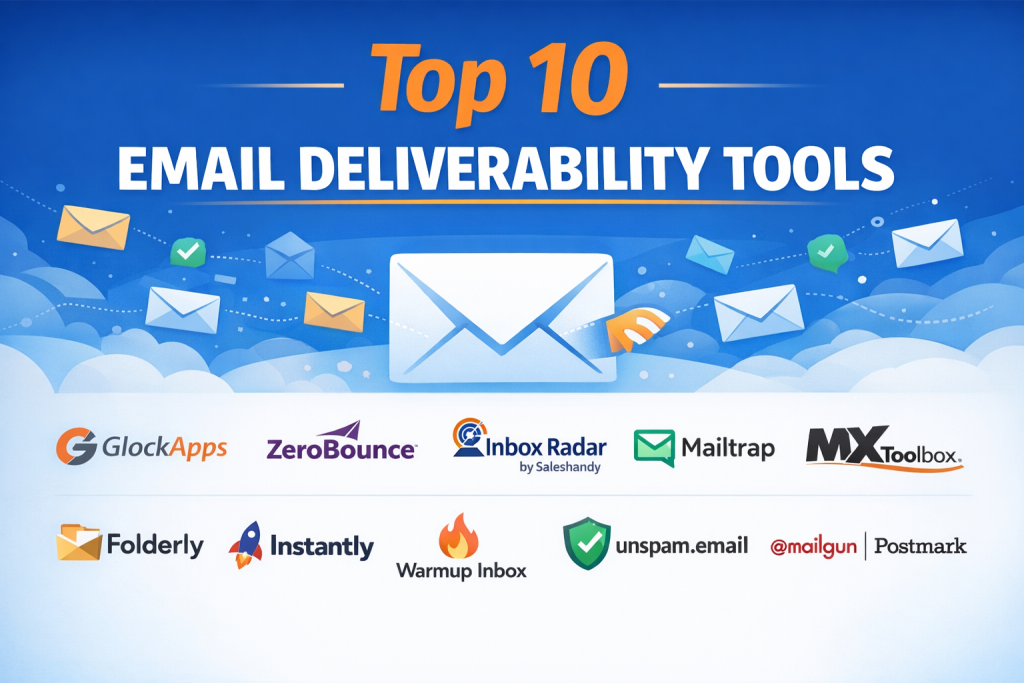
Top 10 Email Deliverability Tools Tools
1 — Mailgun
Short description:
A powerful email delivery and deliverability-focused platform designed for developers and high-volume senders who need precision, reliability, and visibility.
Key features:
- Advanced email authentication and reputation tools
- Real-time inbox placement analytics
- IP warming and domain management
- Detailed logs and delivery diagnostics
- Spam filter testing and optimization
- API-first architecture for automation
Pros:
- Excellent deliverability accuracy
- Strong developer tooling and APIs
- Scales reliably for high-volume senders
Cons:
- Less beginner-friendly UI
- Requires technical setup for best results
Security & compliance:
Supports encryption, role-based access, GDPR alignment (varies by plan).
Support & community:
Strong documentation, email support, and enterprise assistance.
2 — SendGrid
Short description:
A widely adopted email delivery platform offering robust deliverability insights for transactional and marketing emails.
Key features:
- Domain authentication and reputation monitoring
- Inbox delivery analytics
- Suppression and bounce management
- IP warming tools
- Real-time email activity tracking
- Integrations with popular platforms
Pros:
- Easy to get started
- Reliable infrastructure
- Large ecosystem and integrations
Cons:
- Advanced analytics require higher plans
- UI can feel cluttered for beginners
Security & compliance:
SOC 2, GDPR support, encryption in transit.
Support & community:
Extensive documentation, global user base, enterprise support options.
3 — Postmark
Short description:
A deliverability-first transactional email service focused on speed, reliability, and inbox trust.
Key features:
- Transactional-only sending model
- Fast delivery and reputation protection
- Detailed message activity logs
- Bounce and spam complaint tracking
- Template validation
- DMARC and DKIM support
Pros:
- Exceptional inbox placement
- Simple and clean interface
- Transparent reporting
Cons:
- Not designed for marketing campaigns
- Limited advanced analytics
Security & compliance:
Encryption, GDPR alignment, access controls.
Support & community:
Highly responsive support and clear documentation.
4 — SparkPost
Short description:
An enterprise-grade email deliverability platform built for data-driven teams and large-scale senders.
Key features:
- Predictive inbox placement analytics
- Machine-learning-based reputation scoring
- Real-time dashboards
- Adaptive email delivery optimization
- Advanced reporting APIs
- Global sending infrastructure
Pros:
- Strong analytics depth
- Enterprise-level scalability
- High reliability
Cons:
- Steeper learning curve
- Premium pricing for full features
Security & compliance:
SOC 2, GDPR, encryption, audit logging.
Support & community:
Enterprise onboarding, dedicated account managers.
5 — Validity
Short description:
A specialized deliverability and sender reputation intelligence platform used by large enterprises.
Key features:
- Inbox placement monitoring
- Sender reputation tracking
- Spam trap detection
- Domain and IP monitoring
- Certification programs
- Compliance-focused reporting
Pros:
- Industry-trusted reputation data
- Deep deliverability insights
- Ideal for regulated industries
Cons:
- Not an email sending platform
- Expensive for small teams
Security & compliance:
Strong compliance posture, GDPR, enterprise security standards.
Support & community:
Consultative enterprise support and deliverability experts.
6 — GlockApps
Short description:
A testing-focused deliverability platform designed to diagnose inbox placement and spam filtering issues.
Key features:
- Inbox placement tests across providers
- Spam filter analysis
- Authentication diagnostics
- Blacklist monitoring
- Content and HTML checks
- Competitive benchmarking
Pros:
- Excellent diagnostic clarity
- Easy to use
- Affordable entry-level plans
Cons:
- No email sending capability
- Limited automation features
Security & compliance:
Varies / N/A.
Support & community:
Good documentation and email-based support.
7 — MXToolbox
Short description:
A popular diagnostics and monitoring tool focused on email infrastructure health.
Key features:
- DNS, SPF, DKIM, DMARC checks
- Blacklist monitoring
- SMTP testing
- Uptime and delay monitoring
- Alerting and reporting
- Historical issue tracking
Pros:
- Extremely useful for troubleshooting
- Simple and fast diagnostics
- Trusted by IT teams
Cons:
- Limited campaign-level insights
- More technical than marketing-focused
Security & compliance:
Varies / N/A.
Support & community:
Strong knowledge base and community usage.
8 — SendForensics
Short description:
An analytics-driven platform focused on deliverability insights and sender reputation intelligence.
Key features:
- Inbox placement reporting
- Reputation monitoring
- Engagement trend analysis
- ISP-specific insights
- Deliverability alerts
- Benchmark comparisons
Pros:
- Strong analytical depth
- Useful for optimization teams
- Clear trend visualization
Cons:
- No email sending
- Smaller ecosystem
Security & compliance:
GDPR alignment, standard data protections.
Support & community:
Professional support and onboarding assistance.
9 — 250ok
Short description:
A well-known deliverability monitoring platform focused on inbox placement and reputation signals.
Key features:
- Inbox placement testing
- Reputation and blacklist monitoring
- Engagement analytics
- ESP performance comparison
- Deliverability alerts
- Custom reporting
Pros:
- Trusted industry data
- Strong visualization
- Helpful benchmarking
Cons:
- Requires separate sending tool
- Pricing not SMB-friendly
Security & compliance:
Enterprise-grade security practices.
Support & community:
Dedicated support and professional services.
10 — Mailtrap
Short description:
A developer-focused email testing and deliverability validation tool used during development and staging.
Key features:
- Safe email testing environments
- Spam score checks
- HTML and content validation
- Authentication previews
- Team collaboration
- API-based workflows
Pros:
- Excellent for development teams
- Easy setup
- Affordable pricing
Cons:
- Not designed for production-scale analytics
- Limited reputation tracking
Security & compliance:
Encryption, role-based access, GDPR alignment.
Support & community:
Clear docs and responsive support.
Comparison Table
| Tool Name | Best For | Platform(s) Supported | Standout Feature | Rating |
|---|---|---|---|---|
| Mailgun | Developers, SaaS | Web, API | Detailed delivery logs | N/A |
| SendGrid | SMB to Enterprise | Web, API | Large integration ecosystem | N/A |
| Postmark | Transactional emails | Web, API | Exceptional inbox trust | N/A |
| SparkPost | Enterprises | Web, API | Predictive deliverability analytics | N/A |
| Validity | Enterprises | Web | Reputation intelligence | N/A |
| GlockApps | Marketers | Web | Inbox placement testing | N/A |
| MXToolbox | IT teams | Web | Infrastructure diagnostics | N/A |
| SendForensics | Analytics teams | Web | ISP-level insights | N/A |
| 250ok | Large senders | Web | Benchmarking data | N/A |
| Mailtrap | Developers | Web, API | Safe testing environment | N/A |
Evaluation & Scoring of Email Deliverability Tools
| Criteria | Weight | Avg Score |
|---|---|---|
| Core features | 25% | High |
| Ease of use | 15% | Medium |
| Integrations & ecosystem | 15% | High |
| Security & compliance | 10% | High |
| Performance & reliability | 10% | High |
| Support & community | 10% | Medium |
| Price / value | 15% | Medium |
Which Email Deliverability Tools Tool Is Right for You?
- Solo users: Lightweight testing tools or ESP-native analytics
- SMBs: All-in-one platforms with clear dashboards and affordable scaling
- Mid-market: Advanced analytics with automation and integrations
- Enterprise: Reputation intelligence, compliance, and dedicated support
Budget-conscious teams should prioritize ease of use and core diagnostics, while enterprises should focus on analytics depth, compliance, and scalability.
Frequently Asked Questions (FAQs)
- What is email deliverability?
It measures whether emails reach the inbox instead of spam or being blocked. - Do ESPs guarantee inbox placement?
No, ESPs deliver emails, but inbox placement depends on reputation and engagement. - Is SPF/DKIM mandatory?
Yes, proper authentication is critical for modern inbox providers. - Are deliverability tools only for marketing emails?
No, transactional and operational emails benefit just as much. - Can poor deliverability hurt a domain long-term?
Yes, reputation damage can take months to recover. - Do small businesses need these tools?
Only if email performance directly impacts revenue or operations. - Are these tools expensive?
Pricing varies widely, from affordable diagnostics to enterprise platforms. - Do they replace email service providers?
Some do, others complement existing ESPs. - How long does deliverability optimization take?
Initial improvements may show in weeks, full recovery may take months. - What is the biggest deliverability mistake?
Ignoring authentication, engagement signals, and spam complaints.
Conclusion
Email Deliverability Tools play a critical role in protecting sender reputation, maximizing inbox placement, and ensuring business-critical messages are seen. While many platforms offer overlapping capabilities, they differ significantly in focus—some emphasize sending, others diagnostics, and some deep analytics.
The best tool is not universal. It depends on email volume, technical expertise, compliance needs, and business impact. By aligning your choice with real-world requirements rather than brand popularity, you ensure email remains a reliable, high-performing communication channel.

Find Trusted Cardiac Hospitals
Compare heart hospitals by city and services — all in one place.
Explore Hospitals
A successful email campaign is not necessarily one with a high delivery count; what matters is whether messages consistently reach the intended inboxes. One issue worth examining is how deliverability platforms identify gradual reputation deterioration before major sending problems occur. Changes in bounce patterns, spam complaints, domain authentication, and recipient engagement can provide early warning signals. I would also pay attention to how tools distinguish temporary provider throttling from genuine sender reputation issues, since both require different corrective actions. Better diagnostics could help teams resolve problems before they affect an entire campaign.
Email deliverability software is essential for diagnosing why transactional and marketing emails land in the spam folder rather than the customer’s primary inbox. The software must continuously monitor DNS authentication records (SPF, DKIM, DMARC), track IP and domain reputation scores, and test emails against active spam-filter seed lists. Real-time feedback loops that detect sudden blacklist listings or deliverability dips allow email administrators to remediate configuration errors before entire marketing campaigns fail. Implementing automated inbox placement testing across different email providers gives marketing teams the visibility needed to optimize template code for clean inbox delivery.
Reliable email operations require tracking what happens after a message leaves the application. Provider acceptance alone cannot confirm that an email reached the intended inbox. Engineering teams should maintain message-level records covering delivery status, bounce details, and unsuccessful attempts. They should also apply different recovery rules for temporary delays and permanent delivery errors. This makes notification failures easier to diagnose and keeps essential messages working when email services face disruptions.
Email deliverability tools help businesses understand whether their messages are reaching recipients’ inboxes rather than being filtered as spam. Features such as domain authentication checks, sender reputation monitoring, spam testing, bounce analysis, and reporting are important when selecting a platform. Comparing different solutions helps marketers identify tools that support healthier email campaigns. A practical guide for improving email performance and communication reliability.
Email deliverability tools help businesses, marketers, and email service providers monitor inbox placement, identify delivery issues, and improve the reliability of their email campaigns. This comparison explores the top solutions based on their key features, pros and cons, inbox placement testing, spam score analysis, sender reputation monitoring, domain and IP health checks, email authentication (SPF, DKIM, and DMARC), blacklist monitoring, bounce tracking, deliverability analytics, campaign testing, automation, integrations, scalability, and ease of use to help organizations improve email performance, protect sender reputation, and reach more recipients’ inboxes.
Reviewing mailbox placement utilities confirmed that avoiding spam folders requires automated seed-list testing and DNS authentication auditing. Monitoring blacklist appearances, sender score trends, and IP reputation prevents outbound marketing and transactional email campaigns from hitting ISP spam traps during major sales pushes.
Email deliverability tools help businesses monitor inbox placement, identify sending issues, and improve the chances of reaching subscribers. When comparing options, check spam testing, sender reputation monitoring, authentication checks, bounce tracking, domain health, and reporting features. Choose a tool that fits your email volume and helps maintain reliable delivery while protecting your sender reputation.
Email reliability also depends on how applications handle sending failures, not just whether messages reach the inbox. A sudden spike in password resets or order confirmations can overwhelm sending limits and create long queues. Teams should use durable message queues, controlled retry policies, and idempotency checks to prevent duplicate emails during recovery. Separating transactional traffic from promotional campaigns can also protect critical notifications when marketing volume increases. Monitoring queue age, provider throttling, delivery latency, and permanent failures gives engineers early warning before customers miss important updates. These safeguards are especially valuable for SaaS products where delayed emails can block logins or interrupt key user workflows.
Choosing the right transactional email API often comes down to balancing strict sender reputation management with scaling costs. While platforms like SendGrid and Amazon SES handle high volumes effectively, developers must also weigh the trade-offs in API documentation depth and configuration complexity.
When comparing email deliverability tools, I would look at how well they distinguish a sender reputation problem from issues caused by the email content or recipient list. A sudden drop in inbox placement may come from authentication errors, a rise in invalid addresses, or recipients marking messages as spam, and each cause needs a different fix. The tool should provide enough detail to narrow down the problem rather than offering a single deliverability score. This helps email teams choose the right corrective action, protect their sending reputation, and avoid making unnecessary changes that could affect legitimate campaigns.
Choosing an email deliverability tool is only part of the solution; teams also need to track bounce rates, spam complaints, and sender reputation over time. Regularly reviewing these signals alongside SPF, DKIM, and DMARC settings helps identify problems early and keeps important emails reaching the inbox.
Email deliverability tools help teams identify authentication issues, monitor sender reputation, and reduce the risk of messages landing in spam folders. Regular inbox placement testing, SPF/DKIM/DMARC checks, and bounce monitoring are key to maintaining reliable email performance over time.