
Introduction
Field Service Management (FSM) software is a category of business applications designed to help organizations plan, schedule, dispatch, track, and optimize field service operations. These tools bring together technicians, customers, assets, and back-office teams into a single system—ensuring the right technician reaches the right job at the right time with the right information.
FSM software is critical for industries where work happens outside the office, such as utilities, HVAC, telecom, medical equipment servicing, manufacturing maintenance, and on-site IT support. It improves operational efficiency, first-time fix rates, customer satisfaction, and cost control, while reducing manual coordination and paperwork.
When evaluating FSM software, buyers should focus on:
- Scheduling and dispatch intelligence
- Mobile workforce enablement
- Work order and asset management
- Integration with CRM, ERP, and accounting systems
- Scalability, security, and reporting depth
Best for:
FSM software is ideal for service managers, operations heads, dispatch teams, technicians, SMB owners, and enterprise service leaders across industries like utilities, manufacturing, healthcare equipment, logistics, telecom, and facilities management.
Not ideal for:
Very small teams with occasional service visits, businesses with purely digital services, or organizations that rely entirely on fixed-location service workflows may find full FSM platforms excessive.
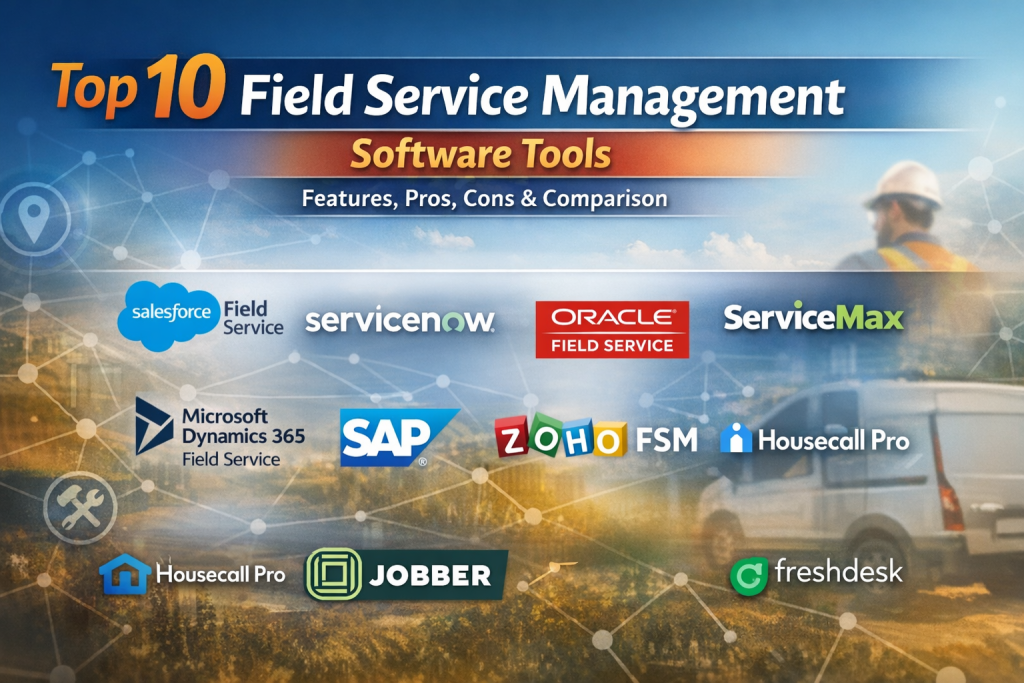
Top 10 Field Service Management (FSM) Software Tools
1 — Salesforce Field Service
Short description:
A powerful enterprise-grade FSM solution built on the Salesforce platform, designed for organizations that need deep CRM-driven service workflows.
Key features
- Intelligent scheduling and dispatch
- Mobile technician app with offline access
- Work order and asset lifecycle management
- AI-driven recommendations and automation
- Native CRM and customer data integration
- Real-time reporting and dashboards
Pros
- Extremely flexible and scalable
- Strong CRM + FSM combination
Cons
- High implementation and licensing cost
- Requires skilled configuration
Security & compliance
SSO, role-based access, encryption, audit logs, GDPR, SOC 2
Support & community
Extensive documentation, global partner ecosystem, enterprise-grade support
2 — ServiceNow Field Service Management
Short description:
An enterprise FSM module designed for complex service environments already using the ServiceNow platform.
Key features
- Unified service workflows
- Advanced dispatch and routing
- Asset and configuration management
- AI-powered issue resolution
- Mobile technician enablement
- Deep ITSM and operations integration
Pros
- Excellent for large enterprises
- Strong automation and governance
Cons
- Not SMB-friendly
- Platform dependency
Security & compliance
Enterprise-grade security, ISO, SOC, GDPR
Support & community
Strong enterprise support, certified implementation partners
3 — Oracle Field Service
Short description:
A cloud-based FSM solution known for its predictive scheduling and real-time optimization capabilities.
Key features
- AI-powered forecasting and routing
- Capacity-based scheduling
- Real-time technician tracking
- Mobile workforce tools
- SLA and compliance tracking
- Analytics and performance insights
Pros
- Best-in-class scheduling accuracy
- Excellent for high-volume service operations
Cons
- Steep learning curve
- Limited UI customization
Security & compliance
Enterprise encryption, role-based security, GDPR
Support & community
Strong enterprise support, detailed documentation
4 — Joblogic
Short description: Joblogic is a field service management platform for maintenance-led businesses that run planned preventive maintenance, reactive callouts, and subcontractor work through a single schedule.
Key features: drag-and-drop scheduling across PPM and ad-hoc jobs; mobile engineer app with offline forms and sign-off; customer and subcontractor portals; quoting, invoicing, and compliance in one system.
Pros: strong fit for HVAC, electrical, plumbing, and facilities teams; connects office and field workflows end to end.
Cons: more depth than very small teams need; best suited to businesses with regular field operations.
Best for: service and maintenance operators replacing spreadsheets and disconnected tools with one system from job intake to invoice.
5 — Microsoft Dynamics 365 Field Service
Short description:
An FSM solution tightly integrated with Microsoft’s business ecosystem, ideal for organizations using Microsoft tools.
Key features
- Work order and resource scheduling
- IoT-enabled predictive maintenance
- Mobile technician apps
- Native ERP and CRM integration
- Power BI analytics
- Workflow automation
Pros
- Seamless Microsoft ecosystem fit
- Strong reporting and automation
Cons
- Configuration can be complex
- Requires Microsoft stack familiarity
Security & compliance
Azure security, GDPR, ISO, enterprise-grade controls
Support & community
Large partner network, extensive documentation
6 — SAP Field Service Management
Short description:
A robust FSM solution for enterprises running SAP ERP and asset management systems.
Key features
- End-to-end service lifecycle management
- Mobile workforce enablement
- Asset and parts management
- Scheduling and dispatch optimization
- Real-time service insights
- ERP-native integration
Pros
- Excellent for SAP-centric organizations
- Strong compliance and scalability
Cons
- Heavy implementation effort
- Higher total cost of ownership
Security & compliance
Enterprise security, GDPR, ISO standards
Support & community
Global SAP partner ecosystem, enterprise support
7 — Zoho FSM
Short description:
A cost-effective FSM solution designed for SMBs that want simplicity and fast deployment.
Key features
- Work order and scheduling management
- Technician mobile app
- Customer and asset tracking
- Invoicing and payments
- Reporting dashboards
- Integration with Zoho ecosystem
Pros
- Affordable and easy to use
- Quick setup for small teams
Cons
- Limited advanced automation
- Not ideal for large enterprises
Security & compliance
Encryption, role-based access, GDPR
Support & community
Good documentation, responsive SMB support
8 — Housecall Pro
Short description:
An FSM platform tailored for home service businesses like HVAC, plumbing, and cleaning services.
Key features
- Job scheduling and dispatch
- Customer communication tools
- Technician mobile app
- Online payments and invoicing
- Marketing automation
- Performance tracking
Pros
- Excellent customer experience tools
- Very easy to adopt
Cons
- Limited enterprise features
- Industry-specific focus
Security & compliance
Standard SaaS security, encryption
Support & community
Strong onboarding, active SMB community
9 — Jobber
Short description:
A user-friendly FSM tool built for small service teams managing daily field operations.
Key features
- Job scheduling and tracking
- Client management
- Mobile technician access
- Quotes and invoicing
- Payment processing
- Basic reporting
Pros
- Simple and intuitive UI
- Great for small teams
Cons
- Limited scalability
- Fewer integrations
Security & compliance
Standard encryption, access controls
Support & community
Good help center, SMB-focused support
10 — Joblogic
Short Description: Joblogic is a field service management platform built for service, maintenance, and facilities teams that need to manage scheduling, engineer coordination, planned maintenance, customer updates, and invoicing in one system.
Key Features:
- Drag-and-drop job scheduling and dispatch
- Mobile engineer app for on-site updates, forms, and job completion
- Planned preventive maintenance scheduling for recurring service work
- Customer and subcontractor portals for job logging, quote approvals, and status visibility
- Job tracking, quoting, invoicing, and reporting in one platform
- Real-time visibility of engineers, jobs, and operational performance
Pros:
- Strong fit for maintenance businesses with both office and field teams
- Combines job management, customer communication, and financial workflows in one system
Cons:
- May offer more functionality than very small teams need
- Best suited to businesses with regular field operations rather than occasional callouts
Security & Compliance: Role-based access, audit trail support, and cloud-based data management.
Support & Community: Onboarding, training, and ongoing customer support for service and facilities management teams.
Joblogic is especially well suited to HVAC, electrical, fire and safety, plumbing, cleaning, and facilities management businesses that want to replace spreadsheets and disconnected tools with a single operational system. It helps teams manage work from job creation through to completion and invoicing, while giving managers better visibility across engineers, assets, contracts, and service performance.
Comparison Table
| Tool Name | Best For | Platform(s) Supported | Standout Feature | Rating |
|---|---|---|---|---|
| Salesforce Field Service | Large enterprises | Web, Mobile | CRM-driven FSM | N/A |
| ServiceNow FSM | Global enterprises | Web, Mobile | Unified service workflows | N/A |
| Oracle Field Service | High-volume service ops | Web, Mobile | Predictive scheduling | N/A |
| ServiceMax | Asset-heavy industries | Web, Mobile | Asset-centric FSM | N/A |
| Microsoft Dynamics 365 FS | Microsoft-centric orgs | Web, Mobile | ERP + FSM integration | N/A |
| SAP FSM | SAP enterprises | Web, Mobile | ERP-native FSM | N/A |
| Zoho FSM | SMBs | Web, Mobile | Cost-effective FSM | N/A |
| Housecall Pro | Home services | Web, Mobile | Customer experience tools | N/A |
| Jobber | Small teams | Web, Mobile | Simplicity | N/A |
| Freshdesk FSM | Support-led teams | Web, Mobile | Ticket-to-service flow | N/A |
Evaluation & Scoring of Field Service Management (FSM) Software
| Criteria | Weight | Description |
|---|---|---|
| Core features | 25% | Scheduling, work orders, asset management |
| Ease of use | 15% | UI, onboarding, learning curve |
| Integrations & ecosystem | 15% | CRM, ERP, accounting tools |
| Security & compliance | 10% | Data protection and standards |
| Performance & reliability | 10% | Uptime and scalability |
| Support & community | 10% | Help, onboarding, ecosystem |
| Price / value | 15% | Cost vs features |
Which Field Service Management (FSM) Software Tool Is Right for You?
- Solo users & small teams: Jobber, Zoho FSM
- SMBs with growth plans: Housecall Pro, Zoho FSM
- Mid-market organizations: Microsoft Dynamics 365 Field Service, Oracle Field Service
- Large enterprises: Salesforce Field Service, ServiceNow FSM, SAP FSM
- Asset-heavy industries: ServiceMax, SAP FSM
- Customer-support-driven teams: Freshdesk Field Service
Balance budget vs feature depth, integration needs, and compliance requirements before choosing.
Frequently Asked Questions (FAQs)
1. What is FSM software used for?
It manages scheduling, dispatch, technician workflows, assets, and service performance.
2. Is FSM software only for large companies?
No, many tools are designed specifically for SMBs and growing teams.
3. Does FSM software support mobile technicians?
Yes, mobile apps are a core feature of most FSM platforms.
4. How long does implementation take?
From days for SMB tools to several months for enterprise platforms.
5. Can FSM software integrate with ERP systems?
Most mid-market and enterprise tools offer strong ERP integrations.
6. Is FSM software secure?
Leading platforms provide encryption, access controls, and compliance support.
7. Does FSM software improve customer satisfaction?
Yes, through faster response times and better communication.
8. What are common mistakes when choosing FSM tools?
Overbuying features or underestimating integration needs.
9. Are FSM tools customizable?
Enterprise tools are highly customizable; SMB tools are more standardized.
10. Is FSM software expensive?
Pricing varies widely based on features, scale, and deployment.
Conclusion
Field Service Management software plays a vital role in modern, service-driven organizations by improving efficiency, visibility, and customer experience. The right FSM tool depends on your team size, industry, budget, integration needs, and compliance requirements.
There is no universal “best” FSM platform—only the one that best aligns with your operational reality and growth goals. By carefully evaluating features, scalability, and long-term value, organizations can select an FSM solution that truly empowers their field workforce and drives service excellence.

Find Trusted Cardiac Hospitals
Compare heart hospitals by city and services — all in one place.
Explore Hospitals
Field service tools need reliable safeguards for jobs that technicians cannot finish recording on site. Poor connectivity or a device change can leave work notes, customer approvals, and spare-part usage out of sync. Before adopting a platform, teams should test how it detects duplicate entries and resolves conflicting updates. It should also flag missing information before sending job data to billing or inventory systems. These checks reduce paperwork errors and help keep service records accurate across the business.
The operational breaking point for field service software is almost always offline mobile reliability and inventory reconciliation. Heavy platforms like Salesforce Field Service or Dynamics 365 offer great dispatch routing, but if technicians in basements lose connectivity, job forms fail to cache properly. Simpler tools like Jobber win fast trade adoption because logging work and invoicing is painless on a phone. The persistent headache is truck stock tracking—if consumed parts do not decrement back into your ERP accurately, procurement operates blind. Prioritizing a rock-solid offline mobile UX and clean inventory sync protects first-time fix rates far better than buying predictive scheduling modules.
One practical point this comparison brings out is that the strongest FSM platform is often the one that fits the systems technicians and dispatchers already use—Salesforce, ServiceNow, Dynamics 365, and SAP each reward organizations already invested in their ecosystems. For smaller teams, it may be wiser to start with a simpler tool that gets scheduling, invoicing, and mobile job updates right, then upgrade only when asset lifecycle or predictive-maintenance needs genuinely demand it.
Field service management software works best when scheduling, technician tracking, and customer communication are connected in one workflow. One important factor to consider is how easily technicians can access job details, update service records, and capture customer approvals directly from the field. Mobile usability and offline support can also make a big difference for teams working in areas with limited connectivity. Choosing a system that fits the team’s daily process can improve productivity and reduce unnecessary follow-ups.
Field service management software helps businesses coordinate technician schedules, service requests, work orders, and equipment maintenance from a centralized platform. Mobile access, intelligent dispatching, and real-time job updates can reduce travel delays while improving communication between field teams and customers. Integrating these capabilities with inventory and billing systems also strengthens resource planning, speeds up service delivery, and provides better visibility into operational performance.
Field service management software should help teams complete jobs on time while keeping customers informed. Useful features include smart scheduling, live job updates, mobile access, and accurate inventory tracking. It is also important to check offline access for technicians working in areas with weak network coverage. Testing the system with real service calls can reveal gaps in dispatch and reporting. Better coordination can reduce repeat visits, travel costs, and customer frustration.
Field service teams should test how mobile apps resolve conflicting updates when several people edit the same work order. For example, a dispatcher may reschedule a visit while a technician records parts used without an internet connection. When the device reconnects, the system needs clear rules to preserve valid changes and flag conflicts that require review. I would also check whether photos, customer signatures, inventory movements, and service reports remain linked to the correct job after synchronization. Testing these cases with real field workflows can reveal data loss that basic feature demonstrations often miss. Reliable synchronization is essential for accurate invoices, service histories, and follow-up maintenance.
Field service management software should give technicians the information they need before arriving at a customer’s site. Compare whether each platform connects service history, required spare parts, warranty details, and technician skills to individual work orders. Tracking first-visit resolution and repeat service calls can help managers identify gaps in job preparation and improve customer satisfaction without increasing travel or labor costs.
Connecting dispatch queues directly to live IoT edge diagnostics remains the critical architectural pivot. Without asynchronous event ingestion streaming equipment fault codes straight into work-order provisioning services, field technicians still face blind dispatching, prolonged diagnostic cycles on-site, and recurring first-time-fix failures across high-value physical assets.
Field service management software helps businesses schedule technicians, assign service jobs, track progress, and manage customer requests from one place. When comparing platforms, consider mobile access, job scheduling, inventory tracking, work order management, and integration with billing or CRM systems. Tracking repeat visits and technician response times can help teams reduce delays, control costs, and improve the customer experience.
Field service management software helps businesses schedule technician visits, assign work orders, track job progress, and manage customer information from a centralized platform. Solutions like Jobber offer scheduling, quoting, invoicing, and customer management features, helping service teams reduce administrative work, improve coordination, and deliver a more consistent customer experience.
Choosing the right FSM tool often comes down to how well it balances offline mobile capabilities with back-office ERP integrations rather than just having a long feature list. For field technicians working in remote areas, seamless offline data syncing is usually the make-or-break factor for daily adoption. This comparison provides a very helpful roadmap for teams looking past the marketing noise to match software depth with actual field workflows.
Field service management software helps businesses manage service requests, schedule technicians, and complete jobs on time. I think features like real-time tracking, mobile access, and automatic scheduling can make daily work much easier. It’s also helpful to have a clear record of completed jobs and customer feedback. Before choosing a tool, businesses should check its cost and whether it is easy for technicians to use. The right software can save time, improve customer service, and help teams work more efficiently.
A strong FSM solution should do more than automate scheduling; it should help technicians complete jobs successfully on the first visit. Reliable offline mobile access, accurate parts tracking, and seamless integration with billing can reduce repeat visits and improve customer satisfaction.
Field service management software helps teams plan jobs, assign technicians, and track work from start to finish. One feature worth checking is how the system handles sudden schedule changes or urgent service calls. A good tool should consider technician skills, travel time, and job priority when suggesting assignments. I would also test its mobile app in areas with weak internet access. Offline updates can prevent delays when technicians cannot connect to the system. Links to inventory and customer records can reduce repeat visits caused by missing parts or incomplete details. The best solution should make daily scheduling easier, improve communication, and help teams complete jobs on time.
Field service software really proves its worth when the day’s schedule changes unexpectedly. Smart dispatching, real-time updates, and access to customer service histories can help technicians avoid wasted trips and resolve issues faster. I’d also check whether the mobile app works reliably in areas with poor connectivity, since field teams can’t always depend on a stable internet connection. Fewer repeat visits and better coordination can make a noticeable difference to both operating costs and customer satisfaction.
Helpful and informative article with a clear comparison of FSM tools. It makes understanding features, pros, and cons much easier for choosing the right solution.