
Introduction
Penetration Testing Tools are specialized security solutions designed to simulate real-world cyberattacks on systems, applications, networks, and infrastructure. Their goal is to identify vulnerabilities before malicious attackers exploit them. Instead of guessing where weaknesses might exist, penetration testing tools actively test defenses, uncover misconfigurations, and validate security controls under realistic attack scenarios.
In today’s threat landscape—where ransomware, data breaches, and zero-day exploits are becoming more frequent—penetration testing has shifted from being a “nice-to-have” to a critical security practice. Organizations use these tools to test web applications, APIs, cloud environments, mobile apps, internal networks, and even employee awareness through controlled attack simulations.
Key real-world use cases include:
- Validating security posture before a product launch
- Meeting compliance and regulatory requirements
- Testing cloud and hybrid infrastructure security
- Identifying exploitable flaws in web and mobile apps
- Strengthening incident response readiness
When choosing penetration testing tools, users should evaluate factors such as attack coverage, automation vs manual testing support, ease of use, reporting quality, integration with CI/CD pipelines, scalability, and compliance alignment.
Best for:
Penetration testing tools are ideal for security teams, ethical hackers, DevSecOps engineers, consultants, and compliance-driven organizations across industries such as finance, healthcare, SaaS, e-commerce, and government.
Not ideal for:
These tools may be excessive for very small websites, non-internet-facing systems, or teams without security expertise, where basic vulnerability scanning or managed security services may be more suitable.
Top 10 Penetration Testing Tools
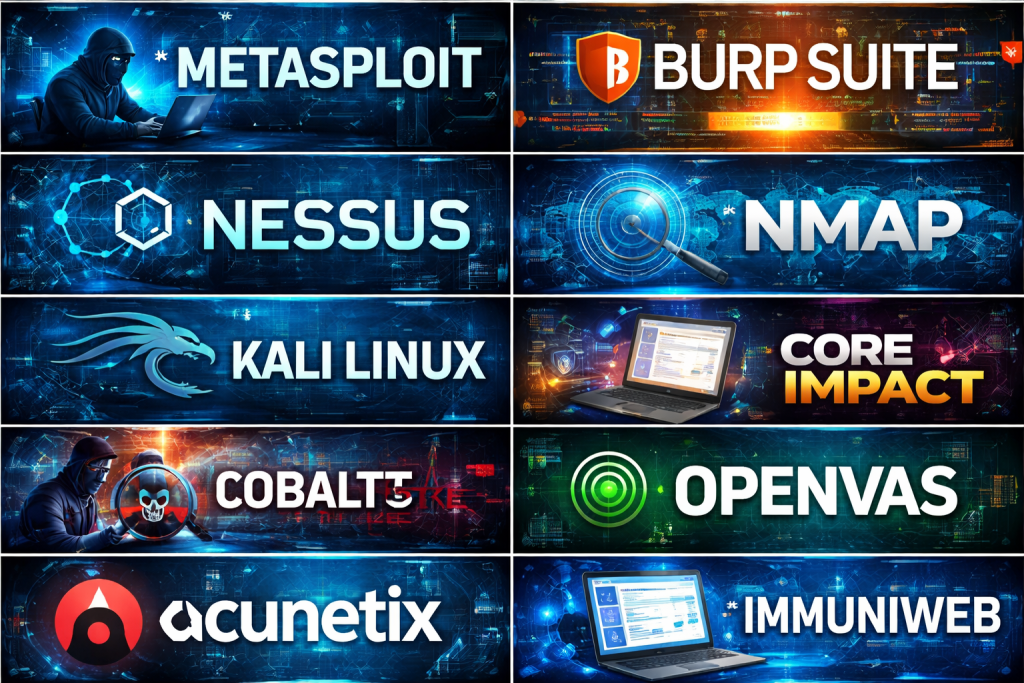
#1 — Metasploit
Short description:
Metasploit is one of the most widely used penetration testing frameworks, designed for security professionals to develop, test, and execute exploits against target systems.
Key features:
- Extensive exploit and payload library
- Modular architecture for custom testing
- Support for network, web, and system exploits
- Post-exploitation modules
- Integration with vulnerability scanners
- Automation and scripting support
Pros:
- Industry-standard tool trusted by professionals
- Highly flexible and extensible
- Strong community and documentation
Cons:
- Steep learning curve for beginners
- Advanced features often require commercial edition
Security & compliance:
Varies / N/A (tool-focused, depends on deployment environment)
Support & community:
Very strong open-source community, extensive documentation, commercial enterprise support available.
#2 — Burp Suite
Short description:
Burp Suite is a leading web application penetration testing tool focused on identifying vulnerabilities in modern web applications and APIs.
Key features:
- Intercepting proxy for HTTP/S traffic
- Automated and manual vulnerability testing
- Advanced web scanning engine
- API and GraphQL testing support
- Intruder and repeater tools
- Detailed reporting
Pros:
- Best-in-class for web app testing
- Excellent visibility into application traffic
- Strong automation combined with manual control
Cons:
- Resource-intensive during scans
- Requires expertise to fully leverage advanced features
Security & compliance:
Supports secure authentication handling, encrypted storage, audit-ready reporting
Support & community:
High-quality documentation, training resources, and strong professional user community.
#3 — Nessus
Short description:
Nessus is a vulnerability assessment and penetration testing support tool used to identify misconfigurations and exploitable weaknesses.
Key features:
- Comprehensive vulnerability scanning
- Plugin-based architecture
- Compliance and configuration checks
- Cloud and on-prem support
- Continuous vulnerability monitoring
Pros:
- Extremely accurate vulnerability detection
- Broad platform and environment coverage
- Easy-to-use interface
Cons:
- Limited exploitation capabilities
- Licensing costs for professional use
Security & compliance:
Strong alignment with compliance standards like ISO, PCI, HIPAA
Support & community:
Professional documentation, enterprise support, and large user base.
#4 — Nmap
Short description:
Nmap is a powerful open-source network discovery and security auditing tool used to map networks and identify open services.
Key features:
- Network mapping and host discovery
- Port scanning and service detection
- Scriptable interaction engine
- OS fingerprinting
- Firewall and IDS evasion techniques
Pros:
- Lightweight and fast
- Highly reliable for network reconnaissance
- Completely free and open-source
Cons:
- Limited exploitation features
- Requires command-line expertise
Security & compliance:
Varies / N/A
Support & community:
Extensive documentation, scripts library, and global open-source community.
#5 — Kali Linux
Short description:
Kali Linux is a penetration testing operating system that bundles hundreds of security tools into a single environment.
Key features:
- Pre-installed penetration testing tools
- Supports web, network, wireless, and cloud testing
- Regular updates and tool additions
- Customizable and scriptable
- Virtual and bare-metal deployment
Pros:
- All-in-one penetration testing platform
- Free and widely adopted
- Ideal for hands-on testing
Cons:
- Overwhelming for beginners
- Requires strong Linux knowledge
Security & compliance:
Varies / N/A
Support & community:
Massive community support, tutorials, and official documentation.
#6 — Core Impact
Short description:
Core Impact is an enterprise-grade penetration testing platform designed to simulate advanced attacks across networks and applications.
Key features:
- Automated exploitation workflows
- Client-side and network attack modules
- Reporting and remediation guidance
- Integration with vulnerability scanners
- Team collaboration features
Pros:
- Enterprise-ready with professional workflows
- Realistic attack simulations
- High-quality reports
Cons:
- Expensive licensing
- Requires training to maximize value
Security & compliance:
Supports enterprise security standards, audit logs, and compliance reporting
Support & community:
Dedicated enterprise support, onboarding assistance, and professional services.
#7 — Cobalt Strike
Short description:
Cobalt Strike is a penetration testing and adversary simulation tool focused on red team operations.
Key features:
- Beacon payloads for post-exploitation
- Command-and-control simulation
- Lateral movement tools
- Team-based collaboration
- Customizable attack profiles
Pros:
- Excellent for advanced red team exercises
- Highly stealthy attack simulation
- Strong scripting support
Cons:
- High learning curve
- Restricted availability
Security & compliance:
Varies / N/A (intended for controlled security testing)
Support & community:
Professional documentation and specialized user community.
#8 — Acunetix
Short description:
Acunetix is an automated web application penetration testing tool focused on identifying common and advanced web vulnerabilities.
Key features:
- Automated web vulnerability scanning
- SQL injection and XSS detection
- CI/CD pipeline integration
- API security testing
- Compliance reporting
Pros:
- Easy to deploy and use
- Accurate web vulnerability detection
- Good automation features
Cons:
- Limited manual exploitation capabilities
- Higher cost for large environments
Security & compliance:
Supports GDPR, ISO, and compliance-oriented reporting
Support & community:
Strong vendor support, onboarding resources, and documentation.
#9 — OpenVAS
Short description:
OpenVAS is an open-source vulnerability scanning and penetration testing support platform.
Key features:
- Network vulnerability scanning
- Regular vulnerability feed updates
- Configurable scan profiles
- Web-based management interface
- Reporting and alerting
Pros:
- Free and open-source
- Good coverage for known vulnerabilities
- Community-driven improvements
Cons:
- Slower scan performance
- Less polished UI compared to commercial tools
Security & compliance:
Varies / N/A
Support & community:
Active open-source community, community documentation.
#10 — ImmuniWeb
Short description:
ImmuniWeb combines automated penetration testing with AI-driven vulnerability analysis for web and mobile applications.
Key features:
- AI-powered application security testing
- Web, mobile, and API testing
- Risk scoring and prioritization
- Compliance mapping
- Continuous testing options
Pros:
- Strong automation and accuracy
- Good balance of speed and depth
- Compliance-friendly reports
Cons:
- Limited customization for manual testers
- Pricing can be high for smaller teams
Security & compliance:
Supports GDPR, ISO, SOC-aligned security reporting
Support & community:
Professional vendor support and guided onboarding.
Comparison Table
| Tool Name | Best For | Platform(s) Supported | Standout Feature | Rating |
|---|---|---|---|---|
| Metasploit | Exploit development | Windows, Linux | Massive exploit framework | N/A |
| Burp Suite | Web app testing | Cross-platform | HTTP interception | N/A |
| Nessus | Vulnerability detection | Cross-platform | Accuracy | N/A |
| Nmap | Network discovery | Cross-platform | Fast port scanning | N/A |
| Kali Linux | Full-stack testing | Linux | All-in-one OS | N/A |
| Core Impact | Enterprise testing | Windows | Attack automation | N/A |
| Cobalt Strike | Red teaming | Cross-platform | Adversary simulation | N/A |
| Acunetix | Web vulnerability scanning | Cross-platform | Automated scans | N/A |
| OpenVAS | Open-source scanning | Linux | Free vulnerability feeds | N/A |
| ImmuniWeb | AI-driven testing | Cloud-based | Risk scoring | N/A |
Evaluation & Scoring of Penetration Testing Tools
| Criteria | Weight | Score (Avg) |
|---|---|---|
| Core features | 25% | High |
| Ease of use | 15% | Medium |
| Integrations & ecosystem | 15% | Medium-High |
| Security & compliance | 10% | Medium |
| Performance & reliability | 10% | High |
| Support & community | 10% | High |
| Price / value | 15% | Medium |
Which Penetration Testing Tool Is Right for You?
- Solo users: Open-source tools like Nmap, OpenVAS, or Kali Linux
- SMBs: Burp Suite, Nessus, Acunetix
- Mid-market: Metasploit, ImmuniWeb
- Enterprise: Core Impact, Cobalt Strike
Budget-conscious teams should prioritize open-source and hybrid tools, while enterprises benefit from advanced automation and reporting. Consider integrations, scalability, and compliance needs carefully.
Frequently Asked Questions (FAQs)
1. Are penetration testing tools legal to use?
Yes, when used with proper authorization on owned or permitted systems.
2. How often should penetration testing be performed?
At least annually or after major system changes.
3. Can these tools replace security audits?
No, they complement but do not replace governance audits.
4. Do I need coding skills to use them?
Basic tools do not, advanced exploitation tools often do.
5. Are open-source tools reliable?
Yes, many are industry-proven and widely trusted.
6. Can penetration testing tools find zero-day vulnerabilities?
Some advanced tools can identify unknown attack paths.
7. Are these tools suitable for cloud environments?
Many support cloud and hybrid infrastructures.
8. Do they impact system performance?
Active testing can temporarily affect performance.
9. How long does a penetration test take?
From hours to weeks depending on scope.
10. What’s the biggest mistake teams make?
Running tools without remediation planning.
Conclusion
Penetration testing tools play a critical role in proactive cybersecurity, enabling organizations to discover and fix vulnerabilities before attackers do. While some tools excel in automation and ease of use, others provide deep control and realism for advanced testing scenarios.
There is no single “best” penetration testing tool for everyone. The right choice depends on your organization’s size, expertise, budget, and security objectives. By aligning tool capabilities with real-world needs, teams can significantly strengthen their security posture and resilience.

Find Trusted Cardiac Hospitals
Compare heart hospitals by city and services — all in one place.
Explore Hospitals
Penetration testing tools help security teams find weaknesses before attackers can exploit them. However, a tool’s value depends on how well testers can verify findings and explain their impact. Automated scans can save time, but they may also produce false positives or miss issues that need manual investigation. Teams should compare supported testing methods, reporting quality, and integration with their existing workflow. It is also important to test only systems where permission has been granted. Choosing tools that support both efficient testing and clear evidence can help teams turn findings into practical security improvements.
This comparison provides valuable insights into leading penetration testing tools, outlining their features, strengths, and limitations. Choosing the right solution can help security professionals uncover vulnerabilities, validate security controls, simulate real-world attack scenarios, and prioritize remediation efforts to strengthen defenses and improve overall cybersecurity resilience.
Security teams should also evaluate how effectively penetration testing results translate into verified fixes. A scanner may report hundreds of findings, but duplicate alerts, outdated evidence, and false positives can consume valuable engineering time. Integrating findings with issue tracking and asset ownership can help assign each vulnerability to the right team. I would also recommend retesting resolved issues automatically and checking whether a fix introduces regressions elsewhere. Tracking remediation time, recurring vulnerabilities, and verified closure rates gives a more useful picture of security progress than counting discovered issues alone. This helps teams focus limited resources on weaknesses that pose the greatest risk to production systems.
Penetration testing tools help security teams uncover vulnerabilities in applications, networks, and APIs before attackers can exploit them. When comparing platforms, teams should consider scan coverage, reporting quality, automation, and support for manual testing workflows. Validating findings and prioritizing fixes by severity and business impact helps reduce false alarms and address the weaknesses that matter most.
Penetration testing tools help security teams identify weaknesses before attackers can exploit them. When comparing solutions, teams should consider vulnerability coverage, reporting quality, automation options, and support for web applications, networks, and APIs. Combining automated scans with manual testing and prioritizing findings by real-world risk helps organizations fix critical issues more effectively.
Simulating real-world cyberattacks across distributed enterprise infrastructure enables offensive security engineers to safely exploit network misconfigurations, uncover software vulnerabilities, and validate detection boundaries before malicious adversaries breach business-critical digital systems.
An important factor when selecting penetration testing tools is how well they support the complete vulnerability remediation cycle. Finding a security flaw is only the first step; teams also need to assign ownership, verify fixes, and confirm that patches have not introduced new weaknesses. Integrating test results with issue trackers and development pipelines can make this process easier to manage. I would also recommend testing scan configurations in staging environments first, especially when checks may affect application availability or modify data. Tracking the time between discovery, remediation, and successful retesting gives security teams a clearer picture of their actual risk reduction. This helps turn penetration testing from a periodic assessment into a repeatable engineering process with measurable outcomes.
Penetration testing tools help security teams identify vulnerabilities and evaluate how well systems resist potential attacks. When comparing platforms, I would focus on testing coverage, vulnerability reporting, automation, and support for different environments. These features can help teams uncover weaknesses and prioritize security improvements. The right tool should provide actionable findings and support authorized security testing effectively.
Penetration testing tools are most effective when their findings lead to clear, prioritized remediation rather than just long vulnerability reports. Combining automated scans with manual validation helps reduce false positives and uncover complex security weaknesses. Regular retesting ensures that fixes work as intended and new changes do not introduce fresh risks.
While choosing the right tool is critical, the biggest pitfall teams face is treating pen testing as a one-time compliance checkbox rather than a continuous feedback loop. Pairing automated vulnerability scanners with manual techniques like those in Burp Suite helps bridge the gap between simple discovery and true risk reduction.
Penetration testing tools help security professionals find weaknesses in applications, networks, and systems before malicious attackers can exploit them. When comparing these tools, it is useful to consider vulnerability detection, reporting quality, automation, and support for different testing environments. Another tool worth exploring is Burp Suite, which is widely used for web application security testing and helps testers identify issues such as injection flaws and authentication weaknesses during authorized assessments.
This article gives a solid and practical overview of penetration testing tools, clearly explaining how they help security teams identify vulnerabilities before attackers can exploit them. The breakdown of key features like automated scanning, exploit simulation, reporting capabilities, and integration with security workflows makes it easier for readers to understand what to look for in each tool. Presenting the pros and cons of the top platforms offers valuable guidance for comparing options based on performance, ease of use, and specific testing needs. For anyone focused on strengthening their cybersecurity posture and building more resilient systems, this comparison provides clear insights to support smarter tool selection and more effective security testing strategies.