
Introduction
AI-Powered Industrial Robot Control Software refers to intelligent platforms that help organizations program, manage, optimize, and operate industrial robots using artificial intelligence, automation algorithms, machine learning, and advanced control systems.
Traditional industrial robots usually perform predefined tasks based on fixed programming. Modern AI-powered robot control software enables robots to adapt to changing environments, analyze sensor information, improve task performance, and collaborate more effectively with humans. These systems combine robotics control, computer vision, motion planning, machine learning, simulation, and operational analytics.
The growth of smart manufacturing, autonomous production systems, and Industry 4.0 initiatives is increasing demand for intelligent robot control platforms. Companies are looking for solutions that improve productivity, reduce downtime, increase safety, and make robotic automation easier to deploy across different operational environments.
Modern AI-powered industrial robot control software focuses on real-time decision-making, simulation-based development, predictive maintenance, human-robot collaboration, and scalable robot fleet management.
Real-world use cases include:
- Manufacturing automation where robots perform assembly, welding, inspection, packaging, and material handling.
- Automotive production using AI-driven robots for precision manufacturing and quality improvement.
- Warehousing and logistics operations using autonomous robots for picking, sorting, and transportation.
- Healthcare and laboratory environments using robotic systems for repetitive and precise tasks.
- Electronics manufacturing requiring high accuracy and intelligent defect detection.
- Food and beverage industries using robots for packaging, processing, and quality control.
When evaluating AI-powered industrial robot control software, buyers should consider:
- Robot hardware compatibility.
- AI and machine learning capabilities.
- Motion planning and control features.
- Computer vision integration.
- Simulation and digital twin support.
- Human-robot collaboration capabilities.
- Safety monitoring and operational controls.
- Real-time performance and latency.
- Fleet management capabilities.
- Integration with manufacturing systems.
- Data analytics and observability.
- Deployment flexibility and scalability.
Best for: Manufacturing enterprises, automotive companies, logistics providers, robotics developers, industrial automation teams, warehouses, and organizations looking to modernize operations with intelligent robotic systems.
Not ideal for: Small businesses with simple automation requirements, organizations without robotic infrastructure, or teams performing tasks that can be handled more efficiently through traditional software automation.
What’s Changed in AI-Powered Industrial Robot Control Software in 2026+
Industrial robot control software is evolving from fixed automation systems into intelligent robotic platforms capable of learning, adapting, and collaborating with humans.
Key trends shaping this category include:
- AI-driven robot autonomy: Robots are becoming more capable of understanding environments, adjusting actions, and handling complex tasks with less manual programming.
- Generative AI for robotics: AI assistants are helping engineers create robot workflows, generate instructions, troubleshoot problems, and improve programming efficiency.
- Natural language robot interaction: Some platforms are exploring interfaces where operators can describe tasks using human language instead of writing complex robot programs.
- Advanced computer vision integration: Robots increasingly combine cameras, sensors, and AI models to identify objects, inspect products, and navigate environments.
- Digital twin-based development: Companies are using simulation environments to test robotic workflows before deploying them in physical production environments.
- AI-powered predictive maintenance: Robot systems are using operational data to detect potential failures and optimize maintenance schedules.
- Collaborative robot intelligence: Human-robot collaboration is improving through better sensing, safety systems, and adaptive control.
- Edge AI processing: More robotic systems are processing data locally to reduce latency and improve reliability.
- Multi-robot coordination: Organizations are managing fleets of robots that can coordinate tasks across factories and warehouses.
- Improved evaluation and testing: Enterprises are requiring stronger methods to validate robot behavior, reliability, and safety before deployment.
- Security-focused robotics: Connected robots require stronger protection against unauthorized access, operational disruption, and data risks.
- Cloud-edge hybrid robotics: Modern architectures combine local robot intelligence with centralized analytics and management systems.
Quick Buyer Checklist (Scan-Friendly)
Use this checklist when selecting AI-powered industrial robot control software:
- Check compatibility with your existing robot hardware.
- Evaluate AI and machine learning capabilities.
- Review motion control and automation features.
- Check computer vision integration options.
- Evaluate simulation and digital twin support.
- Review robot programming flexibility.
- Confirm support for collaborative robot workflows.
- Evaluate fleet management capabilities.
- Check real-time processing performance.
- Review analytics and monitoring features.
- Evaluate security controls.
- Confirm integration with manufacturing systems.
- Review API and SDK availability.
- Understand deployment requirements.
- Evaluate scalability across multiple facilities.
AI-specific considerations:
- Data privacy and retention: Understand how robot data, sensor data, and operational information are stored and processed.
- Model choice: Check support for custom AI models, robotics frameworks, and machine learning workflows.
- Evaluation: Verify simulation testing, performance benchmarking, and validation processes.
- Guardrails: Evaluate safety controls preventing unsafe robot behavior.
- Observability: Ensure visibility into robot performance, failures, and operational metrics.
- Cost controls: Review hardware requirements, software licensing, maintenance, and scaling costs.
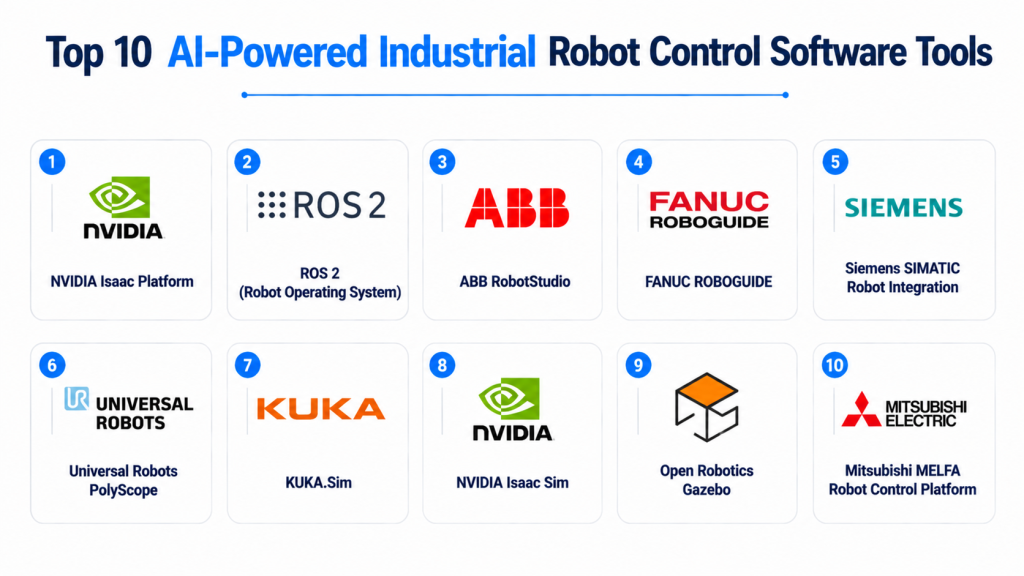
Top 10 AI-Powered Industrial Robot Control Software Tools
#1 — NVIDIA Isaac Platform
One-line verdict: Best for developers and enterprises building advanced AI-powered robotics applications.
Short description:
NVIDIA Isaac is a robotics platform designed to support AI-powered robot development, simulation, perception, and deployment. It provides tools for creating intelligent robots that use computer vision, simulation, and accelerated computing.
Standout Capabilities
- AI-powered robotics development.
- Robot simulation workflows.
- Computer vision integration.
- GPU-accelerated robotics computing.
- Synthetic data generation support.
- Autonomous robot development.
- Advanced perception capabilities.
AI-Specific Depth
- Model support: Supports AI models through NVIDIA robotics and machine learning ecosystems.
- RAG / knowledge integration: Not primarily designed for RAG workflows.
- Evaluation: Supports simulation-based testing and robotics evaluation workflows.
- Guardrails: Safety depends on robot application design and implementation.
- Observability: Monitoring depends on integrated robotics tools and infrastructure.
Pros
- Strong AI robotics ecosystem.
- Advanced simulation capabilities.
- Suitable for complex autonomous robotics projects.
Cons
- Requires significant technical expertise.
- Hardware optimization may require NVIDIA infrastructure.
- More suitable for advanced robotics teams.
Security & Compliance
Security depends on deployment architecture, robot configuration, and operational environment. Specific certifications vary.
Deployment & Platforms
- Industrial robots.
- Autonomous systems.
- Simulation environments.
- Edge AI hardware.
Integrations & Ecosystem
Common integrations include:
- Robotics frameworks.
- AI models.
- Simulation environments.
- Sensors.
- Industrial robot systems.
Pricing Model
Pricing varies depending on software components, hardware requirements, and deployment needs.
Best-Fit Scenarios
- Autonomous industrial robots.
- Robotics research and development.
- Advanced manufacturing automation.
#2 — ROS 2 (Robot Operating System)
One-line verdict: Best for developers building flexible and customizable robotic control systems.
Short description:
ROS 2 is an open-source robotics framework used for developing robotic applications. It provides communication infrastructure, tools, libraries, and frameworks for building complex robot control systems across industrial and research environments.
Standout Capabilities
- Robot communication framework.
- Modular robotics development.
- Sensor integration.
- Hardware abstraction.
- Real-time robotics support.
- Large developer ecosystem.
- Custom automation workflows.
AI-Specific Depth
- Model support: Supports integration with AI models and robotics algorithms.
- RAG / knowledge integration: Not directly designed for RAG workflows.
- Evaluation: Depends on robotics testing frameworks.
- Guardrails: Safety depends on implementation and robot controls.
- Observability: Requires additional monitoring tools.
Pros
- Highly flexible and customizable.
- Large robotics community.
- Supports many robot platforms.
Cons
- Requires robotics expertise.
- Implementation complexity can be high.
- Enterprise management may require additional tools.
Security & Compliance
Security depends on implementation, communication configuration, and deployment architecture.
Deployment & Platforms
- Industrial robots.
- Research platforms.
- Embedded systems.
- Linux environments.
Integrations & Ecosystem
Common integrations include:
- Robot hardware.
- Sensors.
- AI frameworks.
- Simulation tools.
- Industrial applications.
Pricing Model
Open-source framework. Development and infrastructure costs depend on implementation.
Best-Fit Scenarios
- Robotics development.
- Custom industrial automation.
- Research robotics projects.
#3 — ABB RobotStudio
One-line verdict: Best for industrial teams simulating and programming ABB robotic automation systems.
Short description:
ABB RobotStudio is a robotics simulation and programming environment designed for developing and optimizing robotic applications. It helps engineers test workflows, improve robot programming, and reduce deployment risks.
Standout Capabilities
- Robot simulation.
- Offline programming.
- Workflow optimization.
- Digital simulation environments.
- Robot programming support.
- Manufacturing process testing.
- Automation planning.
AI-Specific Depth
- Model support: AI capabilities depend on connected systems and integrations.
- RAG / knowledge integration: Not applicable.
- Evaluation: Supports simulation-based validation workflows.
- Guardrails: Safety depends on robot configuration.
- Observability: Operational monitoring depends on connected systems.
Pros
- Strong industrial robotics focus.
- Helps reduce deployment time.
- Useful for manufacturing automation.
Cons
- Focused on ABB robotics ecosystem.
- Requires robotics expertise.
- Less flexible for non-ABB environments.
Security & Compliance
Security depends on deployment configuration and industrial environment requirements.
Deployment & Platforms
- Desktop engineering environments.
- Industrial robot systems.
- Simulation environments.
Integrations & Ecosystem
Common integrations include:
- ABB robots.
- Manufacturing systems.
- Simulation tools.
- Industrial automation workflows.
Pricing Model
Enterprise licensing model. Exact pricing varies.
Best-Fit Scenarios
- Manufacturing automation.
- Industrial robot simulation.
- Production optimization.
#4 — FANUC ROBOGUIDE
One-line verdict: Best for companies designing and simulating FANUC-based industrial robot applications.
Short description:
FANUC ROBOGUIDE is a simulation and offline programming software platform used for planning, testing, and optimizing FANUC robotic systems. It helps manufacturers improve robot deployment efficiency and reduce production downtime.
Standout Capabilities
- Robot simulation.
- Offline programming.
- Manufacturing process validation.
- Virtual robot testing.
- Production workflow optimization.
- Robot application development.
- Industrial automation support.
AI-Specific Depth
- Model support: AI capabilities depend on connected FANUC systems and integrations.
- RAG / knowledge integration: Not applicable.
- Evaluation: Simulation provides workflow validation capabilities.
- Guardrails: Safety depends on robot system configuration.
- Observability: Depends on connected operational systems.
Pros
- Strong manufacturing simulation capabilities.
- Reduces physical testing requirements.
- Designed for industrial robotics workflows.
Cons
- Focused on FANUC ecosystem.
- Requires specialized knowledge.
- Limited flexibility outside supported robots.
Security & Compliance
Security depends on industrial deployment practices and system configuration.
Deployment & Platforms
- Desktop engineering environments.
- Industrial robot systems.
- Manufacturing facilities.
Integrations & Ecosystem
Common integrations include:
- FANUC robots.
- Manufacturing software.
- Simulation environments.
- Automation systems.
Pricing Model
Enterprise licensing model. Exact pricing varies.
Best-Fit Scenarios
- Factory automation.
- Robot simulation.
- Manufacturing process planning.
#5 — Siemens SIMATIC Robot Integration
One-line verdict: Best for industrial automation teams integrating robots with manufacturing control systems.
Short description:
Siemens SIMATIC-based robotics solutions help organizations connect industrial robots with automation environments, production systems, and factory control workflows. They are commonly used in manufacturing environments where robotics must operate alongside industrial equipment and enterprise systems.
Standout Capabilities
- Industrial automation integration.
- Robot and PLC coordination.
- Manufacturing workflow control.
- Production system connectivity.
- Industrial communication support.
- Automation engineering workflows.
- Factory-level integration.
AI-Specific Depth
- Model support: AI capabilities depend on connected robotics and automation systems.
- RAG / knowledge integration: Not primarily designed for RAG workflows.
- Evaluation: Depends on integrated simulation and testing systems.
- Guardrails: Safety depends on industrial control implementation.
- Observability: Monitoring depends on connected industrial platforms.
Pros
- Strong industrial automation ecosystem.
- Useful for large manufacturing environments.
- Supports integration with factory systems.
Cons
- Requires industrial automation expertise.
- Best suited for Siemens-based environments.
- Advanced AI capabilities may require additional platforms.
Security & Compliance
Security depends on industrial architecture, access controls, and deployment configuration. Specific certifications vary.
Deployment & Platforms
- Industrial control environments.
- Factory automation systems.
- Hybrid manufacturing architectures.
Integrations & Ecosystem
Common integrations include:
- PLC systems.
- Industrial robots.
- Manufacturing execution systems.
- Automation platforms.
- Industrial communication networks.
Pricing Model
Enterprise licensing model. Exact pricing varies based on implementation requirements.
Best-Fit Scenarios
- Smart factories.
- Industrial automation projects.
- Robot integration workflows.
#6 — Universal Robots PolyScope
One-line verdict: Best for collaborative robot teams needing intuitive robot programming and deployment.
Short description:
Universal Robots PolyScope is a robot control and programming environment designed for collaborative robots. It helps operators configure robot movements, automate tasks, and deploy robotic workflows in manufacturing and industrial environments.
Standout Capabilities
- Collaborative robot programming.
- User-friendly robot control.
- Workflow configuration.
- Industrial task automation.
- Robot movement programming.
- Application setup support.
- Human-robot collaboration workflows.
AI-Specific Depth
- Model support: AI capabilities depend on connected applications and integrations.
- RAG / knowledge integration: Not applicable.
- Evaluation: Depends on application testing workflows.
- Guardrails: Includes robot safety features; AI-specific guardrails vary.
- Observability: Operational monitoring depends on connected systems.
Pros
- Easier adoption for non-specialist operators.
- Strong collaborative robotics focus.
- Useful for flexible manufacturing.
Cons
- Primarily focused on Universal Robots hardware.
- Advanced AI capabilities require additional systems.
- Less suitable for highly complex autonomous robotics.
Security & Compliance
Security depends on deployment configuration and industrial environment.
Deployment & Platforms
- Collaborative robot systems.
- Industrial manufacturing environments.
- Operator-controlled interfaces.
Integrations & Ecosystem
Common integrations include:
- Robot accessories.
- Industrial automation systems.
- Sensors.
- Manufacturing applications.
- Robot extensions.
Pricing Model
Enterprise licensing and robot-specific pricing models. Exact pricing varies.
Best-Fit Scenarios
- Collaborative manufacturing.
- Small production automation.
- Flexible robotic workflows.
#7 — KUKA.Sim
One-line verdict: Best for engineers simulating and optimizing KUKA industrial robot applications.
Short description:
KUKA.Sim is a simulation platform for designing, testing, and optimizing robotic applications before physical deployment. It helps manufacturers validate robot workflows and improve automation planning.
Standout Capabilities
- Robot simulation.
- Offline programming.
- Virtual production planning.
- Workflow validation.
- Manufacturing process optimization.
- Robot cell design.
- Automation testing.
AI-Specific Depth
- Model support: AI functionality depends on connected robotics systems.
- RAG / knowledge integration: Not applicable.
- Evaluation: Simulation enables workflow validation and testing.
- Guardrails: Safety depends on robot configuration.
- Observability: Depends on connected operational systems.
Pros
- Strong simulation capabilities.
- Helps reduce deployment risks.
- Useful for complex industrial applications.
Cons
- Focused on KUKA ecosystem.
- Requires engineering expertise.
- Not a general AI robotics platform.
Security & Compliance
Security depends on industrial deployment practices and system configuration.
Deployment & Platforms
- Desktop engineering environments.
- Industrial robot simulation.
- Manufacturing systems.
Integrations & Ecosystem
Common integrations include:
- KUKA robots.
- Manufacturing tools.
- Simulation systems.
- Industrial automation software.
Pricing Model
Enterprise licensing model. Exact pricing varies.
Best-Fit Scenarios
- Industrial robot simulation.
- Factory planning.
- Production optimization.
#8 — NVIDIA Isaac Sim
One-line verdict: Best for teams developing AI-driven robotic simulation and autonomous robot behaviors.
Short description:
NVIDIA Isaac Sim is a robotics simulation environment designed for developing, testing, and validating AI-powered robotic systems. It enables teams to create realistic virtual environments for robot training, simulation, and evaluation.
Standout Capabilities
- Robotics simulation.
- AI training environments.
- Synthetic data generation.
- Digital twin workflows.
- Physics-based simulation.
- Robot behavior testing.
- Autonomous system development.
AI-Specific Depth
- Model support: Supports AI model integration through robotics development workflows.
- RAG / knowledge integration: Not designed for RAG workflows.
- Evaluation: Strong simulation-based evaluation capabilities.
- Guardrails: Safety depends on robot application design.
- Observability: Simulation monitoring depends on connected tools.
Pros
- Advanced AI robotics simulation.
- Useful for autonomous robotics development.
- Supports virtual testing before deployment.
Cons
- Requires powerful computing resources.
- Complex for beginners.
- More suitable for advanced robotics teams.
Security & Compliance
Security depends on infrastructure and deployment practices.
Deployment & Platforms
- Simulation environments.
- GPU-enabled systems.
- Robotics development platforms.
Integrations & Ecosystem
Common integrations include:
- Robotics frameworks.
- AI models.
- Simulation environments.
- Sensors.
- Robot platforms.
Pricing Model
Software availability and infrastructure costs vary depending on deployment requirements.
Best-Fit Scenarios
- Autonomous robots.
- Robotics research.
- AI-driven industrial automation.
#9 — Open Robotics Gazebo
One-line verdict: Best for developers building open-source robotic simulation and control workflows.
Short description:
Gazebo is an open-source robotics simulation platform used for testing robot designs, algorithms, and control systems. It is widely used by researchers, developers, and robotics engineers building intelligent robotic applications.
Standout Capabilities
- Robot simulation.
- Physics-based environments.
- Sensor simulation.
- Algorithm testing.
- Open-source development.
- Robotics research support.
- Virtual testing workflows.
AI-Specific Depth
- Model support: AI model integration depends on connected robotics frameworks.
- RAG / knowledge integration: Not applicable.
- Evaluation: Supports simulation-based testing.
- Guardrails: Safety depends on implementation.
- Observability: Requires additional monitoring tools.
Pros
- Open-source flexibility.
- Strong robotics community.
- Useful for research and development.
Cons
- Requires technical expertise.
- Enterprise support depends on implementation.
- Production deployment may require additional tools.
Security & Compliance
Security depends on deployment environment and implementation practices.
Deployment & Platforms
- Linux environments.
- Development systems.
- Robotics simulation platforms.
Integrations & Ecosystem
Common integrations include:
- ROS frameworks.
- Robot models.
- Sensors.
- AI algorithms.
- Simulation workflows.
Pricing Model
Open-source software. Infrastructure costs vary.
Best-Fit Scenarios
- Robotics research.
- AI algorithm testing.
- Custom robot development.
#10 — Mitsubishi MELFA Robot Control Platform
One-line verdict: Best for manufacturers using Mitsubishi industrial robots with integrated automation workflows.
Short description:
Mitsubishi MELFA robot control solutions support programming, operation, and automation management for industrial robots. They are used in manufacturing environments requiring precise robotic operations.
Standout Capabilities
- Industrial robot control.
- Manufacturing automation support.
- Motion programming.
- Robot operation management.
- Production workflow integration.
- Industrial application support.
- Automation process control.
AI-Specific Depth
- Model support: AI capabilities depend on connected systems and applications.
- RAG / knowledge integration: Not applicable.
- Evaluation: Depends on testing and simulation tools.
- Guardrails: Safety depends on robot configuration.
- Observability: Depends on connected monitoring systems.
Pros
- Strong industrial automation focus.
- Suitable for manufacturing operations.
- Supports precise robotic workflows.
Cons
- Hardware ecosystem dependency.
- Requires automation expertise.
- Advanced AI features may require additional solutions.
Security & Compliance
Security depends on industrial deployment configuration.
Deployment & Platforms
- Industrial manufacturing environments.
- Robot controllers.
- Automation systems.
Integrations & Ecosystem
Common integrations include:
- Mitsubishi robots.
- Industrial controllers.
- Factory automation systems.
- Sensors.
- Manufacturing software.
Pricing Model
Enterprise licensing and hardware-based pricing. Exact pricing varies.
Best-Fit Scenarios
- Factory automation.
- Industrial robotics.
- Production workflows.
Comparison Table
| Tool Name | Best For | Deployment (Cloud/Self-hosted/Hybrid) | Model Flexibility | Strength | Watch-Out | Public Rating |
|---|---|---|---|---|---|---|
| NVIDIA Isaac Platform | AI robotics development | Edge / Cloud / Simulation | AI models / Custom | Advanced robotics AI | Requires expertise | N/A |
| ROS 2 | Custom robotics systems | Self-hosted / Edge | Open-source / Custom | Flexibility | Complex implementation | N/A |
| ABB RobotStudio | ABB robot simulation | Desktop / Industrial | Vendor-specific | Robot simulation | Hardware dependency | N/A |
| FANUC ROBOGUIDE | FANUC automation | Desktop / Industrial | Vendor-specific | Manufacturing simulation | Limited ecosystem | N/A |
| Siemens SIMATIC Robot Integration | Factory automation | Industrial / Hybrid | Integrated systems | PLC integration | Siemens focus | N/A |
| Universal Robots PolyScope | Collaborative robots | Industrial | Vendor-specific | Easy robot programming | Hardware dependency | N/A |
| KUKA.Sim | KUKA simulation | Desktop / Industrial | Vendor-specific | Virtual robot testing | Specialized use | N/A |
| NVIDIA Isaac Sim | Robotics simulation | Simulation / Cloud | AI models / Custom | AI robot testing | Resource intensive | N/A |
| Gazebo | Open-source robotics | Self-hosted | Custom | Research flexibility | Requires expertise | N/A |
| Mitsubishi MELFA | Industrial automation | Industrial | Vendor-specific | Robot control | Ecosystem dependency | N/A |
Scoring & Evaluation (Transparent Rubric)
The following scoring compares AI-Powered Industrial Robot Control Software platforms using a practical evaluation framework. The scores are comparative and should be adapted based on an organization’s robotics requirements, manufacturing environment, hardware ecosystem, AI maturity, and operational priorities.
The evaluation focuses on robot control capabilities, AI readiness, simulation support, integration ecosystem, ease of deployment, performance optimization, security expectations, and long-term scalability.
| Tool | Core | Reliability/Eval | Guardrails | Integrations | Ease | Perf/Cost | Security/Admin | Support | Weighted Total |
|---|---|---|---|---|---|---|---|---|---|
| NVIDIA Isaac Platform | 10 | 9 | 8 | 9 | 7 | 9 | 8 | 9 | 8.90 |
| ROS 2 | 9 | 8 | 7 | 10 | 7 | 9 | 8 | 10 | 8.55 |
| ABB RobotStudio | 9 | 8 | 8 | 8 | 8 | 8 | 8 | 9 | 8.25 |
| FANUC ROBOGUIDE | 9 | 8 | 8 | 8 | 8 | 8 | 8 | 9 | 8.25 |
| Siemens SIMATIC Robot Integration | 9 | 8 | 8 | 10 | 7 | 8 | 9 | 9 | 8.50 |
| Universal Robots PolyScope | 8 | 8 | 8 | 8 | 10 | 8 | 8 | 8 | 8.25 |
| KUKA.Sim | 9 | 8 | 8 | 8 | 8 | 8 | 8 | 9 | 8.25 |
| NVIDIA Isaac Sim | 10 | 9 | 8 | 9 | 7 | 9 | 8 | 9 | 8.90 |
| Open Robotics Gazebo | 8 | 8 | 7 | 9 | 7 | 8 | 7 | 10 | 8.00 |
| Mitsubishi MELFA | 8 | 8 | 8 | 8 | 8 | 8 | 8 | 8 | 8.00 |
Top 3 for Enterprise
1. NVIDIA Isaac Platform
Best suited for enterprises developing advanced AI robotics systems, autonomous workflows, and intelligent manufacturing applications.
2. Siemens SIMATIC Robot Integration
A strong choice for organizations connecting robots with industrial automation and factory control systems.
3. NVIDIA Isaac Sim
Ideal for enterprises requiring simulation-driven robotics development and virtual testing environments.
Top 3 for SMB
1. Universal Robots PolyScope
A practical choice for businesses adopting collaborative robots with simpler programming requirements.
2. ABB RobotStudio
Useful for companies planning robotic automation with simulation and workflow optimization.
3. FANUC ROBOGUIDE
Suitable for manufacturers using FANUC robotics and requiring offline programming capabilities.
Top 3 for Developers
1. ROS 2
Provides the greatest flexibility for developers building custom robotic applications.
2. NVIDIA Isaac Sim
Strong option for developers working on AI-powered robotics simulation and autonomous behaviors.
3. Gazebo
Useful for robotics experimentation, algorithm development, and simulation-based testing.
Which AI-Powered Industrial Robot Control Software Is Right for You?
The best robot control software depends on your industry, robot hardware, automation goals, AI requirements, and technical capabilities. A manufacturing enterprise, robotics startup, and small automation team may require completely different solutions.
Solo / Freelancer
Individual robotics developers and researchers usually need flexible platforms that support experimentation and learning.
Recommended options:
- ROS 2 for custom robotics development.
- Gazebo for simulation and testing.
- NVIDIA Isaac Sim for advanced AI robotics experiments.
Focus on:
- Open development environments.
- Community support.
- Simulation capabilities.
- Hardware flexibility.
- AI framework integration.
Avoid vendor-specific enterprise systems unless developing for a specific industrial robot ecosystem.
SMB
Small and medium manufacturers usually need reliable automation without excessive complexity.
Recommended options:
- Universal Robots PolyScope for collaborative robot applications.
- ABB RobotStudio for simulation and robot planning.
- FANUC ROBOGUIDE for FANUC-based operations.
Important selection factors:
- Ease of programming.
- Operator training requirements.
- Deployment speed.
- Maintenance simplicity.
- Integration with existing production systems.
SMBs should prioritize practical automation outcomes instead of overly complex AI capabilities.
Mid-Market
Mid-market organizations often need scalable automation while maintaining manageable operations.
Recommended options:
- Siemens SIMATIC Robot Integration for factory automation.
- ABB RobotStudio for production optimization.
- NVIDIA Isaac Platform for advanced robotics workflows.
Important considerations:
- Robot fleet management.
- Manufacturing system integration.
- Data analytics.
- Simulation capabilities.
- Future AI expansion.
Enterprise
Large enterprises typically require advanced robotics ecosystems supporting multiple factories, robot types, and operational teams.
Recommended options:
- NVIDIA Isaac Platform for AI-driven robotics.
- Siemens SIMATIC Robot Integration for industrial automation.
- NVIDIA Isaac Sim for simulation and testing.
- ROS 2-based architectures for customized robotics environments.
Enterprise buyers should evaluate:
- Security architecture.
- Robot lifecycle management.
- Simulation and testing processes.
- AI model governance.
- Operational monitoring.
- Integration with manufacturing systems.
Regulated Industries (Finance, Healthcare, Public Sector)
Although industrial robots are less common in some regulated sectors, organizations using robotics in sensitive environments should prioritize:
- Safety controls.
- Access management.
- Audit capabilities.
- Data protection.
- Controlled AI decision-making.
- Human oversight.
Recommended approaches:
- Validate robot behavior through simulation.
- Maintain detailed operational logs.
- Use controlled deployment processes.
- Limit autonomous actions in critical environments.
Budget vs Premium
Budget-focused approach
Suitable for smaller manufacturers and automation teams:
- Start with collaborative robots.
- Use simpler programming environments.
- Focus on specific repetitive tasks.
- Avoid unnecessary customization.
Common choices:
- Universal Robots PolyScope.
- Gazebo.
- ROS 2.
Premium enterprise approach
Suitable for large-scale automation:
- Use advanced simulation.
- Integrate AI perception systems.
- Deploy predictive maintenance.
- Build centralized robot management.
Common choices:
- NVIDIA Isaac Platform.
- NVIDIA Isaac Sim.
- Siemens industrial automation solutions.
Build vs Buy (When to DIY)
Building a custom robot control system may make sense when:
- The organization develops specialized robots.
- Unique AI behavior is required.
- Existing platforms cannot support requirements.
- Strong robotics engineering expertise exists.
Buying established solutions is usually better when:
- Faster deployment is needed.
- Standard industrial tasks are sufficient.
- Safety validation is important.
- Long-term support is required.
A hybrid approach is often effective: use established robot platforms while customizing AI models, workflows, and automation logic.
Implementation Playbook (30 / 60 / 90 Days)
First 30 Days: Pilot and Define Success Metrics
The initial phase should focus on identifying valuable automation opportunities and validating technical feasibility.
Key activities:
- Select a specific robotic workflow.
- Identify operational goals.
- Analyze existing robot infrastructure.
- Create simulation environments where possible.
- Measure productivity improvements.
- Define safety requirements.
- Establish performance benchmarks.
AI-specific tasks:
- Evaluate available AI models.
- Test perception capabilities.
- Measure task accuracy.
- Define acceptable robot behavior.
- Create baseline performance metrics.
First 60 Days: Security, Evaluation, and Controlled Rollout
The second phase focuses on production readiness.
Key activities:
- Expand robot deployment.
- Validate workflows.
- Improve safety procedures.
- Configure monitoring systems.
- Integrate manufacturing platforms.
- Train operators.
AI-specific tasks:
- Test AI decision reliability.
- Evaluate edge inference performance.
- Review unexpected robot actions.
- Maintain model versions.
- Establish rollback procedures.
First 90 Days: Optimize Cost, Performance, and Governance
The final phase focuses on scaling robotic operations.
Key activities:
- Improve robot utilization.
- Optimize workflows.
- Reduce downtime.
- Expand automation coverage.
- Establish governance processes.
- Improve operational analytics.
AI-specific tasks:
- Monitor AI model performance.
- Track system changes.
- Optimize inference costs.
- Review safety metrics.
- Maintain AI lifecycle documentation.
Common Mistakes & How to Avoid Them
- Automating tasks without clear goals: Define measurable business outcomes before deployment.
- Ignoring robot safety requirements: Safety must remain a priority in all robotic workflows.
- Choosing software without hardware compatibility checks: Ensure the platform supports your robot ecosystem.
- Skipping simulation testing: Validate workflows before physical deployment.
- Poor AI evaluation: Test AI decisions before allowing autonomous actions.
- Ignoring maintenance planning: Robots require continuous monitoring and servicing.
- Overcomplicating early projects: Start with focused automation use cases.
- Lack of operator training: Human teams need proper understanding of robotic workflows.
- Ignoring cybersecurity risks: Connected robots require strong security practices.
- No data strategy: Robot data should be collected and managed effectively.
- Poor integration planning: Ensure compatibility with manufacturing systems.
- Vendor lock-in without planning: Maintain flexibility where possible.
- Insufficient monitoring: Track robot performance, failures, and operational efficiency.
FAQs
What is AI-Powered Industrial Robot Control Software?
AI-Powered Industrial Robot Control Software helps organizations program, manage, simulate, and optimize robots using artificial intelligence, automation, and advanced control technologies.
How is AI changing industrial robots?
AI enables robots to better understand environments, adapt to changes, improve accuracy, and perform more complex tasks.
Do industrial robots require AI?
Not all industrial robots require AI. Traditional automation works well for predictable tasks, while AI is valuable for adaptive and complex operations.
Can AI robot software work with existing robots?
Compatibility depends on the robot manufacturer, control system, and available integration options.
What industries use AI-powered robots?
Common industries include manufacturing, automotive, logistics, healthcare, electronics, agriculture, and industrial services.
How do companies evaluate robotic AI performance?
Organizations use simulation testing, operational metrics, safety validation, and real-world performance monitoring.
Are AI-powered robots expensive?
Costs vary depending on robot hardware, software capabilities, deployment complexity, and maintenance requirements.
Can small businesses use AI robots?
Yes. Collaborative robots and simplified programming platforms make robotic automation more accessible for smaller organizations.
What is the role of simulation in robotics?
Simulation allows teams to test robot behavior, optimize workflows, and reduce deployment risks before using physical robots.
Can robots learn new tasks using AI?
Some AI robotics systems can adapt or assist with learning workflows, depending on the platform and application.
How important is robot security?
Robot security is critical because connected systems can affect physical operations and safety.
What is the difference between ROS 2 and industrial robot platforms?
ROS 2 is a flexible robotics development framework, while industrial platforms often provide manufacturer-specific control and operational tools.
Should companies build or buy robot control software?
The choice depends on requirements. Standard industrial tasks often benefit from existing platforms, while specialized robotics may require custom development.
Conclusion
AI-Powered Industrial Robot Control Software is transforming manufacturing and automation by enabling robots to become more intelligent, adaptive, and connected. Organizations are moving beyond fixed automation toward flexible robotic systems that can analyze environments, collaborate with humans, and optimize operations.The right platform depends on business goals, robot hardware, AI requirements, and technical capabilities. Developers may prefer flexible robotics frameworks, while enterprises often require simulation, security, integration, and lifecycle management.Successful robotics adoption requires careful planning, strong evaluation processes, safety validation, and continuous improvement. AI can significantly improve industrial automation, but organizations must combine intelligent software with reliable operational practices

Find Trusted Cardiac Hospitals
Compare heart hospitals by city and services — all in one place.
Explore Hospitals