
The helm lint command is used to validate your Helm charts and detect potential issues or errors before deploying them to a Kubernetes cluster.
This command takes a path to a chart and runs a series of tests to verify that the chart is well-formed.
If the linter encounters things that will cause the chart to fail installation, it will emit [ERROR] messages. If it encounters issues that break with convention or recommendation, it will emit [WARNING] messages.
Before running helm lint, make sure you have the necessary files in your chart directory, including Chart.yaml, values.yaml, and the template files in the templates directory.
This command will analyze your chart’s files, templates, and values for any potential issues or errors. If everything is correct, you will see a message indicating that the linting was successful. If there are errors or warnings, you will receive feedback about what needs to be fixed.
$ cd chartname
$ helm lint
The helm lint command will provide output detailing any errors, warnings, or information about your Helm chart. It’s important to carefully review this output to identify any issues that need to be addressed.
Errors: These indicate critical problems that will likely prevent your chart from functioning correctly. You must resolve these issues before deploying your chart.
Warnings: These are potential issues that might not prevent your chart from working, but they should still be investigated and resolved if possible.
Info: These are informational messages that provide insights into your chart’s structure and usage. You can consider these as helpful tips.
Review the linting results and make the necessary changes to your chart files based on the feedback you received. Common issues include incorrect syntax in your templates, missing or incorrect values in the values.yaml file, and issues in your Chart.yaml metadata.
After making the necessary changes, re-run the helm lint command to ensure that the issues have been resolved:
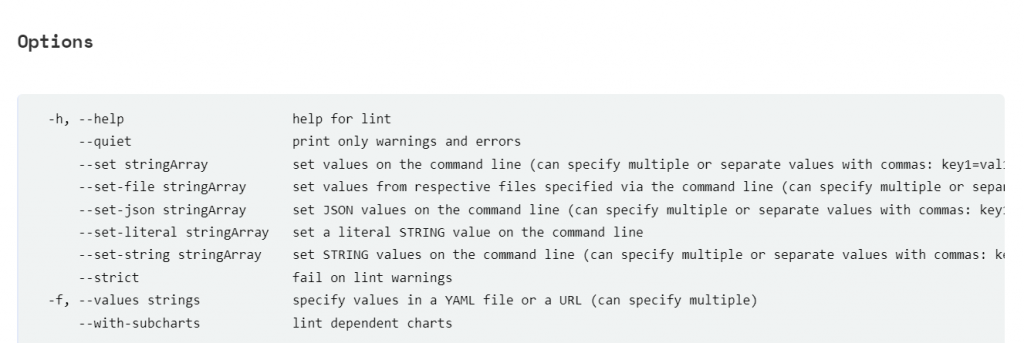
root@ip-172-31-54-213:/home/ubuntu/charts/ourchart# helm lint -h

This command takes a path to a chart and runs a series of tests to verify that
the chart is well-formed.

If the linter encounters things that will cause the chart to fail installation,
it will emit [ERROR] messages. If it encounters issues that break with convention
or recommendation, it will emit [WARNING] messages.

Usage:
  helm lint PATH [flags]

Flags:
  -h, --help                      help for lint
      --quiet                     print only warnings and errors
      --set stringArray           set values on the command line (can specify multiple or separate values with commas: key1=val1,key2=val2)
      --set-file stringArray      set values from respective files specified via the command line (can specify multiple or separate values with commas: key1=path1,key2=path2)
      --set-json stringArray      set JSON values on the command line (can specify multiple or separate values with commas: key1=jsonval1,key2=jsonval2)
      --set-literal stringArray   set a literal STRING value on the command line
      --set-string stringArray    set STRING values on the command line (can specify multiple or separate values with commas: key1=val1,key2=val2)
      --strict                    fail on lint warnings
  -f, --values strings            specify values in a YAML file or a URL (can specify multiple)
      --with-subcharts            lint dependent charts

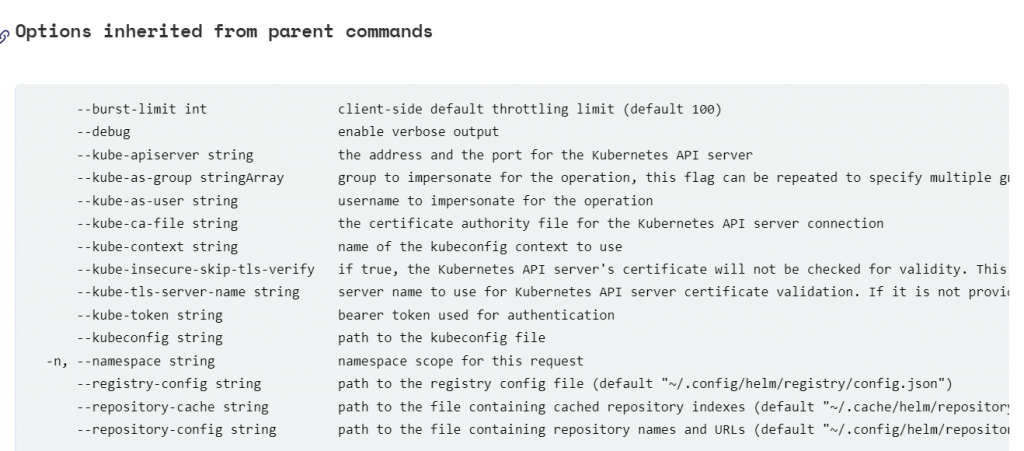
Global Flags:
      --burst-limit int                 client-side default throttling limit (default 100)
      --debug                           enable verbose output
      --kube-apiserver string           the address and the port for the Kubernetes API server
      --kube-as-group stringArray       group to impersonate for the operation, this flag can be repeated to specify multiple groups.
      --kube-as-user string             username to impersonate for the operation
      --kube-ca-file string             the certificate authority file for the Kubernetes API server connection
      --kube-context string             name of the kubeconfig context to use
      --kube-insecure-skip-tls-verify   if true, the Kubernetes API server's certificate will not be checked for validity. This will make your HTTPS connections insecure
      --kube-tls-server-name string     server name to use for Kubernetes API server certificate validation. If it is not provided, the hostname used to contact the server is used
      --kube-token string               bearer token used for authentication
      --kubeconfig string               path to the kubeconfig file
  -n, --namespace string                namespace scope for this request
      --registry-config string          path to the registry config file (default "/root/.config/helm/registry/config.json")
      --repository-cache string         path to the file containing cached repository indexes (default "/root/.cache/helm/repository")
      --repository-config string        path to the file containing repository names and URLs (default "/root/.config/helm/repositories.yaml")
Code language: PHP (php)
I’m Rajesh Kumar, a DevOps, SRE, DevSecOps, Cloud, and Platform Engineering expert passionate about sharing practical knowledge, real-world experiences, and industry best practices. I have worked at Cotocus and regularly write about technology, travel, investing, health, product reviews, and digital marketing through my various platforms.
I publish technical articles at DevOps School, travel stories at Holiday Landmark, stock market insights at Stocks Mantra, health and fitness guidance at My Medic Plus, product reviews at TrueReviewNow, and SEO and digital marketing strategies at Wizbrand.
Find Trusted Cardiac Hospitals
Compare heart hospitals by city and services — all in one place.
Explore Hospitals
Almost content free 🙂