
Prerequisite
The following requirements and recommendations apply when running Elasticsearch in Docker in production.
The following requirements and recommendations apply when running Elasticsearch in Docker in production.
Set vm.max_map_count to at least 262144
The vm.max_map_count kernel setting must be set to at least 262144 for production use.
How you set vm.max_map_count depends on your platform.
To view the current value for the vm.max_map_count setting, run:
$ grep vm.max_map_count /etc/sysctl.conf
$ vm.max_map_count=262144
To apply the setting on a live system, run:
$ sysctl -w vm.max_map_count=262144
To permanently change the value for the vm.max_map_count setting, update the value in /etc/sysctl.conf.
Step 1 – Install Docker
Step 2 – Run Elasticsearch on Docker for development
$ docker network create elastic
$ docker pull docker.elastic.co/elasticsearch/elasticsearch:8.3.3
$ docker run --name es-node01 --net elastic -p 9200:9200 -p 9300:9300 -t docker.elastic.co/elasticsearch/elasticsearch:8.3.3
$ docker logs es-node01
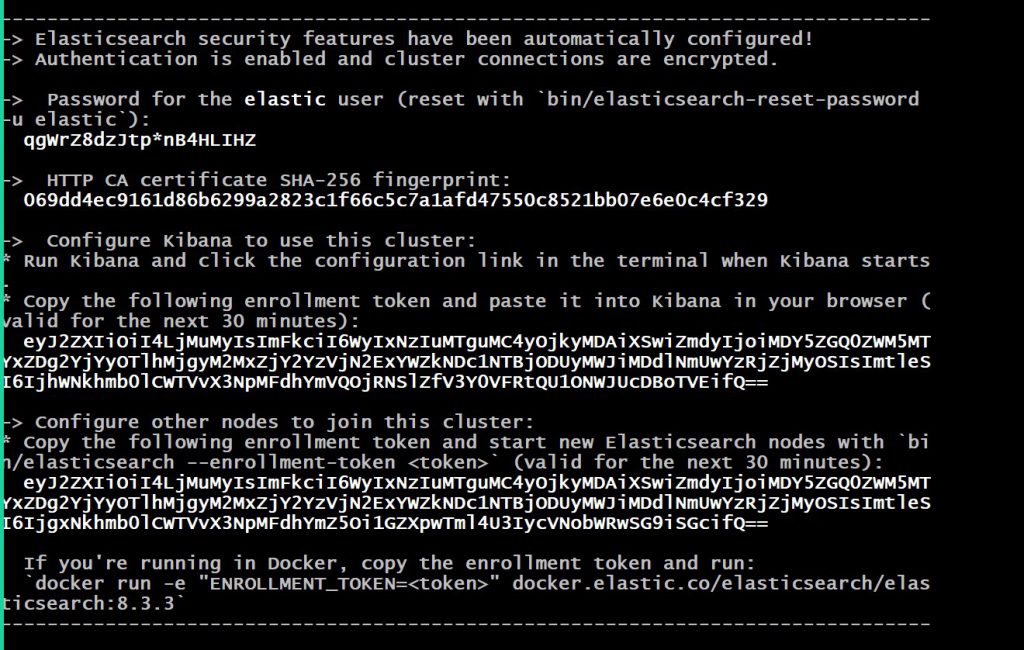
When you start Elasticsearch for the first time, the following security configuration occurs automatically:
- Certificates and keys are generated for the transport and HTTP layers.
- The Transport Layer Security (TLS) configuration settings are written to elasticsearch.yml.
- A password is generated for the elastic user.
- An enrollment token is generated for Kibana.
Copy the generated password and enrollment token and save them in a secure location. These values are shown only when you start Elasticsearch for the first time. You’ll use these to enroll Kibana with your Elasticsearch cluster and log in.
Step 3 – Run Kibana on Docker for development
In a new terminal session, start Kibana and connect it to your Elasticsearch container:


$ docker pull docker.elastic.co/kibana/kibana:8.3.3
$ docker run --name kib-01 --net elastic -p 5601:5601 docker.elastic.co/kibana/kibana:8.3.3
$ docker logs kib-01

example  http://192.168.1.16:5601/?code=036004
Code language: JavaScript (javascript)
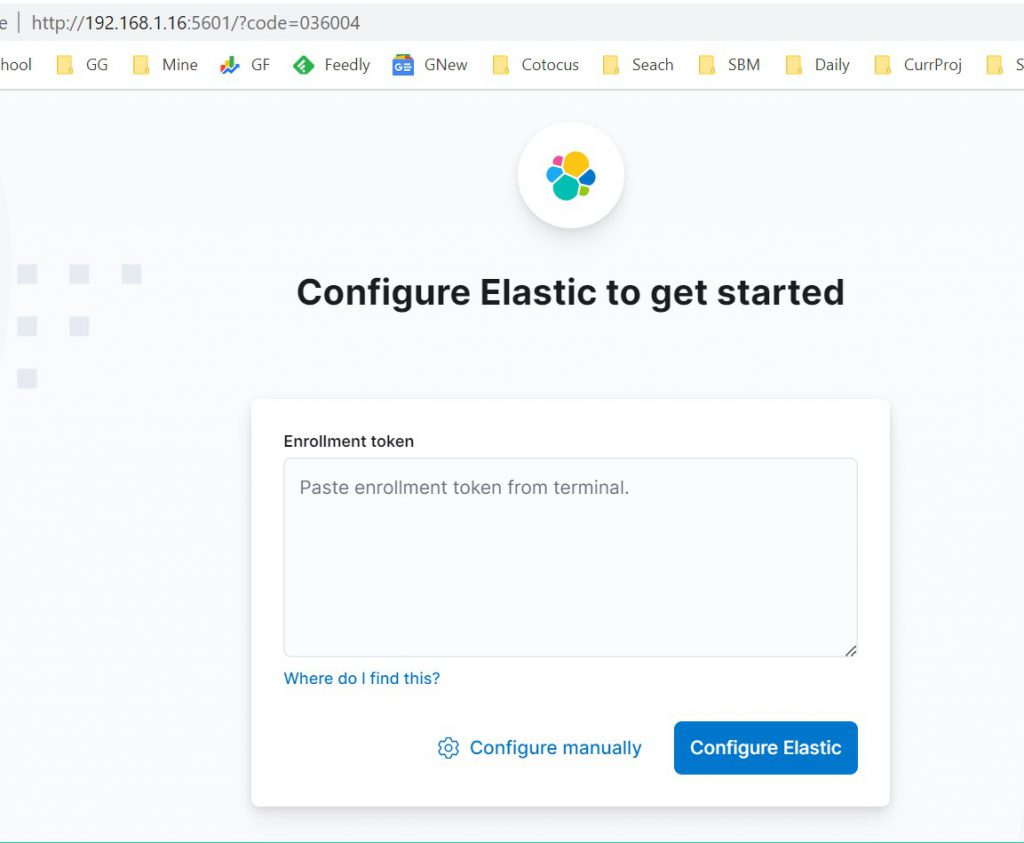
When you start Kibana, a unique link is output to your terminal.
To access Kibana, click the generated link in your terminal.
In your browser, paste the enrollment token that you copied when starting Elasticsearch and click the button to connect your Kibana instance with Elasticsearch.
Log in to Kibana as the elastic user with the password that was generated when you started Elasticsearch.
Default user name & password
- elastic / check the output of docker run
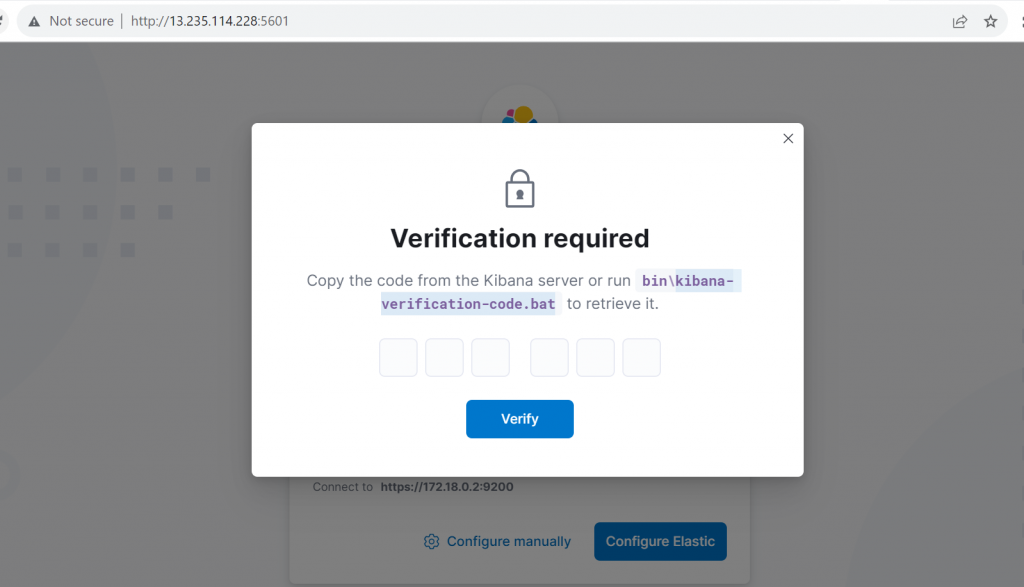
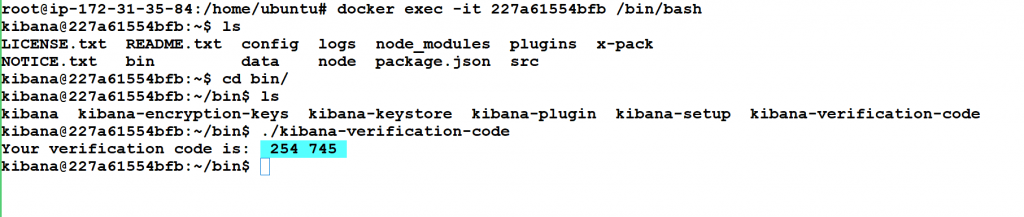
Verification for the ownership

I’m Rajesh Kumar, a DevOps, SRE, DevSecOps, Cloud, and Platform Engineering expert passionate about sharing practical knowledge, real-world experiences, and industry best practices. I have worked at Cotocus and regularly write about technology, travel, investing, health, product reviews, and digital marketing through my various platforms.
I publish technical articles at DevOps School, travel stories at Holiday Landmark, stock market insights at Stocks Mantra, health and fitness guidance at My Medic Plus, product reviews at TrueReviewNow, and SEO and digital marketing strategies at Wizbrand.
Find Trusted Cardiac Hospitals
Compare heart hospitals by city and services — all in one place.
Explore Hospitals



please what of running this on windows