
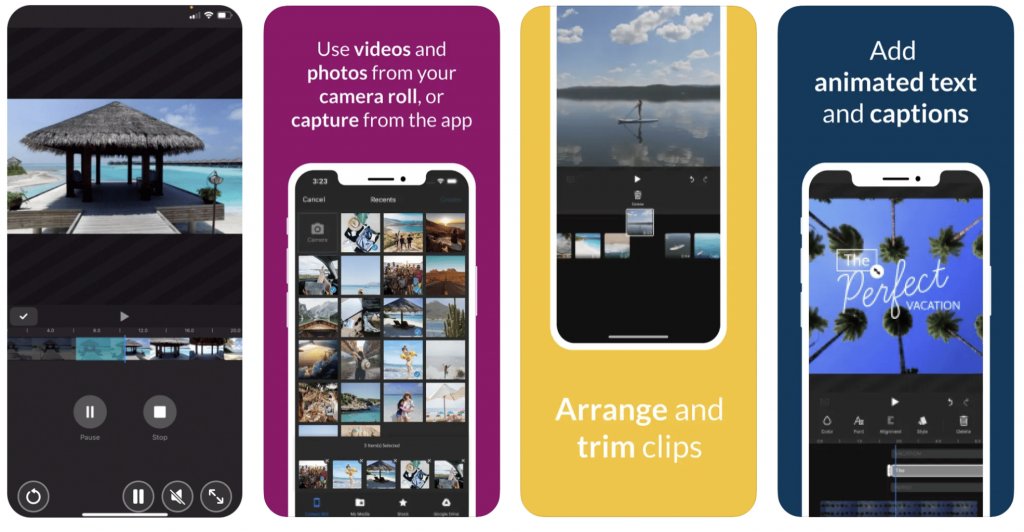
Are you tired of using the same old video editor on your phone? Do you want to spice up your videos with cool effects and transitions? Look no further! We’ve compiled a list of the top 11 best apps for video players and editors that will take your videos to the next level.
1. iMovie
iMovie is a classic video editor for iOS devices, and for good reason. It’s easy to use and comes with a variety of features such as filters, music, and text overlays. Plus, it’s free!
2. FilmoraGo
FilmoraGo is a user-friendly video editor for Android and iOS devices that offers a range of features including text overlays, transitions, and music. It’s perfect for those who want a professional-looking video without the hassle of a complicated editing process.
3. Adobe Premiere Rush
Adobe Premiere Rush is a powerful video editor that’s perfect for those who want to take their editing skills to the next level. It offers a range of features such as color correction, audio mixing, and text overlays. Plus, it’s available on both iOS and Android devices.
4. PowerDirector
PowerDirector is a popular video editor for Android devices that offers a range of features such as slow motion, text overlays, and transitions. It’s perfect for those who want to create professional-looking videos on the go.
5. Quik
Quik is a video editor that’s perfect for those who want to create quick and easy videos without the hassle of a complicated editing process. It offers a range of features such as music, text overlays, and transitions. Plus, it’s free!
6. KineMaster
KineMaster is a powerful video editor for Android and iOS devices that offers a range of features such as color correction, text overlays, and transitions. It’s perfect for those who want to create professional-looking videos on the go.
7. VideoShow
VideoShow is a user-friendly video editor for Android devices that offers a range of features such as music, text overlays, and transitions. It’s perfect for those who want to create quick and easy videos without the hassle of a complicated editing process.
8. Magisto
Magisto is a video editor that uses artificial intelligence to create professional-looking videos in minutes. It’s perfect for those who want to create quick and easy videos without the hassle of a complicated editing process.
9. InShot
InShot is a video editor for Android and iOS devices that offers a range of features such as music, text overlays, and transitions. It’s perfect for those who want to create professional-looking videos on the go.
10. VivaVideo
VivaVideo is a popular video editor for Android devices that offers a range of features such as slow motion, text overlays, and transitions. It’s perfect for those who want to create professional-looking videos on the go.
11. LumaFusion
LumaFusion is a powerful video editor for iOS devices that offers a range of features such as color correction, audio mixing, and text overlays. It’s perfect for those who want to take their editing skills to the next level.
In conclusion, there are a plethora of video editing apps available for both Android and iOS devices. From user-friendly apps like iMovie and Quik to powerful editors like Adobe Premiere Rush and LumaFusion, there’s something for everyone. So go ahead and take your videos to the next level with these top 11 best apps for video players and editors.

👤 About the Author
Ashwani is passionate about DevOps, DevSecOps, SRE, MLOps, and AiOps, with a strong drive to simplify and scale modern IT operations. Through continuous learning and sharing, Ashwani helps organizations and engineers adopt best practices for automation, security, reliability, and AI-driven operations.
🌐 Connect & Follow:
Website: WizBrand.com
Facebook: facebook.com/DevOpsSchool
X (Twitter): x.com/DevOpsSchools
LinkedIn: linkedin.com/company/devopsschool
YouTube: youtube.com/@TheDevOpsSchool
Instagram: instagram.com/devopsschool
Quora: devopsschool.quora.com
Email– contact@devopsschool.com
Find Trusted Cardiac Hospitals
Compare heart hospitals by city and services — all in one place.
Explore Hospitals




