
Introduction
Diagramming tools are software applications that help individuals and teams visually represent ideas, systems, processes, relationships, and workflows using diagrams such as flowcharts, mind maps, network diagrams, UML diagrams, org charts, and wireframes. Instead of relying on long text explanations, these tools make complex information easier to understand by converting it into clear visual formats.
In today’s fast-paced digital environment, diagramming tools play a critical role in planning, communication, documentation, and decision-making. Whether it is a product team mapping a user journey, an IT architect designing system infrastructure, or a business analyst documenting processes, diagrams reduce ambiguity and improve collaboration.
Why diagramming tools are important
- They simplify complex ideas and technical systems
- They improve cross-team communication
- They speed up planning, analysis, and approvals
- They reduce errors caused by misinterpretation
- They create reusable documentation for future reference
Common real-world use cases
- Business process modeling and optimization
- Software architecture and UML diagrams
- Network and cloud infrastructure planning
- Project workflows and task dependencies
- Brainstorming, mind mapping, and ideation
- Organizational charts and hierarchy mapping
What to look for when choosing a diagramming tool
When evaluating diagramming tools, users should consider:
- Diagram types supported (flowcharts, UML, ER, mind maps, etc.)
- Ease of use and learning curve
- Collaboration features (real-time editing, comments, version history)
- Integration options with project management or documentation tools
- Security and compliance, especially for enterprise use
- Performance and scalability for large or complex diagrams
Best for
Diagramming tools are best suited for:
- Product managers, developers, architects, and designers
- Business analysts and operations teams
- Educators and students
- Consultants and trainers
- Startups, SMBs, and large enterprises across IT, healthcare, finance, education, and manufacturing
Not ideal for
They may not be ideal for:
- Individuals with very simple, one-time visual needs
- Teams that rely entirely on text-based documentation
- Users who prefer whiteboard-only brainstorming without digital storage
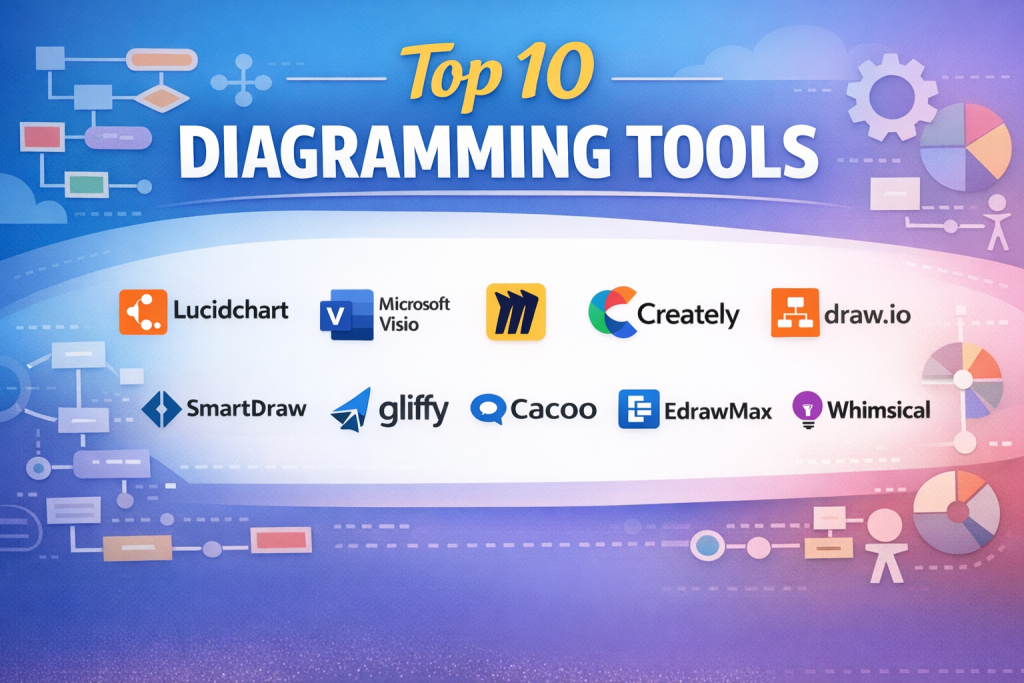
Top 10 Diagramming Tools Tools
1 — Lucidchart
Short description:
Lucidchart is a cloud-based diagramming platform designed for collaborative teams that need professional-grade diagrams with real-time editing and enterprise scalability.
Key features
- Flowcharts, UML, ER, and network diagrams
- Real-time multi-user collaboration
- Intelligent shape suggestions and auto-layout
- Import/export support for common formats
- Diagram linking and data visualization
- Version history and change tracking
Pros
- Excellent collaboration experience
- Suitable for both technical and non-technical users
Cons
- Advanced features require paid plans
- Can feel overwhelming for beginners
Security & compliance
SSO, encryption at rest and in transit, SOC 2, GDPR support
Support & community
Strong documentation, onboarding guides, enterprise support, active user community
2 — Microsoft Visio
Short description:
Microsoft Visio is a long-standing diagramming solution widely used in enterprises, especially those already invested in the Microsoft ecosystem.
Key features
- Professional diagram templates
- Advanced network and architecture diagrams
- Integration with Microsoft Office tools
- Data-linked diagrams
- Desktop and cloud versions
- Extensive stencil library
Pros
- Industry-standard for enterprise diagrams
- Deep Microsoft integration
Cons
- Steeper learning curve
- Higher cost compared to alternatives
Security & compliance
Enterprise-grade security, GDPR, ISO compliance
Support & community
Comprehensive documentation, enterprise support, large user base
3 — Draw.io (diagrams.net)
Short description:
Draw.io is a flexible, lightweight diagramming tool popular for its simplicity and strong offline and self-hosting options.
Key features
- Flowcharts, UML, and network diagrams
- Works online and offline
- Self-hosting capability
- Integration with file storage platforms
- No mandatory account required
- Fast performance
Pros
- Easy to use and accessible
- Suitable for privacy-focused teams
Cons
- Limited advanced automation
- UI feels basic for complex projects
Security & compliance
Varies depending on deployment; self-hosted security possible
Support & community
Good documentation, community-driven support
4 — Creately
Short description:
Creately combines diagramming with visual collaboration, making it suitable for brainstorming, planning, and structured documentation.
Key features
- Infinite canvas workspace
- Real-time collaboration
- Multiple diagram types
- Visual database and linked objects
- Pre-built templates
- Commenting and task assignments
Pros
- Strong visual collaboration features
- Useful for both planning and execution
Cons
- Performance may slow on very large diagrams
- Advanced features require paid plans
Security & compliance
Encryption, GDPR compliance
Support & community
Good onboarding, tutorials, responsive support
5 — Miro
Short description:
Miro is a visual collaboration platform that extends beyond diagramming into brainstorming, workshops, and agile planning.
Key features
- Infinite whiteboard
- Flowcharts and mind maps
- Sticky notes and facilitation tools
- Real-time collaboration
- Integrations with agile tools
- Presentation mode
Pros
- Excellent for workshops and ideation
- Highly interactive and flexible
Cons
- Not ideal for formal technical diagrams
- Can become cluttered without discipline
Security & compliance
SSO, SOC 2, GDPR support
Support & community
Strong community, training resources, enterprise support
6 — Gliffy
Short description:
Gliffy is a browser-based diagramming tool focused on simplicity and tight integration with documentation workflows.
Key features
- Flowcharts and basic diagrams
- Drag-and-drop interface
- Integration with documentation platforms
- Version control
- Team collaboration
- Template library
Pros
- Easy learning curve
- Good for documentation teams
Cons
- Limited advanced diagramming features
- Less suitable for complex architectures
Security & compliance
Standard encryption, GDPR support
Support & community
Decent documentation, standard customer support
7 — Cacoo
Short description:
Cacoo is a collaborative diagramming tool designed for distributed teams working on shared visuals.
Key features
- Real-time editing
- Chat and comments inside diagrams
- Flowcharts and wireframes
- Revision history
- Export options
- Team workspaces
Pros
- Strong collaboration features
- Clean and simple UI
Cons
- Smaller template library
- Less popular ecosystem
Security & compliance
Encryption, basic compliance standards
Support & community
Helpful documentation, moderate community
8 — SmartDraw
Short description:
SmartDraw focuses on automation and speed, helping users create diagrams quickly with intelligent formatting.
Key features
- Auto-layout diagrams
- Thousands of templates
- Integration with office tools
- Flowcharts, org charts, and floor plans
- Cloud and desktop options
- Fast diagram generation
Pros
- Time-saving automation
- Good for business users
Cons
- UI can feel dated
- Less flexible customization
Security & compliance
Enterprise security options available
Support & community
Strong support resources, enterprise plans
9 — EdrawMax
Short description:
EdrawMax is an all-in-one diagramming solution supporting a wide variety of diagram types across industries.
Key features
- Over 200 diagram types
- Cross-platform support
- Extensive symbol library
- Export to multiple formats
- Templates for industries
- Offline functionality
Pros
- Very versatile
- Good value for feature breadth
Cons
- Interface can feel crowded
- Learning curve for beginners
Security & compliance
Standard security measures, GDPR support
Support & community
Good tutorials, customer support available
10— Whimsical
Short description:
Whimsical is a lightweight, fast diagramming and visual thinking tool focused on simplicity and speed.
Key features
- Flowcharts and mind maps
- Low-friction UI
- Real-time collaboration
- Comments and sharing
- Fast performance
- Clean design
Pros
- Extremely easy to use
- Great for quick thinking and planning
Cons
- Limited advanced diagram types
- Not ideal for large enterprises
Security & compliance
Basic encryption, limited compliance certifications
Support & community
Helpful documentation, smaller community
Comparison Table
| Tool Name | Best For | Platform(s) Supported | Standout Feature | Rating |
|---|---|---|---|---|
| Lucidchart | Team collaboration | Web | Real-time collaboration | N/A |
| Microsoft Visio | Enterprise users | Desktop, Web | Professional diagrams | N/A |
| Draw.io | Privacy-focused teams | Web, Desktop | Offline & self-hosted | N/A |
| Creately | Visual collaboration | Web | Infinite canvas | N/A |
| Miro | Workshops & ideation | Web | Interactive whiteboard | N/A |
| Gliffy | Documentation teams | Web | Simple documentation diagrams | N/A |
| Cacoo | Remote teams | Web | Built-in collaboration | N/A |
| SmartDraw | Fast business diagrams | Web, Desktop | Automation | N/A |
| EdrawMax | Multi-industry use | Desktop, Web | Diagram variety | N/A |
| Whimsical | Quick planning | Web | Speed & simplicity | N/A |
Evaluation & Scoring of Diagramming Tools
| Criteria | Weight |
|---|---|
| Core features | 25% |
| Ease of use | 15% |
| Integrations & ecosystem | 15% |
| Security & compliance | 10% |
| Performance & reliability | 10% |
| Support & community | 10% |
| Price / value | 15% |
Overall insight:
Tools like Lucidchart and Visio score high on enterprise readiness, while Whimsical and Draw.io excel in simplicity and value. Miro stands out for collaboration rather than formal diagramming depth.
Which Diagramming Tools Tool Is Right for You?
Solo users
Lightweight tools with low learning curves are ideal. Simplicity and speed matter more than enterprise controls.
SMBs
Look for balance between collaboration, affordability, and features. Cloud-based tools with team sharing work best.
Mid-market
Integration, version control, and performance become more important as teams scale.
Enterprise
Security, compliance, SSO, audit logs, and governance should drive decisions.
Budget-conscious users
Tools offering free or low-cost plans with essential features are sufficient.
Premium users
Advanced automation, integrations, and dedicated support justify higher costs.
Feature depth vs ease of use
Technical teams may prefer depth, while business users benefit from simplicity.
Security and compliance needs
Regulated industries must prioritize compliance certifications and data controls.
Frequently Asked Questions (FAQs)
1. What is a diagramming tool?
A diagramming tool helps users visually represent processes, systems, and ideas using structured diagrams.
2. Are diagramming tools only for IT teams?
No, they are widely used by business, education, healthcare, and creative teams.
3. Do I need advanced skills to use these tools?
Most modern tools are designed for beginners with drag-and-drop interfaces.
4. Can diagramming tools replace documentation?
They complement documentation but usually work best together with text.
5. Are cloud-based diagramming tools secure?
Many offer enterprise-grade encryption and compliance, but users should verify requirements.
6. Can multiple people edit diagrams at once?
Yes, most modern tools support real-time collaboration.
7. Do these tools work offline?
Some support offline or desktop modes, while others are cloud-only.
8. Are free versions sufficient?
For basic use, yes. Advanced needs often require paid plans.
9. What mistakes should users avoid?
Overcomplicating diagrams and not maintaining version control.
10. How do I choose the best tool?
Match the tool to your use case, team size, and security needs.
Conclusion
Diagramming tools have become essential for visual communication, planning, and collaboration across industries. They help transform abstract ideas into clear, actionable visuals that improve understanding and decision-making.
When choosing a diagramming tool, focus on your specific needs—such as ease of use, collaboration, security, and scalability—rather than searching for a single universal solution. Each tool covered in this guide excels in different scenarios.
The best diagramming tool is not the one with the most features, but the one that fits your workflow, team size, and goals.

Find Trusted Cardiac Hospitals
Compare heart hospitals by city and services — all in one place.
Explore Hospitals
Very informative article! This comparison of the top diagramming tools gives readers a clear, side-by-side look at key features, strengths, and limitations, making it much easier to choose the right platform for visual communication needs. The breakdown of usability, collaboration abilities, template options, and export formats helps professionals and teams quickly understand which tools—like Lucidchart, draw.io, and Microsoft Visio—are best suited for specific tasks such as system design, business process mapping, or project planning. Presenting pros and cons alongside real-world use cases adds practical value, enabling readers to make an informed decision based on both capabilities and potential trade-offs. Overall, it’s a valuable resource for anyone exploring diagramming tools in 2025.
Insightful and practical article! This comprehensive comparison of diagramming tools lays out key features, pros, and cons in a way that makes it much easier for professionals, designers, and teams to choose the right solution for visual communication and process mapping. By highlighting differences in usability, template libraries, collaboration features, and export options, readers can quickly gauge which tools—such as Lucidchart, draw.io, or Visio—best match their project and workflow needs. The structured breakdown helps clarify both strengths and potential limitations, saving time in decision-making and ensuring teams can create clear, professional diagrams for everything from architecture planning to business process modeling. Overall, a great resource for anyone evaluating diagramming tools in 2025.