
Introduction
Newsreader apps are digital platforms designed to aggregate, curate, and deliver news content from multiple sources into a single, personalized reading experience. Instead of visiting dozens of websites or apps, users can rely on a newsreader to bring together headlines, long-form journalism, blogs, newsletters, RSS feeds, and trending topics—all in one place.
In today’s information-heavy world, newsreader apps are no longer optional tools. They help individuals and organizations cut through noise, stay informed in real time, and consume credible information efficiently. From journalists tracking breaking stories to executives monitoring industry trends, newsreader apps play a critical role in modern decision-making.
Key real-world use cases include:
- Staying updated on global and local news without information overload
- Monitoring industry-specific publications and thought leaders
- Tracking competitors, markets, and emerging trends
- Building daily reading habits with curated, distraction-free content
When choosing a newsreader app, users should evaluate factors such as content discovery quality, customization options, platform support, reading experience, performance, privacy controls, and long-term scalability.
Best for:
Newsreader apps are ideal for professionals, researchers, journalists, marketers, founders, students, and lifelong learners who need consistent, structured access to news and insights across industries and regions.
Not ideal for:
Users who only read occasional headlines, prefer algorithm-free browsing without personalization, or rely exclusively on social media for news consumption may not fully benefit from dedicated newsreader tools.
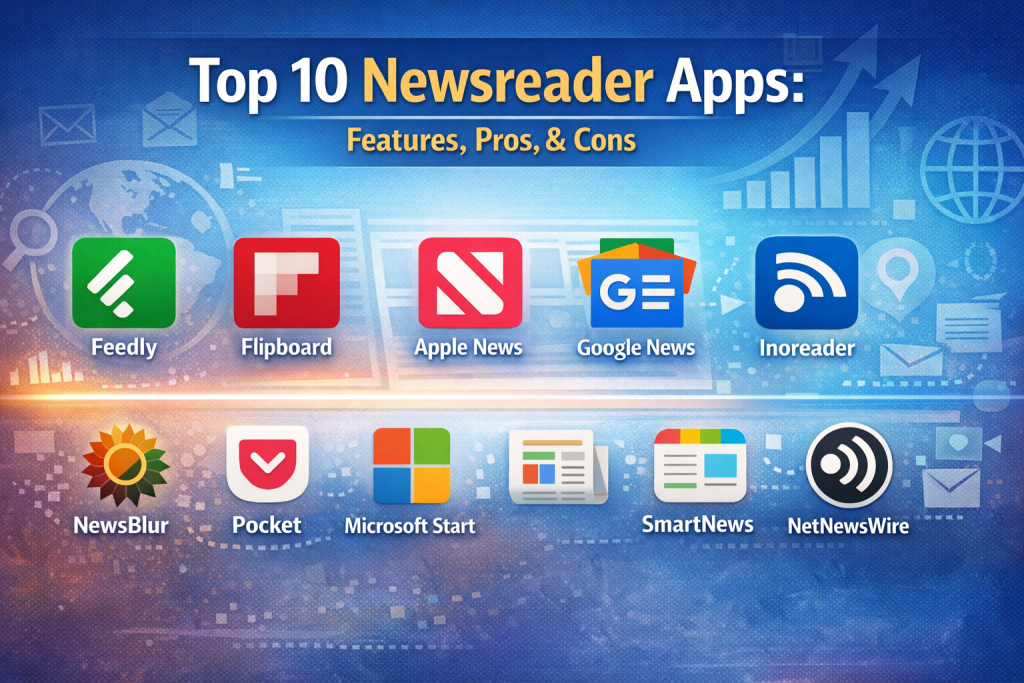
Top 10 Newsreader Apps Tools
#1 — Feedly
Short description:
A powerful and widely adopted newsreader built for professionals who need structured, topic-based content discovery and real-time updates.
Key features:
- Advanced RSS feed aggregation
- Topic and keyword-based content discovery
- AI-powered relevance filtering
- Custom folders and boards
- Team sharing and collaboration options
- Cross-platform synchronization
Pros:
- Excellent for industry and competitor monitoring
- Clean, distraction-free interface
- Scales well from individual to enterprise use
Cons:
- Advanced features require paid plans
- Can feel complex for casual readers
Security & compliance:
SOC 2 (enterprise tiers), encryption in transit, GDPR support
Support & community:
Strong documentation, active user base, enterprise onboarding available
#2 — Flipboard
Short description:
A visually rich newsreader that blends magazine-style layouts with personalized content discovery.
Key features:
- Magazine-style visual presentation
- Interest-based personalization
- Curated editorial selections
- Offline reading mode
- Cross-platform availability
Pros:
- Highly engaging reading experience
- Easy onboarding for new users
- Strong mainstream and lifestyle content
Cons:
- Limited RSS control for power users
- Less suitable for deep research workflows
Security & compliance:
Standard encryption, GDPR compliant
Support & community:
Basic documentation, large consumer user base
#3 — Inoreader
Short description:
A feature-rich RSS and news aggregation platform tailored for heavy readers and researchers.
Key features:
- Full RSS feed management
- Advanced filtering and automation rules
- Content archiving and search
- Offline reading support
- Multilingual content handling
Pros:
- Extremely powerful filtering options
- Ideal for research-driven users
- Highly customizable workflows
Cons:
- Steeper learning curve
- Interface less polished than competitors
Security & compliance:
Encryption, GDPR support, role-based access (paid tiers)
Support & community:
Detailed documentation, responsive email support
#4 — Apple News
Short description:
A native news platform optimized for Apple users, combining editorial curation with algorithmic personalization.
Key features:
- Premium publisher access
- Editorially curated stories
- Offline reading
- Siri integration
- Cross-device Apple ecosystem sync
Pros:
- Seamless Apple ecosystem integration
- High-quality journalism sources
- Polished user experience
Cons:
- Limited customization
- Restricted to Apple platforms
Security & compliance:
Apple privacy standards, on-device personalization
Support & community:
Apple support ecosystem, extensive documentation
#5 — Google News
Short description:
An AI-driven news aggregator delivering personalized and real-time news from thousands of global sources.
Key features:
- AI-based topic clustering
- Real-time breaking news alerts
- Full-coverage story views
- Local and global news sections
- Cross-platform accessibility
Pros:
- Excellent real-time coverage
- Strong source diversity
- Free and easy to use
Cons:
- Limited manual feed control
- Algorithm transparency concerns
Security & compliance:
Google security infrastructure, GDPR support
Support & community:
Self-service help resources, massive global user base
#6 — NewsBlur
Short description:
An open-source-friendly newsreader offering deep control over RSS feeds and reading preferences.
Key features:
- Original site view and text view
- Story tagging and training filters
- Offline reading
- Open-source core
- Community-driven development
Pros:
- Strong customization options
- Privacy-friendly approach
- Transparent feature roadmap
Cons:
- UI feels dated
- Smaller ecosystem compared to giants
Security & compliance:
Encryption, GDPR alignment, self-host options
Support & community:
Active community forums, developer-led support
#7 — Pocket
Short description:
A read-it-later and discovery-focused app for saving and consuming long-form content.
Key features:
- One-click article saving
- Clean reading mode
- Offline access
- Text-to-speech playback
- Tag-based organization
Pros:
- Excellent reading experience
- Ideal for long-form content
- Simple and intuitive
Cons:
- Not a full news aggregation tool
- Limited real-time updates
Security & compliance:
Encryption, GDPR compliant
Support & community:
Good documentation, strong consumer adoption
#8 — Microsoft Start
Short description:
A news aggregation platform integrated with Microsoft’s productivity and ecosystem tools.
Key features:
- AI-curated news feeds
- Personal interest customization
- Integration with Microsoft ecosystem
- Local and global news coverage
- Clean reading interface
Pros:
- Strong mainstream news coverage
- Easy onboarding
- Cross-platform availability
Cons:
- Limited advanced controls
- Less suitable for niche research
Security & compliance:
Microsoft security standards, GDPR compliant
Support & community:
Microsoft documentation and enterprise support ecosystem
#9 — SmartNews
Short description:
A speed-optimized newsreader focusing on fast access to trending and local news.
Key features:
- Fast loading performance
- Offline reading mode
- Trending topic discovery
- Local news personalization
- Clean minimal UI
Pros:
- Extremely fast and lightweight
- Good local news coverage
- Beginner-friendly
Cons:
- Limited customization
- Not ideal for professional monitoring
Security & compliance:
Standard encryption, GDPR support
Support & community:
Basic help resources, consumer-focused support
#10 — NetNewsWire
Short description:
A minimalist, privacy-first RSS reader focused on simplicity and speed.
Key features:
- Traditional RSS feed reading
- iCloud synchronization
- Keyboard-friendly navigation
- Open-source project
- No tracking or ads
Pros:
- Lightweight and fast
- Strong privacy stance
- Ideal for RSS purists
Cons:
- Limited discovery features
- No AI or automation
Security & compliance:
Privacy-first, minimal data collection
Support & community:
Open-source community support, clear documentation
Comparison Table
| Tool Name | Best For | Platform(s) Supported | Standout Feature | Rating |
|---|---|---|---|---|
| Feedly | Professionals & teams | Web, iOS, Android | AI relevance filtering | N/A |
| Casual readers | Web, iOS, Android | Magazine-style layout | N/A | |
| Inoreader | Researchers | Web, iOS, Android | Advanced automation | N/A |
| Apple News | Apple users | iOS, macOS | Premium publishers | N/A |
| Google News | General audiences | Web, iOS, Android | AI story clustering | N/A |
| NewsBlur | Power RSS users | Web, iOS, Android | Open-source flexibility | N/A |
| Long-form readers | Web, iOS, Android | Read-it-later focus | N/A | |
| Microsoft Start | Mainstream news | Web, iOS, Android | Microsoft integration | N/A |
| SmartNews | Speed readers | iOS, Android | Fast offline access | N/A |
| NetNewsWire | Privacy advocates | macOS, iOS | Minimalist RSS | N/A |
Evaluation & Scoring of Newsreader Apps
| Criteria | Weight | Score (Avg) |
|---|---|---|
| Core features | 25% | High |
| Ease of use | 15% | High |
| Integrations & ecosystem | 15% | Medium |
| Security & compliance | 10% | Medium |
| Performance & reliability | 10% | High |
| Support & community | 10% | Medium |
| Price / value | 15% | Medium-High |
Which Newsreader Apps Tool Is Right for You?
- Solo users: Flipboard, Pocket, SmartNews
- SMBs & professionals: Feedly, Inoreader
- Mid-market teams: Feedly, Microsoft Start
- Enterprise users: Feedly (advanced tiers)
Budget-conscious users may prefer Google News or SmartNews, while premium users benefit from Feedly or Apple News. Those needing deep integrations and scalability should prioritize automation and API-ready platforms, while privacy-focused users should consider NetNewsWire or NewsBlur.
Frequently Asked Questions (FAQs)
- What is a newsreader app?
A tool that aggregates news from multiple sources into one personalized feed. - Are newsreader apps free?
Many offer free tiers, with advanced features available via paid plans. - Do newsreader apps replace news websites?
They complement them by centralizing access rather than replacing original sources. - Are they suitable for businesses?
Yes, especially for market research, PR monitoring, and competitive intelligence. - Do newsreader apps work offline?
Most leading apps support offline reading. - Is RSS still relevant?
Yes, RSS remains a reliable and ad-free way to consume news. - Are these apps secure?
Most reputable tools follow standard encryption and privacy practices. - Can teams collaborate using newsreaders?
Some tools offer shared boards and team features. - Which app is best for research?
Inoreader and Feedly are strong research-focused options. - Do algorithms control what I see?
Some apps rely heavily on algorithms, while others allow full manual control.
Conclusion
Newsreader apps have become essential tools for managing information overload in a fast-moving digital world. The best platforms balance content quality, personalization, performance, and privacy, while fitting naturally into your daily workflow.
There is no single “best” newsreader for everyone. The right choice depends on your reading habits, professional needs, budget, and desired level of control. By aligning features with real-world use cases, you can choose a newsreader app that delivers clarity—not noise—in your daily information diet.

Find Trusted Cardiac Hospitals
Compare heart hospitals by city and services — all in one place.
Explore Hospitals
This is a well-organized and insightful comparison of popular newsreader apps. I appreciate how the article goes beyond basic feature lists and highlights the real trade-offs — from customization and offline reading to personalization algorithms and privacy considerations. The pros and cons sections make it easier to match each app to different user needs, whether someone wants a minimal reading experience, deep topic curation, or cross-device sync. For anyone looking to streamline how they consume news across sources, this breakdown provides practical guidance and clear criteria to help make an informed choice.