
Introduction
Asset Lifecycle Management (ALM) tools are software platforms designed to track, manage, and optimize assets from acquisition to disposal. Assets may include IT hardware, software licenses, machinery, vehicles, buildings, or infrastructure—anything that carries operational or financial value over time.
In today’s cost-conscious and compliance-driven environment, organizations can no longer afford manual spreadsheets, fragmented systems, or reactive maintenance. ALM tools provide centralized visibility into asset performance, utilization, depreciation, maintenance schedules, and compliance status—helping organizations extend asset life while reducing risk and cost.
Why Asset Lifecycle Management Is Important
- Prevents asset under-utilization and premature replacement
- Reduces unplanned downtime and maintenance costs
- Improves financial accuracy and depreciation tracking
- Supports regulatory audits and compliance
- Enables data-driven decisions across IT, finance, and operations
Common Real-World Use Cases
- IT teams tracking hardware and software licenses
- Manufacturing plants managing machinery maintenance
- Facilities teams monitoring buildings and utilities
- Finance teams handling depreciation and asset valuation
- Government and healthcare organizations meeting compliance needs
What to Look for When Choosing an ALM Tool
- Full lifecycle coverage (procurement → disposal)
- Asset tracking and inventory accuracy
- Maintenance and work order management
- Integration with ERP, ITSM, or finance systems
- Strong reporting, analytics, and audit trails
Best for:
IT managers, asset managers, finance leaders, facilities teams, compliance officers, SMBs to large enterprises, manufacturing, healthcare, government, logistics, and IT-driven organizations.
Not ideal for:
Freelancers, very small teams with minimal assets, or organizations that only require basic inventory tracking without lifecycle, compliance, or maintenance complexity.
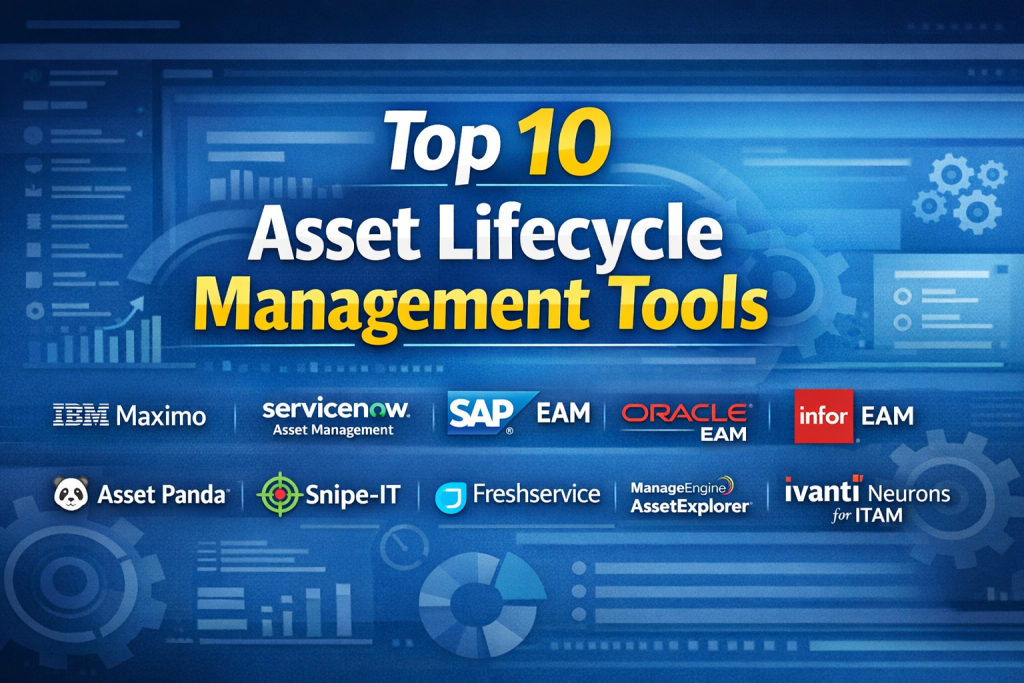
Top 10 Asset Lifecycle Management Tools
1 — IBM Maximo
Short description:
A robust enterprise-grade asset lifecycle and maintenance platform widely used in large, asset-intensive industries such as utilities, manufacturing, and transportation.
Key features
- End-to-end asset lifecycle tracking
- Preventive and predictive maintenance
- Work order and service management
- IoT and condition-based monitoring
- Advanced reporting and analytics
- Mobile asset management
Pros
- Extremely powerful and scalable
- Strong predictive maintenance capabilities
Cons
- Steep learning curve
- High implementation and licensing cost
Security & compliance:
Enterprise-grade security, role-based access, audit logs, ISO and industry compliance support.
Support & community:
Extensive documentation, enterprise support, global user community.
2 — ServiceNow Asset Management
Short description:
A cloud-native IT and enterprise asset management solution built on the ServiceNow platform, ideal for IT-centric organizations.
Key features
- Hardware and software asset lifecycle tracking
- License compliance management
- Automated discovery and reconciliation
- Integration with ITSM workflows
- Cloud asset visibility
- Lifecycle cost optimization
Pros
- Seamless ITSM integration
- Excellent automation capabilities
Cons
- Premium pricing
- Requires ServiceNow ecosystem knowledge
Security & compliance:
SSO, encryption, SOC 2, ISO standards, strong governance controls.
Support & community:
High-quality documentation, enterprise onboarding, active ecosystem.
3 — SAP EAM
Short description:
An enterprise asset management module tightly integrated into the SAP ecosystem, ideal for organizations already using SAP ERP.
Key features
- Asset lifecycle and maintenance planning
- Integration with finance and procurement
- Predictive maintenance with analytics
- Asset valuation and depreciation
- Mobile maintenance support
Pros
- Deep ERP and finance integration
- Highly configurable
Cons
- Complex implementation
- Requires SAP expertise
Security & compliance:
Enterprise-level compliance, audit controls, role-based access.
Support & community:
Global SAP support network and large partner ecosystem.
4 — Oracle Enterprise Asset Management
Short description:
A comprehensive asset lifecycle solution embedded in Oracle’s enterprise applications, suitable for large enterprises.
Key features
- Full lifecycle asset tracking
- Preventive and corrective maintenance
- Asset cost and depreciation tracking
- Work order management
- Supply chain integration
Pros
- Strong financial alignment
- Reliable enterprise performance
Cons
- Expensive licensing
- Less intuitive UI
Security & compliance:
Advanced security controls, compliance reporting, enterprise audit features.
Support & community:
Enterprise-grade support and Oracle partner network.
5 — Infor EAM
Short description:
A flexible, cloud-enabled EAM solution used across manufacturing, healthcare, and public sector organizations.
Key features
- Asset lifecycle and maintenance management
- Mobile asset tracking
- Predictive analytics
- GIS integration
- Industry-specific configurations
Pros
- Industry-focused capabilities
- Good mobile experience
Cons
- Reporting customization can be complex
- Interface feels dated for some users
Security & compliance:
Role-based access, encryption, industry compliance options.
Support & community:
Strong documentation, industry user groups.
6 — Asset Panda
Short description:
A modern, cloud-based asset lifecycle tool designed for SMBs seeking ease of use and quick deployment.
Key features
- Asset tracking with mobile scanning
- Lifecycle status management
- Maintenance scheduling
- Custom fields and workflows
- Cloud-based reporting
Pros
- Very easy to use
- Fast setup and adoption
Cons
- Limited enterprise scalability
- Fewer advanced analytics
Security & compliance:
Cloud security controls, access permissions, basic compliance support.
Support & community:
Responsive customer support and onboarding resources.
7 — Snipe-IT
Short description:
An open-source IT asset lifecycle management tool popular among startups and budget-conscious teams.
Key features
- Hardware and software asset tracking
- License and warranty management
- User assignment tracking
- Audit logs
- REST API support
Pros
- Cost-effective
- Highly customizable
Cons
- Limited enterprise features
- Requires technical maintenance
Security & compliance:
Varies by deployment; audit logs available.
Support & community:
Active open-source community, paid support available.
8 — Freshservice
Short description:
An ITSM-focused platform with integrated asset lifecycle management for IT teams.
Key features
- IT asset lifecycle tracking
- Automated discovery
- License compliance
- Incident and change integration
- Cloud-based reporting
Pros
- Intuitive UI
- Quick onboarding
Cons
- Limited non-IT asset coverage
- Advanced features cost extra
Security & compliance:
SSO, encryption, GDPR readiness.
Support & community:
Strong documentation and responsive support.
9 — ManageEngine AssetExplorer
Short description:
A practical IT asset lifecycle management solution for SMBs and mid-market organizations.
Key features
- IT asset discovery and tracking
- Software license management
- Contract and warranty tracking
- Compliance reporting
- Integration with ITSM
Pros
- Affordable pricing
- Strong IT asset focus
Cons
- UI can feel cluttered
- Limited enterprise scalability
Security & compliance:
Role-based access, audit logs, standard compliance controls.
Support & community:
Good documentation and regional support presence.
10— Ivanti Neurons for ITAM
Short description:
An AI-enabled IT asset lifecycle platform focusing on automation and visibility.
Key features
- Asset discovery and normalization
- Lifecycle cost optimization
- AI-driven insights
- License compliance
- Cloud and endpoint visibility
Pros
- Strong automation
- Modern analytics
Cons
- Learning curve for advanced features
- Pricing varies by modules
Security & compliance:
Enterprise security standards, audit logging, compliance readiness.
Support & community:
Enterprise support options and training resources.
Comparison Table
| Tool Name | Best For | Platform(s) Supported | Standout Feature | Rating |
|---|---|---|---|---|
| IBM Maximo | Large asset-intensive enterprises | Cloud / On-prem | Predictive maintenance | N/A |
| ServiceNow Asset Mgmt | IT-centric enterprises | Cloud | ITSM integration | N/A |
| SAP EAM | SAP-based organizations | Cloud / On-prem | ERP integration | N/A |
| Oracle EAM | Large enterprises | On-prem / Cloud | Financial alignment | N/A |
| Infor EAM | Industry-focused orgs | Cloud | Mobile EAM | N/A |
| Asset Panda | SMBs | Cloud | Ease of use | N/A |
| Snipe-IT | Startups, IT teams | Cloud / Self-hosted | Open-source flexibility | N/A |
| Freshservice | IT teams | Cloud | Fast onboarding | N/A |
| ManageEngine AssetExplorer | SMB IT teams | Cloud / On-prem | License compliance | N/A |
| Ivanti Neurons ITAM | Modern IT orgs | Cloud | AI-driven insights | N/A |
Evaluation & Scoring of Asset Lifecycle Management Tools
| Tool | Core Features (25%) | Ease of Use (15%) | Integrations (15%) | Security (10%) | Performance (10%) | Support (10%) | Price / Value (15%) | Total |
|---|---|---|---|---|---|---|---|---|
| IBM Maximo | 23 | 10 | 14 | 9 | 9 | 9 | 8 | 82 |
| ServiceNow | 22 | 12 | 15 | 9 | 9 | 9 | 7 | 83 |
| SAP EAM | 22 | 9 | 15 | 9 | 9 | 9 | 7 | 80 |
| Asset Panda | 17 | 14 | 10 | 7 | 8 | 8 | 13 | 77 |
Which Asset Lifecycle Management Tool Is Right for You?
- Solo users / small teams: Lightweight tools with fast setup and low cost
- SMBs: Cloud-based platforms with strong reporting and automation
- Mid-market: Balance of customization, integration, and usability
- Enterprise: Full lifecycle, predictive maintenance, and compliance depth
Consider your asset complexity, budget, integration needs, and compliance requirements before deciding.
Frequently Asked Questions (FAQs)
- What is Asset Lifecycle Management?
It is the process of managing assets from acquisition to disposal to maximize value and reduce risk. - Are ALM tools only for IT assets?
No. They manage IT, physical, infrastructure, and financial assets. - Do small businesses need ALM tools?
Yes, if asset tracking, maintenance, or compliance is important. - Cloud vs on-prem—what’s better?
Cloud offers faster deployment; on-prem offers more control. - Do these tools support depreciation?
Most enterprise tools include depreciation tracking. - How long does implementation take?
Ranges from days (SMB tools) to months (enterprise platforms). - Are ALM and EAM the same?
EAM focuses on maintenance; ALM covers the full lifecycle. - Can ALM tools integrate with ERP?
Yes, many integrate with ERP and finance systems. - What’s the biggest mistake buyers make?
Choosing overly complex tools for simple needs. - Is there a universal best ALM tool?
No—the best tool depends on use case and scale.
Conclusion
Asset Lifecycle Management tools play a critical role in controlling costs, reducing downtime, ensuring compliance, and improving operational visibility. From lightweight cloud platforms to enterprise-grade systems with predictive analytics, the market offers solutions for every size and industry.
The key is not choosing the most powerful tool—but the right tool for your assets, processes, and growth plans. Define your needs clearly, evaluate lifecycle depth and integration requirements, and select a platform that delivers long-term value rather than short-term convenience.

Find Trusted Cardiac Hospitals
Compare heart hospitals by city and services — all in one place.
Explore Hospitals
This is a really helpful breakdown of asset lifecycle management tools! I like how the article not only lists the top options but also explains the strengths and limitations of each one in plain language. It makes it much easier to compare tools based on real‑world needs like tracking, maintenance, and reporting. For anyone trying to choose the right solution without getting overwhelmed, this comparison is clear and practical. Great job!