Find the Best Cosmetic Hospitals

Explore trusted cosmetic hospitals and make a confident choice for your transformation.

“Invest in yourself — your confidence is always worth it.”

Explore Cosmetic Hospitals

Start your journey today — compare options in one place.

Linux Interview Questions and Answer – Part 6

  1. script/command to delete last word from every line in a file
    2.script/command to find the files with more than 1gb size
  2. What is Swap Space?
  3. What is the maximum length for a file name in Linux?
  4. Which partition stores the system configuration files in Linux system?
  5. Which command is used to uncompress gzip files?
  6. What is the difference between soft and hard mounting points?
  7. What are the file permissions in Linux?
  8. more questions are from sed, find and awk .
  9. How to check Memory stats and CPU stats as a Linux admin?
    11.How to reduce or shrink the size of LVM partition?
  10. How can you enhance the security of password file?
  11. What is the difference between Cron and Anacron?
  12. What command is used to check the number of files, disk space and each user’s defined quota?
  13. how can you manage memory in linux machines?
    1. What is the name and path of the main system log?
  14. how to manage logical volumes?
  15. Explain /proc filesystem?
  16. What are the fields in the/etc/passwd file?
  17. How do you terminate an ongoing process?
  18. How can you know the execution time of a command?
  19. How can you append one file to another in Linux?
  20. How you can run an Linux program in the background simultaneously when you start your Linux Server?
  21. How to check previous command is success or not ?
  22. Give me a command to create a file with specific size ?

Find Trusted Cardiac Hospitals

Compare heart hospitals by city and services — all in one place.

Explore Hospitals
I'm Rajesh Kumar, a DevOps, SRE, DevSecOps, Cloud, and Platform Engineering expert passionate about sharing practical knowledge, real-world experiences, and industry best practices. I have worked at Cotocus and regularly write about technology, travel, investing, health, product reviews, and digital marketing through my various platforms. I publish technical articles at DevOps School, travel stories at Holiday Landmark, stock market insights at Stocks Mantra, health and fitness guidance at My Medic Plus, product reviews at TrueReviewNow, and SEO and digital marketing strategies at Wizbrand.

Related Posts

How to Configure HTTP/HTTPS Proxy on Linux and Windows (CLI, GUI, Registry, and APT)

Set up proxy access correctly on Windows and Linux for command-line tools, package managers, and system-level use. This guide covers quick commands, persistent configuration, and common troubleshooting steps.

Read More

Linux pmap Command Guide: Inspect Process Memory Maps with Practical Examples

Learn how to use the Linux pmap command to inspect per-process memory mappings, compare output modes, and troubleshoot high memory usage quickly. This updated guide includes workflow steps, command examples, and interpretation tips.

Read More

iostat Command Guide for Linux: 20 Practical Examples for CPU and Disk I/O Troubleshooting

Learn how to use iostat to monitor CPU and storage performance on Linux systems. This revised guide covers installation, 20 practical commands, metric interpretation, and a troubleshooting workflow.

Read More

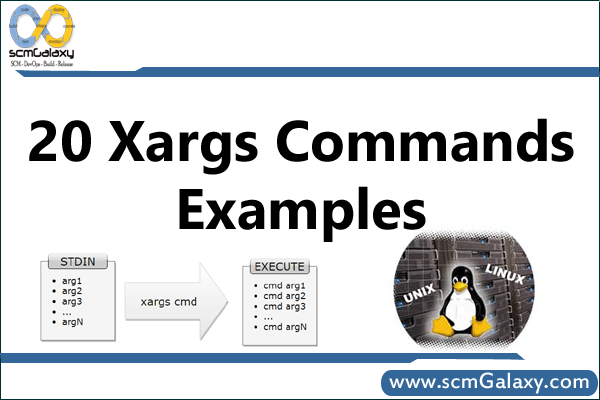
xargs in Linux: Practical Commands, Safe Patterns, and Pipeline Workflows

This guide explains how to use xargs effectively in Linux/Unix shells, from basic stdin handling to safe file operations and parallel execution. You’ll learn practical command patterns, portability caveats, and safer alternatives.

Read More

Linux mount and umount Commands: Practical Examples, /etc/fstab, and Safe Unmounting

Learn how to mount and unmount filesystems reliably on Linux, from one-off commands to persistent /etc/fstab entries. This guide covers common filesystem types, command comparisons, and safe troubleshooting steps.

Read More

How to Use gsh to Run Linux Commands Across Multiple Servers

gsh (Group Shell) lets you execute one command across many Linux hosts from a single terminal. This guide explains host grouping with /etc/ghosts, core options, and practical command patterns.

Read More