MYHOSPITALNOW.COM

Find Trusted Doctors & Hospitals

Discover healthcare providers, compare hospitals, and explore treatment options worldwide.

Free Treatment Quotes • Doctor Search • Hospital Comparison

Find Healthcare Options

www.myhospitalnow.com

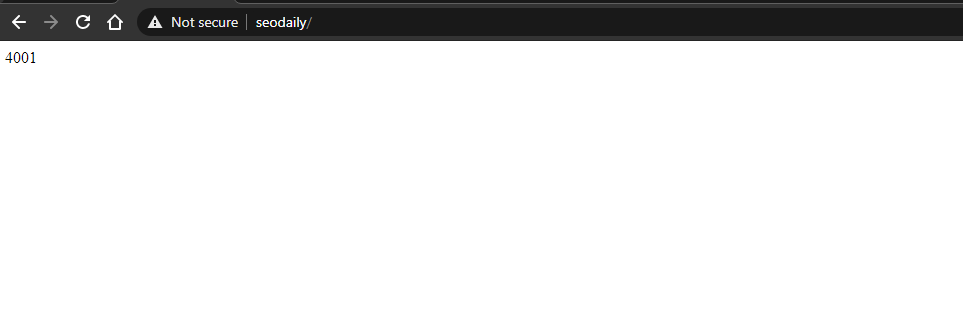
how can solve 4001 error in a virtual runtime.


Browser at http://seodaily/ marked Not secure, showing only the error 4001

Step:1 got to this path and change this tag.
#127.0.0.1 seodaily (seodaily its my project name,whatever you have project name wrtite here on the seodaily place. )
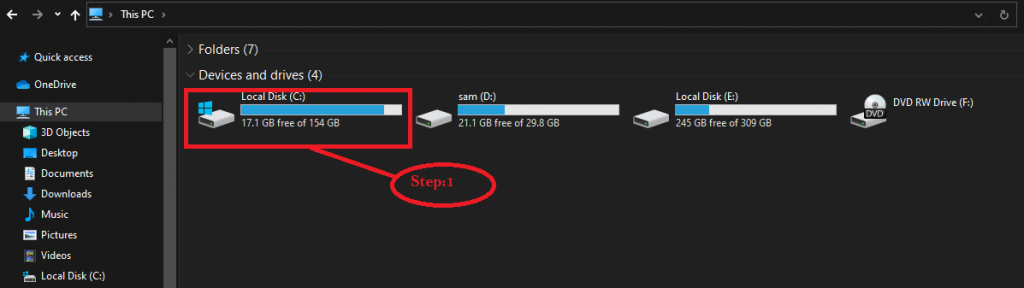
Windows File Explorer This PC view with Local Disk (C:) highlighted as step 1

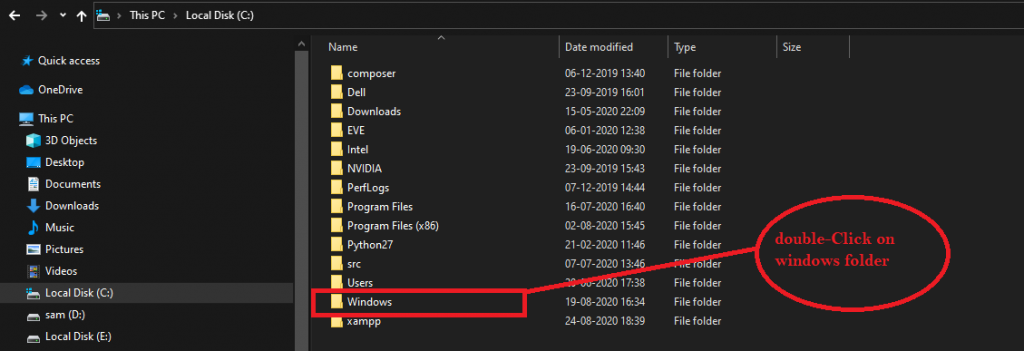
Step:2 go to this path.

File Explorer showing Local Disk (C:) folders with the Windows folder highlighted to double-click

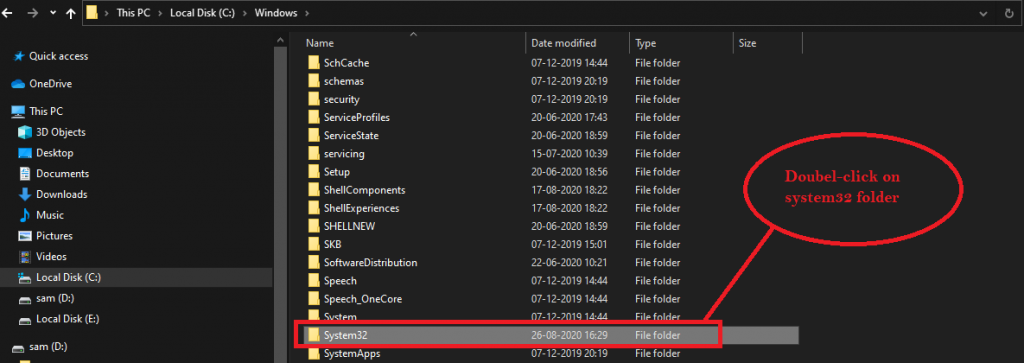
Step:3 got this path.

File Explorer in C:\Windows with the System32 folder highlighted to double-click

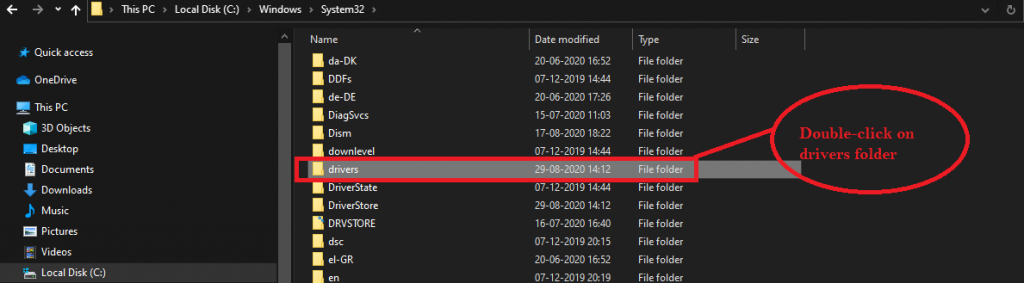
Step:4 -go to this path

File Explorer in C:\Windows\System32 with the drivers folder highlighted to double-click

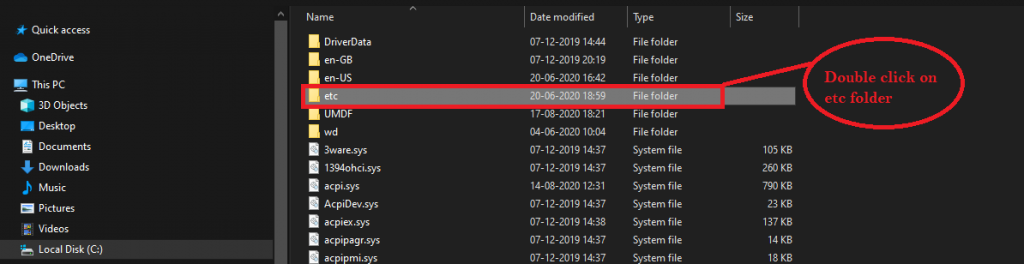
Step:5 go to this path.

File Explorer in the System32 drivers folder with the etc folder highlighted to double-click

Step:6 and go to this path.

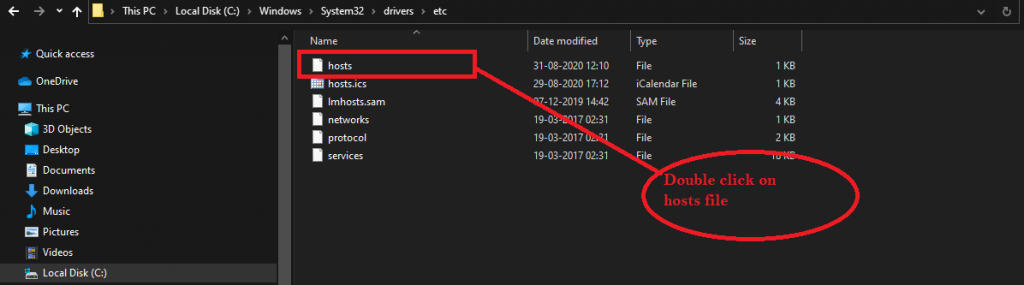
File Explorer in C:\Windows\System32\drivers\etc with the hosts file highlighted to open

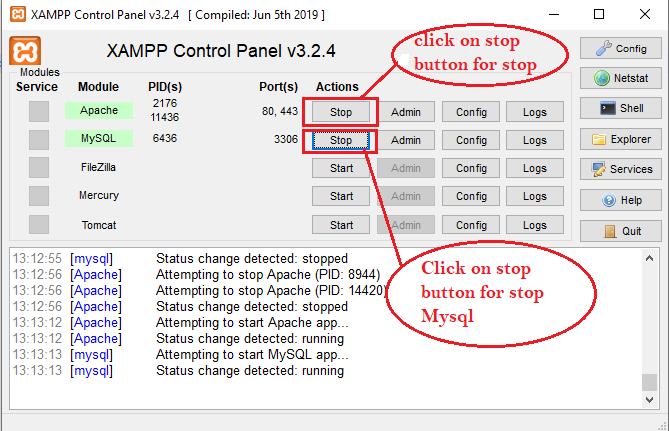
Step:7 open this hosts file.and don’t save now. first stop xampp server.look Step:8 how to stop xampp serve.
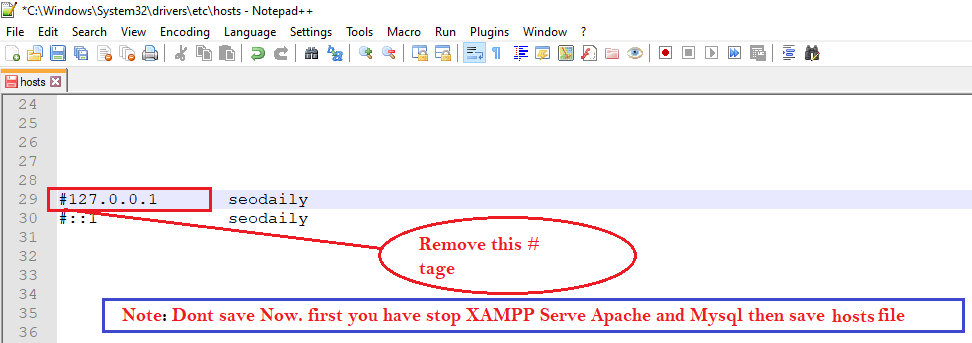
Notepad++ editing hosts file, remove # before 127.0.0.1 seodaily; stop XAMPP Apache and MySQL before saving

Step:8

XAMPP Control Panel v3.2.4 with Stop buttons for Apache and MySQL highlighted

Step:9 after stop both then you can save hosts file.and after save file then start apache and Mysql
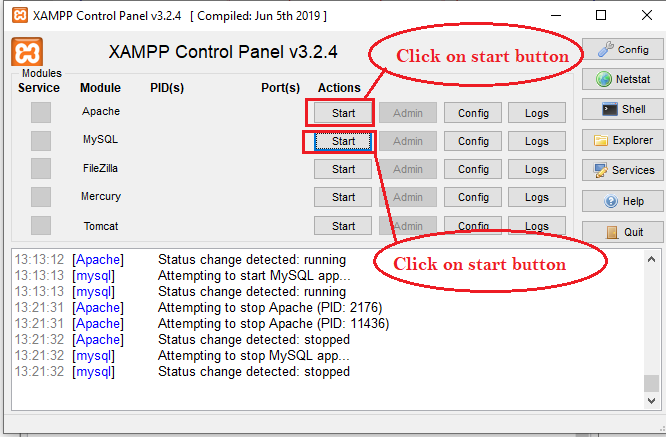
XAMPP Control Panel with Start buttons for Apache and MySQL highlighted after saving hosts file

Step:10 after start you can run your porject name
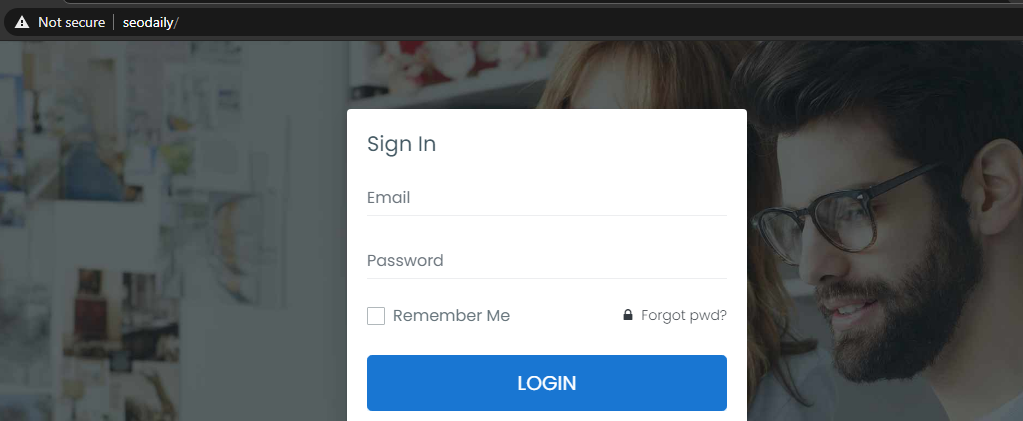
Browser opening the seodaily virtual host, showing the project's Sign In login page

Find Trusted Cardiac Hospitals

Compare heart hospitals by city and services — all in one place.

Explore Hospitals
sam
MotoShare.in is your go-to platform for adventure and exploration. Rent premium bikes for epic journeys or simple scooters for your daily errands—all with the MotoShare.in advantage of affordability and ease.

Related Posts

How to Reset or Recover Forgotten mySql root Password

To reset a forgotten MySQL or MariaDB root password, stop the server, restart it with grant checks turned off (skip-grant-tables), set a new password with ALTER USER,…

Read More

Complete Guide for Socket based vs TCP Based Application Connection

Here’s a clear, end-to-end tutorial you can keep handy. It explains what “socket-based” vs “TCP-based” really means, how to tell which one you’re using, and how to…

Read More

keycloak: Installing keycloak with mysql (socket + TCP enabled)

To run Keycloak 17+ (Quarkus) with MySQL on the same server (XAMPP/LAMPP). It covers two supported setups. Pick A (TCP) for a production-style config, or B (UNIX…

Read More

XAMPP – LAMPP Tutorials: List of Production Files to Cleanup Guide

Here’s a comprehensive and updated tutorial on which files should be cleaned up regularly in a production environment running XAMPP (under /opt/lampp), what each file/folder is, and…

Read More

Managing MariaDB Root Password and Connection Behavior in XAMPP (Ubuntu)

☁️ Introduction When working with MariaDB/MySQL inside XAMPP on Ubuntu, many developers face confusing issues related to root password behavior, localhost vs 127.0.0.1 access, and authentication plugins.This…

Read More

Step-by-Step Tutorial: Dynamic Container URL Routing using Apache (XAMPP) for Multi-User Laravel App

This tutorial guides you through setting up a multi-user container-based architecture using: We’ll configure Apache to dynamically proxy subdomains like user123.wizbrand.com to each user’s container (e.g., port…

Read More